
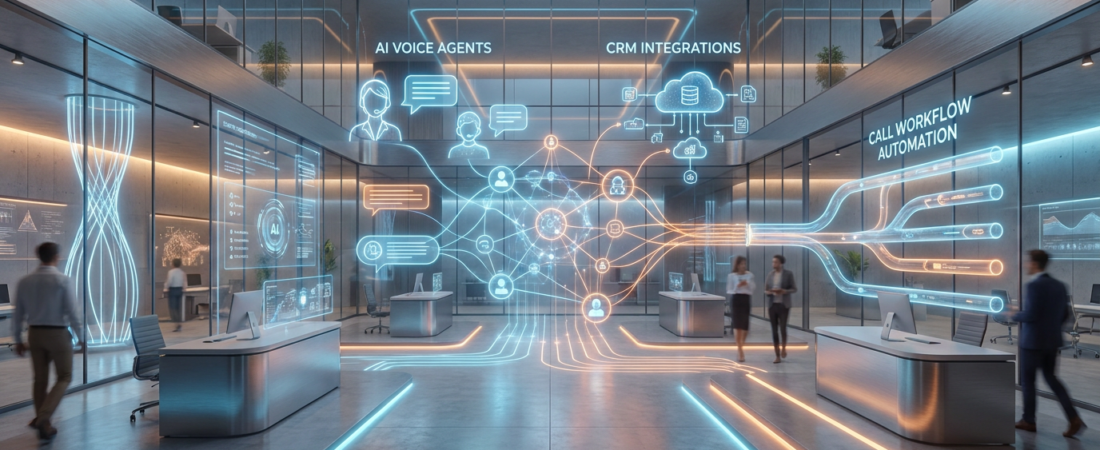
Virtual Phone Answering Services: How to Choose, Compare, and Implement a 24/7 Answering Solution
- Understand when to hire in-house staff versus outsource to a virtual phone answering service or AI voice agent, with realistic cost ranges and trade-offs.
- Compare virtual office answering service, AI reception, and hybrid setups side by side, including what it really takes to integrate calendars, CRMs, and reporting.
- Learn the hidden costs of DIY tools like RingCentral auto answer and a bland AI virtual receptionist setup—and when a done-for-you workflow build delivers better ROI.
In This Guide:
💼 What Is a Virtual Phone Answering Service? – Definitions: human, virtual office, and AI receptionists.
⚖️ Human Receptionist vs Virtual Answering vs AI – Cost, coverage, and control compared.
🧩 Choosing the Right Setup for Your Business – Decision framework by call volume and complexity.
🛠️ Integration & Implementation Checklist – Calendars, CRMs, call flows, and KPIs.
⚠️ Why DIY Virtual Reception Fails – Tool traps, bland AI setups, and hidden friction.
📈 Real-World Use Case & ROI Math – A 24/7 answer & booking workflow example.
🤝 When to Bring in AiBizBuild – How our AI Voice Agents & 24/7 booking systems plug into your phones.
❓ FAQ – Setup time, security, contracts, and more.
If you are missing calls, relying on voicemail, or juggling staff to cover the phones, you are already paying for it in lost revenue. A structured virtual phone answering service is less about a friendly voice and more about building a reliable, measurable conversion system on top of your phone lines.
In this guide, I will walk through the options I recommend to owners and operations leaders every week. We will compare in-house reception, virtual office answering services, and AI voice agents, then map out what it actually takes to implement a 24/7 answering solution that ties into your calendar and CRM.
What Is a Virtual Phone Answering Service?
A virtual phone answering service is an off-site solution that answers and routes your calls according to rules you define. Instead of every call ringing directly to your staff, it is intercepted, triaged, and either handled or passed on with context captured.
The key difference from “we have a phone number” is that a virtual setup is designed to be predictable, scriptable, and available even when your team is busy. Done correctly, it can reduce missed calls by 40–60% and save 10–30 staff hours per month in interruptions and manual scheduling.
Core Definitions: Live, Virtual, and AI Reception
An in-house receptionist is a full-time employee sitting in your office, answering calls, greeting visitors, and often handling admin tasks. You gain strong control and culture alignment, but you pay for business-hours coverage, breaks, sick days, and turnover.
A virtual office answering service is typically a human team working remotely under another company’s roof. You pay by plan or minutes, and they follow a script to answer, take messages, sometimes transfer calls, and occasionally book basic appointments.
An AI virtual receptionist or AI Voice Agent is software that answers calls, understands intent, asks questions, and can book, route, or log information into systems like your CRM. It excels at high consistency and 24/7 coverage, and it scales without adding headcount, but needs good workflow design and clear escalation rules to humans.
Where RingCentral Auto Answer and Phone Menus Fit In
Tools like RingCentral auto answer and basic phone menus (IVRs) sit one level below reception. They are infrastructure features that let you play a greeting, offer options (“Press 1 for Sales”), and route the call to an extension or voicemail.
They are useful, but by themselves they are not a virtual phone answering service because they do not collect structured intake data, qualify leads, or update your CRM. They are basically signposts on the road, not the person handling the conversation.
If you are still choosing your underlying phone platform, this guide on a phone system with auto attendant breaks down your options and how auto-attendants fit into a modern call workflow.
Human Receptionist vs Virtual Answering vs AI
Most businesses considering a change are comparing at least three options at once: keeping or hiring an in-house receptionist, outsourcing to a virtual office answering service, or moving to an AI Voice Agent. Each has different cost structures, coverage patterns, and levels of control.
Your choice should be driven by actual call volume, the value of a booked customer, and how much you need calls to feed into structured data and follow-up systems. Let’s break down the trade-offs clearly before we talk about implementation.
Cost, Coverage, and Control Compared
A full-time in-house receptionist in most U.S. markets will run $3,000–$5,000+ per month once you include salary, taxes, and benefits. You get strong culture fit and flexibility for in-office tasks, but coverage is limited to business hours and any time they are away from the desk.
A human virtual phone answering service typically costs $150–$800+ per month depending on included minutes, with overages if you grow. You gain extended or even 24/7 coverage without adding headcount, but are constrained by their scripting tools and integration options.
An AI Voice Agent or AI virtual receptionist usually has an implementation fee plus a flat or usage-based SaaS component. The cost does not spike with call volume the way per-minute live services do, and it can be engineered to integrate tightly with your calendars and CRM.
Insert Table: In-House vs Virtual vs AI Reception
To make the comparison concrete, here is how these options typically stack up at a high level.
| Option | Typical Monthly Cost | Coverage | Scalability | Best For |
|---|---|---|---|---|
| In-House Receptionist | $3,000–$5,000+ (salary, taxes, benefits) | Business hours only, limited backup | Low – adding coverage requires more hires | High-touch, in-office workflows needing physical presence |
| Virtual Phone Answering Service | $150–$800+ (plan or per-minute) | Extended or 24/7 coverage by humans | Medium – pay more as volume grows | SMBs needing professional live answers without headcount |
| AI Virtual Receptionist / AI Voice Agent | Implementation fee + flat or usage-based SaaS | True 24/7/365 for all basic and mid-complex calls | High – handles spikes and growth without more people | Teams wanting scalable intake, routing, and booking with deep integrations |
When Human-Only Still Makes Sense
There are situations where a human-only receptionist still makes sense, even if it is more expensive on paper. If your calls regularly involve high emotional stakes (e.g., medical emergencies, sensitive legal issues) or require nuanced judgment, you may want a human front line.
For some boutique firms, the receptionist role also includes in-person hospitality, office coordination, and work that cannot be virtualized. In those cases, AI and virtual services are still valuable, but they become support layers rather than the primary interface.
AiBizBuild often deploys hybrid models where an AI Voice Agent handles routine intake and an after hours virtual receptionist role, while your in-house or outsourced human team handles complex calls and escalations. This keeps human attention focused where it actually drives revenue.
Choosing the Right Setup for Your Business
Before you pick a vendor or tool, you need a clear picture of your current and future call patterns. The right mix of in-house, virtual phone answering service, and AI depends on volume, complexity, and the cost of a missed opportunity.
Think of this section as a quick decision framework you can sketch out on a whiteboard with your team. A 20-minute exercise here will save you weeks of trial-and-error with the wrong solution.
Key Questions: Volume, Complexity, and Availability
- Monthly inbound call volume: Are you dealing with 50 calls, 500, or 5,000+ each month? Higher volume makes per-minute virtual office answering service pricing more painful and makes automation ROI clearer.
- Call complexity: Are most calls simple FAQs, appointment requests, and status checks, or are they multi-party, consultative conversations? Simple, repetitive calls are ideal for AI Voice Agents and structured workflows.
- Availability needs: Do you need an after hours virtual receptionist just for nights and weekends, or do you need full 24/7 coverage across time zones and locations?
Answering these questions honestly gives you a first-pass filter on whether to lean human, AI, or hybrid.
Example Scenarios (Small Firm, Multi-Location, High-Volume)
Scenario 1: Solo operator or small practice. You get 80–120 inbound calls per month, with a lot of missed calls during lunch, evenings, and busy days, and each new client is worth $300–$1,000. Here, a lean virtual phone answering service or AI after-hours solution can recover 5–10 clients per month, easily paying for itself.
Scenario 2: Multi-location service business. You handle 400–800 calls per month across locations, with peaks during certain hours and seasons. A mix of in-house staff during core hours plus an AI Voice Agent for overflow and an after hours virtual receptionist role can smooth spikes and avoid per-minute surprises.
Scenario 3: B2B consultancy. You receive fewer calls, but each booked consult is high value. AI can handle first-line qualification (budget, timeline, problem fit) and book meetings onto a consultant calendar, while complex inbound calls get escalated quickly to senior staff.
Where Virtual Office Answering Services Fit vs AI
A traditional virtual office answering service shines when you need a fast, human layer between callers and your team without building much infrastructure. In a few days, you can have professional greetings, message-taking, and basic transfers in place.
However, these services start to creak when your call volume grows or your data and follow-up needs get more sophisticated. Rising per-minute fees, lack of deep CRM or calendar integration, and inconsistent data back into your systems become real bottlenecks.
If you are not sure which route is best for your specific numbers, this is exactly what we cover in an AiBizBuild Workflow Audit. We look at your call logs, lead value, and tech stack and provide a clear recommendation on whether to lean on a virtual office answering service, AI Voice Agents, or a hybrid.
Book a Workflow Audit with AiBizBuild and get a free call workflow map, tech stack review, and ROI estimate tailored to your call volume and service model.
Integration & Implementation Checklist
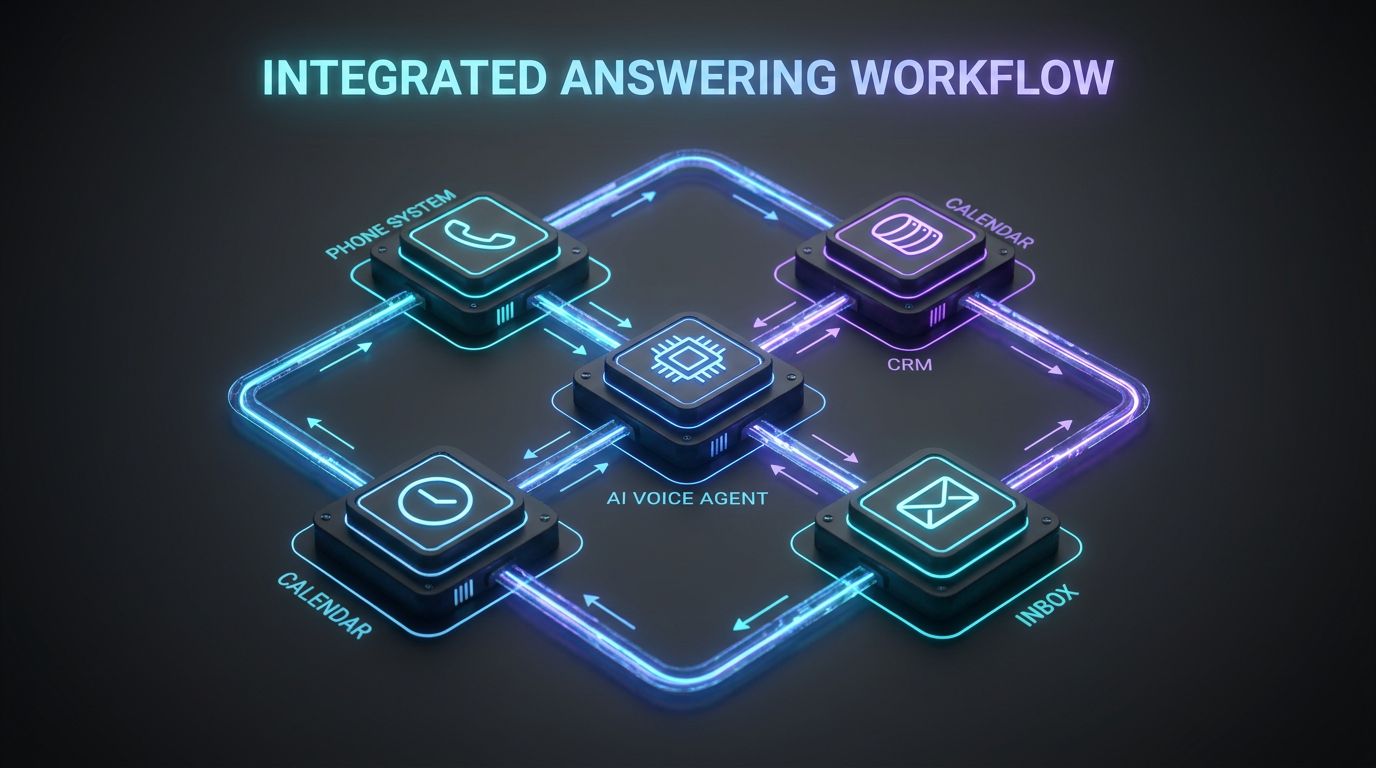
This is where most “AI receptionist” pitches get vague. Tools are easy to buy; working systems are rare. A serious virtual phone answering service or AI Voice Agent deployment needs to plug cleanly into your phone system, calendars, CRM, and team inboxes.
Below is the same integration checklist I use when scoping projects. Whether you work with AiBizBuild or not, these are the boxes that must be ticked if you want reliable, measurable call handling.
Phone System & Call Routing Basics
First, we map your current phone setup: VoIP platform (e.g., RingCentral), SIP trunks, numbers by location, and any existing IVRs. The goal is to understand where we can intercept or forward calls without changing your public numbers.
From there, we configure routing so calls can flow to a virtual phone answering service, AI Voice Agent, or a blended model depending on time of day and call type. RingCentral auto answer and auto-attendants are treated as infrastructure components, not the whole solution.
In practical terms, most implementations use conditional forwarding (e.g., no answer, after hours) to hand off to the AI or virtual service, which then applies your business logic.
Calendars, CRMs, and Inbox Workflows
For owners that care about revenue, integration starts with calendars and CRM. A proper 24/7 Appointment Booking System connects to Google or Microsoft calendars, enforces availability rules, and writes confirmed appointments back with all call context.
On the CRM side, CRM Integration & Inbox Management ensures every qualified call becomes a contact or deal with tags like source, intent, and urgency. That data then drives pipelines, tasks, and follow-up automations.
Email and SMS are wired in so that confirmations, reminders, and follow-up sequences can be triggered from the same call outcome data. The best systems use bi-directional sync, so updates in the CRM or calendar also inform what the AI says next time the caller reaches out.
Call Flows, Scripts, and Escalation Rules
Once the plumbing is ready, we design the actual call flows. That includes the greeting and brand voice, how we identify whether a caller is new or existing, and the questions we must ask to qualify or support them.
A typical intake flow for a new lead looks like this: greet with brand-appropriate message → capture name and call reason → ask key qualifiers (location, budget, timeframe) → offer to book or transfer → confirm and summarize. The same logic can apply whether a human or AI handles the call.
Escalation rules are non-negotiable. If the AI is unsure, detects frustration, or the caller requests a human, we route to a live agent or on-call staff, with a concise summary of what was captured so far to avoid repetition.
KPIs and Dashboards
Finally, we decide how you will measure success. At minimum, you want missed call rate, time to answer, booking rate per qualified call, and conversion rate from call to revenue. For some teams, cost per booked appointment becomes the North Star.
With proper CRM Integration & Inbox Management, these metrics can be surfaced in simple dashboards your leadership actually checks. That way, if the system drifts or volumes change, you spot it before it costs you a month of pipeline.
AiBizBuild’s implementations are designed so that AI Voice Agents, virtual answering layers, and your internal team all feed data into one reporting view, not six different exports that no one has time to reconcile.
Request a Demo to see a live AI Voice Agent in action, along with an example dashboard showing missed call reduction, booking rates, and ROI for a 24/7 answering workflow.
Why DIY Virtual Reception Fails

Most businesses I talk to have already tried a DIY approach before they call us. They wired up RingCentral auto answer, built a basic phone menu, maybe bolted on a cheap “AI receptionist” plugin, and hoped it would all just work.
What they end up with is a patchwork of tools that answer the phone but quietly leak leads, create friction for callers, and generate zero useful data for the business. The problem is rarely the tools; it is the lack of a deliberate system design.
The Tool Trap: Auto-Attendants Without Strategy
A classic pattern looks like this: you add a main menu (“Press 1 for Sales”), point a few options to staff extensions, and send after-hours calls to voicemail. Maybe you layer in a low-cost virtual office answering service as backup.
Then you add a generic AI receptionist from a SaaS that promises magic, but in reality it is a bland AI virtual receptionist setup with no understanding of your offers, no integration to your CRM, and no follow-up actions beyond emailing a transcript.
Callers get bounced around, repeat themselves, or hang up. Internally, you have no idea how many leads you are losing, which sources are performing, or which calls should trigger proactive outbound follow-up.
Hidden Costs: Time, Missed Leads, and Fragmented Data
The obvious cost of DIY is your time: planning menus, recording greetings, fixing routing, and coaching staff on what to say. For most owners, that alone is 10–20 hours of distraction spread across a few months.
The bigger cost is the leak. If you handle 200 inbound calls per month and even 10% of potentially qualified leads slip through due to bad experiences or slow responses, that is 20 leads. At $500 per client, that is $10,000 per month walking away.
Fragmented data is the third cost. When call notes sit in email, random spreadsheets, and staff memory instead of a unified CRM, you cannot build reliable follow-up or understand which campaigns are actually driving profitable calls.
Insert Table: DIY Tools vs Done-For-You AI Workflow
Here is how a typical DIY stack compares to a done-for-you AiBizBuild implementation.
| Approach | Setup Complexity | Ongoing Time Investment | Data & CRM Integration | Typical Hidden Costs |
|---|---|---|---|---|
| DIY RingCentral Auto Answer + Basic Virtual Office Answering Service | High – you must design menus, routing, and handoffs yourself | Ongoing – constant tweaks, staff training, and vendor coordination | Limited – manual export/import or basic email summaries only | Missed leads, inconsistent data, rising per-minute fees as you grow |
| Done-For-You AI Voice Agents + 24/7 Appointment Booking + CRM Integration (AiBizBuild) | Handled for you – we design, build, and optimize complete workflows | Low – your team just uses the system and reviews reports | Deep – automatic logging, tagging, and pipeline updates | Predictable project/retainer cost; reduced reliance on per-call humans |
Why DIY Fails for Most SMBs
For most small and mid-sized businesses, the issue is not intelligence or effort; it is focus. Designing robust call workflows, integrating multiple systems, and iterating based on data is not something you can do well in the margins of your week.
Without someone owning the system, the configuration decays every time you add a new line, change staff, or launch a new offer. Tools change quickly, vendors update features, and your workflows rarely keep up.
Agencies like AiBizBuild exist to absorb that complexity. We treat your answering and routing as a critical system—not a side project—and align AI Voice Agents, virtual layers, and human staff around measurable business outcomes.
Real-World Use Case & ROI Math
To make this concrete, let’s walk through a simplified but realistic scenario. Numbers will vary for your business, but the structure of the math is the same and is exactly how we model ROI in our Workflow Audits.
We will look at a service business that implements an after hours virtual receptionist using an AI Voice Agent, backed by a 24/7 Appointment Booking System and CRM integration.
Use Case: Service Business Implementing an After Hours Virtual Receptionist
Imagine a home services company or small law firm receiving 250 inbound calls per month. About 60% come during business hours, and 40% come during evenings and weekends.
Historically, the team misses 20–30% of calls overall, with the worst performance after hours when calls roll to voicemail. Each new client is worth an average of $750 in revenue, and the owner knows they are losing deals but lacks hard data.
They have experimented with a basic virtual office answering service but found it expensive at peak season and disconnected from their CRM and calendar. That means no clear visibility into which missed calls could have booked.
Before: Human-Only and Missed Opportunities
In the “before” state, the phones ring to the office during the day, with staff answering when they can. Overflow goes to voicemail, which is checked manually throughout the day when someone remembers.
After hours, everything is voicemail. Prospects often call two or three competitors back-to-back, and whoever answers first usually books the job. There is no systematic tracking of how many voicemails represent qualified leads versus spam.
The owner is paying effectively for a part-time receptionist function embedded in other roles, plus the indirect cost of constant interruptions and context switching for their team.
After: AI Voice Agent + 24/7 Appointment Booking System
With AiBizBuild, we implement an AI Voice Agent that serves as an after hours virtual receptionist and overflow layer during the day. It connects to their existing phone system via forwarding rules and understands their services, pricing ranges, and booking policies.
The AI is plugged into a 24/7 Appointment Booking System that syncs with technician or attorney calendars, enforces availability, and captures key intake fields. It is also wired into CRM Integration & Inbox Management so that every qualified call becomes a tracked contact or deal.
A typical new lead call flow looks like this: caller dials → AI answers with branded greeting → identifies whether they are a new or existing client → asks a short series of qualifiers → offers available time slots and books directly → sends confirmation SMS/email → writes a structured summary into the CRM and shared inbox.
ROI Example: From Missed Calls to Extra Revenue
Let’s run basic numbers. Out of 250 calls per month, assume 150 are potentially qualified leads. Previously, they were missing 25% of those, or about 38 leads per month, mostly after hours.
With the AI Voice Agent and integrated workflow in place, let’s assume we recover a conservative 30% of those previously lost leads, or about 11 extra leads per month. At an average value of $750 per client and a close rate of 70%, that is roughly 8 extra clients × $750 = $6,000 per month in additional revenue.
Even after factoring in implementation and ongoing system costs, it is common for this kind of setup to pay for itself by recovering just 3–5 clients per month. Everything beyond that is effectively margin and fewer headaches for your team.
Book a Workflow Audit and we will map your current call flows, estimate missed revenue based on your logs and close rates, and outline a phased implementation plan with realistic ROI projections.
When to Bring in AiBizBuild
By this point, you have a sense of the landscape: in-house reception, virtual phone answering service, AI Voice Agents, and hybrids. The remaining question is whether you build this yourself or bring in a specialist to design a durable system.
AiBizBuild is not a $10/month widget or commodity virtual office answering service. We are a systems partner for businesses that want to treat call handling and conversion as an engineered process, not an afterthought.
Signs You’ve Outgrown Basic Virtual Answering Services
- You are juggling multiple tools (phone system, IVR, virtual office answering service, calendar apps) that do not talk to each other.
- Your per-minute bills from live virtual receptionists spike in busy months, eating into margins and making forecasting difficult.
- Leadership cannot answer basic questions like “What is our missed call rate?” or “What percentage of qualified calls become booked appointments?”
- Your team is re-entering data manually from emails and call notes into your CRM, or not entering it at all.
These are all signals that you do not just need a new tool; you need a coherent call workflow that fits your business model.
What AiBizBuild Actually Does (Within Approved Services)
AiBizBuild designs and implements end-to-end call workflows anchored by AI Voice Agents (Inbound/Outbound). On the inbound side, they handle 24/7 intake, FAQs, qualification, and routing; on the outbound side, they can follow up on missed calls or form fills to book appointments.
We connect these agents to 24/7 Appointment Booking Systems so they can read live availability and write confirmed bookings back to calendars without double-booking. This frees your human team from playing email and voicemail tag with prospects.
Our CRM Integration & Inbox Management work ensures every interaction is logged, tagged, and surfaced in simple dashboards. For lead-heavy teams, we can tie call workflows into broader funnels powered by ChatGPT for lead generation and other AI lead generation tools, but calls remain the backbone.
Engagement Model, Timelines, and Expectations
Our typical engagement starts with a Workflow Audit where we map your current state, clarify business goals, and decide what should be automated versus kept human. From there, we design and build your first production workflow, usually over 3–6 weeks depending on complexity and integrations.
Deliverables usually include call flow diagrams, AI Voice Agent configurations, calendar and CRM integrations, test plans, and a go-live checklist. After launch, we monitor performance, tune scripts and routing based on data, and provide optional ongoing optimization if you want a fully managed setup.
The goal is not to sell you “AI for AI’s sake” but to create a system that reduces missed calls, increases booked appointments, and gives you clear visibility into what your phones are actually doing for the business.
FAQs About Virtual Phone Answering Services
How long does it take to set up an AI-powered virtual phone answering workflow?
Most projects move through discovery, design, build, test, and launch in roughly 3–6 weeks, depending on how many calendars, locations, and systems we need to integrate. Simple single-location setups can go faster, while multi-brand, multi-country workflows take longer.
Do I need to change my existing phone system to use AI Voice Agents?
In most cases, no. We typically integrate with your existing VoIP provider (including RingCentral) via forwarding rules or SIP connections so you can keep your numbers, routing, and carrier relationships intact.
Whether you are using RingCentral auto answer or another auto-attendant today, we evaluate the best integration path during the Workflow Audit and design around your current infrastructure.
Is an AI virtual receptionist secure and compliant for my industry?
AI Voice Agents can be deployed with encryption in transit, access controls, and logging that align with standard security practices. For sensitive industries, we configure data handling to meet your specific requirements and avoid storing or exposing information you do not want retained.
Compliance details are always discussed and documented during the initial design phase so you know exactly how calls and data are handled.
Can I still have human receptionists working alongside AI?
Absolutely. Many of our best-performing clients run hybrid models where AI handles first-line triage, FAQs, and booking, and human receptionists or specialists handle high-value or complex calls.
The goal is to let AI do the repetitive work 24/7 while your human team focuses on conversations where empathy, nuance, or deep expertise really matter.
What does AiBizBuild charge for this kind of setup?
We operate on a project-based implementation model with optional ongoing optimization retainers, rather than per-minute or per-call fees. Pricing depends on call volume, number of locations, integration depth, and whether you need inbound, outbound, or both.
Instead of encouraging price shopping, we frame each proposal around expected ROI—how much additional revenue or time savings the system should unlock relative to its cost.
If you are serious about reducing missed calls and turning more conversations into revenue, the easiest next step is to Book a Workflow Audit or Request a Demo. We will show you exactly how a modern virtual phone answering service, powered by AI Voice Agents and tight integrations, can work for your specific business—without you having to babysit another set of tools.