

Phone System With Auto Attendant: Automating Call Handling & Virtual Reception for Small Business
Most small businesses don’t need more phone lines — they need a phone system with auto attendant that stops bleeding leads every time a call goes to voicemail or rings out. The problem isn’t just technology; it’s the lack of a clear call-handling workflow tied into your calendar, CRM, and team. This guide shows you what to choose, how to design it, and how to implement it without breaking your phones or your sanity.
Key Takeaways
- Pick your tools based on workflows (how calls should be handled end-to-end), not brand hype or feature lists.
- A basic auto attendant is easy to turn on, but hard to configure correctly — most DIY setups quietly leak leads and frustrate callers.
- The safest path is a structured process: audit your current call handling, design the menu and routing, then let a partner like AiBizBuild build, test, and optimize it.
In This Guide:
- Manual Reception vs Auto Attendant: What’s Actually Changing?
- Types of Phone Systems With Auto Attendant for Small Business
- Designing a Caller-Friendly Auto Attendant & IVR Menu
- Why DIY Phone Menus and Auto Attendants Usually Fail
- Use Case: 10-Employee Service Business Going 24/7 Without Hiring More Staff
- Implementation Playbook: From Chaotic Phones to an Automated Call Funnel
- Packages, Timelines, and ROI Considerations
- How AiBizBuild Helps: From Tool Shopping to a Working System
- FAQs About Auto Attendants, Virtual Receptionists, and AI Phone Workflows
Manual Reception vs Auto Attendant: What’s Actually Changing?
For most small teams, the current “system” is a shared cell phone, a basic desk line, or a receptionist juggling walk-ins and calls. That works until call volume spikes, staff go on break, or leads start coming in from ads and Google search at all hours. At that point, every missed call is either a lost sale or an annoyed existing client.
The Old Way: Human Reception and Basic Phone Lines
In the old model, one person — often the owner or a front-desk generalist — is responsible for answering, screening, and routing every call. When they’re in a meeting, on lunch, or handling a customer in-person, calls roll to generic voicemail or ring endlessly. If you’re paying for ads, every missed call from Google Ads or Local Services could represent a $20–$50+ click that never turns into revenue.
On top of that, humans are inconsistent. Some days intake is detailed; other days it’s scribbles on sticky notes that never reach the CRM. You end up with no reliable data on how many calls you’re missing, how quickly you respond, or which channels are actually driving booked appointments.
The New Way: Auto Attendants, Virtual Receptionists, and AI Voice Agents
The modern model is a stack: a phone auto attendant system handles call routing and menus, a virtual call answering service or AI layer handles conversations, and everything is logged automatically. Think of the auto attendant as your intelligent switchboard that answers every call with a consistent greeting and sends it down the right path. On top of that, an ai receptionist service or AI Voice Agent can collect details, answer common questions, and even book appointments without a human picking up.
An auto attendant phone system for small business handles the basics: “Press 1 for Sales, 2 for Service, 3 for Billing.” A modern auto phone answering system or automatic phone answering system adds rules for business hours, after-hours routing, and priority handling for certain call types. When you add integrated workflows, that same call can update your CRM, trigger follow-up tasks, and sync with calendars without anyone retyping notes.
Insert Table – Manual Reception vs Automated Call Handling Stack
Here’s how manual reception compares to an automated stack combining auto attendant, AI, and integrations.
| Dimension | Manual Reception | Basic Auto Attendant Only | Auto Attendant + AI Voice Agent + Integrated Workflows |
|---|---|---|---|
| Hours Covered | Business hours only; gaps for breaks, meetings, sick days | 24/7 greeting and routing to voicemail/teams | 24/7 with live-like conversations and automated scheduling |
| Missed Call Rate | High during peaks and after-hours | Lower, but many calls still end in voicemail | 30–50% fewer missed calls with automated capture and callbacks |
| Caller Experience | Inconsistent; depends on who answers | Basic menu; often generic or confusing if DIY | Predictable, branded, fast; clear paths for new vs existing callers |
| Cost Predictability | Hourly wages, turnover, training | Low software cost, but limited ROI if underused | Predictable software + implementation fee with measurable call outcomes |
| Integration with CRM/Appointments | Manual notes, often lost or incomplete | Limited; usually separate from CRM and calendar | Full CRM Integration & Inbox Management with automatic logging and tasks |
Types of Phone Systems With Auto Attendant for Small Business
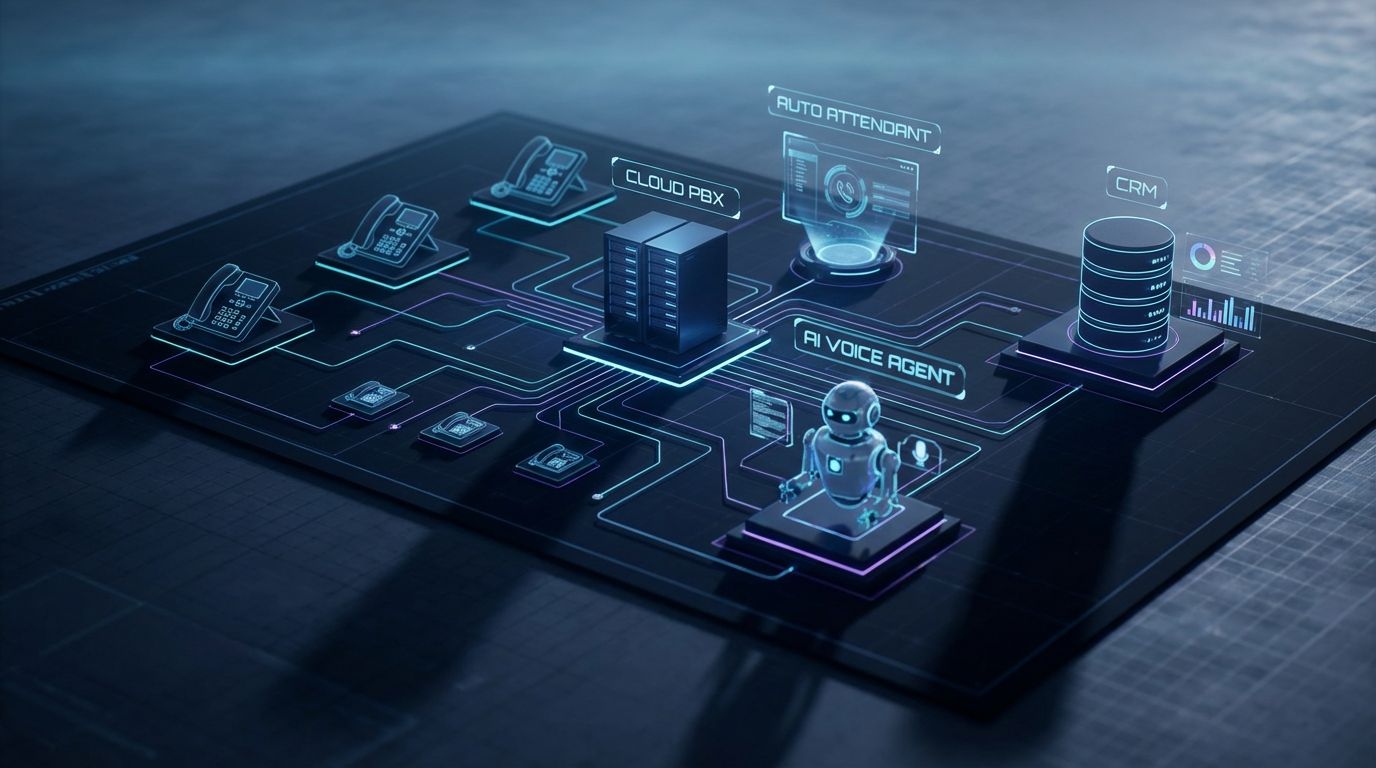
Once you know you can’t keep relying on manual answering, the next question is, “Which platform should we use?” There are three major categories you’ll run into: cloud phone systems (with built-in auto attendants), standalone auto answering service and human virtual receptionists, and AI layers that sit on top. The right answer is often a combination, but the base is almost always a cloud phone system.
Cloud Phone Systems With Built-In Auto Attendants (UCaaS)
Cloud phone platforms like RingCentral, Dialpad, and Nextiva offer an auto attendant phone service as part of their unified communications packages. They let you create multi-level menus (press 1, press 2), time-based routing (business hours vs after-hours), and basic IVR (interactive voice response) flows. For a small business, this is usually the best foundation for a phone system with auto attendant because it centralizes numbers, extensions, voicemail, and call recording.
These systems are powerful, but they assume you know what to build. The menu builder screens are flexible, yet they don’t tell you whether you’re designing a caller-friendly experience or a maze. That’s why strategy — mapping your actual call flows and business rules — matters more than which UCaaS vendor you pick.
Standalone Auto Answering Service and Virtual Reception Services
A separate auto call answering service or virtual call answering service typically means a third-party company with human agents answering calls on your behalf. They follow scripts, capture intake details, and can sometimes schedule appointments. You either forward your main number to them or route certain call types after the auto attendant.
The upside is you get human judgment and empathy without hiring full-time staff. The downside is cost per minute, variable quality, and the risk of information living in their portal instead of your systems if integrations are weak.
AI Voice Agents and 24/7 Appointment Booking Systems
This is where automation moves beyond a simple menu. AI Voice Agents (Inbound/Outbound) can answer calls, ask clarifying questions, and handle common workflows that a basic auto phone answering system can’t. Paired with 24/7 Appointment Booking Systems, they can check your team’s calendars, book or reschedule appointments, and send confirmations instantly.
When this is wired into CRM Integration & Inbox Management, every call outcome — booked, rescheduled, voicemail, wrong number — is logged into the CRM and shared inbox automatically. The end result is fewer dropped balls, more appointments captured after-hours, and 10+ hours per week freed up for owners and managers who no longer have to play phone tag.
Designing a Caller-Friendly Auto Attendant & IVR Menu
Turning on an auto attendant is easy; designing one that callers don’t hate is the hard part. The goal is to let people reach what they need in under 30 seconds without guessing which option is right. That means limiting choices, using natural language, and building in smart fallbacks.
Core Elements of a Good Auto Attendant Phone System for Small Business
Every solid auto attendant phone system for small business has a few core elements: a clear greeting, time-based logic, and simple routing rules. The greeting should immediately confirm who they’ve reached and what they can do: “book, reschedule, billing, talk to a human.” Time-based rules make sure that during business hours, priority calls reach your team, while after-hours they go to voicemail, AI, or an auto answering service backup.
You also need voicemail failovers and handling for “no input” and “invalid input” so callers never get stuck. The balance is between self-service (simple tasks automated) and fast human access for complex or high-value calls.
Example Menus and Scripts for Common Small Business Scenarios
Here’s a compact example for a service business using an automatic phone answering system:
- Greeting: “Thanks for calling Metro HVAC. If you’re a new customer needing service today, press 1. Existing customers, press 2. For billing and administration, press 3. To hear this again, press 9.”
- Option 1 (New customer): Routes to AI Voice Agent that asks, “Are you calling about heating, cooling, or something else?” then collects address, urgency, and preferred time, and books via the 24/7 Appointment Booking System.
- Option 2 (Existing): Routes to the service queue during business hours or to voicemail + SMS callback workflow after-hours.
For a professional services firm (legal, accounting), the script might split “new case/engagement” from “existing client” first. A medical office might route “medical emergency” to an on-call line while everything else goes through the main phone auto attendant system and AI or human triage.
Integrating With Calendars, CRM, and Inbox Management
Design doesn’t stop at the menu — it ends in your systems of record. With CRM Integration & Inbox Management, every call can create or update a contact, log a note, and trigger tasks or follow-ups. For example, a missed call could automatically fire a text saying, “We saw your missed call, can you reply with a good time to reach you?” and open a task in the CRM if there’s no response.
When paired with 24/7 Appointment Booking Systems, your auto attendant and AI Voice Agent can check availability, place bookings, and sync confirmations to your calendar and shared inbox. That removes the back-and-forth of manual scheduling and dramatically cuts no-shows thanks to automated reminders.
Why DIY Phone Menus and Auto Attendants Usually Fail
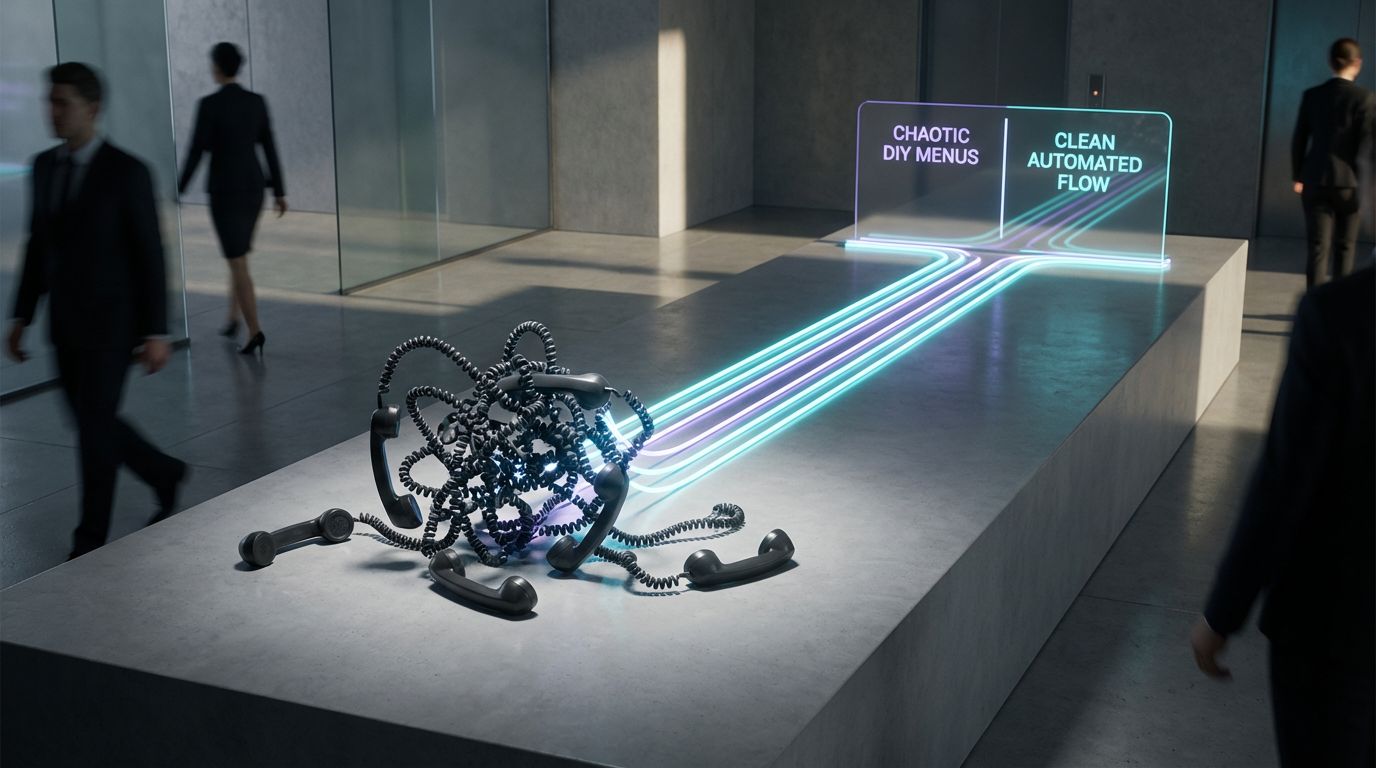
Most platforms advertise “set up your auto attendant in minutes.” Technically, that’s true; you can drag a few boxes and hit save. But the gap between “it works” and “it reliably reduces missed calls by 30–50%” is where DIY usually falls apart.
Common DIY Mistakes: Confusing Menus, Dead Ends, and No Data
- Too many options: A menu like “press 1 for this, 2 for that, 3 for something else, 4 for…” causes analysis paralysis and drop-offs.
- No clear path to a human: Callers slam zero repeatedly or hang up when they can’t reach a person quickly for urgent issues.
- Inconsistent hours and routing rules: Holidays, early closes, and multiple locations lead to calls ringing the wrong team or straight to voicemail.
- No tagging or analytics: Calls aren’t categorized, so you can’t tell which marketing channels or menu options generate the most appointments.
On top of this, AI prompts for an ai receptionist service or Voice Agent are often written once and never updated. That leads to robotic, unhelpful conversations that don’t match how your team actually talks to customers.
The Hidden Costs: Lost Leads, Frustrated Callers, and Wasted Ad Spend
A clunky DIY auto attendant phone service doesn’t just annoy people; it quietly destroys ROI. If you’re driving 200 inbound calls per month and even 10% drop because of bad menus or no clear option, that’s 20 leads gone. If each new customer is worth $300–$1,000 over their lifetime, the leak gets painful fast.
Multiply that by ad campaigns and busy seasons, and the “cheap” DIY configuration can easily cost more than a full Auto Attendant + AI Voice Agent + CRM Integration & Inbox Management setup. The real expense isn’t software — it’s lost opportunities and staff time chasing incomplete voicemails.
Insert Table – DIY Setup vs Done-For-You Implementation
Here’s how DIY compares to a structured, done-for-you implementation from AiBizBuild.
| Aspect | DIY with Generic SaaS | AiBizBuild Done-For-You |
|---|---|---|
| Time to Go Live | Weeks or months of trial-and-error between other tasks | 2–4 weeks with a clear project plan |
| Expertise Required | You learn IVR, AI prompts, and integrations on the fly | Specialists in call flows, AI Voice Agents, and CRM workflows |
| Integration Depth | Basic forwarding; manual data entry into CRM and calendars | End-to-end: phone, 24/7 Appointment Booking Systems, and CRM Integration & Inbox Management |
| Optimization & Reporting | Minimal; you may not know what to measure | Defined KPIs, dashboards, and quarterly optimization |
| Impact on Missed Calls | Unclear; may not improve much if menus are poor | Targeted 30–50% reduction in missed calls via smart routing and follow-up |
| Total Cost Over 6–12 Months | Lower software fees, high hidden cost in lost leads and owner time | Software + implementation, but higher lead capture and time savings |
Mid-Article CTA – Book a Phone Workflow Audit
If your phones feel chaotic or you’ve “turned on” an auto attendant that still isn’t performing, it’s time for a structured review. AiBizBuild runs a Phone Workflow Audit that walks through Audit → Design → Build → Test → Optimize for your exact business, not a generic template. Book a Phone Workflow Audit to see how many calls you’re losing today — and what a properly designed system could recover in booked appointments and saved staff hours.
Use Case: 10-Employee Service Business Going 24/7 Without Hiring More Staff
Let’s make this concrete with a scenario we see all the time: a 10-person home services company (HVAC, plumbing, or electrical). They’re established, spending on ads, but the owner is still glued to the phone after-hours. Every busy season, they feel like they must hire another coordinator just to keep up.
Before: Owner Chained to the Phone, Missed Calls After 5 PM
Before automation, calls ring a shared main line from 8–5, then forward to the owner’s cell in the evenings. If the owner is with family, in transit, or already on another call, it goes to voicemail. By morning, there’s a backlog of messages, many with partial information or from prospects who have already booked a competitor.
Daytime isn’t much better: the office coordinator is juggling walk-ins, dispatch, and the phone. Intake quality depends on who picked up and how busy they were, and nothing is guaranteed to hit the CRM or scheduling tool accurately.
After: Auto Attendant + AI Voice Agent + 24/7 Appointment Booking
After implementation, every call hits a phone system with auto attendant that instantly separates new jobs from existing customers and emergencies. During business hours, “new job” calls route to a short AI-led intake that confirms location, issue type, and urgency, then either books directly or hands off to a dispatcher with all details on-screen. Existing customers and vendors get a simpler path to the right person or voicemail with callbacks managed by the team.
After 5 PM, the same virtual auto attendant phone system and AI Voice Agent (Inbound) take over fully. They explain availability, gather details, and use the 24/7 Appointment Booking System to offer next available slots or emergency upcharges. Each call is logged into the CRM through CRM Integration & Inbox Management, with tags like “after-hours new lead” or “emergency” so the team has full visibility.
The result: 30–50% fewer missed calls, more after-hours bookings, and the owner wins back 10+ hours per week of phone duty. The team also gets cleaner data and fewer manual handoffs, which means less firefighting and more predictable scheduling.
What the Stack Looks Like (Tools + Workflows)
In this setup, the underlying phone is still a standard cloud UCaaS platform, but it’s now the plumbing, not the product. On top, AiBizBuild designs and connects the auto attendant phone system, the AI Voice Agents (Inbound/Outbound), the 24/7 Appointment Booking Systems, and all the CRM Integration & Inbox Management glue. Each tool is chosen for fit, then orchestrated so calls, texts, emails, and tasks all line up with how the business actually operates.
The same architectural mindset we use for automated content workflows and scalable SEO content systems is applied here. You’re not buying “an AI receptionist”; you’re investing in a predictable system that turns inbound calls into a reliable revenue pipeline.
Implementation Playbook: From Chaotic Phones to an Automated Call Funnel
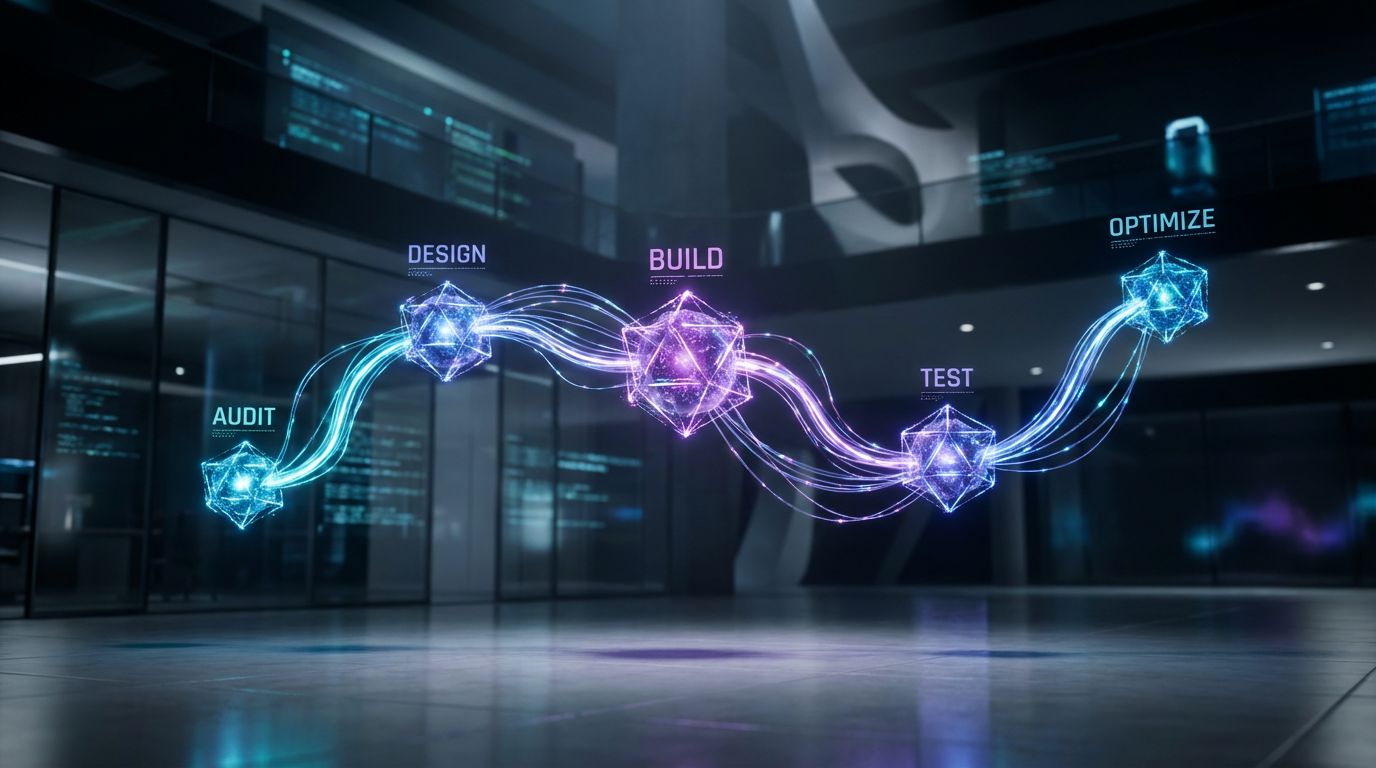
Going from “phones are a mess” to a smooth, automated call funnel doesn’t have to be guesswork. At AiBizBuild, we treat it like any other critical operations project: clear phases, defined deliverables, and measurable outcomes. Here’s the high-level playbook.
Step 1 – Audit: Map Your Current Call Flows and Data
We start with a Call Handling Workflow Audit: where calls come from, when they spike, and how they’re handled today. That includes mapping numbers, extensions, forwarding rules, voicemail boxes, and any existing auto phone answering system settings. We also review your CRM, calendars, and inboxes to see where call outcomes currently get lost.
The outcome of this step is a clear picture of your current missed call rate, response times, and bottlenecks. This alone often surfaces “quick wins” like consolidating numbers or tightening routing rules.
Step 2 – Design: IVR Trees, Auto Attendant Scripts, and Routing Rules
Next, we design your future-state call flows: who should be able to reach what, under which conditions, and how fast. That includes IVR trees for your phone auto attendant system, sample scripts for greetings, and escalation paths for urgent calls. We define separate flows for new leads, existing clients, partners, and internal calls so each group gets the right experience.
We also design AI Voice Agent prompts, fail-safes (when to hand off to a human), and multilingual or multi-location rules if needed. You’ll see this visually, not as telecom jargon — usually as simple diagrams that your team can understand at a glance.
Step 3 – Build & Integrate: Phone System, AI Voice Agents, and Appointment Booking
Once the blueprint is approved, we configure the actual tools. That includes your virtual auto attendant phone system, routing rules, and IVR menus in the cloud phone platform. On top, we deploy and configure AI Voice Agents (Inbound/Outbound) and connect them to your 24/7 Appointment Booking Systems.
Finally, we wire up CRM Integration & Inbox Management so that every call, voicemail, and booking flows into the right contacts, pipelines, and shared inboxes. The same structured approach we use for automated approval workflows and workflow automation playbooks applies here — repeatable, documented, and maintainable.
Step 4 – Test & Optimize: KPIs, Reporting, and Continuous Improvement
Before anything goes fully live, we test: menu options, AI prompts, appointment booking flows, and CRM logging. We define KPIs like missed call rate, self-service percentage, appointment conversion rate, first-contact resolution, and time-to-answer. Then we monitor and tweak — for example, simplifying options that cause drop-offs or adjusting business hours logic during busy seasons.
Most clients benefit from quarterly optimization, where we tune scripts, routing, and AI behavior as your business evolves. The goal isn’t a one-time setup; it’s a living system that keeps improving as your call volume and services grow.
Packages, Timelines, and ROI Considerations
Every business is different, but the economics of getting call handling right are surprisingly consistent. When you stop missing qualified calls and stop wasting staff time on low-value phone work, the system tends to pay for itself. The key is setting expectations on scope, timelines, and the levers that drive ROI.
What Influences Cost (Complexity, Locations, Integrations)
Costs are primarily driven by complexity: number of locations, call queues, languages, and the depth of integrations with CRM and calendars. A single-location office with straightforward scheduling will be simpler than a multi-location clinic with multiple specialties and on-call rotations. We typically package work into transparent, flat-fee or tiered engagements after the audit, so you know exactly what’s included.
We’re not your phone carrier; we’re the workflow layer on top. You’ll still pay your UCaaS or carrier fees, plus the chosen AI and scheduling tools, but our job is to make sure that stack actually performs instead of sitting half-configured.
Typical Timeline: From Kickoff to Live Auto Attendant
For most small businesses, you can expect 2–4 weeks from kickoff to a live, tested phone system with auto attendant and integrated workflows. Simpler setups (single location, one primary line) can go faster; more complex cases with heavy customization take longer. We phase rollouts to minimize disruption — for example, launching the main menu first, then layering in AI Voice Agents and outbound follow-up.
ROI: Turning Your Phone System Into a Revenue Channel
The ROI story is straightforward: fewer missed calls, higher conversion from inbound leads, and less manual time spent on the phone. For many businesses, capturing just a handful of extra deals or appointments per month more than offsets the setup and software. The side benefits — better reporting, happier staff, and a more professional caller experience — make your phones feel like a revenue channel instead of a daily fire drill.
How AiBizBuild Helps: From Tool Shopping to a Working System
—IMAGE_BLOCK: Futuristic Glass & Metal Product Shot showing a sleek metallic block labeled “Workflows” connected via glass data chips to blocks labeled “Phone”, “AI”, and “CRM” on a dark desk. Cinematic lighting, Unreal Engine 5 render, futuristic corporate aesthetic, glowing cyan and purple accents, shallow depth of field, 8k resolution—
You can absolutely go sign up for a cloud phone provider and flip on their auto attendant phone service yourself. The question is whether that will actually reduce missed calls, improve lead capture, and give you the reporting you need. AiBizBuild exists to bridge that gap between buying tools and getting a working, measurable system.
Why a Workflow Agency Beats Going It Alone With SaaS
As a workflow agency, we don’t make our own phone system — we architect and implement the stack that fits your business. That includes AI Voice Agents (Inbound/Outbound) for handling and routing calls, 24/7 Appointment Booking Systems for automatic scheduling, and CRM Integration & Inbox Management to keep your data and teams in sync. We bring the same systems mindset we use for social media workflow automation and scaling social media without more manual work to your phones.
Instead of you becoming a part-time telecom engineer, we handle design, build, and optimization while your team focuses on serving customers. You get clear documentation and training so your staff can operate the system day to day without technical headaches.
Next Steps: Book Your Phone Workflow Audit
If you’re unsure whether to just buy another tool or invest in a full workflow, start small. Book a Phone Workflow Audit with AiBizBuild, and we’ll map your current call handling, identify leaks, and outline an optimized call funnel tailored to your business. From there, you can decide whether to have us implement the full auto attendant phone system small business stack, or tackle pieces in phases.
The goal isn’t more software; it’s fewer missed calls, more booked appointments, and clean reporting so you can see exactly what your phones are doing for your bottom line.
FAQs About Auto Attendants, Virtual Receptionists, and AI Phone Workflows
Do I need a specific phone provider to use an auto attendant or AI receptionist service?
Most modern cloud phone systems support some form of auto attendant or IVR out of the box. AI Voice Agents and an ai receptionist service can often connect via call forwarding, SIP, or API integrations, so you usually don’t have to rip out your existing provider. During a Phone Workflow Audit, we look at your current stack and decide whether to keep, configure, or replace parts of it.
How long does it take to implement a phone auto attendant system and virtual receptionist workflow?
For most small businesses, a full implementation — from audit to live system — typically takes 2–4 weeks. Simple setups with one main number and basic routing can go faster, while multi-location or highly customized workflows may take longer. The key drivers are how complex your call flows are and how deeply we’re integrating with your CRM and calendars.
Will an automated phone answering system annoy my customers?
A bad one will, but a well-designed auto phone answering system usually improves the experience. Callers prefer a fast, clear menu that gets them to the right place over endless ringing or voicemail. We prioritize simple options, clear language, and easy access to a human when needed, so automation feels like an upgrade — not a barrier.
What kind of metrics and reporting will I get from an automated call handling setup?
With the right integrations, you can see missed call rate, call volume by source, self-service vs human-handled calls, appointment bookings, first-contact resolution, and response times. CRM Integration & Inbox Management lets you tie these metrics back to pipelines and revenue, so you know how your phone system with auto attendant is actually performing. That data also drives ongoing optimization decisions.
Do I need technical skills or coding knowledge to maintain the system once it’s live?
No. Your team will handle day-to-day tasks like updating hours, changing staff availability, or tweaking simple messages through user-friendly dashboards. AiBizBuild can manage deeper changes, AI behavior tuning, and new workflow builds as part of ongoing optimization, so you never have to touch code or complex telecom settings if you don’t want to.
Can this work for multi-location or multi-language businesses?
Yes — in fact, multi-location and multi-language setups are where a structured virtual auto attendant phone system really shines. We can design menus and routing rules that account for location, language preference, and service line, then connect everything back into a unified CRM. That way, your callers get localized, relevant options while your internal data stays centralized and clean.