

Robotic Process Automation in HR: Automating Repetitive HR Admin Without Breaking Your HRIS
- Robotic process automation in HR replaces repetitive admin like data entry, payroll reconciliation, and benefits enrollment with software bots that work across your HRIS, payroll, ATS, and email tools.
- Well-designed bots routinely deliver 30–70% time savings on common HR workflows (onboarding, changes, offboarding) when they include solid exception handling and HR oversight.
- Successful RPA in HR follows a clear checklist: process selection, mapping, integration with existing systems, change management, and ongoing monitoring—this guide walks through each step.
In This Guide:
📊 What Is Robotic Process Automation in HR? – Plain-language definition and how it plugs into HRIS, payroll, and email.
🧾 Manual HR Admin vs RPA Bots – Where HR teams lose time today and how bots change the workflow.
🧩 Core RPA HR Use Cases & Time Savings – Concrete workflows with estimated hours saved per process.
🛠️ Implementing RPA in HR: Step-by-Step Checklist – From process discovery to pilot and scale.
🔌 Integrating RPA With Your Existing HR Systems – HRIS, payroll, ATS, and email integration points.
⚠️ Why DIY HR RPA Projects Stall – Hidden complexity, edge cases, and governance gaps.
📚 Sample HR Automation Blueprint: New Hire Onboarding – End-to-end workflow with human-in-the-loop.
🤝 How AiBizBuild Helps HR Teams Automate Safely – Done-for-you HR automation services and next steps.
❓ FAQs on Robotic Process Automation in HR – Practical answers for HR and IT leaders.
Most HR directors I work with feel the pain of repetitive admin long before they ever Google “robotic process automation in HR.” Payroll cutoffs, data corrections, and benefits changes eat entire days that should go to people strategy. The good news is that many of these tasks are predictable, rules-based, and perfect candidates for RPA bots that sit on top of your existing HR systems—without forcing an HRIS replacement project.
What Is Robotic Process Automation in HR?

Robotic process automation in HR uses software “bots” to perform repetitive, rules-based tasks the same way a human would, but faster and with near-zero fatigue errors. The bot watches for a trigger, applies business rules, and then clicks, types, or calls APIs across your HRIS, payroll, ATS, benefits, and email tools.
Unlike a big HRIS replacement, you are not rebuilding your core systems. You are layering lightweight automation on top of what you already have, using your current logins, fields, and workflows wherever possible.
Think of RPA in HR as adding a digital coordinator to your team that never sleeps, documents everything it does, and hands exceptions to humans when judgment is required.
How RPA Fits Into the HR Tech Stack
In most organizations, the HRIS is the system of record, payroll is a downstream system, benefits sit with third-party providers, and HR service requests arrive via email or a ticketing tool. Data moves between these systems today through manual keying, exported spreadsheets, or ad hoc integrations that cover only part of the process.
RPA bots sit above this stack and orchestrate work between tools. They can log into Workday or BambooHR to read a new hire record, update Paycom or ADP, trigger a ServiceNow ticket for IT, and send a confirmation email to the employee—all from one workflow.
This means you can modernize how work flows through HR without waiting for every vendor to offer a perfect native integration or for IT to prioritize a custom API project.
RPA vs AI in HR (and Where They Overlap)
Classic RPA is deterministic and rules-based. If X happens, do Y every single time, such as “if employment status changes to ‘Terminated’, then remove from payroll and deactivate badges.”
AI and large language models come in when you want judgment on unstructured inputs like messy emails, resumes, or free-text reasons for change. AI can help interpret or classify, and then hand off to an RPA-style workflow for the structured updates.
At AiBizBuild, we often combine these approaches: AI to read and classify, RPA to execute the clicks and updates. In this article, we will focus on the RPA side that cleans up repetitive HR admin, where the fastest and safest wins usually are.
Manual HR Admin vs RPA Bots
Most HR operations teams are drowning in the same set of manual chores: copying data between systems, chasing approvals, reconciling reports, and answering the same questions over and over. Even with a modern HRIS, gaps between tools and policies mean humans become the “API” stitching everything together.
When you deploy RPA bots, those gaps are where you get leverage. The bot takes on predictable steps—data entry, validations, routing—while humans keep ownership of conversations, exceptions, and policy judgment.
The impact is immediate: fewer late nights at payroll cutoff, fewer “sorry, we missed your benefits change” moments, and more time available for workforce planning, talent development, and employee experience.
Core Manual Processes That Drain HR Capacity
- Employee data entry and changes across systems: HR staff re-key addresses, job changes, compensation, and manager updates into HRIS, payroll, and benefits systems, often 10–20 clicks at a time.
- Payroll reconciliation: Teams export multiple reports, compare spreadsheets line by line, chase missing timesheets or approvals, and resolve discrepancies under time pressure.
- Benefits enrollment and eligibility updates: HR receives forms or emails, updates carrier portals and the HRIS, sends confirmations, and fixes issues when something is missed.
- HR inbox triage: Shared HR email addresses fill with repetitive questions on PTO, policies, benefits, and deadlines that require reading, categorizing, responding, or routing.
How RPA Changes the Workflow
With RPA in HR, bots monitor clear triggers such as a status change in the HRIS, a submitted web form, or a new email in a shared inbox. They then execute predefined steps and validations across your systems.
The bot might copy data between systems, check required fields, send standardized emails, and create tasks or tickets when something does not match the rules. Any exception is escalated to a human with a concise summary instead of a messy inbox thread.
HR professionals shift from repetitive clicking to higher-value work: resolving edge cases, talking to employees and managers, refining policies, and analyzing workforce data.
Manual HR Admin vs RPA-Driven HR Workflows
| Process | Manual Way | With RPA Bot |
|---|---|---|
| New Hire Setup | HR copies data from offer letter or ATS into HRIS, payroll, and IT forms; sends welcome email and IT request manually. 10–20 minutes per new hire. High risk of typos or missed steps when volumes spike. | Bot reads accepted offer or HRIS status change, creates records in HRIS/payroll, triggers IT ticket and welcome email automatically. HR reviews summary for accuracy. 2–3 minutes of human oversight, with 80–90% of steps automated. |
| Payroll Reconciliation | Payroll exports multiple reports, manually compares spreadsheets, filters, and formulas to find mismatches; emails managers about missing time and fixes data. Several hours per cycle and high cognitive load. | Bot pulls reports, compares key fields, highlights discrepancies, and emails managers with prefilled lists of issues. Payroll staff validate and make final calls. 30–50% reduction in reconciliation time and fewer last-minute surprises. |
| Benefits Enrollment & Changes | HR reads forms or emails, logs into carrier portals and HRIS, updates coverage, and writes confirmation emails manually. 5–15 minutes per change, plus rework when something is missed. | Bot monitors HRIS or form submissions, updates benefits platforms and HRIS in sync, sends standardized confirmations, and flags anomalies. HR handles only exceptions. 1–3 minutes per change of human time, with 70–90% automation coverage. |
Core RPA HR Use Cases & Time Savings
Below are some of the highest-impact RPA HR use cases and realistic time savings per process. These are based on patterns I see again and again in HR operations teams across industries.
Each example breaks down what is manual today, what an RPA bot does, and what remains firmly in human hands. This is where rpa in hr delivers measurable value without disrupting your core systems.
Use these as a menu to identify where your team is currently burning the most hours on repetitive work.
New Hire Onboarding & Data Entry
- Manual steps: HR reads an offer letter or ATS record, keys data into HRIS, then repeats for payroll and sometimes IT. They draft a welcome email, chase managers for equipment details, and update spreadsheets for tracking.
- Bot steps: The bot watches for “Offer accepted” or a HRIS status change to “Hired,” creates or updates the HRIS record, pushes relevant fields to payroll and benefits, opens an IT ticket with the right details, and sends a templated welcome email.
- Time savings: Typically 15–30 minutes saved per new hire, which becomes hours per onboarding batch, plus fewer missed steps that frustrate new employees on day one.
Payroll Reconciliation & Data Validation
- Manual steps: Payroll and HR teams export multiple reports from HRIS, time tracking, and payroll. They compare spreadsheets using filters and lookups, email managers about missing time or anomalies, and manually correct records.
- Bot steps: A bot runs on a schedule before payroll cutoff, pulls standard reports, compares key fields (hours, pay rates, cost centers), and produces a discrepancy report. It can email managers with lists of missing or suspicious entries and remind them until resolved.
- Time savings: A well-designed bot can deliver a 30–50% reduction in reconciliation time and sharply reduce last-minute fire drills and payroll errors.
Benefits Enrollment & Life Event Changes
- Manual steps: HR staff receive enrollment forms or self-service submissions, interpret them, update the HRIS and carrier portals, and send confirmation emails. When volumes spike during open enrollment, backlogs and errors rise.
- Bot steps: The bot monitors for new enrollment or life event records in the HRIS or form tool, validates eligibility rules, updates benefits platforms, and generates standardized confirmation messages. It flags any inconsistencies for HR review.
- Time savings: Typically 5–15 minutes saved per change, plus a meaningful reduction in missed or late updates that lead to employee complaints and compliance risk.
HR Inbox Triage & FAQ Responses (via CRM Integration & Inbox Management)
- Manual steps: HR generalists monitor shared inboxes like hr@company.com, open each email, figure out what it relates to, search for answers, respond, or forward to the right person. Simple questions consume disproportionate time.
- Bot steps: Using CRM Integration & Inbox Management patterns, a bot classifies incoming emails by topic, automatically responds with approved templates for common FAQs, and creates or routes tickets for more complex cases.
- Time savings: Most teams see 20–40% fewer repetitive email touches for HR staff, better SLA adherence, and more consistent answers to employees.
Recruitment Screening & Shortlisting (via HR & Recruitment Screening Bots)
- Manual steps: Recruiters review resumes one by one, copy data into the ATS, screen for basic criteria, and send status emails in batches. Time-to-shortlist drags out, especially for high-volume roles.
- Bot steps: HR & Recruitment Screening Bots can parse resumes, extract structured data, score candidates against predefined criteria, update the ATS/HRIS, and send tailored but standardized status emails. Recruiters focus on the top-ranked candidates.
- Time savings: For many roles, this saves hours per requisition and cuts time-to-shortlist from days to hours, without removing recruiter judgment on who to advance.
Offboarding & Access Revocation
- Manual steps: When someone leaves, HR emails IT, managers, and payroll. Each party updates their own systems, sometimes late or inconsistently. Access lingers, final pay is delayed, or benefits coverage dates are wrong.
- Bot steps: A bot is triggered when a termination is recorded in the HRIS. It sends standardized notifications to IT, payroll, and security, updates relevant systems directly where possible, and logs completion for audit.
- Time savings: Expect 10–20 minutes saved per exit and much tighter control on security and compliance, especially at scale.
Implementing RPA in HR: Step-by-Step Checklist
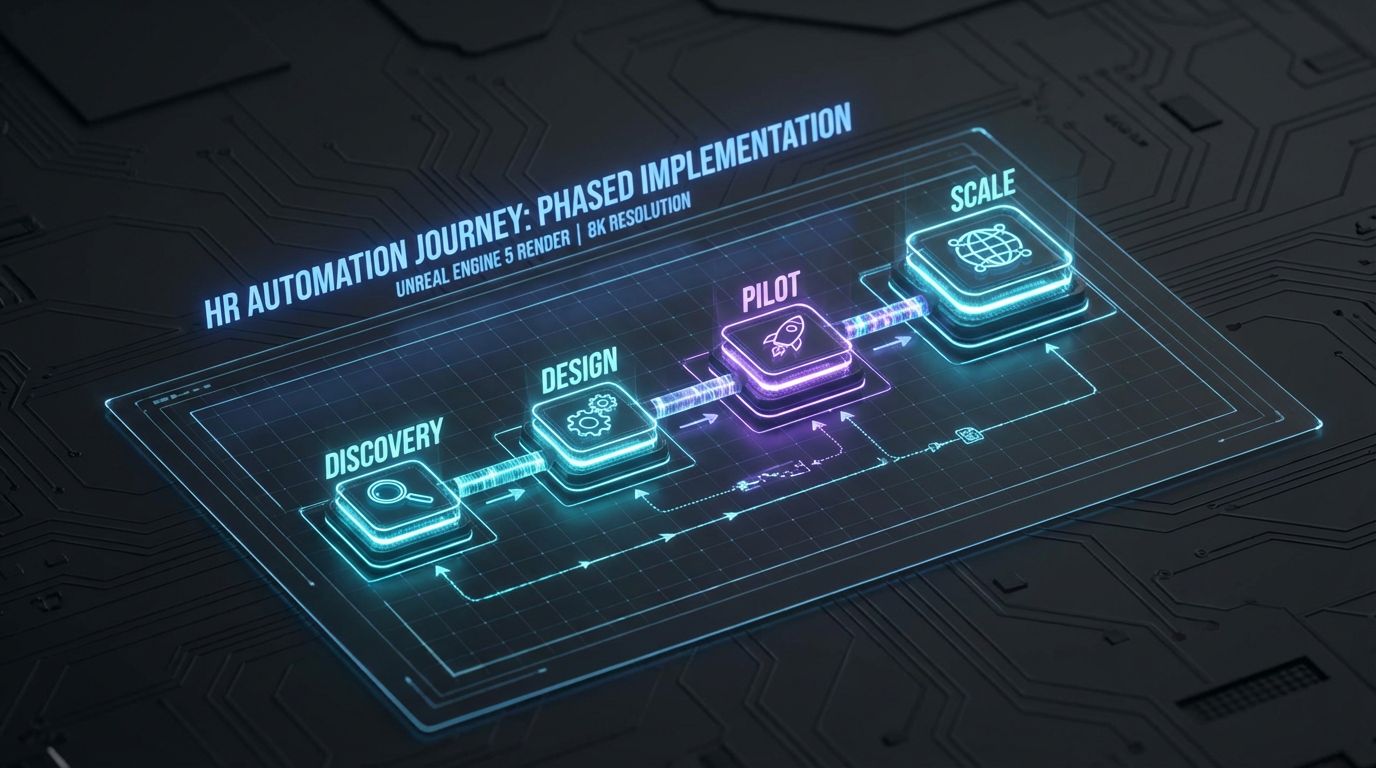
Implementing RPA in HR is far less about picking a tool and far more about designing the right workflows and guardrails. The organizations that win treat this like building a repeatable system, not launching a one-off script.
Below is a practical seven-step checklist that reflects how we run HR automation programs in the real world. Use it to structure your internal effort or to understand how a partner like AiBizBuild will engage.
Think in terms of weeks, not months: most teams can get a high-impact pilot live in 4–6 weeks if they focus.
Step 1 – Identify High-Volume, Rule-Based HR Processes
Start where the work is repetitive, structured, and painful. Ideal candidates are high-volume processes with clear inputs, rules, and outputs, and a relatively low exception rate.
Examples include onboarding data entry, basic benefits changes, routine HR FAQs, and standard offboarding steps. Run a quick workshop with HR Ops and frontline HR staff to list where they spend the most time clicking instead of talking to people.
Prioritize 2–3 candidate processes by estimated hours per month and risk (low to moderate risk is best for a first pilot).
Step 2 – Map the Current Workflow and Systems
Before automating anything, document the as-is process in enough detail that someone outside HR could follow it. Capture triggers, inputs, decision points, systems touched, and outputs.
Include shadow processes like spreadsheets, side emails, and manual workarounds. These often hide the real complexity that breaks DIY bots later.
This is similar to how we map content approval workflows—the same discipline applies to HR approvals, change requests, and exception handling.
Step 3 – Define Success Metrics and Time Savings Targets
Decide upfront how you will know the automation is worth it. Typical metrics include average processing time, error rates, SLA adherence, and number of manual touches per transaction.
For example, you might set a goal to “reduce benefits change processing from 3 days to 1 day and cut manual touches by 60%.” Another common goal is to “save 40–60 hours per month of HR admin time on a single workflow.”
These targets will guide design tradeoffs and help you justify expansion later.
Step 4 – Choose the Right Automation Approach
Tools like UiPath, Power Automate, or low-code connectors can all power RPA in HR, but the tool is rarely the bottleneck. The real work is deciding which steps to automate, how to handle exceptions, and how to integrate safely with your HRIS and payroll.
In many cases, you will mix API-based integrations where they exist with UI automation or email-based triggers where systems are older. The right mix keeps your project moving without waiting for perfect APIs.
AiBizBuild is platform-agnostic; we start with the workflow and constraints, then select the simplest stack that will get you from idea to stable production quickly.
Step 5 – Build a Pilot Bot With Human-in-the-Loop
Resist the urge to automate everything at once. Pick one process, one region or business unit, and one set of rules to start.
Design the bot so that it proposes actions and a human reviews or approves them for at least the first phase. For example, the bot may prepare HRIS and payroll updates and route them to HR for a quick check before applying.
This human-in-the-loop pattern builds trust, surfaces edge cases early, and aligns well with HR’s risk appetite.
Step 6 – Test, Train, and Update SOPs
Before going fully live, run the bot in parallel with the existing manual process for a short period. Compare outcomes, capture discrepancies, and refine rules.
Update HR SOPs to clearly define what the bot does, what humans do, and how exceptions are handled. Train HR staff on how to work with the bot and what success looks like.
This is where many DIY efforts stall because they skip documentation. Treat your bots as part of the operating model, not side projects.
Step 7 – Monitor, Optimize, and Scale to New Workflows
Once the pilot is stable, set up basic dashboards and logs for throughput, error rates, and exception volumes. This gives HR and IT confidence that the automation is under control.
Then, extend the same pattern to adjacent workflows like offboarding or HR inbox triage. Each new bot is faster to build because the governance, security, and integration patterns are already proven.
AiBizBuild’s workflow audit and implementation model is built around this lifecycle: design once, then scale across processes and geographies without reinventing the wheel every time.
Integrating RPA With Your Existing HR Systems
Integration is where many rpa in hr conversations get stuck, especially in organizations with a mix of modern cloud HRIS and older on-prem or vendor portals. The key is to be pragmatic about how bots talk to each system.
You do not need a perfect, fully API-driven landscape to start. You need a clear map of what data lives where and what access is allowed.
With that, you can design bots that reach into HRIS, payroll, and benefits systems in controlled ways that respect security and compliance.
Common HR Systems RPA Needs to Talk To
- HRIS: Workday, BambooHR, SAP SuccessFactors, UKG, and others, often as the system of record for employee data.
- Payroll: ADP, Paycom, Ceridian, or regional providers that require structured data for every pay cycle.
- ATS: Greenhouse, Lever, iCIMS, or built-in ATS modules inside your HRIS.
- Benefits platforms and carrier portals: Where enrollments, life events, and eligibility are maintained.
- Email and collaboration: Outlook/Office 365, Gmail, Teams, or Slack, where requests and approvals flow today.
- Ticketing and case management: ServiceNow, Zendesk, Jira, or HR-specific case tools that manage HR requests.
Integration Patterns: APIs, UI Automation, and Email Triggers
Where vendors provide stable APIs, bots can use them to read and write data cleanly. This is ideal for core systems like modern HRIS and some payroll providers.
When APIs are limited or missing, UI automation lets bots log in and perform the same clicks a human would, but at machine speed. This is powerful but needs careful maintenance when UIs change.
Email triggers are useful for legacy tools: the bot watches a mailbox, parses requests, and then kicks off downstream actions using either APIs or UI automation. AiBizBuild’s CRM Integration & Inbox Management frameworks are often reused here for HR inboxes and case queues.
Data Security, Permissions, and Audit Trails
Because HR data is sensitive, every RPA design needs a security lens from day one. Bots should use dedicated service accounts with least-privilege access and follow the same password and MFA policies as humans where possible.
All bot actions should be logged with timestamps and context so audits can reconstruct what happened and why. This is critical when dealing with payroll, benefits, or terminations.
Well-designed RPA in HR strengthens compliance by producing consistent logs, enforcing standard rules, and reducing the chance of an overworked HR admin making a manual mistake.
Why DIY HR RPA Projects Stall

Many HR and IT teams buy RPA licenses, build a few scripts, and then quietly shelve the initiative after the first bot breaks during a policy or UI change. The issue is rarely the enthusiasm—it is underestimating the difference between a demo and a production-grade workflow.
HR processes hide nuance, exceptions, and policy edge cases that only surface under real-world volume. Without a methodical approach, bots become brittle, staff lose trust, and people revert to manual work.
AiBizBuild has seen this story in HR, sales, and marketing. The same structured approach we use for B2B sales automation workflows applies directly to HR.
Tool Licenses Are Easy—Production-Ready Workflows Are Not
It is straightforward to build a proof-of-concept bot that logs into one system and updates a few fields. It is much harder to orchestrate cross-app workflows, handle exceptions, and ensure resilience when systems or policies change.
DIY efforts often skip robust logging, retry logic, and version control. The first time a vendor changes a field name or screen layout, the bot quietly fails and HR teams scramble to catch up manually.
Building production-ready RPA in HR means treating bots like software assets with owners, change control, and monitoring—not throwaway scripts.
Hidden Complexity: Edge Cases, Policy Nuance, and Change Management
HR processes are full of “it depends” logic: different rules by country, business unit, role, union status, or policy date. These nuances rarely make it into the first bot design.
DIY teams also underestimate change management. If HR staff do not trust the bot, they will bypass it with side emails or spreadsheets, creating parallel processes and more risk.
A strong design phase flushes out edge cases, and a staged rollout with human-in-the-loop builds confidence before going fully touchless on any step.
Governance, Security, and Maintenance Often Get Ignored
Without governance, bots may run under shared accounts, with no one clearly responsible for their behavior or updates. This is a problem for both security and audit readiness.
UI or workflow changes in HRIS and payroll are inevitable. If no one is accountable for updating the bots, they will drift out of sync and silently stop doing critical steps like removing terminated employees from systems.
Governance does not have to be heavy, but it must exist: owners, runbooks, monitoring, and clear escalation paths.
Why Partnering With a Specialized Automation Team Is Cheaper Long-Term
When you factor in internal hours spent experimenting, fixing broken bots, and dealing with process drift, DIY is often the more expensive path. The visible license cost is the smallest part of the equation.
A specialized partner like AiBizBuild brings proven blueprints, integration patterns, and guardrails from dozens of implementations. That reduces false starts and accelerates time-to-value.
The same rigor we use for AI lead generation tools and workflow automation is applied to HR: tightly scoped pilots, measurable ROI, and a path to scale without breaking your stack.
Sample HR Automation Blueprint: New Hire Onboarding
New hire onboarding is one of the cleanest and highest-impact RPA HR use cases. Almost every organization follows a similar pattern, and every missed step is visible to the employee on day one.
Below is a practical blueprint that shows exactly what the bot does and what humans still own. This is the level of detail we work through during an AiBizBuild workflow audit.
Adapt the specifics to your HRIS, payroll, and IT stack, but keep the structure.
The Manual New Hire Onboarding Process (Before)
Today, a typical sequence looks like this. HR receives a signed offer or sees a status change in the ATS, then manually creates the employee record in the HRIS, including personal details, comp, manager, and start date.
Next, someone keys similar data into payroll and benefits systems, sends an email to IT for account and equipment setup, and notifies the hiring manager. A welcome email is written from scratch or copied from an old thread.
Cycle time from accepted offer to “everything ready on day one” can stretch across several days, with 20–30 minutes of HR time per hire and a meaningful chance of missed steps or typos.
The RPA-Enabled Onboarding Workflow (After)
In an automated design, a single trigger starts the process, and the bot orchestrates the rest with human checkpoints. One common trigger is the ATS status changing to “Hired” or “Offer accepted” with all required fields completed.
Step-by-step RPA-enabled flow:
- Trigger: ATS or HRIS status changes to “Hired,” and required fields are present (name, start date, manager, role, location, base pay).
- Bot – Data ingestion: Bot reads the new hire record from the ATS/HRIS and performs basic validations (e.g., start date in the future, compensation within band, mandatory fields filled).
- Bot – HRIS and payroll updates: Bot creates or updates the HRIS employee profile and pushes relevant fields into the payroll system using APIs or UI automation.
- Bot – IT & access: Bot creates a standardized IT ticket with the right role, department, and manager, so IT can provision accounts, devices, and permissions.
- Bot – Communications: Bot generates a welcome email from an approved template and sends it from the HR mailbox or prepares it for HR review.
- Human – Approval and oversight: HR receives a concise summary of actions the bot plans to take (or has taken in test mode) and approves or adjusts as needed, especially on comp or special terms.
- Bot – Logging and completion: Bot writes a log entry or case note capturing what it did, with timestamps, and notifies the hiring manager that onboarding tasks are underway or complete.
In more advanced setups, AI components can help interpret unstructured notes or attach documents, but the backbone remains a deterministic RPA flow executing a standard onboarding checklist.
Time Savings and Error Reduction Estimates
With this blueprint, most organizations see 20–30 minutes of HR time saved per new hire and a significant drop in simple data entry errors. For a company hiring 30 people per month, that is 10–15 hours of HR capacity freed monthly, just on onboarding data entry and coordination.
Cycle time from accepted offer to fully provisioned start can shrink from multiple days of back-and-forth to same-day system readiness, assuming IT SLAs are aligned. New hires land on day one with correct access, accurate pay details, and a professional welcome sequence.
The same pattern extends easily to offboarding, role changes, and internal transfers: clear triggers, automated standard steps, human review for exceptions, and thorough logging.
How AiBizBuild Helps HR Teams Automate Safely
AiBizBuild specializes in turning messy, real-world workflows into robust automations across HR, sales, and operations. For HR leaders, that means getting from “we are drowning in admin” to “we have a stable bot handling it” in weeks, not quarters.
We focus on done-for-you design and implementation so HR teams can stay focused on people, not wiring. Our experience with complex stacks—Workday plus ADP plus email plus spreadsheets—is exactly where RPA in HR creates outsized returns.
Two of our services are especially relevant here: HR & Recruitment Screening Bots and CRM Integration & Inbox Management.
From Workflow Audit to Live HR Bot in Weeks
Every engagement starts with a 30–60 minute HR Workflow Audit. We sit with your HR Ops and IT leads to map 2–3 high-value processes, quantify current effort, and identify technical constraints.
From there, we pick one pilot—often onboarding, HR inbox triage, or recruitment screening—and design a human-in-the-loop bot that can go live in 4–6 weeks, depending on system complexity and access.
The goal is simple: get one meaningful workflow live quickly, prove time savings and error reduction, then scale the pattern to additional HR processes.
Relevant AiBizBuild Services for HR Automation
- HR & Recruitment Screening Bots: Automate candidate screening, data extraction, and initial communication so recruiters can focus on high-signal conversations and hiring managers see qualified shortlists faster.
- CRM Integration & Inbox Management: Apply the same orchestration we use for customer-facing teams to HR shared inboxes and case management, automating triage, routing, and FAQ responses for employees.
Behind the scenes, we use the same playbook we have refined across functions: process discovery, detailed mapping, bot design, build, testing, and monitoring. HR gets the outcomes—fewer clicks, fewer errors—without having to become automation engineers.
If you want to see what this looks like in your environment, you can book a 30-minute HR Workflow Audit or request a demo of HR & Recruitment Screening Bots operating on top of your existing HRIS and ATS.
What You Get When You Partner With AiBizBuild
When we work with HR teams, we deliver more than just a bot. You get end-to-end workflow design, technical implementation, configuration of monitoring and logs, and clear documentation and training for HR staff.
For each automation, we provide realistic estimates of expected time savings, error reduction, and cycle-time improvement so you can track ROI over time. We also define ownership, runbooks, and governance to keep bots healthy as your systems and policies evolve.
The result is a safer, faster path to rpa in hr that does not require you to rip and replace your HRIS or build an internal RPA engineering team.
FAQs on Robotic Process Automation in HR
Is robotic process automation in HR secure enough for sensitive employee data?
Yes—when designed correctly. Bots use dedicated service accounts with role-based permissions, following the same or stricter controls as human users.
Underlying RPA platforms typically support encryption in transit and at rest, and we design workflows with least-privilege access and detailed audit logs of every action taken. AiBizBuild works with your security and compliance teams to align bot access with your existing controls and standards.
How long does it take to get our first HR RPA workflow live?
For a well-scoped process like onboarding data entry or HR inbox triage, most organizations can move from discovery to a live pilot in 4–6 weeks. Discovery and design usually take 1–2 weeks, with build and testing taking another 2–4 weeks depending on system complexity.
More complex, multi-country workflows can take longer, but the same phased approach applies: start narrow, prove value, then expand.
Do we need internal RPA or coding expertise to work with AiBizBuild?
No. Your team brings process knowledge, access to systems, and clarity on policies. AiBizBuild brings the automation architecture, implementation skills, and best practices.
We design and build the bots for you, while keeping HR involved in decisions about rules, exceptions, and approvals so the automation aligns with how you actually work.
Which HR processes should we automate first?
Start with high-volume, repetitive, rules-based processes that touch structured data and carry moderate risk. Classic first candidates are onboarding data entry, simple benefits changes, standard offboarding steps, and frequently asked HR questions.
These areas offer clear, measurable wins in time saved and error reduction without putting the most sensitive or ambiguous decisions on a bot at the outset.
How do we measure the ROI of RPA in HR?
Track time saved per transaction and per month, reduction in error rates or corrections, improvements in cycle times (e.g., from request to completion), SLA adherence, and employee satisfaction with HR services. For many teams, even a single well-designed bot can free 40–60 hours per month of HR capacity.
We recommend capturing a simple baseline before you automate anything, so post-implementation gains are credible and easy to communicate to leadership.
Will RPA in HR reduce the need for HR staff?
In practice, RPA tends to shift HR work rather than eliminate it. Bots take over low-value, repetitive admin so HR professionals can spend more time on advisory work, employee support, and strategic initiatives.
Most of our clients use the capacity they free to handle growth without adding headcount or to reduce burnout and turnover in HR teams that have been underwater for years.
What happens when we upgrade or change our HRIS or payroll system?
Well-governed bots are built with change in mind. During design, we separate configuration from logic so workflows can be adapted when fields or systems change.
As part of our ongoing support, AiBizBuild monitors for breaking changes, updates bots accordingly, and coordinates with your HR and IT teams during major system upgrades to keep automations aligned.