

B2B Sales Automation: Workflows, Tools & ROI for Scaling Outbound
Key Takeaways
- B2B sales automation covers the full outbound workflow: lead capture, ai b2b lead generation inputs, enrichment, routing, sequence enrollment, demo scheduling, and follow-up – built for SDR/AE teams, not just ops.
- Well-implemented systems typically save 10–20 hours per SDR per week, improve speed-to-lead by minutes (not hours), and drive 15–30% more meetings booked through better coverage and follow-up.
- Tools alone don’t deliver ROI; you need cross-stack workflow design, clean data, and ongoing tuning – which is why AiBizBuild’s done-for-you workflows are lower-risk and faster than DIY experiments.
In This Guide:
💡 What B2B Sales Automation Really Means Today – Definitions, scope, and where AI fits.
🧩 Core Outbound Workflows You Should Automate First – From lead capture to demo scheduling.
⚙️ Top B2B Sales Automation Tools (And Their Limits) – Landscape, strengths, and gaps.
⚠️ Why DIY Sales Automation Fails in Most GTM Orgs – Hidden costs, risks, and bottlenecks.
📈 ROI, Time-to-Value & Cost Comparisons vs Manual SDR Workflows – Numbers, benchmarks, and payback.
🛠️ An Implementation Blueprint for Your First 90 Days – Step-by-step rollout plan.
🎯 Done-For-You B2B Sales Automation with AiBizBuild – How we design, build, and optimize your system.
❓ FAQs on B2B Sales Automation, AI, and Security – Straight answers for decision makers.
📌 Next Steps and Resources – How to move from research to execution.
Most outbound teams are still running on manual, fragmented workflows: SDRs copying data between tools, chasing demo requests in email, and guessing who to call next. B2B sales automation is about wiring these steps into one orchestrated system so reps sell more than they admin. Done right, it pairs rule-based logic with ai b2b lead generation to increase coverage, consistency, and conversion without breaking your CRM.
What B2B Sales Automation Really Means Today
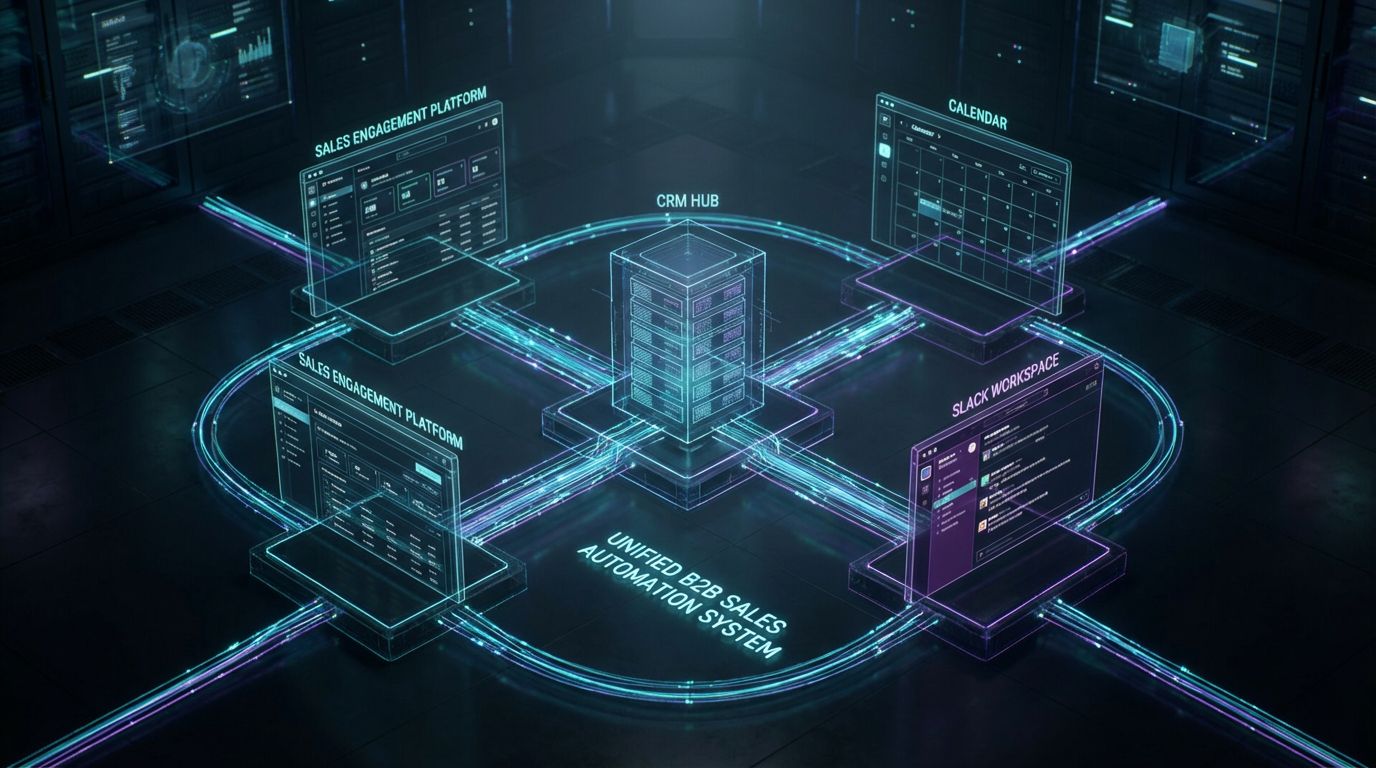
When we talk about B2B sales automation today, we’re not talking about one sequence tool or a few CRM workflows. We’re talking about an end-to-end revenue system that moves a prospect from first touch to closed-won with minimal manual handling. That system spans your CRM, sales engagement, enrichment, calendar, inbox, and collaboration tools.
From Manual SDR Tasks to Orchestrated Revenue Workflows
Typical manual SDR days are filled with CSV imports, list cleaning, assigning owners, enrolling leads in sequences, and logging notes. In an orchestrated setup, those steps are triggered based on events and fields, not human memory. Example: “When Lead Source = Webinar and Job Title contains ‘VP’ and Company Size > 200, auto-assign to Enterprise SDR queue and enroll in ‘Post-Event VIP’ sequence.”
At the top of this system, ai b2b lead generation feeds fresh, targeted accounts and contacts into your funnel. Downstream automations enrich, qualify, route, and trigger consistent multi-touch outreach. The goal is simple: reps spend their time on conversations, not spreadsheets.
Where AI Fits Across the Funnel (Not Just in One Tool)
AI should sit inside multiple steps of your sales process, not as a shiny add-on. It can prioritize accounts (propensity scores), detect intent signals (job changes, technology installs, content engagement), and generate personalization snippets for outbound. Post-meeting, AI can summarize calls, update opportunity fields, and draft structured follow-up emails your reps can approve and send.
Underneath that, you still need reliable rule-based automation for compliance and consistency. Think “if Lifecycle Stage = SQL and Meeting Outcome = Held, create opportunity and set Stage = Discovery”. AI accelerates decision-making and content, but routing logic and data hygiene are still driven by fields, triggers, and workflows.
The Minimum Viable Stack Most B2B Orgs Are Using
- CRM (e.g., Salesforce, HubSpot) as the system of record and trigger engine.
- Sales engagement (e.g., Outreach, Salesloft, Sales Hub sequences) for email, calls, and tasks.
- Enrichment and data providers for firmographic/technographic details and ai b2b lead generation inputs.
- Calendar and scheduling tools for demo booking and round-robin logic.
- Collaboration (Slack/Teams) and inbox tools (shared mailboxes) for notifications and handoffs.
Most teams already own 70% of this stack but see little automation ROI because tools are disconnected. Stack choice is important, but workflow design, data model, and integration drive results – which is where AiBizBuild focuses.
Core Outbound Workflows You Should Automate First
The fastest wins in outbound sales automation come from targeting the workflows that currently consume the most SDR admin time. For most teams, that’s lead list creation, enrichment, routing, outreach enrollment, scheduling, and follow-up. Below are the specific flows we typically automate first when you Book a Workflow Audit with AiBizBuild.
AI B2B Lead Generation & Enrichment Pipeline
A practical ai b2b lead generation workflow looks like this:
- Scrape or source leads from defined sources (e.g., tech stacks, firmographics, job titles, event lists).
- Send new records into an enrichment tool to append company size, industry, tech, LinkedIn URL, and location.
- Apply ICP rules: “Industry in SaaS/Fintech AND Employee Count 50–1000 AND Country in US/UK/EU”.
- Score and tag: “ICP Tier = A/B/C”, “Buying Role = Economic/Technical/User”.
Implementation detail: a new contact row hitting your data warehouse or Google Sheet triggers an automation (e.g., via Zapier/Make or native CRM integration). That automation enriches the record, writes it into the CRM with fields like ICP_Tier__c, Tech_Stack__c, and Priority_Score__c, then pushes matching leads into a “New ICP Leads – Unassigned” queue. This is exactly the kind of pipeline AiBizBuild’s B2B Lead Scraping & Enrichment service builds and maintains.
Lead Routing, Ownership, and SLA-Based Alerts
Routing is where many teams lose pipeline due to slow or inconsistent handling. A robust workflow for inbound demo requests might be:
- Visitor submits “Request a Demo” form with email, company, role, region, and use case.
- CRM workflow enriches company size and industry, then sets
Lifecycle Stage = MQL. - Routing rule: “If Region = North America AND Company Size >= 200, assign to Enterprise SDR Pool”; else assign to SMB or Mid-Market queues.
- Create an SDR task: “Follow up on Demo Request” due in 15 minutes, with a link to the record.
- Post a Slack/Teams alert to #inbound-demo with lead details and owner.
You can also enforce SLAs: if no activity is logged within 30 minutes, escalate to a manager or reassign to another SDR. AiBizBuild wires these SLA alerts through your collaboration tools so leaders can see – in real time – if speed-to-lead is slipping.
Cold Outreach Automation & Multi-Touch Sequences
For outbound prospecting, the key is to automate sequence enrollment based on ICP criteria, not SDR guesswork. A typical flow:
- New enriched lead with
ICP_Tier = AandBuying_Role = Economicis created in CRM. - Trigger: when
Lead Status = NewANDDo Not Contact = False, auto-enroll in “Tier A – Executive” multi-touch sequence (email + LinkedIn + calls). - AI layer: generate 1–2 personalized lines based on company news, tech stack, or role, merged into the first email step.
- Update fields like
Last_Touch_Date__candSequence_Name__cautomatically after each step.
This is where AiBizBuild’s Cold Outreach Automation comes in: we define your ICP logic, map it to actual CRM fields, design branching cadences, and integrate AI personalization safely, using guidelines similar to our work on how to safely use ChatGPT and AI inside repeatable workflows.
Demo Scheduling & 24/7 Appointment Booking
Every high-intent prospect should be able to book a meeting without waiting for back-and-forth email. A standard automation looks like:
- After form submission, show a calendar embed with round-robin availability for the correct SDR/AE pool based on region and segment.
- On booking, create or update a CRM event, set
Meeting_Type = Demo, and changeLifecycle Stageto SQL if criteria are met. - Send confirmation and reminder emails/SMS, including reschedule links and relevant prep materials.
- Notify the assigned rep and AE in Slack/Teams with key account details and meeting link.
AiBizBuild’s 24/7 Appointment Booking Systems handle time-zone detection, holidays, and round-robin rules so prospects can reliably self-book. We also set up no-show flows: missed meeting → auto-send reschedule link → log No_Show__c = True → create follow-up task.
Post-Meeting Follow-Up & Pipeline Hygiene Automation
Post-meeting chaos is where many teams leak opportunities. A clean workflow:
- Meeting is held and logged in the calendar integrated with CRM.
- AI summarizes the call, pulling out pain points, stakeholders, and next steps into structured fields (e.g.,
Primary_Pain__c,Decision_Makers__c). - Automation checks: if
Meeting Outcome = HeldandFit_Score__c >= 70, auto-create an Opportunity withStage = Discovery, estimated amount based on segment, and owner set to AE. - Create tasks for follow-up actions (proposal, technical review, internal champion enablement) with SLA dates.
AiBizBuild’s CRM Integration & Inbox Management ensures that emails replied to, documents viewed, and follow-up communications are logged automatically. This keeps forecasts accurate and avoids reps writing the same recap emails repeatedly.
Manual vs Automated SDR Workflow (Table #1)
| Workflow Step | Manual SDR Workflow | Automated B2B Sales Workflow | Typical Time Saved per Lead |
|---|---|---|---|
| Lead Capture | SDR downloads CSVs from events, imports into CRM, fixes formatting. | Leads flow automatically from forms, events, and scrapers into CRM via integrations. | 1–2 minutes |
| Enrichment | Reps manually search LinkedIn, company sites, and paste data into fields. | Automatic enrichment appends firmographics/technographics on lead creation. | 2–4 minutes |
| Routing & Assignment | Manager periodically reassigns leads in bulk; ownership errors are common. | Rules route leads in real time based on region, segment, and product interest. | 1–3 minutes plus fewer lost leads |
| Outreach Enrollment | SDRs decide sequence per lead, click to enroll, or send one-off emails. | ICP-matching leads auto-enroll into the correct multi-touch sequence with personalization tokens. | 2–5 minutes |
| Scheduling | Email ping-pong to find times, manual calendar invites, updating CRM afterwards. | Prospects self-book via routing calendars; CRM and notifications update automatically. | 3–7 minutes |
| Follow-Up & Logging | Reps write custom recaps, log notes, and update stages when they remember. | AI drafts recaps, updates opportunity fields, and creates tasks based on meeting outcomes. | 3–6 minutes |
Top B2B Sales Automation Tools and Their Limits
Most guides stop at listing tool categories and vague pros/cons. The reality is every category is powerful but incomplete on its own. Your automation ROI comes from how these tools work together, not from which logo you pick.
CRM-Centric Automation (Salesforce/HubSpot, etc.)
CRMs excel at storing data, triggering workflows on field changes, and powering reports and dashboards. You can define rules like “When Lead Status changes to ‘Working’, create follow-up task and set SLA date”. But building cross-tool flows (e.g., syncing sequences, enrichment, and Slack alerts) usually requires additional automation layers and careful admin work.
As complexity grows, CRM workflows become brittle and hard to debug. A small change in one field can cascade into dozens of downstream issues if governance is weak. AiBizBuild’s role is to tame that complexity and document which fields and triggers control which automations.
Sales Engagement Platforms (Sequences & Outreach)
Sales engagement tools are designed for multi-touch outbound: emails, calls, social touches, and tasks. They provide sequence logic, reply detection, deliverability features, and rep-level productivity views. Their limitation is they don’t inherently “know” your ICP, routing rules, or opportunity stages; they simply do what you tell them.
Without a strong data model and enrollment logic from the CRM side, you end up with the wrong people in the wrong sequences. AiBizBuild bridges that gap by designing enrollment triggers and field mappings so your sequences reflect your actual GTM strategy.
Integration & Automation Platforms (Workato, Zapier, Make, etc.)
These platforms are the connective tissue between your apps. They allow you to catch events (e.g., “New Contact in CRM”) and orchestrate cross-tool logic, including enrichment, alerts, and record updates. They’re critical for serious B2B sales automation, but they are not plug-and-play.
Poorly designed flows lead to duplicates, race conditions, and conflicting updates between tools. That’s why we treat them as part of a governed architecture, not as a playground for every rep with a login.
AI B2B Lead Generation & Intent Tools
AI-focused tools can flag accounts that look like your best customers, surface buying signals (hiring, tech installs, content engagement), and auto-generate lists of similar contacts. They’re powerful for scaling AI B2B lead generation beyond manual research. But if your CRM data is messy or your ICP is vague, you’ll get noisy signals and bloated lists.
We typically combine these tools with strict filters and scoring rules to avoid “spray and pray” outreach. For example: “Only enroll accounts with Intent_Score >= 80 AND Firmographic_Fit = A/B”, enforced at the workflow level, not left to rep discretion.
Why Tools Don’t Guarantee Outcomes
Every tool above is infrastructure, not a finished system. Buying them is like buying servers and cables; you still need architecture, wiring, and ongoing monitoring. This guide exists because most orgs underestimate that work – and that’s exactly what AiBizBuild delivers as a done-for-you partner.
Why DIY Sales Automation Fails in Most GTM Orgs

Most teams try to DIY automation inside spare RevOps hours or as side projects for tech-savvy SDRs. The result is usually a patchwork of half-working flows that no one fully understands. Below are the common failure patterns we see when we start a Workflow Audit.
Misaligned Workflows and Broken Lead Routing
It only takes one flawed routing rule to create serious leakage. Examples:
- Leads from key partners bypass normal routing because
Lead Source = Partnerwasn’t added to the workflow filter. - Global territories overlap, causing two SDRs to reach out to the same account, confusing the prospect and damaging trust.
- Form fills with missing required fields get stuck in a limbo status, invisible to reps.
These issues are rarely caught quickly because reporting rarely breaks; it just silently underperforms. AiBizBuild’s approach is to blueprint your routing logic, then implement guardrails and monitoring so these issues surface immediately.
Data Quality & Governance Blind Spots
Automation can only act on the data it sees. When fields like Lifecycle Stage, Lead Status, or Industry are inconsistently used, downstream rules misfire. AI models trained on dirty CRM data will over-score bad prospects and miss good ones.
We often start with a data audit and simple governance rules: required fields for certain forms, picklists instead of free text, and standardized lifecycle definitions. This is similar to how we approach designing automated approval and handoff workflows across teams – structure first, automation second.
Overwhelmed SDRs and Low Adoption
When homegrown automations spam reps with low-value tasks at the wrong time, they simply ignore them. Common signs:
- SDRs bulk-complete tasks without doing the work.
- Reps opt out of sequences, using personal inboxes or spreadsheets instead.
- Managers lose trust in the system and revert to manual oversight.
We design automations that align with realistic SDR workflows, with clear prioritization and minimal noise. The goal is fewer, higher-quality tasks – not more alerts.
Hidden Cost: In-House Time, Delays, and Rework
A typical mid-market company easily burns hundreds of hours trying to DIY sales automation:
- RevOps spends 10–20 hours/month debugging workflows and fixing integration issues.
- SDRs lose 5–10 hours/month dealing with bad routing or duplicate records.
- Projects stretch from “Q1 rollout” into “maybe later this year” as priorities shift.
Those hours translate into delayed pipeline and opportunity cost, not just salary. That’s why many teams ultimately bring in AiBizBuild: we design, build, and maintain the system while your team focuses on messaging, markets, and closing revenue.
DIY vs AiBizBuild (Table #2)
| Dimension | DIY Tool-Only Approach | AiBizBuild Done-For-You System |
|---|---|---|
| Strategy & Design Effort | Owned by internal RevOps and sales leaders on top of day jobs; often incomplete or undocumented. | Led by specialists who map your funnel, define ICP and SLAs, and blueprint workflows end-to-end. |
| Time-to-First-Live Workflow | 8–12 weeks for a single reliable flow, often longer with competing priorities. | 2–4 weeks for core flows like inbound demo routing and basic outbound sequences. |
| Maintenance & Tuning | Ad hoc fixes when something breaks; little proactive optimization. | Ongoing monitoring, iteration, and change management handled by AiBizBuild. |
| Error & Breakage Risk | High – partial knowledge, no documentation, and overlapping workflows. | Lower – documented architecture, sandbox testing, and expert implementation. |
| Impact Measurement | Difficult to isolate; analytics rarely designed with automation in mind. | Dashboards and attribution built to show hours saved, speed-to-lead, and conversion lift. |
| Total Cost (Including Salaries) | Hidden: internal salaries, delays, rework, and opportunity cost from slower pipeline. | Transparent: scoped project or retainer with clear milestones and ROI targets. |
ROI, Time-to-Value and Cost Comparisons vs Manual SDR Workflows

Decision makers rarely get concrete numbers when evaluating B2B sales automation. Let’s quantify what manual outbound really costs and what realistic automation gains look like. These are benchmarks from typical client patterns, not guarantees.
Baseline: What Manual Outbound Really Costs You
Most SDRs spend only about 40% of their time actually selling; the rest is admin and coordination. Conservatively:
- Admin tasks (logging, routing, research, scheduling) consume 10–20 hours/week per SDR.
- At a fully loaded cost of $40–$60/hour, that’s $400–$1,200 per SDR per week on low-leverage work.
- Multiply that by 5–10 SDRs and the annual cost of “manual” quickly crosses six figures.
That doesn’t include the cost of slower speed-to-lead, inconsistent follow-up, or lost opportunities from missed signals. Automation ROI compounds because it improves both efficiency and effectiveness.
Automation Impact Benchmarks (From Client Patterns)
Typical outcome ranges once core workflows are live:
- 10–20 hours/week saved per SDR from automated enrichment, routing, enrollment, and follow-up drafting.
- 15–30% more meetings booked due to faster speed-to-lead, better coverage of inbound leads, and consistent cadence execution.
- 5–15% lift in opportunity creation from higher contact rates and fewer dropped leads post-meeting.
Again, these are indicative ranges, not promises. Part of AiBizBuild’s Workflow Audit is estimating your specific potential based on funnel metrics and current tools.
Time-to-Value: 14, 30, and 90-Day Milestones
We structure implementations to deliver visible wins fast:
- By Day 14: At least one core workflow live, usually inbound demo routing + 24/7 scheduling + SLA alerts.
- By Day 30: Outbound sequence automation for 1–2 ICPs, including enrichment, routing, and enrollment rules.
- By Day 90: Stack-wide orchestration with reporting on speed-to-lead, coverage, and conversion; AI layers added for personalization and summaries.
This phased approach reduces risk and builds internal confidence. You don’t wait quarters to see if the project works; you see impact in weeks.
Comparing Ongoing Costs: In-House vs Done-For-You
In-house automation seems cheaper until you account for time and risk. You’re effectively asking RevOps to be architects, integrators, QA, and support, while still handling everyday requests. That cost is real, even if it doesn’t show up as a vendor invoice.
With AiBizBuild, you shift from variable, unplanned internal effort to a scoped engagement with clear deliverables. You still own the strategy; we own the wiring, documentation, and optimization.
An Implementation Blueprint for Your First 90 Days
Even if you choose to build in-house, you need a structured plan. Here’s a 90-day implementation blueprint we commonly follow, which you’ll get tailored to your stack when you Book a Workflow Audit.
Phase 1 (Weeks 1–2): Diagnose & Prioritize High-Impact Workflows
Start by mapping what actually happens today across marketing, SDRs, and AEs. Activities:
- Process mapping: form fill → meeting held → opportunity created → closed/won/lost.
- Data audit: key fields, values, and gaps in CRM and sales engagement tools.
- ICP and segment definition: which accounts and personas you want to prioritize.
Deliverable: a prioritized automation backlog, each item with expected impact (hours saved, conversion lift) and implementation complexity. This is where most DIY efforts fail because they skip clarity and jump into building.
Phase 2 (Weeks 3–6): Design & Deploy Core Outbound Automations
Focus on 2–3 workflows that hit both inbound and outbound:
- Inbound demo routing + 24/7 booking: Form → enrichment → routing → calendar booking → Slack alerts → SQL creation rules.
- AI B2B lead generation → enrichment → outreach: New ICP lead from scraper/intent tool → enrichment → ICP scoring → auto-enrollment into a tailored outbound sequence.
- Post-meeting follow-up & opportunity creation: Meeting held → AI summary → Opportunity creation/update → next-step tasks and reminders.
Each workflow should be documented with trigger, conditions, actions, owner, and failure modes. AiBizBuild delivers this documentation out of the box; if you DIY, don’t skip it.
Phase 3 (Weeks 7–12): Optimize, Expand, and Add AI Enhancements
Once core flows are live and stable, start optimizing:
- A/B test subject lines, message variants, and cadence lengths in sequences.
- Tighten ICP rules and routing logic based on performance data.
- Add AI layers for personalized openers, call summaries, and next-best-action suggestions.
We borrow some patterns from our SEO content & blog automation systems: centralized templates, guardrails on AI usage, and clear review points. The same discipline keeps sales automations accurate and compliant.
Governance, Documentation, and Training
Governance is the difference between a one-off project and a durable system. Best practices:
- Assign an internal owner for sales automation, even if AiBizBuild does the heavy lifting.
- Maintain a workflow catalog with names, purposes, triggers, and last updated dates.
- Train SDRs and AEs on how the system works, what they can control, and how to request changes.
Every AiBizBuild engagement includes documentation and handover sessions so your team isn’t locked out of your own system. You can keep us as an ongoing partner or operate with your RevOps team using our blueprint.
Use Case Deep Dive: Scaling AI-Powered Outbound for a B2B SaaS SDR Team
To make this real, let’s walk through a representative example of a B2B SaaS team using ai b2b lead generation and automation to scale. This is illustrative but grounded in what we implement for clients.
Starting Point: 10 SDRs, Mixed Stack, Manual Processes
Scenario:
- 10 SDRs, 4 AEs, selling mid-market SaaS with an ACV of $25–40k.
- Stack: Salesforce, Outreach, Calendly, enrichment tool, basic intent data – but minimal integration.
- Pain points: slow response to demo requests, inconsistent outbound volume, reps cherry-picking leads, and poor visibility into which sequences drive pipeline.
Reps are spending 15–20 hours/week on admin and still missing high-intent accounts. Leadership knows the tools are underused but lacks the bandwidth to re-architect everything.
Designing the AI B2B Lead Generation & Outreach System
AiBizBuild’s implementation:
- Define ICP tiers based on industry, employee count, tech stack, and past win data.
- Set up B2B Lead Scraping & Enrichment flows to pull new contacts weekly from target sources and enrich them automatically.
- Write scoring rules: “ICP Tier A = 90–100, B = 70–89”, stored in fields like
ICP_Score__candICP_Tier__c. - When a new contact with
ICP_Tier = A/Bhits Salesforce andOpted_Out = False, auto-enroll them in an Outreach sequence mapped to their persona and tier. - Use AI to generate 1–2 personalized lines in the first email and to recommend a call opening based on recent company news.
Result: lists update themselves, reps don’t waste time deciding who to contact, and personalization is consistent but controlled.
Orchestrating Demo Scheduling & Handoffs to AEs
We then tighten the meeting and handoff flows:
- Any reply indicating interest (e.g., “Yes, let’s talk” or link click plus form fill) triggers a scheduling link tailored to the prospect’s region and segment.
- Calendly (or equivalent) is configured for round-robin among SDRs and AEs with routing rules like “If Company_Size__c >= 500, route to Enterprise AE pool”.
- On booking, create a Salesforce event, update
Lead Status = Scheduled, and if fit is confirmed, auto-create an Opportunity and assign it to the AE. - Send confirmation and reminder emails, plus an internal Slack alert to the AE with a quick summary of the account and sequence history.
No-show flows automatically trigger reschedule nudges and adjust pipeline stages. Everyone sees the same data; no one manually rebuilds notes from an email chain.
Before/After Metrics Snapshot
Illustrative outcomes after 90 days:
- Admin time: from ~15–20 hours/week per SDR down to ~5–8 hours (saving 7–12 hours).
- Meetings per SDR/month: from 12–15 to 18–22, driven by better coverage and faster response.
- AE-accepted opportunities: ~10–20% uplift from clearer fit criteria and cleaner handoffs.
Again, these are example ranges, not promises. The point is that stacking ai b2b lead generation with solid routing, scheduling, and follow-up workflows creates multiplicative gains, not just incremental ones.
Done-For-You B2B Sales Automation with AiBizBuild
—IMAGE_BLOCK: Futuristic Glass & Metal Product Shot of a sleek, glowing cube labeled “Workflow Audit” connected by glass data chips to surrounding smaller cubes named CRM, Outreach, Calendar, and Enrichment, representing AiBizBuild orchestrating an existing stack. Cinematic lighting, Unreal Engine 5 render, futuristic corporate aesthetic, glowing cyan and purple accents, shallow depth of field, 8k resolution—
AiBizBuild is not another SaaS tool. We’re a senior automation team that designs, wires, and maintains B2B sales automation systems across the stack you already own. Our job is to turn your CRM, engagement, and AI tools into a cohesive revenue engine.
How We Work with Your Existing Stack
We start with your current tools: Salesforce/HubSpot, Outreach/Salesloft, enrichment providers, calendar tools, Slack/Teams, and any AI platforms in play. Instead of ripping and replacing, we architect workflows to make them work together. Where gaps exist, we recommend targeted additions, but we never force a proprietary platform.
Our deliverables typically include workflow blueprints, implemented automations, documentation, and dashboards that show impact. You keep ownership of all assets; we’re the specialist crew building the system.
Relevant Services for Sales Automation
- B2B Lead Scraping & Enrichment – AI-assisted list building, firmographic/technographic enrichment, and ICP scoring pipelines.
- Cold Outreach Automation – Multi-channel cadences, enrollment logic, branching based on signals and replies, and safe AI personalization.
- 24/7 Appointment Booking Systems – Self-serve demo flows, round-robin rules, reminders, and no-show recovery workflows.
- CRM Integration & Inbox Management – Field design, routing logic, logging rules, and shared inbox automations that tie email back into your pipeline.
Where appropriate, we’ll also tie in other AiBizBuild capabilities (like AI Voice Agents for follow-up calls) if they clearly support your outbound motion. But we stay focused on revenue-critical workflows, not automation for its own sake.
Why Hiring an Agency is Cheaper and Faster than DIY
Hiring AiBizBuild is effectively renting a full RevOps + integration team that already knows the patterns, edge cases, and best practices. You avoid the 6–12 month learning curve and the painful rework that comes with trial-and-error builds. Compared to the fully loaded cost of internal experimentation, a focused AiBizBuild engagement is often the lower-cost, lower-risk path.
Our clients typically see core workflows live in weeks, not quarters. That speed-to-value matters more than saving a small line item on external services.
Invite to Action: Book a Workflow Audit
If you’re serious about making B2B sales automation a competitive advantage, the next step is simple: Book a Workflow Audit with AiBizBuild. In that session, we’ll map your current funnel, identify the 2–3 workflows with the highest ROI, and outline a 90-day automation roadmap.
You’ll walk away with a clear picture of what to automate, in what order, and what investment to expect – whether you implement with us or not. For many teams, that clarity alone is worth the conversation.
FAQs on B2B Sales Automation, AI, and Security
How long does it take to see ROI from B2B sales automation?
Most teams see early wins within 2–4 weeks once a core workflow like inbound demo routing goes live. Meaningful pipeline and efficiency gains typically show up over 1–3 quarters, depending on sales cycle length and how many workflows you automate.
Do we need a dedicated RevOps or engineering team to maintain these automations?
You need an internal owner who understands your GTM strategy and can make decisions, but they don’t need to be a full-time automation engineer. AiBizBuild handles the heavy technical design, implementation, and maintenance, so your internal team focuses on priorities and approvals instead of building flows from scratch.
Is AI B2B lead generation compliant with data privacy and anti-spam regulations?
Compliance depends on how you collect data, how you process it, and how you reach out. We design workflows to respect regional laws (e.g., GDPR, CAN-SPAM), honor opt-out and suppression lists, and target only relevant prospects based on legitimate interest.
Automation actually helps here: centralized suppression logic and clear consent fields reduce the risk of manual mistakes. We’ll align your flows with your legal and compliance guidelines.
Will B2B sales automation replace our SDRs?
No. Automation replaces low-value admin work, not human judgment and relationship-building.
Your SDRs still need to handle complex conversations, qualify needs, and coordinate stakeholders. The difference is they spend far more time doing that, and far less time updating fields and chasing scheduling links.
What does a typical engagement with AiBizBuild cost and include?
Engagements are usually structured as scoped projects (for initial implementation) plus optional retainers (for ongoing optimization). Investment scales with complexity: single-workflow projects are smaller, full-funnel automation programs are larger.
During your Workflow Audit, we’ll outline options with ballpark ranges so there are no surprises. Our goal is to make the ROI calculation straightforward compared to your current manual costs.
Will this work with our existing tools and security requirements?
In almost all cases, yes. We work inside your existing CRM, engagement tools, and security frameworks, using approved integrations and access controls.
Part of our upfront discovery is understanding your security posture, data residency requirements, and approval flows, then designing automations that respect those constraints.
Next Steps and Resources
- Your reps are selling only a fraction of the time because of manual, fragmented workflows.
- B2B sales automation – powered by clean data, clear ICPs, and integrated tools – can reclaim hours per rep and improve conversion across the funnel.
- DIY attempts often stall due to design complexity, data quality issues, and limited RevOps bandwidth.
- AiBizBuild’s done-for-you approach delivers a working system in weeks, not quarters, with documentation and governance baked in.
If you’re ready to move from research to results, Book a Workflow Audit with AiBizBuild. We’ll show you exactly where automation can save hours, accelerate pipeline, and make your outbound motion scale without burning out your team.