

Lead Enrichment: Automating Data Append for Better Outreach (Without Drowning in Manual Research)
Key Takeaways
– Lead enrichment turns raw form fills and scraped lists into complete, outreach-ready records, but DIY setups often waste SDR time and corrupt CRM data.
– The highest ROI comes from automated lead enrichment workflows that plug directly into your CRM and outbound tools via APIs, webhooks, and rules-based routing.
– Agencies like AiBizBuild design and maintain enrichment systems that cut manual research by 50–80% and lower cost per lead (CPL) by improving match rates, targeting, and conversion.
In This Guide:
💡 What Lead Enrichment Actually Is (Beyond a Glossary)
🧠 Manual Research vs Automated Lead Enrichment
🛠️ Lead Enrichment Tools, APIs, and Integration Options
⚙️ Why DIY Lead Enrichment Fails in Real Teams
📈 ROI Model: CPL, SDR Time Savings, and Pipeline Lift
📋 Implementation Playbook: How to Deploy Enrichment That Actually Works
🔍 Use Case: HubSpot Lead Enrichment for a B2B SaaS Outbound Engine
🤝 When to Bring in a Done-For-You Enrichment Partner
❓ Lead Enrichment FAQs for B2B Decision Makers
What Lead Enrichment Actually Is (Beyond a Glossary)
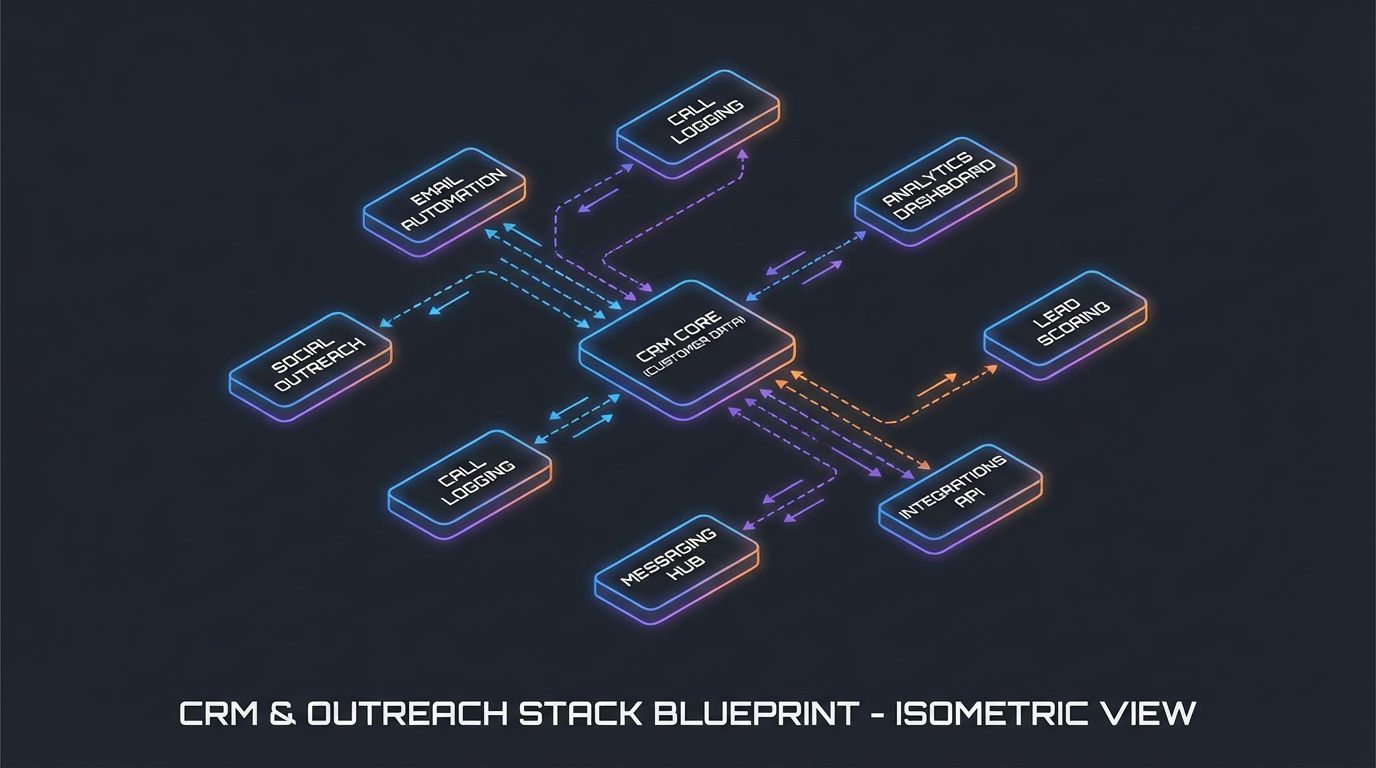
Most teams hear “lead enrichment” and think “more data” or “another lead enrichment tool” to plug in. In reality, effective lead enrichment is a set of automated workflows that append, standardize, and refresh lead data across your stack. It is less about buying a database and more about lead data enrichment systems that keep every record outreach-ready without drowning SDRs in manual research.
Unlike list buying, you are not just adding more rows to a spreadsheet. You enrich leads you already have or are capturing, upgrading them with firmographic, technographic, and intent signals that drive better targeting and personalization. Compared to lead scoring, which ranks leads based on behavior and fit, sales lead enrichment is about filling in and updating the underlying data that scoring models and routing rules depend on.
In practice, this means using lead enrichment software and APIs to append data at key points. That includes form submissions, list uploads, and ongoing refresh cycles for aging records in your CRM. When done right, lead enrichment services become an invisible layer that quietly fixes data before reps ever see it.
Types of Lead Data You Can Enrich
High-performing teams define exactly which fields must be enriched for each ICP. Firmographic data usually comes first because it drives core qualification and routing decisions. Think industry, company size, estimated revenue, HQ location, and sometimes funding stage.
Next is demographic and role data at the contact level. This includes job title, department, seniority, and sometimes function-specific attributes like quota-carrying vs non-quota roles. Strong lead data enrichment also pulls in technographic details such as CRM, marketing automation, cloud provider, and key tools in their stack.
Finally, you can layer behavioral and intent signals. Examples include page views on pricing pages, content download history, third-party intent topics, or prior campaign engagement. The goal is to enrich leads with enough structured context that your SDRs can prioritize, personalize, and move quickly.
Where Lead Enrichment Fits in Your GTM Funnel
Lead enrichment should not be a single step; it is woven through your GTM funnel. On inbound, you enrich form fills from demo requests, trials, and gated content to determine fit and route within seconds. Chat and conversational forms can also trigger real-time enrichment before handing off to a human.
On outbound, you enrich scraped lists, event attendee exports, and partner referrals before they ever hit your CRM. This prevents junk from polluting your database and ensures sequences use consistent, usable fields. Throughout the lifecycle, you schedule enrichment refreshes so data decay does not quietly erode segmentation and reporting accuracy.
The thread through all of this is automation. Manual updates do not scale, and spreadsheets are not a system of record. The teams winning outbound today treat lead enrichment tools as components in a larger, governed workflow.
Manual Research vs Automated Lead Enrichment
If you sit with your SDRs for an hour, you will see the real problem. They spend 10–15 minutes per lead bouncing between LinkedIn, company sites, and Google just to decide if a prospect is worth a first touch. Multiply that by dozens of leads a day, and you are burning entire headcounts on low-leverage research.
Automated lead enrichment flips this model. An API call or batch workflow enriches hundreds or thousands of records at once, writing standardized values straight into your CRM. SDRs start their day in queues that are already segmented, scored, and ready for personalization instead of building context from scratch.
The difference is not just speed. Automation delivers consistency, reduces human error, and ensures that the same rules are applied across every lead. Done right, you free SDRs from being junior data analysts and let them be what they are hired to be: pipeline creators.
The Real Cost of Manual Research on SDR Productivity
Consider a team of five SDRs each working 40 hours per week. If they spend even 30% of their time on manual research, that is 60 hours per week not spent on live conversations or thoughtful follow-ups. At 10 minutes of research per lead, a rep can only prepare 24–30 leads per day before even sending a single email.
That delay hits speed-to-lead on inbound and reduces total outbound volume. When a hot demo request waits an hour because someone is checking LinkedIn to see company size, conversion rates drop. When outbound motion slows, you need more spend to hit the same pipeline targets, driving up CPL.
Automated sales lead enrichment does not remove human judgment, but it removes the repetitive data gathering. Reps still review high-value accounts, yet the baseline research is handled in the background, giving you more touches, more tests, and more at-bats with the same headcount.
Manual Research vs Automated Lead Enrichment (Comparison)
Here is how the old way compares to a modern, automated enrichment workflow.
| Dimension | Manual Lead Research | Automated Lead Enrichment |
|---|---|---|
| Time per lead | 10–15 minutes of SDR time per record | 1–3 seconds via API or batch workflow |
| Data consistency | Varies by rep; free-text fields and typos common | Standardized picklists and formats enforced globally |
| Scalability | Linear with headcount; hits a ceiling quickly | Hundreds of thousands of leads with no extra staff |
| Error rate | High; copy/paste mistakes and outdated sources | Lower; centralized providers and rules-based updates |
| SDR morale | Reps feel like data entry clerks, not sellers | Reps focus on conversations, testing messaging, and closing meetings |
| Time-to-first-touch | Hours or days for new leads to be contacted | Minutes or less with automated routing and sequences |
When Manual Enrichment Still Makes Sense
There are still cases where you want human eyes on a record. For very high-ACV opportunities or strategic accounts, a senior SDR or AE may do deeper research than any lead enrichment software can provide. That research feeds custom one-to-one outreach and account plans.
Manual review is also useful for edge industries or emerging markets where data providers have thin coverage. In those cases, automation can still handle basic firmographic data while humans fill gaps the tools cannot. The key is to treat manual enrichment as the exception, not the default workflow.
When you implement automation as the baseline, you create capacity for thoughtful manual work where it actually moves the needle. That is a much better use of an experienced rep than checking yet another About page for company headcount.
Lead Enrichment Tools, APIs, and Integration Options

The market for lead enrichment tools and lead enrichment software is crowded. You will see data providers like Cognism, ZoomInfo, Clearbit, Apollo, Clay, and others promising real-time APIs and global coverage. On top of that, you have orchestration platforms like Zapier, Make, and n8n plus native CRM workflows in HubSpot and Salesforce.
All of these are ingredients, not a finished meal. The difference between a messy, half-working integration and a clean enrichment engine is how you design the workflows and govern the data model. That is where most RevOps and marketing teams run out of bandwidth.
The goal is not to chase every shiny new provider. The goal is to architect a simple, resilient path from “lead captured” to “lead fully enriched and routed” that your team can trust. For many, that means pairing one or two core data vendors with a well-designed orchestration and CRM setup.
Core Categories of Lead Enrichment Tools
When you evaluate options, it helps to think in three categories. First are data vendors, which provide firmographic, technographic, contact, and sometimes intent data via API or bulk upload. These include well-known providers and niche players focusing on certain regions or industries.
Second are orchestration tools such as Zapier, Make, n8n, or custom middleware. They manage webhooks, ETL logic, retries, and branching workflows. Third are CRMs with native enrichment or workflow engines like HubSpot and Salesforce that can call enrichment APIs directly or through apps.
Each layer has trade-offs in coverage, freshness, and cost. The mistake is assuming a single lead enrichment tool will solve everything by itself. In reality, your ROI comes from how these components are wired together and monitored over time.
Integration Options: CRM, Enrichment APIs, and Webhooks
For HubSpot lead enrichment, you have several viable patterns. You can use native marketplace apps from data vendors, which expose enrichment actions within HubSpot workflows. You can connect via Zapier or Make, using a form submission or contact creation as the trigger, then calling the vendor API and writing the response back.
More advanced teams connect directly to vendor APIs using serverless functions or custom apps. This allows finer control over rate limits, error handling, and complex mapping logic. The same patterns apply in Salesforce, Pipedrive, and other CRMs, though the naming and tooling differ.
Beyond traditional web forms, you can fire webhooks from landing pages, chatbots, or paid social lead forms into your enrichment layer. That way, every new record follows the same enrichment, scoring, and routing logic regardless of where it originated. The result is a unified, automated way to enrich leads at the edge of your funnel.
How Enrichment Feeds Your Outreach Tools
Once enriched data lands in your CRM, it should flow directly into your Cold Outreach Automation stack. Sales engagement platforms, email sequencers, and dialers can use fields like industry, seniority, tech stack, and geography to determine which sequences fire. That is where enrichment turns into meetings.
For example, prospects using Salesforce might be routed into one campaign while HubSpot users see a different narrative. Company size and funding stage can adjust messaging about implementation complexity or pricing. The same fields power suppression logic so you do not enroll existing customers or low-fit segments.
This is also where enrichment intersects with AI lead generation tools for automated B2B prospecting. Clean, enriched data feeds better models, more accurate lookalike audiences, and more precise CPL calculations. Without that foundation, even the best AI workflows are operating on shaky ground.
Why DIY Lead Enrichment Fails in Real Teams
Most teams are not failing because they chose the “wrong” lead enrichment software. They struggle because connecting a few tools does not equal a production-ready system. The gaps show up in data models, governance, and monitoring long after the initial integration sprint.
DIY projects usually start with enthusiasm and a few successful tests. Then edge cases, conflicting fields, and silent errors pile up in the background. Six months later, SDRs complain the data is wrong, ops is firefighting, and leadership questions the ROI of the entire enrichment investment.
This is exactly where a structured, end-to-end approach becomes more important than the specific vendor logos. Strategy, workflow design, and ongoing governance determine whether lead enrichment services actually improve performance or just add cost.
Data Model & Field Mapping Complexity
Every data provider has its own schema. One might use employee_count, another company_size, and your CRM might have a picklist called “Number of employees”. If you do not standardize and map these fields carefully, you end up with half-populated records and conflicting values.
Job titles and industries are even more complex. “VP Sales”, “VP of Sales”, and “Vice President, Revenue” all describe the same seniority, yet naive mappings will treat them differently. Good lead data enrichment systems normalize these into standardized titles, seniority levels, and industry buckets.
This is where AiBizBuild’s CRM Integration & Inbox Management work is often focused. We design schemas, define mapping rules such as “always map provider field X into CRM field Y” and implement guardrails so enrichment never overwrites critical human-entered notes or custom attributes.
Deduplication, Conflict Resolution, and Governance
In real stacks, you rarely pull from a single data source. You might combine website enrichment, event lists, and outbound scraping plus one or two third-party vendors. Without clear deduplication and conflict rules, you can easily create duplicates or override good data with stale or incorrect values.
Typical governance rules include “only overwrite if field is blank”, “prefer provider A for firmographics and provider B for contact data”, or “never change lifecycle stage based on enrichment alone”. You also need compliant handling of opt-outs and regional privacy laws like GDPR and CCPA when you enrich leads at scale.
AiBizBuild bakes these controls into the workflows we build. That means lead enrichment services do not operate as a black box; they follow explicit, documented policies that your RevOps, legal, and leadership teams can sign off on.
Orchestration & Monitoring Gaps
Getting an API connection working is the easy part. Keeping it healthy, cost-controlled, and trusted by reps is where DIY efforts usually break. Common issues include broken zaps, authentication failures, new form variants skipping enrichment, or surprise API bills from unexpected volume.
Without logs, alerts, and QA processes, you often do not catch problems until SDRs complain that company sizes are missing again. By that point, you may have sent weeks of misrouted or under-personalized outbound. Monitoring is not glamorous, but it is non-negotiable if enrichment is mission-critical.
AiBizBuild approaches this as an engineering problem, not just a marketing ops project. We implement observability on workflows, build exception reports, and schedule regular data health reviews so issues are caught early instead of becoming expensive surprises.
DIY vs Done-For-You System (Comparison)
Here is how a DIY approach with off-the-shelf lead enrichment tools compares with AiBizBuild’s done-for-you systems.
| Dimension | DIY with Enrichment Tools | AiBizBuild Done-For-You System |
|---|---|---|
| Time-to-launch | 3–6 months of part-time internal effort, stops and starts | 3–6 weeks from audit to live workflows for a typical mid-market stack |
| Internal skill required | RevOps + developer + occasional IT security involvement | AiBizBuild provides architecture, build, and governance as an external automation team |
| Error and data risk | Higher; ad hoc mappings, limited QA, hidden duplicate logic | Lower; documented schemas, tested rules, monitored workflows |
| Governance & compliance | Often loosely defined; opt-outs and regional rules handled manually | Built-in governance, consent handling, and auditability by design |
| Ongoing maintenance | Falls on already-stretched RevOps; often neglected after launch | Handled by AiBizBuild with structured monitoring and iteration |
| Opportunity cost | Leaders and ops teams spend cycles on plumbing instead of strategy | Internal teams stay focused on GTM strategy and content while we handle plumbing |
ROI Model: CPL, SDR Time Savings, and Pipeline Lift

If you want finance and leadership buy-in for lead enrichment services, you need more than anecdotes. You need a simple, transparent ROI model that ties enrichment spend to CPL, SDR productivity, and pipeline. The good news is the math is straightforward if you track the right inputs.
At a minimum, you should quantify SDR research time, match and bounce rates, and conversion at key funnel stages. From there, you can model how automation changes throughput and quality. The point is not to promise magic, but to show how a more efficient system compounds over thousands of leads.
This is also where enriched data supports more advanced AI workflows for research and qualification. When lead records are complete and standardized, AI-driven personalization, scoring, and routing become significantly more accurate.
Baseline Metrics You Should Track Before Enrichment
Before you roll out any new lead enrichment tools, capture a clean baseline. Helpful metrics include current CPL across paid and organic channels and the percentage of leads missing key firmographic or role fields. You also want average SDR research time per lead and per day.
On the funnel side, track MQL-to-SQL conversion, meetings booked per 100 leads, and pipeline or revenue per opportunity. Bounce rates on outbound email and the share of leads disqualified later due to poor fit are also important inputs. These numbers become the basis for a before-and-after comparison.
Without this baseline, it is hard to prove that lead data enrichment is driving performance instead of adjacent initiatives. With it, you can attribute improvements in speed, volume, and quality to specific workflow changes and justify continued investment.
Example ROI Scenario for Automated Lead Enrichment
Imagine a team of 5 SDRs each working 40 hours per week. Today, they spend 12 minutes of manual research per lead and handle 25 new leads per day, or roughly 125 per SDR per week. Across the team, that is about 50 hours per week spent just on research.
By implementing automated sales lead enrichment, you reduce research time to 3 minutes of quick review and personalization per lead. Each SDR can now handle 40–45 new leads per day without burning out, pushing the team to ~200–225 leads per SDR per week. That is an extra 75–100 leads per rep, or 375–500 additional leads per week across the team.
If your current meeting rate is 5 meetings per 100 leads, that incremental volume alone adds 18–25 additional meetings per week. At the same time, better targeting and fewer bad-fit leads can reduce CPL by cutting wasted ad spend and list purchases. The net result is more pipeline for the same or slightly higher operating cost.
How to Justify Enrichment Spend to Finance
Finance cares about simple ratios. One useful formula is cost per qualified meeting and pipeline per month generated by the SDR team. If lead enrichment software plus a partner like AiBizBuild costs X per month and consistently yields Y additional qualified meetings, the decision is clearer.
For example, if your all-in enrichment and workflow spend is $6K per month and you generate 20 extra qualified meetings, you are at $300 per additional meeting before even accounting for improved conversion downstream. If your average opportunity is worth $25K and you convert 25% of those extra meetings, the math starts to look very attractive.
When you present the business case internally, focus on three talking points. First, 50–80% reduction in manual research time. Second, increased outbound capacity and better-fit leads driving more meetings. Third, more reliable reporting due to clean, standardized data that improves forecasting and planning.
Implementation Playbook: How to Deploy Enrichment That Actually Works
This is the part most SaaS vendors skip. They show glossy diagrams of APIs and “real-time” updates but rarely walk through field mapping, deduping, conflict resolution, and testing. Below is a practical blueprint we use when designing lead enrichment services for clients.
You can use this as a DIY checklist or as a way to evaluate partners. Either way, treat it like a project plan, not a side quest for an already overloaded RevOps manager. The payoff is an enrichment engine that works day one and keeps working 12 months later.
AiBizBuild’s B2B Lead Scraping & Enrichment, CRM Integration & Inbox Management, and Cold Outreach Automation services are built around these exact steps. We just handle the design, build, and maintenance so your team does not have to become system integrators overnight.
Step 1 – Audit Your Current Lead Data and Processes
Start with a simple but thorough audit. Export a sample of leads from your CRM and categorize them by source: inbound web forms, outbound lists, events, and partners. For each, look at completion rates of key fields like industry, employee count, job title, seniority, and country.
Next, map your current manual research workflows. Ask SDRs exactly what they look up before reaching out, which sites they use, and how they store that information. This reveals both your gaps and the real-world requirements for any lead enrichment system.
Finally, identify your most valuable ICPs and segments. If 70% of revenue comes from B2B SaaS companies in North America with 50–500 employees, make sure your enrichment plans prioritize fields that help you identify and prioritize those profiles quickly.
Step 2 – Design Your Ideal Enrichment Schema
With the audit in hand, define your target schema. Decide which fields are mandatory for routing and scoring, which are nice-to-haves for personalization, and which should be deprecated. Keep this list short and focused; more fields is not always better.
Then, map provider fields to CRM fields explicitly. For example, map vendor company_size to CRM “Number of employees” and convert ranges into your internal picklist. Define overwrite rules such as “only update if CRM field is blank” or “never change lifecycle stage, owner, or key custom attributes via automation”.
Document precedence rules when multiple sources exist. You might prefer website form input for email and name, data vendor A for firmographics, and vendor B for technographics. This is the core of your lead data enrichment design and needs to be codified, not left to chance.
Step 3 – Select and Configure Lead Enrichment Tools
Now you can choose providers with a clear spec. Evaluate data coverage in your ICP, match rates on a test set, integration paths with your CRM, pricing model, and compliance posture. Avoid overbuying; it is better to have one or two well-integrated vendors than a patchwork of half-connected tools.
For HubSpot lead enrichment, consider whether a native marketplace app meets your needs or if you require more flexible integrations via Zapier, Make, or custom apps. Native options often simplify authentication and maintenance, while middleware can centralize logic if you use multiple data vendors.
Configuring tools means setting up API keys, defining which endpoints to call, and limiting which fields are written back. This is where AiBizBuild’s B2B Lead Scraping & Enrichment service often comes in: we test different enrichment strategies on a subset of records before rolling out globally.
Step 4 – Build the Automations (APIs, Webhooks, Workflows)
For inbound, a typical flow looks like this. A prospect submits a form, which triggers a webhook or HubSpot workflow to call the enrichment API with email and domain. Within a few seconds, the response populates firmographic and role-based fields, and the contact is scored and routed based on your rules.
Routing can consider country, employee count, industry, and lifecycle stage to assign the correct SDR or AE. The same workflow can enroll qualified inbound leads into tailored sequences powered by your Cold Outreach Automation stack. Speed-to-lead improves without sacrificing context.
For outbound, you may start with scraped or purchased lists that go through a B2B Lead Scraping & Enrichment pipeline. That pipeline standardizes data, runs deduplication against your CRM, enriches missing fields, and only then pushes clean records into the CRM and sales engagement tool. This is also where connecting to broader B2B sales automation workflows for scaling outbound pays off.
Step 5 – QA, Monitoring, and Iteration
Before full rollout, run QA on a subset of leads across sources. Check match rates, field completion, and whether routing and scoring behave as expected. Have SDRs review enriched records and flag anything that looks off, from odd industries to obviously wrong company sizes.
Set up dashboards in your CRM to monitor key data health metrics. Useful views include percent of leads with complete firmographics, bounce rates over time, and enrichment coverage by source. Automated alerts can notify ops if enrichment fails for a given source or if match rates drop suddenly.
Plan monthly or quarterly data health reviews. Over time, you may refine mappings, adjust routing rules, or test additional vendors for certain regions. Treat your lead enrichment system as a living asset, not a set-and-forget project.
Where AiBizBuild Fits Into This Playbook
If this sounds like a lot, it is because it is. Most marketing and RevOps leaders do not have spare cycles to design schemas, build orchestration, and maintain enrichment over time. That is exactly the gap AiBizBuild fills as a premium, custom workflow partner.
Our B2B Lead Scraping & Enrichment service designs and implements the enrichment pipelines, including scraping where needed and connecting the right data sources. CRM Integration & Inbox Management handles field mapping, routing, scoring, and inbox automation so enriched data flows cleanly into your sales motions. Cold Outreach Automation turns that data into personalized sequences and cadences that your team can actually run.
If you want to see where your current stack is leaking time and data quality, you can Book a Workflow Audit with AiBizBuild. We will map your existing flows, highlight quick wins, and outline a concrete implementation plan with realistic time-to-value.
Use Case: HubSpot Lead Enrichment for a B2B SaaS Outbound Engine
To make this concrete, let us walk through a typical HubSpot lead enrichment scenario for a B2B SaaS company. This is a composite of real client patterns, tuned for a mid-market motion. The principles apply whether you are running 5 SDRs or 50.
The company sells a multi-seat platform with ACVs in the $15K–$60K range. They rely on a mix of inbound demo and content leads plus outbound to tight ICP segments. HubSpot is their CRM and marketing automation hub, with a separate sales engagement tool connected for outbound.
Before enrichment, they have incomplete firmographics, inconsistent job titles, and routing issues that leave hot leads sitting unworked. SDRs spend significant time cleaning records before adding them to sequences, and leadership lacks confidence in funnel reporting.
The Starting Point: Inbound + Outbound Leads Stuck in HubSpot
The database contains 10–20K existing leads accumulated over a few years. Some are demo requests, others are content downloads, and many came from events or purchased lists. Critical fields like industry, company size, and tech stack are missing or free-text in a high percentage of records.
New inbound contacts are created from website forms and chat, but only name, email, and company are reliably captured. Outbound lists from events and scraping are imported via CSV with inconsistent formatting and few standardized values. SDRs manually edit records, but there is no unified process.
This is a classic case where lead enrichment services can unlock existing value. Instead of sourcing more leads, the priority is making current and future records complete, comparable, and actionable.
The Target Workflow in HubSpot
For inbound, the target workflow is straightforward. When a new contact is created from a demo or high-intent form, a HubSpot workflow triggers an enrichment call using the contact’s email and domain. Within seconds, fields like industry, employee range, HQ country, and seniority are populated.
HubSpot scoring rules then evaluate fit and intent using both enriched and behavioral data. If the lead meets your ICP criteria and score threshold, it is routed to the appropriate AE or SDR queue based on territory, segment, or vertical. In parallel, they may be enrolled into a speed-to-lead sequence in your Cold Outreach Automation platform.
For outbound, lists from B2B Lead Scraping & Enrichment workflows and events are first run through a separate enrichment and dedupe pass. Only leads that pass quality checks and are not duplicates are imported or updated in HubSpot. Standardized picklists ensure that all downstream automation and reporting behave consistently.
How Enriched Fields Power Better Outreach
Once enriched fields are in place, outbound becomes more intelligent. Dynamic email templates can branch messaging for “B2B SaaS” vs “Manufacturing” industries, or for “VP/Head” vs “Manager” seniority bands. Subject lines can reference their tech stack, such as “Scaling HubSpot and Salesforce together” for dual-stack teams.
Call scripts in your sales engagement tool can pull in hooks like company size, recent funding, or whether they use a specific competing platform. Even subtle differences, such as framing around “revops” vs “sales ops” language, can be driven by job title and department fields. This is where enrich leads at scale turns into higher reply and meeting rates.
Because everything is standardized, you can also build audience logic for things like “all EU-based marketing leaders in B2B SaaS using HubSpot” for targeted campaigns. That level of precision is nearly impossible with messy, manually-entered CRM data.
Results You Can Expect From a Mature HubSpot Enrichment Setup
Typical outcomes from a well-designed HubSpot lead enrichment implementation include a 50–70% reduction in manual lead research time. SDRs can move from 20–25 to 35–45 high-quality touches per day without compromise. Speed-to-lead on inbound demo requests often drops from hours to minutes.
On the performance side, teams usually see a 20–35% lift in reply rates on cold campaigns that leverage enriched personalization, particularly when paired with strong messaging. Better fit and cleaner data also reduce wasted touches, unsubscribes, and bounces over time.
Just as important, reporting becomes far more reliable. Leadership gains confidence in metrics like pipeline by segment, win rate by industry, and performance by SDR because the underlying data model is consistent and governed.
When to Bring in a Done-For-You Enrichment Partner
At some point, layering more tools onto an overworked RevOps team stops making sense. If your stack already includes a CRM, outreach platform, a few “AI” add-ons, and one or two enrichment vendors, the missing piece is usually not another SaaS subscription. It is a partner to design and operate the system end to end.
A done-for-you partner like AiBizBuild is not a replacement for your internal team. We act as a specialist automation and data quality layer that builds the plumbing your GTM strategy deserves. That is especially valuable for mid-market and enterprise teams that need robustness, not hacks.
Because we live in this ecosystem daily, we also bring pattern recognition across stacks and industries. You are not paying us to experiment on your dime, but to deploy proven architectures adapted to your specific goals and constraints.
Signs DIY Is Holding You Back
You may be ready for a partner if SDRs constantly complain about bad or incomplete data. They might say “routing is broken”, “this lead should not be in my queue”, or “I still have to check LinkedIn for basic info”. Those are signals that enrichment is not doing its job.
Your ops or RevOps team may also be stuck in integration limbo. Maybe there is a half-finished Zapier setup, a stalled internal API project, or recurring errors that no one has time to diagnose. When critical workflows depend on side projects, risk and opportunity cost go up.
Finally, you may see symptoms in the numbers. High bounce rates, inconsistent segmentation, or unexplained drops in conversion often trace back to data quality. If manual research is creeping back into your process, it is a clear sign your lead enrichment implementation needs professional attention.
What AiBizBuild’s Lead Enrichment Engagement Includes
An AiBizBuild engagement starts with discovery and audit across your CRM and outreach stack. We inventory your current data model, enrichment gaps, routing rules, and research workflows, then align on ICPs and key segments. This forms the basis for a tailored design instead of a one-size-fits-all template.
From there, our B2B Lead Scraping & Enrichment and CRM Integration & Inbox Management services handle the architecture and build. We select and configure the right lead enrichment tools, design schemas, implement APIs and workflows, and put monitoring in place. Finally, Cold Outreach Automation connects your enriched data to sequences, cadences, and inbox automations that drive meetings.
Depending on your needs, we can also provide ongoing monitoring and optimization. That includes quarterly data health reviews, enrichment rule tweaks, and support when you add new channels or markets. The goal is to keep your enrichment engine aligned with the rest of your GTM evolution.
Call to Action
If you are serious about scaling outbound without scaling headcount, you cannot afford to run on half-complete, inconsistent lead data. The combination of lead enrichment, clean CRM integration, and intelligent outreach automation is now table stakes for efficient growth.
AiBizBuild specializes in designing and operating these systems as a premium, done-for-you partner. If you want to see what this could look like in your stack, you can Book a Workflow Audit to get a concrete roadmap. Or, if you are ready to see our approach in action, you can Request a Demo of how our B2B Lead Scraping & Enrichment, CRM Integration & Inbox Management, and Cold Outreach Automation work together.
Lead Enrichment FAQs for B2B Decision Makers
How is lead enrichment different from buying a bigger contact list?
Buying a bigger list simply adds more records into your system, often with inconsistent quality. Lead enrichment focuses on improving the quality and context of the leads you already have by adding and standardizing fields like industry, company size, role, and tech stack.
That enriched context lets you prioritize high-fit prospects, personalize outreach, and route intelligently instead of blasting generic messages to a larger audience. In short, enrichment is about depth and usability, not volume for its own sake.
How long does it take to implement an automated lead enrichment system?
For a typical mid-market CRM with standard tools, a realistic implementation window is 3–6 weeks. The first 1–2 weeks cover discovery and design: auditing your current data, defining the schema, and selecting providers.
The next 1–2 weeks focus on building integrations, workflows, and routing logic, followed by 1–2 weeks of QA, testing, and phased rollout. More complex, multi-CRM enterprises take longer, but a focused project with clear scope should not drag on for quarters.
Do we need in-house developers to maintain lead enrichment automations?
Many integrations can be built and maintained with low-code tools and native CRM workflows, so you do not strictly need a full-time developer team. However, complex stacks, multiple data vendors, or custom governance rules benefit from specialist expertise.
AiBizBuild effectively becomes your external RevOps and automation team for this layer. We handle the technical build and ongoing adjustments so your internal teams can focus on strategy, content, and selling instead of debugging webhooks.
Is automated lead enrichment secure and compliant with GDPR/CCPA?
Security and compliance depend on both the data providers you choose and how your workflows are designed. Reputable vendors offer documented GDPR/CCPA compliance, data processing agreements, and clear data retention policies.
On your side, you must handle consent, opt-outs, and regional rules correctly when you enrich leads. AiBizBuild designs enrichment and routing workflows with governance in mind, ensuring suppression lists, consent flags, and regional segmentation are respected automatically.
What kind of results can we realistically expect from lead enrichment?
Most teams can expect a 50–80% reduction in manual research time for SDRs once enrichment is properly automated and governed. That typically translates into more daily touches, faster speed-to-lead, and better utilization of existing headcount.
On the performance side, it is common to see measurable lifts in reply and meeting rates from better targeting and personalization, along with more accurate forecasting due to clean, complete CRM data. While exact results vary, the combination of time savings and quality improvements is where the ROI emerges.
When you are ready to stop drowning in manual research and start running an efficient, data-driven outbound engine, AiBizBuild can help. Book a Workflow Audit or Request a Demo to see how a custom, automated lead enrichment system could look in your stack.