

CRM + RPA: Automating Repetitive CRM Tasks with Robotic Process Automation
Key Takeaways
– CRM + RPA (crm rpa) combines your existing CRM with software bots that take over repetitive tasks like data entry, lead routing, and enrichment—without replacing your reps or your CRM.
– Well-designed RPA CRM workflows typically save 10–30 hours per rep per month, improve data accuracy, and close the gaps where native CRM automations and APIs fall short.
– Implementing RPA in CRM reliably is complex; AiBizBuild designs, builds, and maintains these workflows for you as a done-for-you automation partner, so you skip the DIY trial-and-error.
In This Guide:
📌 What Is CRM + RPA? – Clear definitions and where bots actually fit.
🔁 Manual CRM Tasks vs RPA Bots – Concrete before/after workflows and time savings.
⚙️ Implementation Patterns & Tech Stack – How RPA, APIs, and Temporal.io-style orchestrators work together.
⚠️ Why DIY CRM RPA Fails – Common failure modes, hidden costs, and risks.
🚀 High-Impact CRM RPA Use Case – An end-to-end example with numbers.
🧩 How AiBizBuild Implements CRM RPA Automations – Our phased, done-for-you approach.
💼 When to Use RPA vs Native CRM Automation – Decision rules and patterns.
💰 Expected ROI, Timelines, and Next Steps – Time savings, rollout, and how to book a workflow audit.
❓ FAQs on CRM + RPA Projects – Answers for RevOps, IT, and leadership.
When people talk about crm rpa, they usually mean using robotic process automation to take over the repetitive, error-prone work that clutters your CRM users’ day. The goal is not fancy bots for their own sake. The goal is fewer clicks, faster follow-up, and cleaner data so revenue teams can actually sell.
What Is CRM + RPA?
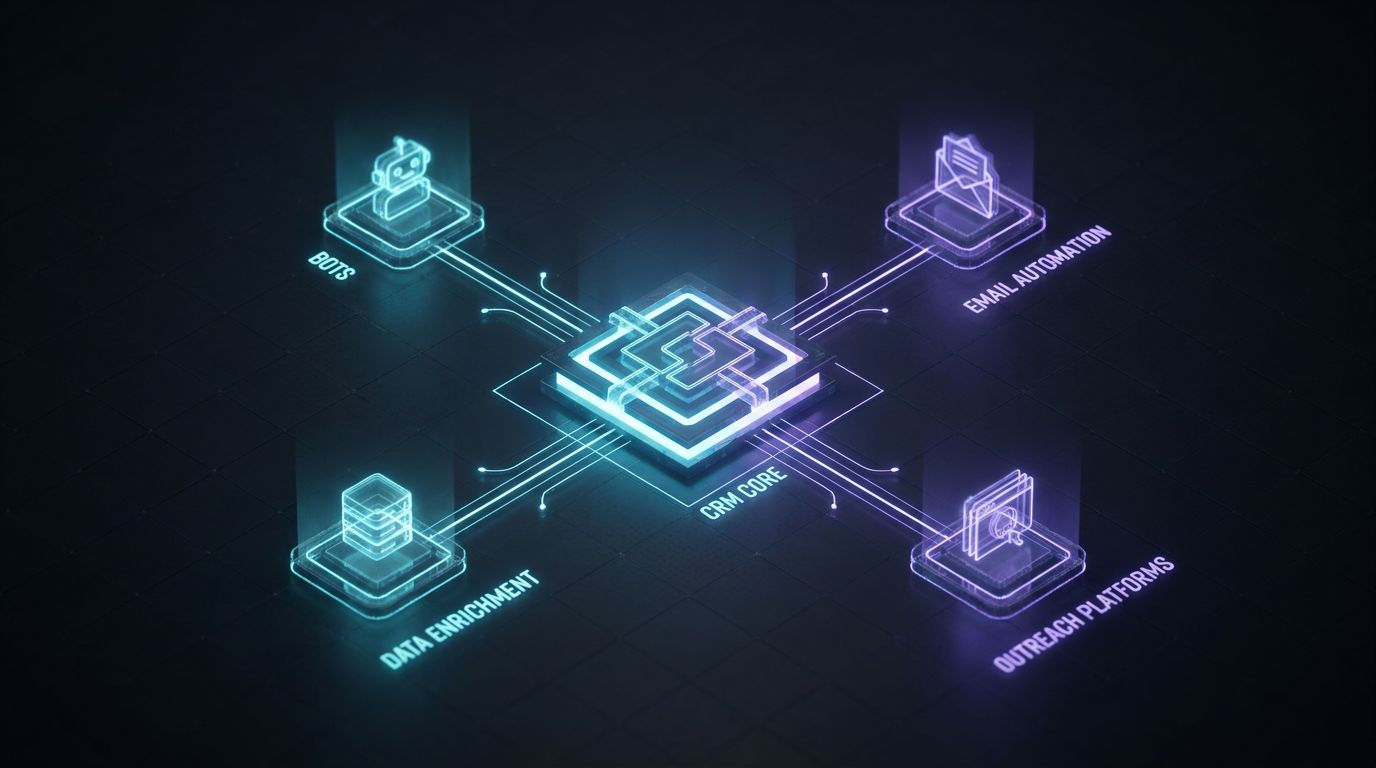
CRM + RPA means your CRM stays the system of record, while software bots act as digital assistants around it. They read screens, move data, and click buttons the way humans do, but with machine speed and consistency. You keep Salesforce, HubSpot, Pipedrive, or Zoho; you add an automation layer around it.
This differs from native CRM workflows, which are limited to what the CRM “understands”—internal fields, triggers, and connected apps. It also differs from pure API-based integrations, which only work where solid APIs and prebuilt connectors exist. RPA in CRM fills the messy gaps in between.
Think of rpa crm as delegating the glue work your team hates: logging activities, copying data between tools, updating statuses based on external systems, or pulling data from web UIs when no API is available. The bot becomes another user on the team, just one that never gets tired or distracted.
Manual CRM Tasks vs RPA Bots
Every CRM owner knows the promise: one source of truth, automated workflows, predictable pipeline. The reality is your best-paid people burning hours on low-value admin. Native automation rules help, but they rarely eliminate all the copy-paste work.
The Reality of Manual CRM Work
Most teams quietly accept that reps spend 2–3 hours per day on manual CRM work. That’s creating and updating contacts, fixing wrong fields, and chasing missing data. It adds friction to every opportunity.
Sales ops often babysit lead and account hygiene. They manually assign leads by territory or segment, enrich new records from LinkedIn or data providers, and chase reps to log calls and emails. Deals stall or disappear because the admin work lags behind real conversations.
Over a month, that’s 40–60 hours per rep spent on clicks instead of conversations. At team scale, this is one of the biggest invisible operating costs in your go-to-market engine.
What RPA Bots Can Do Inside and Around Your CRM
RPA CRM bots can watch the same inboxes, forms, and lists your ops team watches today. When a new lead comes in via email attachment or a web form not directly wired to your CRM, a bot can parse it and create a clean CRM record. No more CSV imports or copy-paste from spreadsheets.
Where APIs are limited or licensing is restrictive, bots can log in via the UI. They can open LinkedIn or a data provider, enrich the lead with company size, industry, and role, and push that back into CRM. The human just sees a clean, enriched record ready for outreach.
Bots can also track external system changes—like responses in an outreach tool or bookings on a calendar—and update CRM fields and statuses. In practice you mix unattended bots running on schedules and triggers with attended bots that reps can summon from their desktop to clean up or enrich records on demand.
Time Savings & Quality Gains
Automating lead capture and routing alone usually saves 5–10 minutes per new lead. For teams handling hundreds or thousands of leads per month, that’s easily 20–40 hours recovered monthly across RevOps and sales. Lead response time often drops from hours to minutes.
Automating enrichment and activity logging can save another 5–15 hours per rep per month. Bots follow the exact same rules every time, so data quality and consistency improve instead of decaying with each new hire. Forecasts, dashboards, and territory reports become more trustworthy.
Net effect: more touches per rep, better SLA adherence, and fewer leads slipping through the cracks. That’s the kind of ROI that shows up in pipeline coverage and win rates, not just in a “time saved” slide.
| Process | Manual CRM | CRM + RPA |
|---|---|---|
| Lead capture | Download CSVs, copy from inbox, import and clean by hand. | Bots watch inboxes/forms, parse data, and create leads automatically. |
| Lead routing | Ops reviews records and assigns owners based on spreadsheets and gut feel. | Workflow applies territory and ICP rules instantly and assigns owners. |
| Data enrichment | Reps search LinkedIn and vendors one-by-one, retyping fields. | Bots pull firmographic data via web/API and update fields in bulk. |
| Logging activities | Reps manually log calls, emails, and notes after the fact. | Inbox/phone integrated, bots create standardized activities automatically. |
| Follow-up tasks | Managers chase reps; tasks are created inconsistently or late. | Rules and bots create and assign tasks based on engagement and SLAs. |
Implementation Patterns & Tech Stack
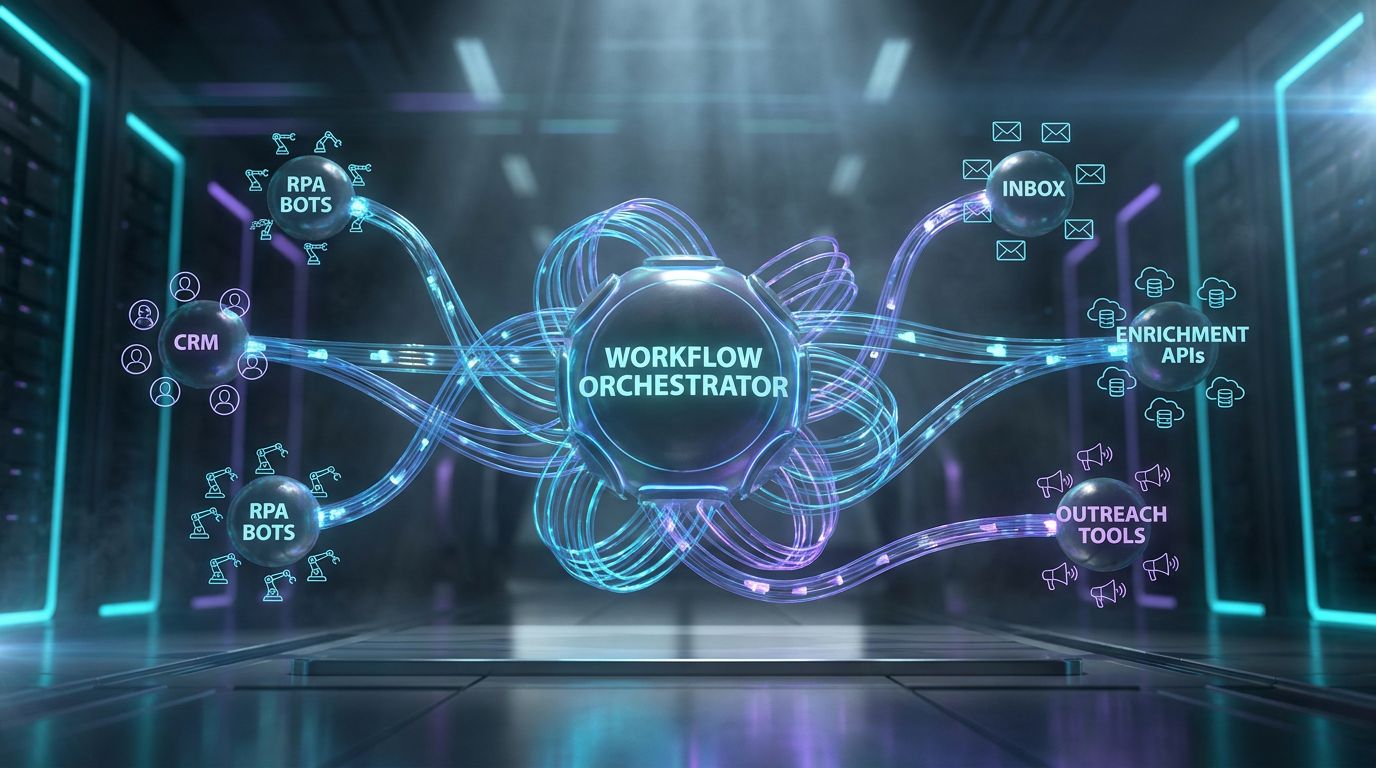
Most teams already use APIs and native automations where they can. The leverage comes from knowing when to extend those patterns with bots, and how to coordinate everything so you don’t create a fragile mess. This is where design and orchestration matter more than tool choice.
Where RPA Complements API-Based CRM Automations
APIs are ideal when you have structured data, solid documentation, and supported integrations between systems. Native CRM workflows are perfect for internal triggers like “field changed,” “deal created,” or “email opened.” You should absolutely use them first.
RPA in CRM becomes the right tool when a human today has to click through UIs to get work done. Common patterns include legacy tools without APIs, third-party portals, or license-limited systems where only a few “human” users can log in. Bots step in to execute those same sequences reliably.
In practice, the best stacks use hybrid flows. A CRM workflow might trigger an integration that posts to a queue, which then kicks off an RPA bot to handle the UI steps the API can’t reach. You get the reliability of APIs where possible, with bots filling the last mile.
Orchestrating Complex CRM Workflows (Temporal.io-style Patterns)
Once you string multiple systems and steps together, you need something to coordinate the whole story. Think of a workflow orchestrator as the conductor, telling each API or bot when to play, how long to wait, and what to do if something goes wrong. It tracks the state of work over minutes, hours, or days.
Tools like a Temporalio CRM workflow orchestrator illustrate the pattern: long-running workflows with built-in retries, timeouts, and compensation logic. If step three fails, you don’t just crash; you either retry with backoff or roll back downstream changes. The orchestrator also handles reminders and escalations when human approvals are needed.
AiBizBuild borrows these orchestration concepts and implements them with the mix of platforms that make sense for your stack. That means explicit state machines, audit trails, exception queues, and human-in-the-loop steps—rather than a pile of uncoordinated scripts and zaps.
Typical CRM RPA Tech Stack
A realistic, platform-agnostic stack for crm rpa looks like this. Your CRM (Salesforce, HubSpot, Pipedrive, Zoho, etc.) stays at the center as system of record and reporting. Around it sit your email, calendar, enrichment tools, and outreach platforms.
Then you add an RPA layer—bots that can interact with both APIs and UIs—plus a workflow orchestrator to coordinate multi-step processes. Monitoring and alerting sit on top, tracking bot health, error rates, and SLA performance.
AiBizBuild’s CRM Integration & Inbox Management offering layers into this stack to connect inboxes, calendar, enrichment, and outreach tools. We also tie in related services like B2B Lead Scraping & Enrichment and Cold Outreach Automation so the workflows we build don’t stop at data entry; they drive actual pipeline motion.
Why DIY CRM RPA Projects Fail
On paper, CRM RPA looks simple: record some clicks, plug in a bot, and you’re done. In practice, most internal attempts stall or collapse after the first few changes to process, staffing, or tools. The problem is rarely the RPA product—it’s the lack of end-to-end design and governance.
Underestimating Process Complexity
Teams often jump from “we need to automate lead routing” straight into scripting. They skip process mapping, exception analysis, and data validation rules. The first bot works for the happy path but fails on edge cases the human operators routinely handle without thinking.
Conflicting ownership, missing fields, and tribal knowledge quickly surface. Who wins when marketing territory rules differ from sales? What happens when a lead has no country or company size? Without a designed decision tree, the bot just stops or silently misroutes.
AiBizBuild starts with a structured Workflow Audit specifically to avoid this trap. We document the actual process—including all the ugly branches—and only then design bots and orchestrations that can survive real-world usage.
Brittle Bots, No Orchestration, and Breakage
DIY bots are often tied to pixel positions on a screen or fragile CSS selectors. A small UI tweak, field rename, or layout change can break them. Because there’s no orchestration layer, failures don’t surface until someone notices missing records or angry reps.
Without versioning and centralized control, scripts proliferate. Different teams tweak their own variants, and no one has a full picture of what’s running where. You can’t reliably roll out changes or audit behavior when something goes wrong.
By contrast, well-orchestrated rpa crm workflows are treated like software: versioned, tested, monitored, and rolled out with change control. That’s the standard AiBizBuild works to when we design and operate your automations.
Security, Governance, and Maintenance Overload
Security and governance are where many DIY efforts quietly die. Bots running under shared passwords, no role-based access, and overprivileged service accounts create real risk. InfoSec will eventually say no—or worse, something breaks in production.
Even if you get a first bot live, keeping it healthy is ongoing work. Someone has to review logs, fix exceptions, update scripts for new tools or fields, and retrain staff on when to trust the bot versus step in. That maintenance burden rarely gets planned or budgeted.
The “cheap DIY” route ends up consuming RevOps and IT time every month. AiBizBuild’s done-for-you approach is designed to absorb that complexity: we handle architecture, build, monitoring, and updates under clear governance, so your team focuses on running revenue, not babysitting scripts.
| Aspect | DIY CRM RPA | AiBizBuild Done-For-You |
|---|---|---|
| Design quality | Ad-hoc scripts, limited process mapping, happy-path focus. | Formal process maps, exception handling, and orchestration patterns. |
| Time-to-live | Slow starts; internal teams juggle automation with day jobs. | Time-boxed phases; first workflows live in weeks, not quarters. |
| Stability | Brittle bots; frequent silent failures after UI or process changes. | Monitored, versioned workflows with tested change management. |
| Governance & security | Shared accounts, unclear ownership, minimal audit trails. | Least-privilege access, documented ownership, and audit logging. |
| Ongoing effort | RevOps and IT spend hours monthly patching and babysitting. | AiBizBuild handles monitoring and updates under a clear scope. |
| Predictability of ROI | Hard to forecast impact; pilots often stall before scaling. | Scoped pilots with defined KPIs and phased rollout plans. |
High-Impact CRM RPA Use Case (B2B Lead Routing & Follow-Up)
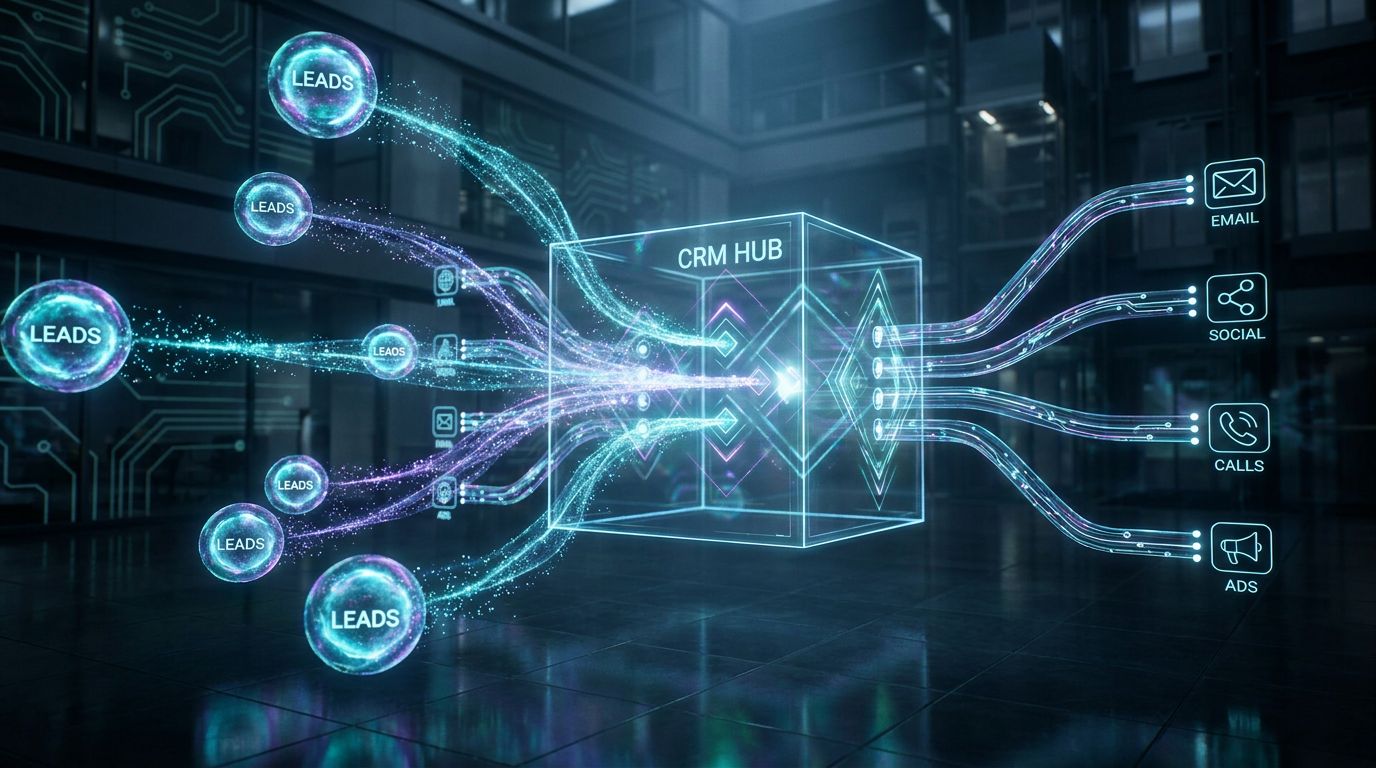
If you only automated one CRM process with RPA, B2B lead routing and follow-up would be the top candidate. It blends structured rules with messy inputs from forms, webinars, lists, and inbound emails. Done right, it recovers hours and tightens your lead response SLAs.
The Before State: Manual Lead Handling
In the typical setup, leads arrive from website forms, event platforms, webinar tools, and purchased lists. Some are connected directly to CRM; others land in inboxes or CSV files that RevOps manually uploads. Data quality varies, and duplicates are common.
Sales ops or marketing assistants spend chunks of the day cleaning records, enriching missing firmographics, and assigning owners based on territory or account mapping. Reps wait for assignments instead of engaging prospects in real time.
After that, reps are expected to log outreach, update stages, and create follow-up tasks. In reality, a portion of leads never receive a timely first touch, and a meaningful share of unworked or underworked leads accumulates over each quarter.
The After State: Orchestrated RPA CRM Workflow
In an orchestrated crm rpa setup, the workflow looks very different. A new lead hits a form, inbox, or event platform, and the orchestrator treats it as the start of a defined journey, not an ad hoc task. Each subsequent step is explicit, observable, and automatable.
One common pattern works like this. First, the CRM or an integration posts a new lead event into a queue. That event triggers a workflow that dedupes against existing contacts and accounts, then enriches the record via APIs or web-based scraping.
Next, routing rules run: match to existing accounts, apply territory logic, and check ICP fit. The bot assigns an owner, creates outreach tasks, and, if you’re running Cold Outreach Automation or AI lead generation tools and automated prospecting systems, automatically feeds the lead into the right outbound sequence.
As emails are sent, calls are made, or meetings are booked, integrations feed status updates back into CRM. The orchestrator tracks SLA timers; if a high-intent lead isn’t touched within a defined window, the workflow escalates or reassigns. Exceptions—like missing critical data—are flagged to an ops queue instead of silently failing.
With this approach, it’s common to cut lead response time from several hours to under 15 minutes and reduce unworked leads by 20–40%. That shift alone can be worth dozens of incremental opportunities per quarter for mid-sized B2B teams.
Where AiBizBuild Fits in This Use Case
AiBizBuild implements this end-to-end pattern as a done-for-you system, not a toolkit you have to assemble. Our CRM Integration & Inbox Management service wires your CRM, inboxes, and routing logic together with both native automations and RPA bots.
We connect or provide B2B Lead Scraping & Enrichment so leads are automatically enriched and scored, not left half-complete. Then we connect the CRM events into Cold Outreach Automation flows and broader B2B sales automation workflows for outbound teams.
For higher-intent leads, we can tie in AI Voice Agents and 24/7 Appointment Booking Systems so calls and meetings can be triggered automatically once routing is done. You keep your existing CRM and tools; AiBizBuild designs, builds, and maintains the workflows that stitch everything together.
How AiBizBuild Implements CRM RPA Automations
Most vendors will tell you to “try a pilot” and leave you to figure it out. AiBizBuild runs a structured, phased program that moves from audit to live workflows with clear ownership and deliverables. You get an operator, not just a slide deck.
Phase 1 – Audit & Workflow Design (1–2 Weeks)
Everything starts with a Workflow Audit. We run discovery sessions with RevOps, sales, marketing, and CS to map how work actually flows today, not how the diagram looked at go-live. That includes manual steps, spreadsheets, and inboxes.
We document your current CRM configuration, native automations, and integration footprint. Then we identify friction points: where reps lose time, where leads stall, and where data quality degrades. This isn’t a generic best-practices review; it’s grounded in your numbers and workflows.
Deliverables include process maps, a prioritized backlog of automation opportunities, and a high-level architecture that shows where rpa in crm offers leverage versus simple native rules or APIs. This becomes the blueprint for the build phase.
Phase 2 – Build, Integrate & Test (3–5 Weeks)
With a design in place, AiBizBuild’s team builds the bots, workflows, and integrations. We use proven rpa crm patterns: clear triggers, explicit decision trees, and idempotent steps so re-runs don’t corrupt your data. We also set up queues and exception paths from day one.
Your CRM is integrated with inboxes, enrichment, and outreach tools using a mix of native connectors, APIs, and RPA where needed. We implement orchestration inspired by a Temporalio CRM workflow orchestrator mindset: long-running workflows, retries, timeouts, and compensation actions are all deliberate.
Before anything touches production, we run rigorous QA with test data and staged rollouts. That includes backfilling test records, simulating failures, and validating that metrics and logs show the picture your leaders will ultimately rely on.
Phase 3 – Pilot, Optimize & Scale (4–8 Weeks)
We start with a pilot—often a single territory, product line, or team segment—so you get real-world data without putting your entire GTM motion at risk. During this phase, we track time saved, SLA adherence, and error rates against your baseline.
Based on feedback from reps and managers, we tune rules, thresholds, and escalation logic. Some workflows get tightened; others get simplified to better match how your team actually sells. This is where theoretical designs mature into battle-tested systems.
Once the pilot meets agreed KPIs, we scale to additional workflows and teams. Many clients choose a retainer for ongoing monitoring and adaptation as processes, tooling, and headcount evolve over quarters.
Ownership, Documentation & Handover
Each workflow AiBizBuild deploys comes with clear documentation: diagrams, trigger definitions, data models, and exception handling rules. We also define who inside your org owns which decisions and how changes are requested and approved.
Your teams get training on how to interact with the bots—when to trust automation, when to override, and how to surface issues. Leadership gets dashboards or reports that translate automation performance into business metrics like time saved and SLA compliance.
If you’re ready to get out of spreadsheet-and-inbox chaos, the next concrete step is to Book a Workflow Audit. In that session, we’ll quantify your biggest CRM friction points and outline a phased roadmap so you can see what the first 60–90 days of automation would look like.
When to Use RPA vs Native CRM Automation
Not every problem needs a bot. Part of responsible automation is knowing when native CRM features or standard integrations are enough, and when rpa in crm actually adds net value. Over-automating with the wrong tool is just another way to create technical debt.
Good Candidates for Native CRM Automation Only
Use native CRM workflows when the trigger and action live entirely within the CRM. Examples include sending standard email alerts, auto-creating tasks on stage changes, and updating fields based on other fields. These are table stakes for most modern CRMs.
Similarly, lean on official connectors or marketplace apps where they exist and match your use case. If a stable, vendor-supported integration can sync data cleanly, there’s no reason to layer RPA on top of it. Keep things as simple as the requirements allow.
This approach reserves your automation budget and complexity for genuinely hard problems—cross-system workflows, legacy tools, and the “swivel chair” tasks that consume so much human time today.
Classic RPA CRM Use Cases
RPA CRM shines where humans currently bridge the gap between tools. Legacy or third-party systems with weak APIs, usage-based pricing limits, or compliance constraints are all good candidates. If someone has to log in via browser daily just to copy data, a bot can likely help.
Other classic cases include repetitive web tasks between CRM and external tools, like checking partner portals or updating shipping or usage data. Anywhere you see screenshots and one-off spreadsheets flying around, there’s usually an RPA opportunity.
Complex, multi-system processes that stretch across email, spreadsheets, back-office tools, and your CRM are especially promising. Those are often too specific for off-the-shelf apps but too valuable to leave manual.
Decision Framework: API, Native Automation, or RPA?
A simple decision framework keeps you honest. Step one: is there a reliable, documented API or official connector that meets your needs? If yes, use that plus native CRM automation; it will almost always be more maintainable.
Step two: if the process is mostly UI-based, repetitive, and currently done by humans, consider rpa in crm to automate those keystrokes. Make sure you understand the process fully—including exceptions—before you build.
Step three: if the workflow is long-running, crosses multiple systems, and needs approvals or escalations, pair APIs and RPA with orchestration. AiBizBuild’s role is to help you choose the right tool at each step so you get reliable outcomes without overcomplicating your stack.
Expected ROI, Timelines, and Next Steps
Executives don’t buy bots; they buy time, coverage, and predictability. Any crm rpa initiative should be framed in those terms from the start, with realistic timelines and payback windows tied to specific workflows.
Typical Time Savings & Payback Windows
For a well-scoped first workflow—like lead routing and enrichment—teams often see a 20–40% reduction in manual admin time on that process within 60–90 days. That translates to roughly 50–150 hours per month recovered across RevOps and sales for mid-sized teams.
Savings come from fewer manual imports, faster routing, auto-logged activities, and cleaner data that reduces rework. You also unlock more pipeline touches: reps can make more calls, send more targeted sequences, and follow up more consistently.
Because AiBizBuild focuses on concrete, measurable workflows, we can model ROI using your data during the Workflow Audit. The aim is to prioritize automations where the payback period is measured in months, not years.
Implementation Timelines & Rollout Strategy
From first workshop to live pilot, most clients see their initial CRM RPA workflow in production within 6–10 weeks. That includes the 1–2 week audit, 3–5 weeks of build and integration, and a short pilot ramp-up. Complexity and stakeholder availability are the main variables.
Phase one usually targets one to three high-impact workflows so you get visible results without overwhelming your teams. Additional workflows roll out in waves once the orchestration patterns and governance are in place.
This staged approach reduces risk, makes change management manageable, and lets you reinvest early wins into further automation—rather than betting everything on a massive, multi-quarter project.
How to Engage AiBizBuild
The starting point is simple: Book a Workflow Audit with AiBizBuild. On that call, we’ll review your current CRM setup, biggest sources of manual work, and where you’ve already pushed native automation to its limit.
You’ll want your CRM owner, a RevOps or sales ops lead, and, where appropriate, a representative from IT or InfoSec in the room. Together we’ll identify one or two candidate workflows for a first pilot and sketch rough time and savings estimates.
If you want to see how this connects into your broader GTM engine, we can also walk through related assets like ChatGPT for lead generation playbooks and how AI lead generation tools and automated prospecting systems plug into CRM-driven automations.
FAQs on CRM + RPA Projects
Below are concise answers to the questions RevOps, IT, and leadership teams most often ask before committing to crm rpa initiatives.
Is CRM RPA secure, and how do you handle access and permissions?
Yes, CRM RPA can be secure when designed correctly. Bots use dedicated service accounts with least-privilege access rather than shared human credentials. Permissions are scoped to the minimum needed fields and actions.
AiBizBuild aligns with your security policies, including SSO, MFA, and IP restrictions where possible. We implement audit logs so you can see what bots did, when, and under which account, and we work with your InfoSec team during the design phase to avoid surprises.
How long does it take to get a CRM RPA workflow live?
For a simple but valuable workflow—like basic lead capture and routing—expect 3–4 weeks from design sign-off to pilot, assuming quick stakeholder access. That includes configuration, bot build, and initial testing.
For more complex, multi-system workflows that touch several tools or require non-trivial orchestration, timelines are usually 6–12 weeks. The Workflow Audit clarifies what’s realistic for your specific scope and constraints.
Do we need in-house RPA or developer skills to work with AiBizBuild?
No, you don’t need to build an internal RPA team to benefit from rpa crm workflows. AiBizBuild handles architecture, bot development, orchestration, and maintenance as part of our done-for-you model.
What you do need are strong process owners—RevOps, CRM admins, and business leaders who can define success and sign off on workflows. We collaborate with your technical teams on security and access, but we don’t offload the build work back onto them.
Will CRM RPA replace my sales or RevOps team?
No. Bots are there to take over repetitive, low-value tasks, not the conversations, strategy, and judgment your people bring. The intent is to let humans spend far more time on discovery calls, demos, and deal strategy instead of data entry.
In practice, roles shift rather than disappear. RevOps focuses more on designing and monitoring processes; reps focus more on pipeline movement and less on admin. That’s where the real ROI of automation shows up.
What CRMs and tools can you work with?
AiBizBuild is platform-agnostic. We regularly work with Salesforce, HubSpot, Pipedrive, Zoho, and other major CRMs, plus common email, calendar, enrichment, and outreach tools. We adapt to your existing stack rather than forcing a rip-and-replace.
Where vendors provide strong APIs or connectors, we use them. Where they don’t, we introduce rpa in crm patterns to bridge the gaps. Our goal is a cohesive system that respects your current investments.
Can CRM RPA integrate with AI voice agents and appointment booking?
Yes. For high-intent or qualified leads, CRM-triggered workflows can hand off to AI Voice Agents (Inbound/Outbound) or 24/7 Appointment Booking Systems. Once routing and enrichment are done, bots can trigger calls, SMS, or booking links as appropriate.
The orchestrator then writes outcomes—like successful bookings or voicemail drops—back into CRM so your team has full visibility. This closes the loop from lead capture through to scheduled conversations.
How is change management and training handled?
Every workflow we deploy includes a brief but focused change management plan. That covers rep and manager training, internal documentation, and clear communication about what is changing and why.
We typically start pilots with automation “in the background” and then progressively expose more features as confidence builds. Feedback loops are built in so frontline users can flag issues early, and we adjust as needed.
How are costs structured for AiBizBuild projects?
While exact pricing depends on scope, we generally structure work as a combination of fixed-fee implementation projects plus optional ongoing support retainers. The Workflow Audit is a low-risk, time-boxed engagement that clarifies scope and effort before you commit to build.
This model keeps incentives aligned: we’re motivated to deliver working automations quickly and maintain them efficiently over time, so the ROI story is clear on your side of the table.
Manual CRM work is not a fact of life; it’s a design choice. If you’re ready to redesign, orchestrate, and automate the repetitive parts of your revenue engine, Book a Workflow Audit with AiBizBuild and let’s quantify exactly how much time and pipeline you can win back.