

Selecting Automated Employee Onboarding Software: Implementation & ROI Guide
Key Takeaways:
- Manual onboarding typically consumes 6–10 HR hours per hire, plus manager and IT time; well-implemented automated systems routinely cut this by 50–70%.
- The right automated employee onboarding software goes beyond forms and eSign: it must support role-based workflows, deep HRIS/IT/identity integrations, and reporting that surfaces time-to-productivity and compliance gaps.
- Most DIY implementations underperform because teams underestimate workflow design, integration, and QA; a done-for-you automation partner accelerates time-to-value and lowers risk.
In This Guide:
💸 The Real Cost of Manual vs Automated Onboarding – Time, error, and compliance math.
🧩 How to Evaluate Automated Employee Onboarding Software – Feature checklist, integrations, and must-have capabilities.
⚙️ Why DIY Onboarding Software Implementations Fail – The hidden complexity vendors don’t mention.
🚀 Implementation & Migration Blueprint to Automate Employee Onboarding – 30–90 day rollout plan.
🤝 When to Bring in a Done-For-You Automation Partner – How AiBizBuild accelerates ROI.
❓ FAQs About Automated Employee Onboarding Software – Security, timeline, and ownership.
For most HR and People Ops teams, onboarding is a fragile mix of email threads, spreadsheets, and tribal knowledge. You already know this does not scale, which is why you’re evaluating automated employee onboarding software and looking for hard numbers and a realistic implementation plan. This guide gives you the cost math, evaluation criteria, and a 30–90 day blueprint so you can automate employee onboarding without another stalled “we turned on the module” project.
The Real Cost of Manual vs Automated Onboarding
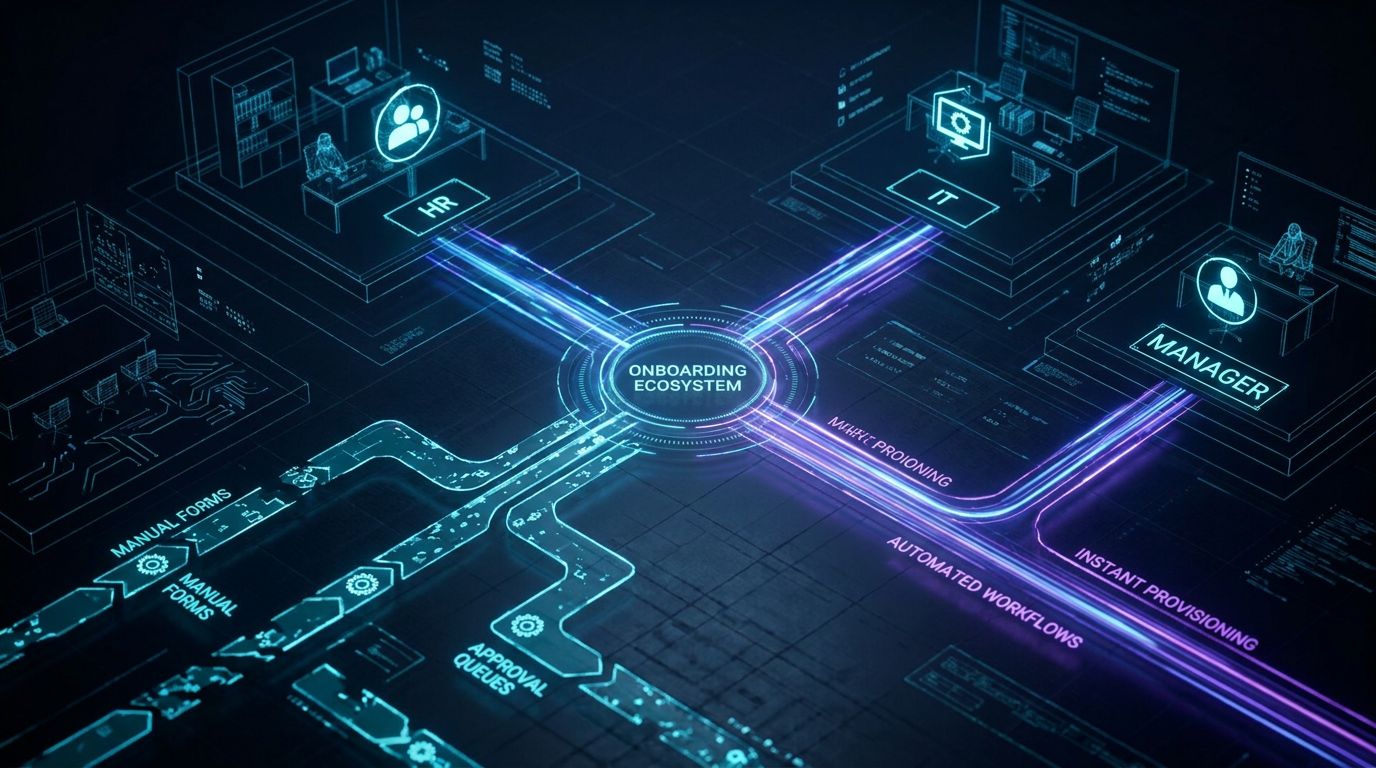
Manual onboarding problems are rarely about one big failure. They’re the compound effect of dozens of tiny manual steps that drain HR and frustrate new hires.
What Manual Onboarding Looks Like in Practice
In a typical SMB–mid-market company, HR sends PDF offers by email, tracks signatures manually, and files documents into shared drives. IT receives scattered tickets for accounts and equipment, often without the full information needed to act quickly. Managers maintain ad-hoc checklists in notebooks or spreadsheets, so every new hire’s experience is slightly different.
By the time a new employee starts, HR has usually invested 6–10 hours per hire just coordinating forms, signatures, data entry, and chasing status updates. Each onboarding can easily involve 20–40 manual touchpoints across HR, IT, and managers, with multiple handoffs that invite errors. Missed I-9s, delayed access to systems, and incomplete policy acknowledgements are common and create real compliance and audit anxiety.
Cost Breakdown: Time, Errors, and Compliance Risk
You can quantify manual onboarding costs using simple assumptions. Start with HR time: if HR spends 8 hours per hire and your fully loaded HR cost is $50/hour, that’s $400 in HR time alone per new employee, before considering manager and IT effort. Add 2–3 hours of manager time for coordination and approvals, plus 1–2 hours of IT time per hire, and you’re easily above $600–$800 in internal labor.
Errors and delays add hidden costs. A missing form or mis-keyed record means rework and potentially 1–2 extra hours of HR or IT time per incident, plus the opportunity cost of a new hire stuck without full access. As hiring volume increases, these costs and risks grow non-linearly because each additional tool, location, and exception path multiplies potential failure points.
How Automated Employee Onboarding Software Changes the Equation
Modern automated employee onboarding software standardizes and automates the repetitive, rules-based steps from offer acceptance through the first 30–90 days. Digital forms and eSign capture structured data once and push it into HRIS, payroll, and identity systems without retyping. Automated workflows trigger IT provisioning, assign tasks to managers, and send reminders when steps are overdue.
When implemented correctly, organizations typically see a 50–70% reduction in HR admin time per hire, cutting 8 hours down to 2–4 while also reducing errors. New hires get consistent preboarding portals, day-one readiness, and scheduled check-ins, which shortens time-to-productivity and improves retention. The real value is not the software license; it’s the reliable system that runs every onboarding the same way, every time.
Insert Table: Manual Onboarding vs Automated Employee Onboarding Software
| Aspect | Manual Onboarding | Automated Software-Driven Onboarding |
|---|---|---|
| HR time per hire | 6–10 hours coordinating forms, emails, and data entry | 2–4 hours focused on exceptions and high-touch interactions |
| Error rate | Frequent missing fields, mis-keyed data, and lost attachments | Validation rules and single data entry significantly reduce errors |
| Compliance risk | High; manual tracking of I-9s, policies, and audit trails | Lower; system-enforced steps, timestamps, and audit logs |
| New hire time-to-productivity | Often 1–2 weeks to full access and orientation | Frequently reduced to a few days or less with day-one readiness |
| Manager experience | Ad-hoc checklists, unclear status, and constant follow-ups | Centralized tasks, reminders, and visibility into onboarding status |
| Scalability | Breaks down as hiring volume and locations increase | Designed to scale across roles, locations, and hiring spikes |
How to Evaluate Automated Employee Onboarding Software
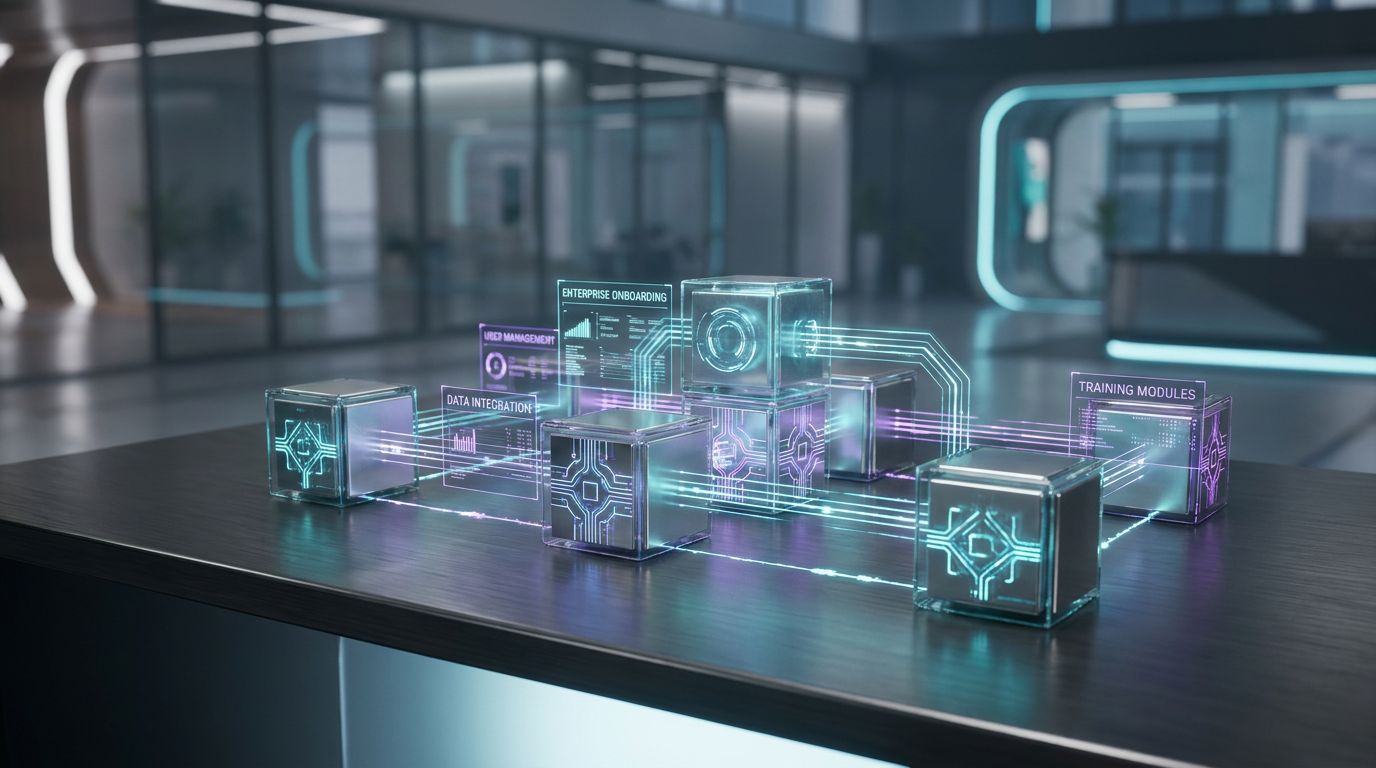
Once you see the cost of manual onboarding, the next challenge is choosing the right platform. The goal is not to buy features; it is to select automated employee onboarding software that can become the backbone of a scalable system.
Core Capabilities You Actually Need (Not Just Nice-to-Haves)
Most vendors have long feature lists, but only a subset truly matters for automation at scale. Focus your evaluation on capabilities that reduce manual work and enforce consistency across every hire.
- Digital forms and eSign: Offer letters, NDAs, tax forms, and policy acknowledgements should be sent, signed, and stored without email attachments.
- Role-based and location-based templates: The system must support different workflows for engineers, sales reps, contractors, and different countries or states.
- Automated task assignment: Tasks should auto-route to HR, managers, IT, payroll, and facilities with clear due dates and reminders.
- New hire self-service portal: A branded portal for preboarding steps (bio, banking, benefits selection, equipment preferences) improves experience and data quality.
- Reporting and audit trails: You need visibility into completion rates, bottlenecks, SLA breaches, and a defensible record for compliance.
If you’ve seen how marketing teams move from spreadsheets to automated editorial workflows, the same pattern applies here. HR outgrows email-driven onboarding and needs a structured system that enforces the right steps every time.
Integration Requirements: HRIS, IT Provisioning, Identity, and Payroll
The difference between “digital paperwork” and true automation is integration depth. To genuinely automate employee onboarding, your chosen tool must connect reliably with the rest of your stack.
- ATS → HRIS: When a candidate is marked “hired,” core data should flow into HRIS automatically to kick off onboarding.
- HRIS → identity and IT: Integrations with identity providers (Okta, Azure AD, Google Workspace), email, devices, and key SaaS apps should auto-create accounts based on role and location rules.
- HRIS → payroll and benefits: Banking, tax, and demographic data should sync without manual re-entry into payroll, benefits, and possibly an LMS.
A platform that cannot integrate cleanly into this ecosystem will not truly automate employee onboarding, no matter how attractive the UI is. This is where having an automation-focused partner who understands CRM Integration & Inbox Management patterns is valuable, because the underlying data-sync and communication challenges are similar.
Time-to-Value, Scalability, and Reporting Considerations
Time-to-value is how quickly HR stops firefighting and actually feels the admin burden drop. Basic configuration and template setup might show value in a few weeks, but cross-system automation and reporting maturity often lag without a clear plan.
Ensure the software can handle multi-location, hybrid, and remote hires without clumsy workarounds. Look for flexible workflow builders, conditional logic, and reusable components so your processes can evolve with the business. Reporting should allow you to track time-to-provisioning, time-to-productivity, completion rates, and compliance tasks out of the box or via integrations to your analytics tools.
Why DIY Onboarding Software Implementations Fail
Buying the right platform is only half the story. Many teams enable an onboarding module, configure a few templates, and discover six months later that HR is still chasing emails and IT tickets.
The Hidden Complexity Behind Templates and Checklists
Vendors sell “simple templates,” but effective onboarding flows require deep process design. You must map every step from offer acceptance, background checks, and preboarding, through day one logistics, training, and day-90 milestones.
Real-world complexity includes exceptions for contractors, interns, role changes, rehires, different entities, and jurisdiction-specific compliance rules. Designing workflows that handle these paths without devolving into spaghetti logic is a systems architecture exercise, not just an HR task list.
This is the same reason content teams move from manual processes to automated approvals when routing drafts across legal, brand, and stakeholders. The surface looks like “checklists,” but the reality is multi-actor, conditional workflows that are easy to break if you are not experienced in automation design.
Common Failure Modes in DIY Implementations
DIY onboarding builds tend to fail in predictable ways. Recognizing these patterns early can save months of frustration and sunk time.
- Incomplete workflows: The “happy path” is automated, but edge cases fall back to email, so HR must remember which hires follow which path.
- Misconfigured triggers: Events like “offer signed” or “background check cleared” are not wired correctly, causing missed tasks, duplicate accounts, or onboarding starting too early.
- Poor manager adoption: Managers receive confusing or noisy checklists with unclear priorities and SLAs, so tasks get ignored.
- Disconnected IT provisioning: Actual account creation and device assignment still happen through manual IT tickets, undermining the promise to automate employee onboarding.
All of this leads to the worst outcome: HR invests months rolling out a new tool, but day-to-day work doesn’t feel meaningfully different, so confidence in automation drops.
DIY vs Done-For-You: Total Cost and Risk
DIY is often framed as “free” because you avoid external services, but the true cost sits in internal hours, delays, and avoidable rework. A senior HR or People Ops leader spending dozens of hours in a workflow builder is an expensive way to design systems.
Misconfigurations carry risk beyond annoyance. Failed provisioning can create security gaps, inconsistent policy acknowledgements can weaken your compliance posture, and poor experiences can impact offer acceptance and early attrition. A done-for-you automation approach front-loads expert design and testing so that your internal team’s time is used for decisions, not trial-and-error configuration.
Insert Table: DIY Software Setup vs Done-For-You Automation System
| Factor | DIY Software Setup | Done-For-You Automation (AiBizBuild) |
|---|---|---|
| Implementation time | 3–9 months of sporadic progress alongside day jobs | 6–12 weeks with a structured, dedicated project plan |
| Required expertise | HR/IT learn workflow design, integrations, and QA on the fly | Specialists in cross-tool automation design and testing |
| Internal hours consumed | High; 50–150+ hours from HR, IT, and managers collectively | Moderate; focused workshops and approvals instead of trial-and-error builds |
| Reliability | Inconsistent; edge cases often break or stay manual | High; workflows designed to cover common exceptions and monitored post-launch |
| Depth of integration | Shallow; basic HRIS usage with little IT or identity automation | Deep; HRIS, IT, identity, inboxes, and notifications orchestrated end-to-end |
| Measurement & analytics | Limited; reporting rarely configured beyond default views | Planned; KPIs and dashboards defined as part of the build |
| Total cost over 12 months | Unclear; lower cash outlay but high hidden internal labor and slower ROI | Transparent; higher upfront services cost with faster time-to-value and reduced internal burden |
Use Case: Automating Onboarding for a Remote Knowledge Worker Team
To make this concrete, consider a growing remote-first company hiring engineers, customer success, and GTM roles across multiple time zones. HR, IT, and managers are all involved, but no one owns the entire end-to-end journey.
Before: Fragmented Remote Onboarding Across HR and IT
In the “before” state, HR triggers onboarding by emailing IT a list of new hires every two weeks, with inconsistent details. IT creates accounts manually in identity and core tools, but devices sometimes arrive late because shipping details changed mid-thread.
Managers send separate welcome emails and cobble together onboarding plans from old documents. New hires often start without access to all systems, spend the first week waiting on approvals, and feel disconnected from the culture.
After: End-to-End Automated Workflow Across HRIS, IT, and Identity
In the “after” state, a candidate being marked as “hired” in the ATS automatically triggers a standardized onboarding workflow. Offer letters, NDAs, and policy documents are sent through eSign, with required fields ensuring clean, structured data.
Once documents are signed, the workflow pushes data into the HRIS, which in turn triggers account creation in the identity provider and core SaaS tools based on role and location rules. IT is assigned just the exceptions (specialized hardware or non-standard software) through integrated tickets.
Managers receive a clear checklist that includes assigning a buddy, confirming role-specific training, and scheduling first-week touchpoints. The new hire receives access to a preboarding portal with company information, required forms, and a view of their first-week schedule.
- HR admin time per hire drops from ~8 hours to ~3 hours, mostly for exception handling and high-touch communication.
- Average time-to-fully-provisioned drops from 3 days to same-day for the majority of roles.
- Task completion rates for required items (I-9s, policy acknowledgements) climb toward 95%+ on time.
What Still Requires Human Judgment (and What Doesn’t)
Automation does not replace the human side of welcoming people to your company. It removes the tedious follow-up and error-prone logistics so humans can focus on connection and clarity.
- Automation handles: data collection, system provisioning, reminders, status tracking, and routing structured tasks to the right people.
- Humans handle: welcome calls, culture sessions, expectation-setting conversations, feedback loops, and nuance around exceptions.
The goal is to automate employee onboarding where it is rules-based, so HR and managers can spend more time building relationships and less time chasing forms.
Implementation & Migration Blueprint to Automate Employee Onboarding

Here is a realistic 30–90 day blueprint to move from manual chaos to a working, automated onboarding system. This is where many competitor guides stay vague; instead, let’s be explicit about phases, owners, and timelines.
Phase 1 – Audit and Process Mapping (1–2 Weeks)
Start with a clear picture of your current state. Inventory your ATS, HRIS, ITSM, identity provider, payroll, benefits, LMS, and communication tools, noting who owns each.
Map the onboarding journey in swimlanes across HR, IT, managers, and new hires from “offer verbally accepted” through at least day 30 or day 90. Capture every touchpoint, decision, and system along the way.
Quantify baseline metrics: HR hours per hire, number of IT tickets per onboarding, average time-to-provisioning, error/rework incidents, and any compliance gaps. This phase looks very similar to the Workflow Audit that AiBizBuild runs, but you can begin internally with whiteboards and process interviews.
Phase 2 – Design Your Target Onboarding Journey (1–2 Weeks)
With the current state mapped, define your ideal future state. Identify which steps should be fully automated, which should be human but system-triggered, and which can be retired entirely.
Design separate flows for key segments such as full-time employees, contractors, and rehires, plus role-based variations like engineering, sales, and operations. Ensure you factor in location-specific rules around taxation, labor law, and equipment.
At this stage you should either choose or validate your automated employee onboarding software platform. Use the earlier feature and integration checklist, plus your IT team’s security requirements and licensing constraints, to make a decision grounded in your real workflows.
Phase 3 – Build, Integrate, and Test (2–4 Weeks)
This is where many DIY efforts stall because the work becomes technical and detail-heavy. You’ll configure templates, digital forms, and eSign packets that match your offer, policy, and compliance requirements.
Next, you’ll connect the dots: HRIS to identity providers, HRIS to ITSM, HRIS to payroll and benefits, and the onboarding tool to email and messaging channels for notifications. Each integration needs clear field mappings, security reviews, and failure handling.
Run test cohorts of 3–5 hires end-to-end through the new workflows, instrumenting them to catch issues early. This is where having experienced automation architects from a partner like AiBizBuild—who live and breathe cross-system builds, CRM Integration & Inbox Management, and robust QA—can compress months of experimentation into a few focused weeks.
Phase 4 – Rollout, Training, and Optimization (2–4 Weeks)
Once core workflows are stable in testing, roll them out to all new hires over a controlled period. Provide concise training for HR, IT, and managers focused on what has changed, what the system will do, and what is still expected of them.
Monitor KPIs during the first 30–60 days: HR hours per hire, time-to-provisioning, task completion rates, and any new failure modes that appear. Hold short retrospectives after each onboarding wave to capture lessons and refine your flows.
Optimization is ongoing, not a one-time project. As your org structure, tools, and geographies evolve, your automated employee onboarding software and workflows should evolve with them—ideally with an automation partner continuously tuning the system.
When to Bring in a Done-For-You Automation Partner
—IMAGE_BLOCK: Cinematic 3D Node Architecture showing a complex onboarding automation graph floating in a dark void, with some nodes labeled HR, IT, Manager, New Hire, all connected by pulsing data cables. Cinematic lighting, Unreal Engine 5 render, futuristic corporate aesthetic, glowing cyan and purple accents, shallow depth of field, 8k resolution—
At some point, the marginal benefit of more internal experimentation drops, and the risk of “another half-finished rollout” rises. That’s when a done-for-you automation partner makes sense.
Signs You Shouldn’t DIY Your Onboarding Automation
- You hire 10+ employees per quarter, or have seasonal spikes that overwhelm your current process.
- Your HR team is already stretched thin with employee relations, performance, and compliance work.
- You operate across multiple systems—HRIS, ITSM, identity, payroll, LMS—and have limited in-house integration expertise.
- You’ve tried enabling onboarding modules before, but adoption fizzled or workflows never made it out of the pilot stage.
- Your executives are asking for clear ROI and time-to-value, not another tool that “we’re still configuring.”
What AiBizBuild Actually Does for HR & Operations Teams
AiBizBuild is a workflow and automation partner, not an HRIS vendor. We work inside the tools you already own—or can help you select the right ones—to design and implement end-to-end onboarding systems.
- HR & Recruitment Screening Bots: We automate pre-hire screening and information capture so the moment a candidate is marked “hired,” clean, structured data is ready to feed your onboarding workflows.
- CRM Integration & Inbox Management: Our experience connecting CRMs, inboxes, and communication tools transfers directly to HRIS and onboarding ecosystems, enabling automated, structured onboarding emails, reminders, and cross-system data sync.
- AI Voice Agents (Inbound/Outbound): Where appropriate, we can implement voice agents to handle routine welcome calls, answer common onboarding questions, or remind new hires about benefits or training sessions.
- 24/7 Appointment Booking Systems: We automate scheduling for manager 1:1s, orientation sessions, and benefits consultations so calendars coordinate themselves around your onboarding flow.
Our core process is consistent: audit → design → build → integrate → train → optimize. The outcome is not “we turned on a module,” but a reliable system that lets you confidently automate employee onboarding across HR, IT, and managers.
Example Outcomes from a Done-For-You Implementation
While every organization is different, the patterns are consistent when onboarding automation is implemented professionally. Within 60–90 days of go-live, HR and operations leaders often see measurable, defensible improvements.
- 60% reduction in HR onboarding admin time within 60 days, as manual handoffs and data entry are removed.
- 95%+ completion rate on preboarding tasks and required forms before day one, improving compliance and readiness.
- Same-day provisioning for 90% of new hires in core systems, with clear SLAs and reporting for exceptions.
This is the shift from “we bought onboarding software” to, as we describe in other domains, building a scalable automation system instead of just buying tools. Onboarding is no different: durable ROI comes from systems and workflows, not licenses alone.
FAQs About Automated Employee Onboarding Software
How long does it typically take to implement automated employee onboarding software?
A basic implementation—turning on an onboarding module, configuring simple templates, and handling light integrations—can often be done in 2–4 weeks. A fully integrated, cross-system onboarding automation that connects HRIS, IT, identity, payroll, and communications more realistically takes 6–12 weeks, depending on your complexity and decision speed.
The key difference is between “turning on a feature” and designing, testing, and rolling out a robust workflow that works reliably for every hire.
Do we need a developer or IT team to automate employee onboarding?
Most modern tools are low-code or no-code at the surface, but effective automation still requires system configuration, integration setup, and security reviews. You will need IT involved to approve access patterns, support identity and device automation, and manage risk.
Many HR teams underestimate this lift, which is why they bring in partners like AiBizBuild who specialize in designing flows, configuring tools, and handling the technical details while HR focuses on policy and experience.
Will automated onboarding replace the human side of welcoming new employees?
No. Automation is designed to remove repetitive admin work, not replace human connection. It should make the logistics invisible so HR and managers have more time and energy for meaningful interactions.
HR and managers still own live welcome conversations, cultural onboarding, expectations, and feedback loops. Automated employee onboarding software simply ensures that forms, access, and scheduling happen reliably in the background.
How do we measure ROI on automated employee onboarding software?
Start with baseline metrics: HR hours per hire, time-to-provisioning, time-to-productivity, completion rates for required tasks, and the number of error/rework incidents. After implementation, measure the same metrics again and calculate the deltas.
For example, if you reduce HR time per hire from 8 hours to 3 hours at $50/hour fully loaded, you save $250 per hire in HR time alone. Multiply that across annual hiring volume and add the value of faster productivity and fewer compliance issues to estimate payback period and ongoing ROI.
What if we already have an HRIS with an onboarding module — do we still need a partner like AiBizBuild?
Having an HRIS module is a strong starting point, but the real value depends on how it’s configured, integrated, and adopted. Many teams pay for robust onboarding features that are underused or misaligned with their actual processes.
AiBizBuild helps you extract full value from tools you already own by designing end-to-end workflows, integrating systems, and training stakeholders so your onboarding module becomes a reliable system rather than a dormant feature.
Is automated onboarding secure and compliant for multi-location or global teams?
Yes, provided it is implemented with appropriate controls. Your tools and workflows should support role-based access, data minimization, encryption, and location-specific rules around data residency and employment law.
A structured implementation process—especially with an automation partner who understands both systems and compliance implications—helps ensure that as you automate employee onboarding across regions, you do so in a secure and auditable way.
How to Get a Custom Onboarding Automation Blueprint
What Happens in a Workflow Audit with AiBizBuild
The fastest path from intent to impact is a focused Workflow Audit. In a 60–90 minute session, we bring HR, IT, and where helpful, People Ops and operations into the same conversation.
Together we map your current-state onboarding process, review your tech stack, and surface pain points in time, errors, and compliance. We then outline a tailored automation blueprint that respects your existing tools and constraints.
There is no obligation to switch systems; in many cases the best ROI comes from reconfiguring and integrating tools you already pay for, rather than adding new ones.
Next Steps and Call to Action
If you are comparing automated employee onboarding software options right now, you are already investing time. The question is whether that time results in yet another partially implemented module, or a robust system that lets you reliably automate employee onboarding at scale.
The next step is simple: Book a Workflow Audit with AiBizBuild or Request a Demo of an end-to-end automated onboarding flow similar to your environment. You will walk away with a clear view of your manual vs automated cost, a realistic 30–90 day implementation sequence, and the option to have a done-for-you automation partner handle the heavy lifting.
If you are ready to turn onboarding from a manual headache into a predictable, efficient system, we are ready to help you design, build, and run it.