

Email Automation with Pipedrive: Setup, Sequences & Open-Rate Improvements
Key Takeaways
– How to set up email automation in Pipedrive correctly, from integrations and DNS to triggers and templates.
– Three proven Pipedrive email sequences for SMB sales teams that systematically increase email open rates and replies.
– Why most DIY Pipedrive setups underperform, and how AiBizBuild’s done-for-you automations deliver measurable ROI in 30–45 days.
In This Guide:
📧 What Email Automation in Pipedrive Can (and Can’t) Do – Capabilities, limits, and where teams get stuck
🛠️ Step-by-Step: Setting Up Email Automation in Pipedrive – Integrations, templates, triggers, and compliance
📈 Sequences That Actually Improve Open Rates – Plug-and-play workflows that increase email open rates
📊 Measuring and Improving Open Rates in Pipedrive – Metrics, A/B tests, and revenue impact
⚠️ Why DIY Email Automation Fails in Pipedrive – Hidden pitfalls costing you replies and revenue
📚 Real-World Use Case: Pipedrive Email Automation for a B2B SMB – Before/after numbers from a 10-person team
🚀 Done-for-You Pipedrive Automation with AiBizBuild – Our 30–45 day implementation blueprint and ROI
❓ Frequently Asked Questions About Pipedrive Email Automation
➡️ Next Steps
In this guide, we’ll walk through how to set up email automation in Pipedrive so your sequences do more than just send. They should improve open rates, drive replies, and create a predictable pipeline. The focus is on practical systems, not just clicking around a UI.
Pipedrive’s email automation features are solid, but buying the tool is not the same as having an automated revenue system. The difference is in how you design sequences, structure data, and optimize to increase email open rates over time. That is the gap most SMB teams feel but cannot quite name.
What Email Automation in Pipedrive Can and Can’t Do
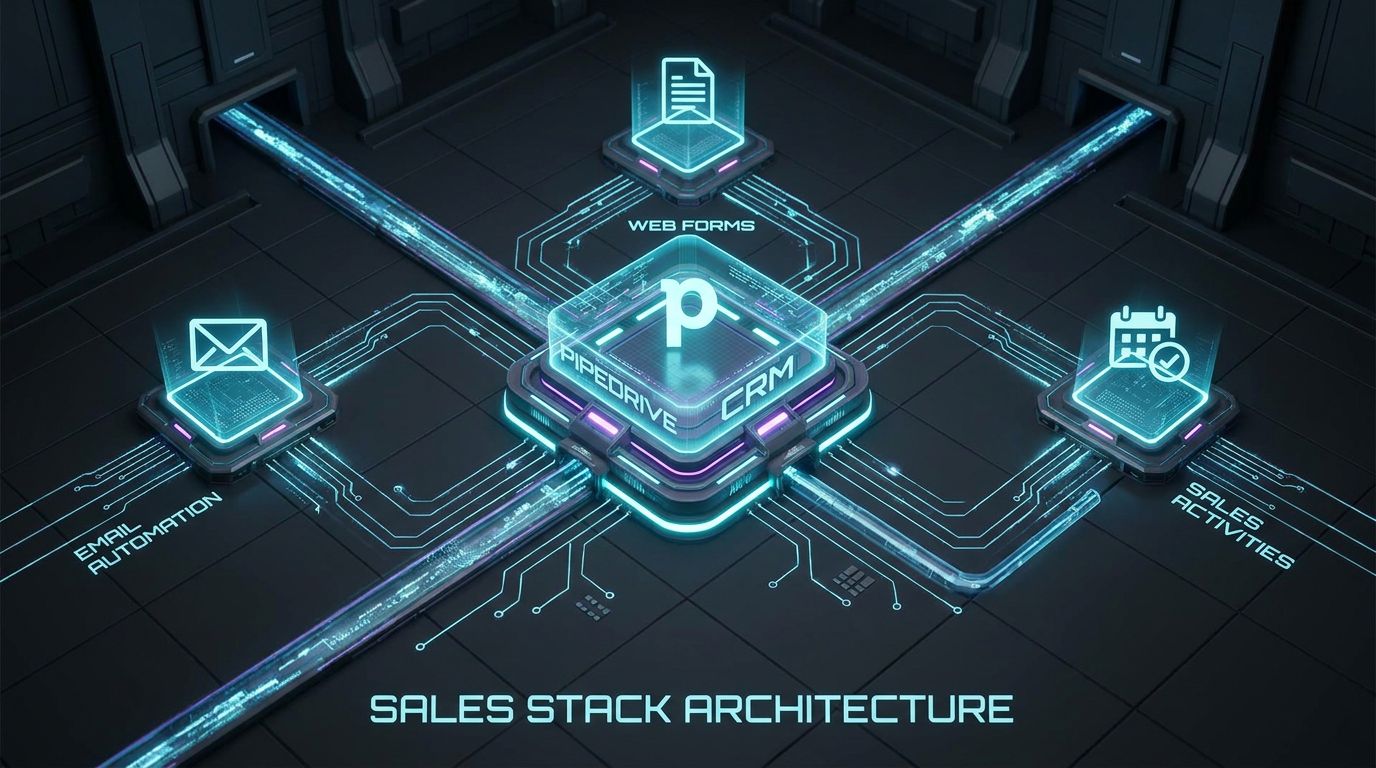
Let’s start with what Pipedrive can actually handle for you out of the box. Then we will draw the line where tools end and strategy begins. That is where most DIY setups quietly stall out.
Why Pipedrive is a solid foundation for SMB email automation
Pipedrive gives you built-in email sync, templates, basic campaigns, and workflow automation. You can trigger emails from deal stage changes, form submissions, or new contacts and tie those to tasks and activities. For an SMB, that is enough infrastructure to run serious email automation if the system is well designed.
The real advantage is that sending happens from the same place you manage deals and activities. That means emails, calls, and pipeline movement can live in one dataset instead of being split across tools. Used correctly, that makes it much easier to see which emails actually drive deals forward, not just increase open rate on paper.
Common expectations vs reality for Pipedrive users
Most teams expect Pipedrive email automation to be “set it and forget it.” They imagine a few welcome emails and reminders will magically fill calendars. In reality, they see low opens, generic sequences, and contacts slowly stop engaging.
They may have one or two basic workflows turned on, but nothing is segmented by persona or stage. There is no deliberate plan to increase email open rates with better domain setup, timing, or subject line testing. After a few months, the list is tired, and leadership quietly stops trusting the system.
Where Pipedrive ends and strategy begins
Pipedrive gives you triggers, fields, templates, and sending. It does not tell you which sequences to build, in what order, or for which lead types. It also does not design your segmentation or define your success metrics.
That strategic layer—who gets what, when, and why—is where outcomes live. If you want to improve email open rates and revenue, you need a system that maps lifecycle stages, buyer journeys, and experiment loops on top of Pipedrive’s features. This is exactly where most DIY attempts fall short.
Step-by-Step: Setting Up Email Automation in Pipedrive

This section focuses on the plumbing that directly affects deliverability and your ability to increase email open rates. Getting this right up front saves you months of frustration later.
Foundation checklist: email & domain settings
First, connect your primary sending inboxes to Pipedrive and verify that emails log correctly against people and deals. Then configure your sending domain with SPF, DKIM, and DMARC so ISPs trust your messages. This alone can lift deliverability and improve open rates before you touch copy.
Key steps for the foundation:
- Connect each rep’s mailbox to Pipedrive and test send/receive.
- Set up SPF and DKIM records in your DNS so Pipedrive is an authorized sender.
- Configure DMARC with a monitoring policy to watch for issues.
- Use a consistent, human sender name format (e.g., “Alex from Acme”).
When this groundwork is clean, you are not fighting spam filters while trying to increase email open rates. You are testing subject lines and timing rather than basic deliverability.
Structuring your pipelines and fields for automation
Next, structure your pipelines and data so automations can be precise, not generic. Map out stages such as New Lead, Qualified, Demo Scheduled, Proposal Sent, and Closed Won/Lost. Each critical stage change is a potential trigger for a different sequence.
Add custom fields that matter for segmentation, such as industry, company size, persona, and lead source. These fields let you send tailored sequences that consistently improve email open rates versus one-size-fits-all campaigns. In Pipedrive, those fields become filters and conditions inside automations.
Building your first automated sequence in Pipedrive
Start with a simple but valuable flow, such as an inbound lead nurture. In Pipedrive’s workflow automation, your trigger could be “Person created via Web Form” or “Deal moved to stage = New Lead.” From there, chain together a series of actions.
A basic structure might look like this:
- Trigger: Person created with lead source = “Website form”.
- Action: Immediately send Email Template 1 (welcome and quick value).
- Delay: Wait 1 day if no reply or activity on the deal.
- Condition: If deal stage still = New Lead, send Email Template 2.
- Action: Create a follow-up task for the owner if no reply after 3 days.
You are using simple building blocks: send email, wait, check a condition, then send again or assign a task. The goal is not to be clever but to ensure no qualified lead goes more than a day or two without a relevant touch.
Compliance, frequency caps, and list hygiene
Good automation respects consent and list health, which also protects your ability to increase email open rates later. Configure fields for subscription status (e.g., marketing opt-in) and always honor them in your workflows. Make sure every template includes a visible unsubscribe option.
Implement simple frequency caps, such as no more than two automated marketing emails per contact per week. Build suppression filters for hard bounces, frequent non-openers, and people who have explicitly opted out. This keeps your sender reputation high so your best prospects actually see the emails you work hard to craft.
Sequences That Actually Improve Open Rates
Most Pipedrive email automation fails because sequences are generic and misaligned with buying stages. Below are three named playbooks we implement frequently for SMB sales teams. Each is designed to increase email open rates and replies with clear triggers, timing, and angles.
New inbound lead nurture (3–5 touch sequence)
Target: Contacts from demo requests, contact forms, and content downloads. These leads are warm but often slip through the cracks when reps get busy. A tight, 3–5 touch sequence ensures fast response and keeps you top of mind.
Pipedrive trigger and logic:
- Trigger: Person created via web form OR Deal created in “New Lead” stage.
- Condition: Lead source in [Demo request, Contact form, Content download].
- Owner: Assign to a rep based on territory or round-robin.
Suggested timing and content:
- Day 0 (within 5–10 minutes): “You’re in the right place” email.
Subject ideas to improve email open rates:
– “Quick follow-up on your request”
– “Next steps for your [goal]”
– “Got your request – here’s what happens next” - Day 1: Short case study or success story; invite to book time.
Subject ideas:
– “How we helped a [role] at [industry] cut [pain] by 30%”
– “Example of what we do for teams like yours” - Day 3: Objection handling email with one or two FAQs.
- Day 7: “Still relevant?” check-in with a soft opt-out (“Reply with ‘later’ if timing is off”).
In Pipedrive, build this as a linear workflow with delays and “if replied” checks. Any reply or meeting booked should automatically stop the sequence so prospects do not get hammered with irrelevant follow-ups.
Demo no-show or proposal follow-up sequence
Target: People who booked a demo but did not show, or deals stuck in “Proposal Sent” for several days. This group often has high intent but low priority, and a structured sequence can increase open rate on dormant conversations.
Pipedrive trigger and logic:
- Trigger A: Activity marked as “No-show”.
- Trigger B: Deal in “Proposal Sent” stage for 5 days with no new activity.
- Condition: Deal value above your minimum viable threshold.
Suggested timing and content:
- Day 0 (immediately after no-show): Polite reschedule email.
Subject ideas that improve open rates:
– “Want to reschedule our call?”
– “Let’s try this again?” - Day 2: Value recap with 3 bullets of what they missed.
- Day 5: Social proof (short case study, testimonial, or metrics).
- Day 10: “Should I close this loop?” email inviting a simple “yes/no/later” reply.
Build the sequence so a reply, new meeting, or stage change automatically removes the contact from the automation. This reduces friction and prevents clashes between rep-driven and automated outreach.
Stalled deal re-activation / win-back sequence
Target: Deals that have been sitting in a mid-funnel stage (“Qualified”, “Proposal Sent”, or “Negotiation”) for 30–90 days, as well as closed-lost deals with clear potential to re-engage. Carefully structured outreach here can increase email open rates without burning your list.
Pipedrive trigger and logic:
- Trigger: Deal stage = “Stalled” OR Deal status = “Lost” with reason in [timing, budget, not now].
- Condition: Last activity more than 30 days ago, no ongoing opp with same company.
Suggested timing and content:
- Day 0: “Quick update” email focused on new insight or change on your side.
Subject ideas to improve email open rates:
– “Quick update since we last spoke”
– “Two changes that might be relevant now” - Day 4: Educational content or a short loom-style walkthrough.
- Day 10: A simple timing check: “Is this still on your radar for this quarter?”
- Day 20: A clean break email offering to close the loop unless they reply.
Keep the tone respectful and light; the goal is to surface timing changes and new priorities, not to pressure. When done well, this sequence routinely recovers deals you assumed dead and creates a clear, measurable bump in pipeline.
Segmentation tactics to increase email open rates further
The same subject line can perform very differently across industries and personas. To consistently increase email open rates, segment using Pipedrive filters on fields like industry, company size, role, and lead source. Then clone your core sequences and tweak content per segment.
Examples:
- Industry-specific subject lines: “How B2B SaaS teams cut no-shows by 25%” vs. “How agencies cut no-shows by 25%”.
- Persona-specific value props: CFO-focused benefits around cost and risk vs. Head of Sales benefits around meetings and bookings.
- Lead-source-aware messaging: Warm inbound vs. cold outbound from your B2B sales automation or outbound automation systems.
Segmentation is where you stop guessing and intentionally design each sequence to speak the language of the person receiving it. That is how you reliably improve open rates over time instead of plateauing after the first few months.
Measuring and Improving Open Rates in Pipedrive
Pipedrive is not just a sending engine; it is your feedback loop. The goal is to measure what matters and then make targeted adjustments that increase email open rates, replies, and revenue, not just vanity metrics.
Baseline metrics: what to track inside Pipedrive
At a minimum, track these per sequence and per segment:
- Email open rate.
- Click-through rate (if applicable).
- Reply rate and positive reply rate.
- Meetings booked or activities created.
- Deals created, advanced, and closed-won influenced by the sequence.
For many SMB teams, a realistic baseline is 18–25% open rate on coldish sequences and 20–30% on warm inbound nurture. With systematic optimization, it is common to move into the 30–45% open-rate range over a few months for core segments.
Subject line and timing experiments
Subject lines, preview text, and send timing are your fastest levers to increase email open rates. You do not need fancy AI tools to start; simple A/B tests inside your templates are enough. Over time, trends will emerge by persona, industry, and day of week.
Sample subject line frameworks that often improve email open rates:
- Curiosity + relevance: “Quick idea to cut your no-shows”
- Outcome-focused: “How we added 12 extra qualified calls last month”
- Short and direct: “Quick question about your pipeline”
- Personalized: “For your team at {{Organization name}}”.
For content creation and variation testing, some teams successfully layer in AI-assisted outreach workflows to generate alternative subject lines and bodies. The key is to keep tests simple and measure impact across at least a few hundred sends.
ROI math for SMBs: from open rates to revenue
To justify serious work on Pipedrive email automation, you need to see how open-rate improvements translate into pipeline and revenue. Here is a simple modeled example for a B2B SMB.
- You generate 2,000 leads per month across inbound and outbound.
- Baseline open rate on core sequences is 18% (360 opens).
- Reply rate on opens is 8% (29 replies).
- Booked meeting rate on replies is 60% (17 meetings).
- Close rate on meetings is 20% (3–4 new deals).
Now assume you increase email open rates to 32% through better domain setup, segmentation, and sequences:
- Opens: 2,000 × 32% = 640 opens.
- Replies: 640 × 8% = 51 replies.
- Meetings: 51 × 60% = 31 meetings.
- Deals: 31 × 20% = 6 new deals.
At an average deal size of $5,000, that is an increase from ~$15–20k to ~$30k in new monthly revenue. This is why we obsess over systematic ways to improve email open rates in Pipedrive instead of treating sequences as a one-off project.
To make this more concrete, here is a simple “baseline vs optimized” comparison.
| Scenario | Open Rate | Reply Rate (of opens) | Meetings/Month | Estimated New Revenue/Month |
|---|---|---|---|---|
| Baseline DIY Pipedrive setup | 18% | 8% | 17 | $15k–$20k |
| After basic optimization | 25% | 9% | 27 | $25k–$30k |
| After AiBizBuild implementation | 32–40% | 10–12% | 30–40 | $30k–$50k+ |
This is modeled, but it is directionally accurate for many SMB teams we work with. The key takeaway: a modest improvement in open and reply rates compounds into meaningful revenue.
Why DIY Email Automation Fails in Pipedrive

Pipedrive’s marketing makes automation look easy. In practice, designing a system that actually increases email open rates and drives revenue is a non-trivial project. Here is where DIY usually breaks down.
Strategy and mapping take more time than expected
Mapping buyer journeys, triggers, and conditions across your entire pipeline is real work. Most sales leaders intend to “do it over a weekend” and then get pulled back into urgent deals. The result is a patchwork of half-finished workflows.
Without a clear blueprint, you end up with overlapping sequences, conflicting cadences, and contacts getting the wrong message at the wrong time. That confusion shows up directly in your metrics: low engagement, unsubscribes, and no clear way to systematically improve email open rates.
Data chaos and segmentation issues
Even the best sequences will fail if your data is messy. Inconsistent fields, missing values, and duplicate contacts make segmentation impossible. When every contact looks the same to Pipedrive, you can only send generic messaging.
This is why it is so hard to increase email open rates with a DIY setup. You are forced into broad blasts instead of targeted sequences based on industry, persona, and behavior. The fix is not more copywriting; it is disciplined CRM design and ongoing data hygiene.
Testing, deliverability, and maintenance are neglected
Most teams “turn on” automations and never revisit them. There is no schedule for reviewing open, click, and reply rates or for pruning dead segments. Over time, spam complaints grow and deliverability erodes.
Critical tasks such as warmup, spam folder checks, bounced email handling, and list pruning are rarely owned by anyone. The net effect is predictable: even if your content improves, fewer people ever see it. Instead of improving open rates, they decline quietly quarter after quarter.
The hidden cost of DIY vs done-for-you
Founders and heads of sales are expensive operators. Every hour they spend troubleshooting SPF records, fixing broken workflows, or rewriting sequences is an hour not spent closing deals or hiring reps. DIY seems cheaper but often costs more in lost pipeline and delays.
The real trade-off is months of trial-and-error versus 30–45 days with a specialist who has implemented dozens of similar systems. To make that contrast explicit:
| Approach | Pros | Cons | Typical Outcome |
|---|---|---|---|
| Manual email follow-up | Flexible, personal when it happens | Inconsistent timing, dropped leads, no reliable way to improve open rates | Low volume, unpredictable pipeline |
| DIY Pipedrive email automation | Leverages existing CRM, basic automation in place | Takes weeks to configure, weak segmentation, hard to measurably improve open rates | Some time saved, but modest impact on replies and revenue |
| Pipedrive automation implemented by AiBizBuild | Done-for-you workflows, tested sequences, clear ROI tracking | Upfront project cost | 20–40% higher open rates, more replies, predictable pipeline growth |
The point is not that you cannot do it yourself. It is that your highest leverage is usually in leading the team and closing deals, not in building and maintaining complex automation.
Real-World Use Case: Pipedrive Email Automation for a B2B SMB
To make this concrete, here is a realistic (but anonymized) example of a 10-person B2B services firm that moved from manual email to a structured Pipedrive automation system. The numbers illustrate how focusing on systems can increase email open rates and revenue in a measurable way.
The starting point – low open rates and manual follow-up
The company had been using Pipedrive for over a year, mainly as a visual pipeline and task tracker. Reps were sending one-off emails from their inboxes and sometimes logging them, sometimes not. There were no consistent sequences for inbound leads or stalled deals.
Baseline metrics looked like this:
- Average open rate on manually sent follow-up: ~18%.
- Reps spending 5–10 hours per week on manual follow-up and chasing no-shows.
- No structured way to see which emails led to meetings or revenue.
Leadership knew they needed to increase email open rates and replies, but the head of sales did not have time to architect the whole system alone.
The implementation – what we built in Pipedrive
Using AiBizBuild’s CRM Integration & Inbox Management service, we started with a full audit of their Pipedrive instance. We cleaned duplicate contacts, standardized fields, and aligned pipelines with their actual sales process. Then we connected all rep inboxes and validated domain authentication.
We implemented three core sequences:
- Inbound lead nurture: 4-touch sequence triggered when a new deal entered the “Inbound Lead” stage, with timing at Day 0, 1, 3, and 7.
- Demo no-show follow-up: 3-touch sequence triggered off the “No-show” activity result, focusing on rescheduling and value recap.
- Stalled deal reactivation: 4-touch sequence for deals stalled for 45+ days, segmented by industry and deal size.
We also layered automation for internal operations: tasks for reps when high-intent leads replied, and Slack alerts for hot replies to ensure rapid follow-up. Where relevant, we aligned these with their existing outbound and Cold Outreach Automation tools so that activity stayed in sync.
To speed up approvals, we plugged email templates into a light internal process similar to our work on automated approval processes. This allowed marketing and leadership to approve or tweak messaging quickly without slowing implementation.
The results – open-rate and revenue impact
Within the first 60 days after launch, the numbers shifted materially:
- Average open rate across automated sequences moved from 18% to 34%.
- Reply rates increased by ~40%, with more positive replies requesting calls.
- Reps saved an estimated 6–8 hours per week each on manual follow-up.
With roughly 800 leads per month and an average deal size of $4,000, the improved system added an estimated 3–5 extra deals per month. That translated into an additional $12k–$20k in monthly revenue, largely driven by better engagement on the same volume of leads.
The crucial point: the tool was the same. What changed was the system on top of it—clean data, clear sequences, and ongoing optimization to improve email open rates and replies.
Done-for-You Pipedrive Automation with AiBizBuild
—IMAGE_BLOCK: Cinematic 3D Node Architecture showing a central Pipedrive node connected to email, calendar, and analytics nodes in a clean automation graph. Cinematic lighting, Unreal Engine 5 render, futuristic corporate aesthetic, glowing cyan and purple accents, shallow depth of field, 8k resolution—
If your team is already stretched thin, building and maintaining all of this yourself probably is not the best use of time. AiBizBuild does not sell another SaaS tool; we come in as an implementation partner to design and build the system on top of your existing Pipedrive instance.
What we implement for you
Our core offer for Pipedrive clients is CRM Integration & Inbox Management. We design and implement the workflows that connect your CRM, inboxes, and key sales tools into a coherent automation system. That includes mapping your buyer journey and segmentation into Pipedrive fields and pipelines.
We then build the email sequences, configure Pipedrive automations, and integrate with your outbound tools, Cold Outreach Automation stack, or even downstream systems like AI Voice Agents or 24/7 Appointment Booking Systems when relevant. The outcome is a system that is ready to run and tuned to increase email open rates, replies, and booked meetings.
Our 30–45 day implementation blueprint
Most projects follow a structured 30–45 day timeline:
- Week 1 – Discovery & Audit: Deep dive into your Pipedrive setup, data quality, email performance, and current workflows.
- Week 2–3 – Workflow Mapping & Drafting: Define segments, triggers, and sequences. Draft email templates and approval flows.
- Week 3–4 – Build & QA: Implement workflows inside Pipedrive, connect inboxes, configure DNS, and run test sends.
- Week 5+ – Optimization: Monitor open, reply, and meeting rates. Tweak subject lines, timing, and segments to improve email open rates over the next 30–60 days.
The goal is a fast but thorough implementation that gets you out of “planning mode” and into live, measurable results without dragging on for quarters.
How we measure success (and continuously improve open rates)
We define success in hard numbers, not workshops completed. For most Pipedrive automation engagements, primary KPIs include open rate, reply rate, meetings booked, and pipeline value influenced. We compare these against your baseline to quantify uplift.
After go-live, we run regular review cycles to keep pushing performance. That includes subject line and send-time tests, segmentation refinements, and list hygiene passes. The intent is not just to launch sequences, but to continuously improve email open rates and revenue contribution over time.
When to bring in AiBizBuild instead of DIY
You should consider a partner like AiBizBuild when at least one of these is true:
- Your core sequences are stuck under 25% open rates and nothing seems to move the needle.
- Your team lacks clear segmentation, and Pipedrive feels messy or inconsistent.
- Your head of sales or founder is spending more time on automation plumbing than on selling.
If that sounds familiar, the lowest-risk next step is to Book a Pipedrive Workflow Audit. We will review your current setup, highlight gaps, and outline what a 30–45 day implementation would look like. If you prefer to see examples first, you can also Request a Demo of how our automations run in live environments.
Frequently Asked Questions About Pipedrive Email Automation
How long does it take to set up effective email automation in Pipedrive?
A purely DIY approach often stretches into multiple months of start-stop work as other priorities intervene. With AiBizBuild, most clients reach a fully operational, optimized baseline in 30–45 days, including discovery, build, and initial optimization.
Can AiBizBuild work with our existing Pipedrive setup or do we need to start from scratch?
We almost always build on top of your existing instance. Using CRM Integration & Inbox Management, we audit your current pipelines, fields, and automations, then clean and restructure where needed rather than ripping everything out.
How do you ensure our email automation complies with GDPR and anti-spam laws?
We configure consent fields, clear unsubscribe options, and suppression logic directly in Pipedrive. We also implement list hygiene practices and frequency caps so you respect both regulations and inbox fatigue while still working to increase email open rates.
Do we need technical or coding skills to maintain the automations you build?
No coding is required for day-to-day maintenance. We design workflows so non-technical sales or ops managers can adjust templates, tweak delays, and clone sequences while we remain available for more complex changes or ongoing optimization.
What kind of open-rate improvements can we realistically expect?
Every situation is different, but many SMBs see a 15–30% relative uplift in open rates over their baseline once domain setup, segmentation, and sequences are in place. The exact result depends on list quality, offer, market, and how committed you are to continuous testing.
Next Steps
If you are still reading, you are likely already using Pipedrive or seriously considering it. You also know that simply turning on a few workflows is not enough to increase email open rates or build a predictable pipeline.
To recap:
- Pipedrive’s automation features are a strong foundation, but outcomes depend on strategy, data hygiene, and ongoing optimization.
- A few well-designed sequences—inbound nurture, no-show recovery, and stalled deal reactivation—can unlock significant revenue from your existing lead flow.
- Systematic work on domain setup, segmentation, and testing can improve email open rates by 20–40%, with clear downstream impact on meetings and revenue.
- DIY can work, but the hidden costs in time, missed opportunities, and stalled projects are real.
If you want to move faster, the next logical step is to Book a Workflow Audit with AiBizBuild. We will walk through your current Pipedrive setup, quantify where you are leaving money on the table, and propose a 30–45 day plan to implement revenue-focused email automation. If you prefer to see it in action first, you can also Request a Demo of how our Pipedrive email automation systems perform in real-world B2B environments.