

Zoho CRM Integration: Connecting Zoho to Your Accounting, Email and Marketing Stack
- Zoho CRM integration can eliminate 50–80% of manual data entry across sales, finance, and marketing when it’s architected correctly.
- Native Zoho connectors, third‑party tools, and middleware all work, but without a clear data model, field mapping, and error‑handling plan, DIY setups often corrupt data and slow teams down.
- AiBizBuild’s CRM Integration & Inbox Management service designs, implements, and maintains your Zoho CRM integration ecosystem so you get faster quote‑to‑cash cycles and cleaner reporting without babysitting sync errors.
In This Guide:
🔎 The Landscape of Zoho CRM Integrations – What you can connect (email, accounting, marketing, telephony, more)
🧰 Native Connectors vs Middleware – Tool options, pros/cons, and where each fits
⚠️ Why DIY Zoho CRM Integration Fails – Hidden risks, bad field mappings, and sync chaos
🧩 Core Integration Blueprints & Mapping Templates – Practical examples for email, accounting, and marketing
🚀 Automation Recipes & ROI Math – Concrete workflows and time-savings benchmarks
🤝 Done‑For‑You with AiBizBuild – Our process, timelines, and next steps
❓ FAQs – Security, timing, costs, and who needs to be involved
When most teams think about Zoho CRM integration, they picture a few apps “talking” to each other and hope that solves their problems. In reality, the value comes from designing a data model, workflows, and ownership rules that support how your sales, finance, and marketing teams already work. The tools matter, but the architecture is what determines whether you get reliable automation or a never-ending stream of sync errors.
The Landscape of Zoho CRM Integrations

At a practical level, “Zoho CRM integrations” are the connections that move data and trigger actions between your CRM and the rest of your stack. You’re not just syncing records; you’re orchestrating how leads, deals, invoices, and campaigns move through your business. Done right, this removes manual checkpoints and makes each team’s system feel like one shared platform.
Most B2B firms focus on four integration categories first. Email & inbox (Zoho Mail, Gmail, Outlook, IMAP/SMTP) ties conversations to contacts and deals so nothing slips through the cracks. Accounting & billing (Zoho Books, QuickBooks, Xero, Stripe) connects Closed Won deals to quotes, invoices, and payment status.
Marketing & lead gen (Zoho Campaigns, Mailchimp, HubSpot forms, ad platforms) keeps lists, segments, and campaign results aligned with your pipeline. Telephony & meetings (phone systems, Zoom, Teams, dialers) record calls and meetings against records in Zoho CRM so you can actually trust your activity history. Connecting apps is easy; designing workflows that stay stable as you grow is where most teams struggle.
Native Connectors vs Middleware: What to Use When
Zoho gives you a rich catalog of native integrations across its own ecosystem and key third-party tools. Middleware platforms like Zapier and Make expand what’s possible when you need custom logic or to connect niche systems. Custom API builds sit on the far end of flexibility, but also the far end of complexity and maintenance overhead.
Choosing the right approach isn’t about which logo you like; it’s about mapping your processes and data requirements to each option’s strengths. In many stacks, the winning formula is a hybrid approach: native Zoho integrations wherever possible, middleware for edge cases, and surgical custom API work where there is high strategic value.
Native Zoho Integrations (Zoho Books, Zoho Campaigns, Zoho Mail, etc.)
Native Zoho integrations are usually the fastest way to connect core systems like Zoho Books, Zoho Campaigns, Zoho Mail, and Zoho Desk. They give you deep object-level sync with awareness of Zoho’s own modules (Leads, Contacts, Accounts, Deals, Activities, Products). This often means better alignment with roles, permissions, and audit logs out of the box.
Because Zoho controls both sides, these integrations tend to require less ongoing maintenance and survive platform updates more gracefully. The trade-off is that native connectors follow Zoho’s opinionated data models and sync rules. When you want to bend those rules—like introducing custom objects or non-standard revenue flows—you can hit limitations or need extensions.
Third‑Party Integrations and Middleware (Zapier, Make, custom API)
Middleware like Zapier, Make, or n8n is ideal when you need to connect Zoho CRM to tools outside the Zoho universe. You gain fine-grained control over triggers, filters, and transformations, so you can implement logic like “only sync invoices above $5,000” or “append notes instead of overwriting fields.” This is powerful for RevOps teams that want to experiment with automation while keeping CRM as the source of truth.
The cost is complexity. Every workflow you create is another piece of infrastructure to monitor, log, and secure. You now have to manage API rate limits, timeout errors, retries, and version control across multiple tools. Without a central blueprint and governance model, middleware-heavy setups can become brittle faster than the business can grow.
Comparison: Native vs Middleware vs Custom Builds
Here’s how native integrations, middleware, and custom API work compare when you’re evaluating your Zoho CRM integration strategy.
| Criteria | Native Zoho Integrations | Middleware (Zapier/Make) | Custom API Builds |
|---|---|---|---|
| Speed to Set Up | Fast, wizard-driven, minimal config | Medium; requires mapping and logic design | Slow; requires specs, dev time, testing |
| Flexibility | Good within Zoho ecosystem, limited beyond | High; supports branching logic and multi-app flows | Very high; anything the APIs support |
| Error Handling & Logging | Basic but stable; limited custom alerts | Strong visibility with run logs and alerts | Custom; as good or bad as you design it |
| Vendor Support | Zoho-supported for both sides of the sync | Middleware supports its platform, not each app | Internal or agency dev team only |
| Typical Use Cases | Zoho CRM + Zoho Books/Campaigns/Mail/Desk | Zoho CRM + niche tools, multi-step automations | High-scale, proprietary processes and portals |
For most SMB and lower mid-market firms, a hybrid approach is ideal: start with native where it’s robust, add middleware where needed, and reserve custom builds for cases where automation directly ties to strategic IP. AiBizBuild’s role is to design that architecture so the tools work together instead of fighting each other.
Why DIY Zoho CRM Integration Fails So Often
Most DIY Zoho CRM integration projects start with good intentions and a few quick zaps or native connectors. They often end with duplicate records, angry finance teams, and leaders who no longer trust the numbers on their dashboards. The gap is almost never the tools—it’s the lack of a data strategy and governance layer sitting above the tools.
Without clear rules about which system “owns” which fields, how conflicts are resolved, and what happens when something breaks, integrations slowly degrade. The symptoms show up as manual workarounds, spreadsheets on the side, and people bypassing the system entirely. At that point, the integrations become a liability instead of an asset.
Hidden Complexity in Field Mapping and Data Ownership
Field mapping looks simple until you factor in formats, validation rules, and how different teams use the same labels. For example, a CRM “Deal Amount” might be the pre-tax subscription value, while the accounting system’s “Invoice Total” includes taxes, discounts, and one-time fees. If you map those one-to-one in a two-way sync, your revenue reports will never reconcile.
Or consider ownership of emails and phone numbers. Sales might use the primary email for outbound, while finance uses a billing alias. If you don’t explicitly define which fields sync where, you’ll either overwrite critical finance data or end up with stale addresses in your outreach. Good integration design starts by deciding which system is the source of truth for each field and documenting it.
Sync Rules, Error Handling, and “Who Owns the Truth?”
Two-way sync sounds attractive until you deal with conflicting updates and partial failures. If Zoho CRM and Zoho Books both update a customer’s address, and your rule is “last write wins,” the slower system could overwrite the correct value. Multiply that across currencies, discounts, and custom fields, and you have a recipe for silent data drift.
There’s also the question of what happens when a sync fails. Does anyone get notified? Is there a retry policy? Is there a quarantine for suspicious records that might create duplicates? Without designed error-handling paths, teams quietly fix issues by hand, burning hours and introducing new inconsistencies along the way.
The Cost of Broken Integrations (Time, Revenue, and Trust)
From a P&L perspective, broken integrations are expensive even if you never buy another tool. Sales reps and account managers routinely spend 5–10 hours per week re-entering data between Zoho CRM, inboxes, and accounting systems. That’s time not spent on outreach, upsells, or customer conversations.
On the finance side, missing or delayed handoffs from sales to accounting can push invoicing back by 7–14 days. That directly slows down cash collection and worsens cash flow volatility. Over time, leadership stops trusting reports because every metric requires context, caveats, or manual exports to verify.
DIY vs Done‑For‑You Integration: A Side‑by‑Side View
Here’s how DIY Zoho CRM integration compares with bringing in a dedicated workflow architect like AiBizBuild.
| Dimension | DIY (Solo Admin) | In‑House Ad‑Hoc (Multiple Owners) | AiBizBuild Done‑For‑You |
|---|---|---|---|
| Setup Time | Fast to start, slow to stabilize | Unpredictable; depends on internal bandwidth | Planned 3–6 week project with clear milestones |
| Required Expertise | Limited; learning on the job | Fragmented; each team optimizes locally | Specialized CRM & automation architects |
| Error & Data Corruption Risk | High; limited testing and governance | Medium–high; conflicting rules between teams | Low; blueprint-driven design and sandbox testing |
| Documentation & Training | Ad-hoc notes, often outdated | Inconsistent across departments | Structured playbooks and video walkthroughs |
| Monitoring & Iteration | Reactive; fix only when something breaks | Partial; depends on who notices issues | Proactive dashboards and periodic reviews |
| Long‑Term Cost | Low upfront, high in rework and lost time | Medium; hidden costs in inefficiency | Predictable investment with 20–50% faster quote‑to‑cash cycles |
AiBizBuild’s CRM Integration & Inbox Management service is built to give you that third-column experience: clear architecture, predictable delivery, and integrations that support your revenue engine instead of distracting from it.
Core Integration Blueprints & Mapping Templates
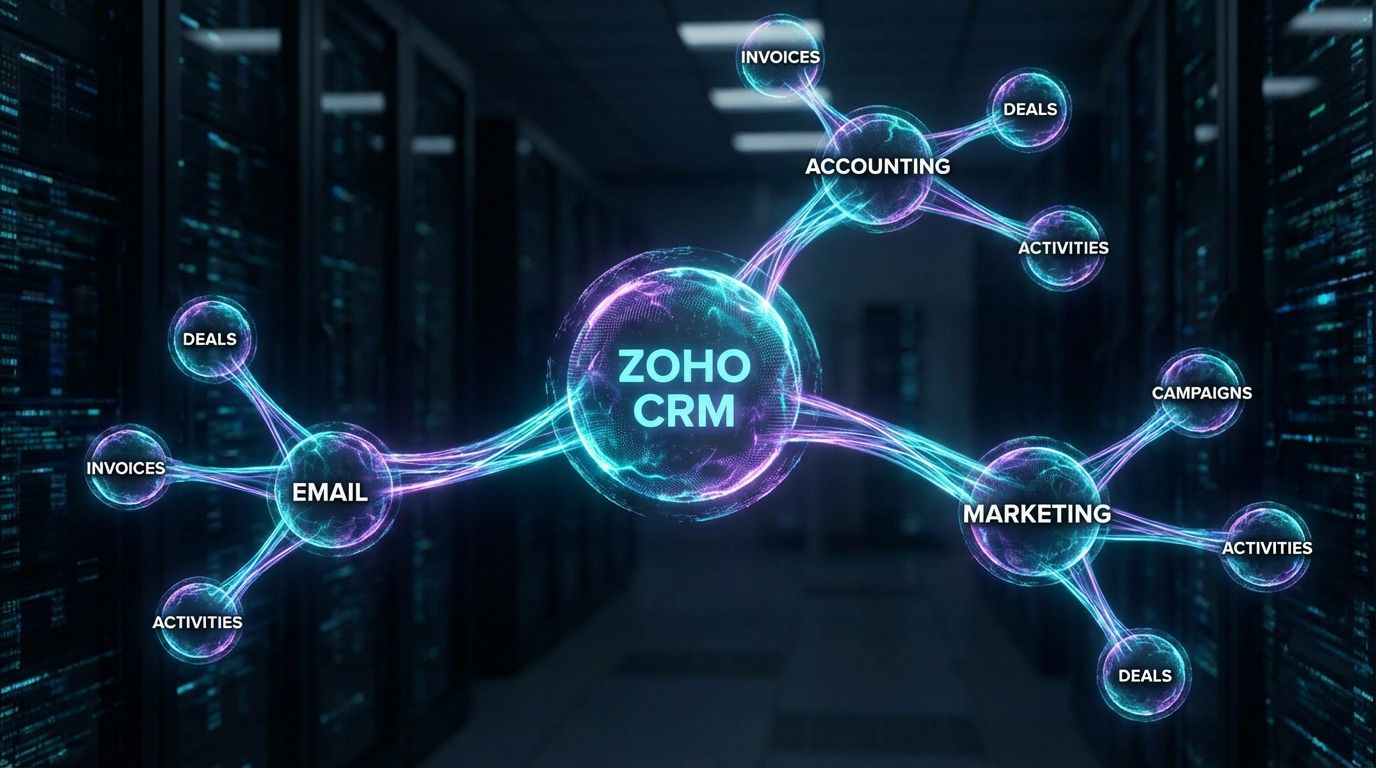
This is where Zoho CRM integration shifts from theory to practical design. The goal is to define blueprints that sales, finance, and marketing can all understand and operate. Each blueprint covers triggers, field mappings, and error-handling patterns for a specific domain.
We’ll walk through three high-impact blueprints most B2B firms start with: email & inbox, accounting, and marketing. For each, the key is agreeing on which system is the source of truth and how data flows over the lifecycle of a customer.
Email & Inbox Integration Blueprint (Zoho CRM + Gmail/Outlook/Zoho Mail)
When your inboxes are properly integrated with Zoho CRM, every important conversation is visible to the right people without manual logging. Reps can work from their familiar email client while the system automatically attaches messages to Leads, Contacts, and Deals. Managers get a full picture of activity without chasing people for updates.
A typical mapping template looks like this in practice. The email’s From/To addresses map to the primary email field on the Contact or Lead. The Subject line can be scanned for deal or ticket IDs and tagged accordingly. The email body is logged as an Activity (e.g., Email Sent/Received) with timestamps and the owner matching the sending mailbox.
Common mistakes include relying on personal inboxes that are not connected to Zoho CRM, using multiple aliases with no consistent identity, and turning on blanket auto-logging that floods the CRM with noise. AiBizBuild mitigates this by defining clear rules: which mailboxes sync, what gets logged automatically, and how to structure folders/labels by pipeline stage to support B2B sales automation workflows at scale.
Accounting Integration Blueprint (Zoho CRM + Zoho Books / QuickBooks / Xero)
The most valuable Zoho CRM and Zoho Books integration pattern is a clean deal‑to‑invoice workflow. When a deal moves to Closed Won in Zoho CRM, a quote or invoice draft is automatically created in your accounting system with the correct customer, line items, taxes, and payment terms. Finance reviews and sends, while payment status syncs back to the CRM.
A simple mapping template often looks like this in plain language. CRM Account ↔ Customer in accounting, CRM Contact ↔ Billing Contact, Deal ID ↔ Invoice Reference or custom field, Deal Amount ↔ Subtotal, and Currency/Tax fields mapped to the accounting system’s tax codes. Payment status (Paid, Partially Paid, Overdue) flows back into Zoho CRM to update deal or account health.
The nuances matter. Multi-currency deals, tiered discounts, and recurring vs one-time revenue all need separate logic. Poor mapping here can inflate or understate revenue in your CRM reports by 10–20%. AiBizBuild’s blueprinting phase focuses on defining these edge cases so your Zoho CRM integration with accounting supports accurate forecasting and faster quote‑to‑cash.
Marketing Integration Blueprint (Zoho CRM + Email/Ads/Forms)
Zoho CRM marketing integration is about creating a closed loop between lead capture, nurturing, and sales handoff. Zoho Campaigns or Mailchimp can stay in sync with CRM lists and segments, so marketing always emails the right audience and logs campaign results back to the contact and deal level. Web forms and landing pages feed directly into Zoho CRM with trusted sources and consent fields.
A typical lead lifecycle runs from MQL → SQL → Opportunity → Customer. To support that, we map fields like Lead Source, Original Campaign, and Latest Campaign, plus UTM parameters for Source/Medium/Campaign into Zoho CRM. Engagement (opens, clicks, form submissions) can drive score updates and status changes that create Tasks or Deals for sales.
Common pitfalls include leads entering from multiple forms without consistent field names, overwriting original lead source with every new campaign, and failing to capture permissions correctly. AiBizBuild standardizes field naming and sync rules so that marketing, sales, and RevOps can all trust attribution and handoffs.
Manual vs Automated Quote‑to‑Invoice Workflow
Here’s how a traditional manual quote-to-invoice process compares to an automated one based on well-designed Zoho CRM integrations with accounting and email.
| Aspect | Manual Workflow | Automated Workflow |
|---|---|---|
| Steps per Deal | Re-enter deal in accounting, build quote, generate invoice, copy/paste email | Closed Won in CRM triggers invoice draft + templated email |
| Time per Deal | 30–60 minutes of manual work | 5–10 minutes for review and approval |
| Error Risk | High; copy/paste errors and missed line items | Low; standardized templates and mappings |
| Visibility for Sales & Finance | Scattered across emails and spreadsheets | Centralized in CRM with invoice and payment status |
Across a month, this type of automation alone typically cuts quote‑to‑cash time by 20–50% and eliminates dozens of hours of manual reconciliation.
Use Case: B2B Services Firm Automating Sales‑to‑Billing with Zoho CRM + Accounting
Consider a 20–50 person B2B services firm—an agency, consultancy, or IT services provider. Sales and account managers live in Zoho CRM, finance runs Zoho Books or QuickBooks, and everyone uses Gmail or Outlook. On paper, the tools are modern, but the glue between them is still people and spreadsheets.
The result is a familiar mess: deals marked Closed Won sit for days before an invoice is created, billable work is missed because project scopes are buried in email threads, and leadership can’t get real-time visibility into upcoming cash flow. Everyone is busy, but the system is not doing enough of the work.
Before: Disconnected CRM, Email, and Accounting
In the “before” state, a sales rep marks a deal as Closed Won in Zoho CRM and then emails finance with a rough description of what was sold. Someone in finance re-enters the customer and line items into Zoho Books or QuickBooks, chases down missing details, and manually drafts an invoice. Another person sends the invoice from their inbox and CCs the account manager.
No system-of-record link exists between the deal and invoice, so reporting requires exports and VLOOKUPs. If the client changes scope or delays payment, updates live in fragmented email threads rather than a consistent deal or account record. This is where revenue gets left on the table.
After: Integrated Deal → Invoice → Collection Workflow
After implementing a well-architected Zoho CRM integration, the workflow looks very different. Changing a deal stage to Closed Won in Zoho CRM automatically creates an invoice draft in Zoho Books or QuickBooks with mapped customer, products, terms, and tax settings. Finance receives a notification, reviews, and sends the invoice using a standard template.
The client sees a professional invoice with online payment options, and once paid, the payment status syncs back into Zoho CRM. The deal is updated to “Won & Paid,” and the account’s health score improves. Sales, finance, and leadership can all see exactly where each client stands in the revenue lifecycle, with 30–50% faster quote‑to‑cash cycles and 80–90% less manual re-entry.
Where AiBizBuild Fits (Design, Build, Maintain)
Zoho CRM, Zoho Books, and middleware tools can all technically support this workflow, but only if they’re configured as part of a coherent system. AiBizBuild steps in as the architect that understands both your business model and the technical stack. We translate your sales, invoicing, and collections processes into data flows, triggers, and field mappings.
Then we implement and test the integrations—Zoho CRM to accounting, CRM to inboxes, CRM to marketing—so they behave predictably under real-world volume. Finally, we monitor and maintain the system as your pricing, packaging, or tools evolve, so the integrations keep supporting growth instead of becoming another project to babysit.
Automation Recipes & ROI from Faster Sales‑to‑Billing

To make the ROI concrete, it helps to look at specific automation recipes built on top of Zoho CRM integration. Each recipe replaces a manual mini-process that currently eats into your team’s time. The cumulative effect across dozens or hundreds of deals per month is where the real leverage appears.
Below are three high-impact workflows most B2B teams can deploy quickly once their core CRM, email, and accounting integrations are in place. Each one ties directly to hours saved, faster billing, or improved conversion rates.
Recipe 1 – Deal Won → Invoice → Welcome Email
This recipe automates the first impression a new customer has after signing with you. Step 1: a deal stage changes to Closed Won in Zoho CRM, which triggers the creation of an invoice draft in Zoho Books or QuickBooks with mapped line items and terms. Step 2: once the invoice is sent, the system logs the document and due date back in Zoho CRM.
Step 3: a personalized welcome or onboarding email is automatically sent from the integrated inbox, using merge fields from the deal and account records. Compared to a manual process where reps cobble together emails and finance chases details, this can save 1–2 hours per new client while creating a consistently strong client experience.
Recipe 2 – New Lead → Nurture → Sales Handoff
Here, Zoho CRM integration with your marketing tool keeps leads moving smoothly from initial interest to sales-ready. A new lead created from a web form or ad campaign enters a nurture sequence in Zoho Campaigns or Mailchimp, with the source, campaign, and UTM fields mapped into Zoho CRM. Engagement events like opens, clicks, and downloads update the lead score and lifecycle stage.
Once a threshold is crossed—say a score of 50 or a specific high-intent action—the system creates a Task or Deal in Zoho CRM, assigns it to the right sales rep, and syncs a summary of the lead’s activity. This reduces lead leakage and manual chasing, and in many teams, supports a 10–20% uplift in conversion rates from lead to opportunity.
Recipe 3 – Overdue Invoices → Automated Follow‑Up
With Zoho CRM and accounting integrated, overdue invoices don’t just sit unnoticed in the finance system. Instead, overdue status in Zoho Books or QuickBooks triggers actions in Zoho CRM: Tasks for the account manager, enrollment into a gentle follow-up sequence, and flags on account health dashboards. Emails are sent from the integrated inbox and auto-logged to the appropriate contact and deal.
This keeps your team on top of collections without reactive scrambling. Over time, you can reduce DSO (Days Sales Outstanding) by systematizing reminders and ensuring no account slips through the cracks. The finance team gains predictable, auditable follow-ups without having to manually manage every reminder.
Manual Work vs Automated Work per Month
Zooming out, here’s what monthly workload can look like before and after Zoho CRM integration across sales, operations, and finance.
| Process | Role | Manual Hours / Month | Automated Hours / Month |
|---|---|---|---|
| Email logging & meeting notes | Sales / Account Managers | 20–40 hours | 5–10 hours (review + edge cases) |
| Deal → invoice creation & sending | Finance / Operations | 15–30 hours | 3–8 hours |
| Lead nurturing & list management | Marketing | 15–25 hours | 5–10 hours |
| Overdue invoice follow-ups | Finance / Account Managers | 10–20 hours | 3–6 hours |
Across the organization, this level of automation typically eliminates 50–80% of manual data entry and frees up senior people to focus on higher-value work.
How AiBizBuild Implements and Maintains Your Zoho CRM Integration
Tools alone don’t deliver stable automation; a disciplined implementation process does. AiBizBuild treats Zoho CRM integration as an end-to-end program, not a one-off project. Our four-phase blueprint—audit → design → build/test → rollout/monitor—is designed to de-risk changes while aligning directly to your revenue model.
The result is a stack where CRM, inboxes, accounting, and marketing platforms behave like one coordinated system. You get clean data, faster billing, and reliable reporting without needing an internal integrations team.
Step 1 – Systems & Workflow Audit
We start by inventorying your current tools: Zoho CRM, email providers, accounting platforms, marketing systems, telephony, and any existing middleware. Then we map your real-world workflows—how leads come in, how deals progress, how invoices are generated, and how renewals or upsells are handled. This includes understanding exceptions and “shadow processes” in spreadsheets or Slack.
From there, we identify duplicated steps, failure points, and opportunities for automation. The output is a clear picture of how work actually flows today, which becomes the foundation for your future-state Zoho CRM integration design.
Step 2 – Integration Blueprint & Field Mapping Design
Next, we create a formal integration blueprint. This covers your core objects (Leads, Contacts, Accounts, Deals, Invoices, Subscriptions) and defines how each interacts across systems. We document one-way vs two-way sync decisions for each integration—for example, Zoho CRM might own customer contact details, while Zoho Books owns invoice status and payment history.
We also define naming conventions, governance rules, and change-control processes so that future adjustments don’t break existing automations. This is where Zoho CRM integration moves from being a collection of connectors to a coherent, future-proof architecture.
Step 3 – Build, Test, and Sandbox Validation
Where possible, we build and test new integrations in a sandbox environment or with carefully segmented data. We create test cases for everyday scenarios and edge cases—multi-currency deals, partial payments, discounts, cancellations—to make sure the system behaves predictably. Error-handling logic and alerts are configured so issues surface before they impact customers.
Only after this validation do we deploy changes to production, with clear rollback plans in case an unexpected behavior appears. This reduces the risk of data corruption or downtime that often accompanies ad-hoc integration experiments.
Step 4 – Rollout, Training, and Ongoing Monitoring
Once live, we roll out changes with minimal disruption. That means concise playbooks, short Loom-style walkthroughs, and role-specific instructions for sales, finance, and marketing teams. The goal is for users to understand what changed, why it matters, and how to use the new workflows without friction.
On an ongoing basis, AiBizBuild monitors sync health, error logs, and key metrics tied to your quote‑to‑cash cycle. As your offerings, pricing, or stack evolve, we adjust the integration blueprint and implementation so the system keeps supporting your growth rather than holding it back.
Why a Done‑For‑You Partner Is Cheaper and Faster than DIY
When you factor in internal ramp-up time, rework from broken syncs, and the opportunity cost of leaders debugging tools, DIY rarely comes out cheaper. A focused 3–6 week engagement with a team that lives and breathes Zoho CRM integrations usually delivers value months faster than an internal patchwork effort. It also produces documentation and governance your team can rely on.
Here’s how the total cost of ownership compares between DIY and AiBizBuild’s done-for-you model.
| Cost Dimension | DIY Zoho CRM Integration | AiBizBuild Done‑For‑You |
|---|---|---|
| Ramp‑Up Time | Weeks or months of part-time learning and testing | Defined 3–6 week project with experienced architects |
| Rework from Errors | High; frequent cleanups and unplanned fixes | Low; sandbox testing and blueprint-driven changes |
| Opportunity Cost of Internal Teams | Leaders pulled into technical troubleshooting | Internal leaders focus on strategy, not plumbing |
| Long‑Term Adaptability | Fragile; difficult to change without breaking things | High; documented architecture supports new tools and workflows |
If you want integrations that support growth rather than experiment with them, the pragmatic move is to book a Zoho CRM Integration Workflow Audit with AiBizBuild and let specialists own the architecture and execution.
How This Ties into Broader Sales & Marketing Automation
Robust Zoho CRM integration is the foundation for more advanced automation across sales and marketing. Once your data model and workflows are stable, you can confidently layer on outbound sequences, enrichment, and AI-driven touchpoints. Without that foundation, every new tool adds noise and complexity instead of leverage.
For example, accurate CRM data is what makes AI lead generation tools and outbound systems effective rather than spammy. Clean records, consistent statuses, and reliable ownership fields ensure that automation targets the right accounts and contacts at the right time.
Connecting Zoho CRM Integrations to Outbound & Lead Gen Systems
When Zoho CRM is integrated with your prospecting, enrichment, and calling tools, it becomes the single source of truth for who is in your market and how they’re being engaged. This underpins cold outreach automation, B2B lead scraping and enrichment, AI voice agents for inbound/outbound, and 24/7 appointment booking systems. Each of these reads from and writes to standardized CRM fields.
The result is a coordinated revenue machine instead of isolated campaigns. Sales development, marketing, and account management all rely on the same clean dataset, and automation can safely drive more of the day-to-day execution.
Content & Social Workflows That Depend on Clean CRM Data
On the marketing side, clean CRM data feeds into SEO content, blog automation, and paid/social campaigns that are tightly aligned to your ICP and pipeline. Campaigns can be tailored by segment, lifecycle stage, or product interest rather than one-size-fits-all blasts. Attribution flows back into Zoho CRM, closing the loop for revenue reporting.
AiBizBuild’s experience with content approval workflows and marketing operations means we design integrations that support both sales outcomes and cross-team collaboration. Clean CRM data becomes the backbone for targeted, scalable campaigns rather than an afterthought.
FAQs About Zoho CRM Integration & Automation
1. How long does a typical Zoho CRM integration project take from audit to rollout?
For a standard Zoho CRM integration covering CRM + email + accounting, most projects run 3–6 weeks from initial audit to production rollout. The exact timing depends on the number of tools involved, data quality, and how many custom workflows you want to tackle in the first phase.
Complex environments with multiple business units or legacy systems can take longer, but the phased blueprint (audit → design → build/test → rollout/monitor) keeps risk manageable at each step.
2. Do we need in‑house developers or admins to work with AiBizBuild on Zoho CRM integration?
No dedicated in-house developers are required. AiBizBuild handles the technical design, configuration, middleware workflows, and coordination with your Zoho CRM and accounting environments. What you do need is a clear business owner from sales, RevOps, or finance who can define success criteria and approve workflow designs.
We translate those requirements into integration logic so your internal team can stay focused on outcomes rather than the underlying APIs and field mappings.
3. Is integrating Zoho CRM with our accounting and email systems secure and compliant?
Yes, when implemented correctly. AiBizBuild designs Zoho CRM integrations using API tokens, role-based access, and least-privilege principles so systems only access the data they truly need. We also pay attention to audit trails—who changed what, and when—across CRM and accounting systems.
For email, we use secure protocols (OAuth where supported) and respect existing security and compliance policies. The result is an integration stack that passes security reviews and supports audits rather than complicating them.
4. What happens if an integration fails or sync errors appear after go‑live?
As part of the build phase, we design error-handling paths and monitoring for your integrations. That includes alerts for failed runs, thresholds for unusual activity, and quarantine patterns for suspicious records. If something breaks, your team knows quickly and has a documented playbook for response.
Many clients also engage AiBizBuild on an ongoing support or retainer basis. In that model, we proactively monitor your Zoho CRM integrations, handle corrections, and adjust workflows as your business evolves so errors don’t accumulate or go unnoticed.
5. We already have some Zoho CRM integrations set up—can you fix and extend our current setup instead of starting from scratch?
Yes. In many cases, the fastest path to value is to audit, clean, and extend your existing Zoho CRM integration stack rather than rebuilding everything. We start with a health check of your current connectors, middleware workflows, and data quality.
From there, we normalize key fields, resolve structural issues, and then re-architect or add integrations as needed. The goal is to preserve what’s working while eliminating brittle, error-prone components.
Final Decision Guide & Next Steps
If you only use Zoho CRM internally and send a handful of invoices per month, native integrations alone may be enough. But once you’re coordinating sales, finance, and marketing across multiple tools and a growing team, you need more than connectors—you need an integration architecture and a team that can maintain it.
Well-designed Zoho CRM integration delivers clean data, faster billing, less manual work, and more reliable reporting. Instead of hoping your tools will magically align, you can put a blueprint in place and let specialists execute it.
If you’re ready to turn Zoho CRM into the operational backbone of your revenue engine, your next steps are straightforward: Book a Workflow Audit for your Zoho CRM stack and Request a Demo of AiBizBuild’s CRM Integration & Inbox Management implementation. You’ll see exactly how your email, accounting, and marketing tools can be orchestrated around Zoho CRM to support the way your business actually sells, bills, and grows.