
Automated Interview Scheduling Software: From Manual Calendars to Seamless Interview Booking
Key Takeaways
– Manual interview scheduling burns 5–10 recruiter hours per week per role through email ping-pong, time zone confusion, and reschedules.
– Automated interview scheduling software only delivers promised gains when it is integrated with your ATS, calendars, and communication channels as a single workflow.
– AiBizBuild designs and implements end-to-end automated interview scheduling systems that cut time-to-schedule by 60–80% and free recruiters for high-value work.
In This Guide:
– The Scheduling Chaos Today
– What Automated Interview Scheduling Software Actually Does
– Manual vs Automated: Workflow & Cost Comparison
– Why DIY Interview Scheduling Automation Fails
– Blueprint: How To Automate Interview Scheduling End-to-End
– Real-World Use Case: High-Volume Tech Hiring
– Build vs Buy vs Done-For-You Implementation
– When to Bring In AiBizBuild
– FAQs on Automated Interview Scheduling
Most HR and TA leaders hear about automated interview scheduling software and assume the hard part is picking the right tool. In reality, your pain is not a lack of software logos; it is the manual, brittle workflow that sits between your ATS, calendars, and communication channels. This guide is an implementation-focused blueprint that shows you how to go from calendar chaos to a reliable, end-to-end scheduling system.
The Scheduling Chaos Today

For most teams, “scheduling” actually means coordinating everyone’s chaos by hand. A recruiter screens a resume, sends three possible times, waits two days, gets a partial reply, and then discovers the hiring manager is no longer free. Multiply this across dozens of roles and time zones, and the scheduling backlog becomes a hidden constraint on hiring velocity.
What Manual Interview Scheduling Really Looks Like
The real manual workflow is ugly but familiar: resume review, shortlist, then email ping-pong to find a slot that works for candidate and interviewer. Recruiters chase hiring managers for updated availability, manually check calendars, send calendar invites, and adjust each time someone’s schedule changes. Time zone math, calendar conflicts, and duplicated effort across recruiters fill entire afternoons with low-value admin work.
Every reschedule restarts the same loop, often across email, Slack, and SMS threads. Notes about what was agreed live in individual inboxes instead of the ATS, so context is constantly lost. The end result is a system that depends on heroics and memory instead of predictable rules and triggers.
Hidden Costs in Time-to-Hire and Candidate Experience
Across stages, it is common for teams to spend 30–60 minutes of coordination per candidate just to lock in interviews. That does not include the time lost when a candidate goes dark after waiting three days for a slot, or when a manager cancels at the last minute and no backup plan exists. Those delays stretch time-to-hire by days or weeks and create friction that top candidates simply will not tolerate.
Candidates experience the result as slow responses, inconsistent messaging, and last-minute changes that force them to rearrange work. For high-demand roles, this is where they quietly accept another offer from a competitor whose process felt faster and more reliable. Manual scheduling does not just waste recruiter hours; it directly feeds candidate drop-off and offer declines.
What Automated Interview Scheduling Software Actually Does
Most teams know the names: Calendly, GoodTime, Greenhouse and Lever scheduling, Outlook and Google booking links. At their core, these tools are designed to automate interview scheduling by exposing dynamic availability, eliminating back-and-forth, and handling reminders. Used correctly, automated interview scheduling software can turn days of email into minutes of self-service booking.
Core Capabilities You Should Expect
Mature scheduling tools share a common set of capabilities that matter in recruiting. They sync bi-directionally with Google Workspace or Microsoft 365 to show true availability, including busy blocks and hold events. They allow candidates to use self-serve booking links to pick times in their own time zones, without ever seeing internal calendar details.
You should also expect configurable buffers, working hours, and interviewer preferences. Automated email and SMS reminders reduce no-shows, while reschedule links let candidates make changes without pinging your recruiters. For panel interviews, stronger systems support interviewer pools, round-robin load balancing, and rules about who must attend which stage.
Why Tools Alone Don’t Fix the Problem
Buying automated interview scheduling software does not magically upgrade a broken workflow. If the ATS does not trigger the scheduler at the right moment, recruiters still manually copy-paste links into emails. If calendar permissions and routing rules are not thoughtfully configured, double-bookings and mismatches still occur, and trust in automation erodes.
The real win comes from an automated system that spans ATS, calendars, email/SMS, and reporting. That system needs clearly defined triggers, routing logic, SLAs, and exception handling, not just another login. AiBizBuild’s role is to design and implement that system on top of the tools you already own, so automation becomes the default path, not an optional shortcut.
Manual vs Automated: Workflow & Cost Comparison
To understand the ROI, it helps to walk through a concrete, high-frequency scenario. Consider a first-round video interview for a software engineer in a global team, where both candidate and interviewers are juggling busy calendars. The difference between manual and automated flows is measured in both hours and frustration.
Step-by-Step: Old Way vs New Way
Old way (manual): Recruiter reviews the candidate in the ATS, switches to email, proposes a few times, waits for a reply, checks with the hiring manager, and manually creates calendar invites. If anyone needs to reschedule, the email loop repeats with updated suggestions and calendar checks. Statuses in the ATS are updated by hand, often after the fact.
New way (automated): Candidate reaches “Ready for First-Round” status in the ATS, which fires a webhook. An automation flow generates a role-specific booking link based on interviewer pools and calendar rules, then sends it via email and SMS to the candidate. When the candidate picks a time, invites go out automatically, and the ATS status is updated to “Interview Scheduled” without recruiter intervention.
Time, Error, and Cost Differences
In the manual model, coordinating that one interview can easily consume 20–30 minutes of recruiter time across messages, checks, and updates. Across a full funnel, it routinely adds up to 5–10 recruiter hours per open role, especially for multi-stage processes. Errors like time zone mistakes and overlapping holds are common, and each one creates rework and candidate friction.
With a well-designed automated flow, time-to-schedule drops from 2–3 days to under 1 hour in most cases. Recruiters spend their time reviewing pipelines, improving messaging, and coaching hiring managers instead of editing calendar invites. Automated reminders and easy reschedule links typically cut no-shows by 20–30%, which means you are not repeatedly re-running the same interviews due to preventable misses.
Insert Table: Manual Interview Scheduling vs Automated Interview Scheduling
| Aspect | Manual Scheduling | Automated Scheduling |
|---|---|---|
| Time per interview | 20–60 minutes of back-and-forth and calendar checks | 2–5 minutes of initial setup, then self-service booking in under 10 minutes |
| Tools involved | Email, chat, spreadsheets, manual calendar invites, ATS updates | ATS triggers, scheduling platform, calendar integration, automated email/SMS |
| Error risk | High: time zone mistakes, double-bookings, missed updates, wrong links | Low: standardized rules, enforced time zones, automatic conflict checking |
| Candidate experience | Slow replies, inconsistent messaging, manual reschedules via email | Instant booking, clear confirmations, self-service reschedules and reminders |
| Scalability | Breaks down beyond 10–15 active roles per recruiter | Designed to handle dozens of roles and global candidate volume |
| Visibility & reporting | Patchy; data scattered in inboxes and calendars, hard to analyze | Centralized; key events logged in ATS/CRM for reporting and optimization |
Why DIY Interview Scheduling Automation Fails
If automated interview scheduling software is so capable, why are so many teams still stuck in manual mode? The short answer is that most DIY efforts underestimate the complexity of designing cross-tool workflows. The result is a fragile collection of partial automations that no one fully trusts.
The Fragmented Tech Stack Problem
Your typical stack already includes an ATS like Greenhouse, Lever, or Workday, calendars in Google Workspace or Microsoft 365, Zoom or Teams for video, and email plus maybe an SMS provider. Each of these tools solves a narrow slice of the problem, but none owns the full scheduling lifecycle. DIY attempts usually bolt a generic booking link onto this stack and hope recruiters remember when and how to use it.
Without a coherent system design, different roles and regions invent their own workarounds and templates. There is no single source of truth for how interviews should be booked, who is responsible at each step, or which automations exist. Over time, you get the worst of both worlds: extra tools and licenses with very little reduction in manual effort.
Integration, Permissions, and Data Hygiene Gotchas
Many “automation bugs” are actually design gaps around integration and permissions. Calendar connections configured without proper access scopes lead to ghost availability or missed busy blocks, which then cause double-bookings. When interview outcomes and status changes are not reliably synced back to the ATS, reporting becomes unreliable and your funnel metrics lose credibility.
Data hygiene issues also multiply fast: duplicate candidate records, multiple email threads per person, and interview notes that never make it into the system of record. None of this is the fault of the scheduling tool itself; it is the result of not treating interview scheduling as a structured workflow with clear data contracts between systems. The same pattern shows up in other domains like B2B sales automation, where tool-first approaches underperform until workflows are re-architected.
Low Adoption from Busy Recruiters and Hiring Managers
Even a technically sound setup will fail if the user experience is clumsy. When recruiters are not confident that the system will pick the right interviewer, respect time zones, or handle reschedules cleanly, they revert to manual control. After a few bad experiences, the automation gets quietly sidelined and adoption flatlines.
Hiring managers are even less patient; they will not tolerate double-bookings or unclear invites that make them look disorganized to candidates. For automation to stick, it must feel safer and more predictable than doing it by hand. That requires intentional design, training, and support, not just flipping on a feature in your ATS or scheduling tool.
Blueprint: How To Automate Interview Scheduling End-to-End
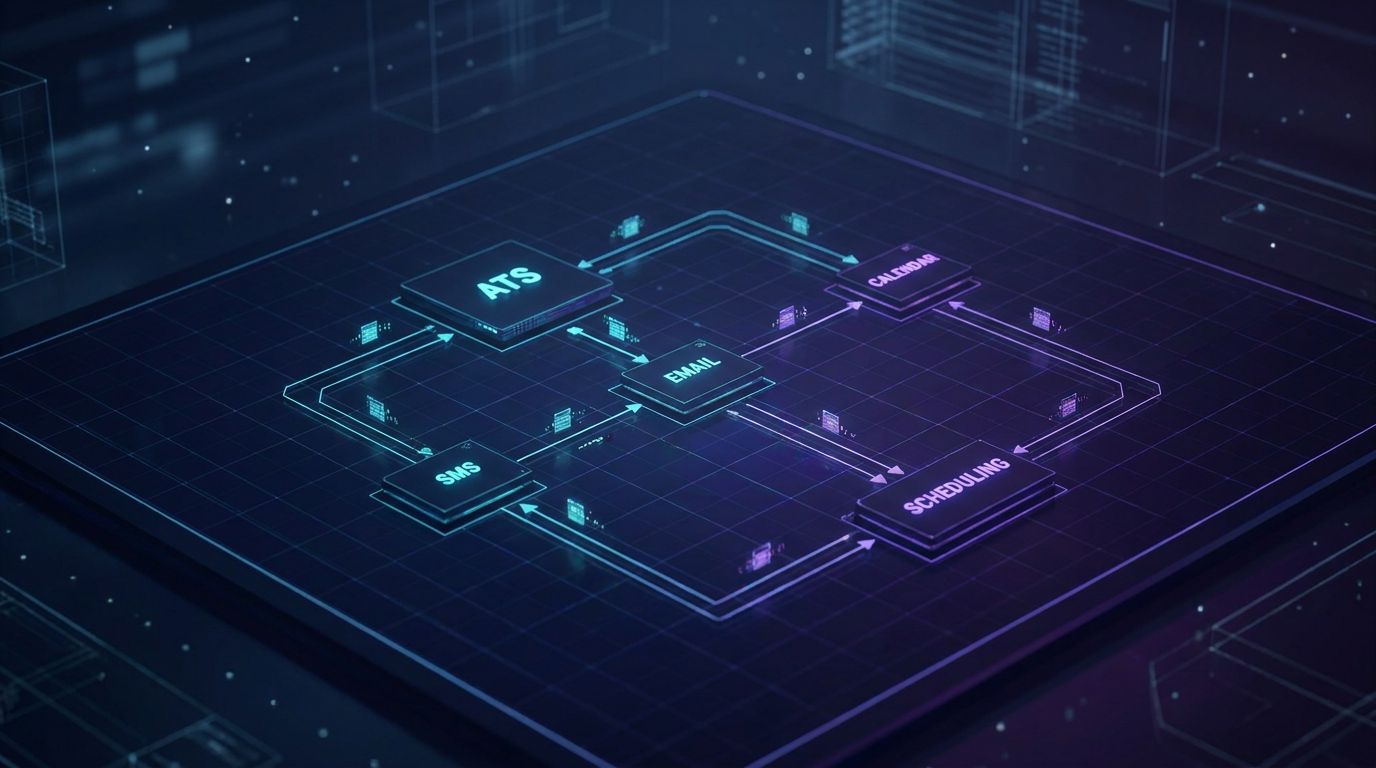
This is where automated interview scheduling stops being about tools and starts being about system design. Below is a pragmatic blueprint we use in AiBizBuild projects to implement reliable automation over 30–60 days. You can think of it as moving from “people remember what to do” to “the system enforces our process by default”.
Step 1 – Map Your Current Interview Workflow
Start by mapping each stage of your hiring funnel: application, screening, first-round, panel, and final interviews. For each stage, document who owns the decision to advance candidates, when scheduling typically starts, and what your informal SLAs look like. Capture every tool involved and where information is stored today.
Pay particular attention to where handoffs fail or go dark, such as between sourcing and recruiters, or recruiters and hiring managers. This mapping exercise mirrors how we approach an automated editorial workflow project for content approvals; you cannot automate what you have not clearly defined. The outcome is a visual of your “as-is” flow and a prioritized list of friction points.
Step 2 – Choose Where to Automate First
Do not try to automate everything in one pass. Instead, pick high-volume, low-complexity stages such as recruiter screens for repeatable roles (e.g., SDRs, engineers, support). These stages tend to have well-defined interviewers, consistent time slots, and enough volume to demonstrate ROI quickly.
Prioritize by candidate volume, role type, and interviewer pool stability. Executive roles or bespoke interview loops can come later, once the base system is proven. Early wins build internal trust and give you data to justify expanding automation to more complex interview stages.
Step 3 – Design Triggers and Routing Logic
With your target stages selected, define precise triggers inside your ATS. For example: When candidate status changes to “Screening Passed”, automatically initiate a scheduling workflow. Or: When a candidate submits a technical assessment with a passing score, send them a booking link for the next technical interview.
Routing logic then decides which calendars and interviewer pools are eligible based on role, seniority, and location. For executive roles, you might route to a tightly controlled calendar with limited slots and added manual review. For large interviewer pools, build round-robin or load-balancing rules so no individual gets overwhelmed, while still respecting time zones and working hours.
Step 4 – Integrate ATS, Calendars, and Communication Channels
This is where the actual plumbing happens: ATS webhooks fire into an automation platform that creates or updates scheduling links and sends messages. Calendar integrations with O365 or Google ensure that only truly available slots are surfaced and that holds and buffers are respected. The automation platform should write back events like “Interview Scheduled”, “Rescheduled”, and “No-Show” into the ATS for reporting.
AiBizBuild’s HR & Recruitment Screening Bots can sit at the front of this flow, qualifying candidates via chat or form and triggering scheduling only for those who meet your criteria. Our 24/7 Appointment Booking Systems provide the candidate-facing experience for self-service scheduling across time zones, rescheduling, and reminders. Behind the scenes, CRM Integration & Inbox Management ensures that replies, confirmations, and changes are centralized rather than lost in personal inboxes.
Step 5 – Templates, SLAs, and No-Show/Reschedule Rules
Automation without clear rules will simply move chaos faster. Standardize candidate communications for each stage, including confirmation, reminder, and follow-up templates with consistent tone and expectations. Define SLAs such as “candidate receives a scheduling link within 2 hours of status change” and configure alerts if those SLAs are missed.
For no-shows and cancellations, decide how many reminders to send and over which channels (email vs SMS). Implement auto-reschedule flows where a canceled interview automatically triggers a fresh link with updated availability. Escalations can route to a recruiter or coordinator when a candidate has not picked a slot within, say, 24–48 hours, so you can intervene before interest fades.
Step 6 – Pilot, Measure, and Iterate
Run a 30-day pilot with a specific business unit or role family, such as product and engineering in one region. During the pilot, track metrics like average time-to-schedule per stage, percentage of candidates who self-book within 24 hours, recruiter hours spent on scheduling, and no-show rates. Collect qualitative feedback from recruiters, coordinators, hiring managers, and candidates.
Use this data to refine triggers, adjust messaging, tweak interviewer pools, and clarify SLAs. Once performance stabilizes and adoption is strong, extend the model to additional roles, regions, and interview stages. At that point, automated interview scheduling is no longer an experiment; it is your standard operating procedure.
Real-World Use Case: High-Volume Tech Hiring
To make this tangible, consider a mid-market tech company hiring across multiple time zones with an aggressive engineering growth plan. The talent team is managing 20+ open engineering roles, each with multi-stage interview processes involving panels of senior engineers. Before automation, scheduling is the bottleneck that quietly throttles hiring velocity.
Scenario: Scaling Engineering Hiring Across Time Zones
Recruiters are juggling candidates from North America, Europe, and APAC while trying to align them with interviewers in at least two regions. Engineering managers are already overbooked, so their calendars are filled with holds and flaky availability. Every reschedule causes new conflicts, and interview panels rarely have all required attendees on the first attempt.
The result is a pattern where it routinely takes 3 days or more to lock in a single 60-minute interview slot. Candidates experience long gaps between “we’d like to talk” and “here’s your confirmed time”, which sends a confusing signal about urgency and interest. Meanwhile, recruiters spend evenings cleaning up calendars instead of advancing offers.
Before Automation: 3 Days to Book a 1-Hour Call
In the manual world, the recruiter reaches out with a shortlist of times that work for the first interviewer. The candidate responds 24 hours later with partial availability or new constraints, forcing the recruiter back into the calendar to find alternates. When the engineering manager’s schedule changes, the recruiter has to renegotiate yet again and hope the candidate is still engaged.
For panel interviews, this pattern compounds: each added interviewer is another source of conflicts and constraints. Over the life of a single hire, the team might spend 3–5 hours of pure coordination time across screening, technical rounds, and panels. With 20 open roles, that translates into dozens of hours per week that could be spent on sourcing, calibration, or candidate experience instead.
After Automation: Candidate Books in Under 10 Minutes
With an automated system in place, the recruiter or HR & Recruitment Screening Bot marks the candidate as “Ready to Schedule” in the ATS. A workflow immediately generates a role-specific booking link tied to an interviewer pool that already accounts for time zones, buffers, and working hours. The candidate receives an email and SMS within minutes and can pick a slot in under 10 minutes from their phone.
Once they choose a time, calendar invites go out to all required interviewers, and the ATS status flips to “Interview Scheduled” automatically. Reminder sequences fire 24 hours and 2 hours before the interview, reducing no-shows without any manual action. If someone cancels, the system triggers a reschedule sequence with updated availability, keeping the process moving without a swarm of emails.
In this kind of environment, teams typically see a 60–80% reduction in total scheduling time and recover 10–15 recruiter hours per week across a 10–20 role pipeline. Time-to-schedule compresses to same-day in most cases, which has a direct, measurable impact on offer acceptance and hiring manager satisfaction. Scheduling becomes a solved problem instead of the constraint everyone complains about but no one owns.
Where AiBizBuild Fits in This Use Case
AiBizBuild designs and implements the full stack of automation required to make this work reliably. Our HR & Recruitment Screening Bots qualify candidates and trigger scheduling only when they meet pre-defined criteria, keeping calendars protected. We configure 24/7 Appointment Booking Systems to respect interviewer availability, working hours, and time zones while giving candidates a smooth, branded experience.
On the backend, our CRM Integration & Inbox Management ensures candidate communications, confirmations, and reschedules are synced to your ATS or CRM. For mature teams that want to go further, we can layer in AI Voice Agents to handle inbound calls for rescheduling or outbound reminders, mirroring what we implement when automating appointment booking in call-heavy environments.
Build vs Buy vs Done-For-You Implementation
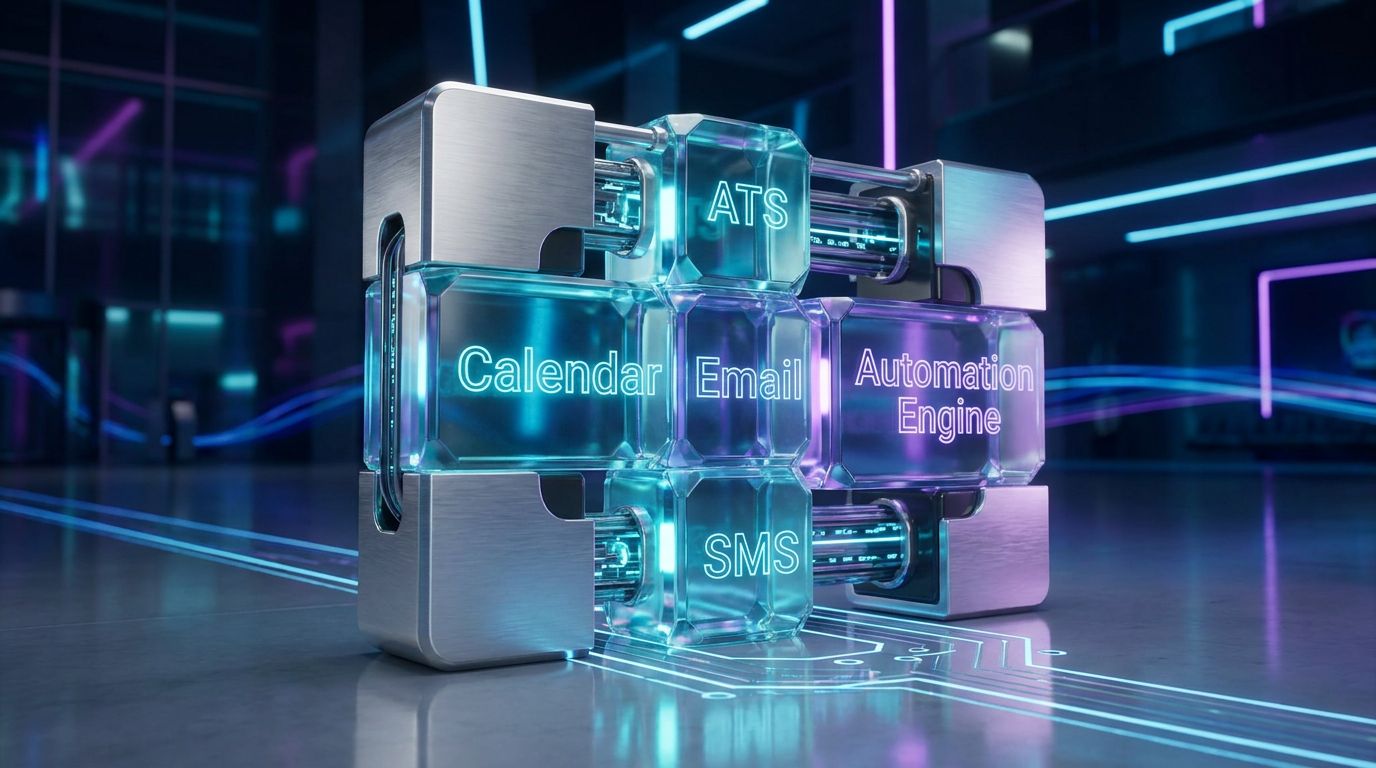
Once you accept that choosing automated interview scheduling software is only 10–20% of the journey, the real decision becomes how you will implement it. In practice, HR and TA teams typically consider three paths: relying on the vendor, doing it themselves with internal ops and IT, or partnering with a specialist implementation agency like AiBizBuild. Each has different costs, risks, and time-to-value.
Option 1 – Rely on Vendor Implementation Only
Most scheduling and ATS vendors offer onboarding packages, template workflows, and some level of configuration support. The upside is that they know their own product intimately and can get the basics turned on quickly. For simple environments, this may be enough to move basic scheduling tasks off email.
The limitation is that vendors are incentivized to optimize usage of their product, not the health of your entire recruiting system. They rarely go deep on custom integrations, complex interviewer pools, or non-standard approval flows. If you have multiple tools in your stack or nuanced workflows, the vendor-only approach often leaves gaps that your team quietly fills with manual work.
Option 2 – DIY with Internal Ops/IT
Internal DIY has the advantage of deep institutional knowledge and no extra vendor invoices. Your ops or IT team understands your security policies, HR processes, and stakeholders, which is crucial for change management. In theory, they can use APIs, webhooks, and low-code tools to connect ATS, calendars, and messaging channels.
In practice, DIY efforts often stall under competing priorities and the learning curve of complex scheduling logic. Building robust automations requires understanding not just tools, but also edge cases, exception handling, and long-term maintenance. Teams that have gone through similar journeys in scaling outbound workflows know that the hidden cost of DIY is months of trial-and-error and partial adoption.
Option 3 – Done-For-You with AiBizBuild
AiBizBuild takes a different approach: we do not sell you another scheduling tool. Instead, we design and implement a custom automated interview scheduling system on top of the ATS, calendars, and communication platforms you already have or choose. Our team brings cross-tool expertise, proven workflow patterns, and a library of reusable components to shorten the path from idea to working system.
The benefit is faster time-to-value with lower implementation risk and less drain on your internal teams. We handle discovery, design, build, QA, and change management, then hand off a well-documented system that your team can operate confidently. For organizations that care about reliability and adoption as much as features, this done-for-you model is usually the lowest-risk way to truly automate interview scheduling at scale.
Insert Table: Vendor-Only vs DIY vs AiBizBuild Implementation
| Approach | Pros | Cons | Typical Time to Launch | Who It Fits |
|---|---|---|---|---|
| Vendor Only | Deep product knowledge, quick setup for simple use cases, included in some contracts | Limited to vendor’s features, shallow cross-tool integration, may not reflect your unique workflows | 2–6 weeks for basic configuration | Smaller teams with simple processes and minimal customization needs |
| DIY (Internal Ops/IT) | Strong understanding of internal processes and policies, no extra vendor fees, full control over design | High time investment, competing priorities, risk of misconfigurations and partial adoption | 8–16+ weeks including experimentation and iteration | Organizations with strong internal automation capabilities and available capacity |
| AiBizBuild Done-For-You | Cross-tool expertise, workflow-centric design, faster time-to-value, minimized internal workload and risk | Requires project sponsorship and collaboration during discovery, professional services investment | 4–8 weeks for end-to-end design, build, and pilot | Mid-market and enterprise teams ready to scale automated interview scheduling reliably |
When to Bring In AiBizBuild
Not every organization needs a fully engineered scheduling system on day one. But there are clear signals that you have outgrown ad hoc templates and basic booking links. When those signals show up, a partner like AiBizBuild can compress months of trial-and-error into a focused implementation window.
Signals You’ve Outgrown Manual or Semi-Manual Scheduling
You are likely past the DIY threshold if your team is managing more than 20 open roles at a time or running recurring hiring sprints. Frequent candidate complaints about slow responses or confusing reschedules are another red flag. Global teams with cross-time-zone hiring that rely heavily on a small set of interviewers feel the scheduling pain even more acutely.
Internally, you may see recruiters working late just to “catch up on scheduling” or hear managers pushing back that interviews are too hard to coordinate. If your funnels show candidates sitting in “Ready to Schedule” or equivalent statuses for days, you are leaking both talent and trust. At that point, manual fixes are just masking a system-level problem.
What Our Interview Scheduling Automation Projects Include
An AiBizBuild engagement for automated interview scheduling follows a structured, outcome-driven approach. We start with discovery and workflow mapping, documenting your current process, tools, bottlenecks, and SLAs. From there, we produce a system and integration design that specifies triggers, routing logic, data flows, and exception handling.
Our team then builds and QA’s the automations across your ATS, calendars, and communication channels, including HR & Recruitment Screening Bots and 24/7 Appointment Booking Systems where appropriate. We deliver training and documentation for recruiters, coordinators, and hiring managers so adoption sticks. Finally, we partner with you through a 30–60 day optimization window to fine-tune based on real-world usage and metrics.
How to Get Started (CTA)
The easiest way to explore whether this is a fit is to Book a Workflow Audit with our team. In that session, we will review your current scheduling process, quantify hidden manual work, and outline quick-win opportunities. You will leave with a tailored roadmap for how to automate interview scheduling in your environment, whether you move forward with AiBizBuild or not.
If you want to see what this looks like in practice, you can also request a demo of a fully automated interview scheduling workflow similar to your stack. We walk through real triggers, routing logic, and communication flows so you can visualize how the pieces fit together. From there, it is a matter of deciding whether you want to build it yourself or have us implement it for you.
FAQs on Automated Interview Scheduling
Below are concise answers to common questions HR, TA, and recruiting operations leaders raise when evaluating automated interview scheduling software and systems.
How long does it take to implement automated interview scheduling across our ATS and calendars?
Most end-to-end implementations take between 3–8 weeks, depending on your stack complexity and number of interview workflows. The first 1–2 weeks typically focus on discovery, workflow mapping, and system design. The remaining time is dedicated to build, integration, QA, pilot rollout, and iteration based on feedback.
Do we need to replace our existing ATS or calendar tools to automate interview scheduling?
In most cases, no. AiBizBuild designs automation on top of your existing tools such as Greenhouse, Lever, Workday, Google Workspace, and Microsoft 365, plus whatever video and messaging platforms you already use. We focus on orchestrating these components into a coherent system, rather than recommending rip-and-replace migrations.
How secure is an automated interview scheduling workflow, especially with candidate data involved?
Security and privacy are built into the design from the start. We work within your existing identity and access management practices, using SSO where available and enforcing least-privilege permissions for integrations and service accounts. Candidate data remains in your ATS and core systems of record, with automations acting as controlled conduits rather than new data silos.
What kind of time and cost savings can we realistically expect?
Across clients, it is realistic to see a 60–80% reduction in scheduling time at automated stages, along with 5–10 recruiter hours saved per role over the hiring lifecycle. Faster time-to-schedule also shortens overall time-to-hire and reduces candidate drop-off, which has downstream impact on offer acceptance and revenue realization. These gains depend on your starting point, but even semi-manual teams typically uncover substantial hidden coordination costs.
Do we need in-house developers or engineers to maintain these automations once they’re live?
No dedicated engineering team is required for day-to-day operations if the system is well-designed. AiBizBuild delivers workflows using maintainable patterns and provides clear documentation so HR ops or recruiting ops can handle routine updates like messaging tweaks or SLA changes. For more advanced enhancements or stack changes, we can provide ongoing support via retainer, but the core system is built to run reliably without constant technical intervention.