
Automated Voice Response & IVR: Designing Low-Latency Voice Bots for Live Traffic
Key Takeaways
– How to upgrade from a legacy automated voice response setup to an AI-driven, telecom-grade low latency voice bot that can handle live traffic without frustrating callers.
– What a modern automated IVR system architecture looks like, including RingCentral auto answer configuration and seamless fallbacks to human agents.
– How to compare costs and performance between old IVR + agents vs AI voice routing, and when it makes sense to bring in AiBizBuild for done-for-you implementation.
In This Guide:
💡 Old IVR vs Modern Automated Voice Response – Why traditional menus and agent escalation are breaking under live traffic.
🧠 Inside a Telecom-Grade Low Latency Voice Bot – Architecture, routing logic, and fallback design.
⚙️ Configuring Automated IVR in RingCentral – Practical auto answer examples and routing patterns.
💰 Costs, ROI, and DIY Pitfalls – Realistic cost/efficiency math and when to avoid building it alone.
🚀 Done-For-You AI Voice Routing with AiBizBuild – How our team designs, deploys, and optimizes your system.
If you run phone lines that matter to revenue or service, you already know where your legacy automated voice response or receptionist model is cracking. Call volumes spike, hold music drags on, and callers hammer zero to escape menus that were written years ago. Meanwhile your cost per call creeps up as you add humans to cover what a smarter, low-latency system could handle automatically.
Old IVR vs Modern Automated Voice Response
The gap between a basic automated voice response menu and a modern AI-driven call flow is no longer theoretical. It directly shows up in handle time, abandonment rates, and how many agents you need on payroll to keep your SLAs intact. To decide what to modernize, you first need an honest look at how your current stack behaves under live traffic.
How Legacy IVR and Agent Escalation Actually Work Today
Most organizations still rely on a mix of auto attendants, DTMF phone trees, and a switchboard or queue that eventually hands calls to a human. A typical phone system with auto attendant plays a static menu, captures keypad input, then dumps callers into a ring group or hunt queue. When menus get out of sync with reality, callers repeat themselves to every agent because no context flows through.
Caller behavior follows a predictable pattern: they say “representative” into the void, pound zero, or simply hang up when they sense a slow or confusing experience. Agents receive poorly qualified calls and have to re-discover the reason for calling, inflating average handle time and driving down CSAT. The IVR layer technically “handles” every call, but contributes almost nothing to containment or resolution.
Where Traditional Automated Voice Response Systems Break Under Live Traffic
Under predictable, low-volume conditions, even a basic automated voice response system can muddle through. The cracks show when live traffic spikes beyond forecast, product lines change quickly, or your hours and staffing vary by location. Static menus are slow to update, rarely tested end to end, and blind to customer history.
Misroutes and repeated transfers add minutes to handle time and push abandonment rates up, especially during peak blocks like Mondays or campaign launches. Because legacy systems lack granular analytics, you often do not know which branch is leaking callers until complaints reach leadership. The result is a system that technically automates, but operationally underperforms.
What Has Changed: AI Voice Bots and Telecom-Grade Low Latency
Modern AI voice bots change the equation by understanding natural language, pulling context from your CRM, and making routing decisions in real time. A telecom-grade low latency voice bot (or telecom grade low latency voice bot, phrased either way) is engineered so that callers can interrupt, clarify, and get responses in well under a second. That responsiveness is the difference between “I am talking to software” and “I am just talking”.
Instead of forcing callers through rigid trees, the bot listens for intent like “check my order,” “reschedule my appointment,” or “billing issue,” then either resolves the request or routes to the right agent queue with full context. The AI layer becomes an intelligent, low-latency front door that absorbs 30–60% of routine volume and routes the rest with fewer transfers and less dead air.
Old IVR & Humans vs AI Voice Routing
| Dimension | Legacy IVR + Agents | AI Voice Routing (Telecom-Grade Low Latency Voice Bot) |
|---|---|---|
| Latency / Responsiveness | Noticeable gaps between prompts, slow transfers, long holds during spikes. | Sub-300–500ms turn-taking, minimal dead air, fast intent recognition and routing. |
| Customer Experience (CX) | Rigid menus, repeated information, high zero-out and abandonment rates. | Conversational, interruptible, context-aware; fewer transfers and restatements. |
| Staffing & Coverage | Heavy reliance on live agents; expensive after-hours and peak coverage. | 30–60% of routine calls handled by AI; humans reserved for exceptions. |
| Menu & Flow Changes | Manual updates, vendor tickets, long lead times before changes go live. | Prompt and logic updates deployed in days, often with A/B testing baked in. |
| 24/7 Availability | Limited or costly; commonly voicemail-only after hours. | Full 24/7 coverage for common intents, with escalation to on-call where needed. |
| Data Capture & Analytics | Sparse IVR reports; call reasons trapped in agent notes, if captured at all. | Structured intent data, outcomes, and transcripts feeding your CRM/helpdesk. |
Inside a Telecom-Grade Low Latency Voice Bot
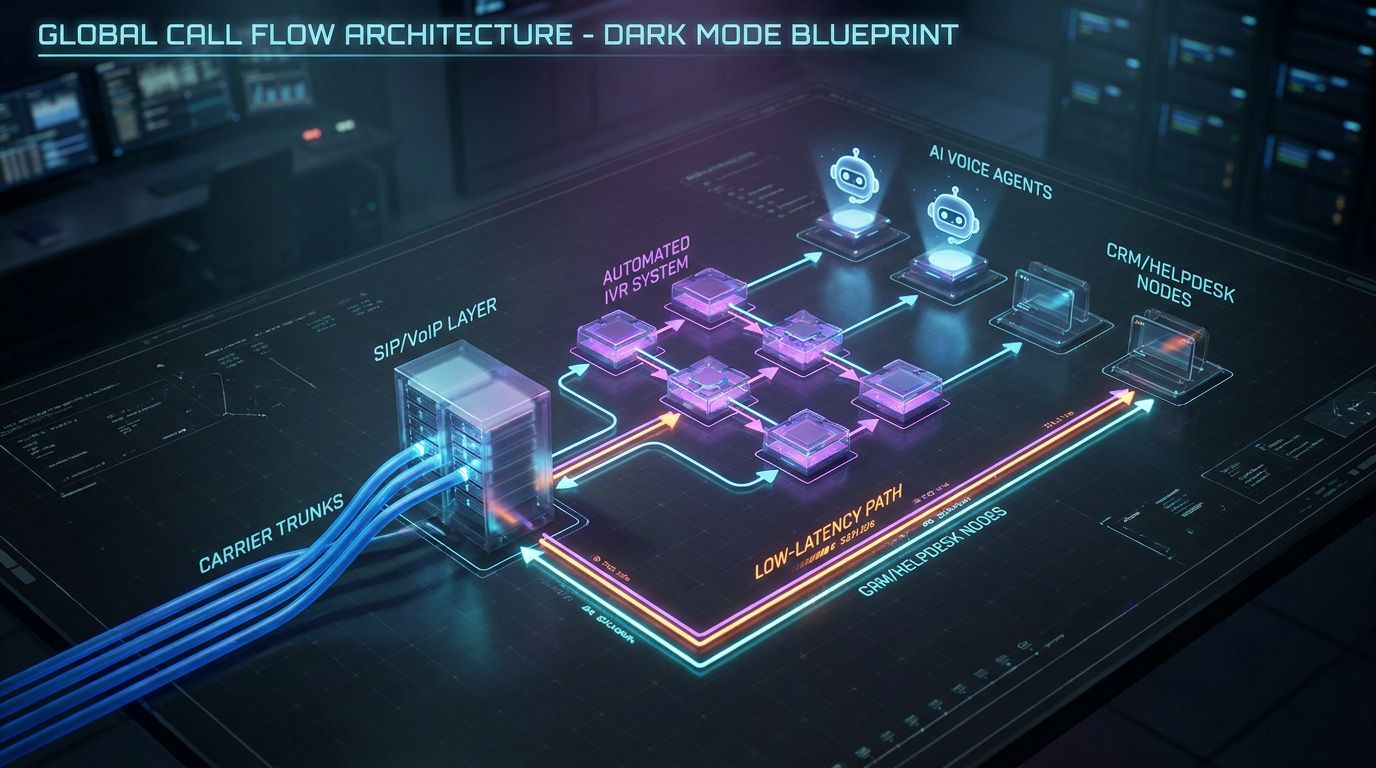
A modern automated ivr system is not one monolithic box; it is a set of tightly coordinated components tuned for reliability and speed. When we design these for clients, we anchor every decision on latency budgets, failover behavior, and how easily your team can see what is happening in production. Here is what that architecture actually looks like.
Core Components of a Modern Automated IVR System
At the edge you have your carrier or SIP trunks accepting calls from the public network. Those feed into your PBX or cloud telephony layer, which may be RingCentral, Zoom Phone, Twilio, or another platform that can forward calls to an automated voice response system. That system is where we attach an AI Voice Agent and orchestrate call flows.
Inside the automation layer, several services work together: ASR (automatic speech recognition) converts speech to text, TTS (text-to-speech) turns responses into natural audio, and an NLU/LLM engine understands intent and formulates the next action. An orchestration layer coordinates integrations with your CRM or helpdesk, applies routing rules, and logs structured data for analytics. Surrounding all of this are observability tools for latency monitoring, error tracking, and containment reporting.
Low Latency by Design: From Dial Tone to AI Response
Every hop in the call path introduces delay, so a telecom-grade low latency voice bot is designed to keep those hops minimal and geographically close to your callers. In practice, that means using data centers or edge PoPs in-region, keeping media on a single low-jitter path, and maintaining persistent connections to the AI stack. We also pre-load prompts and keep models warm so the first response is as fast as the twentieth.
For good caller experience, your target is typically sub-300–500ms from end-of-utterance to hearing the bot speak. That keeps conversations fluid and prevents people from talking over prompts because they assume the system is lagging. We also limit unnecessary back-and-forth by designing flows that gather multiple pieces of information per turn while still feeling natural.
Smart Routing and Fallback to Human Agents
Once intent is recognized, routing becomes a business decision engine rather than a simple menu branch. The automated voice response system evaluates factors like customer value, authentication status, sentiment, and complexity of the request. It can handle FAQs, order lookups, appointment management, and basic troubleshooting itself.
When the bot detects frustration, repeated failures, regulatory sensitivity, or high-value accounts, it escalates to a human agent with full context. That context includes summarized intent, key entities (order IDs, dates, products), and recent steps already completed so agents can skip requalification. Humans are intentionally reserved for exception handling where they create the most value, reducing average handle time and improving CSAT.
How AiBizBuild Wires This Together with AI Voice Agents (Inbound/Outbound)
AiBizBuild implements this architecture end to end, using AI Voice Agents (Inbound/Outbound) as the conversational layer that sits behind your numbers. We connect your carrier or PBX to our automation stack, configure the call routing logic, and integrate your CRM or helpdesk through our CRM Integration & Inbox Management services. That is how we ensure data from every call flows into the systems you already rely on.
For outbound, the same telecom-grade low latency voice bot framework powers proactive calls: appointment reminders, follow-ups, or pipeline touches that complement your B2B sales automation strategies. Because this is a done-for-you implementation, your team does not have to assemble ASR, LLMs, and call routing glue code from scratch. You focus on defining success metrics; we focus on delivering them.
Configuring Automated IVR in RingCentral (Including Auto Answer)
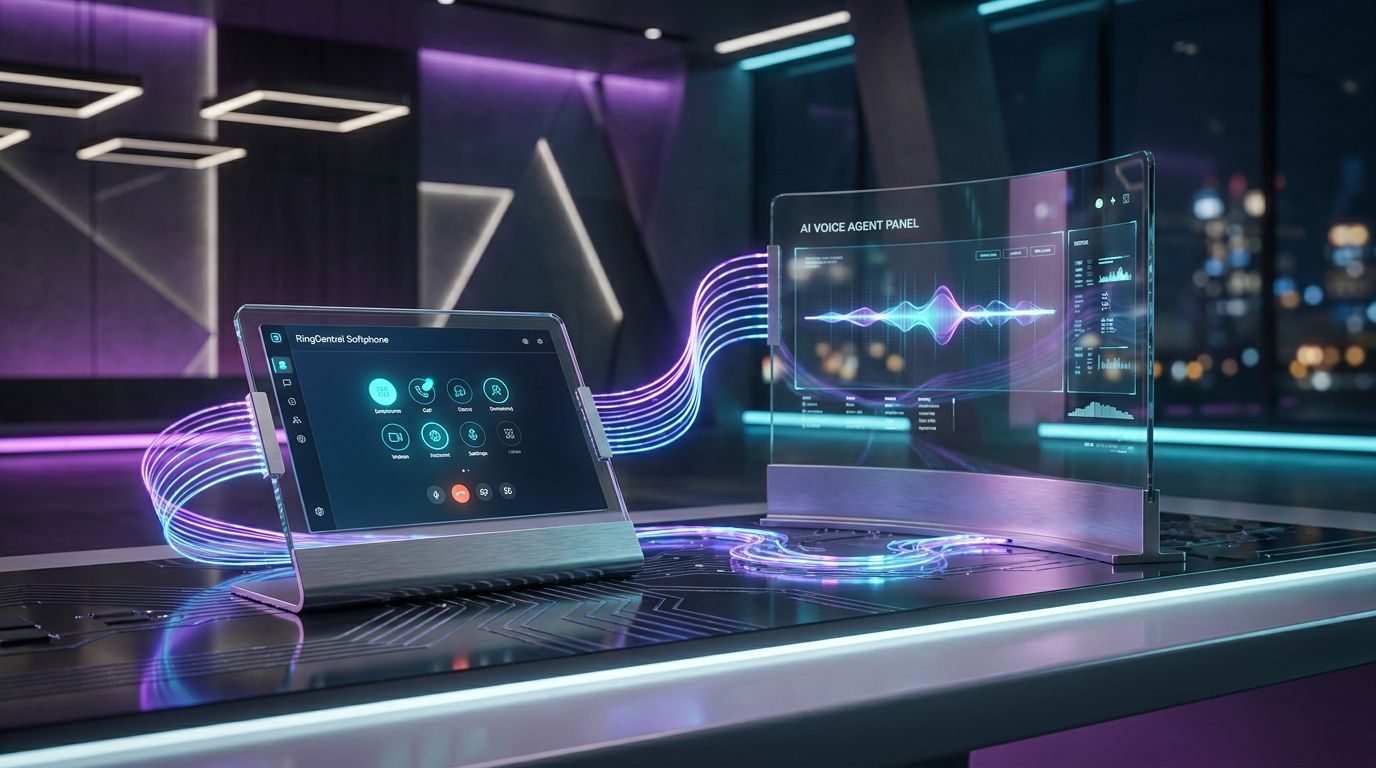
It is one thing to talk about architecture and another to wire it up in a real platform. Many of our clients run RingCentral, so we will use it as a concrete example of how to turn your main number into a front door for an AI-powered automated voice response system. The key feature here is ringcentral auto answer, used strategically.
When RingCentral Auto Answer Makes Sense in a Modern Stack
RingCentral auto answer can instantly pick up calls on designated endpoints without a human clicking accept. In agent-only environments that is often annoying, but for AI it is exactly what you want: calls are answered immediately and handed to the bot with no ring delay. You can still keep human call queues for specific lines while using auto answer only on the SIP endpoint that feeds your AI Voice Agent.
In a modern stack, RingCentral handles inbound DID management, basic IVR, and call queues, while the AI layer handles conversational interaction and decisioning. Auto answer turns RingCentral from a destination into a pass-through that reliably delivers media to your automated ivr system in under a second.
Example Setup: RingCentral → Automated Voice Response System → AI Voice Agent
A common pattern looks like this: the caller dials your main DID, which hits RingCentral’s auto-receptionist. There you can play a brief branded greeting if desired, then send the call to a dedicated extension mapped to a device or SIP trunk configured with ringcentral auto answer. That device is effectively a gateway to your AI Voice Agent.
As soon as the call hits that endpoint, the AI-powered automated voice response system answers with a low-latency greeting such as, “Thanks for calling Acme Services. I am the virtual assistant; how can I help today?” The system listens for open-ended intent, verifies identity if needed, and either fulfills the request or routes to a RingCentral queue with metadata (for example, reason for call, existing ticket ID).
Sample Routing Rules and Prompts
Routing rules live in the orchestration layer, not buried in hard-coded menus. Examples include: during business hours, billing intents go to Queue A after AI triage; after hours, urgent support phrases like “system down” route to on-call agents while non-urgent requests are logged for next-day follow-up. Language can be auto-detected or confirmed explicitly when your customer base is multilingual.
Sample prompts might include: “In a few words, tell me what you are calling about today,” or “I can help you book, reschedule, or cancel appointments, and answer common questions.” For escalations, you might use, “I am going to connect you to a specialist; I will share what you just told me so you do not have to repeat yourself.” These small details shave seconds off each call and reduce friction.
Integrating with CRM and Ticketing for Full Context
When your automated voice response system is connected through CRM Integration & Inbox Management, each call is grounded in the customer record. The AI Voice Agent can pull open tickets, orders, or subscriptions and log structured outcomes back into the system. That closes the loop between telephony and your operational source of truth.
For service businesses, we often pair this with 24/7 Appointment Booking Systems, so the bot can see your calendar, offer specific time slots, and write back confirmed appointments. Instead of dumping voicemails into a shared inbox after hours, you wake up to booked and rescheduled appointments already in your tools.
A Concrete Use Case: 24/7 Appointment Booking & Support Triage
To make this tangible, consider a multi-location clinic, home services firm, or agency where 60–70% of calls are about appointments and simple questions. Staff are overloaded during peaks and you bleed opportunities after hours. Here is how moving to a modern automated ivr system changes the math.
The Problem: Missed Calls and Overloaded Staff in Service Businesses
In many service organizations, reception and front-desk teams juggle walk-ins, paperwork, and interruptions while phones ring nonstop. When lines are busy, calls roll to voicemail or simply abandon after long holds, and staff spend early mornings or late evenings returning messages. Each missed live call risks a lost appointment or churned customer.
Because the majority of these calls are low-complexity — checking availability, rescheduling, confirming instructions — you end up using your most expensive resource (humans) for the least differentiated work. Overtime and burnout follow, and your cost per booking climbs even as service quality wobbles.
The Old Flow: Phone Tree → Hold Queue → Agent → Manual Booking
Traditionally, the caller dials in, hears a phone tree, selects an option, waits in a queue, then finally reaches an agent. That agent asks for basic details, looks for slots in a calendar app, reads options aloud, and manually confirms bookings. If lines are busy, callers give up and either try again later or go elsewhere.
Every transfer or re-queue adds delay and creates more chances for abandonment. When you multiply this across hundreds or thousands of calls per month, total agent minutes consumed by scheduling alone become substantial. Meanwhile, your reporting on why people called and how many did not reach an agent is often incomplete.
The New Flow: Automated IVR + AI Voice Agent + Calendar Integration
In the modern flow, the AI Voice Agent is the first touch, sitting behind your main number in an automated voice response system. It greets callers conversationally, understands phrases like “I need to reschedule my cleaning” or “I want to book a consultation,” and authenticates using simple questions or SMS codes. It then talks directly to your calendar or practice management system via 24/7 Appointment Booking Systems integrations.
The bot offers specific time slots — for example, “I can do Tuesday at 3:15 pm or Wednesday at 10:30 am; which works better?” — and confirms the choice verbally while sending confirmation by SMS or email. For calls that turn out to be complex clinical questions or high-value sales, the system escalates to staff with full context, bypassing the generic front desk queue.
Results & Metrics You Can Expect
In deployments like this, you can realistically expect 30–50% reduction in agent time spent on simple scheduling, because the AI handles first-line appointment flows end to end. After-hours coverage often lifts booked appointments by 10–25%, because people can call when it is convenient instead of trying to squeeze into business hours. Abandonment rates during the day drop as well, since the bot answers immediately and resolves common requests without queuing.
AiBizBuild tracks metrics such as containment rate (percentage of calls fully handled by AI), average handle time across AI and human legs, abandonment, and CSAT where surveys are in place. We then iterate on prompts, routing rules, and integration edge cases to keep performance trending the right way.
Costs, ROI, and Why DIY IVR Fails
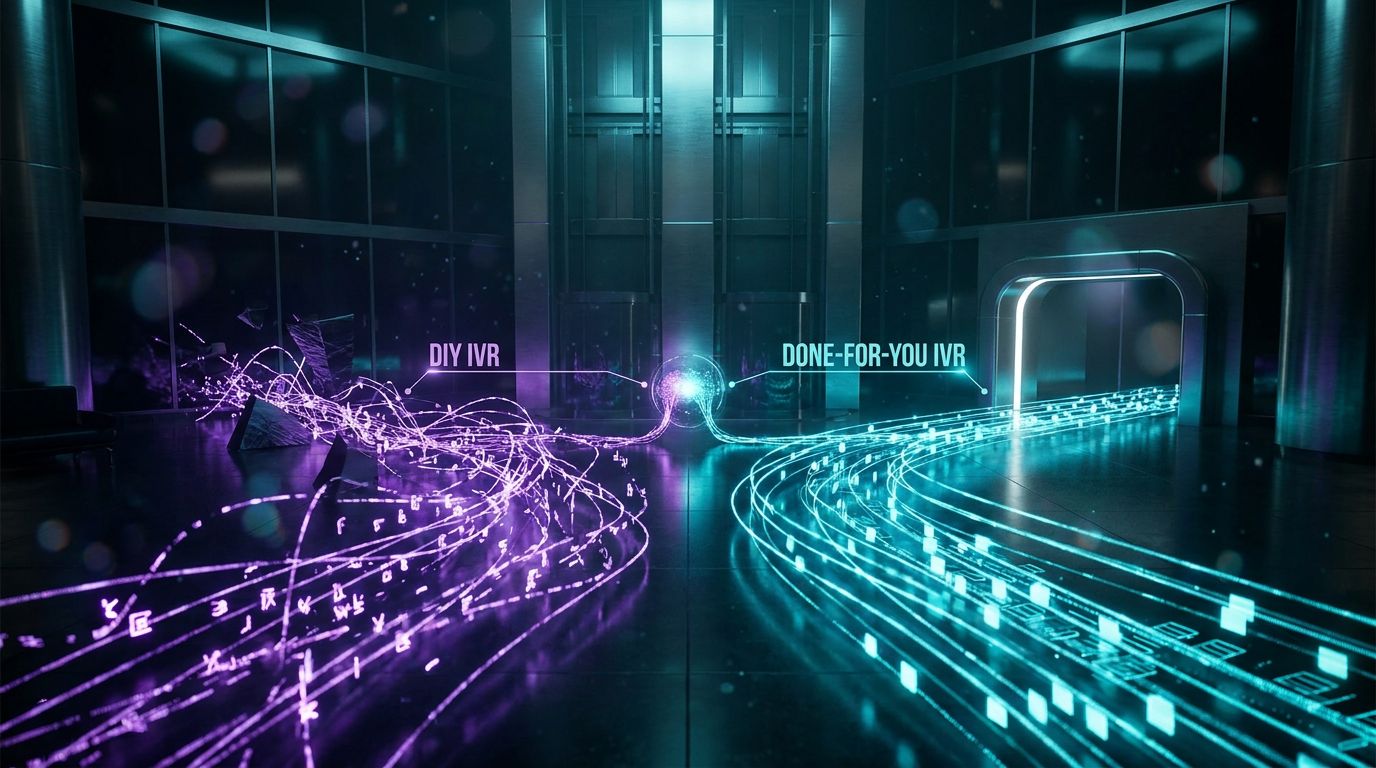
Modernizing automated voice response is ultimately a commercial decision, not a science project. You are trading capital and project focus today for lower cost per call, more resilient operations, and better customer experience tomorrow. To make that decision responsibly, you need to understand where the money currently goes and why “just wiring a few flows” rarely works out.
The Real Cost of Legacy IVR + Human Agents
Legacy stacks incur costs across several layers: per-minute telephony, software licenses, and fully loaded agent payroll. A typical contact center agent might cost $25–$45 per hour fully loaded, which means every extra minute per call scales linearly with your headcount. If an average resolved call takes 6–8 minutes of human time, thousands of monthly calls quickly translate into tens of thousands in monthly labor.
Because traditional IVR does little to shorten calls or improve containment, your main lever becomes adding or removing human seats. After-hours coverage is even more expensive, relying on overtime, on-call stipends, or specialized providers. You end up paying human rates for work that an AI Voice Agent can perform at a significantly lower effective cost per interaction.
Legacy IVR + Agents vs AI Voice Routing (Cost & Performance)
| Dimension | Legacy IVR + Agents | AI Voice Routing |
|---|---|---|
| Cost per Resolved Call | Driven largely by agent minutes; limited leverage beyond staffing cuts. | Save 30–50% by offloading routine volume to AI and shortening live calls. |
| Average Handle Time (AHT) | 6–10+ minutes per call with repeated verification and discovery. | AI resolves simple intents directly and pre-qualifies complex ones, reducing human AHT. |
| After-Hours Coverage | Voicemail or expensive live coverage with limited analytics. | 24/7 AI handling for common requests; selective escalation to on-call staff. |
| Update Speed | Slow, ticket-driven changes; risky to modify frequently. | Prompt and workflow changes deployed quickly, often tested on small traffic slices first. |
| Data Quality | Inconsistent agent notes; limited linkage between call reasons and outcomes. | Structured intents, outcomes, and summaries written into CRM/helpdesk automatically. |
DIY Tooling: Why an Automated IVR System Is Not a Weekend Project
Vendors like Twilio, Amazon Connect, and RingCentral expose powerful building blocks, which creates a dangerous impression that an automated ivr system is just a drag-and-drop exercise. In reality, combining telephony, AI, integrations, and monitoring into a production-grade stack requires cross-disciplinary expertise. The “tool trap” is when teams wire something functional enough for a demo, then discover failure modes only after callers are exposed to it.
Common DIY issues include misconfigured menus and fallbacks, inadequate handling of silence or barge-in, high latency due to poor region choices, and lack of observability when something breaks. Every misrouted branch or dead-end prompt bleeds real revenue and erodes trust in your numbers. Without a clear containment and escalation strategy, you risk building a system that generates tickets for your engineers instead of value for your business.
DIY Build vs Done-For-You with AiBizBuild
| Dimension | DIY Automated IVR Build | Done-For-You with AiBizBuild |
|---|---|---|
| Time to Launch | Months of part-time internal work, frequent rework and delays. | 2–4 weeks for a focused modernization, 6–10 weeks for complex deployments. |
| In-House Expertise Required | Telephony, AI/LLM, security, DevOps, and analytics skills needed. | Your team provides domain knowledge; AiBizBuild handles architecture and implementation. |
| Risk of Misrouting & Downtime | High in early stages, often discovered only after customer complaints. | Battle-tested patterns, staged rollouts, and monitoring reduce risk significantly. |
| Integration Complexity | Custom one-offs that are hard to maintain when CRMs or tools change. | CRM Integration & Inbox Management handled centrally with best practices. |
| Ongoing Optimization | Usually ad hoc; improvements lag behind changing call patterns. | Continuous tuning against KPIs (AHT, containment, abandonment, CSAT). |
When to Bring in a Partner Like AiBizBuild
If you handle thousands of calls per month, operate across multiple locations, or have regulatory and multi-language requirements, DIY quickly becomes a false economy. The opportunity cost of tying up your engineers and ops team in telephony experiments is high. Meanwhile, every month you delay modernization is a month of avoidable handle time, overtime, and abandonment.
AiBizBuild steps in as a done-for-you implementation partner when you need telecom-grade reliability, measurable ROI, and a clear path from pilot to scale. Instead of buying another tool and hoping someone internally “owns” it, you get a focused team that designs, deploys, and iterates the entire system for business outcomes.
How AiBizBuild Implements Telecom-Grade AI Voice Routing
Turning your current IVR and call queues into a low-latency, AI-driven experience is a structured project, not a one-off integration. Our role as Senior Automation Architects is to translate your call realities into a telecom-grade design and then own the build. Here is how AiBizBuild typically approaches an engagement.
Phase 1 – Audit and Call Journey Mapping
We start with a 30-minute to 60-minute IVR & voice routing audit. That includes reviewing your existing IVR trees, RingCentral or PBX configuration, call reports by hour and by reason, and any scripts or knowledge bases agents use. We also look at abandonment, transfer rates, and patterns like repeat callers on the same issue.
From there we map your current journeys into a prioritized automation blueprint. That blueprint highlights where AI Voice Agents can safely take over, where human expertise is required, and which quick wins will reduce handle time and cost per call fastest.
Phase 2 – Architecture & Low Latency Design
Next we define the end-to-end architecture of your automated voice response system. That includes selecting or confirming your telephony layer, designing how calls are forwarded to the AI layer, and specifying data flows into your CRM or helpdesk. We explicitly budget latency at each hop so the final experience meets telecom-grade expectations.
Decisions like which regions to host AI services in, how to handle barge-in and interruptions, and what fallback behavior to use on failure are all locked in at this stage. The outcome is a detailed design that your team can understand and that our team can implement without surprises.
Phase 3 – Build: AI Voice Agents, IVR Flows, and Integrations
In the build phase we implement AI Voice Agents (Inbound/Outbound) tailored to your call reasons and brand voice. We wire your PBX or RingCentral environment into these agents and rebuild or replace key IVR flows inside the new architecture. At the same time, we connect your CRM, helpdesk, and communication channels via CRM Integration & Inbox Management.
Where appointment scheduling is important, we add 24/7 Appointment Booking Systems that talk to your calendars and line-of-business tools. The entire system is tested with sample traffic and internal users before we ever expose it to live callers.
Phase 4 – Launch, Monitor, and Optimize
Launch is staged, not big-bang. We often start by routing a small percentage of calls or a specific line of business through the new AI flows. During this phase we monitor latency, containment, handoff quality, and any edge cases uncovered by real-world phrasing.
On an ongoing basis, we run A/B tests on prompts, adjust routing rules, and expand the set of intents the AI can handle safely. Monthly or quarterly, we review performance with you against KPIs like average handle time, containment rate, abandoned call percentage, and cost per resolved interaction.
Engagement Models and Typical Timelines
For a single main line or focused queue, a modernization project usually takes 2–4 weeks from audit to initial launch. For multi-queue, multi-language, or multi-location deployments, timelines are more often in the 6–10 week range as we coordinate stakeholders and integrations.
Pricing is scoped to your call volume, complexity, and the breadth of integrations required. In almost every case, the combination of reduced agent minutes and improved after-hours capture makes the investment net-positive when viewed over a 6–12 month horizon.
FAQs about Automated Voice Response & AI IVR
How is an AI-powered automated voice response system different from the IVR we already have?
A traditional IVR plays fixed menus and reacts only to keypad input or very limited speech commands. An AI-powered automated voice response system uses natural language understanding to interpret open-ended requests, adapts its questions on the fly, and can take actions in your CRM or helpdesk. It is less about “Press 1 for X” and more about “Tell me what you need, and I will either handle it or send you to the right person with context.”
What does “telecom-grade low latency voice bot” actually mean in practice?
Telecom-grade means callers experience the system as fast and reliable as talking to a human on a good line. Practically, that means responses within 300–500ms after a caller finishes speaking, minimal jitter or dropped audio, and robust fallback paths if any component fails. It also means the underlying architecture is designed for monitoring, failover, and predictable behavior under high load, not just for a lab demo.
How long does it typically take to design and deploy a modern automated IVR system with AiBizBuild?
For a focused use case like appointment booking or a single support queue, we typically move from audit to production in 2–4 weeks. Larger, multi-queue or multi-language environments usually take 6–10 weeks as we coordinate across teams and systems. We favor phased launches so you see value quickly while we expand capabilities over time.
Do we need in-house developers or telephony engineers to maintain this?
No telephony engineering background is required on your side. We handle the architecture, configuration, and ongoing optimization as your done-for-you partner, while your team focuses on defining business rules, reviewing copy, and validating outcomes.
If you do have internal technical staff, we can collaborate closely and document everything so they are comfortable with how the system behaves. But the expectation is not that you assemble or maintain the low-level plumbing yourself.
Is it secure and appropriate for regulated industries like healthcare or financial services?
The underlying components can be deployed with encryption in transit, role-based access controls, and detailed logging. We also design call flows so that sensitive data is handled appropriately, avoiding unnecessary repetition of protected information and limiting who can access what. While specific compliance attestations depend on your environment, the architecture itself supports building flows that respect HIPAA, PCI, or similar frameworks when implemented correctly.
Can this handle multiple languages and seasonal call spikes?
Yes, multi-language support is built into the design through language detection, language-specific prompts, and routing rules. For seasonal spikes, AI Voice Agents scale far more elastically than human staffing, absorbing surges in routine inquiries without requiring you to over-hire or over-schedule. Humans can then focus on the proportion of calls where their expertise has the most impact.
Do we need to change our existing numbers or carriers?
In most cases, no. We typically integrate with your existing carrier or PBX, using features like SIP forwarding or DID routing to bring calls into the AI layer. That means callers keep using the numbers they already know while the experience behind those numbers evolves.
Next Steps: See an Automated Voice Response System in Action
Modernizing your automated voice response is not about chasing the latest buzzword; it is about cutting cost per call, reducing handle time, and giving callers fast, accurate answers any time they ring. A telecom-grade low latency voice bot, properly implemented, turns your phone lines into a true front door for your business rather than a bottleneck.
If you are ready to explore what this looks like on your own numbers, the most effective next step is to book a 30-minute IVR & Voice Routing Audit with AiBizBuild. We will review your current flows, metrics, and tools, then outline a practical roadmap from legacy IVR to modern AI voice routing.
If you prefer to see it first, you can also request a live demo of an AI Voice Agent handling your call scenarios. You do not need to know the telephony internals or how to tune models — our team handles the design, integration, and optimization so your team can focus on operations and customer outcomes.