

Salesforce Automation CRM: Automate Sales Workflows & Cut Admin Time
Key Takeaways
- How to turn Salesforce automation CRM from an expensive database into an end-to-end sales workflow engine by automating lead routing, opportunity creation, and task management.
- 5+ concrete automation recipes with estimated hours saved per rep per week and an integration checklist covering email, calendars, enrichment, and phone systems.
- A practical framework to measure ROI on Salesforce automation and when to bring in a done-for-you partner like AiBizBuild for CRM Integration & Inbox Management.
In This Guide:
- What Salesforce Automation CRM Actually Does (vs What You Think It Does)
- Manual Salesforce Workflows vs Automated Flows
- Why DIY Salesforce Automation Fails
- Core Automation Recipes for B2B Sales Teams
- Integration Checklist: Making Salesforce the Hub
- How to Measure ROI on Salesforce Automation
- Use Case: Cutting Admin Time for a 10-Rep B2B Sales Team
- Done-For-You Salesforce Automation with AiBizBuild
- FAQs on Salesforce Automation CRM
Most teams buy Salesforce, set up basic objects, and then discover that reps are still drowning in admin. The promise of Salesforce automation CRM is that the system does the busy work so humans can focus on selling. The reality is you only get that outcome if you design and implement automation as a system, not a pile of disconnected features.
What Salesforce Automation CRM Actually Does (vs What You Think It Does)
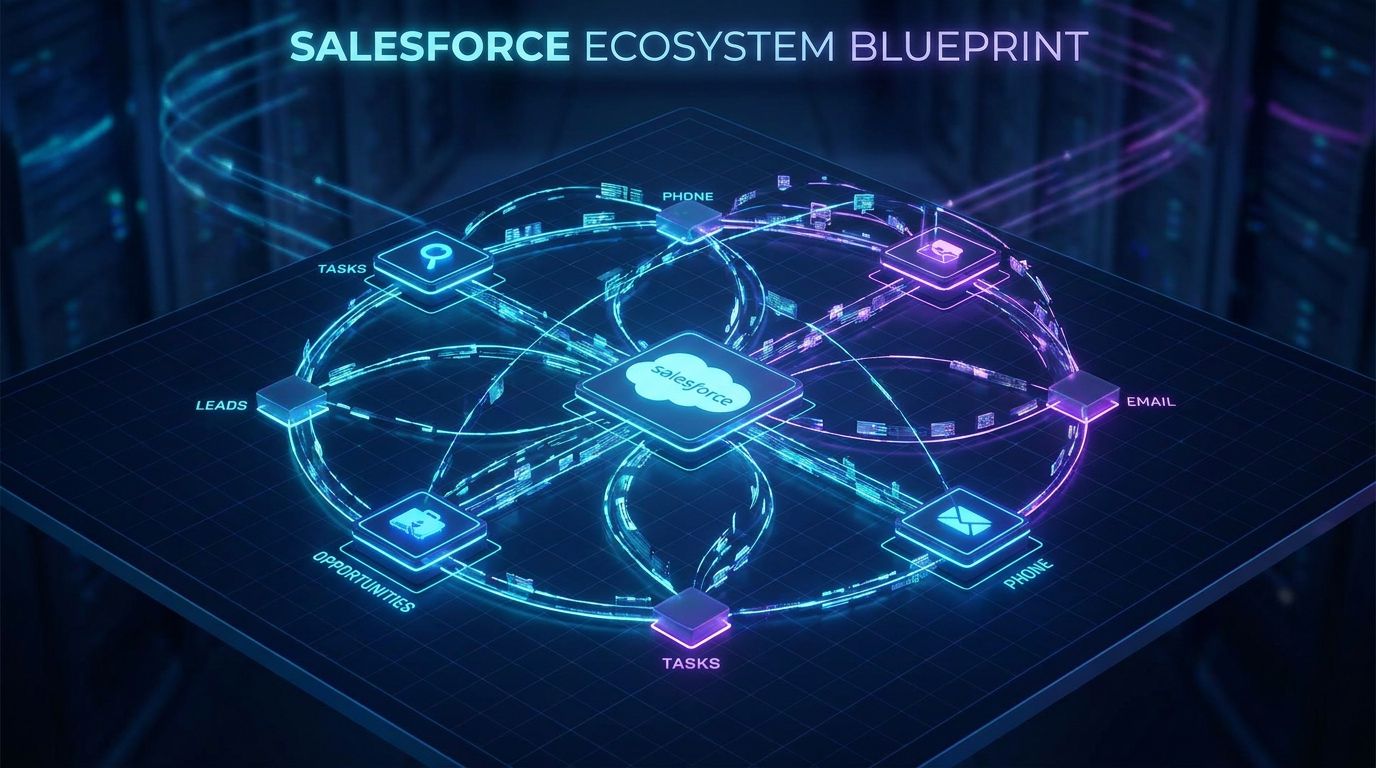
When people say “Salesforce automation CRM,” they usually mean “we bought Salesforce and turned on a few standard features.” That is not automation; that is configuration. Real Salesforce CRM automation means your lead-to-close process is encoded as triggers, flows, and integrations so the system orchestrates work end to end.
Owning Salesforce licenses gives you a flexible database and a toolkit. Having real automated workflows means that when a lead fills a form, the right record types, fields, tasks, and communications are created and routed without human intervention. The scope here is sales process automation: lead handling, opportunity management, follow-up, renewals, and activity logging, not just storing contact data.
Within that, sales content automation is a key sub-component. It covers standardized follow-up emails, nurture sequences, and templates triggered by Salesforce events, so reps are not rewriting the same messages and forgetting steps. The system decides what should happen and when; reps focus on how to personalize and close.
Manual Salesforce Workflows vs Automated Flows

The fastest way to see the value of automation is to contrast the “old way” of working in Salesforce with the “new way.” The old way is reps manually creating and updating records, sending one-off emails, and trying to remember follow-ups. The new way is flows and integrations handling the steps so reps react to a prioritized task list.
Typical Manual Salesforce Tasks Eating Rep Time
In a manual setup, web leads arrive via email or a basic integration, and someone has to create or update Leads, Contacts, and Accounts. Reps then manually assign themselves or ask a manager to route leads, often in Slack or email. Every follow-up call, email, or meeting has to be logged by hand, and tasks are created ad hoc or not at all.
Stages change only when reps remember to click into the Opportunity and update it, which often happens at the end of the week or not at all. Follow-up emails are rewritten from scratch or copied from old threads, leading to inconsistent messaging and missed details. All of this is admin drag that directly reduces selling time.
What an Automated Salesforce Workflow Looks Like
In an automated Salesforce environment, a web form submission triggers a Flow that creates or updates the Lead, Account, and Contact, enriches the record, and assigns an owner based on territory, product, or account relationship. A task is auto-created with a due date SLA (for example, same business day) and the rep sees it immediately in their queue. If the lead meets MQL criteria, the system can also auto-create an Opportunity with standardized fields.
As reps send emails and schedule meetings via integrated inboxes and calendars, those activities are auto-logged back to the right records. Stage progression can trigger standardized actions: new tasks, nurturing sequences, or manager alerts when deals stall. Follow-ups use sales content automation so reps can insert approved templates and then personalize, instead of drafting every message from zero.
Time Saved Breakdown
Automated lead routing and task creation typically save 15–20 minutes per new lead compared to manual entry, triage, and follow-up planning. Auto-creation of Opportunities and standard tasks when a lead qualifies can save another 5–10 minutes per qualified lead. Inbox and calendar integration that auto-logs activities usually cuts 1–2 hours per rep per week of pure logging and tab-switching.
For a rep handling 50–75 new leads per month, these savings add up to 4–6 hours per week of admin time removed, without changing your go-to-market model. Multiply that across a 10-rep team and you are reclaiming the equivalent of another half to three-quarters of a full-time seller. That is the practical impact of Salesforce CRM automation when implemented correctly.
| Process | Manual Effort per Event | Automated Effort per Event | Estimated Time Saved / Rep / Week |
|---|---|---|---|
| Lead capture & routing | Create Lead, lookup Account, assign owner via email/Slack (5–8 min) | Zero clicks; Flow creates/enriches/assigns on form submit | 1–2 hours for 30–50 new leads |
| Opportunity creation on qualification | New Opp, copy fields, link Contact & Account (5–7 min) | Auto-created when Lead status = Qualified / MQL | 30–60 min |
| Follow-up task creation | Create tasks after each call/email, set due dates (3–5 min) | Tasks auto-created on status/stage changes or missed SLAs | 1–1.5 hours |
| Activity logging (emails, meetings) | Manually log emails/events, attach to records (10–15 min/day) | Integrated inbox & calendar auto-log | 1–2 hours |
| Nurture email follow-ups | Draft or copy-paste each email, send, log (5–7 min) | Sales content automation triggers sequences & templates | 1–2 hours depending on volume |
Why DIY Salesforce Automation Fails
Most teams try to “DIY” Salesforce automation by letting an admin or power user turn on features as requests come in. That approach almost always hits a ceiling. The problem is not Salesforce; it is the lack of architecture, data discipline, and integration.
The Configuration Trap
Non-architects often jump straight into Flow Builder or Process Builder without a clear data model or process map. They create flows for one team’s request, then another for a special case, and soon you have a web of overlapping automations. Rules conflict, records update twice, and changes in one place break logic somewhere else.
Because most of this is invisible to end users, failures are often silent. Leads stall in queues, tasks do not fire, or Opportunities are mis-created without anyone noticing until pipeline reviews. This erodes trust, and reps quietly revert to spreadsheets or side systems because “Salesforce does weird things.”
Data Quality and Fragmented Tools
Automation is brittle when data is inconsistent. If required fields are missing, picklists vary by record segment, or legacy data has different formats, flows either fail or create garbage. The same is true when email, calendars, calling tools, and enrichment platforms are not wired into Salesforce cleanly.
Without proper CRM Integration & Inbox Management, you get partial data syncs, duplicate records, and activities that never land on the right Account or Opportunity. That undermines any attempt at accurate reporting or lead scoring. You cannot build reliable automation on top of unreliable inputs.
Hidden Maintenance & Adoption Costs
Every time your process changes, fields are renamed, or a new product line launches, someone has to understand the automation map and update it. In DIY setups, that knowledge usually lives in one overworked admin’s head. When they leave or get busy, flows drift out of sync with reality.
Reps then encounter edge cases, broken tasks, or irrelevant notifications and start ignoring automation altogether. They create their own shortcuts, side spreadsheets, and email templates, which recreates manual chaos. The company pays for Salesforce sales automation but gets low adoption and questionable data.
Why a System Matters More Than a Tool
Salesforce is the tool; your automation architecture is the system. Without a mapped lead-to-cash process, standards for objects and fields, and a governance model, you are just wiring features together. Tools alone will not give you predictable lead routing, consistent follow-up, or clean pipeline visibility.
AiBizBuild’s role is to design and implement the system: process mapping, data standardization, automation architecture, and integrations that work together. We treat Salesforce automation CRM as a connected workflow engine, not a collection of one-off flows. That is the difference between a demo that looks good and a production environment that quietly saves 5–7 hours per rep per week.
Core Automation Recipes for B2B Sales Teams
Instead of abstract “best practices,” you need specific if-this-then-that recipes. Below are core automations that most B2B teams can implement in their Salesforce CRM automation roadmap in the first 30–60 days. These are the workflows we prioritize in real client builds.
Lead Capture, Enrichment & Routing
Trigger: Web form submit, ad lead, or list import creates/updates a Lead. Flow: Salesforce checks for existing Account/Contact matches, then enriches the record using your enrichment provider or AiBizBuild’s B2B Lead Scraping & Enrichment pipeline. Based on territory, company size, industry, and intent, the Lead is auto-routed to an owner or queue.
Logic often includes rules such as “if domain matched to existing Account, assign to Account owner,” or “if country = US and employee_count 50–500, route to SMB team.” For higher-volume teams, we often layer AI-assisted lead scoring to prioritize reps’ queues. For deeper strategy on this front, see our guide on how to automate lead generation with AI tools.
For every 100 inbound leads, this kind of automation can easily save 3–5 hours of manual triage and data entry. It also reduces routing errors that cost you speed-to-lead and conversion.
Auto-Creation of Opportunities & Key Tasks
Trigger: Lead Status updated to MQL or Qualified, or a specific field like “Booked Intro Call = true.” Flow: Salesforce auto-creates an Opportunity with standardized fields (stage, close date default, product, source), links it to the right Account and Contact, and adds default fields like ARR or deal type as placeholders. At the same time, it creates a “Discovery Call” task with a due date of, for example, within 2 business days.
We usually add a second chain: when the discovery call is completed and marked “Show,” the flow creates follow-up tasks for proposal, technical validation, or demo, depending on your process. This structure makes the Opportunity lifecycle predictable and measurable instead of relying on reps’ memory. Expect to save 1–2 hours per week per rep and significantly reduce missed next steps.
Follow-Up & Nurture with Sales Content Automation
This is where sales content automation plugs into Salesforce CRM automation. Trigger: Lead or Contact moves into a “Nurture” status, or an Opportunity is marked “Not Now” with a future interest date. Flow: Salesforce enrolls the prospect into a nurture sequence through your outbound platform or an integrated email engine.
Templates are standardized but allow personalization tokens and short custom notes. For example, Day 1: recap email template; Day 4: value-add content; Day 10: light CTA; Day 21: check-in. Reps can step in to customize key sends without having to remember who is due for what. For broader patterns here, see our guide to B2B sales automation workflows.
Properly implemented, this removes 1–3 hours of manual drafting per week per rep while increasing consistency and touch count, which directly improves pipeline coverage.
Renewal & Expansion Reminders
Trigger: Contract end date or renewal date approaching on an Account or Opportunity. Flow: 90 days before renewal, the system creates a “Renewal Strategy” task, optionally triggers a customer health check survey, and notifies the CSM or AE. At 60 and 30 days, it escalates with additional tasks and optional manager alerts.
If there are expansion signals (usage, cross-sell product fit, or expansion stage), separate flows can create Expansion Opportunities. This is low-glamour but high-impact automation: it protects existing revenue and creates a repeatable upsell motion. Teams often see a noticeable lift in renewal discipline within a quarter once this is live.
Activity Logging & Inbox Integration
Trigger: Emails sent/received or meetings scheduled via integrated Outlook or Gmail, plus calling activity via your dialer. Flow: AiBizBuild’s CRM Integration & Inbox Management ensures these activities are automatically logged against the right Leads, Contacts, and Opportunities. We standardize subject line parsing, association rules, and task generation.
This eliminates double data entry and gives your managers a complete timeline of touches without nagging reps. Typical outcome: 1–2 additional hours per rep per week reclaimed from logging and fewer “mystery deals” with no visible activity. It also lays the foundation for accurate reporting on touch patterns and pipeline velocity.
Integration Checklist: Making Salesforce the Hub

Salesforce only becomes a true workflow engine when it sits at the center of your GTM stack. That means reliable, bi-directional integrations with the tools your reps already live in. Before you build complex flows, you need to make sure data flows cleanly.
Core Systems to Connect
At minimum, you want tight integration with your email and calendar stack (Gmail or Outlook) so that messages and events auto-log to Salesforce. Your calling or phone system, ideally with an auto attendant, should also feed call logs and recordings into Salesforce for tracking and QA. Key lead sources—web forms, chat, ad platforms, webinar tools—must create and update Leads or Contacts directly, not just send CSVs.
On top of that, connect data enrichment tools for firmographic and technographic data, plus any intent data providers. This is where AiBizBuild can wire in B2B Lead Scraping & Enrichment to make sure new records are actionable. When Salesforce is the hub, automation has the context it needs to make smart routing and prioritization decisions.
Technical Checklist Before You Automate
Before building any Salesforce CRM automation, standardize your core objects and fields. Decide which fields are required for Leads, Contacts, Accounts, and Opportunities, and clean up picklists so values are consistent. Then deduplicate your core records—especially Accounts and Contacts—to avoid routing chaos.
Next, define your lead stages, opportunity stages, and ownership rules as a simple flowchart outside of Salesforce. Establish naming conventions for flows, process builders, and permission sets so future admins understand what each piece does. For a deeper dive into how we handle governance in other domains, see our guide to automated content approval workflows.
Where AiBizBuild Fits (CRM Integration & Inbox Management)
AiBizBuild’s CRM Integration & Inbox Management service focuses on mapping your processes to Salesforce objects, then wiring in email, calendars, calling, and enrichment with minimal disruption. We handle the painful parts: resolving conflicting field definitions, designing association rules, and ensuring activities land on the right records. You get a Salesforce environment where reps can work from their inbox or dialer and still keep CRM data complete.
Once the integrations are stable, we design and build the flows that sit on top: lead routing, task generation, auto-opportunity creation, and more. The result is a Salesforce automation CRM setup that feels lightweight to reps but gives leadership accurate, real-time visibility into pipeline health.
How to Measure ROI on Salesforce Automation
If you cannot quantify the impact of automation, it will always feel like a “nice-to-have IT project.” You need a simple, defensible way to show leadership how automated Salesforce workflows turn into reclaimed selling hours and predictable pipeline. That starts with baselines.
Baseline Metrics to Capture
First, estimate how much time reps spend on admin per week—logging activities, creating records, routing leads, updating stages, and chasing internal approvals. Light time-tracking or a structured survey over 1–2 weeks is enough. Next, capture lead response time (from lead creation to first meaningful touch), average number of touches per Opportunity, and stage-to-stage conversion rates.
Finally, measure pipeline velocity: how long it takes deals to move from first meeting to closed-won. These metrics will let you compare pre- and post-automation performance. Do not chase perfect precision; you want directionally accurate, repeatable numbers.
Simple ROI Formula
For most teams, the cleanest ROI story is time saved multiplied by fully loaded rep cost. Example: if each rep saves 5 hours per week and their fully loaded cost is $80/hour, that is $400 per week per rep. For a 10-rep team, you are reclaiming roughly $4,000 per week in selling capacity.
Over a year, that is about $200,000 of reallocated effort without hiring anyone new. Pair that with improvements in lead response time and conversion—for instance, cutting response time from 12 hours to 1 hour often moves conversion a few percentage points—and you have a conservative, credible ROI story for Salesforce CRM automation.
Reporting Inside Salesforce
Inside Salesforce, you can build dashboards that track “Tasks created by automation vs manually,” “Opportunities auto-created vs manually created,” and “Average time from Lead creation to first completed Task.” These give you visibility into how much of your process is actually automated. You can also monitor SLA adherence for lead response and see which reps or segments benefit most.
Over time, you should see manual task creation go down, automated-initiated activities go up, and a tighter distribution around response times. Those signals, plus rep feedback about reduced admin, are your internal proof that the automation system is working.
| Approach | Time to First Working Automations | Internal Time Investment | Risk of Misconfiguration | Typical Outcome in 90 Days |
|---|---|---|---|---|
| DIY (internal admin-led) | 6–12+ weeks, depending on bandwidth and experience | 40–100+ hours of admin & manager time for design, build, and fixes | High – overlapping flows, silent failures, data quality issues | Some automation live, but partial adoption and inconsistent data |
| Done-For-You with AiBizBuild | 2–4 weeks to first live automations in production | 8–16 hours of stakeholder input across the project | Low – architecture-led design, documented flows, governance baked in | 4–6 hours/week/admin time cut per rep, with scalable system in place |
Use Case: Cutting Admin Time for a 10-Rep B2B Sales Team
To make this concrete, let’s walk through a realistic scenario: a 10-rep B2B sales team with Salesforce in place but minimal automation. This is where Salesforce automation CRM and a structured build can quickly unlock serious gains.
Starting Point (Manual Chaos)
This team has inbound demo requests, SDR-sourced leads, and some partner referrals, all landing in Salesforce inconsistently. Reps spend 40–50% of their time on admin: entering leads, creating Opportunities, logging emails and calls, and trying to remember next steps. Lead response time averages 12 hours because no one owns routing or SLA monitoring.
Managers do weekly pipeline reviews but cannot trust the data because stages and close dates are outdated. Reps live in their inboxes and spreadsheets, and Salesforce is primarily a reporting chore rather than a workflow engine. Leadership knows there is waste but does not know where to start.
30-Day Automation Sprint Blueprint
Week 1: Process audit and blueprint. AiBizBuild runs workshops with sales, RevOps, and marketing to map the current lead-to-close process and desired future state. We identify the 3–5 highest-impact automations, standardize stages, and design the data model and routing logic.
Week 2: Build and test core flows. We implement automated lead capture and routing, auto-opportunity creation on qualification, and default task generation for key milestones. Flows are tested in a sandbox with sample data and edge cases, then rolled into production for a pilot group.
Week 3: Integrate inbox, calendars, and key lead sources. We connect email and calendar to auto-log activities, integrate core web forms and main lead sources, and configure association rules. At this stage, reps can work from their email client and still keep Salesforce data updated.
Week 4: Train reps, roll out, and optimize. We train managers and reps on the new workflows, adjust for feedback, and tune SLAs and notifications. We also implement simple dashboards to track time-to-first-touch, automated vs manual tasks, and pipeline coverage.
Before/After Metrics
Post-implementation, this team sees admin time per rep cut by 4–6 hours per week through automated routing, task creation, and activity logging. Lead response time drops from ~12 hours to under 1 hour for most inbound leads because ownership and SLAs are defined and enforced by the system. Logged activities per Opportunity rise, not because reps work more, but because the logging is automated and standardized.
Within 60–90 days, management can see cleaner funnels, more accurate forecasting, and fewer “dead zones” where leads sit untouched. This is a realistic, conservative outcome when you deploy Salesforce CRM automation as a structured project rather than a one-off experiment.
Where Sales Content Automation Fits In
Layering sales content automation on top of this system removes additional friction. Reps use standardized, tested templates triggered by Salesforce events for common scenarios—new inbound response, post-demo recap, nurture follow-ups, renewal reminders—then add short personalized notes. The system ensures that every qualified lead gets a multi-touch sequence, even when reps are busy.
This improves consistency and speed without turning your outbound into spam. The net effect is faster cycle times, more at-bats per rep, and leadership confidence that the playbook is actually being followed in the field.
Done-For-You Salesforce Automation with AiBizBuild
If all of this sounds valuable but your team does not have the time or architecture experience to build it, you have two options: keep struggling with half-configured Salesforce, or bring in a specialist. AiBizBuild exists for the second path.
What We Actually Do
AiBizBuild is not a $10/month plugin or a generic “Salesforce app.” We are a premium implementation partner focused on building systems on top of your existing Salesforce stack. Our core service for this domain is CRM Integration & Inbox Management, where we connect your tools, standardize your data, and build the workflows described above.
For teams that also need outbound, we can layer in Cold Outreach Automation tightly connected to Salesforce so that sequences, replies, and outcomes all map back to Opportunities and pipeline. Where relevant, we also connect AI Voice Agents (Inbound/Outbound) and 24/7 Appointment Booking Systems so calls and bookings feed directly into your Salesforce flows. But the foundation is always the same: a clean, automated sales workflow system built on Salesforce.
Our Implementation Framework
Our framework is straightforward: Audit → Design → Build → Integrate → Train → Optimize. In Audit, we map your current process, data, and tools. In Design, we create the target architecture, including specific Salesforce flows and integration points.
During Build and Integrate, we implement flows, routing, and CRM Integration & Inbox Management, usually getting first automations live in 2–4 weeks. Then we Train your team on working inside the new system and Optimize based on real-world usage. Your internal lift is deliberately low: we need your input and approvals, not 100 hours of your admin’s time in Flow Builder.
When It Makes Sense to Bring Us In
AiBizBuild is a good fit if you have 5+ reps and feel the drag of manual admin every week. If you own Salesforce but mainly use it as a contact database and basic reporting tool, you are likely sitting on latent value. We are particularly helpful when your internal admin is overloaded or strong on configuration but not on automation architecture.
In those cases, the ROI of a done-for-you engagement is not theoretical. It shows up quickly as reclaimed hours, better lead handling, and cleaner pipeline data, all of which you can quantify using the ROI framework above.
Call to Action
If you want a clear picture of what this could look like in your environment, the next step is simple. Book a Salesforce Workflow Audit with AiBizBuild and we will map your current process, highlight the highest-ROI automations, and outline a realistic 30–60 day build plan.
If you are more visual and want to see these flows in action first, you can also Request a Demo of AiBizBuild’s CRM Integration & Inbox Management. We will walk through concrete examples of automated Salesforce workflows for teams like yours and give you honest estimates of time saved per rep.
FAQs on Salesforce Automation CRM
Below are concise, implementation-focused answers to the questions we hear most from sales leaders and RevOps teams evaluating Salesforce CRM automation.
Do we need a full-time Salesforce admin to benefit from automation?
No. Small to mid-sized teams can get significant value from automation without hiring a full-time admin, as long as the initial build is done correctly. You do need an internal owner—usually a RevOps lead or sales manager—to provide process input and own changes, while partners like AiBizBuild handle the heavy implementation work.
How long does it take to see results from Salesforce automation CRM workflows?
With a focused scope, most teams see first working automations—lead routing, task creation, basic integrations—live in 2–4 weeks. Measurable time savings and improved response times usually show up within the first 30–60 days, once reps are trained and working inside the new workflows.
Will automation make our sales process feel impersonal?
Not if it is designed correctly. Automation should handle timing, routing, and structure, while sales content automation provides templates that reps can quickly personalize. The goal is to free reps from repetitive admin so they have more bandwidth for thoughtful, human conversations.
How do we keep automated workflows from breaking when our process changes?
The key is intentional design: clear naming conventions, documentation for each flow, and a simple governance process for changes. At AiBizBuild, we group automations by domain (e.g., lead routing, renewals) and schedule periodic reviews so updates are made deliberately, not ad hoc, which keeps your Salesforce automation CRM stable over time.
Is it secure to integrate email, calendars, and phone systems with Salesforce?
Yes, when done via supported connectors and best practices. Most modern tools offer enterprise-grade security, role-based access controls, and audit logs, and Salesforce itself provides robust permissions and field-level security. We design integrations to respect your security model and data access rules, but your legal and security teams should always review vendor policies and approvals.