
Help Desk Automation: From Manual Ticket Triage to Fully Automated Routing & Workflows
Key Takeaways
– Help desk automation means using rules, workflows, and AI to handle ticket intake, routing, updates, and resolution on top of your existing ITSM/helpdesk platforms.
– Moving from manual triage to automated routing typically lets teams cut MTTR by 25–50% on targeted ticket types and reclaim 10–20 hours/week of senior agent time.
– An implementation partner like AiBizBuild focuses on designing the end-to-end system — workflows, integrations, and routing logic — so your tools actually deliver those gains.
In This Guide:
🧩 What Is Help Desk Automation (vs Manual Support)?
🔀 Manual Ticket Triage vs Automated Routing & Workflows
📊 Expected MTTR, Agent-Time, and Cost Savings
🛠️ Key Integrations: ITSM/Helpdesk, CRM, and Beyond
⚠️ Why DIY Help Desk Automation Usually Fails
💼 Use Case: IT Helpdesk Automation for Internal Support
📋 Vendor Selection & Evaluation Checklist
🤝 From Tools to Systems: How AiBizBuild Helps
❓ FAQs
If you are still living in shared inboxes, manual ticket triage, and tribal routing rules in Slack, you are paying a hidden tax on every support interaction. Help desk automation is how you claw back that time, reduce MTTR, and finally get predictable service levels.
Most teams already own help desk automation software or helpdesk automation tools inside Zendesk, Freshdesk, Jira Service Management, or ServiceNow. The gap is not features; it is the lack of a coherent, automated customer support system that ties those features together.
This guide walks through how to move from manual to automated, what integrations you actually need, realistic outcomes you can expect, and where a workflow-focused partner like AiBizBuild fits in.
What Is Help Desk Automation (vs Manual Support)?
Quick Definition in Business Terms
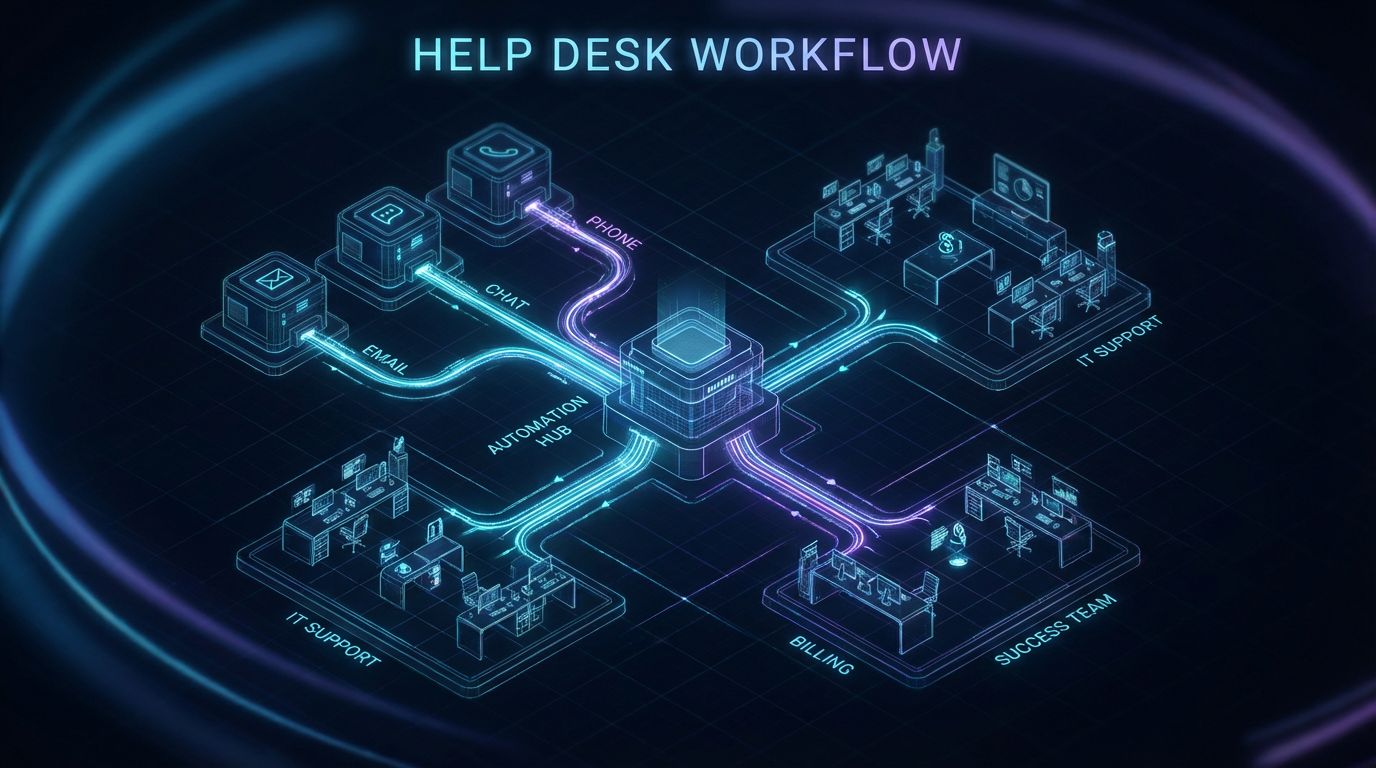
In practical terms, help desk automation means using rules, workflows, and AI to handle the repetitive parts of support. Tickets are automatically categorized, prioritized, routed, and often answered without a human reading every message.
True help desk automation software goes beyond simple macros or rules that insert canned replies. It includes routing engines, SLA timers, bots that surface knowledge base answers, and cross-system workflows that update CRM, billing, and identity tools automatically.
The outcome is simple: faster, more consistent support with less human effort per ticket, while agents focus on complex, high-value issues.
Manual Help Desks Today – What It Actually Looks Like
Most manual help desks look like this: tickets arrive via email or portal, land in a shared queue, and a human reads each one to decide what to do. Tagging is inconsistent, priorities are subjective, and routing happens via side-channels like Slack or Teams.
The consequences are predictable: slow first responses, missed SLAs, and a support experience that varies wildly depending on who triaged the queue that day. Agents burn out triaging basic requests while strategic projects and documentation always get postponed.
As volume grows, leaders respond by adding headcount instead of fixing the underlying system, which is exactly where smart automation pays off.
Where Automation Fits in the Tool Stack
Most modern ITSM and helpdesk platforms ship with embedded helpdesk automation tools: triggers, rules, workflows, and AI assistants. Think Zendesk, Freshdesk, Jira Service Management, and ServiceNow as the core transaction layer for tickets.
Help desk automation sits across the full lifecycle: ticket intake from email/chat/phone, automatic enrichment and routing, status updates, and in many cases full resolution for common issues. Bots are just one piece; the real leverage comes from orchestrated workflows connecting your help desk to CRM, identity, HR, and monitoring.
Done right, the end state is an automated customer support system that quietly does the boring work in the background instead of asking agents to be human routers.
Manual Ticket Triage vs Automated Routing & Workflows
How Manual Ticket Triage Works (and Breaks at Scale)
In a manual world, every ticket takes the same path: it hits a general inbox, an agent reads it line by line, then decides on category, priority, and assignee. If the context is missing, the agent sends a follow-up question, waits, and only then starts real work.
This creates high MTTR because the clock starts when the user submits but nothing meaningful happens until a human finds time to triage. SLAs get breached not because issues are hard, but because you are manually shuffling tickets between queues and teams.
Agents also waste time context-switching, bouncing between tools to look up account details, entitlement, or device information that could have been auto-attached.
What Automated Routing Actually Does
Automated routing replaces that ad hoc, human-only decision-making with explicit logic and AI. Tickets are analyzed on intake using fields like issue type, channel, priority, customer value, language, and sometimes sentiment.
For example, a billing issue from a strategic account submitted via chat during business hours can be routed directly to a senior team with a tighter SLA. Meanwhile, a routine password reset is routed to a low-cost channel or fully automated flow.
Intent-based routing uses natural language processing to classify what the user is asking for, even if they pick the wrong form option or leave fields blank. Sentiment can influence escalation paths, ensuring frustrated customers are not left waiting.
Common Automated Workflows in Modern Helpdesks
- Auto-tagging and assignment: Keywords, selected forms, or detected intents automatically set category, subcategory, and assignee group.
- SLA timers and escalations: Rules start timers based on priority and customer segment, then auto-escalate when thresholds are hit.
- Auto-responses with knowledge base links: For FAQs, the system replies instantly with curated answers and only opens a human ticket if the user still needs help.
- Lifecycle-driven updates: When CRM or billing status changes (e.g., churn risk, upgrade), related tickets update priority or assignee automatically.
If you want a deeper dive into how we design similar approval and routing flows in other domains, see our work on content approval workflows; the patterns are nearly identical.
Insert Table: Manual vs Automated Help Desk Workflows
| Dimension | Manual Workflow | Automated Workflow |
|---|---|---|
| First Response Time | Hours to a full day, depends on queue review | Instant for FAQs; minutes for routed tickets |
| MTTR (Mean Time to Resolution) | Highly variable; delays from misrouting and back-and-forth | 25–50% lower once routing and common flows are automated |
| Agent Time per Ticket | 5–15 minutes, including triage and context gathering | 2–7 minutes; triage and enrichment handled automatically |
| Consistency & Accuracy | Depends on the individual; high variance and errors | Standardized logic; repeatable classifications and SLAs |
| 24/7 Coverage | Limited; off-hours require on-call human review | Always-on triage and FAQ handling; humans handle true emergencies |
| Reporting & Insights | Basic metrics; hard to see patterns in routing errors | Fine-grained data on intents, flows, bottlenecks, and SLA breaches |
Expected MTTR, Agent-Time, and Cost Savings
How Automation Impacts MTTR (Mean Time to Resolution)
MTTR is simply the average time between a ticket being opened and fully resolved. In manual environments, MTTR balloons because of delays in triage, misrouting, and waiting for missing information.
Once you automate core routing, data enrichment, and common workflows, it is realistic to see 25–50% MTTR reduction on targeted ticket categories within a few months. Critical incidents benefit from faster routing to the right on-call team, while FAQs are handled without agent involvement.
The exact gains depend on how much of your volume is repetitive, how clean your data is, and how disciplined your processes are before automation.
Agent-Time Savings and Capacity Gains
The most immediate win from help desk automation is freeing agents from repetitive triage and basic questions. When 20–50% of tickets are auto-resolved or at least pre-triaged, agents can handle more complex tickets without burning out.
Many teams see senior agents reclaim 10–20 hours per week that were previously wasted on routing, data lookups, or writing the same responses. That time can be reinvested in documentation, root-cause analysis, and cross-team improvements.
Instead of growing headcount linearly with ticket volume, automation lets you absorb more growth with the same or only slightly larger team.
Illustrative Cost Model
Consider two scenarios: a 500-tickets-per-day environment and a 2,000-tickets-per-day environment. In a manual setup, you need enough agents to read and process every single ticket end-to-end.
With a mature automated customer support system, high-volume categories are auto-resolved or pre-filled so humans only do the specialized work. The result is fewer FTEs required for the same volume, or the ability to handle more volume without adding headcount immediately.
The table below uses illustrative but reasonable numbers for a mid-market B2B support or IT team.
Insert Table: Cost of Manual Support vs Automated Support System
| Automation Level | Tickets per Agent / Day | Approx. FTE Needed (500 Tickets / Day) | Est. Monthly Labor Cost* (500 Tickets / Day) | Target % Auto-Resolved or Auto-Routed |
|---|---|---|---|---|
| 0% Automation (Manual) | 30–40 | 13–17 FTE | $91k–$119k (at $7k/agent/month loaded) | 0–10% |
| ~30% Automation (Basic Rules & FAQs) | 45–55 | 9–11 FTE | $63k–$77k | 25–35% |
| 60%+ Automation (Mature System) | 70–90 | 6–8 FTE | $42k–$56k | 50–70% |
*Numbers are illustrative, assuming a blended fully-loaded cost of $7,000 per agent per month.
These savings do not come from buying another tool alone. They come from designing the right workflows and integrations, then implementing them cleanly and iterating.
Key Integrations: ITSM/Helpdesk, CRM, and Beyond
Core Systems in a Modern Support Stack
A realistic automation blueprint starts with an honest map of your stack. For most teams, the core components look like this.
- ITSM/Help desk: Zendesk, Freshdesk, Jira Service Management, ServiceNow, or similar.
- CRM: Salesforce, HubSpot, Pipedrive, or other systems of record for customers and accounts.
- Communication channels: Email, in-app chat, web chat, SMS, Slack/Teams, and phone/IVR.
- Identity & access: Okta, Entra ID (Azure AD), Google Workspace, and similar IdPs for SSO and provisioning.
Help desk automation sits on top of this foundation, orchestrating data and actions across systems instead of forcing agents to swivel-chair between them.
Why ITSM/Helpdesk <> CRM Integration Is Non-Negotiable
Without tight helpdesk <> CRM integration, your routing logic is flying blind. High-value customers, at-risk accounts, and complex implementations all look identical in the ticket queue.
With good integration, routing and SLAs can be driven by plan tier, MRR, lifecycle stage, and health score. For example, you can route P1 tickets from strategic accounts directly to senior teams with shorter SLA clocks, while long-tail tickets follow a different path.
Our broader work on CRM integration & automation for lead generation uses the same playbook: define the data model, map key events, then automate the handoffs and updates between systems.
Other High-ROI Integrations
- Identity management (IdP) for access/password tickets: Connect Okta/Entra/Google so password resets and access grants can be automated or at least pre-filled.
- HRIS for onboarding/offboarding: Connect Workday, BambooHR, or similar so new hire and offboarding workflows automatically generate the right IT tasks and tickets.
- Monitoring and alerting: Integrate tools like Datadog, PagerDuty, or CloudWatch so incidents auto-create enriched tickets with logs and context.
Each of these integrations removes a manual lookup or approval step that otherwise requires human coordination and slows resolution down.
Technical & Governance Considerations
Integration-heavy help desk automation lives or dies on data quality and governance. You need clear rules around which system is the source of truth for what, and how conflicts are handled.
On the technical side, attention to permissions, least-privilege access, and audit logs is non-negotiable when connecting help desk, CRM, and identity. Error handling and retries should be part of the design, not an afterthought.
This is exactly why DIY routing rules and homegrown scripts tend to be fragile; they grow organically without an overall architecture or ownership model.
Why DIY Help Desk Automation Usually Fails
Tool Features ≠ Working System
Buying help desk automation software or turning on a vendor’s AI add-on does not equal having a working system. Most platforms expose triggers, rules, and bots, but they do not tell you how to design your flows.
Vendors showcase features and high-level benefits, not the ugly details of mapping your specific ticket types, queues, and integrations. The result is teams with powerful tools but very little automation actually running in production.
Real leverage comes from a coherent design: clear intents, routing matrices, escalation logic, and documented workflows that your team can understand and evolve.
Common DIY Failure Modes
- Overcomplicated or conflicting rules: Rules added over time by different admins conflict, creating loops or dead-ends that are hard to debug.
- Broken escalations: SLA breaches go unnoticed because triggers are misconfigured or dependent on missing fields.
- Frustrating bots: Chatbots gatekeep support with irrelevant questions, causing users to bypass them and go straight to email or phone.
- Incomplete integrations: Partial CRM or IdP integration means only some tickets are enriched, leading to inconsistent routing.
- No feedback loops: Automation is a one-off project with no monitoring, so broken flows go unnoticed and adoption stalls.
Hidden Costs of DIY
The direct cost of licenses is obvious; the hidden cost is the months of senior agent and admin time spent experimenting with configurations that never fully land. While your team learns by trial and error, your customers and internal users live with inconsistent experiences.
Many organizations end up underusing their helpdesk automation tools because early attempts generated edge-case failures and lost trust. That translates into wasted spend and a continued reliance on manual triage.
By contrast, a structured implementation gets you to a stable baseline faster and avoids burning political capital on half-baked bots or brittle rules.
When It Makes Sense to Bring in a Specialist
Bringing in a specialist usually makes sense when you have at least a few hundred tickets per day, multiple teams or queues, and more than one core system (help desk + CRM + IdP at minimum). At that point, process design matters more than just buying another tool.
Very large enterprises may have internal automation teams that can play this role, but most mid-market organizations do not. AiBizBuild steps in as a neutral workflow architect and implementer rather than yet another SaaS vendor.
We have seen the same patterns repeatedly across support, IT, and even B2B sales automation, which means you are not starting from scratch.
Use Case: IT Helpdesk Automation for Internal Support
Scenario Overview
Consider an internal IT helpdesk serving 500–2,000 employees across multiple locations, with a mix of on-site and remote workers. The environment is typical: dozens of SaaS tools, SSO via Okta or Entra ID, and company-issued laptops.
Ticket categories skew heavily toward password resets, access requests, device issues, software installs, and VPN/connectivity problems. Volume spikes on Mondays, new hire days, and around big product or policy changes.
This is a classic fit for it helpdesk automation because a large share of requests are repetitive and follow strict policies.
Manual Workflow (Before)
Today, many internal IT teams handle tickets like this.
- User emails a generic IT address or fills a basic form with minimal categorization.
- An IT generalist scans the queue, interprets each request, tags it, and assigns it to a specialist or team.
- If the request is unclear (which is common), the agent sends a follow-up email or chat, then waits for a response.
- For access or installs, the agent checks HRIS and IdP to verify eligibility, then manually provisions or forwards the request for approval.
- Once resolved, the agent manually updates the ticket, emails the user, and closes the case.
The result: MTTR for routine issues can easily stretch to 1–3 days, and IT spends a disproportionate amount of time on low-complexity tasks.
Automated Workflow (After)
With a well-designed help desk automation layer, the same environment can work very differently.
- User submits a request via portal or Slack/Teams with a structured form tailored to the request type (password, access, device, software).
- On submission, automation validates required fields, classifies the ticket, and enriches it with user, device, and HRIS data.
- For known FAQs (e.g., VPN setup), the system sends an instant response with step-by-step KB articles and only opens a ticket if the user still needs help.
- For password or specific access requests, the workflow calls IdP or MDM APIs to reset passwords, add to groups, or trigger curated approval chains automatically.
- Throughout, users receive automated status updates, and once resolved, tickets auto-close after a short confirmation window with a CSAT prompt.
Agents now spend the bulk of their time on edge cases, chronic issues, and high-impact incidents instead of triaging basic tasks.
Metrics Before & After
In a typical internal IT setup, realistic target deltas might look like this.
- 50–70% of password resets auto-resolved without any human touch.
- 25–40% reduction in MTTR for P2 tickets like access and software installs.
- 30–50% fewer tickets needing manual triage because they are correctly categorized and routed at intake.
These are not guarantees, but they are common ranges when it helpdesk automation is implemented with good process design and decent integrations.
Implementation Steps for This Use Case
For internal IT, a focused roadmap might look like this.
- Audit current categories & volumes: Export 3–6 months of ticket data, group by intent, and identify the top 5 repetitive categories.
- Design routing & escalation matrix: Define which team handles what, what data they need, and how SLAs differ by severity and user group.
- Select pilot automations: Start with password resets, standard access requests, and one or two software installs.
- Integrate core systems: Connect ITSM/helpdesk to IdP, HRIS, and Slack/Teams for intake and notifications.
- Launch pilot, then refine and scale: Roll out to a subset of users or locations, measure MTTR and auto-resolution rates, then extend coverage.
This is exactly the type of targeted use case AiBizBuild maps and executes during a Help Desk Automation & Workflow Audit.
Vendor Selection & Evaluation Checklist
Types of Help Desk Automation Software
When you search for help desk automation software, you are really looking at three overlapping categories. Understanding the difference helps you avoid buying redundant tools.
- All-in-one help desk platforms: Zendesk, Freshdesk, Intercom, and similar tools that bundle tickets, knowledge base, and automation features.
- ITSM-focused platforms: Jira Service Management, ServiceNow, and others tuned for internal IT processes, change management, and asset tracking.
- Add-on automation/orchestration tools: Workflow engines, chatbots, and RPA platforms that sit alongside your help desk to orchestrate more complex flows.
Most organizations already own at least one tool from the first two categories; the question is how to use their helpdesk automation tools more effectively before adding more vendors.
Capabilities to Look For
Regardless of vendor, there are a few capabilities that matter far more than any AI marketing language.
- Routing flexibility: Support for skills-based, intent-based, and priority-based routing, ideally with simulation/testing tools.
- Automation builder UX: A no-code or low-code builder that non-developers can use safely, with version control and rollback.
- Reporting & observability: Clear visibility into which automations are running, success/failure rates, and their impact on MTTR and SLAs.
- API & integration robustness: Reliable webhooks, APIs, and native connectors for your CRM, IdP, HRIS, and communication stack.
Evaluation Questions to Ask Vendors
When you talk to vendors, ask questions that cut through the demos and address implementation reality.
- What does a typical implementation timeline look like for a team of our size and complexity?
- Do you provide implementation resources, or do we need a partner to design workflows and integrations?
- How deep is your integration with our CRM and IdP (fields, events, permissions, and bi-directional sync)?
- How do we test, version, and roll back automation rules safely?
- Can you share case studies with concrete MTTR and auto-resolution improvements for customers similar to us?
- What guardrails exist to prevent bots and rules from breaking core SLAs?
Where External Implementation Partners Fit
Vendor professional services teams are good at standing up their own product, but they are not always incentivized to design cross-vendor workflows. An external partner like AiBizBuild is tool-agnostic and focused on outcomes across your entire stack.
We treat help desk automation as an ongoing program, not a one-time setup. Tools are chosen infrequently, but workflows, routing rules, and integrations evolve constantly as your business and products change.
That is why our emphasis is on CRM Integration & Inbox Management and related services instead of reselling help desk licenses.
From Tools to Systems: How AiBizBuild Helps
Why a Workflow-First Approach Beats a Tool-First Approach
Most teams come to us already owning multiple helpdesk automation tools and AI add-ons. The problem is not the lack of features; it is that the features are not wired together into a coherent system.
A workflow-first approach starts by mapping how tickets should move across your organization, then configuring tools to support that flow. In other words: process and integrations first, tools second.
That same philosophy underpins our work in areas like B2B sales automation; we bring those proven design patterns into your help desk environment.
What We Actually Do (Aligned to Approved Services)
AiBizBuild is not selling you a new ticketing platform. Instead, we design and implement automation on top of the help desk and CRM you already have.
- CRM Integration & Inbox Management: This is the core service for help desk automation — designing routing logic, syncing ticket and contact data between help desk and CRM, and building intelligent inbox workflows for different teams.
- AI Voice Agents (Inbound/Outbound): For phone-heavy environments, we add voice agents that capture call intents, create or update tickets, and deflect simple calls into self-service or callbacks.
- 24/7 Appointment Booking Systems: For issues that require onsite visits or scheduled callbacks, we embed automated scheduling directly into tickets or bot flows.
Across all of this, our goal is a dependable automated customer support system, not just a nicer queue.
Our Implementation Blueprint (30/60/90 Days)
We typically structure help desk automation projects in 30-day phases so you get value early while laying a solid foundation.
- Days 0–30: Discovery & Design
We audit your current tools, ticket data, and key workflows; map current-state vs ideal-state flows; and define your routing matrix, SLA model, and integration plan. - Days 31–60: Build & Pilot
We implement and test automations for 2–3 high-volume categories (e.g., password resets, simple billing questions, standard access requests) and wire up core integrations. - Days 61–90: Scale & Govern
We expand automation coverage, refine dashboards for MTTR and auto-resolution metrics, and set up governance for ongoing rule changes and experimentation.
By the end of 90 days, you have a working system, not just a backlog of ideas.
What a Help Desk Workflow Audit Includes
Our Help Desk Automation & Workflow Audit is the on-ramp for most clients. It focuses on clarity and prioritization before heavy implementation.
- Current-state workflow map across channels, teams, and tools.
- Quantitative analysis of ticket categories, volumes, and MTTR/SLAs.
- Prioritized automation backlog with quick wins and longer-term plays.
- Integration gap assessment across help desk, CRM, IdP, HRIS, and comms tools.
- ROI model and recommended phased rollout plan for the next 90 days.
This gives you a concrete, implementation-ready blueprint whether you continue with us, your internal team, or another partner.
CTA
If you are serious about reducing MTTR and reclaiming agent time, the next step is simple. Rather than buying yet another tool, book a Help Desk Workflow Audit and get a clear, opinionated plan for your environment.
We will walk your team through real ticket data, propose concrete automations, and show how CRM Integration & Inbox Management plus targeted add-ons like AI Voice Agents and 24/7 Appointment Booking Systems fit together. If you prefer to see patterns first-hand, you can also request a demo of our Help Desk Automation blueprints.
FAQs
How long does it take to implement help desk automation end-to-end?
For most mid-market teams, a realistic timeframe is 4–12 weeks, depending on complexity. The first 2–4 weeks cover discovery, data analysis, and workflow design; the next 4–8 weeks focus on building, piloting, and iterating automations.
Very large, multi-region environments or heavily regulated industries may require additional time for approvals, security reviews, and staged rollouts. Starting with a well-defined pilot scope helps you demonstrate value quickly while de-risking the broader program.
Do we need developers to maintain helpdesk automation tools?
Most modern helpdesk automation tools offer no-code or low-code builders, so day-to-day rule adjustments do not require engineers. However, complex integrations and advanced workflows often benefit from developer involvement or a technical partner, especially when connecting to CRM, IdP, or internal systems.
AiBizBuild typically handles the heavier implementation and integration work, then equips your internal admins to own ongoing tweaks and incremental changes. That balance keeps you agile without requiring a full-time development team for support automation.
What MTTR and cost savings can we realistically expect from help desk automation?
Most teams that commit to a structured automation program see 25–50% MTTR reduction on targeted ticket types and a noticeable drop in SLA breaches. Agent capacity typically increases by 20–40% as repetitive triage and FAQs are automated.
Cost savings show up as slower headcount growth relative to ticket volume, rather than immediate layoffs. Actual results depend heavily on your ticket mix, data quality, and how disciplined you are in designing and measuring workflows.
Is an automated customer support system secure and compliant?
Yes, but only if security and compliance are part of the design from day one. That means enforcing least-privilege access between systems, using SSO and role-based permissions, and ensuring all automations leave an audit trail of actions taken on tickets and accounts.
When integrating help desk and CRM with identity and HRIS, you should also review data residency, encryption, and vendor compliance (e.g., SOC 2, ISO 27001) requirements. A structured implementation will document these considerations and design flows that respect them.
Can we start small with automation and expand later?
Starting small is usually the smartest approach. Most successful programs begin with 2–3 high-volume, low-risk ticket types, measure impact on MTTR and auto-resolution, and then expand to more complex categories.
AiBizBuild’s 30/60/90-day blueprint is built around this phased model: quick wins first, then scale. That way you build internal trust in automation while collecting real data to guide future investments.