

Shopify Order Management: Automating Fulfillment & Warehouse Workflows That Actually Scale
Key Takeaways
– Manual shopify order management creates routing errors, slow returns, and warehouse bottlenecks once you pass a few dozen orders per day.
– Combining Shopify’s built-in tools with an automated shopify order management system and warehouse management system Shopify integration can cut handling time by 30–60% and drastically reduce errors.
– AiBizBuild designs and implements the automation layer for you—turning Shopify, your shopify order management software, and WMS into a cohesive operating system so your team doesn’t have to fight with rules and settings.
In This Guide:
⚙️ What Shopify Order Management Really Involves – The full workflow beyond just clicking “Fulfill”
🧱 Manual vs Automated Fulfillment Workflows – Where manual routing, returns, and warehouses break
❌ Why DIY Shopify Automation Fails at Scale – The hidden costs of configuring everything yourself
🏭 Shopify Order & Warehouse Management Use Cases – Real automation templates for routing, SLAs, and returns
📈 Implementation Blueprint: From Chaos to an Automated Shopify OMS + WMS – A phased roadmap from audit to optimization
📊 ROI: Labor, Time, and Error Reduction – Before/after metrics and payback windows
🛠️ How AiBizBuild Implements Your Shopify Order & Warehouse Automation – A phased roadmap from audit to optimization
📚 Related Automation Resources for Scaling Ops – Further reading on workflow automation
❓ FAQs on Shopify OMS & WMS Automation – Practical answers for ops and ecommerce leaders
🚀 Next Steps: Turn Shopify into a Real Operations Engine – How to move from tools to a true system
If you are running more than a few dozen orders a day, shopify order management is no longer about clicking “Fulfill” and printing labels. It becomes an orchestration problem across channels, warehouses, 3PLs, and edge cases that can quietly consume hundreds of hours a month. The brands that scale smoothly are the ones that treat fulfillment as a designed operating system, not a patchwork of apps and spreadsheets.
What Shopify Order Management Really Involves
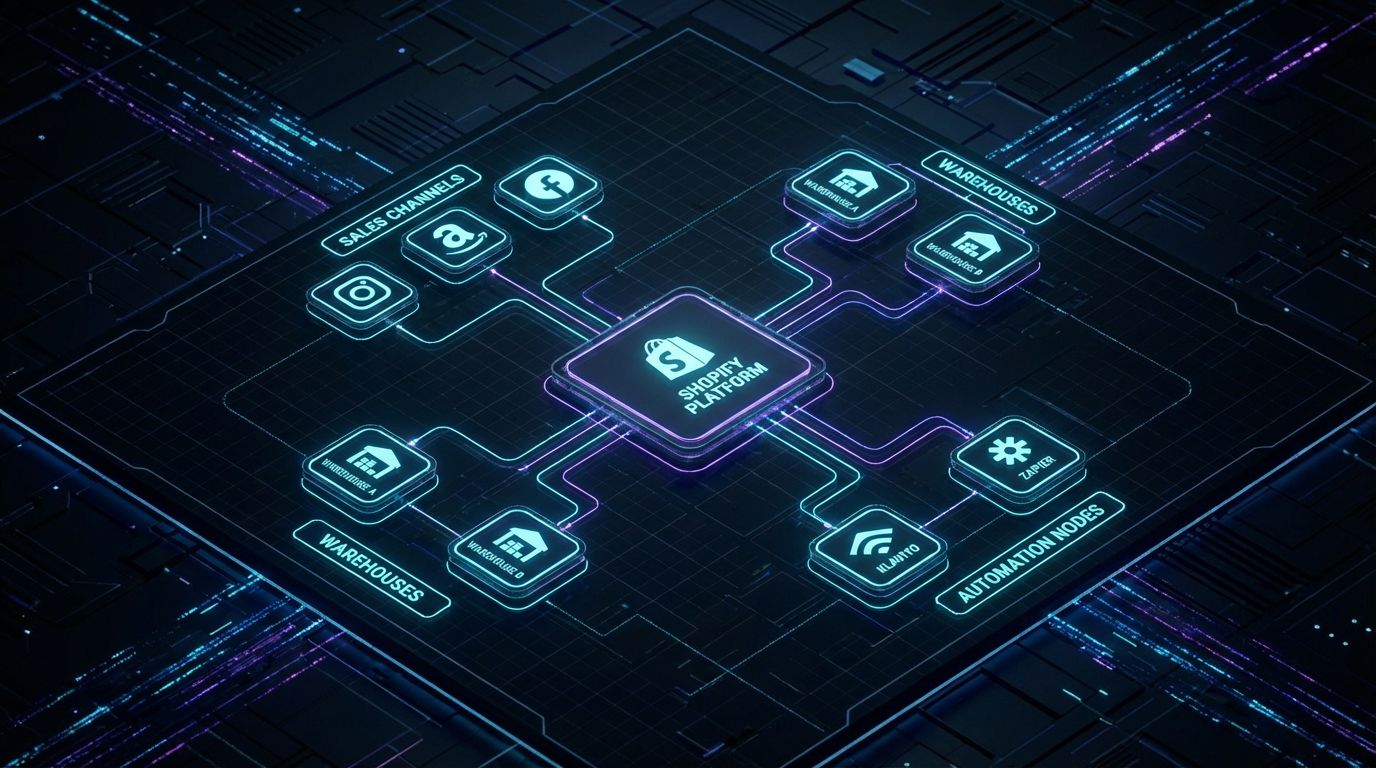
Most teams underestimate how many moving parts sit inside “order management” until something breaks during a peak. A real operating model has to account for every touch from order creation to final settlement and potential return. Let’s define that scope before we talk tools.
Beyond Clicking “Fulfill”: The True OMS Scope in Shopify
At minimum, an effective OMS for Shopify has to ingest orders from all channels, normalize them, and apply consistent business rules. That includes payment capture, fraud screening, routing to the right warehouse or 3PL, and pushing clean pick lists and labels to the floor. It also includes proactive notifications, delivery confirmations, and structured pathways for exchanges, refunds, and warranty replacements.
In practice, that means you are orchestrating several workflows at once. Orders flow in from Shopify storefront, marketplaces, B2B portals, and sometimes offline channels. Then your team has to manage preorders and backorders, bundle logic, split shipments, partial fulfillments, and cancellations without creating chaos in inventory and customer communication.
Where Shopify Ends and Your Processes Begin
Shopify and modern shopify order management software are powerful, but they are still toolboxes. They can tag, route, and sync data incredibly fast, but they do not know your SLAs, margin structure, or warehouse constraints until someone encodes that logic. This is the gap where most DIY setups fall apart.
Out of the box, Shopify gives you locations, shipping profiles, basic automation, and access to third-party apps. What it does not give you is a cohesive blueprint for how orders should move across those components when you add multiple warehouses, 3PLs, and return flows. That blueprint—your operating model—is where an architected shopify order management system pays off.
The Role of a Warehouse Management System Shopify Integration
Shopify is not a full warehouse management system, and it should not try to be. A proper warehouse management system Shopify integration gives you bin-level inventory, directed picking, put-away logic, and real-time capacity awareness inside the warehouse. Shopify remains the system of record for orders and customers, while the WMS is the system of record for physical movement.
In a well-designed shopify warehouse management setup, inventory levels and allocations sync continuously, and location priorities are enforced automatically. The WMS receives clean, pre-routed orders with all exceptions pre-flagged, which is what enables high throughput with low error rates. When that loop is tight, your floor team can focus on execution instead of hunting for answers in Slack and email.
Manual vs Automated Fulfillment Workflows

Almost every scaling brand starts with a manual workflow and then tries to bolt on automation in a hurry. That is why you see so many fire drills around cut-off times, promos, and new channel launches. The contrast between an ad-hoc process and a designed automated flow is stark.
The Manual Reality: Routing, Returns, and Warehouse Chaos
In a manual environment, routing decisions live in someone’s head or a shared spreadsheet. Ops managers filter orders in Shopify, export CSVs, slice them by region or SKU, then email or Slack the warehouse about what goes where. Carrier selection is often based on habit rather than live rate and SLA logic.
Returns are even more fragile. Customers email support, someone checks eligibility by hand, issues RMAs manually, and then remembers to adjust inventory and issue refunds days later. Every exception—backorder, address issue, high-risk order—requires a human to notice and act, which is exactly why things get missed when volume spikes.
What an Automated Shopify Order Management System Looks Like
An automated shopify order management system replaces ad-hoc human decision-making with tested, visible rules. Orders land in Shopify, get enriched with tags and risk signals, and are routed to the right location based on inventory, distance, and SLA requirements. Warehouse teams receive prioritized queues with clear flags for VIP, rush, or review-required orders.
Returns move through a self-service portal with embedded business rules, automatically creating RMAs, labels, and restock or disposal tasks. Exceptions such as preorders, split shipments, or international compliance requirements are handled by dedicated flows instead of case-by-case heroics. The result is fewer decisions per order and far fewer opportunities for errors.
Insert Table: Manual Fulfillment vs Automated Shopify Order Management
| Aspect | Manual Shopify Order Handling | Automated Shopify Order Management System |
|---|---|---|
| Routing setup | Spreadsheet rules, human decisions per batch, inconsistent application. | Rule-based routing by location, inventory, SLA, and cost with no manual steps. |
| Returns handling | Email tickets, manual eligibility checks, delayed refunds and restocks. | Self-service portal with rules for approval, RMA creation, and disposition tasks. |
| Warehouse coordination | CSV exports, Slack threads, verbal instructions, frequent miscommunication. | Direct WMS integration with prioritized pick queues and clear exception flags. |
| Error rate | Higher mis-routed orders, mis-picks, and missed SLAs when volume spikes. | Consistently lower errors due to standardized, tested flows. |
| Average handling time per order | Several minutes of human touch per order across routing, picking, and returns. | 30–60% faster handling with minimal manual decision-making. |
| Scalability | Breaks down beyond a few dozen orders a day or new channel/warehouse launches. | Designed to absorb new channels, warehouses, and rules with minimal rework. |
Why DIY Shopify Automation Fails at Scale
Most teams only discover the limits of DIY automation when they hit a holiday peak or sign a big retail account. By then, the stakes are high and every mis-routed order is expensive. The problem is not Shopify itself but the lack of a robust, tested design behind the flows.
Configuration Complexity: Smart Routing, Flows, and Multi-Location Inventory
Configuring smart routing across multiple locations and 3PLs is not just a matter of turning on an app. You are encoding rules about stock buffers, shipping promises, margin protection, and regional restrictions that interact in non-obvious ways. A poorly thought-out rule can silently over-allocate inventory, bypass your cheapest warehouse, or break your SLA in specific scenarios.
Add Shopify Flow or similar automation tools on top, and the graph becomes more complex. When one flow tags an order, another uses that tag to route, and a third triggers notifications, you need a system-level view. Without that, you end up with “spaghetti automation” that only one person truly understands, which is a serious operational risk.
Hidden Failure Modes: Edge Cases, Returns, and Exceptions
DIY configurations often work for the 80% case but collapse on the edge cases that matter most to customer experience. Preorders, backorders, bundle SKUs, and partial shipments require nuanced logic to avoid double shipping or overselling. International orders and high-value orders introduce compliance, fraud, and customs considerations that must be captured in the flow.
Returns and exchanges multiply this complexity. If you do not explicitly define how different return reasons, product conditions, and time windows affect eligibility, your team will improvise. That improvisation shows up as inconsistent outcomes for customers and messy inventory data for finance and planning.
The Real Cost of DIY: Hours, Errors, and Customer Experience
From a pure time perspective, it is common to see teams burning 40–80 internal hours per month on manual routing, exception handling, and order-related support. That is one to two FTEs effectively spent as a human glue layer between Shopify, apps, and warehouses. Each mis-ship or missed SLA also carries hard costs in reships, discounts, and churn.
There is also the cost of fragility. When the one person who “knows the flows” goes on vacation or leaves, the risk to the business is disproportionate. A well-architected system distributes knowledge into the design itself, with clear documentation and observable metrics instead of tribal know-how.
Shopify Order and Warehouse Management Use Cases
To make this concrete, let’s walk through common patterns where a robust shopify order management design has immediate impact. Each use case below is a template we adapt when designing systems for clients. The details change, but the structure is consistent.
Use Case #1 – Smart Order Routing Across Multiple Warehouses and 3PLs
When you have multiple locations, your routing logic needs to balance stock availability, delivery speed, and shipping cost. It also needs to maintain stock buffers and avoid overloading a constrained warehouse. Here is an example of rule-based routing logic layered on Shopify.
Example pseudo-logic:
- If order destination region = West Coast AND LA warehouse inventory for all SKUs ≥ buffer → route to LA warehouse.
- Else if destination region = East Coast AND NJ warehouse inventory for all SKUs ≥ buffer → route to NJ warehouse.
- Else if any line item is out of stock in owned warehouses AND 3PL X has full availability → route to 3PL X with 2-day SLA.
- Else tag as exception_routing_required and notify #ops-routing Slack channel.
This is where an integrated shopify warehouse management setup with a WMS or 3PL portal is essential. Shopify holds the logic and tags, while the WMS executes on prioritized queues that reflect your rules. The net effect is fewer manual decisions per order and much more predictable shipping performance.
Use Case #2 – Automated Returns Handling with Clear Rules and Workflows
Returns are where most brands leak margin and burn team capacity. A well-designed returns flow uses automation to separate straightforward cases from those that truly need human judgment. That requires encoding business rules, not just installing a portal app.
Example pseudo-logic:
- If return reason = “Size issue” AND product condition = “Unopened” AND order age ≤ 30 days → auto-approve, issue store credit, generate RMA and label.
- If return reason = “Defective” AND order age ≤ 60 days → auto-approve, require photos, generate RMA, and create internal task for QA on receipt.
- If product is marked as “Final sale” OR order age > policy window → auto-decline with policy-based message.
- On receipt scan in WMS, if condition = “Resellable” → restock to bin; else → move to “seconds” or disposal location and adjust inventory.
When this logic is wired into both your shopify order management software and WMS, your team stops debating each case and instead monitors exception queues. That alone can reclaim dozens of hours per month from support and ops while making policies feel more consistent to customers.
Use Case #3 – Priority Handling for High-Value or High-Risk Orders
Not all orders are equal. High-value orders, VIP customers, or high-risk fraud scores should trigger different workflows than standard orders. That is where tagging, queues, and notifications work together.
Example pseudo-logic:
- If order total > $300 AND destination in EU → route to Warehouse B, set shipping method = Express, and tag vip_eu_express.
- If fraud_score ≥ threshold OR AVS mismatch = true → tag high_risk_review, hold fulfillment, and create task for manual review.
- If customer lifetime value ≥ VIP threshold → tag vip_customer, auto-upgrade shipping by one tier, and trigger notification to CX team.
These flows mirror the “automated approval workflows” patterns we use in other domains. The system triages and routes automatically, and humans focus only on cases where their judgment adds real value.
Use Case #4 – B2B vs DTC Logic in a Single Shopify Setup
Many brands run B2B and DTC through the same Shopify instance, which is efficient but dangerous without clear segmentation. Wholesale orders often have MOQs, palletization, and scheduling needs that are totally different from single-parcel DTC. Your automation needs to reflect that.
Example pseudo-logic:
- If customer tag = b2b AND order total units ≥ MOQ → route to B2B warehouse, group by destination, and set fulfillment date to requested ship window.
- If customer tag = b2b AND order contains mixed DTC/B2B SKUs → split order into two fulfillments with separate routing rules.
- If customer tag ≠ b2b → apply standard DTC routing and carrier selection rules.
With this in place, a single Shopify plus integrated WMS stack can serve both business models without constant manual intervention. That is where a designed shopify order management architecture becomes a strategic asset, not just an IT project.
Implementation Blueprint: From Chaos to an Automated Shopify OMS + WMS

Competitors rarely show you how to get from your current mess to a robust architecture. They talk about features, not implementation. At AiBizBuild, we treat this as a repeatable, 4-phase engagement inside our E-commerce Operations (Shopify/Amazon) service.
Phase 1 – Audit and Mapping of Orders, Inventory, and Warehouses
We start with a detailed mapping of your current order flows, channels, warehouses, and 3PLs. That includes how orders are tagged, how exceptions are handled, and where spreadsheets or Slack conversations are filling gaps. We also baseline key metrics like handling time per order, error rates, and WISMO ticket volume.
This phase typically takes 1–2 weeks depending on complexity and stakeholder availability. The output is a clear picture of your existing de-facto workflow and a list of failure modes that must be addressed. Think of it as turning tribal knowledge into a documented process map.
Phase 2 – Workflow Design: Routing, SLAs, and Exceptions
Next we design your target operating model across Shopify, your OMS apps, and WMS/3PL stack. We define routing logic, SLA tiers, exception handling paths, and return policies as explicit decision trees. This is where we choose which automation patterns to reuse from our internal library versus what needs custom design.
This design phase usually takes 1–2 weeks including review cycles with your ops and CX leads. The output is a blueprint document and configuration plan that can be implemented without guesswork. It is the equivalent of an architectural drawing before you start building the house.
Phase 3 – Build & Integrate: Shopify, WMS, 3PLs, and Notifications
With the blueprint approved, we implement the flows using Shopify, your chosen shopify order management software, and WMS integrations. That includes Shopify configuration, automation rules, tagging structures, and connections to 3PL portals or warehouse systems. We also wire in notifications for Slack, email, or ticketing tools so exceptions surface where your team already works.
This build-and-test phase typically runs 2–4 weeks depending on the number of warehouses and channels. We run structured test orders, simulate edge cases, and partner with your warehouse leads to validate floor-level usability. The goal is that day-one rollout feels like a controlled upgrade, not a risky experiment.
Phase 4 – Monitoring, Optimization, and Continuous Improvement
Once live, we monitor key metrics like pick/pack time, error rates, and WISMO volumes in a structured way. We then iterate monthly or quarterly to refine rules, add new scenarios, and adapt to channel or product changes. This turns your fulfillment model into a living system instead of a one-off project.
This is also where we cross-pollinate patterns from other domains, such as the automated editorial workflow systems we build for content teams. The same principles—map, design, automate, optimize—apply whether you are moving SKUs or content assets.
ROI: Labor, Time, and Error Reduction with Automated Shopify Order Management
Automation for its own sake is pointless. The reason to invest in a designed shopify order management system is measurable savings in labor, error reduction, and throughput. Let’s quantify what we typically see.
Baseline Metrics: What We Typically See Before Automation
Before automation, it is common for 20–40% of orders to require some manual touch—routing, address verification, tag adjustments, or exception handling. Average handling time per order can sit around 5–10 minutes when you include back-and-forth with warehouses and support. Error or mis-shipment rates of 1–3% are not unusual, especially in multi-warehouse setups.
On the support side, a large portion of tickets are WISMO and return-status inquiries that exist only because the underlying system is opaque. That not only adds headcount but also clutters your support queue, delaying truly complex issues. This is the baseline we benchmark against when we implement automation.
Impact of an Integrated Shopify Order Management System and WMS
With a well-integrated OMS and WMS, we typically see 30–60% reduction in manual handling time per order. Shipping errors and mis-routed orders often drop by 40–70% once routing and picking logic are standardized. WISMO and order-status tickets usually fall by 30–50% when tracking and exception updates are automated.
These are not overnight miracles; they are the predictable result of removing decision points and enforcing consistent rules. Over a year, that translates into hundreds of hours freed for your team to focus on growth, planning, and supplier management instead of firefighting. That is the compounding ROI of a system approach, similar to building a scalable SEO content generation system instead of writing ad-hoc blog posts.
Insert Table: Cost of DIY vs Done-For-You Shopify Automation
| Cost Component | DIY Setup (Internal Team) | AiBizBuild Done-For-You |
|---|---|---|
| Setup time | 6–12 weeks of intermittent work around other priorities. | 3–8 weeks in a structured, phased project. |
| Internal hours spent | 40–80 internal hours on research, configuration, and debugging. | Focused stakeholder time for decisions and testing, minimal technical work. |
| Opportunity cost | Ops and CX leaders pulled away from strategic work to troubleshoot flows. | Leaders stay focused on priorities while specialists handle architecture. |
| Configuration quality | Inconsistent, app-by-app setup with limited testing of edge cases. | System-level design tested across routing, returns, and exceptions. |
| Time-to-value | Benefits appear slowly as issues are discovered and patched. | Structured go-live with immediate, visible reductions in manual work. |
Example: From 3 FTEs Firefighting Orders to a Lean, Automated Ops Team
Consider a mid-sized brand running ~1,500 orders per day across DTC and a couple of marketplaces. Before automation, they had roughly three FTEs spending most of their week on routing, resolving warehouse questions, and handling order-related tickets. They also struggled every time they added a new 3PL or launched a promotion.
After implementing an integrated shopify order management and WMS setup, manual touches dropped by more than half, and one FTE was fully reallocated to inventory planning and supplier management. WISMO tickets fell significantly, and new locations could be added by copying proven routing templates. That is what it looks like when your fulfillment stack becomes a system instead of a patchwork.
How AiBizBuild Implements Your Shopify Order & Warehouse Automation
AiBizBuild is not another Shopify app. We are a systems partner that designs and implements your fulfillment operating system through our E-commerce Operations (Shopify/Amazon) service, so your team does not have to become automation architects on top of their day jobs.
What’s Included in AiBizBuild’s E-commerce Operations (Shopify/Amazon) Service
Our engagement covers workflow discovery and design, Shopify configuration, integration with your WMS and 3PLs, and the build-out of automation rules and exception flows. We standardize tagging, routing, and returns logic so they are visible and maintainable. We also set up monitoring dashboards so you can see the impact in handling time, errors, and ticket volume.
Depending on your needs, we can also coordinate with your CX tooling for tighter order and returns communication, leveraging our experience in CRM integration and inbox management. The end result is an order and warehouse stack that behaves like one cohesive system instead of a series of disconnected screens.
Who This Is For (And Who It’s Not For)
This service is best suited for brands processing at least a few hundred orders per day, often across multiple channels or warehouses. If you are working with one or more 3PLs, operating your own DC, or managing both B2B and DTC flows, you are squarely in the zone where a designed system pays off. Teams with formal SLAs, strict delivery promises, or aggressive growth plans benefit the most.
If you are running a small, single-warehouse store with low order volume, you may not need this level of architecture yet. Shopify’s native tools and a simple app or two can carry you a long way. We are focused on brands where the cost of errors, delays, and manual work is already material.
What a Workflow Audit / Demo Looks Like
Our preferred starting point is a low-friction Workflow Audit or Ecommerce Ops Automation Demo. In that session, we map your current Shopify order and warehouse flows at a high level, highlight failure points, and show you what an automated architecture could look like. You see concrete examples of routing, returns, and exception flows tailored to your footprint.
From there, we outline a phased implementation plan with timelines and responsibilities. You walk away with clarity on the gap between your current setup and a robust system, plus a concrete proposal for how AiBizBuild can close it. To explore this for your brand, you can Book a Workflow Audit or Request an Ecommerce Ops Automation Demo with our team.
How This Differs from Just Installing Another Shopify App
Installing an app adds a tool; designing a system changes how work flows through your business. We do not just flip switches in a routing or returns app and hope for the best. We architect how Shopify, your shopify order management software, WMS, and communication tools interact end to end.
That means fewer brittle dependencies, less reliance on a single “Shopify expert” internally, and a clearer path to scaling as you add channels and warehouses. It is the difference between a pile of components and a functioning machine.
Related Automation Resources for Scaling Ops
If you are rethinking your fulfillment stack, you are likely rethinking operations more broadly. The same principles we apply to shopify order management also show up in content, marketing, and approvals. You can see this in how we move content teams from manual planning to an automated editorial workflow.
We also apply similar system design thinking when building a scalable SEO content generation system for B2B teams. In every case, the pattern is the same: document reality, design the target flow, automate the predictable, and then optimize based on data. Fulfillment is simply where the operational stakes are highest for ecommerce brands.
FAQs on Shopify OMS and WMS Automation
Do I still need a separate OMS or WMS if I already use Shopify?
Shopify has strong built-in capabilities, and for simpler operations it can function as your primary OMS. As complexity increases, many brands layer specialized shopify order management software and a dedicated warehouse management system Shopify integration on top. The real question is not “tool vs no tool” but whether your entire flow—from order capture to final disposition—is architected and automated end to end.
How long does it take to implement an automated Shopify order management system with AiBizBuild?
Most implementations run between 3–8 weeks depending on your order volume, number of warehouses/3PLs, and channel complexity. Typically we spend 1–2 weeks on audit and mapping, 1–2 weeks on workflow design, and 2–4 weeks on build, integration, and testing. Larger, multi-region setups with many edge cases may trend toward the higher end of that range.
Will we need developers or in-house technical staff to maintain this?
No dedicated development team is required for day-to-day operation. AiBizBuild handles the architecture and implementation, and we design the system so non-technical ops staff can manage routine tasks like updating rules, tags, or thresholds. If you want, we can also provide ongoing optimization support so your internal team stays focused on operations and growth rather than tooling nuances.
What kind of brands get the most value from Shopify OMS and WMS automation?
The highest ROI shows up for multi-channel brands with growing order volume, especially those running multiple warehouses or working with one or more 3PLs. If manual routing, returns, and exception handling are already painful, or if you have strict SLAs and ambitious growth targets, you are an ideal candidate. Brands running both B2B and DTC through Shopify also see outsized gains from a well-designed system.
How do you measure ROI on Shopify order and warehouse automation?
We start by benchmarking handling time per order, error and mis-shipment rates, WISMO ticket volume, on-time delivery percentage, and warehouse throughput. After implementation, we track improvements across these metrics to quantify time savings, error reduction, and customer experience gains. This gives you a clear before/after view of how your investment in automation is performing.
Next Steps: Turn Shopify into a Real Operations Engine
Shopify and modern apps give you an impressive toolbox, but tools alone do not create a resilient fulfillment operation. As your volume, channels, and warehouse footprint grow, the gap between “we have apps” and “we have a system” becomes obvious in the form of errors, delays, and constant firefighting. A designed, automated shopify order management architecture closes that gap.
If you are feeling that strain now, the next logical move is not another plugin but a structural review. AiBizBuild’s E-commerce Operations (Shopify/Amazon) service exists to map your current flows, design a robust OMS + WMS architecture, and implement the automation for you. To see what that could look like in your environment, Book a Workflow Audit or Request an Ecommerce Ops Automation Demo and turn Shopify into a true operations engine instead of another system you have to babysit.