

SAP Automation with RPA: How Enterprises Streamline Finance, AP, and ERP Workflows
Key Takeaways
– How sap automation with RPA eliminates manual SAP/Oracle finance and AP tasks like invoice entry, 3-way match, and reporting.
– Where rpa sap and oracle automation realistically fit alongside tools like Power Automate for invoice processing and ERP test automation.
– A step-by-step implementation blueprint (discovery → pilot → scale) with realistic cost-per-transaction and ROI improvements.
In This Guide:
⚙️ Manual ERP vs RPA-Enabled SAP Automation – What’s really slowing down finance and AP
🤖 How RPA Works with SAP and Oracle ERPs – rpa sap, robotic process automation in sap, oracle automation
🧪 SAP Test Automation and Oracle ERP Cloud Testing – Reducing regression risk and cutover pain
💸 ROI, Cost-Per-Transaction, and Business Case – Concrete savings benchmarks
🧱 Why DIY SAP/ERP Automation Fails – Hidden complexity most teams underestimate
📌 Finance & AP Use Case: Invoice Processing Automation – SAP/Oracle AP example with Power Automate & RPA
🚀 Implementation Blueprint: From Pilot to Scale – Step-by-step rollout roadmap
🧩 Where AiBizBuild Fits In – Done-for-you design, build, and optimization
❓ FAQs – Security, timelines, tools, and ownership
Manual ERP vs RPA-Enabled SAP Automation
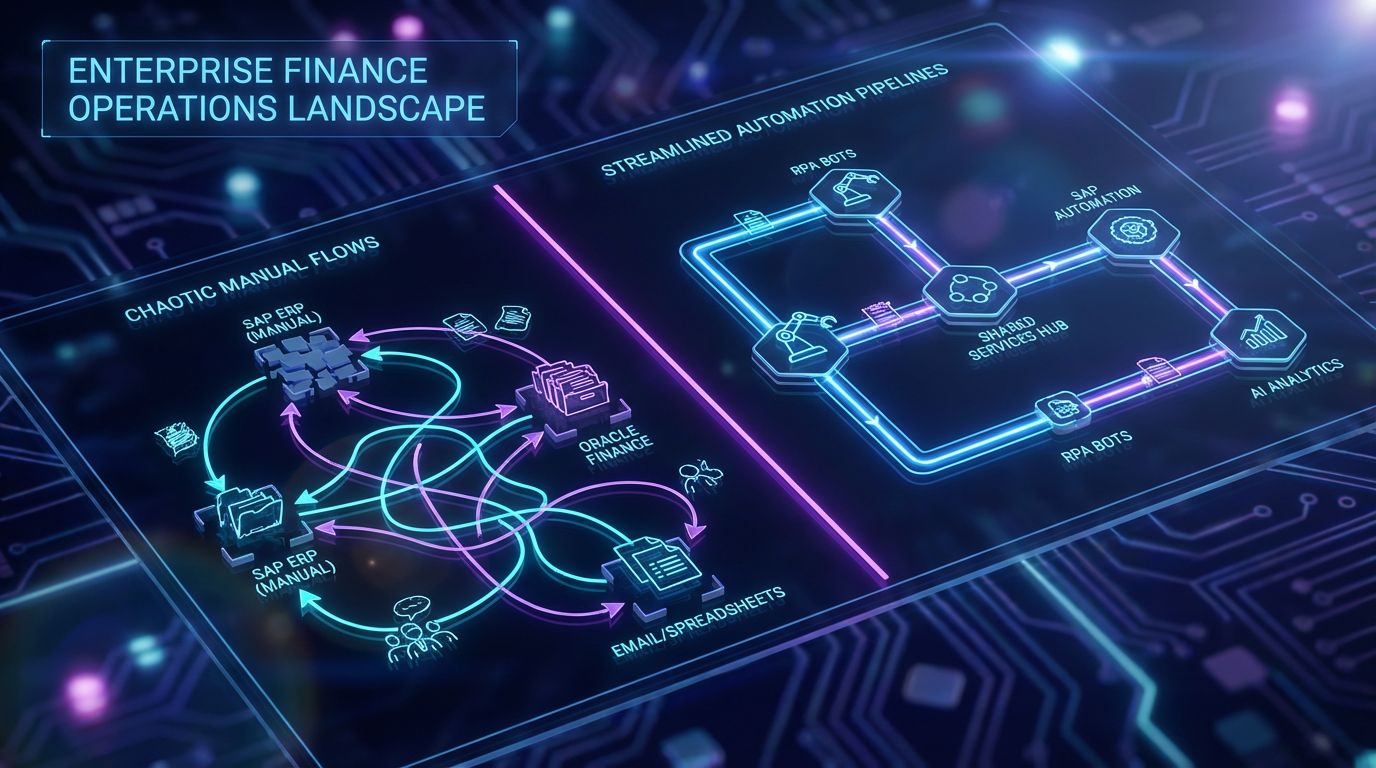
If you own finance, AP, or shared services for SAP or Oracle, you already know the pain is not theoretical. It shows up every month-end close, every audit, and every time a “small” SAP or Oracle change ripples through your spreadsheets and workarounds.
Most enterprises talk about sap automation and ERP digitization, but day-to-day execution is still driven by email, CSV uploads, swivel-chair data entry, and heroics from a few key people. Before you can automate, you need to be honest about the baseline.
What Manual SAP and Oracle Finance Operations Really Look Like
In a typical manual AP flow, invoices arrive via email, portals, and sometimes paper, then someone downloads, renames, and keys them into SAP FI/CO or Oracle AP line by line. 3-way match is performed manually or via partial reports, with analysts chasing down PO discrepancies and GR issues over chat and email.
Approvals get lost in inboxes, reminder chains are manual, and business users often print PDFs just to annotate and re-scan. Month-end turns into a fire drill of spreadsheet-driven reconciliations, tie-outs between SAP/Oracle and subledgers, and manual journal uploads that make any talk of sap erp automation or oracle process automation feel aspirational.
Impact on Cost, Cycle Time, and Risk
In this manual reality, AP cost-per-invoice typically lands in the $5–$15+ per invoice range once you include salary, benefits, overhead, and rework. Cycle times stretch from a few days to multiple weeks, especially when approvers are distributed across regions and entities.
Error rates are quietly high: miscoded GL accounts, wrong tax treatment, duplicate payments, and missed early payment discounts. From a SOX and internal control standpoint, emailing spreadsheets around and relying on manual tick marks creates real audit exposure and weak evidence chains.
These are precisely the metrics that RPA with SAP and structured oracle ap automation can target when implemented as part of a disciplined finance operations model. The goal is not “bots for the sake of bots,” but lower cost-per-transaction, shorter cycle times, and fewer audit findings.
What Changes When You Layer RPA on Top of SAP/Oracle
With well-designed robotic process automation in sap and Oracle, bots handle repetitive tasks: reading invoices, validating data, performing 2/3-way match, posting documents, and triggering approvals, while humans focus on true exceptions. Bots can drive SAP GUI, SAP Fiori, Oracle E-Business Suite, and Oracle ERP Cloud UIs, as well as call APIs and BAPIs where available.
Instead of analysts re-keying the same fields, RPA bots orchestrate the flow end-to-end: ingest data, enrich, validate, post, and log evidence. Exception queues and aging reports become a standard part of the process, rather than someone’s side spreadsheet.
The result is not magic; it’s repeatable, governed workflows that compress cycle time and sharply reduce manual effort and error risk.
Insert Table: Manual ERP vs RPA-Enabled SAP/Oracle Automation
| Process Area | Manual Approach (SAP/Oracle Today) | RPA-Enabled sap erp automation / oracle process automation |
|---|---|---|
| Invoice Capture | Invoices arrive via email or portals, downloaded and renamed manually, data keyed into SAP FI/CO or Oracle AP. | Bots monitor mailboxes and folders, extract data via OCR/IDP, validate, and stage invoices automatically. |
| PO / 3-Way Match | Analysts manually search POs and GRs in SAP/Oracle, reconcile line items, and chase discrepancies by email. | RPA performs automated match against POs/GRNs, flags only true mismatches, and routes structured exception workflows. |
| Vendor Master Updates | Email-based change requests, manual updates in vendor master, inconsistent documentation and approvals. | Standardized forms feed an approval flow; bots apply approved changes in SAP/Oracle and log evidence. |
| Month-End Reconciliations | Spreadsheets exported from SAP/Oracle, manual lookups, copy-paste, and email-based review cycles. | Bots pull data, perform matching rules, create reconciliation workbooks, and notify reviewers with exceptions only. |
| Basic Reporting & Audit Evidence | Ad-hoc queries and manually compiled audit packs; limited consistency between periods and entities. | Scheduled bot runs generate standard reports and evidence packages with consistent filters and timestamps. |
How RPA Works with SAP and Oracle ERPs
For most enterprises, the challenge is not whether rpa sap or Oracle automation is technically possible. The challenge is deciding how bots should interact with SAP/Oracle so they are fast enough to be valuable and robust enough not to collapse after every minor change.
Understanding the main integration patterns will help you choose where to start and where to invest in more durable interfaces.
RPA with SAP: UI, API, and Hybrid Approaches
Most rpa with sap starts at the UI layer, driving SAP GUI or SAP Fiori the same way a trained analyst would: log in, navigate, enter data, run transactions, and read results. This is flexible and quick to prototype, but naive bots that rely on brittle selectors or hard-coded coordinates break easily.
More mature sap automation combines UI automation with SAP Business APIs, IDocs, and BAPIs wherever possible. UI paths handle edge navigation and screens where no clean API exists, while API calls manage high-volume, stable data loads like postings or master data updates.
The hybrid approach takes more upfront design but pays off in higher resilience and lower maintenance as your SAP landscape evolves.
RPA for Oracle E-Business Suite and Oracle ERP Cloud
For Oracle E-Business Suite, RPA typically works through the web or forms UI, automating logins, navigation, and data entry, similar to screen-driven SAP automation. Many enterprises also use flat-file interfaces and concurrent programs that bots can orchestrate.
In Oracle ERP Cloud, you have richer API and event options, but UI-driven oracle automation is still common for gaps or niche processes. Good oracle process automation designs mix REST APIs, file-based data import, and RPA for user flows that remain manual.
AP is usually the first candidate: oracle ap automation uses bots and integrations to ingest invoices, validate fields, drive the invoice workbench, and submit payments while preserving approvals and controls.
Where Power Automate Fits: Invoice Processing & Robotic Process Automation
For Microsoft-centric environments, power automate robotic process automation acts as an orchestrator and glue between Outlook, SharePoint, Teams, and your SAP/Oracle stack. It is particularly useful for human-in-the-loop steps and notifications.
In power automate invoice processing, AI-based document processing can extract invoice data from emails and attachments, then push structured payloads to RPA bots or API connectors that post into SAP or Oracle. Approvals can flow via Teams or email with clear audit trails.
The key is remembering that Power Automate is still just a tool; without a designed workflow, standards, and governance, it can become yet another source of fragmented automations instead of a coherent AP solution.
SAP Test Automation and Oracle ERP Cloud Testing

Even if you never automated a single AP task, SAP and Oracle regression testing alone can justify an automation program. Patches, year-end tax changes, S/4HANA and Oracle Cloud quarterly updates all require repeatable testing to avoid production incidents.
Manual testing does not scale in multi-entity, multi-country environments, and it quietly blocks projects or forces risky go-lives.
Why SAP and Oracle Regression Testing Is a Bottleneck
Most organizations still manage SAP and Oracle test cases in spreadsheets or legacy tools, then depend on a handful of functional consultants and power users to run critical scenarios. Test cycles routinely slip, especially when those same people are needed for production firefighting.
When updates land, you face a trade-off: delay the change until testing can be done, or push it through with limited coverage and hope there are no surprises. Both choices carry real cost, either as project delays or production defects.
This is where structured sap test automation and oracle erp cloud test automation provide leverage: they convert tribal test knowledge into executable, repeatable assets.
Using RPA for sap test automation
RPA-based sap test automation uses bots to execute end-to-end scenarios in QA or pre-production: FI postings, procure-to-pay, order-to-cash, asset accounting, and more. Bots log in, run through transactions, validate results, and capture evidence automatically.
Data setup can also be automated: bots create or refresh master data, open POs, and baseline transactions so test cases run against known states. Validation ranges from simple field checks to automated comparisons against expected outputs.
As part of your broader sap erp automation strategy, test bots reduce dependency on scarce human testers and help you move to more frequent, safer releases.
Oracle ERP Cloud Test Automation Patterns
In Oracle ERP Cloud, automated tests typically combine UI-driven flows, REST API calls, and data import templates to validate AP invoice-to-payment, P2P, and GL posting chains. With oracle erp cloud test automation, you can standardize a core regression pack for each release.
Because Oracle Cloud updates are frequent and mandatory, relying on manual testing alone often means either rushed coverage or accumulating technical debt. Automated tests give you a predictable way to check critical controls every cycle.
Practical outcomes include 50–70% lower manual test effort, fewer production incidents, and better alignment between IT, finance, and audit on what was actually tested before each go-live.
ROI, Cost-Per-Transaction, and Business Case
Most vendor content will show you a single impressive case study and call it a day. In reality, you need a simple, repeatable way to think about ROI across AP, finance operations, and testing so you can prioritize where to invest.
The right time to run these numbers is early, before you sink months into pilots that are interesting but financially marginal.
Cost-Per-Invoice and Cost-Per-Transaction Before Automation
A straightforward baseline for AP is cost-per-invoice: total fully loaded AP costs over a period divided by the number of invoices processed. For many enterprises with manual-heavy processes, that lands in the $5–$15+ per invoice band, sometimes higher for complex multi-entity environments.
You can apply the same logic to journal entries (cost-per-JE), reconciliations (cost-per-recon), and test cycles (cost-per-test-case executed). The goal is not precision to two decimal places, but an order-of-magnitude view of where effort and money really go.
Once you have this baseline, any sap automation or RPA initiative can be anchored to tangible before/after comparisons instead of vague productivity claims.
How RPA and sap automation Shift the Numbers
When done properly, RPA and ERP workflow automation routinely deliver 30–60% reductions in cost-per-invoice, with 40–70% faster cycle times and 70–90% lower manual error rates. The range is wide because outcomes depend heavily on process standardization and bot quality.
In SAP, automating invoice capture, 3-way match, and posting can shift analysts from data entry to exception handling and supplier management. In Oracle, structured oracle ap automation can mean fewer late payment penalties, more early payment discounts, and cleaner audit trails.
For testing, automating even a core regression pack can free weeks of functional consultant time each quarter, which you can reallocate to higher-value project work instead of repetitive test execution.
Building a Realistic Business Case for Finance and AP
A practical business case starts with a small checklist: volumes by process (invoices, JEs, reconciliations, test cases), current exception rates, system landscape complexity, and key compliance obligations. From there, you estimate savings bands instead of single-point promises.
For example, if your AP team handles 50,000 invoices per year at $8 per invoice, a 40% cost reduction yields roughly $160,000 annual savings, plus qualitative benefits like better supplier relationships and fewer audit headaches. Testing often adds another significant tranche of savings.
An external workflow audit helps validate these assumptions, uncover hidden friction (like rework and duplicate checks), and surface 3–5 automations with the strongest payback window.
Why DIY SAP/ERP Automation Fails
Most enterprises already own at least one RPA platform, maybe SAP Build, and probably Power Automate licenses. Yet manual work persists, and early bots either died quietly or turned into a maintenance burden.
The common pattern: buying tools first, then discovering the hard way that tools are only a fraction of what makes SAP or Oracle automation succeed at scale.
The Tool Trap: RPA, SAP Build, and Power Automate Are Not a Strategy
Vendors demo slick low-code interfaces and promise business users can build their own bots in hours. What they rarely show is the messy reality of integrating those bots into multi-entity SAP/Oracle landscapes with country-specific tax rules, custom Z-transactions, and legacy integrations.
Without a clear architecture, standards, and governance model, you end up with dozens of disconnected automations, each with its own assumptions and owners. When SAP or Oracle changes, no one is quite sure what will break.
In practice, tools are 20–30% of success; the rest is process design, change management, testing, and long-term ownership.
Common Failure Patterns in DIY rpa sap and oracle automation
DIY rpa sap efforts often rely on brittle GUI selectors, hard-coded transaction paths, and scripts that assume today’s master data structures will never change. When a field moves, a screen changes, or a new validation appears, bots fail in production.
On the Oracle side, DIY oracle automation frequently underestimates how often page layouts, LOVs, or validation rules change, especially in Oracle ERP Cloud. Bots built quickly without robust exception handling or logging are difficult to debug and even harder to certify for audit.
SAP and Oracle test automation suffers too when scripts are not maintained: regression packs drift from reality, and teams stop trusting results, reverting to manual checks at the worst possible time.
Internal Capacity and Governance Gaps
Finance and AP teams are already at capacity; expecting them to become full-time RPA developers or solution architects is unrealistic. IT and SAP/Oracle CoEs, meanwhile, are consumed by projects, upgrades, and BAU support.
Governance gaps are common: no comprehensive bot inventory, unclear change-approval processes, and limited monitoring or alerting when runs fail. Security and SoD concerns can slow or block bots built without proper access design.
This is precisely where a structured, done-for-you automation system pays off: you get design, documentation, and governance baked in, instead of bolted on later.
Insert Table: DIY RPA Tools vs Done-For-You Automation System
| Aspect | DIY Tool-Only (Internal Team) | Done-For-You Automation System (AiBizBuild-like) |
|---|---|---|
| Time to First Stable Bot | Weeks to months of part-time effort; often multiple rebuilds after early failures. | Structured 6–12 week pilot with clear scope, design, and acceptance criteria. |
| Resilience to SAP/Oracle Change | High breakage from UI tweaks, new fields, and process changes; reactive fixes. | Hybrid UI/API patterns, robust selectors, and regression tests designed from day one. |
| Documentation & Knowledge Transfer | Tribal knowledge in a few people’s heads; sparse or outdated documentation. | Process maps, solution designs, and runbooks delivered as part of each automation. |
| Monitoring & Support | Ad-hoc checking of logs; failures discovered by business users after the fact. | Centralized monitoring, alerting, and defined SLAs for incident response. |
| Cost of Rework Over 12–24 Months | High, driven by frequent breakages and redesigns as processes evolve. | Lower, with change impact analyzed systematically and updates planned. |
| Internal Time Required | Significant time from finance/AP, IT, and SAP/Oracle teams for build and maintenance. | Concentrated input for discovery and UAT; external team handles build and operations design. |
Finance & AP Use Case: Invoice Processing Automation
If you need a single flagship use case to align finance, shared services, and IT, AP invoice processing is it. It’s high-volume, measurable, and painful enough that everyone feels the improvement when you get it right.
It also touches all the moving parts that matter for sap erp automation and oracle ap automation: multiple input channels, complex business rules, approvals, and tight integration with your ERP.
Current-State Flow: Manual Invoice to Payment in SAP/Oracle
A typical manual flow starts with invoices arriving by email or portal, then being downloaded, renamed, and manually entered into SAP or Oracle. Header and line-item data are validated by eye against POs and contracts, with analysts correcting common issues on the fly.
Exceptions, such as price/quantity mismatches, missing POs, or tax discrepancies, trigger email chains and side conversations. Approvals are requested via email or chat, tracked in personal spreadsheets, and occasionally missed or delayed.
Finally, invoices are posted and scheduled for payment via SAP FI/CO or Oracle AP, often with another round of manual checks at payment run time to catch obvious anomalies.
Future-State Flow with RPA, sap automation, and power automate invoice processing
In a target future state, bots monitor AP inboxes and portals, using OCR or intelligent document processing to extract invoice data and validate it upfront. With power automate invoice processing, invoices can be captured as they arrive, enriched with vendor and PO data, and passed to RPA or API-based posting flows.
For SAP, sap automation bots perform 2/3-way match, check tolerances, and either post invoices directly or route structured exceptions to AP specialists with all context attached. For Oracle, oracle ap automation follows similar patterns using Oracle AP invoice workbench or APIs.
Approvals flow through standardized workflows—often orchestrated in Power Automate or your RPA orchestrator—with clear SLAs, reminders, and audit logs. Exceptions and KPIs (aging, touch rate, rework) are tracked centrally, not buried in email.
Tooling Options and Architecture Patterns
One common pattern uses an enterprise RPA platform (such as UiPath or Automation Anywhere) as the execution layer for robotic process automation in sap and Oracle screens/APIs, while using a workflow tool like Power Automate for notifications and approvals. This lets you keep UI-heavy work in the most capable RPA tool.
Another pattern leans into power automate robotic process automation for smaller, Microsoft-centric shops, with Power Automate driving both the workflow and attended/unattended desktop bots where needed. In either case, SAP/Oracle integrations should be abstracted behind well-defined interfaces.
The main decision is not “which tool” but how the workflow is designed, governed, and monitored. Good architecture will outlast your current tool choices and make future migrations far less painful.
Implementation Blueprint: From Pilot to Scale
—IMAGE_BLOCK: Dark-Mode Isometric Blueprint showing a phased rollout path: discovery nodes feeding into pilot automation blocks, then expanding into a larger governed automation grid for SAP and Oracle workflows. Represents a clear roadmap from pilot to scale. Cinematic lighting, Unreal Engine 5 render, futuristic corporate aesthetic, glowing cyan and purple accents, shallow depth of field, 8k resolution—
Most SAP/Oracle automation initiatives fail not because the technology is inadequate, but because the rollout path is vague. You need a stepwise blueprint from “messy manual processes” to “stable RPA in production” with clear phases, owners, and timelines.
The outline below is pragmatic, based on what actually works in enterprise environments—not what looks good on a vendor slide.
Phase 0–1: Discovery and Process Mapping
Start with a focused inventory of SAP and Oracle finance/AP and testing processes: invoice processing, vendor master, key reconciliations, and core regression test packs. Capture volumes, exception rates, and current pain points for each.
Then run time-and-motion style workshops to map current-state flows at a workable level of detail: who does what, in which systems, with which inputs and outputs. This is where you validate assumptions instead of designing bots around outdated process diagrams.
Outputs from this phase include current-state maps, a prioritized backlog of 3–5 high-ROI candidates, and indicative ROI ranges. This is essentially what a structured workflow audit should deliver.
Phase 2: Pilot Build, sap test automation, and Hypercare
In Phase 2, you build a small portfolio of pilot automations: typically one end-to-end AP invoice flow, one targeted finance ops task (like a recurring reconciliation), and a slice of sap test automation or oracle erp cloud test automation for a critical regression pack.
Design covers process refinement, exception handling, security, and alignment with SoD rules; build translates that into bots, workflows, and integrations. You then run a 2–4 week hypercare period where every bot run is monitored closely, issues are triaged, and adjustments are made.
During this phase, you track metrics such as cycle time reduction, manual touch rate, issue rate per run, and user satisfaction. By the end, you should have production-grade bots plus hard data to support scaling decisions.
Phase 3–4: Scaling, Governance, and Continuous Improvement
Once the pilots are stable, you expand into a broader sap erp automation and oracle process automation portfolio: additional AP flows, order-to-cash, GL postings, reporting, and deeper test automation coverage. This is where governance and architecture discipline really matter.
You establish a central bot inventory, change-control procedures, and monitoring and alerting standards. Every new SAP/Oracle change is assessed for bot impact, and regression test bots become part of your standard release checklist.
Continuous improvement cycles then focus on squeezing more value out of existing automations—reducing exception rates, expanding coverage, and linking ERP workflows to adjacent processes like CRM or content operations.
Where AiBizBuild Fits In
AiBizBuild is not another tool vendor. We work with the platforms you already own—RPA suites, SAP Build, Power Automate—and turn them into a coherent automation system across SAP, Oracle, and adjacent workflows.
The emphasis is on design, governance, and operationalization so your automations are resilient in real enterprise environments, not just in demos.
From Tools to Systems: Our Approach to SAP/Oracle Workflow Automation
Our starting point is always the workflow, not the platform. We map current SAP/Oracle finance, AP, and testing processes, then design target-state flows that blend sap automation, Oracle automation, and human decision points in a way your teams can actually live with.
We are tool-agnostic: we work with your existing RPA, SAP Build, and Power Automate stack, applying patterns we already use in other domains—like turning manual workflows into automated, governed systems for social publishing. The same discipline applies in finance and ERP.
Requirements capture, architecture, documentation, QA, and hypercare are built in, so you get a sustainable system rather than a collection of fragile bots.
Relevant Done-For-You Services from the Approved Menu
Once your SAP/Oracle workflows are under control, adjacent automation opportunities become easier and safer to pursue. For example, SEO Content & Blog Automation can apply the same governance discipline to publishing finance, IT, and transformation content that supports your ERP roadmap.
Our work on SEO Content & Blog Automation systems mirrors finance automation: clearly defined inputs, standardized approvals, and automated publishing, rather than ad-hoc efforts.
Similarly, Social Media Workflow Automation and CRM Integration & Inbox Management extend ERP events into customer and stakeholder communication flows, using patterns we already apply for automated content approval workflows in other functions.
Book a Workflow Audit (Primary CTA)
If you’re serious about unlocking value from SAP/Oracle automation but don’t want another vendor demo, the next practical step is a focused Workflow Audit. This is a 60–90 minute remote session plus a follow-up deliverable.
We review your current SAP/Oracle finance, AP, and testing flows, baseline key metrics like cost-per-invoice and test effort, and identify 3–5 high-ROI automation candidates with indicative payback ranges. You also get recommendations on governance and architecture tailored to your landscape.
The session is vendor-neutral and focused on turning tools into a sustainable system, not selling you another platform. If you want to move from scattered bots to a coherent automation roadmap, booking a Workflow Audit is the lowest-risk way to start.
FAQs
How long does it take to see value from sap automation in finance and AP?
In most enterprise settings, you can move from discovery to a live AP pilot in 6–12 weeks, assuming stakeholders are available for workshops and UAT. Measurable savings and reliability improvements typically show up within the first full quarter of steady-state operation.
The key is choosing a pilot with enough volume and pain to matter—like invoice processing—while keeping scope tight enough that you can stabilize it quickly and use it as a blueprint for further automations.
Do we need to standardize our SAP/Oracle processes before starting RPA?
Some level of standardization helps, but waiting for perfect harmonization can delay benefits indefinitely. A well-run RPA initiative actually becomes a forcing function to rationalize and document SAP/Oracle processes as you automate them.
Practically, you start by targeting the 60–80% of volume that follows a common path and design bots around that, while capturing exceptions and regional variations explicitly. Over time, automation design choices often drive broader process standardization.
Is RPA-based sap automation secure and compliant with our audit requirements?
Yes—provided security and controls are designed in from the start. Bots should use named technical accounts with role-based access aligned to your SoD policies, and credentials must be stored in secure vaults, not hard-coded scripts.
RPA platforms and workflow tools can generate detailed execution logs, evidence attachments, and approval histories, which often improve auditability compared to purely manual processes. The difference is whether someone has explicitly designed for these outcomes.
What internal resources do we need to allocate for a successful pilot?
You’ll need a clear business owner in finance/AP, a process SME who understands how work is really done today, and IT/SAP/Oracle contacts who can advise on system constraints and security. End users should be available for design validation and UAT.
For a typical pilot, expect a few short workshops, periodic check-ins, and a more focused UAT period. With a done-for-you partner handling design and build, internal teams contribute expertise and decisions rather than writing bots themselves.
Can we reuse our existing RPA or Power Automate licenses, or do we need new tools?
In most cases, you can and should reuse the RPA and workflow platforms you already own, whether that’s UiPath, Automation Anywhere, SAP Build, or Power Automate. The constraint is rarely tooling; it’s architecture, design, and ownership.
AiBizBuild’s role is to work within your current stack to design resilient workflows, not to resell software. If tool gaps emerge in very specific areas, we address them with you using a clear cost-benefit lens, not platform bias.