

Pipedrive Workflow Automation: How to Eliminate Manual Sales Admin and Fix Handoffs
Key Takeaways
– What you’ll learn: How to turn basic Pipedrive usage into a structured pipedrive workflow automation system with reliable handoffs between SDRs, AEs, and CS.
– Why it matters: Manual Pipedrive usage quietly burns 10–20 hours per rep per month and causes slow responses, dropped leads, and inconsistent follow-ups.
– Next step: Walk through concrete automation recipes and sample ROI math, then book a Workflow Audit so AiBizBuild can design and implement it for you.
In This Guide:
⚙️ What Is Pipedrive Workflow Automation Really Solving?
🧱 Manual vs Automated Sales Pipelines in Pipedrive
❌ Why DIY Pipedrive Automation Fails for Most Teams
📋 Core Pipedrive Workflow Automation Recipes
📊 Time-Savings & ROI: Sample Calculations
🧪 End-to-End Use Case: Lead-to-Customer Workflow Blueprint
🧠 How AiBizBuild Designs and Implements Your Automations for You
🔁 What to Automate in Pipedrive vs What to Leave Manual
❓ FAQs on Pipedrive Workflow Automation & Done-For-You Buildout
If you are already using Pipedrive but still relying on manual updates, ad-hoc tasks, and Slack pings, you are not using pipedrive workflow automation – you are just using a database. The gap is not more features, it is a well-architected system that quietly runs your day-to-day sales execution.
This guide walks through how to move from reactive, manual pipeline management to an automated, governed workflow design that your SDRs, AEs, and CS teams can trust. Then we will show where a done-for-you partner like AiBizBuild fits if you would rather not spend months learning by trial and error.
What Is Pipedrive Workflow Automation Really Solving?

When I talk about pipedrive workflow automation, I am not talking about a single rule that sends an email when a deal is created. I am talking about a connected set of triggers, conditions, and actions that keep your pipeline accurate and your team accountable without constant human babysitting.
There are two layers to this. First, Pipedrive’s own Automations tab – UI-level automation that updates deals, creates activities, sends emails, and pushes notifications. Second, cross-tool workflows where Pipedrive sits at the center and talks to email, calendar, Slack, booking tools, and even AI voice agents so handoffs and SLAs are enforced automatically.
The real problems this solves are straightforward and painful: leads waiting hours or days for first touch, inconsistent follow-ups after demos, deals stuck in stages with no owner accountability, and SDR → AE → CS handoffs that rely on someone remembering to paste a summary into Slack.
Symptoms You’ve Outgrown Manual Pipedrive Management
- Your sales manager spends Fridays cleaning up Pipedrive so the forecast is not a joke on Monday.
- Reps complain about “too much admin in Pipedrive” and avoid logging activities until the end of the week.
- No one fully trusts the forecast because stages, values, and close dates are not consistently maintained.
- Leads get one call or email, then go dark because there is no enforced cadence or reminders.
- Handoffs happen in Slack and email threads, not in structured fields or activities linked to the deal.
- Your team has “played” with the Automations tab, but everyone is a bit scared to add more in case it breaks something.
Manual vs Automated Sales Pipelines in Pipedrive
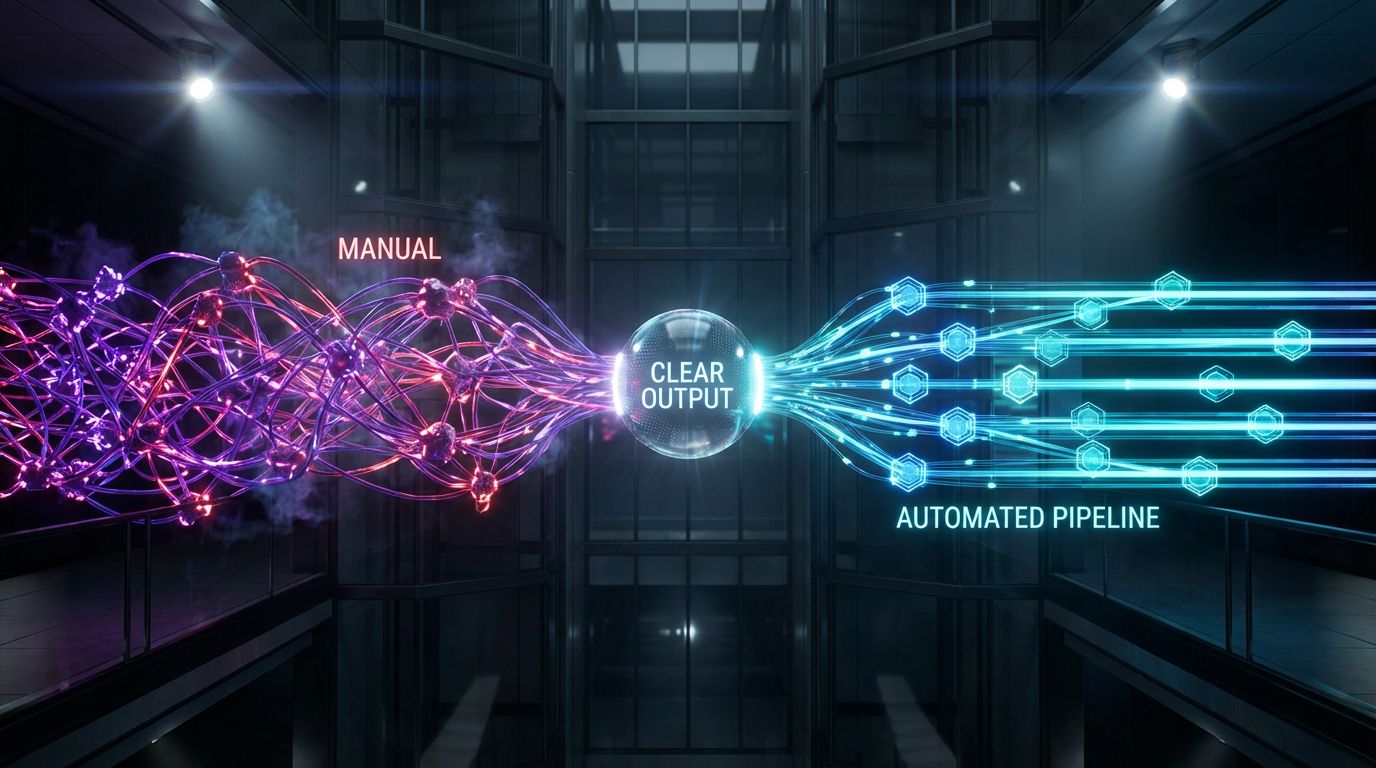
In most teams I audit, Pipedrive is technically “implemented” but practically manual. Reps create deals, move stages, and add activities by hand, often late and inconsistently. The automated version of that pipeline behaves very differently, even though the visible UI looks similar.
To make this concrete, let’s contrast the same core motions – lead capture, stage movement, task creation, and notifications – in the manual versus automated world. This is where the hidden time drain and risk really show up.
The Manual Way – Hidden Time Drains and Errors
Picture a new inbound demo request. An SDR or AE manually creates a person, an organization, and a deal in Pipedrive, fills in fields, sets an owner, and creates a follow-up activity. Done properly, that is usually 5–10 clicks and 2–3 minutes per lead.
Then, every time the deal moves stage, the rep decides which tasks to create, which notes to capture, and whether anyone else needs to be notified. Some do it religiously; others skip steps when the day gets busy. This is how you get deals in “Proposal Sent” with no next activity and no reminders.
Multiply that by hundreds of leads and active deals, and your team is quietly spending 10–20 hours per rep per month on low-value admin – with no guarantee that anything is being done consistently.
The Automated Way – What Changes in Practice
Now imagine the same inbound lead, but with core Pipedrive automations enabled. The person and deal are created with standardized naming, owner is auto-assigned based on territory or round-robin, and a first-touch activity is created with a due date inside your SLA.
When the deal moves stage, Pipedrive automatically creates standardized tasks, sends internal notifications, enforces minimum field requirements, and even kicks off external tools where needed. The rep’s job is to execute conversations and decisions, not remember which button to click next.
The result is fewer dropped leads, faster responses, and a pipeline that more accurately reflects reality because the “boring stuff” happens automatically every single time.
| Dimension | Manual Pipeline Management | Semi-Automated in Pipedrive | Fully Automated Workflows |
|---|---|---|---|
| Lead response time | Highly variable; often hours or days, depends on rep checking inbox and Pipedrive | Some rules for alerts, but still relies on manual task creation | Consistent SLAs; instant notifications and pre-created first-touch tasks |
| Admin time per deal | 5–10 minutes per deal across its lifecycle, all done by reps | Some activities automated, but many edge cases handled manually | 1–2 minutes per deal, focused on exceptions and notes, not mechanics |
| Follow-up risk | High; tasks easily forgotten, no systemic safety net | Moderate; some reminders, but still subject to human gaps | Low; standardized task creation and stale-deal alerts catch most misses |
| Forecast reliability | Low; stages and values often outdated or inconsistent | Medium; some guardrails, but exceptions slip through | High; enforced fields and consistent stage logic keep data cleaner |
Why DIY Pipedrive Automation Fails for Most Teams
Pipedrive’s Automations UI looks deceptively simple: “when this happens, do that.” Most teams start by adding a handful of rules without ever mapping their process end to end. It works for a while, until rules conflict, data quality drifts, and nobody remembers which automation does what.
The gap is not your team’s intelligence. It is that effective pipeline automation is a RevOps design exercise, not a quick settings tweak. Without a process blueprint, you are essentially writing code directly in production.
Here are the most common reasons I see DIY Pipedrive automation stall or backfire.
- No process mapping. Automations are created one-by-one, without a visual map of how leads should flow from capture to close and onboarding.
- Overlapping triggers. Two or more automations fire on the same event, causing duplicate emails, duplicate tasks, or ping-ponging field values.
- Poor data hygiene. Key fields are optional, naming conventions are inconsistent, and duplicates abound, so automations behave unpredictably.
- No safe testing environment. Everything is built directly on the live account, so the team becomes understandably risk-averse and under-automates.
- No governance. There is no central owner, documentation, or change control, so over time nobody knows which automations can be edited or removed.
The Hidden Costs of Trial-and-Error Automation
When automation misfires, the cost is not just annoyance – it is real revenue leakage and team friction. I have walked into Pipedrive instances where a single stage change sent three different email templates from two different senders.
Common failure patterns include deals jumping stages unexpectedly because multiple automations are chained on “deal updated,” activities being created for the wrong owner, or sequences re-triggering after a small field change. Every time this happens, someone has to diagnose, fix, and reassure the team.
That debugging work can easily consume dozens of internal hours and erode trust in the CRM. Once reps feel “Pipedrive does weird things,” adoption drops and your investment in both the tool and automation effort is undermined.
DIY vs Done-For-You: Who Should Really Be Designing Your Workflows?
The person who owns your revenue number is rarely the right person to be designing detailed trigger-condition-action logic. They should define the what and why of your process, not spend evenings learning every edge case of Pipedrive automations.
Designing robust workflows that cross SDR, AE, CS, and tools like email, Slack, and calendars is a specialized skill. It is closer to system architecture than to “setting up a CRM.” That is exactly where a done-for-you partner like AiBizBuild slots in as an external RevOps automation team.
You keep strategic control of your sales process, but you do not need to build, test, and maintain all the underlying automations yourself.
| Aspect | DIY Pipedrive Setup | AiBizBuild Done-For-You Implementation |
|---|---|---|
| Time to first stable automation | Weeks to months of trial and error around core workflows | 2–4 weeks for core lead-to-opportunity flows in most environments |
| Internal hours required | Sales leaders and ops staff context switching into part-time automation engineers | Minimal – your team focuses on process decisions; AiBizBuild handles configuration |
| Risk of breaking live processes | High; changes often tested in production with incomplete impact analysis | Low; structured audit, staged rollouts, and regression checks |
| Documentation & governance | Rarely documented; knowledge lives in one or two people’s heads | Fully documented workflow maps, ownership, and change procedures |
| Cross-tool integration quality | Ad-hoc connections between email, calendars, and Pipedrive | Architected under CRM Integration & Inbox Management to ensure data flows cleanly |
Core Pipedrive Workflow Automation Recipes
Let’s move from theory to practice. Below are the core pipedrive workflow automation recipes I deploy in almost every B2B Pipedrive environment before we touch anything “advanced.” They are simple, high-ROI, and dramatically reduce manual admin and dropped balls.
Think of these as blueprints. You can build them yourself, or have AiBizBuild implement and adapt them as part of a Workflow Audit and our CRM Integration & Inbox Management service.
Recipe 1 – Lead Capture to First-Touch Follow-Up
This recipe ensures every qualified inbound lead becomes a tracked deal with a clear owner and a first-touch activity inside your SLA. No more leads sitting in an inbox while everyone assumes “someone else” is on it.
- Trigger: New person created in Pipedrive with
source = Website Demo Form(or your specific source field). - Conditions:
- Email is present and valid.
- Company name or domain present.
- Territory, segment, or routing field populated, or default routing rule defined.
- Actions:
- Create a new deal in the correct pipeline and initial stage (e.g., “New Inbound Lead”).
- Auto-assign deal owner based on territory mapping or round-robin logic.
- Create a first-touch activity (call or email) with a due date within X hours of creation.
- Send an internal notification to the owner in Slack or Microsoft Teams, including key lead details.
- Optionally, send a short confirmation email to the prospect if your connected inbox and tone make that appropriate.
Configuration notes: you will want duplicate checks at the person and organization level to avoid repeatedly creating deals for the same company. If territory is missing, route to a default “Unassigned” queue with a separate alert so nothing is dropped.
Recipe 2 – Stage-Based Task Automation
Every stage transition should come with a clear next step. Instead of relying on reps to remember the pattern, you can codify it so Pipedrive always creates the right activities when a deal moves forward.
Example for the stage “Discovery Scheduled” in your new business pipeline:
- Trigger: Deal moves to stage = “Discovery Scheduled.”
- Conditions:
- Discovery meeting date is set (via date field or connected calendar).
- Key qualification fields (budget, use case, company size) are at least partially filled.
- Actions:
- Create a “Pre-call research” task for the owner, due before the meeting.
- Send a calendar invite or confirmation email template if your email is connected.
- Automatically create a “Post-call follow-up” task 1–2 days after the scheduled meeting.
- Optionally notify a manager for larger deals that cross a certain value threshold.
The outcome is a consistent sales motion where every discovery has research and follow-up attached by default, without adding admin time.
Recipe 3 – Automated SDR → AE → CS Handoffs
Handoffs are where most DIY Pipedrive setups fail. Notes live in Slack, calendars, or reps’ heads, and deals change hands informally. You can automate structured handoffs directly in Pipedrive so nothing critical is lost.
Example SDR → AE handoff:
- Trigger: Deal moves from SDR stage “Qualified” to AE stage “Demo Scheduled” or similar.
- Conditions:
- Required qualification fields completed (e.g., pain, budget range, timeline).
- Demo date set.
- Actions:
- Change deal owner from SDR to AE automatically.
- Generate a structured handoff summary either in a Pipedrive note or custom field grouping.
- Send a Slack/Teams message to the AE with key details and link to the deal.
- Create AE tasks for demo prep and proposal creation if deal value is above a threshold.
Then, when a deal moves to “Won,” you mirror this process for AE → CS:
- Trigger: stage = “Won.”
- Actions: assign CS owner, create onboarding tasks, send internal CS notification, and schedule check-in or renewal reminders.
Recipe 4 – Re-Engagement and Stale Deal Automation
No matter how strong your playbook, some deals will stall. The difference between a manual and automated pipeline is whether anyone systematically notices and acts on stalled deals.
Example for “Proposal Sent” stage:
- Trigger: Deal has been in stage “Proposal Sent” for > 10 days with no completed activities.
- Conditions:
- Deal is not marked “Lost.”
- No next activity currently scheduled.
- Actions:
- Notify the deal owner via email or Slack that follow-up is overdue.
- Create a follow-up task with a due date in the next 1–2 days.
- Optionally, generate a follow-up email draft in the connected inbox for the rep to review and send.
- If no response after X attempts, tag or move the deal to a “Nurture” stage for longer-term sequences.
These recipes directly support business outcomes: faster SLAs, fewer stale deals, more consistent handoffs, and less time lost to manual orchestration.
Time-Savings & ROI: Sample Calculations
Let’s quantify the impact in conservative, back-of-the-envelope terms. These are not promises; they are typical patterns I see when manual workflows are replaced with Pipedrive automations designed correctly.
We will focus on time savings and recovered opportunities – the two levers that matter most before you talk about any “conversion rate uplift.”
Example – Lead Intake & Task Creation
Assume it takes a rep 3 minutes per new lead to create the deal, assign an owner, and schedule the first activity manually. That is realistic if they are doing it carefully and not cutting corners.
If a rep handles 200 new leads per month, that is 600 minutes or 10 hours per month just on intake and initial task creation. For a team of five reps, you are now at 50 hours per month – more than a full workweek.
Well-designed pipedrive workflow automation can reduce that to perhaps 10–15 seconds per lead for edge cases and corrections. Even assuming only an 85% time reduction, you are freeing up 8.5 hours per rep per month, which at a loaded cost of, say, $60/hour is roughly $510 per rep per month in time that can go back into selling.
Example – Handoff & Follow-Up Consistency
Now consider lost opportunities. If your team works 500 new leads per month across SDRs and AEs and 5% quietly die because of missed follow-ups or messy handoffs, that is 25 leads per month simply not getting a fair shot.
If even 10 of those 25 would have at least turned into meaningful opportunities, and your average opportunity is worth $5,000 in pipeline, you are leaving $50,000 of pipeline per month under-managed. You do not need automation to recover all of it to make this worthwhile.
If structured tasks, reminders, and handoff workflows recover just 20% of those – 2 extra opportunities per month – that is $10,000 in pipeline value better managed, every month, from doing what you intended to do in the first place.
Putting It Together – Payback Window
Combine the time savings and recovered opportunities and the payback picture gets clear quickly. A typical Pipedrive environment we work on reaches payback on a build-out in a matter of a few months on time savings alone.
That is before counting the compounding benefit of more predictable forecasts and cleaner data for future channels like scalable SEO content systems or outbound programs that depend on accurate CRM data.
If you want a specific model for your team, the fastest route is to book a Workflow Audit with AiBizBuild. We will run the math on your volumes, your rep costs, and your current leak points so you have a grounded business case before committing to any build.
End-to-End Use Case: Lead-to-Customer Workflow Blueprint

To see how this fits together, let’s walk through a simplified but realistic B2B SaaS lead-to-customer flow with Pipedrive at the center. Your exact stages and tools will vary, but the architecture is similar.
This is the type of blueprint we document during a Workflow Audit before building anything. The tools are interchangeable; the orchestration logic is what matters.
Step 1 – Capture & Qualification
Leads arrive from website demo forms, partner referrals, and inbound email. Forms post into Pipedrive via native integrations or middleware; inbound emails create contacts when forwarded or synced to a dedicated address.
As contacts are created, Pipedrive automatically creates deals in the appropriate pipeline with source, campaign, and territory fields set. Basic firmographic enrichment can be layered on if you are using enrichment tools.
Qualification rules run as automations: leads that meet your ICP criteria are routed to SDRs; others are tagged for nurture or filtered out. This is all part of the same CRM Integration & Inbox Management foundation AiBizBuild would implement.
Step 2 – SDR Cadence & Meeting Booking
For SDR-owned deals, stage-based task automation kicks in. When a new lead enters “New Inbound,” Pipedrive creates a multi-step activity plan: same-day call, follow-up email, LinkedIn touch, and so on, spaced over your normal cadence window.
As SDRs log outcomes, automations update fields and move deals between “Attempted,” “Connected,” “Qualified,” and “Disqualified” stages. If you run Cold Outreach Automation sequences, status changes in Pipedrive can start or stop those automatically.
When a meeting is booked – either via a 24/7 Appointment Booking System or calendar integration – Pipedrive confirms date/time, sets ownership, and prepares the AE handoff workflow described earlier.
Step 3 – AE Pipeline, Proposals, and Won Deals
Once handed to an AE, the pipeline becomes more value-focused. Automated checks prevent deals from moving into “Proposal Sent” without required fields like pricing model, stakeholders, and decision timeline.
Stage movements create tasks for proposal drafting, internal approvals, and contract preparation. For complex deals, internal tasks are auto-assigned to legal or finance as needed.
When a deal is marked “Won,” downstream automations fire: billing setup tasks, project or onboarding workspace creation, and renewal reminders scheduled 60–90 days before term end. AEs are nudged at each step so nothing falls between the cracks.
Step 4 – Post-Sale Handoff & Onboarding
On the CS side, winning the deal triggers creation of an onboarding checklist tied back to the Pipedrive deal. Tasks might include kickoff call, technical setup, user training, and first value milestones.
CS receives a structured summary from sales – not a random Slack thread – including expectations, scope, and risks. Internal-only reminders keep expansion and renewal opportunities visible in Pipedrive without over-automating customer-facing messages.
If you later introduce AI Voice Agents (Inbound/Outbound) for renewals or health checks, those can log activities and outcomes back into Pipedrive, reinforcing the same end-to-end architecture.
How AiBizBuild Designs and Implements Your Automations for You
By now, the pattern should be clear: the limiting factor is not whether Pipedrive has a certain trigger or action. It is whether your workflows are designed holistically, tested thoroughly, and maintained over time.
AiBizBuild is not another SaaS product. We are a done-for-you workflow and automation agency that turns your existing tools – starting with Pipedrive – into a reliable revenue system.
Our work here sits primarily under CRM Integration & Inbox Management, with optional extensions into outbound, scheduling, and content workflows.
Our 4-Phase Pipedrive Automation Process
- Audit & Discovery (Workflow Audit)
- Deep review of your current Pipedrive setup: pipelines, fields, permissions, and any existing automations.
- Mapping of your real-world lead-to-customer process across SDR, AE, CS, and marketing.
- Inventory of connected tools (email, calendar, Slack, outreach platforms, booking tools).
- Blueprint & Prioritization
- Design of an end-to-end workflow architecture with clear triggers, conditions, and actions.
- Prioritization model: start with lead capture → assignment → first touch, then stage-based tasks and handoffs, then advanced branches.
- Written documentation that looks a lot like what we produce for automated content approval workflows – same discipline, different domain.
- Build & Integrate
- Configuration of Pipedrive automations, custom fields, and views aligned to the blueprint.
- Integration of email, calendars, Slack/Teams, appointment booking, and outbound tools where appropriate.
- Optional connections to Cold Outreach Automation, AI Voice Agents, or 24/7 Appointment Booking Systems as you scale.
- Test, Launch & Optimize
- Controlled testing cycles with sample deals and shadow pipelines to avoid surprises in production.
- Monitoring of key metrics: response times, activity coverage, stage aging, and handoff SLAs.
- Iterative tweaks once real-world usage exposes edge cases.
This is where most DIY efforts fall short: they jump straight to building rules without a map, tests, or governance in place. We treat your sales workflows with the same rigor we apply when building automated social media workflows or SEO content systems.
Where AiBizBuild Fits Your Tech Stack
AiBizBuild is a services partner that works on top of the stack you already own. We do not replace Pipedrive, your email provider, or your booking tools; we connect and orchestrate them.
Our core engagement in this context is CRM Integration & Inbox Management: designing, implementing, and maintaining Pipedrive-centric workflows and the touchpoints around them. As your sophistication grows, we can extend that architecture into Cold Outreach Automation, AI Voice Agents, or 24/7 Appointment Booking Systems without breaking what already works.
The key benefit: your leadership team does not need to become automation engineers. You define outcomes and guardrails; we translate them into clean, tested workflows.
What You Get Out of a Workflow Audit
The Workflow Audit is the lowest-risk way to move from “we know we should fix this” to a concrete plan. It is not a sales demo; it is a structured diagnostic and design exercise.
Deliverables typically include a documented current-state map of your Pipedrive setup and adjacent tools, a prioritized automation roadmap with phases and dependencies, and a set of quick-win recipes we can either implement immediately or hand off to your internal team.
If you want your sales team spending their time selling instead of wrestling with Pipedrive settings, book a Workflow Audit or request a demo of what a fully automated pipeline looks like in practice.
What to Automate in Pipedrive vs What to Leave Manual
Not everything should be automated. Over-automation creates its own problems: robotic outreach, weird customer experiences, and a team that feels squeezed by a system instead of supported by it.
Good pipedrive workflow automation is opinionated about what should stay human. The goal is to remove repetitive coordination work while keeping judgment-heavy interactions under human control.
High-ROI Candidates for Automation
- Data entry and enrichment. Creating deals from forms, syncing contact info, tagging source and campaign.
- Standard tasks per stage. Research, follow-up, proposal drafting, and internal review tasks that repeat on every deal.
- Internal notifications. Slack/Teams pings for new assignments, big-stage movements, or at-risk deals.
- SLA-based reminders. Alerts when no activity has occurred in X days, or when first touch is overdue.
- Routing logic. Territory assignment, segment-based queues, and round-robin distribution that would be tedious to do manually.
What Should Stay Human-Driven
There are areas where you generally do not want a robot making moves on your behalf, or at least not without human review in the loop.
- Complex pricing and custom deals. Automations can collect inputs and create tasks, but final decisions should stay with AEs or leadership.
- Sensitive customer emails. Renewal negotiations, escalations, and any tricky relationship conversations should be drafted or reviewed by humans.
- Non-standard negotiation steps. If a deal goes off the happy path, your automations should step back, not keep pushing standard templates.
AiBizBuild designs human-in-the-loop workflows where automation prepares the work – drafts, tasks, data – but final send or decision sits with a person.
Minimum Data Hygiene Standards Before You Automate
Automations amplify whatever data you feed them. If your Pipedrive instance is messy, they will move that mess around faster. Before we build anything serious, we raise data hygiene to a reasonable baseline.
- Required fields. Email for leads, owner for deals, and clear stage definitions so automations are not guessing.
- Naming conventions. Consistent pipeline names, stage names, activity types, and custom fields.
- Duplicate management. A defined approach for merging or preventing duplicates at the person and organization level.
- Access control. Roles and permissions so not everyone can rewrite automations or critical fields.
As part of CRM Integration & Inbox Management, AiBizBuild can help clean and re-structure your data so automation has a solid foundation instead of a moving target.
FAQs on Pipedrive Workflow Automation & Done-For-You Buildout
Do we need a full-time RevOps hire to benefit from Pipedrive workflow automation?
No. If you partner with AiBizBuild, you do not need a full-time in-house automation specialist to get value from Pipedrive automations. We act as an external RevOps and workflow architecture team, so your leaders define process and guardrails while we handle the design, build, and maintenance.
How long does it take to implement core Pipedrive automations for our sales team?
For most B2B teams, core lead-to-opportunity workflows can be designed, built, and stabilized in a matter of a few weeks, not quarters. The exact timeline depends on how complex your current stack is and how many edge cases we need to support.
The typical pattern is: 1 week for audit and discovery, 1 week for blueprint and prioritization, 1–2 weeks for build and integration, and an initial optimization cycle after go-live. We scope this clearly during the Workflow Audit so there are no surprises.
Will automating Pipedrive make our outreach feel spammy or robotic?
It does not have to, and it should not. Most of the automations we recommend focus on internal coordination – task creation, reminders, and handoffs – not high-frequency blast messaging.
Where automations touch customers directly, we design them with human review steps or tight guardrails. Your brand voice and relationship style stay in the driver’s seat; automation just makes sure the right touches happen on time.
Is our sales and customer data secure when you work on our Pipedrive account?
We follow standard best practices for working with client CRMs. That includes role-based access, using secure credential sharing methods, and minimizing data exports or copies.
We can also work with your legal and security teams on NDAs and access policies. The goal is to improve your revenue operations without increasing your risk surface.
What if we already have some Pipedrive automations set up—do we need to start over?
Not necessarily. As part of the Workflow Audit, we inventory your existing Pipedrive automations and categorize them into keep, tweak, or replace. Many clients have a few solid rules in place that just need to be documented and integrated into a broader design.
We only recommend replacing existing automations when they are brittle, undocumented, or actively causing issues. Otherwise, we build on what is already working.
Do we have to change CRMs to work with AiBizBuild?
No. If you are on Pipedrive today, we start from there. Our focus is on automation and integration, not pushing you into a different CRM stack.
If you ever decide to revisit your CRM choice, we can advise on migration strategy, but that is a separate decision. The immediate wins usually come from fixing how your current Pipedrive environment is wired together.
When you are ready to turn Pipedrive into a reliable, low-friction revenue engine instead of another admin burden, the next logical step is straightforward. Book a Workflow Audit so we can map your current reality, design a pragmatic automation roadmap, and either implement it for you or guide your team through doing it safely.