

HubSpot Task Management: How to Automate Sales Tasks and Follow-Ups for Predictable Pipeline
Key Takeaways
– How to configure HubSpot task management so your reps never miss a follow-up again.
– A practical blueprint for tasks, queues, sequences, and workflows that can replace 60–80% of manual follow-up admin.
– A clear migration checklist, recommended properties, and KPIs you can use to justify a done-for-you automation build with AiBizBuild.
In This Guide:
🧭 What HubSpot Task Management Can (and Can’t) Do – Core features, limits, and where strategy matters.
🧩 Designing a Scalable Sales Task Architecture – Queues, properties, and who-owns-what.
⚠️ Why DIY HubSpot Task Setups Fail at Scale – The hidden complexity that crushes adoption.
🛠️ Implementation Roadmap: From Manual Chaos to Automated Follow-Ups – Step-by-step rollout with timelines.
📋 Migration Checklist: Moving Your Team Into HubSpot Tasks – Concrete list to avoid disruption.
🚀 Use Case: B2B Sales Team Automating Follow-Ups with HubSpot + AiBizBuild – Realistic workflow and ROI metrics.
📊 Measuring ROI: KPIs That Prove Task Automation Is Working – Dashboards and numbers for leadership.
🤝 When to Bring in a Done-For-You Automation Partner – How AiBizBuild builds and maintains the system.
❓ FAQs on Automating HubSpot Tasks and Follow-Ups – Exec-level answers.
Most teams discover HubSpot task management the hard way: after missing too many follow-ups. A demo request sits in someone’s inbox, a webinar lead never gets a second touch, or renewals slip because no one owned the next step. Spreadsheets, personal to-do apps, and email stars become an expensive safety net that still leaks revenue.
HubSpot gives you solid primitives—tasks, queues, workflows, sequences—but turning that into a predictable follow-up engine is where most DIY setups stall. The difference between “we have HubSpot tasks” and “we run our pipeline from a single, trusted task queue” is architecture, not features. This guide is about that architecture, the implementation steps, and the ROI you can expect when you do it properly.
What I’ll walk through here is the same blueprint we use in Workflow Audits at AiBizBuild: a fast way to go from messy, manual follow-ups to a designed, automated task system in 3–4 weeks. If you want the done-for-you route, you can shortcut the trial-and-error and Book a HubSpot Task Workflow Audit to have this mapped and built for your team.
What HubSpot Task Management Can (and Can’t) Do
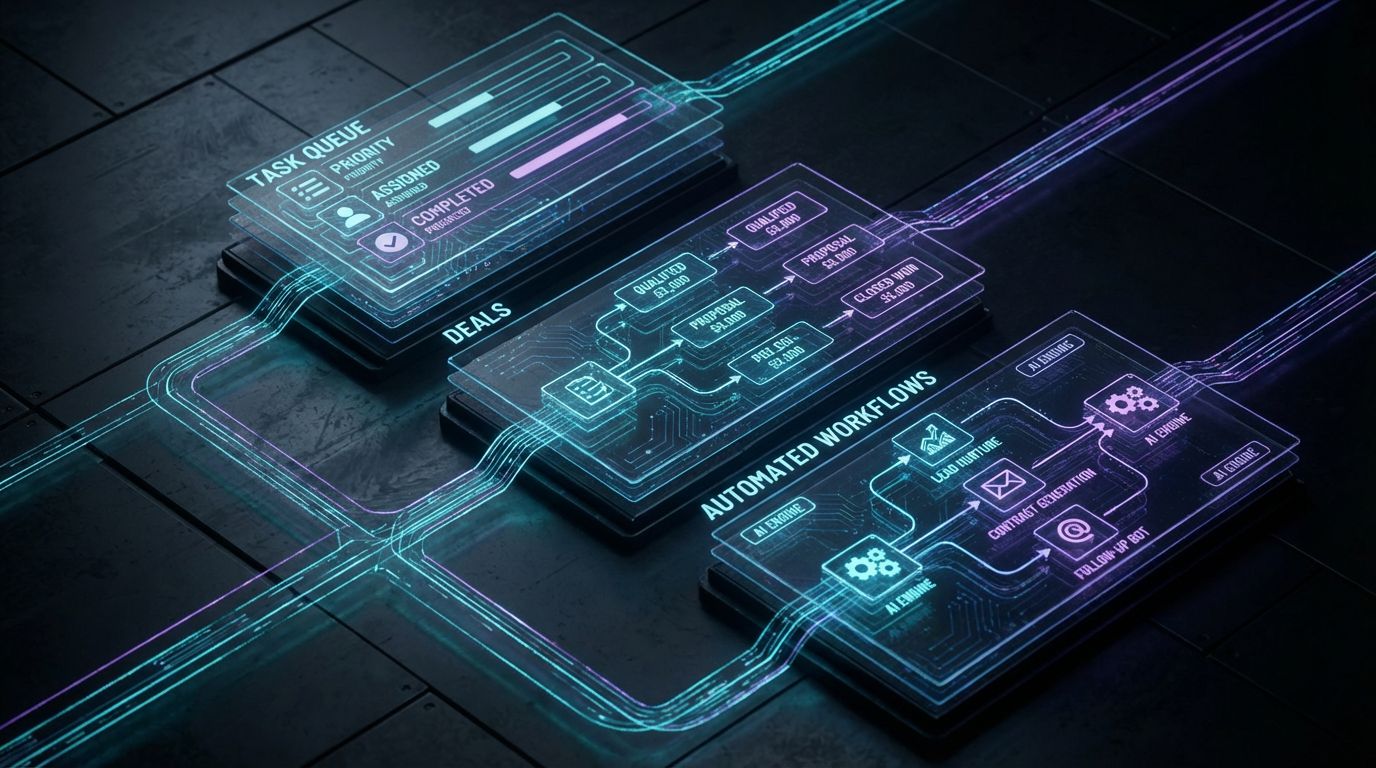
At its core, HubSpot task management is a way to turn sales intent into concrete, trackable actions. When it’s configured well, reps open their task queue in the morning and see an ordered, prioritized list of high-impact activities. When it’s configured poorly, they see noise.
HubSpot gives you building blocks, not a finished system. Understanding what those blocks can and cannot do is the first step before you build anything serious. Otherwise you end up with fragmented workflows, overlapping sequences, and a team that quietly goes back to their own manual workarounds.
Core Capabilities That Matter for Sales Teams
The fundamentals are straightforward. You can create tasks directly on contact, company, deal, and ticket records, associate them to multiple objects, and assign them to specific owners with due dates and priorities.
Task queues let reps batch work logically—call queues, follow-up queues, renewal queues—so they stay in execution mode instead of hunting for the next action. Tasks can be created manually, from emails, from logged calls, from HubSpot workflows and sequences, or via integrations from other tools.
On top of that, you get recurring tasks, basic reporting on task volume and completion, and the ability to tie tasks to deals and pipelines. This is enough to support inbound follow-up, outbound cadences, and renewal reminders if you design your process carefully.
Where Teams Run Into the Limits
The first limit is that HubSpot’s default configuration rarely matches your actual sales process. Generic task types and priorities do not capture the nuance between a new inbound demo request, a second-touch outbound call, and a renewal risk.
The second limit is ownership in multi-touch journeys. If marketing, SDRs, AEs, and CS all create tasks with no rules for “who owns which follow-up when,” the queue becomes a political battlefield instead of a playbook.
Finally, the system does not natively understand capacity or prioritization logic. Without designed rules and supporting workflows, you can easily create more tasks than your team can realistically handle, and you won’t get AI-powered content or summarization without layering in additional configuration and services like AiBizBuild’s CRM Integration & Inbox Management.
Designing a Scalable Sales Task Architecture
This is where you stop thinking about “where is the create task button” and start thinking in systems. Every touchpoint—demo request, outbound connect attempt, renewal reminder—needs a decision rule for how it appears as a task, who owns it, and when it escalates.
A scalable architecture does three things well. It limits tasks to work that genuinely requires human judgment, it standardizes how follow-ups are generated across pipelines, and it creates reporting that leadership can actually use to manage capacity and pipeline health.
Decide What Belongs as a Task vs. Deal Stage vs. Ticket
Not everything should become a task; that’s the fastest path to task fatigue. Use a simple rule: tasks are for time-bound, owner-specific actions that can be completed in one sitting. If the work is ongoing or multi-step, it belongs as a deal stage or a project, not a task.
For inbound leads, “Call John within 1 hour of demo request” is a task, while “Discovery Complete” should be a deal stage. For outbound, “Send custom LI message to Jane at ACME” is a task, while “Account Qualified” is a stage or property.
Support and onboarding often belong in tickets or projects with their own workflows. Only the sales-critical pieces that require a specific rep at a specific time—like “Introduce CSM 30 days before renewal”—should surface as tasks to avoid duplication and clutter.
Recommended Custom Properties for Task-Driven Sales Ops
Out-of-the-box properties don’t give you enough signal to automate intelligently. You need a minimal, opinionated set of custom properties on contacts, deals, and sometimes tasks themselves.
- Lead source / campaign (contact or deal): to segment inbound from outbound, partner, events, and link back to campaigns.
- Account priority tier (A/B/C) (company or deal): to let workflows prioritize tasks for top-tier accounts first.
- Follow-up reason (task or deal): values like no-show, new inquiry, nurture, renewal, expansion to drive tailored sequences and messaging.
- SLA deadline or response target (deal/contact): a datetime that workflows can compare against to trigger escalation tasks and alerts.
These properties power better workflows: tasks can be auto-labeled and prioritized based on source and tier, escalations can be triggered when SLA deadlines are approaching, and reporting can finally answer “Where are we dropping the ball?”.
When you pair this with CRM Integration & Inbox Management, you can also sync these properties with tools like email, calendars, and ticketing so that context follows the record across your stack instead of being re-keyed by reps.
Structuring Task Queues and Ownership
A clean task architecture starts with clear queues. Most high-performing teams split HubSpot task queues by role and motion, for example: SDR – Inbound New, SDR – Outbound, AE – Active Deals, AE – Renewals.
You can also slice by pipeline, region, or product line if you have distinct teams. The key is that any given rep should have a small number of primary queues they live in daily, not a jungle of overlapping lists they have to mentally triage.
Before you click anything in HubSpot, define assignment rules: which leads go to which queue, how ownership changes between SDR and AE, and what happens when tasks are overdue. This is where an automation architect earns their keep—designing routing and capacity logic so you don’t flood your highest performers while others sit idle.
Why DIY HubSpot Task Setups Fail at Scale

On a 2–3 person team, ad-hoc tasks and a couple of simple workflows can work fine. Once you have multiple reps, multiple pipelines, and serious revenue targets, DIY HubSpot builds usually collapse under their own weight. The symptoms show up as rep complaints long before leadership sees the pipeline impact.
I’ve been called into more than one HubSpot account where the team’s unofficial policy was “ignore most tasks because they’re wrong 30% of the time.” At that point, the system isn’t neutral; it’s actively eroding trust and driving people back to manual tracking.
The Hidden Complexity Behind “Just Create a Task”
Every time someone says “let’s just create a task for that,” they’re adding to a hidden backlog of design decisions. Who owns the task, which queue should it live in, what happens if it’s not completed, and how does it interact with sequences and other workflows?
DIY setups often accumulate dozens of isolated workflows, each built to solve one local problem. Over time those workflows stack into a maze of overlapping triggers, duplicate tasks, and conflicting enrollments. No one has the full picture, so any change risks breaking something.
Without documentation and a clear owner of the task architecture, naming conventions drift, people spin up their own sequences, and you get ghost tasks that feel irrelevant or wrong. That’s when reps start triaging by subject line, and your “automation” becomes background noise.
Insert Table: Manual Follow-Up vs Automated HubSpot Task Engine
| Manual follow-up | Basic DIY HubSpot tasks | Done-for-you automated task engine |
|---|---|---|
| 10–15 hours/week per rep spent on manual tracking, spreadsheets, and reminders | 5–8 hours/week saved, but offset by time spent fixing bad tasks and triaging noise | Save 10–15 hours per rep per week via clean queues, automatic enrollment, and consistent next steps |
| Data scattered across inboxes, calendars, notes; minimal CRM logging | More data in HubSpot, but inconsistent properties and incomplete associations | High data quality with enforced associations, standardized properties, and automated logging |
| Frequent missed follow-ups; hard to quantify, but obvious anecdotally | Missed follow-ups drop, but gaps remain around handoffs and edge cases | Missed follow-ups reduced by 70–90% with SLA-based workflows and escalation paths |
| Low rep satisfaction; everyone builds their own system to survive | Mixed satisfaction; power users cope, others ignore tasks | High rep satisfaction because queues reflect reality and help them hit quota |
| Reporting is anecdotal and backward-looking; hard to enforce SLAs | Some visibility into task volume and completion, but limited strategic insight | High-quality reporting linking task behavior to lead response times, win rates, and renewal health |
This is the gap most leadership teams underestimate. A basic DIY setup feels “good enough” until you’re missing quota by a few percentage points and cannot explain where leads are slipping through.
By contrast, a designed, automated task engine behaves like an operational contract. If a demo request arrives, you know exactly what task appears where, for whom, and what happens if they do not act in time.
The Cost of Misconfigured Tasks (And How It Shows Up in Pipeline)
Misconfiguration is not theoretical; it shows up as missed revenue. The classic case is inbound demo requests: marketing drives sign-ups, but no one has enforced SLAs, so some leads sit 6–24 hours before a first touch.
If your average rep misses even 1–2 qualified opportunities per month due to delayed or missing follow-ups, and your ACV is meaningful, you are quietly leaking six figures annually. That loss rarely appears as a single event; it’s death by a thousand micro-failures.
Renewals and expansions are just as vulnerable. Without automated tasks tied to renewal dates and risk signals, CSMs and AEs rely on memory and ad-hoc lists. The cost of a systematic, done-for-you build is often a fraction of a single lost customer, which is why DIY becomes more expensive than a structured project much faster than most teams expect.
Implementation Roadmap: From Manual Chaos to Automated Follow-Ups
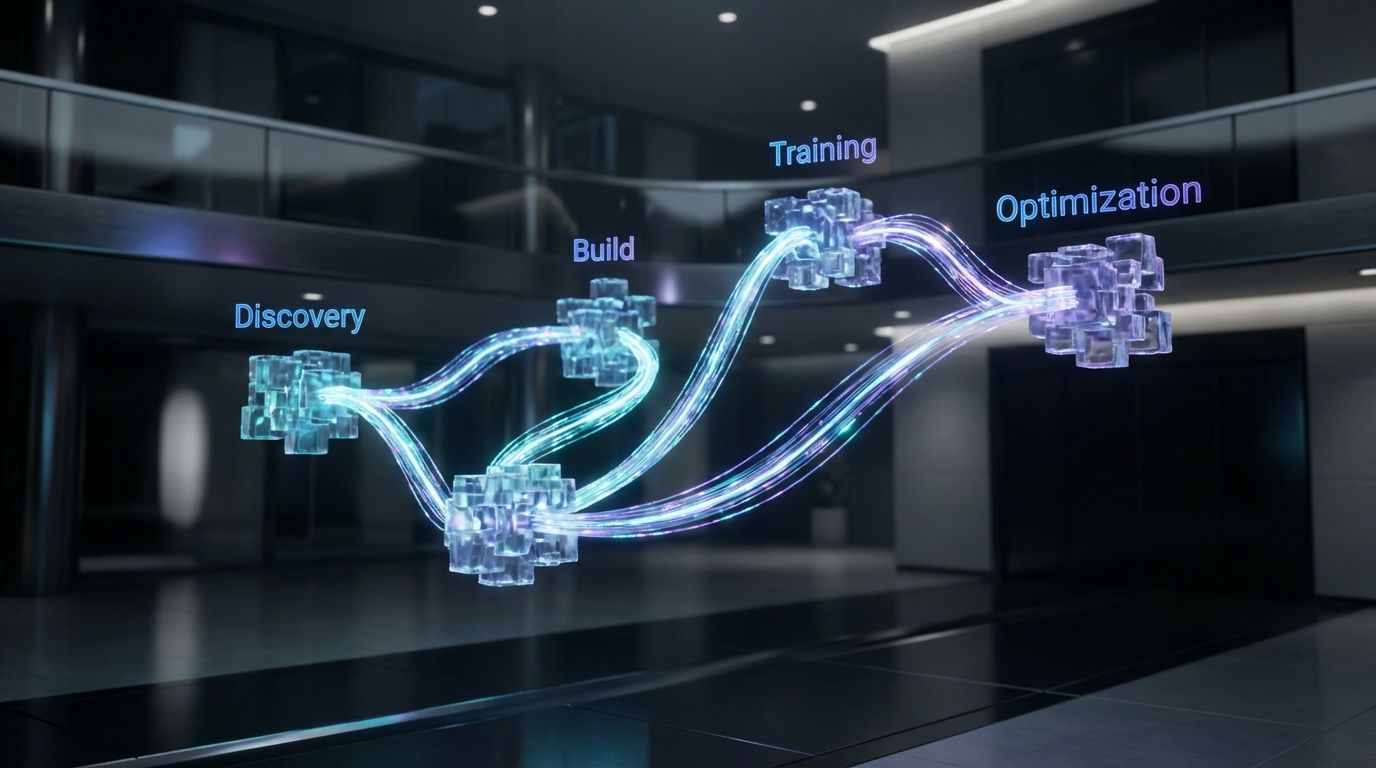
Most guides stop at “here’s how to create a task.” That’s not enough to change behavior or prove ROI. You need a time-bound, phased roadmap that takes you from your current state to a functioning system without disrupting quota.
This is the rollout pattern we use repeatedly with B2B teams. If you follow it, you can get a working HubSpot task engine live in 3–4 weeks; if you want to skip the learning curve, this is exactly what we deliver during a HubSpot Task Workflow Audit and implementation.
Phase 1 – Discovery & Process Mapping (Week 1)
In Week 1, do not touch workflows yet. Start by documenting how leads flow today: where they come from, who touches them, and what “good” follow-up looks like at each step.
- Inventory all lead sources: website forms, demo requests, trials, outbound lists, webinars, partner referrals.
- Document SLAs: how quickly should each type be contacted (e.g., inbound demo < 1 hour, trials < 4 hours, outbound < 24 hours).
- Audit existing HubSpot workflows, sequences, and task rules to see what’s already in place and where conflicts exist.
The output should be a visual map of your sales process showing where tasks should be triggered, with clear owners and desired timelines. At AiBizBuild, this is a deliverable from our Workflow Audit: a shared blueprint you can build from or have us implement.
Phase 2 – Task Architecture & Property Design (Week 1–2)
Once the process is mapped, design the underlying data and task structure. This is where you define the custom properties, naming conventions, and global task rules that will keep your system coherent.
- Finalize the core property set (lead source, tier, follow-up reason, SLA deadline) and where each lives (contact, company, deal, task).
- Standardize naming conventions for workflows, queues, and sequences so future admins can understand and maintain the system.
- Define global behaviors: when are tasks automatically created, auto-closed, re-assigned, or escalated to managers.
This is the phase most DIY teams skip, which is why they end up with spaghetti automation later. Spending a few focused days here will save you dozens of hours of rework over the next year.
Phase 3 – Build Workflows, Sequences, and Queues (Week 2–3)
Now you turn design into reality. Start by building a small number of high-leverage workflows that cover your core revenue motions instead of trying to automate everything at once.
- New inbound lead workflow: When a qualified form is submitted, create a task for the right SDR in the “SDR – Inbound New” queue, set SLA properties, and optionally enroll the contact into an initial email sequence if no reply in X hours.
- Idle deal workflow: If there’s no logged activity on an open deal for, say, 5 days, create a follow-up task for the AE and update a “Last touched by sales” property for reporting.
- No-show workflow: When a meeting outcome is logged as “No-show,” automatically send a polite reschedule email and create a follow-up task for the SDR or AE.
Align HubSpot sequences with task creation instead of treating them separately. Each sequence step should either create a related task (e.g., “Call attempt 2”) or auto-complete based on tracked email engagement so reps see a unified to-do list instead of multiple disconnected flows.
Phase 4 – Testing, QA, and Training (Week 3–4)
Before you roll out to the whole team, run controlled tests. Enroll sample records in each workflow and sequence, verify that the right tasks appear in the right queues with the correct owners, and look for duplicates or missing steps.
- Test edge cases: reassigned owners, multiple deals per company, leads switching segments.
- Check for time zone correctness on SLAs and due dates.
- Validate that tasks are associated to the correct contact, company, and deal so reporting works.
Then train your reps on how to work the new system: which queues to live in, how to interpret task names and types, and what to do when something seems off. Adoption rises dramatically when reps see that the system saves them time instead of adding admin, which is why many teams bring in a partner like AiBizBuild to run change management as part of the build.
Phase 5 – Optimization and AI Layering (Ongoing)
Once the basics are stable, you can layer in AI to remove even more manual work. The key is to add AI after you have clean triggers and queues, not before.
- Use AI to draft personalized follow-up emails from task context and previous interactions. Tie this into a scalable SEO content generation system so messaging is consistent with your site and resources.
- Integrate call recording tools that push AI-generated summaries and key next steps into tasks automatically.
- Through CRM Integration & Inbox Management, route alerts to Slack or email when critical SLAs are at risk, with AI suggesting the best next action.
Over time you can also align your sales follow-ups with marketing’s automated content workflows, so campaigns and task cadences reinforce each other rather than running in silos.
Migration Checklist: Moving Your Team Into HubSpot Tasks
If you are already mid-flight with spreadsheets, personal task apps, and partial HubSpot adoption, a structured migration plan avoids chaos. Think of this as your high-level playbook; this is exactly what we refine and execute during a Workflow Audit.
Use these checklists as a sanity check before you flip the switch on any large-scale automation. They are also useful artifacts to align sales, marketing, and RevOps around what is coming.
Pre-Migration Audit Checklist
- List all current systems used for follow-up: spreadsheets, personal tools (Todoist, Asana), calendar reminders, Slack channels.
- Identify critical follow-up points: inbound demos, trials, MQL handoffs, PQL/product triggers, renewals, upsell opportunities.
- Clean data before you automate: merge duplicates, close out obviously dead deals, and remove stale sequences that no one should be enrolled in going forward.
Without this prep, your new HubSpot task engine will inherit old clutter and confusion. Automation amplifies whatever system you already have; make sure you are amplifying clarity, not chaos.
Configuration Checklist in HubSpot
- Create and validate your custom properties: lead source, priority tier, follow-up reason, SLA deadline/target.
- Define default task types and priorities, and set rules for default due dates by trigger type (e.g., demo requests due within 1 hour).
- Configure core workflows tied to each lead source and pipeline, including task creation rules and queue assignments per team.
- Set up SLA alerts and notifications for overdue tasks, and ensure owners and managers receive the right signals without being spammed.
Once this is in place, create dashboards that surface these metrics so leadership can see adoption and bottlenecks. This is where your configuration and your reporting strategy must line up.
Rollout & Change Management Checklist
- Announce the new system to reps with a clear “what’s in it for you”: fewer spreadsheets, more time selling, and better protection against missed leads.
- Run training sessions focused on daily workflows: which queues to use, how to log outcomes, and how to escalate issues.
- Set up a feedback channel for the first 30–60 days where reps can flag confusing tasks, missing scenarios, or overload.
If you want to de-risk this step, this is where a HubSpot Task Workflow Audit pays off. We walk your team through the transition, tune workflows based on real-world feedback, and ensure adoption sticks instead of decaying after two weeks.
Use Case: B2B Sales Team Automating Follow-Ups with HubSpot + AiBizBuild
To make this concrete, here is a representative scenario from the kind of B2B SaaS teams we work with. The numbers will vary, but the patterns are consistent across industries.
Think of this as a reference architecture you can adapt—or a preview of what we can build for you in a more tailored way.
The Before State – Missed Follow-Ups and Manual Admin
A 20-person B2B SaaS sales team is running on HubSpot. Marketing is driving a solid volume of inbound demos, content leads, and webinar sign-ups, and SDRs are also running some outbound.
HubSpot tasks exist, but adoption is patchy. Some reps live out of their email inbox and personal notes, others try to use tasks, and a few power users maintain complex personal systems no one else understands.
The symptoms are familiar: hundreds of contacts with no activity in 30+ days, deals sitting in stages for weeks with no next-step tasks, inconsistent response times on demo requests, and marketing complaining that “sales never followed up on our webinar leads.”
The Automated Workflow We Implemented
We started with a Workflow Audit to map their current process and clean up their HubSpot environment. Then we implemented a unified follow-up architecture centered on tasks and queues.
- New demo request: Form submission creates/updates a contact and deal, stamps lead source and SLA deadline, and auto-creates a task in the “SDR – Inbound New” queue with full context (campaign, notes, time zone).
- 2-hour SLA check: If no call, email, or meeting is logged within 2 hours during business time, an escalation task is created and a Slack alert is sent via CRM Integration & Inbox Management to a team lead.
- No connect path: If the SDR logs a call with no connect, the contact is enrolled into a multi-touch sequence (email, calls, LinkedIn) managed under Cold Outreach Automation, with associated call tasks populating the SDR call queue.
- AI-assisted follow-ups: After each call or demo, a summary and draft follow-up email are generated based on call notes and relevant content, leveraging insights from the company’s SEO Content & Blog Automation so messages stay on-brand and resource-linked.
- Idle deal nudges: If a deal sits in a given stage for 5 days without activity, a next-step task is created for the AE. At 10 days, a manager alert fires, and the deal is flagged in a “stalled deals” dashboard.
We also connected upstream lead generation automation playbooks and optional B2B Lead Scraping & Enrichment, so enriched leads entered HubSpot already classified by tier and persona—making downstream task prioritization far more effective.
The After State – KPIs and ROI
Within 60–90 days, the operational profile of the team looked very different. We are typically conservative with projections, but the directional impact is consistent.
- Lead response time dropped from ~18 hours to under 2 hours on average for inbound demos, with 80–90% of leads touched within the SLA window.
- Reps saved 5–10 hours per week that were previously spent on manual reminders, spreadsheet updates, and guessing what to work on next.
- Meetings booked from the same lead volume increased by 20–30%, largely because fewer leads were slipping through and follow-up cadences were more consistent.
Just as important, leadership finally had visibility into where follow-ups were breaking down. Dashboards showed task completion rates, SLA breaches, and stalled deals by owner and segment, enabling targeted coaching instead of broad frustration.
Measuring ROI: KPIs That Prove Task Automation Is Working
A well-built HubSpot task system should not be evaluated on “does it run,” but on clear performance metrics. If you cannot quantify before/after behavior, it will be hard to keep leadership bought in and justify ongoing optimization.
The metrics below are simple to track once your workflows and properties are in place. They form the backbone of the reporting packages we typically deliver alongside implementation.
Core Metrics to Track in HubSpot
- Task completion rate per rep: percentage of created tasks completed on time vs overdue or ignored.
- Lead response time: average time from lead creation (or form submission) to first logged touch, sliced by source and tier.
- Deals with active next-step tasks: percentage of open deals that have at least one future-dated task assigned.
- No-activity days per open deal: how many days deals sit untouched; a leading indicator of stall risk.
These can all be surfaced in HubSpot dashboards with filters by team, pipeline, and segment. When configured correctly, they turn your task system into an early-warning radar for operational problems.
Pipeline and Revenue Impact Metrics
- Meeting set rate from MQLs and PQLs: how many qualified leads convert into meetings, before and after automation.
- Win rate by stage and segment: especially comparing accounts with consistent follow-up vs those with spotty activity.
- Average sales cycle length: track whether better follow-up discipline shortens time-to-close in key segments.
While many factors influence these metrics, consistent, SLA-driven follow-up is one of the easiest levers to control. When you combine tasks, sequences, and AI-assisted content, you usually see a measurable lift within a quarter.
Operational Efficiency Metrics
- Estimated time savings per rep: compare activity logs and self-reported time spent on planning and admin before vs after the rollout.
- Reduction in ad-hoc reminders: fewer “did you see this lead?” Slack messages and email forwards from managers and marketing.
- Missed renewals or expansions: count of instances where a renewal date passed with no proactive outreach, before vs after renewal workflows.
These operational KPIs are often the easiest way to justify a done-for-you build. If your team spends dozens of collective hours per week on manual coordination, the ROI of a structured implementation becomes hard to argue with.
When to Bring in a Done-For-You Automation Partner
—IMAGE_BLOCK: Futuristic Glass & Metal Product Shot of an abstract “automation hub” device on a dark desk, with glowing panels labeled Tasks, Queues, SLAs, and AI, representing a premium done-for-you system. Cinematic lighting, Unreal Engine 5 render, futuristic corporate aesthetic, glowing cyan and purple accents, shallow depth of field, 8k resolution—
There is a point where DIY HubSpot builds become more expensive than bringing in specialists, even if you never cut a check for external help. The cost just shows up as lost deals, rep churn, and a CRM no one trusts.
The right time to engage a partner like AiBizBuild is usually before you hit that wall—or right after you realize you have. The signals below are what I listen for on initial calls.
Signals You’ve Outgrown DIY HubSpot Tasks
- You have multiple teams or pipelines (SDR, AE, CS) all touching the same accounts, and no one can clearly explain who owns which follow-up when.
- You already have dozens of workflows and sequences, but adoption is spotty and no one feels safe changing anything.
- Your revenue targets are at a point where one or two lost opportunities per rep per month materially impacts the number.
- You do not have an in-house RevOps owner who lives and breathes automation architecture.
In these situations, trial-and-error DIY often results in two or three partial rebuilds over 12–18 months. A structured, done-for-you project is almost always cheaper and faster in both hard and soft costs.
What AiBizBuild Actually Builds for You
AiBizBuild is not another SaaS tool; we are a premium done-for-you automation agency that specializes in HubSpot-centric stacks. In practical terms, here is what our CRM Integration & Inbox Management projects deliver.
- Audit: Deep review of your current HubSpot configuration, workflows, sequences, and sales process, culminating in a documented task and follow-up architecture.
- Design: Definition of your task taxonomy, properties, queues, SLA logic, and routing rules, aligned with your pipelines and team structure.
- Build & integration: Implementation of core workflows, sequences, and alerts, plus integration with inboxes, calendars, Slack, and any upstream lead sources.
- Training & documentation: Rep and manager training, playbooks for working queues, and admin documentation so your team is not dependent on a single hero user.
Depending on your needs, we can also extend into Cold Outreach Automation, B2B Lead Scraping & Enrichment, and coordination with marketing-side automation like SEO Content & Blog Automation and Social Media Workflow Automation, but the core is always a robust HubSpot task engine.
Insert Table: Cost of DIY vs Done-For-You Implementation
| DIY internal build | Freelancer/adhoc consultant | AiBizBuild DFY build |
|---|---|---|
| Time-to-live often 3–9 months with multiple false starts and rebuilds | Time-to-live 2–4 months, depending on availability and scope creep | Time-to-live 3–4 weeks on a defined, scoped workflow blueprint |
| High internal hours: sales leaders, ops, and reps spending 50–150+ combined hours | Moderate internal hours: still need heavy coordination and QA from your team | Low internal hours: focused workshops and reviews, most build work handled externally |
| Reliability varies; dependent on whoever built it and their HubSpot depth | Reliability depends on individual; documentation and long-term thinking not guaranteed | High reliability with architectural standards, documentation, and tested patterns |
| Maintenance becomes a hidden burden; every change feels risky | Maintenance depends on freelancer availability; knowledge often walks away | Managed maintenance and optimization available as ongoing support options |
| Estimated total cost often exceeds external options when you factor lost opportunities | Lower direct cost, but variable quality and higher coordination overhead | Predictable project cost tied to clear deliverables and expected time savings/ROI |
If you are weighing options, run a simple calculation. Estimate the time your team already spends on DIY build and maintenance, multiply by fully loaded rates, and add the revenue impact of even a few lost deals per quarter.
For most growth-stage B2B teams, the math points in the same direction: a well-scoped, done-for-you implementation with a HubSpot Task Workflow Audit as the starting point is the fastest, least risky path to a reliable follow-up engine.
FAQs on Automating HubSpot Tasks and Follow-Ups
-
How long does it take to set up an effective HubSpot task management system?
For a typical B2B team, you can go from discovery to a live, functioning system in 3–4 weeks if you follow the phased roadmap: Week 1 for discovery and mapping, Week 1–2 for architecture and property design, Week 2–3 for build, and Week 3–4 for testing and training. Larger or more complex organizations may need more time, but the structure is the same. -
Do we need in-house developers to maintain these workflows?
In most cases, no. A robust HubSpot task and follow-up system is primarily configuration and process design, not custom code. However, it does benefit from someone who thinks like an automation architect, whether that’s an internal RevOps hire or an external partner like AiBizBuild to own the design and periodic optimization. -
How do we avoid overwhelming reps with too many tasks?
You avoid overload by being opinionated about what becomes a task, structuring queues by role, and building prioritization logic into workflows. Regular audits—checking average daily task volume per rep, completion rates, and feedback—let you tune automation so that queues stay focused on the highest-impact actions instead of every possible click. -
Is automating tasks and follow-ups in HubSpot secure and compliant?
When you stay within HubSpot’s native features and follow good governance practices—role-based permissions, proper data retention policies, and careful integration scopes—your automation is as secure as the rest of your CRM. AiBizBuild’s CRM Integration & Inbox Management projects always align with your existing security and compliance standards rather than introducing shadow systems. -
What does working with AiBizBuild on HubSpot automation actually look like?
Engagements typically start with a HubSpot Task Workflow Audit: we review your current setup, map your processes, and design a task and follow-up architecture. Then we move into build (workflows, sequences, queues, integrations), followed by testing, training, and an initial optimization cycle. From there, some clients keep us on retainer for ongoing refinement and AI layering as their motion evolves.
If you are serious about making HubSpot task management the backbone of a predictable pipeline, the next logical step is simple. Book a HubSpot Task Workflow Audit, get a concrete automation blueprint for your sales team, and decide—based on clear numbers—whether a done-for-you implementation is the right move for your revenue goals.