

HR Automation: How to Automate Onboarding, Payroll & Compliance Beyond Recruitment
Key Takeaways
HR automation turns manual onboarding, payroll, and compliance work into repeatable workflows that run with minimal HR intervention. Moving from paper forms and spreadsheets to an automated human resource management system requires clear process mapping, the right tech stack, and disciplined change management. Teams that automate core HR processes routinely cut admin time by 40–60% and get new hires to full productivity days or weeks faster without adding headcount.
In This Guide:
📌 What HR Automation Really Is (Beyond Recruitment)
🧾 Manual vs Automated HR: Onboarding, Payroll, Compliance
🧠 Why DIY HR Automation So Often Fails
🛠️ HR Automation Tech Stack & Implementation Blueprint
📦 Use Case: HR Onboarding Automation for 200–500 Employee Companies
📈 ROI: Time-to-Productivity & HR Admin Headcount Savings
✅ Done-For-You HR Automation with AiBizBuild
❓ FAQ
Most HR teams already feel the gap between what their tools promise and what their day actually looks like. You bought an HRIS, maybe a payroll platform and LMS, yet you are still chasing forms over email and reconciling spreadsheets. This guide shows how practical hr automation solutions can automate HR processes for onboarding, payroll, and compliance without a risky HRIS rip-and-replace.
What HR Automation Really Is (Beyond Recruitment)
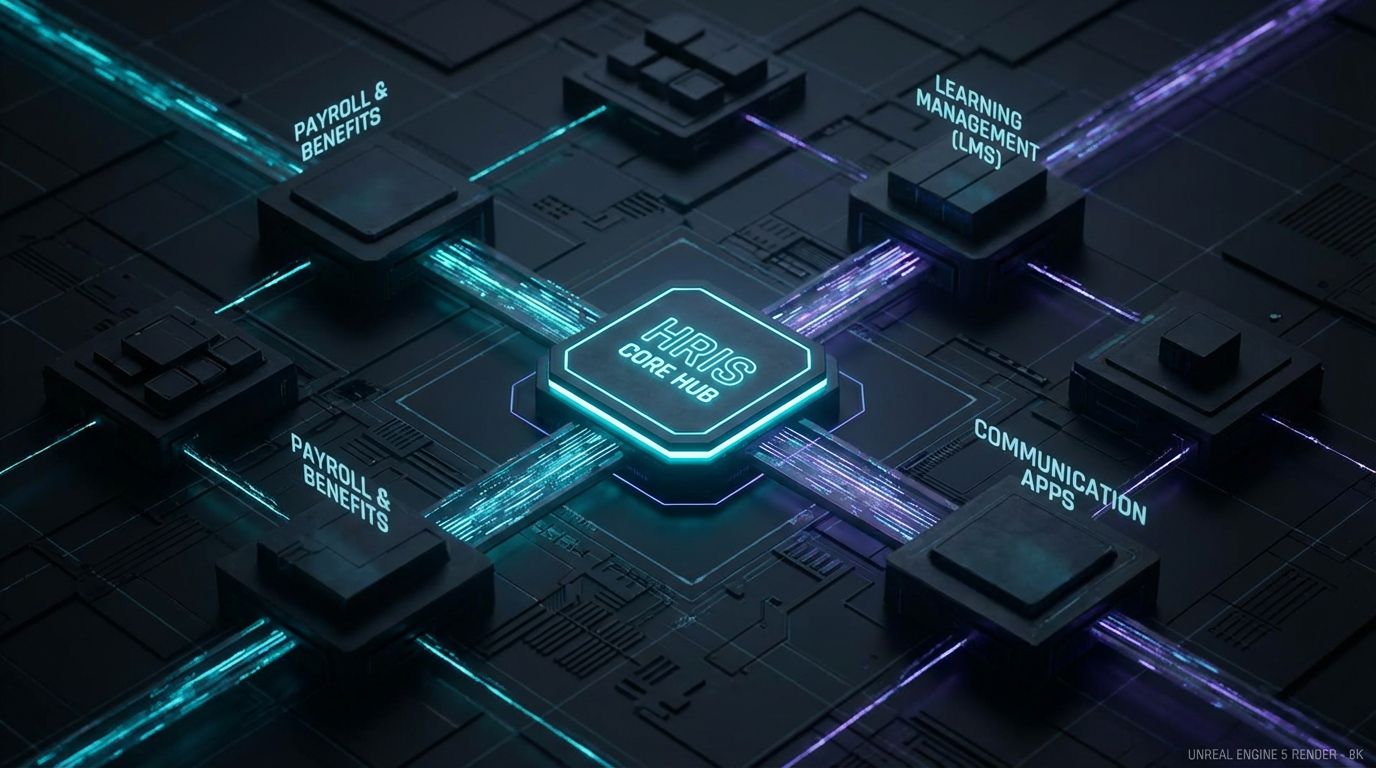
Most vendors talk about hr automation as if it were just smarter recruiting or a slicker ATS. In reality, the biggest gains come from automating what happens after someone signs: onboarding, payroll changes, benefits, compliance, and recurring HR operations. An effective automated hr system quietly handles these repeatable tasks so your team can focus on coaching managers and improving culture instead of pushing paper.
Think of automated human resources systems as your existing HRIS, payroll, and collaboration tools wired together by workflows that move data and trigger actions automatically. A form completion updates the HRIS, which syncs to payroll, which informs benefits and compliance—without a human forwarding anything. The real value is not more logins; it is fewer manual steps and fewer chances to drop the ball.
From Point Solutions to an Automated Human Resource Management System
Most SMB and mid-market teams start with point solutions: one vendor for payroll, another for benefits, another for learning. Each solves a slice of the problem but still forces HR to be the “glue” that moves data between systems. That is why you end up with spreadsheet sprawl and a shared HR inbox full of status questions.
An automated human resource management system does not have to be a single monolithic platform. It is a design pattern: a system of record (HRIS) plus a system of action (workflow automations, bots, and integrations) that keeps everything in sync. When implemented correctly, adding a new hire, changing a salary, or assigning compliance training becomes a controlled, trackable workflow rather than a one-off project.
Manual vs Automated HR: Onboarding, Payroll, Compliance
Let’s ground this in your day-to-day reality. If you are like most HR leaders I work with, onboarding, payroll changes, and compliance tracking are where manual work quietly eats 30–50% of your week. We will contrast the manual pattern with what happens when you automate HR processes using a well-designed automated hr system.
Manual Onboarding (Paper, Email, Spreadsheets)
Typical manual onboarding looks like this: HR sends an offer letter, waits for a signed PDF, then emails a packet of forms and chases signatures and I-9 documents. IT setup happens via separate tickets or ad-hoc emails, and managers are left guessing what should happen on day one. Every step depends on someone remembering to send the next email or update a spreadsheet.
Operationally, that means 3–5 days of back-and-forth and 3–4 hours of HR admin per hire just to get the basics done. New hires often spend their first day filling out forms instead of learning their role, which drags out time-to-productivity. It also creates a poor first impression: disorganized, inconsistent, and dependent on whoever is paying the most attention that week.
HR Onboarding Automation with an Automated HR System
HR onboarding automation replaces that email ping-pong with a single, orchestrated workflow. The trigger is simple: once a candidate’s status changes to “Hired” in your ATS, an integration creates the employee record in the HRIS with all known data pre-filled. From there, automated steps handle communication and task assignment.
A typical automated sequence: status = Hired → create employee profile → send branded welcome email with portal login → present e-sign packets (offer, policies, tax forms) → auto-create tasks for IT (accounts, laptop), Facilities (badge), and manager (30/60/90 plan) with deadlines and reminders. Because this is managed by an automated hr system, HR only intervenes in exceptions instead of shepherding every single step. New hires finish paperwork before day one, and everyone involved knows exactly what to do and by when.
Manual Payroll & Compliance vs Automated HR Workflows
Payroll and compliance are where manual processes become risk, not just annoyance. Today, you might receive payroll changes via email threads, chat messages, or last-minute spreadsheets, then key those changes into payroll and HRIS by hand. Compliance training and policy acknowledgments are tracked in separate sheets, and audit prep means reconstructing who signed what, when.
When you automate HR processes around payroll and compliance, you funnel all changes through structured forms and workflows. Employees use self-service to request changes; managers approve in one place; integrations update HRIS, payroll, benefits, and LMS automatically. Automated reminders and automated approvals ensure compliance tasks are completed on time and logged centrally, making audits a non-event instead of a fire drill.
Insert Table: Manual HR Admin vs Automated HR System
Here is how manual HR admin compares with an automated hr system for core workflows.
| Aspect | Manual HR Processes | Automated HR System |
|---|---|---|
| Onboarding time | 3–5 days of back-and-forth emails and paper forms | 1–2 hours with automated workflows and self-service portals |
| HR admin hours per hire | 3–4 hours of data entry, chasing signatures, and coordination | 45–60 minutes focused on exceptions and high-touch moments |
| Payroll & benefits changes per pay period | Manually keyed from emails and spreadsheets; high rework rate | Captured via structured forms and auto-synced to payroll/benefits |
| Error rate | Frequent typos, missed effective dates, and misapplied policies | Standardized inputs, validations, and approvals reduce errors by 50%+. |
| Compliance audit readiness | Scrambling to gather evidence from inboxes and scattered files | Centralized logs of training, acknowledgments, and approvals on demand |
| Employee experience | Confusing instructions, duplicate info requests, and delays getting access | Clear, timely communications and ready-to-work day one experience |
Why DIY HR Automation So Often Fails

Most HR teams already own more tools than they use effectively. The gap is not software; it is stitching those tools into a working system while still running day-to-day HR. This is why so many well-intentioned “DIY automation” initiatives stall after a few half-built workflows.
The Tool Trap – Buying Software Without a Workflow Strategy
Buying a new HRIS or signing up for an automation platform does not automatically automate HR processes. Without a clear workflow strategy, you end up recreating your old manual steps inside a fancier UI. Adoption remains partial, shadow spreadsheets live on, and your team loses trust that “the system” will actually reflect reality.
Effective hr automation solutions start with process design: what should happen when, who approves, what data is required, and where it lives. Only then do you configure tools to enforce that design. Skipping this step is like buying a warehouse management system without first deciding how inventory should flow.
Integration, Data, and Change Management Complexity
Once you define workflows, you still have to connect ATS, HRIS, payroll, LMS, identity/access tools, and collaboration channels like Slack or Teams. That means dealing with APIs, field mapping, data cleansing, duplicate records, and permission models. It is detailed, unforgiving work that most HR teams understandably do not have capacity or training for.
Then comes change management: communicating new processes, updating documentation, and training managers while keeping legacy paths from creeping back in. I have seen many HR teams get 70% through an integration, then pause “just for this busy season” and never fully return. The result is a fragile, half-automated state that is more confusing than where you started.
The Maintenance Problem – Policies and Systems Change Constantly
Even when you get automation live, it will not stay correct on its own. Policy changes, new job families, org restructures, or a payroll vendor swap can break assumptions baked into your workflows. Without clear ownership, documentation, and monitoring, those workflows quietly decay.
That is when HR drifts back to manual work “just for now” because no one feels safe editing an aging automation. Over time, adoption craters, and you are paying for systems that no one trusts. Avoiding this trap requires treating HR automation as an ongoing program, not a one-time project.
Insert Table: DIY HR Automation vs Done-For-You Implementation
Here is how DIY compares to a structured, done-for-you implementation model like AiBizBuild’s.
| Aspect | DIY HR Automation | Done-For-You Implementation (AiBizBuild) |
|---|---|---|
| Time to first live automation | 3–12 months, often stalled by competing priorities | 3–6 weeks for a scoped onboarding/payroll/compliance workflow MVP |
| Internal HR/IT hours required | Dozens of hours of trial-and-error configuration and integration work | Focused workshops and reviews; heavy lifting handled by automation specialists |
| Risk of stalled projects | High—projects pause during peak cycles and are hard to restart | Low—phased scope with clear milestones and dedicated implementation pod |
| Documentation & governance | Often ad-hoc; knowledge lives in one power user’s head | Formal workflow diagrams, admin guides, and change management playbooks |
| Clarity of ROI and timeline | Unclear; benefits assumed but rarely quantified | Explicit estimates of hours saved, FTE avoided, and payback period |
HR Automation Tech Stack & Implementation Blueprint

You do not need a bleeding-edge stack to get real value from hr automation. You need a clean division of responsibilities: where data is stored, where work is triggered, and how people interact with it. The stack below reflects what works consistently in SMB and mid-market environments.
Core Components of an Automated Human Resource Management System
First is your HRIS or HR suite—the system of record for employee data, job information, compensation, and status. Around that you usually have dedicated systems for payroll and benefits, a learning management system for training, and possibly an ATS for recruiting. Those are the core ingredients of an automated human resource management system.
You then layer on a workflow and integration platform plus communication channels. The workflow layer orchestrates tasks, approvals, and data syncs between systems. Email, Slack/Teams, and even SMS are how employees and managers experience those workflows, supported by AI-driven HR & Recruitment Screening Bots where appropriate.
Recommended Stack Patterns for SMB & Mid-Market
Pattern one is “all-in-one HRIS + light automation,” where a single vendor handles HR, payroll, and benefits and offers basic workflow tools. This is fine for simpler environments, but teams quickly hit limits when they want cross-system workflows or more advanced routing. Pattern two is “best-of-breed HRIS + integration platform + chat/AI layer,” which offers more flexibility and resilience as you grow.
At AiBizBuild, we do not force you into a new platform. We design workflow automation patterns that sit on top of your existing tools and use services like CRM Integration & Inbox Management to tame HR inboxes, ticket routing, and approvals. AI Voice Agents and 24/7 Appointment Booking Systems plug into the same ecosystem to handle scheduling and common HR inquiries without adding new manual work.
5-Phase Implementation Blueprint
A predictable implementation beats a flashy demo every time. Here is the 5-phase blueprint we use for HR onboarding, payroll, and compliance automations.
Phase 1: Discovery & Audit (1–2 weeks)
We document your current onboarding, payroll, and compliance workflows end-to-end. That includes every form, system touch, approval, and handoff. We also capture baseline metrics: hours per hire, payroll corrections per cycle, compliance completion rates, and current tools.
Phase 2: Design (1–2 weeks)
Next we map target automated workflows: triggers, decision points, approvals, and data flows. We decide where HR needs human touchpoints versus where bots or rules can safely take over. The output is a set of workflow diagrams and a backlog of high-ROI automations, prioritized by impact and complexity.
Phase 3: Build & Integrate (1–3 weeks)
We configure the workflows in a sandbox, connect systems, and set up HR & Recruitment Screening Bots or AI Voice Agents where appropriate. Our CRM Integration & Inbox Management expertise ensures HR requests from shared inboxes or portals feed cleanly into those workflows. We also build error handling, logging, and admin controls so HR can see what is happening without touching raw integrations.
Phase 4: Launch & Train (1–2 weeks)
We pilot with a subset of hires, departments, or locations to validate assumptions. HR and managers receive focused training, not vendor-general webinars—just the workflows and dashboards they will actually use. We tune messaging, forms, and SLAs based on real feedback before organization-wide rollout.
Phase 5: Optimize & Maintain (ongoing)
After launch, we monitor KPIs: admin hours saved, error rates, cycle times, and completion rates. When policies or tools change, we update workflows and documentation so your automations stay aligned with reality. For most SMBs, this looks like a light but steady cadence of tweaks instead of another big-bang project every 18 months.
Use Case Deep Dive: HR Onboarding Automation for a 200–500 Employee Company
Onboarding is usually the highest-ROI starting point for hr automation. It is repetitive, touches many systems, and is highly visible to new hires and managers. For a 200–500 employee company hiring 10–20 people per month, the gains are significant.
The Before State – Manual Onboarding Chaos
Before automation, HR spends hours chasing basic information: personal details, tax forms, emergency contacts, and banking info. IT provisioning depends on someone remembering to submit a ticket, and managers often find out a new hire’s start date from a forwarded email. Day one is a blur of paperwork, missing access, and improvised orientation.
Quantitatively, this often means 3–4 hours of HR time per hire, plus 1–2 hours of scattered manager and IT time. Multiply that by 150–200 hires per year, and you are looking at 600–800 hours of low-value admin work. That is roughly 0.3–0.4 FTE in pure onboarding admin effort alone, not counting opportunity cost from slower ramp-up.
The After State – Automated HR Onboarding Workflow
With hr onboarding automation, the same company experiences a fundamentally different flow. Once a candidate is marked “Hired” in the ATS, an integration creates or updates the employee in the HRIS and kicks off a structured workflow. The new hire gets a branded welcome email with a link to a secure preboarding portal.
- The portal collects all required data via smart forms and e-signatures, pushing it directly into HRIS and payroll.
- IT and Facilities tasks are auto-generated with due dates, linked to the new hire’s start date.
- The LMS automatically enrolls the new hire in orientation sessions and compliance modules.
- Managers receive automated nudges to define a 30/60/90 plan and schedule first-week meetings using a 24/7 Appointment Booking System.
- An HR & Recruitment Screening Bot answers common questions about benefits, policies, and day-one logistics via chat.
All of this runs on top of your existing systems, coordinated by an automated human resource management system approach rather than ad-hoc emails. HR now monitors dashboards instead of inbox chaos, stepping in only when exceptions or escalations occur. The employee experience feels designed and consistent rather than improvised.
Measurable Outcomes – Time-to-Productivity & Admin Savings
In environments like this, we typically see admin time per hire drop from 3–4 hours to 45–60 minutes. New hire paperwork completion before day one often jumps from roughly 40% to 90%+, because the process is clear and mobile-friendly. IT and manager tasks complete on time far more consistently, so new hires have access, hardware, and a schedule on day one.
For a 300–400 person company hiring 150 people per year, that frees roughly 300–450 hours annually just in HR admin—about 0.5–1 FTE of pure admin work avoided. On top of that, earlier productivity from better-prepared new hires compounds across the organization. The point is not to cut HR roles, but to give your existing team capacity for strategic work that actually moves culture and performance.
ROI: Time-to-Productivity & HR Admin Headcount Savings
Executives will ask you for numbers, not adjectives. The good news is that ROI from hr automation solutions is straightforward to quantify if you measure the right things up front. Most of the value shows up as hours saved, errors avoided, and new hires reaching full productivity sooner.
Quantifying ROI Across Key HR Processes
Onboarding ROI comes from reducing HR admin time and shortening time-to-productivity. If you cut 2–3 hours of HR work per hire and get new hires productive even one week faster, the impact adds up quickly. Payroll and benefits ROI comes from fewer corrections, off-cycle payments, and employee escalations caused by bad data.
Compliance ROI is less dramatic but equally important. Automating enrollment, reminders, and tracking for mandatory training and policy acknowledgments reduces manual chasing and audit prep. It also lowers the risk of fines or reputational damage from non-compliance—hard to model precisely, but very real in regulated industries.
Simple ROI Model HR Leaders Can Use
Here is a simple, back-of-the-envelope model you can run in a spreadsheet. Inputs: number of hires per year, average HR admin hours per hire today, expected hours per hire after automation, and fully loaded hourly cost of HR staff. Do the same for recurring processes like payroll changes and compliance tracking if you want a fuller picture.
Example: 150 hires per year × (3 hours – 1 hour) saved per hire × $50/hr fully loaded HR cost = $15,000/year in onboarding admin alone. Add, say, 30 hours/month saved on payroll and compliance coordination, and you are easily looking at another $18,000/year in freed capacity. In practice, well-scoped automation projects often pay back in 6–12 months, not years.
Done-For-You HR Automation with AiBizBuild
Most HR teams do not want to become workflow engineers or integration architects. They want reliable hr automation solutions that work across their existing HRIS, payroll, and communication tools. This is exactly where AiBizBuild comes in—not as another SaaS vendor, but as your AI & workflow automation partner.
What We Actually Do for HR Teams
AiBizBuild is a done-for-you automation agency, not an HRIS provider. We design and implement the workflows that turn your current tools into a functioning automated hr system. For HR teams, we focus on:
- HR & Recruitment Screening Bots repurposed for internal HR—answering policy questions, gathering structured intake for HR requests, and kicking off approval workflows.
- AI Voice Agents (Inbound/Outbound) plus 24/7 Appointment Booking Systems to schedule orientations, benefits sessions, and HR meetings without manual back-and-forth.
- CRM Integration & Inbox Management patterns applied to HR shared inboxes: routing requests, tracking SLAs, and feeding cases into automated workflows.
We work inside your ecosystem rather than forcing a new platform, focusing relentlessly on implementation reality and measurable ROI. Your HR team stays in control of policies and decisions, while we handle the plumbing, bots, and orchestration.
Example Package: HR Onboarding Automation in 30 Days
One of our most common engagements is a 30-day onboarding automation project. Scope typically includes mapping your current onboarding process, designing the target automated flow, and implementing it for a defined set of roles or locations. We then integrate your ATS, HRIS, and communication channels, plus set up bots and booking links where appropriate.
Deliverables include documented workflows, live automations in your environment, basic KPI dashboards, and targeted training for HR and managers. We use flat, project-based pricing and a clear MVP-first scope, so you can see value quickly before deciding whether to expand to payroll and compliance. The result is a tangible, low-risk way to move from manual onboarding to a working automated human resources systems approach.
How a Workflow Audit Works (Call to Action)
The entry point for most clients is a Workflow Audit focused on HR automation. First, we run a 60–90 minute workshop with HR and operations to walk through your onboarding, payroll change, and compliance workflows step by step. We also review your current tools—HRIS, payroll, LMS, collaboration apps—and how they are actually used today.
Next, we identify 3–5 highest-ROI automation candidates with rough estimates of hours saved and implementation complexity. Within a few days, you receive a concise roadmap outlining a phased implementation plan, indicative timelines, and investment ranges. If you want to get out of manual admin mode, the next logical step is simple: Book an HR Automation Workflow Audit and let’s quantify what automation could return for your team.
FAQ
Is HR automation secure enough for sensitive employee data?
Yes—done correctly, hr automation leverages the security and permission models of your existing HRIS and identity systems. We design workflows to respect role-based access, using least-privilege principles so only the right people can see or act on specific data. Audit logs, encrypted data in transit, and centralized approvals give you better visibility and control than ad-hoc email chains ever could.
How long does it take to implement HR onboarding automation?
For a typical SMB or mid-market company with a reasonably clear process and modern tools, a focused onboarding workflow can go live in 3–6 weeks. The biggest dependencies are decision-making speed, access to current process owners, and existing integrations. Our 30-day onboarding package is designed around that reality: tight scope, fast wins, and then iterate.
Do we need in-house developers to maintain an automated HR system?
Most modern hr automation solutions rely on low-code or no-code platforms, not custom code. You do not need a full-time developer, but you do need someone who understands the workflows and governance. AiBizBuild acts as your specialist partner, handling ongoing updates and optimizations so HR does not have to hire technical headcount just to keep automations running.
Can we start small with HR automation without overhauling our entire HRIS?
Absolutely. In fact, starting with a narrow use case like onboarding, payroll changes, or compliance reminders is usually the smartest move. We design automations that sit on top of your existing HRIS and tools, proving value quickly before you consider any broader platform changes.
How do you measure ROI from HR automation projects?
We start by establishing baselines during the Workflow Audit: hours per process, error rates, cycle times, and completion rates. Post-implementation, we track the same metrics to quantify hours saved, FTE-equivalent capacity created, time-to-productivity improvements, and reduction in compliance firefighting. That gives you a concrete, defensible ROI story for your executive team.
Will HR automation replace HR jobs?
In SMB and mid-market organizations, automate HR processes typically shifts work, not headcount. You free your team from repetitive admin so they can spend more time on strategic work: coaching managers, improving engagement, and driving performance. The goal is to avoid adding “pure admin” FTEs as you grow, not to cut the HR expertise you already have.
What if we already have an HRIS—do we still need hr automation solutions?
Yes, because an HRIS alone rarely orchestrates complex, cross-system workflows. Hr automation solutions connect your HRIS with payroll, LMS, communication tools, and approval processes to form a true automated hr system. If you are still living in spreadsheets and email despite having an HRIS, that is a sign you need the workflow layer on top.