

Hiring CRM Integration Services: Implementation Options, Timelines, and ROI
Key Takeaways
- CRM integration services can be implemented via internal devs, agencies, or low-code connectors, but each path has very different timelines, risks, and total cost of ownership.
- Smart integrations like Salesforce with Outlook integration, CRM integration with WhatsApp, and CRM telephony integration typically pay back in 3–9 months via faster lead response and fewer data/billing errors.
- Working with a specialist partner like AiBizBuild for CRM Integration & Inbox Management often delivers faster go-lives, stronger monitoring, and higher ROI than DIY setups.
In This Guide:
💡 What CRM Integration Services Actually Cover – From email and telephony to WhatsApp and billing
🧩 Implementation Options: Internal Devs vs Low-Code vs Agency – Timelines, costs, and risks
⚠️ Why DIY CRM Integrations Fail So Often – Hidden complexity most teams underestimate
📈 Use-Case Blueprint: Lead-to-Cash with Email, WhatsApp, and Telephony – A realistic integration scenario and ROI
🚀 How AiBizBuild Delivers Done-For-You CRM Integration & Inbox Management – Packages, sample budgets, and next steps
If you are evaluating CRM integration services, you are likely stuck between three unappealing options. Your internal devs are busy, low‑code tools promise the world but stall on edge cases, and agencies vary wildly in cost and competence. The reality is that the right option depends on how quickly you need value, how much risk you can tolerate, and how critical channels like email, WhatsApp, telephony, and billing are to your revenue flow.
What CRM Integration Services Actually Cover
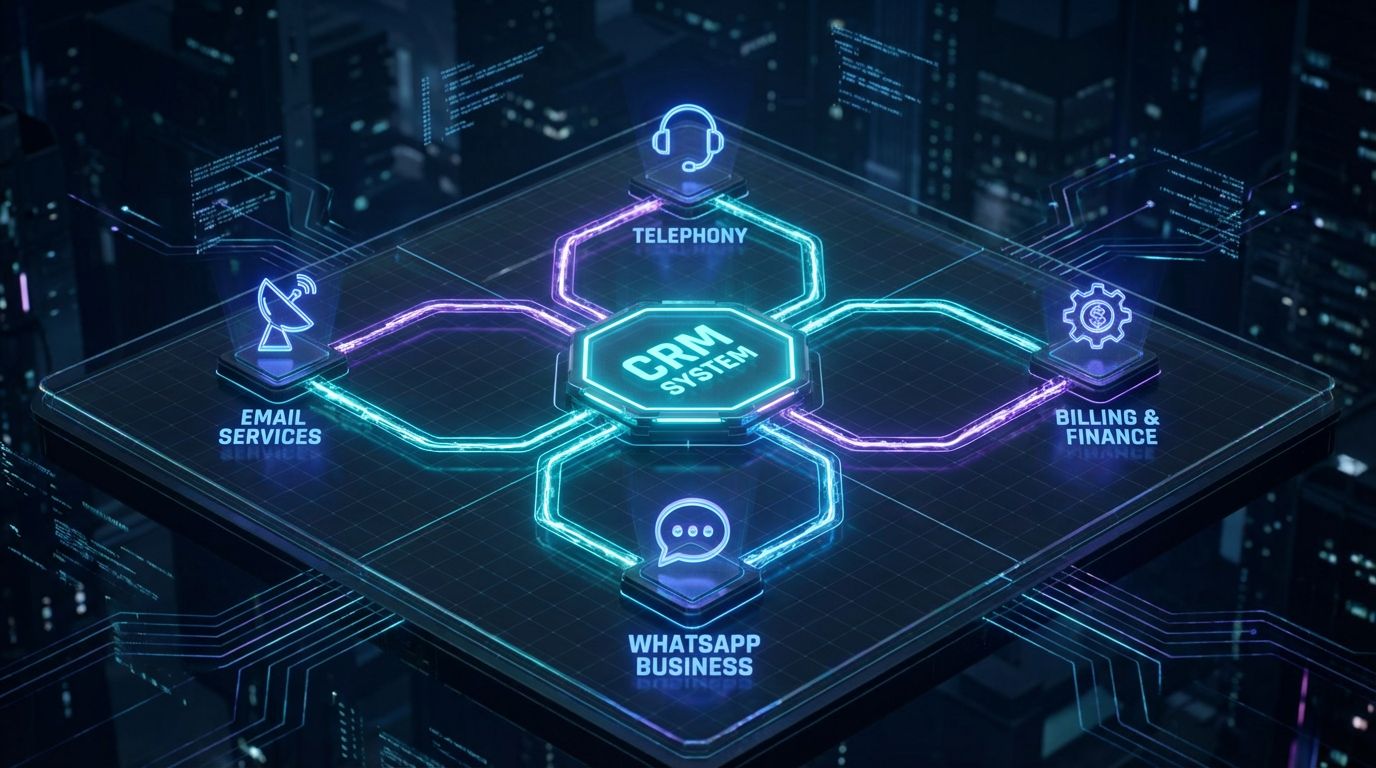
Modern CRM integration is not just “connecting tools” with an app store plugin. It is about designing data flows, automation, and reporting so sales, support, and finance all see the same customer reality. Done well, it reduces swivel-chair tasks, eliminates blind spots, and gives leadership reliable numbers they can actually forecast from.
Beyond “Connecting Tools” – What Modern CRM Integration Really Means
Real CRM integration services start with your data model and processes, not with a connector catalog. You are mapping lifecycle stages, ownership rules, and what must be true in the CRM before a handoff to sales, CS, or billing happens. The technical work is then about enforcing those rules across systems with robust error handling, not just wiring up triggers and hoping for the best.
A serious project covers governance questions most DIY setups skip. Who owns field definitions, how do you prevent duplicates, and what happens when an API call fails at 2 a.m. are all design decisions, not afterthoughts. This is where specialist partners earn their keep: they bring patterns from dozens of implementations rather than learning on your production data.
Core Integration Domains: Email, Telephony, Messaging, and Billing
For mid-market B2B teams, four integration domains drive most of the ROI. First is email and calendar, where Salesforce with Outlook integration or similar setups eliminate manual logging and ensure every meeting and thread is attached to the right record. This alone can cut missed follow-ups dramatically and save reps 30–60 minutes per day.
Second is CRM telephony integration, connecting tools like Aircall or RingCentral so calls, recordings, and dispositions flow into the CRM automatically. This supports click-to-call, better SLA tracking, and attribution on which campaigns actually lead to conversations. Third is CRM integration with WhatsApp and other messaging channels, making inbound chats first-class citizens in your funnel instead of living in someone’s phone.
Finally, billing and ERP integrations sync deals, subscriptions, and usage data back and forth. When your CRM and billing systems talk properly, you see fewer invoice errors, cleaner renewals forecasting, and better upsell triggers. That’s where finance and RevOps stop arguing over whose spreadsheet is “right.”
Typical Stack Examples for Mid-Market B2B Teams
Most teams we see run a familiar pattern: Salesforce + Outlook + a telephony platform + WhatsApp Business API + Stripe or NetSuite. The names change, but the integration problems do not. Events fire from four or five systems, and without a clear design, your CRM becomes a noisy log instead of a reliable operating system.
Another common stack is HubSpot CRM, Google Workspace, a cloud contact center, and a billing or subscription tool. Here, teams often start with built-in connectors and then hit a wall when they need custom routing, multi-step approvals, or AI-based lead qualification. AiBizBuild’s CRM Integration & Inbox Management service plugs into these environments to design the flows around the tools you already own.
Where you are doing serious inbound demand gen, an integrated CRM is also what lets you reliably measure which campaigns work. A scalable SEO content engine or paid campaigns only pay off if those leads are captured, routed, and followed up quickly in your CRM.
Implementation Options: Internal Devs vs Low-Code vs Agency

Most teams default to one of three paths without fully modeling cost and risk. You either throw the project at internal dev/IT, lean on low-code/iPaaS with some ops support, or bring in specialist CRM integration services. All three can work, but the failure patterns and timelines are very different.
Option 1 – Internal Developers and IT Teams
Using your own developers feels cost-effective because there is no new invoice. They know your stack and security model, and they already have access to systems and stakeholders. The hidden problem is opportunity cost and context switching.
Internal teams rarely implement integrations as their primary job. They are juggling product roadmaps, security projects, and support tickets, so a multi-system CRM project easily stretches from a planned 6 weeks to 3–6 months. When something breaks later, the same people get pulled back in, creating a cycle of firefighting instead of strategic work.
Option 2 – Low-Code, iPaaS, and Native Connectors
Low-code tools and iPaaS platforms promise speed with drag-and-drop automation and prebuilt connectors. For simple cases, they deliver: syncing a contact list, posting a Slack alert, or mirroring a deal stage is straightforward. Native connectors inside Salesforce or HubSpot, including app-store integrations, can also give you a quick win.
The issue is that serious funnels require data mapping, process design, and governance that low-code cannot decide for you. As rules grow—round-robin assignment, territory routing, multi-channel deduplication—your flows become brittle and hard to reason about. Subscription costs also add up, and you still need internal owners to monitor errors, handle API limits, and perform upgrades.
Option 3 – Specialist CRM Integration Services (Agency)
A specialist agency focuses on one thing: design and execution of cross-system workflows that reliably support revenue operations. They bring repeatable patterns for Salesforce with Outlook integration, CRM telephony integration, and CRM integration with WhatsApp from prior implementations. This eliminates much of the trial-and-error that internal teams and DIY low-code efforts go through.
AiBizBuild is not a generic systems integrator. Our CRM Integration & Inbox Management work is built around multi-channel inboxes, lead routing, and revenue reporting, with AI layered on once foundations are stable. That means you get architecture, implementation, documentation, and monitoring as a package, not a pile of one-off zaps.
Budgets and Timelines: What Each Path Really Costs
Below is a realistic comparison of the three main implementation paths for a mid-market B2B CRM project with email, telephony, and one messaging or billing integration. These numbers assume a 50–200 person company with a serious sales motion, not a tiny startup.
| Factor | Internal Devs / IT | Low-Code / iPaaS (DIY) | Specialist Agency (AiBizBuild) |
|---|---|---|---|
| Typical initial timeline to go-live | 8–16 weeks, often slipping due to competing priorities | 4–10 weeks depending on internal ownership and complexity | 4–8 weeks for most mid-market multi-channel projects |
| Estimated first-year total cost (time + tools + services) | $40k–$120k in allocated salary + potential contractor support | $15k–$50k including platform subscriptions and internal admin time | $15k–$40k for initial engagement, optional ongoing retainer after |
| Pros | Deep knowledge of internal systems, no new vendor to onboard, full control over codebase | Fast to start, visual UI, good for simple use cases and quick experiments | Integration architecture, proven patterns, faster time-to-value, built-in monitoring and documentation |
| Cons | High opportunity cost, slower learning curve, risk of brittle one-off scripts, ongoing maintenance burden on same team | Complex logic becomes hard to manage, governance is manual, recurring subscription cost, still need internal experts | Requires vendor selection and onboarding, perceived higher upfront cost vs DIY tools |
| Best for | Organizations with strong in-house integration expertise and low urgency | Simple, low-stakes workflows and teams with process-savvy RevOps admins | Revenue-critical, multi-channel integrations where reliability and time-to-value matter |
Each option can be right in the right context. If you are integrating one lightweight tool and have a mature ops team, DIY might be fine, but for cross-channel revenue workflows the risk curve changes quickly.
This is why so many teams start with internal or low-code solutions and later call in an agency after they have already felt the pain. The next section explains exactly where those DIY efforts most often go sideways.
Why DIY CRM Integrations Fail So Often
On paper, DIY looks cheap and flexible. In practice, most CRM leaders underestimate the combination of data complexity, vendor changes, and human behavior that integrations must survive. The result is an impressive-looking diagram and a fragile reality underneath it.
Hidden Complexity: Data Models, Field Mapping, and Duplicates
The first trap is mismatched data models. Your CRM might treat “accounts,” “contacts,” and “deals” differently than your telephony or billing systems, and simple field-to-field mapping ignores ownership rules and one-to-many relationships.
Without careful design, CRM integration with WhatsApp and telephony tools can create duplicate contacts and conflicting activity histories. Teams then spend hours every week merging records and guessing which source of truth to trust. That is time your sales and RevOps leaders are not spending on funnel optimization or enablement.
Error Handling, API Limits, and Governance No One Plans For
APIs are not infinite pipes. Every platform has rate limits, error codes, and maintenance windows that your integration must handle. Low-code tools surface these errors, but they do not automatically decide whether to retry, queue, or alert someone.
As you add channels like Salesforce with Outlook integration, CRM telephony integration, and messaging into the mix, the load on APIs grows. Without proper backoff strategies, dead-letter queues, and observability, your automations silently drop records during peak times. You only notice when a key customer complains or a quarter’s forecast looks wrong.
The Ongoing Maintenance Trap
Integrations are not a one-and-done project. Vendors change authentication methods, deprecate fields, and roll out new APIs on their own timelines, not yours. Each change can break a “set and forget” DIY flow.
If no one formally owns the system, updates turn into a scramble whenever something breaks. This is where agencies like AiBizBuild build value in: we bake in monitoring, dashboards, and runbooks as part of CRM Integration & Inbox Management, so maintenance is proactive rather than reactive.
Opportunity Cost: What Your Team Isn’t Doing While Debugging Integrations
Every hour your internal team spends debugging an API limit or reconciling duplicate records is an hour they are not spending on higher-leverage work. For sales ops, that might mean missing a chance to redesign stages or build better enablement content. For engineering or IT, it means less time for core product work or security improvements.
The biggest hidden cost of DIY CRM integration is often this opportunity cost, not the hours logged in Jira. When you compare that to a 4–8 week agency engagement that accelerates ROI on your CRM and channels, the math tends to favor outsourcing the heavy lifting.
ROI Levers: Where CRM Integration Services Pay for Themselves
Well-designed CRM integrations directly move the numbers your board cares about. That includes lead response times, rep capacity, billing accuracy, and forecast reliability. The question is not whether they pay off, but how quickly.
Lead Response Time and Conversion Rate Improvements
Integrating email and calendar, particularly via Salesforce with Outlook integration, eliminates manual logging and context switching. Reps see a unified timeline of emails, calls, and meetings without hunting across inboxes and tools. That supports faster, more personalized responses.
When you add CRM telephony integration and CRM integration with WhatsApp, inbound calls and chats automatically create or update leads and route them to the right owner. In most mid-market environments, we see average first-response times drop from 30–60 minutes to under 10 minutes, which commonly translates into a 10–25% improvement in lead-to-opportunity conversion.
Reducing Billing and Data Errors
Connecting your CRM to billing and ERP systems closes the loop between sales promises and invoices. Deals that hit a certain stage can automatically trigger subscription creation or handoffs to finance, with key data validated along the way. Call logs and recorded approvals from CRM telephony integration provide extra context when something looks off.
With proper reconciliation workflows in place, teams routinely see 25–50% fewer billing errors and far fewer disputes. Finance gains confidence that invoices match signed deals, and customer success has clearer visibility into who is up for renewal or expansion.
Rep Productivity and Management Visibility
Automatic logging from Salesforce with Outlook integration, telephony, and messaging can cut manual CRM data entry by 30–60%. For a 20-rep team, saving even 30 minutes per rep per day returns multiple full-time equivalents of productive selling capacity. Managers also gain more accurate activity data without nagging reps to update fields.
On the reporting side, unified data means your dashboards show reality instead of guesswork. Pipeline, source attribution, and SLA reports become reliable enough to drive decisions, not just post-mortems. In aggregate, most well-scoped integration projects see a 3–9 month payback window when you account for time savings, conversion lift, and error reduction.
DIY vs Agency – ROI and Risk Comparison
To make the trade-offs concrete, here is how DIY (internal + low-code) compares to an agency-led approach like AiBizBuild’s CRM Integration & Inbox Management on key outcome metrics.
| Metric | DIY Setup (Internal + Low-Code) | Agency-Led (AiBizBuild) |
|---|---|---|
| Time-to-go-live for multi-channel integration | 8–20 weeks, often delayed by competing priorities and rework | 4–8 weeks with structured phases and dedicated project ownership |
| Lead response time improvement | Inconsistent; 10–20% improvement if processes are well designed | Typically 20–40% faster response via designed routing and integrated inboxes |
| Manual data entry reduction | 20–40% reduction, heavily dependent on admin discipline | 40–70% reduction with full email, telephony, and messaging logging |
| Billing error reduction | 10–25% reduction if billing is partially integrated | 25–50% reduction with end-to-end deal-to-invoice workflows |
| Ongoing maintenance load on internal team | High; frequent troubleshooting, break/fix work, and context switching | Low to moderate; agency provides monitoring, playbooks, and optional support |
DIY can absolutely deliver value in the right hands, but risk and time-to-value are often underestimated. For revenue-critical flows, an agency-led approach usually reaches the same or better outcomes faster and with less internal disruption.
Use-Case Blueprint: Lead-to-Cash with Email, WhatsApp, and Telephony

To make all this concrete, let’s walk through a realistic lead-to-cash flow for a mid-market B2B team. We will use Salesforce as the CRM, Outlook for email and calendar, WhatsApp Business API for messaging, a telephony platform for calls, and a billing system like Stripe or NetSuite. This is the kind of scenario where well-implemented CRM integration services quickly justify themselves.
Scenario Overview: Inbound Lead to Closed-Won Deal
A prospect discovers your product via content, paid search, or outbound motion that drives them back to your site. They might fill out a form, start a WhatsApp chat from your site, or call the number on your landing page. In all three cases, the goal is to get that interaction into Salesforce immediately and route it to the best available seller.
From there, the rep runs a multi-step dance of discovery, demos, follow-ups, and proposals across email, WhatsApp, and phone calls. Finance eventually needs a clean, accurate record of what was sold to generate invoices or subscriptions. The blueprint below shows how integration keeps that whole chain tight.
Step 1 – Capture and Enrich Lead Across Channels
When a net-new lead submits a form, your website (or marketing automation layer) pushes the data into Salesforce as a lead record. At the same time, CRM integration with WhatsApp ensures that if the same person starts a chat, the conversation is logged to that record rather than creating a duplicate. For inbound phone calls, CRM telephony integration creates or associates a lead or contact based on caller ID and existing records.
Every interaction—web form, WhatsApp message, call recording—lands on the same timeline in the CRM. If you are also running upstream AI workflows, such as those described in ChatGPT for lead generation workflows, enrichment data and qualification notes can be attached automatically. This gives reps a full picture before they ever pick up the phone.
Step 2 – Route, Notify, and Schedule
Once created, leads are routed based on rules like territory, segment, or product interest. Notifications hit the right rep’s inbox and, through Salesforce with Outlook integration, tie directly into their email and calendar. One-click meeting scheduling from Outlook writes back into Salesforce, keeping availability and next steps in sync.
At the same time, CRM telephony integration surfaces click-to-call buttons inside Salesforce, often via a softphone widget. When the rep dials out, the call is automatically logged to the record with outcome and duration, and follow-up tasks are created without manual data entry. WhatsApp conversations continue to sync in-thread, so nothing is lost in personal devices.
Step 3 – Proposal, Billing, and Handoff
As opportunities progress to proposal, approvals and signatures can trigger downstream billing workflows. For example, a closed-won opportunity in Salesforce can automatically create a subscription or invoice in Stripe or NetSuite with mapped products and terms. Telephony logs and WhatsApp transcripts remain tied to the account for future reference.
Where approvals or exceptions are required, you can reuse patterns similar to automated content approval workflows. Instead of ad-hoc email chains, structured approval steps ensure that pricing, discounts, or terms are properly vetted before anything hits billing. Customer success then inherits a clean account history, making onboarding faster and less error-prone.
Before-and-After Metrics for This Blueprint
When this lead-to-cash blueprint is implemented well, the numbers move in predictable ways. Lead response time commonly falls from around 45 minutes to under 10 minutes because routing, notifications, and integrated inboxes remove friction. Manual CRM data entry for reps typically drops by 40–70%, as emails, calls, and chats are logged automatically.
On the finance side, the tight CRM-to-billing connection plus unified communication history often yields 25–50% fewer billing errors. That means fewer credits, fewer disputes, and more predictable revenue recognition. All of these improvements are direct outcomes of thoughtful CRM Integration & Inbox Management, not just turning on a connector.
How AiBizBuild Delivers Done-For-You CRM Integration & Inbox Management
AiBizBuild focuses on one core offer in this space: CRM Integration & Inbox Management. We design and implement the architecture that ties together email, telephony, WhatsApp, and billing so your teams can sell and support without wrestling tools. Once that foundation is in place, we layer in AI where it amplifies outcomes instead of adding noise.
Our Integration & Inbox Management Methodology
Our typical mid-market project runs in three phases. In Week 1–2: Discovery & Architecture, we run a CRM Integration & Inbox Workflow Audit to map your current state, data model, and pain points. You get a visual integration map, prioritized quick wins, and a high-level architecture with recommended tools and patterns.
In Week 3–5: Build & Test, we implement in a sandbox, define field mappings, and codify error-handling and monitoring. This is where email/calendar, CRM telephony integration, and CRM integration with WhatsApp are wired into your CRM with clear routing and ownership rules. We run QA with pilot users so that workflows match how your teams actually work.
From Week 6+: Launch, Train & Optimize, we execute a controlled go-live plan, train admins and users, and deploy dashboards and alerts. With the basics stable, we can introduce AI-driven routing, classification, and follow-up nudges that build on your integrated data. The result is a system that not only works on day one but is designed to be observable and tunable over time.
Sample Packages, Timelines, and Investment Ranges
To set realistic expectations, here are indicative packages many mid-market teams land on. These are not rigid tiers, but they give you a sense of timelines and investment for proper CRM integration services.
- Starter CRM Comms Integration (Email + Telephony) – 4–6 weeks, typically $12k–$20k. Focused on getting email/calendar integration, basic CRM telephony integration, routing, and logging in place.
- Multi-Channel Inbox Integration (Email + WhatsApp + Telephony) – 6–10 weeks, typically $20k–$40k. Adds full CRM integration with WhatsApp, richer routing rules, and more advanced inbox management.
- Lead-to-Cash Automation Layer (CRM + Comms + Billing) – 8–12 weeks, typically $35k–$60k+. Extends into billing/ERP, approvals, and reporting for end-to-end visibility.
Final pricing depends on factors like number of systems, custom logic complexity, data volume, and whether we are also coordinating with upstream flows such as Cold Outreach Automation or B2B Lead Scraping & Enrichment. All of this is scoped during the CRM Integration & Inbox Workflow Audit, which also provides ballpark ROI estimates.
What You Get That DIY Can’t Match
Beyond just making tools talk, an AiBizBuild engagement delivers a documented system. You get an integration architecture map, configuration docs, and Loom walkthroughs for admins and end users. That reduces key-person risk and makes future changes far less painful.
We also implement error-handling patterns and monitoring dashboards tailored to your stack, so you know when something breaks before your reps or customers do. If you choose, we can stay on as an optimization partner, tuning workflows and adding automations as your business evolves. Compared to DIY, you are buying time, predictability, and a much lower likelihood of silent failures.
CTA – Book a CRM Integration & Inbox Workflow Audit
If you are serious about fixing fragmented comms and data silos, the next rational step is a structured assessment. Book a CRM Integration & Inbox Workflow Audit with AiBizBuild to get a current-state integration map, prioritized quick wins, and a 90-day roadmap with timelines and cost ranges. Most clients receive their audit findings within 7–10 business days.
If you choose to proceed, the cost of the audit can be applied as a credit toward implementation. If not, you still walk away with a clear plan to execute internally or with another partner. You can also request a demo of our CRM Integration & Inbox Management approach to see how similar stacks are designed and monitored in practice.
Implementation Checklist for Decision Makers
As a Head of Sales, RevOps lead, IT/Operations owner, or founder, you do not need to become an integration engineer. You do need a clear decision framework so you do not sign up for a 6-month science project that never launches. Use the questions and signals below to pressure-test your options.
Questions to Ask Before You Commit to Any Path
- Which systems must be integrated in the next 3–6 months to protect revenue or customer experience, and which can wait?
- What is our acceptable time-to-go-live and target payback period for this project—are we aiming for 3, 6, or 12 months?
- Who, by name, will own integration monitoring, error triage, and vendor coordination if we choose a DIY path?
- Do we have internal capacity with both technical and process design skills, or are we expecting one overworked admin to do everything?
- How will we measure success—lead response, billing error rate, rep capacity, forecast accuracy—and how often will we review these metrics?
Signs You’re Ready to Bring in Specialist CRM Integration Services
- You are already juggling multiple channels (email, WhatsApp, telephony) and see conversations slipping through the cracks.
- Lead response times, handoff issues, or billing errors are showing up in QBRs and customer feedback.
- Your internal team is at capacity or has tried DIY integrations that work on paper but break under scale.
- You lack a clear integration map and are unsure how data actually flows between systems today.
- You want to leverage AI for routing, summarization, or follow-up, but your underlying data is too messy to trust.
How to Get the Most from an Agency Partner
- Come with clear business goals and a small set of must-have metrics and reports—for example, response SLAs by channel and conversion by lead source.
- Nominate internal champions for sales/CS and IT so decisions do not get stuck in endless threads.
- Agree up front on scope, timelines, and who owns which parts of testing and change management.
- Plan for an initial project plus a lightweight optimization phase, rather than assuming everything will be perfect on day one.
A structured approach like this ensures you are not just buying hours from an agency, but outcomes tied directly to your revenue engine.
FAQs on Hiring CRM Integration Services
How long does a typical CRM integration project take?
For a mid-market B2B team, a focused, single-channel integration (for example, Salesforce with Outlook integration only) can usually be delivered in 4–6 weeks. Multi-system, multi-channel projects that include email, telephony, WhatsApp, and billing typically land in the 6–12 week range when run by a specialist agency.
DIY efforts often plan for similar timelines but stretch out as internal priorities shift and edge cases surface. When the work is revenue-critical, it is safer to assume the longer end of the range unless there is dedicated ownership and a clear plan.
Is it better to use our internal developers instead of hiring CRM integration services?
It depends on your internal capacity and how strategic this project is. If you have an experienced integration team with bandwidth and the project is not time-sensitive, internal can work well.
However, most product or IT teams are already overloaded, and CRM projects are not their primary expertise. In those cases, a specialist partner like AiBizBuild usually delivers a faster go-live, lower risk, and clearer documentation for about the same or less total cost when you factor in opportunity cost.
How secure are integrations like CRM integration with WhatsApp and telephony?
Properly implemented CRM integration with WhatsApp and CRM telephony integration are built on vendor APIs with encryption and strong authentication. Data flows through controlled channels, and access is governed by roles and permissions in both your CRM and the connected tools.
AiBizBuild adheres to vendor security guidelines and follows a least-privilege access model, meaning we only request the minimum scopes required to implement your workflows. We also document data flows so your security and compliance teams can review and sign off.
Do we need to switch CRMs to get value from better integrations?
In most cases, no. The fastest and most cost-effective wins come from better integrating the tools around the CRM you already have, whether that is Salesforce, HubSpot, or another mid-market platform.
AiBizBuild focuses on maximizing your current investment through CRM Integration & Inbox Management first. Only if we collectively determine that your CRM fundamentally cannot support your processes would a migration even enter the conversation.
What does a CRM Integration & Inbox Workflow Audit from AiBizBuild include?
The Audit is a structured engagement that produces a current-state integration map, a gap analysis, and a prioritized 90-day roadmap across email, telephony, WhatsApp, and billing. We also highlight specific ROI opportunities—such as lead response improvements or billing error reductions—with indicative ranges.
Deliverables are typically provided within 7–10 business days of kickoff. If you move forward with AiBizBuild for implementation, the cost of the Audit can be credited toward your project so you are not paying twice for discovery.
When you are ready to move from “we should fix this” to a concrete plan, book a CRM Integration & Inbox Workflow Audit or request a demo of how we design CRM Integration & Inbox Management for teams like yours. The right integration work pays for itself quickly; the wrong DIY experiment can hold your revenue engine back for quarters.