
Email-to-Task Automation: Turning Inbox Overhead into Actionable Workflows
Key Takeaways
- How manual email and task management (flags, forwarding, copy-paste into task tools) silently kills capacity and creates hidden risk for B2B teams.
- Which types of email task management tools and automations (especially for Outlook and Gmail) actually solve the problem, and where DIY setups usually fail.
- How AiBizBuild’s CRM Integration & Inbox Management service turns your inbox into a reliable, automated email-to-task workflow with SLAs, ownership, and reporting—without adding another tool for your team to babysit.
In This Guide:
📥 The Problem: Email Overhead Masquerading as Work
🧾 Manual Email + Task Management vs Automation
🧰 Types of Email Task Management Tools (Including Outlook Options)
⚠️ Why DIY Email-to-Task Automation Fails
📈 B2B Use Case: From Chaotic Inbox to SLA-Driven Workflow
💻 Implementation Paths: Outlook, Google Workspace, and Beyond
💰 Costs, ROI, and How to Justify the Investment
🧠 Why a Done-For-You Automation Partner Beats Buying Another Tool
❓ FAQs on Email-to-Task Automation for B2B Teams
The Problem: Email Overhead Masquerading as Work
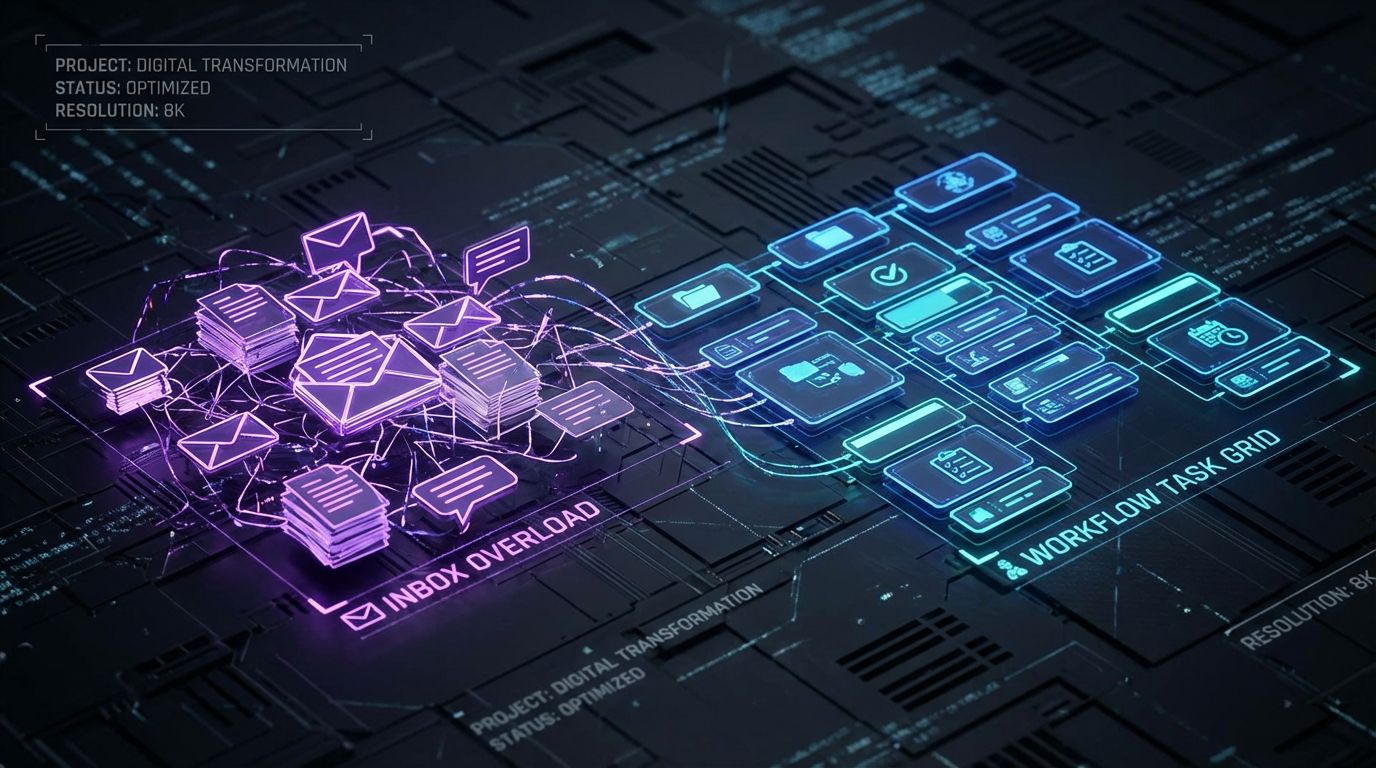
For most B2B teams, email and task management has quietly merged into one messy system. The inbox became the place where work arrives, gets triaged, and too often dies. Your people spend hours a day pushing the same messages around, without a reliable way to ensure anything actually gets done.
Why Email Became the Default Task Manager (And Why It Fails)
Teams fell into using email as a task manager because it was already there: flags, stars, folders, and forwarding felt “good enough” at the time. Over years, those personal hacks hardened into an unofficial operating model for email task management. The problem is simple: inboxes don’t understand ownership, due dates, SLAs, or dependencies, so you end up with work but no workflow.
This creates constant context switching as people bounce between inbox, spreadsheets, and task tools to remember what matters. No one can reliably see who owns what, or when something is due, across a shared pipeline of customers and requests. The result is a fragile system that only works when everyone is heroically over-communicating.
The Hidden Costs: Missed Follow-Ups, Slow Responses, Burnout
Most knowledge workers spend 3–5 hours per week re-reading the same emails, manually re-entering them into task tools, or hunting for context across threads. At a team level, that adds up to dozens of hours a month that generate zero incremental value. You pay salary for repetition instead of resolution.
Operationally, the bigger risk is what falls through the cracks: deals that stall because nobody replied to a key email, clients who feel ignored, or compliance gaps when critical approvals live only in someone’s inbox. Over time, this constant low-grade firefighting drives burnout, reactive management, and a culture where everyone feels behind even when they’re working late.
Manual Email + Task Management vs Automation
Most organizations don’t realize how manual their email task management really is until they map it. When we whiteboard a client’s current state, it usually looks like a spider web of flags, folders, spreadsheets, and one-off tools. Automation replaces that patchwork with a predictable, rule-driven pipeline from email to action.
What Manual Email Task Management Looks Like in the Real World
In a typical setup, people star or flag emails they think are important, drag messages into folders, and forward threads to colleagues when they need help. Tasks might get copied into Asana, Trello, Planner, ClickUp, or even a personal to-do app, often with inconsistent naming and no link back to the original email. Some managers keep a Google Sheet or Excel file to track follow-ups, which gets outdated within days.
This kind of email task management looks busy but is structurally weak. There is no central view of work in progress, no standardized SLA logic, and no audit trail that leadership can rely on. The more volume you push through it, the worse the signal-to-noise ratio becomes.
What Automated Email-to-Task Workflows Look Like
An automated email-to-task workflow starts with a clear trigger: an email hits a shared inbox or matches a defined pattern. Rules and AI-based classification then decide what type of work it is, which system should own it, and which person or role is responsible. A task is created automatically in your chosen tool, with an owner, due date based on SLA, and linked back to the original email.
From there, notifications go out over Teams or Slack, and status changes sync back to CRM or reporting dashboards without manual copy-paste. The human work shifts from “remembering and administrating” to actually resolving issues, moving deals, or replying to customers. You get less admin and more execution, with reliable visibility into the pipeline.
Manual vs Automated Email-to-Task Workflow
| Aspect | Manual Workflow | Automated Workflow |
|---|---|---|
| Time Spent per Email | Multiple touches: reading, flagging, copying into tools, chasing updates. | Single touch: triaged once, task created and routed automatically. |
| Error & Missed Follow-Up Risk | High: relies on individual memory, personal systems, and manual updates. | Low: standardized rules, SLAs, and alerts catch dropped items. |
| Visibility for Leaders | Fragmented: no single view of work across inboxes and tools. | Centralized: dashboards show queue health, SLAs, and ownership. |
| Scalability | Breaks under higher volume or team growth; rules live in people’s heads. | Built to scale with rules, templates, and reusable flows. |
| Team Adoption | Everyone invents their own approach; hard to standardize training. | Unified workflow embedded in tools they already use. |
Types of Email Task Management Tools (Including Outlook Options)
The market is full of tools that promise better email and task management, especially inside Outlook and Gmail. The problem is that most of them solve one slice of the problem but don’t give you a cohesive operating model. To choose well, you need to understand the categories and their built-in limits.
Native Email Features (Flags, Folders, Categories) and Their Limits
Every team starts with what comes in the box: Gmail labels, Outlook flags, categories, rules, and shared mailboxes. These features are fine for individual organization and very light workflows, especially in small teams. They fall down when you need cross-team ownership, measurable SLAs, or reporting across multiple inboxes.
Native features also encourage personal systems that are hard to document or transfer when someone leaves. There is no standard way to define “urgent,” “in progress,” or “blocked” that everyone can see at a glance. As a result, leaders can’t reliably answer basic questions like how many open client issues exist or which deals are waiting on us.
Email Add-Ins and Integrations for Outlook and Gmail
Next up are add-ins and connectors that live inside the email client and push messages into task tools or CRMs. This includes categories often described as email management software for Outlook, as well as Gmail add-ons that create tasks or log emails to Salesforce, HubSpot, or similar. Their biggest strength is that they keep users in the familiar interface of their inbox while quietly capturing work elsewhere.
The downside is configuration complexity and inconsistency. If each user configures their own add-ins differently, the team ends up with fragmented data and unpredictable routing. Without a clear architecture, you can still miss SLAs, create duplicate records, and generate data your reporting tools can’t trust.
Standalone Task and Project Tools with Email Capture
Many teams rely on project tools like Asana, Trello, monday.com, Jira, or Microsoft Planner that can ingest tasks via a special email address. This is a step up because it moves work out of the inbox into a system built for tracking and collaboration. You can add fields, owners, due dates, and comments where they belong.
However, the tool alone doesn’t answer the harder questions of routing, prioritization, and SLAs across the whole organization. Someone still needs to decide which board or project an email belongs to, and how to handle exceptions and escalations. Without a designed workflow, you’ve just moved the chaos from the inbox into a different app.
Full CRM + Workflow Automation Stacks
Modern CRMs like HubSpot, Salesforce, and similar platforms can become the backbone of your email task workflows. Emails can create or update leads, opportunities, tickets, and tasks, which then move through structured pipelines with automation behind them. This unlocks powerful reporting, cross-team visibility, and consistent handling of customer-facing work.
The catch is that you need opinionated design to avoid another layer of complexity. Poorly planned automation can generate duplicate records, misroute messages, or flood people with notifications. This is where AiBizBuild’s CRM Integration & Inbox Management service comes in: we design the end-to-end system so your CRM, email, and task tools work as one workflow, not as disconnected parts.
Why DIY Email-to-Task Automation Fails
Most teams try to solve this problem piecemeal with rules, plugins, and a few zaps. It works for a while, then quietly starts dropping balls as volume and complexity grow. The failure points are predictable and preventable if you design the system from the start.
Fragmented Ownership and Inconsistent Rules
In a DIY world, every person or team builds their own inbox rules, labels, and workflows. Sales might forward critical emails to one shared mailbox, while Support uses a spreadsheet, and Finance relies on personal folders. No one owns the global picture, and there’s no shared definition of what “urgent” means.
This fragmentation hurts team-wide visibility and handoffs. Work bounces between people without a clean record of who had it when, and why something stalled. When leadership asks where a request is stuck, the answer is often a time-consuming forensic investigation through multiple inboxes.
Integration Spaghetti: Outlook, Task Tool, CRM, Chat
To connect the dots, teams install several connectors: Outlook add-ins, Zapier or Make scenarios, CRM workflows, and chat integrations. Each piece solves a local problem but introduces new failure modes—rate limits, duplicated tasks, and occasional infinite loops when triggers fire off each other. When something breaks, nobody is quite sure where to look first.
Over time, you get an unofficial integration diagram that lives only in the head of the person who built it. If that person changes roles or leaves, troubleshooting becomes painful and slow. The net effect is less trust in the system and more people quietly reverting to manual workarounds.
No SLAs, No Reporting, No Governance
DIY email-to-task automation rarely includes formal SLAs, escalation paths, or leadership-level reporting. Flows are built to “get data from A to B,” not to enforce service standards or provide a live view of queue health. That makes it impossible to manage by numbers.
Without governance, rules grow organically until they conflict or overlap. Small tweaks made under pressure—“just add another condition”—accumulate into a brittle tangle that no one wants to touch. You might technically be automated, but you’re still flying blind.
The Hidden Tax on High-Value People
The most expensive part of DIY isn’t the tools; it’s the time your best people spend maintaining them. Senior reps, managers, or your lone operations specialist can easily lose 5–10 hours per month tinkering with personal rules, chasing down broken integrations, and manually correcting data. That’s time they’re not selling, not serving clients, and not improving core processes.
Multiply that across a 10–20 person team and you have a hidden tax that grows every quarter. The organization believes it has “saved money” by not bringing in an expert, but the actual cost in opportunity and distraction is far higher. This is exactly where a done-for-you partner pays for itself.
B2B Use Case: From Chaotic Inbox to SLA-Driven Workflow
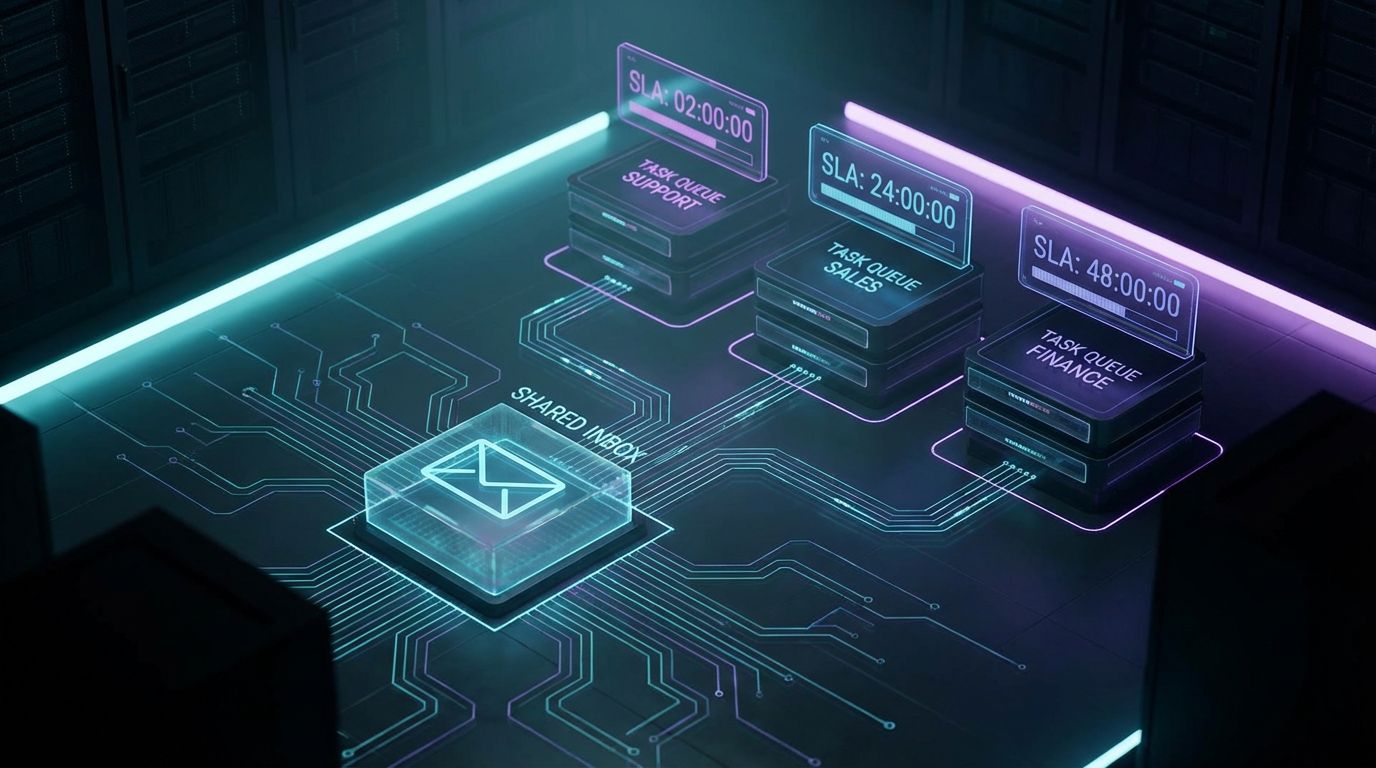
To make this concrete, let’s walk through a common B2B scenario AiBizBuild sees: a shared client inbox that everyone hates but nobody owns. The move from chaos to SLA-driven workflow follows a clear blueprint. You don’t need new tools; you need a better system.
Scenario: Inbound Client Requests to a Shared Inbox (support@ / success@)
Imagine a shared address like support@ or success@ receiving 300–500 inbound emails per month. Three to five team members rotate coverage, forwarding emails to each other, @mentioning people in threads, and hoping someone picks things up. Some issues get logged into a ticketing or task tool, but many live only in email.
Clients send follow-ups asking for updates because they don’t see movement. Managers struggle to answer basic questions about open requests, average response time, or which accounts are consuming the most support effort. Fire drills become normal, and “inbox zero” is a joke.
Designing the Email-to-Task Blueprint
AiBizBuild starts by mapping a simple but rigorous architecture: Inboxes → Classification & Routing → Tasks/Tickets → SLA Engine → Reporting. For that support inbox, we typically define categories such as billing, technical issues, onboarding questions, and feature requests. Each category gets its own SLA, like a 4-hour response for P1 technical issues and a next-business-day response for general questions.
Then we design routing logic: if subject or body contains specific keywords, or if the sender matches certain client domains or tiers, the system automatically creates a task or ticket in the right queue. For example, “if email from Tier 1 client with subject containing ‘outage’ → create P1 ticket in [tool] → assign to on-call engineer → due date now+4 hours → post summary in #support-alerts channel.” The blueprint is documented so everyone knows how work flows.
Automation Flow in Action
Here’s what happens after the blueprint is implemented. A client email hits support@ and is immediately scanned for key signals: sender, subject, and important phrases in the body. The system tags it as a P2 technical issue, creates a linked task in your ticketing or CRM system, assigns it to the right role, and sets a due date aligned to the SLA.
The assigned owner gets notified in Teams or Slack with a concise summary and a link back to the email and account record. SLA timers and escalation rules kick in if nobody responds or updates the task within the defined window. Leadership can see queue size, SLA breaches, and response trends in a dashboard, without digging into inboxes.
Measurable Outcomes in 30–60 Days
In a 30–60 day window, this kind of transformation reliably drives measurable outcomes. Clients typically see a 30–50% reduction in missed or late responses as the system catches what humans forget. First-response times improve by 20–40% because work is routed instantly to the right owner.
Managers claw back 5–10 hours per month they previously spent chasing status in email threads or spreadsheets. Just as importantly, leadership finally has hard numbers on support load, SLA performance, and where to invest in capacity. If you want to see how this would look in your stack, you can request a demo of AiBizBuild’s CRM Integration & Inbox Management setups for Outlook or Google Workspace.
Implementation Paths: Outlook, Google Workspace, and Beyond
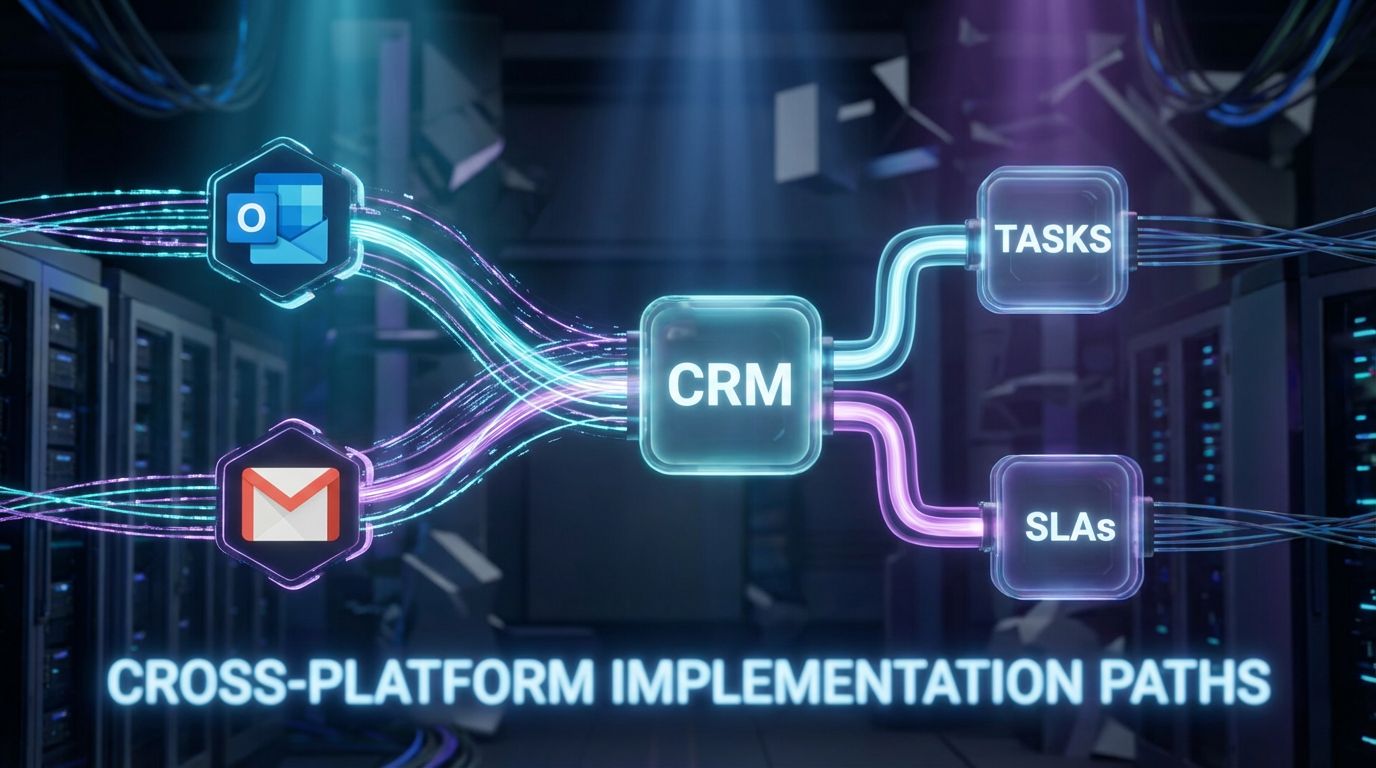
There is no single “right” stack for email-to-task automation. Outlook-centric and Gmail-centric teams both have mature options; the difference is in how you orchestrate them. Below are the practical paths AiBizBuild uses most often.
Outlook-Centric Teams (M365, Desktop + Web)
For Outlook and Microsoft 365 environments, you can combine native rules, shared mailboxes, and Power Automate flows to route emails into Planner, Microsoft Lists, Dynamics, Jira, or other tools. You can also layer specialized email management software for Outlook add-ins that streamline logging to CRM or task systems from within the email client. The key is to treat these as building blocks of a single architecture, not random plugins.
AiBizBuild’s CRM Integration & Inbox Management projects typically standardize: which shared mailboxes exist, how rules apply at the tenant or mailbox level, and where tasks are created by default. From there, we design cross-tool logic for SLAs, status sync, and reporting so the whole process behaves like one system. You keep Outlook as the daily front-end, while the automation handles the heavy lifting underneath.
Google Workspace and Gmail-Centric Teams
For Google Workspace, we lean on Gmail filters, labels, and routing rules combined with Marketplace add-ons and CRM integrations. Emails can automatically create tasks in tools like Asana or ClickUp, or tickets in a CRM-based service hub, based on labels and conditions. When needed, we bring in integration platforms to handle more complex logic and error handling.
The overall design mirrors what we do in Microsoft ecosystems: a clear flow from inbox to tasks to reporting. The same playbook we use for automated editorial workflow design on the content side applies here as well. Your team continues working in Gmail, while the underlying workflows ensure nothing gets lost.
Where AI Fits: Classification, Prioritization, and Summaries
AI is useful here, but only after the process skeleton is in place. Once you know what categories, SLAs, and routes you care about, AI models can automatically classify incoming emails and extract key fields like account name, urgency, or product area. This makes the routing rules smarter and reduces false positives or noisy queues.
AI can also generate task descriptions, summarize long email threads into a concise brief, and propose priorities based on language signals. Your reps then review and act instead of spending time deciphering every thread from scratch. In practice, AI becomes a force multiplier for a well-designed workflow—not a magic fix for a broken one.
30-Day Rollout Plan (Pilot to Scale)
A fast but realistic rollout plan typically spans about 30 days for a focused pilot. Week 1 is discovery: we map your inboxes, stakeholders, categories of work, and SLAs, then document the target architecture from inboxes to reporting. Week 2 is build-and-test for 1–2 critical inboxes, wiring up rules, integrations, and dashboards in a sandbox or limited scope.
Week 3 focuses on user training, refining edge cases, and validating that the data and reporting reflect reality. Week 4 expands the model to additional inboxes or teams and formalizes governance: who owns rules, how changes are requested, and how often metrics are reviewed. If you want this mapped for your environment, you can book a 30-minute Email Workflow Audit with AiBizBuild and walk away with a tailored blueprint.
Costs, ROI, and How to Justify the Investment
Leaders don’t need another theory about productivity; they need a business case. Email-to-task automation has a straightforward cost profile and an even clearer ROI when you quantify time savings and risk reduction. The numbers add up faster than most teams expect.
The True Cost of Manual Email and Task Management
On average, a knowledge worker easily spends 30–60 minutes per day sorting, flagging, and retyping email content into other systems. For a 10-person team, that’s 5–10 hours per day, or roughly 100–200 hours per month in pure overhead. At a conservative blended rate, you are burning thousands of dollars monthly on work that automation can handle.
That calculation doesn’t include the cost of lost opportunities: deals slowed or lost due to missed follow-ups, customer dissatisfaction, and fire drills that pull senior staff off strategic work. When you factor those in, the “cheap” status quo becomes very expensive. Good email and task management is not about squeezing people harder; it’s about eliminating low-value friction.
Tool Licensing vs Implementation and Maintenance
Marketplace apps and add-ins often look cheap at $10–$30 per user per month. The real total cost of ownership comes from internal time spent designing rules, integrating tools, and troubleshooting errors over months and years. Without a clear architecture, you pay in ongoing disruption and technical debt instead of a one-time design and build.
AiBizBuild is not another SaaS subscription; we are a premium done-for-you implementation partner. Our CRM Integration & Inbox Management work focuses on designing sustainable workflows, implementing them correctly, and leaving you with documentation and governance. That investment pays off in predictable operations instead of a growing pile of quick fixes.
Sample ROI Snapshot
Consider a 15-person client-facing team where automation saves a conservative 10–20 hours per month per user in manual triage and follow-up admin. That’s 150–300 hours per month returned to higher-value work. At a modest blended hourly rate, the payback period for a robust implementation is often measured in months, not years.
On top of that, missed follow-ups drop by a large percentage and cycle times for sales or support shrink measurably. You gain the same kind of leverage here that we see when designing a scalable SEO content generation system: once the workflow is in place, every additional unit of work flows through with far less overhead. The ROI compounds as volume grows.
Why a Done-For-You Automation Partner Beats Buying Another Tool
The market is crowded with tools, but tools are not a strategy. What most B2B teams lack is a clear, opinionated architecture and someone accountable for designing and maintaining it. That’s the gap AiBizBuild is built to fill.
Tools Are Commodities; Workflow Design Is the Differentiator
Email add-ins, CRM plugins, and integration platforms are increasingly interchangeable. The real differentiator is how they are assembled into a coherent workflow with clear ownership, SLAs, and governance. The “Tool Trap” is assuming that installing something from a marketplace will fix a broken process.
Effective email task management starts with a blueprint: which inboxes matter, how requests are classified, who owns what, and how performance is measured. Once that is defined, tool selection becomes a tactical choice, not a guessing game. This is the same design-first approach we use for automated approval workflows and other complex processes.
What AiBizBuild’s CRM Integration & Inbox Management Service Actually Delivers
AiBizBuild’s CRM Integration & Inbox Management service is a done-for-you engagement, not a product install. We start with a Workflow Audit of your current inbox chaos, shared mailboxes, CRMs, and task tools. Then we design a tailored email-to-task architecture covering routing, SLAs, escalation logic, and reporting.
From there, we build and configure the automations across Outlook or Gmail, your CRM, task tools, and chat channels. We train your team, document the flows, and establish governance so changes are controlled instead of ad hoc. You end up with a reliable system, not another app your team has to babysit.
DIY Tools vs Done-For-You Implementation (Comparison Table)
| Dimension | DIY Tools / SaaS-Only | AiBizBuild Done-For-You |
|---|---|---|
| Time-to-Value | Weeks or months of internal trial-and-error before stable workflows emerge. | Structured 30–45 day rollout with defined milestones and metrics. |
| Required Internal Expertise | High: ops/IT must learn each tool, integration quirks, and best practices. | Low: your team provides requirements; AiBizBuild handles architecture and build. |
| Reliability & Maintenance | Brittle, with rules scattered across users and tools; breaks silently. | Centralized design, documented flows, and governance built in. |
| SLAs & Reporting | Usually an afterthought; limited or manual reporting. | SLA rules and dashboards are core deliverables, not add-ons. |
| Strategic Fit | Tool-centric; process evolves reactively around tool limits. | System-centric; tools are configured to fit your operating model. |
When It Makes Sense to Bring in AiBizBuild
Bringing in a partner like AiBizBuild makes sense when you have multiple shared inboxes, high-value accounts, or regulated environments where missed emails carry real risk. It’s also a fit if your leaders can’t currently see SLA performance, backlog, or response-time trends in a single view. In short, if email is a core part of how you serve customers or close deals, it’s worth professionalizing.
If that sounds like your world, you don’t need to start with a massive project. You can book a 30-minute Email Workflow Audit with AiBizBuild to map one critical workflow and get a concrete automation blueprint. Or, if you prefer to see working examples, you can request a demo of how we wire Outlook or Google Workspace into CRM-driven, SLA-backed task flows.
FAQs on Email-to-Task Automation for B2B Teams
Is email-to-task automation secure enough for our client and deal data?
Yes, when implemented correctly, email-to-task automation operates inside your existing security perimeter. AiBizBuild works within your M365 or Google Workspace tenant, your CRM’s permission model, and your established identity and access management policies. We use role-based access, least-privilege principles, and audit trails so only the right people see the right data.
For regulated industries or sensitive data, we align flows with your compliance requirements and data residency constraints. The goal is to improve control and traceability, not bypass it.
How long does it take to implement an automated email and task management workflow?
For a typical B2B team, an initial deployment for one or two high-impact inboxes usually takes 3–6 weeks. The 30-day rollout plan described above (discovery, build/test, training, scale) is a good reference frame. Timelines expand with the number of inboxes, tools involved, and complexity of your SLAs and reporting requirements.
AiBizBuild structures work so you see value quickly from a focused pilot, then extend the pattern. That way, you avoid long, theoretical projects and instead iterate with live data.
Do we need to switch from Outlook or Gmail to make this work?
No, you do not need to switch email platforms. AiBizBuild explicitly builds on top of your existing stack, whether you are Microsoft 365/Outlook-centric or Google Workspace/Gmail-centric. Both ecosystems have mature integration options with CRMs, task tools, and automation platforms.
Our role is to design and implement the workflows that sit across those tools, not to force you into a new email client. Your users stay where they are; the automation handles the cross-system heavy lifting.
What internal resources do we need to commit to a project like this?
You’ll need an executive or operational sponsor, plus one or two subject matter experts from each team whose workflows we’re automating (e.g., sales ops, CS lead, support manager). These people help define categories, SLAs, and edge cases during the discovery and testing phases. IT involvement is important for access, security review, and change management.
Beyond that, AiBizBuild handles the architecture, build, testing, and documentation. Your team’s time is focused on decisions and validation, not wiring up tools.
Can we start small with one inbox or team and expand later?
Yes, and that’s usually the best approach. We typically start with one high-impact inbox or workflow—like support@, sales inquiries, or onboarding requests—and design a robust pattern there.
Once that pilot is proven, it becomes the template for additional inboxes and teams. This reduces risk, speeds up learning, and ensures your final system is grounded in real usage, not theory.
Done well, email and task management doesn’t have to be a manual grind or a constant source of anxiety. If you’re an ops lead, sales leader, CS lead, or IT owner who’s tired of juggling flags, folders, and fragile rules, this is a solvable problem. AiBizBuild’s CRM Integration & Inbox Management service builds reliable email-to-task workflows on top of Outlook, Gmail, and your existing CRM—no rip-and-replace—so you can finally trust that what hits the inbox turns into action.
If you’re ready to see what that would look like in your environment, book a 30-minute Email Workflow Audit or request a demo today.