

Email Marketing Automation Software + CRM: How to Build End-to-End Nurture Workflows That Actually Convert
Key Takeaways
– Choose email marketing automation software + CRM based on funnel complexity, data model, and your team’s capacity to actually implement workflows, not just feature checklists.
– Deploy proven welcome, onboarding, nurture, and win-back sequences with clear triggers, timing, and KPIs like +20–30% more meetings booked and 10–20 hours/month saved per rep.
– Follow a practical integration roadmap to connect your email platform with your CRM so you can track trial-to-demo and demo-to-close without drowning in DIY setup.
In This Guide:
The Landscape – Where email marketing automation software fits in your B2B funnel.
Top Platforms & How They Differ – What to actually look for in CRM and marketing automation software.
Why DIY Email and CRM Automation Fails – The hidden costs, risks, and failure modes of going it alone.
End-to-End Nurture Workflow Blueprints – Concrete welcome, onboarding, and multi-touch nurture sequences.
Implementation Roadmap & KPIs – Step-by-step integration plan and the metrics that prove ROI.
Done-for-You vs DIY – When to bring in AiBizBuild to build the system for you.
Most B2B teams already pay for email marketing automation software and a CRM, yet still live in spreadsheets and ad-hoc follow-up. Leads come in, get a single generic email, and then quietly die between sign-up and sales. The issue is almost never the logo on the login screen; it’s the lack of an end-to-end system that connects email, CRM, and real revenue outcomes.
In this guide, I’ll walk you through how to evaluate tools, but more importantly, how to design the workflows, integrations, and KPIs that turn your stack into a predictable nurture engine. Along the way, I’ll show you what a 30–45 day implementation looks like and where a done-for-you partner like AiBizBuild can take the heavy lifting off your plate.
The Landscape: Email + CRM Automation Today
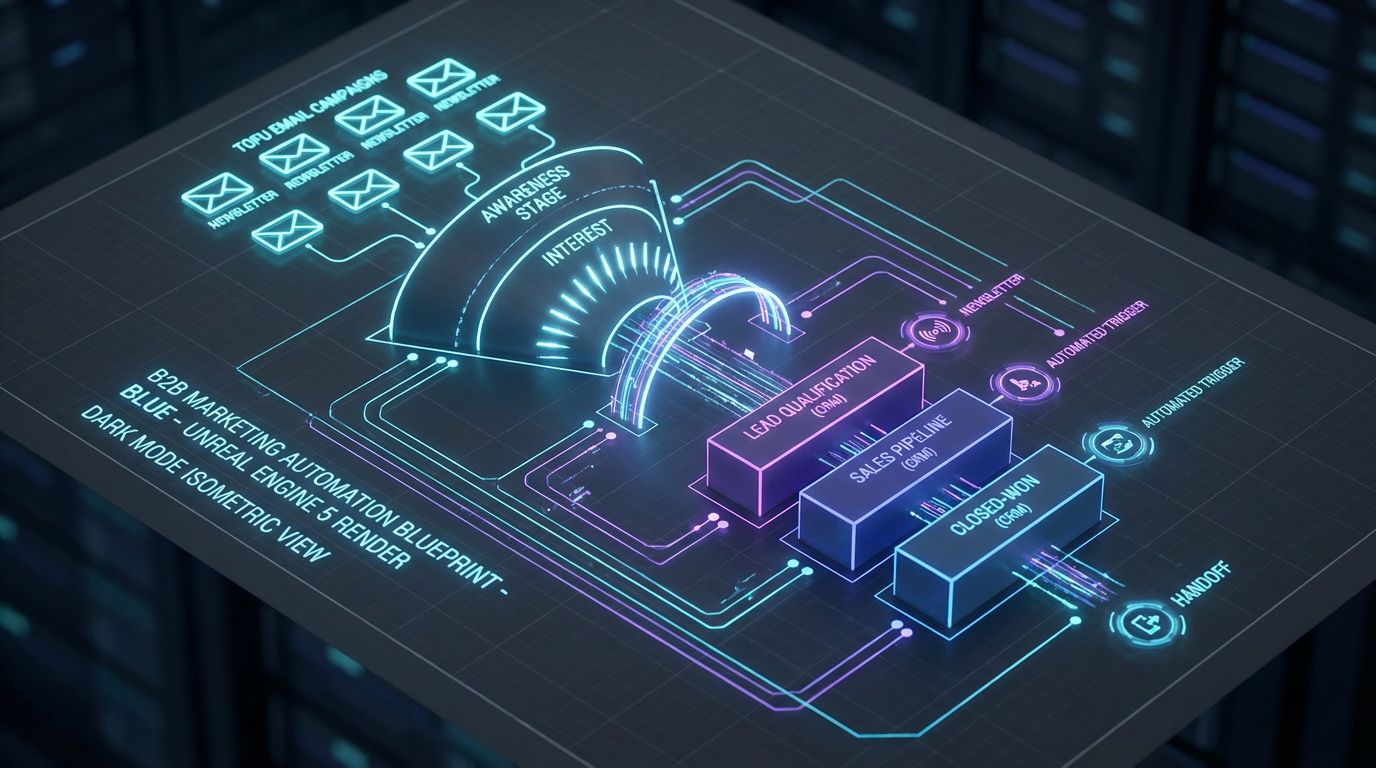
Let’s align on definitions first, because confusion here is what leads to bad buying decisions. Email marketing automation software handles campaigns, sequences, triggers, and personalization around messages, while the CRM is your system of record for contacts, companies, deals, and revenue. In theory, email drives engagement and the CRM tracks outcomes.
In practice, the lines have blurred. Many vendors position themselves as crm and marketing automation software or full-funnel platforms, bundling email, forms, landing pages, and pipelines into one interface. Others stay narrowly focused on email or CRM and rely on integrations to close the loop.
The pattern I see across SaaS, agencies, and service businesses is the same. Teams use 10–20% of the automation potential they’re paying for, leaving manual follow-up, disconnected reporting, and a black box between lead capture and closed-won. Tool roundups are a good starting point, but implementation is where revenue is made or lost.
Top Email + CRM Automation Platforms (and How They Differ)
This isn’t a ranking of tools; it’s a way to think about categories so you don’t get sold the wrong architecture. Most B2B stacks fall into one of three models. You either start with an email-first platform that bolts onto a separate CRM, an all-in-one crm marketing automation software stack, or a hybrid of best-of-breed tools wired together.
Email-first systems excel at building sophisticated sequences and segmenting based on behavior. All-in-one platforms prioritize a single database with shared objects, which simplifies reporting but may constrain how advanced your automation can get. Hybrid setups give you flexibility and power, but they demand tighter integration work and clearer ownership of data models.
How to Evaluate Email Marketing Automation Software for B2B Nurture
When evaluating email platforms, ignore vanity features and focus on core automation capabilities. You want robust event and behavior tracking (form fills, page views, product usage, custom events) that can be used as triggers and conditions in workflows. Without that, your nurture sequences will be glorified newsletters.
Look for segmentation and dynamic content that can adapt messaging based on firmographics, lifecycle stage, and behavior. Multi-step, branching workflows are non-negotiable; you need if/else logic, delays, and the ability to move contacts between journeys without creating Franken-flows.
Finally, check whether the platform offers native or API integration to your CRM with support for custom fields and objects. Reporting must go beyond opens and clicks to show pipeline and revenue attribution, at least at the campaign or sequence level.
How to Evaluate CRM and Marketing Automation Software
If you’re leaning toward all-in-one crm and marketing automation software, the evaluation lens shifts. You still care about email workflows, but you also need strong lead scoring, lifecycle stages, and sales pipeline automation hooks. The system should let you define stages like Lead, MQL, SQL, Opportunity, Customer, and tie automation to those transitions.
Two-way sync with engagement data is critical. Sales should see key email and product events directly on the contact or account timeline, not dig through separate tools. Pay close attention to how easy it is to map fields and custom objects like subscriptions, workspaces, or locations to your sales process.
Finally, evaluate reporting. Can you answer questions like “Which nurture sequence created the most pipeline last quarter?” or “How does trial-to-demo conversion differ by acquisition channel?” easily, or will you live in CSV exports?
Platform Types vs Implementation Considerations
Here’s how the main platform archetypes translate into implementation reality.
| Platform Type | Best For | Key Considerations for Automation |
|---|---|---|
| Email-first platform + separate CRM | Teams with a solid CRM already in place that need stronger nurture, onboarding, and lifecycle email automation. | Requires precise field mapping, event sync, and clear source-of-truth rules. More powerful sequences, but higher integration overhead and more QA. |
| All-in-one CRM marketing automation software | SMB–mid-market teams wanting one vendor for CRM, email, forms, and basic marketing automation. | Simpler implementation and reporting from a single database. Potential tradeoffs in advanced automation logic and channel flexibility. |
| Hybrid best-of-breed stack (email + CRM + other tools) | Growth-stage and enterprise teams with complex funnels, product data, and multiple go-to-market motions. | Maximum flexibility and power, but requires strong architecture, integration governance, and ongoing marketing ops support to avoid data chaos. |
This is where many teams benefit from an outside architect. Picking a category is easy; designing how contacts, events, and deals flow through that category is where most internal teams get stuck.
Why DIY Email and CRM Automation Fails
The standard pattern looks like this: you buy licenses, attend a vendor onboarding call, drag a few boxes onto a canvas, and ship a half-baked welcome sequence. Six months later your reps are still doing manual follow-up, the marketing team doesn’t trust the data, and nobody can answer basic funnel questions in the CRM. The problem isn’t that drag-and-drop builders don’t work; it’s that the underlying design and data model were never defined.
DIY seems cheaper on paper, but it quietly taxes your best people with low-leverage ops work. Meanwhile, leads fall through the cracks, your trial users churn before seeing value, and you end up blaming the tool instead of the implementation.
The Hidden Complexity Behind “Drag-and-Drop” Builders
Vendors sell the dream that anyone can build sophisticated automations with a visual canvas. Technically, that’s true, but designing effective journeys is a strategy problem, not a UI problem. You have to map triggers, timing, and branching logic to your actual sales process, content assets, and sales SLAs.
For example, what happens when a webinar lead also starts a free trial and then replies to a sales email mid-sequence? Does the system pause the nurture, move them into an onboarding flow, or bombard them from three angles? Poorly designed automations can hurt deliverability, confuse prospects, and create internal mistrust of the data.
Getting this right means treating your automation canvas like software: version control, documented logic, and clear entry/exit conditions. That’s where a senior marketing ops mindset pays off.
Data, Tracking, and CRM Sync Pitfalls
The second failure mode is data. If your email tool and CRM don’t agree on basic fields like lifecycle stage, owner, or company, automation becomes dangerous. You’ll see duplicate contacts, misaligned lead statuses, and workflows that trigger multiple times or not at all.
Common issues include inconsistent field naming between platforms, one-way syncs that overwrite important data, and missing events that should be automation triggers. If product usage or key page views live in a third tool, you need a clear event schema and mapping into both email and CRM.
This is exactly what AiBizBuild’s CRM Integration & Inbox Management service is built to solve. We define field mappings, event flows, and ownership rules up front so your email automation doesn’t break your CRM.
The Real Cost of DIY (Time, Revenue, and Morale)
On the surface, DIY only costs your team’s time. In reality, it often costs more in lost pipeline, slowed sales cycles, and internal frustration. A typical mid-market team easily burns 40–80 hours of senior marketer and RevOps time just to stand up a basic set of flows.
During that same period, manual follow-up remains inconsistent, reps chase cold leads, and trial users never see “aha” moments. Once automation finally goes live, it’s usually under-scoped: a welcome email, a generic 3-step nurture, and maybe one re-engagement message.
The opportunity cost is substantial. Well-implemented automation routinely drives 20–30% more meetings booked and 10–20 hours/month saved per rep in reduced manual outreach and data entry. Multiply that by your team size and sales cycle, and the ROI of getting it right quickly becomes obvious.
DIY vs Done-for-You Automation
Here’s how DIY compares to bringing in a specialized, tool-agnostic implementation partner like AiBizBuild.
| Approach | Pros (Short-Term) | Hidden Costs & Risks |
|---|---|---|
| DIY setup (internal team) | No external fees, full control over pacing and decisions. Appealing to teams that like to experiment. | Slow time-to-value, under-scoped workflows, data issues that are hard to unwind, and significant senior team time diverted from strategy and campaigns. |
| Done-for-you automation (AiBizBuild) | Rapid implementation (typically 30–45 days), proven blueprints, and expert handling of integrations and edge cases. | Requires upfront investment and collaboration, plus willingness to adopt best-practice processes rather than reinventing every wheel. |
Tool licenses cost you every month whether you use them or not. The real question is how quickly you can turn those licenses into a system that reliably creates pipeline.
End-to-End Nurture Workflow Blueprints
This is where email marketing automation software and your CRM either work together or expose every gap in your process. The goal is simple: every meaningful lead should be in exactly one appropriate sequence at all times, with clear rules for when they transition between journeys. Each workflow should also write useful data back to the CRM so sales has full context.
Below are battle-tested blueprints you can adapt. They’re tool-agnostic and designed to align directly with standard CRM objects, fields, and deal stages.
Welcome Series: From New Lead to Engaged Subscriber
Trigger: New contact created in CRM or email platform with a qualifying lead source (ebook, webinar, pricing page form, newsletter signup). The first step is to ensure your lead capture forms and upstream funnels (including ChatGPT for lead generation workflows) send consistent UTM and source data.
Workflow structure (3–5 emails):
- Email 1 (Immediately): Deliver the promised asset, set expectations, and ask a simple engagement question (e.g., key challenge, role, or timeline).
- Email 2 (Day 2–3): Share a short case study or outcome story aligned with their lead source.
- Email 3 (Day 4–5): Provide a high-value resource (playbook, checklist) and a low-friction CTA like “see how this looks in practice.”
- Email 4–5 (Optional, Days 7–10): Introduce your core offer and invite them to a demo or strategy call.
CRM integration:
- Create or update contact with fields: Lead Source, Lead Type, Lifecycle Stage = Lead.
- Apply tags for topic interest based on content consumed and links clicked.
- Increase a numerical lead score for key actions like opens, clicks, replies, and page visits (pricing, product, case study).
Example KPIs: 35–50% open rates on early emails, 5–10% click-through on value content, and 10–15% of welcome leads progressing to MQL based on score or behavior. A good welcome series can also reclaim hours of manual “thanks for downloading” outreach your team used to send by hand.
Onboarding Sequences for Trials and New Customers
Onboarding flows are where email marketing automation software proves its ROI quickly. For trials, the objective is to get users to first value fast, then to a conversation with sales if appropriate. For new customers, your goal is adoption, expansion readiness, and reduced support tickets.
Trigger: New trial started in your product (via webhook) or Opportunity/Deal moved to “Closed Won – New Customer” in the CRM. The automation should create or update a contact and account in the CRM with clear fields for Plan, Trial Start/End Dates, and Assigned Owner.
Workflow structure (trial example, 10–14 days):
- Day 0: Welcome email with login details, quick-start video, and 1–2 key actions (e.g., connect data source, invite teammates).
- Day 2–3: Usage-based branch: if they completed the key action, send an advanced tip; if not, send a short guided walkthrough.
- Day 5–7: Social proof (case study in their segment) and invite to a live “implementation clinic” or onboarding call.
- Day 10–12: Trial ending reminder, recap of value achieved, and clear CTA to upgrade or book a call.
CRM integration:
- Sync product usage events (e.g., key actions completed) as custom fields or timeline activities.
- Update a PQL (product-qualified lead) score and set tasks for sales when thresholds are met.
- Automatically move lifecycle stages from Lead → PQL → SQL when both usage and firmographic criteria are met.
Example KPIs: Teams typically see +20–40% relative lift in trial-to-paid conversion after implementing structured onboarding. Support tickets for basic “how do I start?” questions should drop, and time to first value can often be cut in half.
Lead Nurture for High-Ticket B2B (Multi-Touch Sequence)
For deals with longer cycles and higher ACVs, you need a deeper, more consultative nurture. Think in terms of 10–15 touches over 30–90 days, mixing email, content, events, and light sales touches. The goal is to educate, qualify, and keep your brand top-of-mind without overwhelming prospects.
Trigger: Lead or contact that fits ICP criteria (e.g., company size, industry, tech stack) but isn’t ready for a sales conversation yet. This could come from inbound content, outbound sequences, or enriched lists from your scalable SEO content generation system.
Sequence outline (example, 8–12 weeks):
- Touches 1–3: Foundational educational content on the problem space, with soft CTAs to guides or calculators.
- Touches 4–6: Case studies and ROI stories segmented by industry or role, plus invitations to webinars or roundtables.
- Touches 7–9: Deeper product alignment pieces (teardowns, comparisons, “how we do X for teams like yours”).
- Touches 10–12: Stronger CTAs for a tailored demo, workflow audit, or pilot.
Branching & CRM alignment:
- If a contact hits a certain engagement threshold (opens, clicks, high-intent pages), increase lead score and update Lifecycle Stage to MQL in the CRM.
- Automatically create a task or sequence for sales when score or specific behaviors (e.g., pricing page visits, ROI calculator completion) occur.
- If a rep logs a discovery call and updates Stage to SQL or creates an Opportunity, the nurture sequence should pause or switch to a deal-based journey.
Example KPIs: Well-designed B2B nurtures often drive 20–30% more demo requests from existing leads and shorten sales cycles by 10–20% because prospects arrive educated. You should also see an increase in opportunity win rate from nurtured leads versus cold leads.
Reactivation and Win-Back Workflows
Every database contains dormant value in inactive leads and churned customers. Reactivation sequences target contacts who haven’t engaged in 90–180 days, while win-back focuses on former customers who left for price, timing, or partial fit reasons. Both require careful segmentation and messaging.
Triggers and rules:
- Inactive lead: No opens/clicks in 90 days, Lifecycle Stage still Lead/MQL, no recent sales activity.
- Churned customer: Deal closed-lost with specific reasons or subscription canceled with a recorded churn reason.
Workflow ideas:
- Reactivation: A short 2–3 email sequence offering updated content, a quick survey, or a “still relevant?” check-in with an easy opt-down option.
- Win-back: A 3–5 touch sequence addressing prior objections, showcasing new capabilities, and offering a tailored comeback plan or pilot.
CRM usage: Use CRM stages and churn reasons to personalize messaging (e.g., “left for in-house solution,” “budget freeze,” “missing feature”). Sync engagement data back so sales can see which former accounts are warming up again and decide when to step in with targeted outreach or even Cold Outreach Automation where appropriate.
To keep these workflows fueled, you’ll also want reliable content operations. That’s where systems like automated content approval workflows tie in, ensuring your nurture content gets created and approved at the pace your funnels require.
Implementation Roadmap, KPIs, and Measurement

Most blog posts stop after tool comparison. That’s exactly where the real work begins. Here’s a practical, 30–45 day roadmap we use to turn disconnected tools into a working email + CRM automation system.
The exact timing depends on your stack complexity, content readiness, and internal approvals, but the phases are consistent. Whether you handle this internally or with AiBizBuild, follow these steps in order.
Step 1 – Audit Your Current Stack, Data, and Journeys
First, inventory everything. List your CRM, email tools, landing page builders, form tools, product analytics, scheduling tools, and any custom scripts or integrations. Document where leads currently enter the system and what happens next, step by step.
Then map your data flows. Identify which tool is the source of truth for contacts, companies, and deals, and where fields are duplicated or inconsistent. Note every place where manual work is happening today (e.g., reps moving leads between stages, manually emailing trials, exporting CSVs) because those are prime automation targets.
Step 2 – Choose the Right Email + CRM Architecture
With a clear picture of your current state, decide whether to double down on your existing architecture or adjust it. For many mid-market teams, the decision is between an email-first platform connected to an existing CRM, moving more into all-in-one CRM marketing automation software, or building a deliberate hybrid.
Use the earlier platform table as your reference. Consider funnel complexity, data model needs (custom objects, product data), and your team’s appetite for integration work. Remember, tool choice is maybe 10–20% of success; the rest is how well you design workflows and data models around those tools.
AiBizBuild is tool-agnostic here. In Week 1 of an engagement, we typically confirm whether your current tools can support the roadmap or whether a migration is justified with clear ROI.
Step 3 – Design Your Core Workflows and Data Model
Next, define your lead lifecycle in CRM terms: Lead → MQL → SQL → Opportunity → Customer → Expansion/Churned. For each stage, list the entry criteria, exit criteria, and who owns the lead. This gives you a backbone to attach automation to.
Then, align your workflows: Welcome, Onboarding (trial and customer), High-Ticket Nurture, and Reactivation/Win-Back should all map to specific lifecycle transitions and events. For each workflow, specify:
- Trigger conditions (form submits, page visits, stage changes, events).
- Key emails and messages (rough outlines are fine at first).
- CRM updates (fields, scores, tasks, opportunity changes).
Finally, design your data model. Decide which fields live in the CRM vs email platform, how lead scores are calculated, and how product or behavioral data will be ingested. This is where AiBizBuild’s CRM Integration & Inbox Management work ensures your system stays maintainable instead of devolving into spaghetti automation.
Step 4 – Build, Test, and QA Across Email + CRM
Once the design is locked, build your workflows in a controlled way. Start with the highest-leverage journeys (typically welcome + trial onboarding) rather than trying to automate everything at once. Keep versions small and well-documented.
Testing is non-negotiable. Use internal test contacts and realistic scenarios, including edge cases like duplicate form submissions, mid-funnel entries, and contacts who qualify for multiple workflows. Validate that every email sends as expected, every CRM field updates correctly, and no contact gets double-enrolled.
Also run deliverability checks: DNS records (SPF, DKIM, DMARC), sending domains and subdomains, and initial send volumes. A slick automation that lands in spam is wasted effort.
Step 5 – Launch, Measure, and Optimize
After QA, launch in phases. Turn on one or two core workflows first, monitor KPIs for 2–4 weeks, then layer in additional sequences. Treat each workflow as a product with an owner and a backlog of improvements.
Key KPIs to track include:
- Time saved: Hours per rep/month previously spent on manual follow-up and data entry, now handled by automation.
- Conversion rate lift: Welcome → MQL, trial-to-demo, demo-to-closed-won, MQL-to-SQL.
- Pipeline and revenue influenced: Opportunities and revenue touched by nurture and onboarding workflows.
- Cost per acquisition (CPA): Especially when automation improves lead-to-opportunity efficiency.
Here’s an example of how pre- vs post-automation might look for a mid-market SaaS team after 60–90 days.
| Metric | Pre-Automation | Post-Automation (Example) |
|---|---|---|
| Trial-to-demo conversion rate | 12% | 18–22% (+50–80% relative lift) |
| MQL-to-SQL conversion rate | 20% | 28–32% |
| Hours of manual follow-up per rep/month | 15–25 hours | 3–8 hours (majority covered by automation) |
| Pipeline generated from nurtured leads (per quarter) | $250k | $350–450k |
These are representative numbers, not guarantees, but they’re realistic when workflows, data, and CRM integration are designed together—not in isolation.
Why a Done-for-You Automation Partner Beats DIY
By now, you’ve seen that most of the complexity lives in workflow design, integration, and measurement, not picking email marketing automation software. That’s exactly where a specialized, done-for-you partner earns their keep. The right partner should feel like a senior marketing ops leader embedded in your team for 30–45 days, not just a vendor pressing buttons.
AiBizBuild is deliberately tool-agnostic and focused on CRM Integration & Inbox Management as the backbone of everything else. We start from your funnel, your data model, and your sales process, then make the tools behave accordingly.
Where Agencies Like AiBizBuild Fit in Your Stack
AiBizBuild doesn’t try to replace your email platform or CRM with a shiny new SaaS logo. We work within the tools you already use, or help you choose the right ones if your current stack is a clear bottleneck. The priority is building a coherent email + CRM system, not chasing features.
Concretely, that looks like:
- Designing your lead lifecycle, scoring rules, and workflow map end-to-end.
- Implementing and testing integrations between email, CRM, product, calendar, and sales inboxes.
- Building and optimizing the key workflows outlined above, plus adjacencies like 24/7 Appointment Booking Systems and, for advanced teams, AI Voice Agents for inbound/outbound follow-up.
The result is that your marketing and sales teams log into familiar tools—but now those tools actually work together to generate pipeline.
What AiBizBuild Delivers in 30–45 Days
While every engagement is tailored, a typical 30–45 day build with AiBizBuild includes:
- 3–5 core workflows fully implemented: Welcome, Trial Onboarding, High-Ticket Nurture, and at least one Reactivation/Win-Back flow.
- Clean, documented email + CRM integration: Field mappings, event schemas, sync rules, and ownership logic.
- Sales-ready views and dashboards: Reports that show trial-to-demo conversion, nurture-influenced pipeline, and key lifecycle stage movements at a glance.
We also establish basic governance: naming conventions, folder structures, and a simple change-management process so your team doesn’t accidentally break what’s been built. Where it makes sense, we integrate Cold Outreach Automation to extend nurtured MQLs into outbound plays, and hook in 24/7 Appointment Booking Systems so high-intent leads can self-schedule demos.
By the end of the first 45 days, you should be able to say, “We know exactly where leads are in our funnel, what they’re receiving, and how that translates into pipeline.” That’s a very different reality than “We think there’s a welcome flow somewhere in our email tool.”
How to Book a Workflow Audit
If you recognize your own funnel in these examples—fragmented journeys, manual follow-up, opaque reporting—the next step isn’t another tool comparison spreadsheet. It’s a focused, expert review of your current system and a concrete rebuild plan.
AiBizBuild’s Workflow Audit is a structured, low-friction way to do exactly that. In it, we:
- Review your current email and CRM stack, integrations, and key workflows.
- Identify the biggest leaks in your nurture, onboarding, and handoff processes.
- Outline a 30–45 day implementation plan with specific workflows, integration changes, and KPI targets.
If you want to stop guessing and see what a fully automated nurture system would look like in your stack, book a Workflow Audit or request a demo of our email + CRM automation setup. The tools you already pay for can do far more than they’re doing today; you just need the right architecture and execution.
Frequently Asked Questions About Email + CRM Automation
How long does it take to implement effective email and CRM automation?
For most B2B teams, a focused 30–45 day sprint is enough to implement the core workflows: welcome, trial onboarding, one or two nurtures, and a basic reactivation flow. The main variables are stack complexity, data cleanliness, and how quickly you can approve content.
Heavier projects—like deep product usage integration, multi-region compliance, or multi-brand setups—may extend to 60–90 days. The key is sequencing: get high-impact workflows live first, then iterate.
Do we need to switch to new email marketing automation software or CRM to work with AiBizBuild?
Not necessarily. AiBizBuild is intentionally tool-agnostic and can usually get strong results by fully leveraging the email marketing automation software and CRM you already have. We only recommend migrations when your current tools clearly can’t support your data model or automation requirements.
In Week 1 of a Workflow Audit, we assess whether your architecture is a blocker or just under-implemented. If a switch is warranted, we map out a staged migration plan to minimize risk and downtime.
What KPIs should we track to know if our automation is working?
The most important metrics go beyond opens and clicks. Track trial-to-demo, demo-to-closed-won, MQL-to-SQL, and the volume of pipeline created or influenced by automated nurtures.
Operationally, measure time saved per rep/month on manual follow-up and data entry, demo no-show rates (often improved via reminder and rescheduling flows), and cost per acquisition as nurtures improve lead efficiency. All of these can and should be reported from your CRM once the integration work is done.
Is email and CRM automation secure and compliant (GDPR, CAN-SPAM, etc.)?
Yes—when implemented correctly. Most modern email and CRM platforms provide tools for permission management, consent tracking, unsubscribe preferences, and data residency; the risk comes from misconfiguration, not the concept of automation itself.
At AiBizBuild, we design workflows to respect consent and opt-in rules, ensure suppression lists are honored across tools, and configure defaults that align with regulations like GDPR and CAN-SPAM. We also encourage regular data hygiene and access control reviews as part of ongoing operations.
Do we need in-house technical resources to maintain these workflows?
You don’t need a full-time marketing ops engineer to benefit from robust automation, but you do need either a capable partner or a designated internal owner. With a done-for-you partner like AiBizBuild, we handle the heavy design, build, and optimization work and provide documentation and training.
Some clients keep us on for ongoing iteration; others have us set up the foundation and then transition into a lighter advisory role. In both cases, the goal is a system your team can operate without needing to become full-time automation architects.