

CRM and Task Management: How to Replace Spreadsheets with an Integrated Sales Task Engine
Key Takeaways
– An integrated CRM and task management setup can realistically cut 2–3 hours of admin per rep per day and drastically reduce missed follow-ups.
– The best CRM and task management software depends on your stack and sales motion, but the real ROI comes from how you design workflows, automations, and ownership rules.
– Instead of DIY-ing complex setups, a done-for-you implementation with AiBizBuild’s CRM Integration & Inbox Management turns your CRM into a revenue-focused task engine in weeks, not months.
In This Guide:
📌 Why CRM + Task Management Beats Spreadsheets
🧩 Top CRM and Task Management Software Options
⚠️ Why DIY CRM Task Setups Fail
🛠️ A Step-by-Step Implementation Blueprint
💼 Use Case: Turning a B2B Sales Team into a Task-Driven Machine
📊 Time Savings & ROI: What to Expect
🤝 How AiBizBuild Handles Done-For-You CRM Task Management
❓ FAQs on CRM and Task Management Implementations
If your sales pipeline lives in spreadsheets and your reps juggle Gmail, Trello, and personal to-do apps, you don’t have a system. You have chaos. This guide shows how to replace that chaos with an integrated CRM and task management engine that drives consistent follow-ups, clear ownership, and predictable revenue.
Why CRM + Task Management Beats Spreadsheets
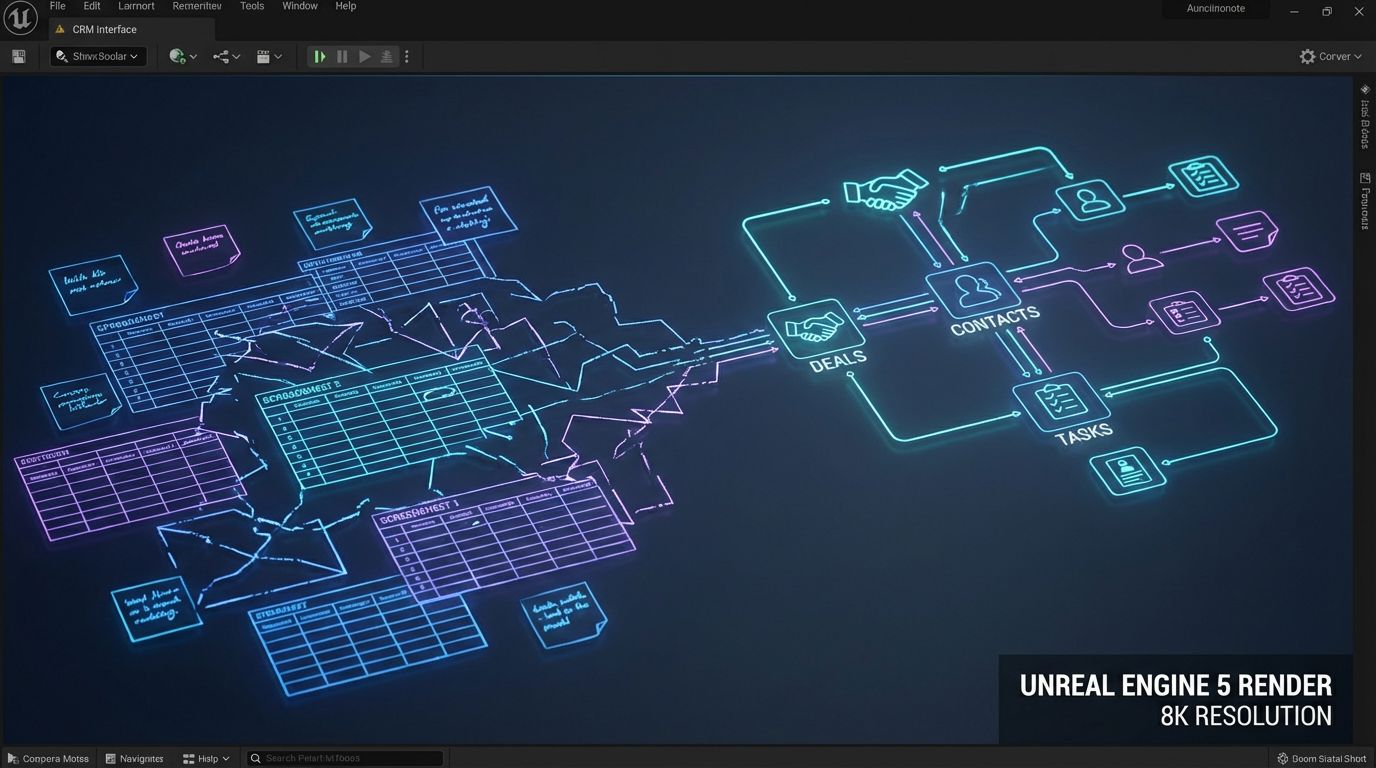
Most teams don’t start with a CRM task manager. They start with Google Sheets, email, and a few heroic reps trying to remember who to follow up with next. That works until you have more than a handful of active deals or more than one rep.
The reality of spreadsheet-driven pipelines
Spreadsheet-driven pipelines usually look like: one tab for leads, one for deals, columns for status and next steps, and some color coding no one fully agrees on. Over time, copies multiply, filters break, and nobody trusts which version is current.
There are no built-in reminders, no automatic task creation, and no connection between actual activities (emails, calls, meetings) and the rows in the sheet. Reps live in their inbox and personal task apps, and the spreadsheet becomes a lagging, half-updated artifact.
The result is predictable: missed follow-ups, inconsistent next steps, and zero visibility into rep activity quality. Managers spend hours cross-checking tools instead of coaching.
What integrated CRM and task management actually means
Integrated crm and task management means every contact, company, and deal in your CRM has associated tasks and next steps, owned by a specific rep, with clear due dates and priorities. Tasks are not floating in a separate app; they are tied directly to pipeline and revenue.
A generic task app can tell you that “Call John” is due today, but it doesn’t know who John is, what deal he’s tied to, or what stage he’s in. A proper crm task management solution knows the context, updates deal status when tasks are completed, and can auto-create the next logical actions.
In a mature setup, your CRM becomes an integrated sales task engine where pipeline, communications, and activities live in one system with automation handling the grunt work.
Core benefits for sales teams
- Single source of truth: One place where contacts, deals, emails, and tasks stay in sync.
- Automatic task creation: New leads, stage changes, and key events generate standardized tasks without manual data entry.
- Ownership clarity: Every open opportunity has a clearly assigned owner and next step with a due date.
- SLA tracking: Speed-to-lead, follow-up cadence, and renewal timelines are enforced by the system, not memory.
- Manager visibility: Managers see task queues, activity quality, and bottlenecks by rep, segment, and stage.
When done right, this kind of crm task management setup reduces missed follow-ups by 30–50% and unlocks consistent, repeatable execution across the team.
| Aspect | Spreadsheets & Standalone Task Tools | Integrated CRM Task Engine |
|---|---|---|
| Data Source | Multiple sheets, boards, and personal lists with conflicting versions. | Single source of truth for contacts, deals, and activities. |
| Task Context | Tasks live outside the pipeline with little or no deal context. | Tasks linked directly to deals, accounts, and contact history. |
| Automation | Manual reminders, copy-paste updates, and human memory. | Auto-created tasks based on triggers and standardized rules. |
| Visibility | Leaders can’t see real activity quality or next steps. | Dashboards show workload, bottlenecks, and SLA adherence. |
| Scalability | Breaks down beyond a few reps or dozens of active deals. | Designed to support more reps, leads, and complexity. |
Top CRM and Task Management Software Options

There’s no shortage of crm and task management software. The mistake is assuming that picking the “right” logo solves follow-ups and process discipline.
In reality, most modern tools are capable. The difference is whether you architect a usable crm task management system on top of them.
What to look for in CRM and task management software
At a minimum, your chosen platform should support tight linking between contacts, companies, deals, and tasks. You want one-click access from a task to the full account context.
Look for strong task automation, email and calendar integration, and reporting that can show activities per rep, per stage, and per segment. Solid APIs and Zapier/Make/n8n support matter if you plan to orchestrate data across tools.
Nice-to-haves for a high-performing crm task management solution include SLA timers, task queues, mobile apps, call logging, and AI suggestions for next best actions. But none of those matter if the underlying workflow design is weak.
Snapshot of popular CRM task management platforms
You don’t need a list of 50 tools. You need to understand categories and tradeoffs.
- HubSpot CRM
Pros: Excellent UX, native email/calendar sync, strong automation and sequences, solid task queues.
Cons: Can get pricey as you add hubs and seats; advanced automation may require higher tiers. - Pipedrive
Pros: Visual pipelines, straightforward task and activity management, good for SMB sales teams.
Cons: Automation and reporting less flexible than enterprise CRMs; may require add-ons for complex workflows. - Zoho CRM
Pros: Very configurable, broad suite around it, strong value for cost-sensitive teams.
Cons: UX can feel heavy; requires careful design to avoid cluttered layouts and field sprawl. - Monday Sales CRM
Pros: Highly visual boards, flexible automations, good for teams already using Monday.com.
Cons: Requires disciplined design to behave like a true crm task manager instead of a generic board. - Salesforce
Pros: Extremely powerful, enterprise-grade automation, deep ecosystem and integrations.
Cons: Overkill for many SMBs without RevOps support; easy to build complexity that reps hate.
All of these can underpin robust crm and task management. None of them will do it for you out of the box.
Why the tool is only 50% of the solution
Buying a best-of-breed crm and task management software and expecting it to “fix” your process is like buying a top-tier spreadsheet and expecting it to do your forecasting. The tool is a blank canvas.
Without a clear data model, task taxonomy, automation rules, and adoption plan, you end up with a half-configured CRM where reps still live in their inboxes. That’s why many teams churn tools every 12–24 months, blaming the platform instead of the system design.
The rest of this guide focuses on building a working system first. Then you can decide if you want to own the build or bring in a partner like AiBizBuild’s CRM Integration & Inbox Management to implement it.
Why DIY CRM Task Setups Fail
On the surface, tasks feel simple: “Create a task when a new lead comes in.” In practice, that innocent-sounding requirement hides a lot of complexity.
The hidden complexity under “simple” task lists
Every task in a crm task management setup needs an owner, a due date, a priority, a link to a deal/contact, and often a reason or category. You also need rules for when to auto-create, reschedule, or close tasks.
Under the hood, this means defining custom fields, pipelines, SLAs, and routing logic, then making sure integrations don’t break that model. One misaligned integration can flood your reps’ queues with junk or leave key leads without tasks.
Without a deliberate system design, your “simple” task list quickly becomes a noisy, unreliable mess that reps ignore.
Common DIY failure patterns
- Random field sprawl: every rep adds their own fields, making reporting and automation brittle.
- Inconsistent pipelines: no clear exit criteria for each stage, so deals stall with no standard next step.
- No standardized task naming: “Follow up,” “Call,” and “Ping” all mean different things to different people.
- Overuse of manual tasks: reps must remember to create tasks after every call or email, so many never happen.
- Underuse of automation: fear of “breaking things” keeps teams from automating obvious workflows.
- No reporting that matters: dashboards show counts, not quality or adherence to process.
The outcome is familiar: reps revert to spreadsheets and personal to-do apps, and leaders conclude that “our team just doesn’t use CRM.” The issue is not the people; it’s the system.
| Area | DIY CRM Task Setup | Done-for-You with AiBizBuild |
|---|---|---|
| Workflow Mapping | Ad-hoc workshops, unclear documentation, and gaps between stages and tasks. | Structured interviews and diagrams that map every stage to specific task sequences. |
| Data Migration | Manual imports, mismatched fields, and high risk of duplicates or lost history. | Planned migration with field mapping, test runs, and deduplication rules. |
| Automation Quality | Basic triggers; many steps still manual; automations often break silently. | Battle-tested automation patterns for leads, demos, renewals, and escalations. |
| Rep Adoption | Limited training; reps create workarounds and slip back into old habits. | Role-based views, training, and office hours designed around how reps actually work. |
| Time-to-Value | 3–12 months of on-and-off tinkering before you see consistent usage. | Typically 3–5 weeks from kickoff to a working integrated CRM task engine. |
| Ongoing Optimization | Changes made reactively when something breaks or reps complain. | Planned iteration cycles and metric-driven tweaks based on adoption data. |
The true cost of DIY: time, churn, and lost revenue
DIY sounds cheap until you factor in the hours your highest-paid people spend guessing at RevOps. It’s common for founders or sales leaders to burn 40–80 hours over a quarter on CRM configuration, not counting rep frustration.
During that time, deals slip because there’s no reliable system, and you pay for tools you’re not actually using well. Tool churn—ripping out one CRM or task app for another every year or two—adds even more cost and change fatigue.
If you want hard numbers on your own leakage, this is exactly what an AiBizBuild Workflow Audit surfaces: missed follow-ups, slow response times, and where automation could reclaim hours and deals.
A Step-by-Step Implementation Blueprint
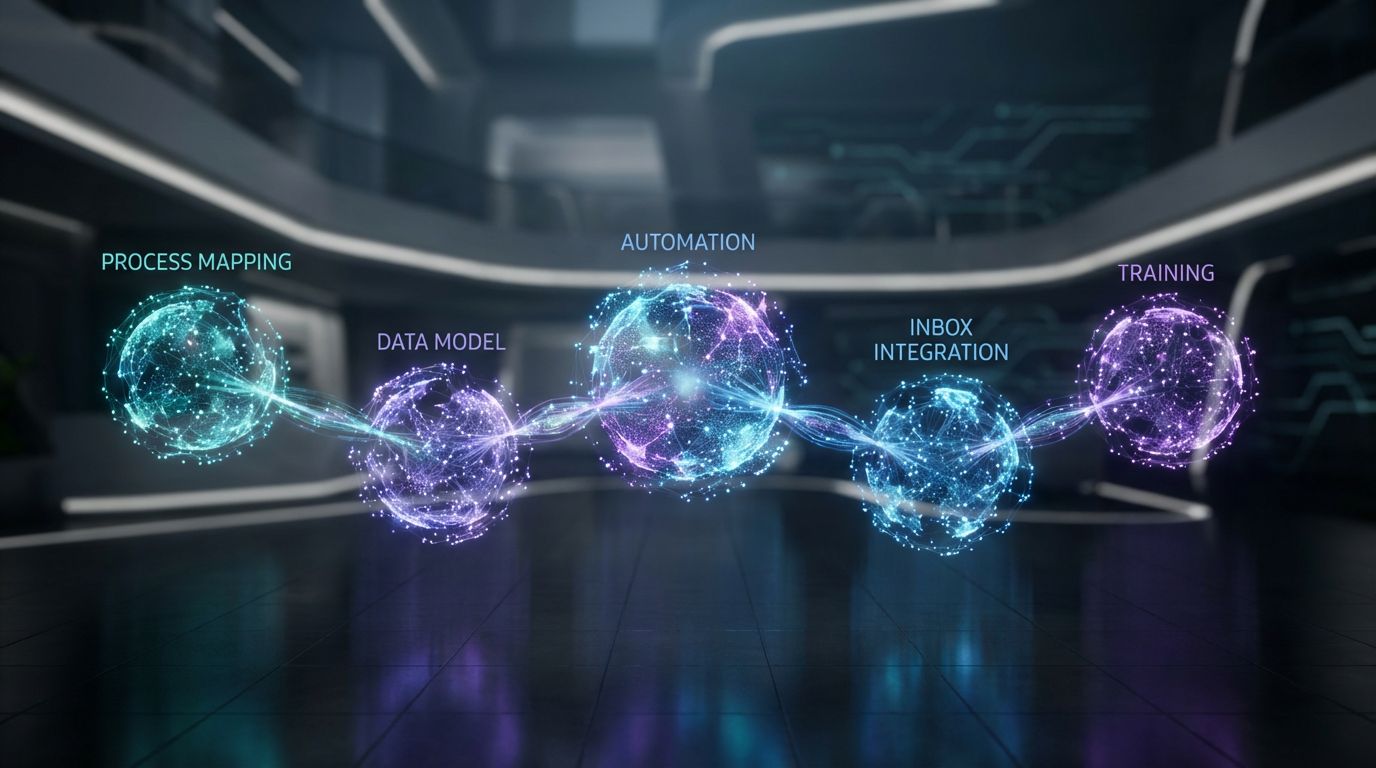
This is the part most articles skip: how to actually implement an integrated crm task management system. Below is the blueprint we’ve refined across dozens of builds.
Phase 1 – Map your sales process and task taxonomy
Start by documenting how leads move today: sources, qualification steps, handoffs, proposal steps, and renewal triggers. Each pipeline stage should have clear entry/exit criteria.
Then define a task taxonomy your crm task manager will use. For example: Task Types (Call, Email, Meeting, Admin), Priorities (P1–P3), and Purposes (New outreach, Follow-up, Renewal, Expansion).
Agree on naming conventions like “[Stage] – [Action] – [Target]” (e.g., “Qualify – Call – Decision Maker”) so tasks are scannable in queues.
Phase 2 – Configure CRM data model and pipelines
With the process mapped, configure your CRM data model: contacts, companies/accounts, deals/opportunities, and any custom objects you need. Create custom fields for key qualification data, SLAs, and segmentation.
Build one primary pipeline with clearly defined stages such as New Lead, Qualified, Discovery Scheduled, Proposal Sent, Negotiation, Closed Won/Lost. Each stage should have required fields and standard tasks.
Finally, link tasks to deals and contacts, and create default views for reps (e.g., “My Open Deals This Quarter”) and managers (“Stalled Deals with No Task in 7 Days”). This is where a proper crm task management solution starts to feel tangible.
Phase 3 – Design automation rules for key workflows
Now you translate your process into automation. Think in terms of triggers, conditions, and actions.
- Inbound lead workflow
Trigger: New lead created from form/landing page.
Actions: Auto-create a deal, assign owner based on territory or round robin, create a “P1 – Call new inbound lead” task due within 2 hours, send a templated acknowledgment email, and set an SLA field for speed-to-lead. - Post-demo workflow
Trigger: Meeting marked as “Demo Completed” and deal moved to Discovery/Proposal stage.
Actions: Create tasks: “Send recap email,” “Schedule next step,” and “Update decision criteria,” each with appropriate owners and due dates. Optionally, generate an email template from the record. - Stalled deal recovery
Trigger: No logged activity on a deal for 7 days in a mid-funnel stage.
Actions: Create a “P2 – Re-engage stalled deal” task, notify the owner via email or Slack, and if the deal remains inactive for 14 days, escalate to manager with a separate task.
These are reusable patterns you can apply across leads, opportunities, renewals, and upsells using your crm and task management platform.
Phase 4 – Integrate email, calendar, and inbox management
Your crm task management engine is only as good as its connection to where conversations actually happen. That means tight integration with email, calendar, and any shared inboxes.
Configure email sync so inbound and outbound messages automatically associate with the right contacts and deals. Enable email-to-task or one-click “create follow-up task from email” actions.
This is where AiBizBuild’s CRM Integration & Inbox Management service goes deep: structuring shared inboxes, routing emails into the CRM, and ensuring that every important conversation generates or updates the right tasks.
Phase 5 – Launch, train, and iterate
Don’t flip the switch for the whole company on day one. Run a 2–3 week pilot with a subset of reps who are open to change.
Provide role-based dashboards, quick-reference guides, and office hours during the first month. Listen for friction: too many tasks, confusing views, or missing fields.
Iterate on the system every 1–2 weeks at first, then monthly. AiBizBuild typically wraps this into a 3–5 week fixed-scope implementation so you move from “we should clean up our CRM” to a working integrated system quickly.
Use Case: Turning a B2B Sales Team into a Task-Driven Machine
—IMAGE_BLOCK: Bioluminescent Data Streams representing chaotic, tangled light trails on one side gradually snapping into clean, parallel streams feeding into organized task queues labeled SDR and AE. Cinematic lighting, Unreal Engine 5 render, futuristic corporate aesthetic, glowing cyan and purple accents, shallow depth of field, 8k resolution—
Let’s make this concrete with a realistic B2B scenario. Imagine a 10-person sales team selling a mid-ticket SaaS product to other businesses.
Starting point – disjointed tools and missed follow-ups
Today, new leads hit a shared inbox and a Google Sheet. SDRs pick names off the sheet, log notes in their own task apps, and sometimes update a basic CRM if they remember.
There’s no standard cadence, no consistent next steps, and leadership has no idea which leads are getting quality follow-ups. Deals sit in the spreadsheet for weeks with no activities logged.
Reps complain about double data entry and live in whatever tool feels easiest that day. You’re paying for a CRM, but you don’t have a functioning crm task management system.
Designing the unified CRM and task management setup
First, the team consolidates onto a single CRM pipeline with clear stages and definitions. All new leads are created as contacts + deals inside the CRM, not in a spreadsheet.
The task taxonomy is standardized: SDR tasks (cold calls, email touches, qualification) and AE tasks (discovery, proposal, negotiation steps). Each stage in the pipeline has a default set of associated task templates.
SDRs see a “My New Leads Today” task queue sorted by SLA, while AEs see “My Deals Closing This Month” with required tasks surfaced. The crm task manager becomes their home base, not a sidecar.
Example automations in action
Workflow 1: New inbound lead → qualification → AE handoff
- Lead submits a demo request form which creates a contact and deal in the CRM.
- Automation assigns an SDR and creates a “P1 – Call new inbound lead” task due in 1 hour, plus a backup email task due same day.
- When the SDR marks the qualification call task as done and sets “Qualified = Yes,” automation moves the deal to “Qualified” and creates an AE task: “Schedule discovery call within 3 days.”
- If the AE hasn’t booked a discovery call in 3 days, a manager escalation task is created.
Workflow 2: Renewal/upsell management
- Each active customer has a renewal date field on their account or subscription record.
- At 90 days before renewal, the system creates a “P2 – Renewal discovery call” task for the CSM or AE.
- At 60 days, it creates “Send renewal proposal draft” and “Review expansion opportunities” tasks with standardized email templates attached.
- At 30 days, if no renewal is logged, an escalation task is created for the manager, and the deal is flagged in a “At-risk renewals” view.
These are the kinds of patterns that turn your crm and task management stack into a true task-driven machine instead of a passive database.
Results after 60–90 days
After 2–3 months of running the new system, most teams see tangible improvements. Missed follow-ups drop by 30–50% because tasks, SLAs, and escalations are built-in.
Reps typically add 1–2 extra qualified meetings per week thanks to faster speed-to-lead and consistent cadences. Automation trims 5–10 hours/month per rep in pure admin work like logging activities and manually creating tasks.
When you apply those hours against loaded salaries and incremental closed revenue, the ROI of a well-implemented crm task management solution becomes obvious.
Time Savings & ROI: What to Expect
Let’s translate the concepts into numbers. You don’t need perfect precision; you need directional clarity to make a decision.
Quantifying time saved per rep
Start with the everyday friction: logging every call, creating follow-up tasks, updating deal stages in spreadsheets, and chasing information across tools. It’s easy for each rep to waste 20–30 minutes per day just on context switching.
In an integrated crm and task management system, most of that is automated or one-click. Calls auto-log, tasks auto-create at stage changes, and reps work from a single queue instead of three apps.
Across a month, it’s realistic to save 10–20 hours per rep in low-value admin. For a 10-person team, that’s 100–200 hours/month you can reallocate to pipeline-building activities.
Impact on follow-ups, pipeline health, and bookings
Time saved only matters if it translates into better pipeline coverage and more meetings. That’s where completion rates and SLAs come in.
Teams moving from spreadsheets to integrated crm task management often see follow-up completion rates jump from 50–60% to 80–90%. Speed-to-lead shrinks from days to hours—or even minutes—because tasks and alerts are triggered instantly.
Even a modest improvement, like increasing meetings booked from 8 to 11 per 100 leads, can materially boost revenue when your deal sizes are meaningful.
| Metric | Before (Spreadsheets + Disconnected Tasks) | After (Integrated CRM Task Management) |
|---|---|---|
| Average Speed-to-Lead | 24–72 hours, highly inconsistent by rep. | 1–4 hours with SLA-backed tasks and alerts. |
| % of Leads Never Contacted | 10–30% slip through the cracks. | <5% with automated task creation and escalations. |
| Tasks Created Automatically | <10% (mostly manual creation by reps). | 50–80% (driven by triggers like stage changes and form fills). |
| Meetings Booked per 100 Leads | 5–8 on average. | 8–12 with consistent cadences and faster responses. |
| Admin Time per Rep/Month | 20–30 hours of logging, updating, and reconciling tools. | 10–15 hours with automation and unified workflows. |
How to build a simple business case for leadership
You can build a back-of-the-envelope business case in 10 minutes. Take hours saved per rep per month times your approximate fully loaded hourly rate.
Then estimate incremental meetings per month from better follow-ups, multiply by your close rate and average deal size. Even conservative assumptions often justify a serious investment in crm and task management implementation.
If you’d like to run this calculation on your own numbers, AiBizBuild’s Workflow Audit walks through your current process, leakage, and ROI potential in a structured way.
How AiBizBuild Handles Done-For-You CRM Task Management
AiBizBuild is not another CRM or task app. We’re the implementation partner that turns your existing tools into a working integrated crm task management engine.
Our role: from tools to a working system
We start with the tools you already have or help you pick a right-fit platform. The focus is on system design, not adding more SaaS.
Our CRM Integration & Inbox Management service connects your CRM, email, calendars, and shared inboxes so that tasks, deals, and conversations all live in one coherent flow. The outcome is reps working from a centralized queue that’s actually tied to revenue.
Instead of another generic “CRM setup,” you get an opinionated, automation-first architecture matched to your sales motion.
Our implementation framework
We follow a structured, implementation-first framework:
- 1) Discovery & process mapping: Deep-dive on your current tools, sales stages, lead sources, and follow-up patterns.
- 2) System design: Blueprint for data model, pipelines, task taxonomy, automation rules, and reporting.
- 3) Build & integration: Configure CRM, set up automations, connect email/inbox, and migrate or clean existing data.
- 4) Pilot & training: Roll out to a pilot group, refine, and train reps with role-specific views and workflows.
- 5) Optimization: Monitor adoption and adjust tasks, triggers, and dashboards based on real-world usage.
Deliverables typically include configured pipelines, standardized task templates, automation recipes, and dashboards that leadership can actually use.
How this connects with other AiBizBuild services
A strong CRM task engine makes other automation investments more valuable. For example, Cold Outreach Automation becomes far more effective when campaign responses automatically generate follow-up tasks in the CRM instead of vanishing into an inbox.
A 24/7 Appointment Booking System can push booked meetings directly into deals and create pre- and post-meeting tasks. AI Voice Agents (Inbound/Outbound) can log calls, summarize outcomes, and auto-create next-step tasks without human intervention.
Even your marketing operations—like SEO Content & Blog Automation or lead gen automation playbooks—perform better when all leads and activities roll into a well-structured CRM task system.
What happens in a Workflow Audit
A Workflow Audit is the lowest-friction way to start. In 30–60 minutes, we review your current tools, walk through your real sales process, and identify exactly where deals and follow-ups are leaking.
You get a prioritized roadmap covering data model changes, automation opportunities, and adoption tactics—not just a list of tools to buy. From there, you can either implement with your team or engage AiBizBuild for a fixed-scope build.
If you want your CRM and task management setup to actually drive revenue instead of busywork, book a Workflow Audit or request a 30-minute demo of an integrated CRM task engine in action.
FAQs on CRM and Task Management Implementations
How long does it take to implement an integrated CRM and task management setup?
For a small to mid-sized B2B team, a realistic implementation timeline is 3–6 weeks. Weeks 1–2 usually cover discovery, process mapping, and system design.
Weeks 2–4 handle build, integration, and initial data migration, with weeks 4–6 focused on pilot rollout, training, and iteration. More complex, multi-team environments can take longer, but you shouldn’t be stuck in “implementation” for quarters.
Do I need a developer or in-house RevOps team to build CRM task management workflows?
Most modern crm and task management software is low-code or no-code for the majority of workflows. You rarely need a full-time developer to build strong task automations.
What you do need is someone who understands sales process design, data modeling, and change management. AiBizBuild provides that RevOps expertise as a service so your team doesn’t have to learn it the hard way.
How secure is an integrated CRM task management solution?
Security depends primarily on the underlying CRM vendor and your configuration. Reputable platforms offer role-based permissions, audit logs, and encryption in transit and at rest.
AiBizBuild works inside your existing tools and follows your security policies. We don’t replicate your CRM data into random side systems; we design the workflows and automations to live within your approved stack.
Will my sales reps actually use a CRM task manager, or will they go back to spreadsheets and personal to-do apps?
Reps use what makes their day easier. If your crm task manager is clunky, they’ll abandon it.
The key is designing rep-centric views, minimizing clicks, and letting automation handle as much admin as possible. Involving a few frontline reps in the design and pilot phases dramatically increases adoption and reduces the temptation to revert to old habits.
What does working with AiBizBuild on CRM Integration & Inbox Management cost, and what’s included?
Engagements are priced as fixed-scope packages based on team size, tool complexity, and the number of workflows we’re implementing. Every build includes discovery, system design, configuration, automation setup, inbox integration, and initial training.
Instead of dropping a random number without context, we prefer to anchor pricing to your actual complexity and potential ROI. The best next step is to book a Workflow Audit, where we can scope the work and provide a tailored estimate.
Can we start small and expand our CRM task management setup over time?
Yes, and that’s usually the smartest path. You can start with a narrow set of workflows—like inbound leads and basic post-demo follow-ups—then layer on renewals, upsells, and more advanced automations once the core is working.
A good implementation partner will design the data model and architecture so it can scale without forcing you to rebuild everything in six months.
Next Step: If you’re serious about getting your team out of spreadsheets and into an integrated CRM task engine, book a free Workflow Audit with AiBizBuild. We’ll map your current process, quantify the time and revenue you’re leaving on the table, and show you what a done-for-you implementation could look like in the next 3–5 weeks.