

Cold Email Outreach Tools: Automating High-Volume B2B Outreach
Key Takeaways
- Cold email outreach tools automate sending, tracking, and follow-up, but they fail without a well-designed workflow for targeting, deliverability, and reply handling.
- A properly implemented cold outreach system can cut CPL by 20–40% and save 10–20 hours/week for founders and SDRs compared to manual outreach.
- The highest ROI comes not from picking a tool, but from partnering with a team like AiBizBuild to design, implement, and manage a complete Cold Outreach Automation system end to end.
In This Guide:
🔍 Landscape: Manual vs Tool-Based Cold Outreach – What changes when you add a cold email outreach tool
🛠️ Key Features of Modern Cold Email Outreach Tools – What to look for in cold email outreach software
⚖️ Top Cold Email Outreach Tools Compared – Pros, cons, and where they fit
⚠️ Why DIY Cold Outreach Fails at Scale – Hidden costs, risks, and failure modes
📈 From Tool to System: Cold Outreach Automation with AiBizBuild – How we implement end-to-end workflows
📊 ROI: Time, Cost, and CPL Savings – Realistic benchmarks and examples
📌 Use Case: Outbound Engine for a B2B SaaS Sales Team – A concrete implementation blueprint
✅ Checklist: How to Choose the Right Cold Email Outreach Tool & Vendor – Decision framework for B2B buyers
❓ FAQs on Cold Email Outreach Automation – Technical, legal, and operational questions
🤝 Next Steps: Book a Cold Outreach Workflow Audit – How AiBizBuild can help
If you are reading this, you are probably evaluating one more cold email outreach tool and wondering if changing software will finally fix deliverability, reply rates, and consistency. I have been in your shoes and have implemented dozens of B2B outbound systems across SaaS, agencies, and services. The pattern is always the same: tools matter, but the real leverage comes from the workflow, infrastructure, and ongoing optimization around them.
This guide breaks down how manual cold email compares to automated platforms, what modern cold email outreach software should include, and how to think about sequencing, CPL, and ROI. Then we pivot from tool comparison to what actually drives results: a production-grade outbound engine implemented and managed through AiBizBuild’s Cold Outreach Automation.
Landscape: Manual vs Tool-Based Cold Outreach
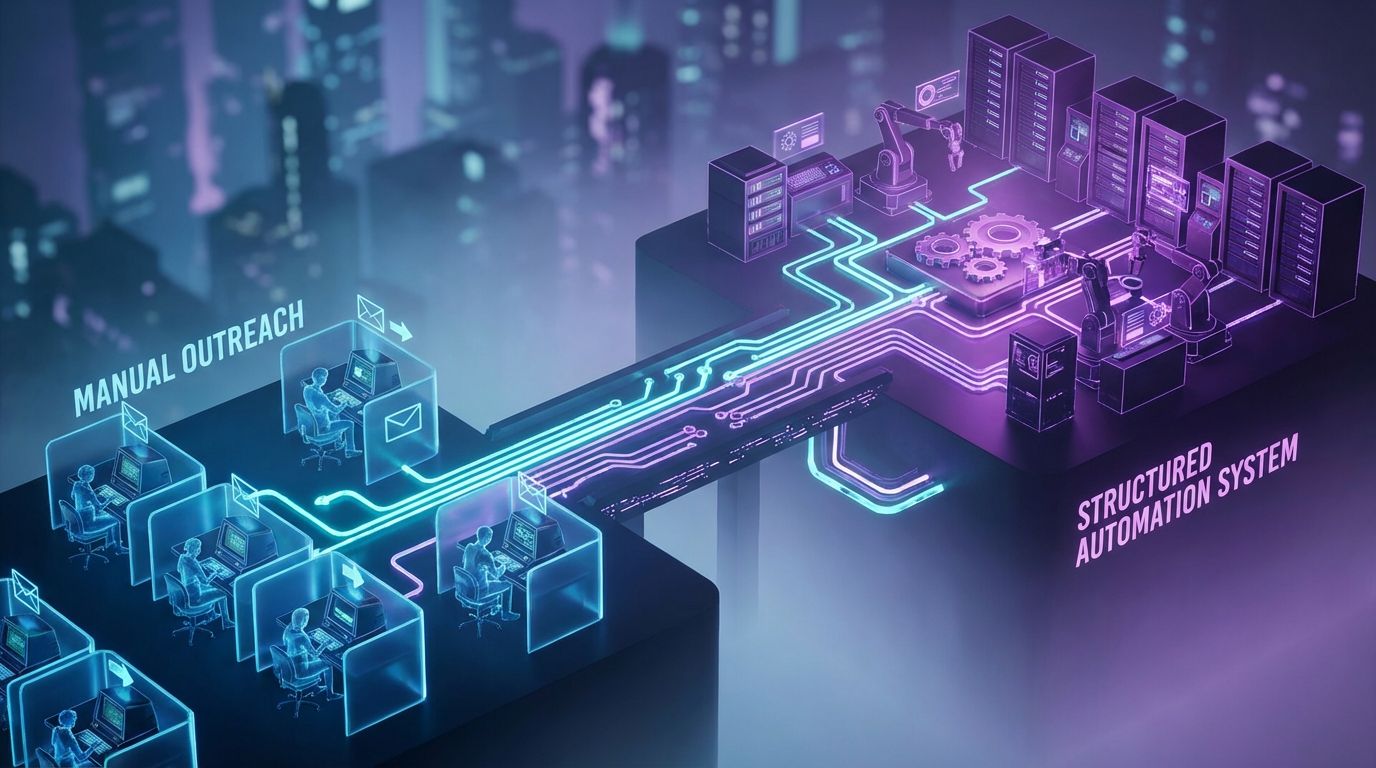
What Manual Cold Email Workflows Look Like
In early-stage teams, manual cold outreach usually means a mix of Google Sheets, Gmail, and copy-paste templates. One person is pulling leads from LinkedIn, another is maintaining a spreadsheet, and everyone is guessing who to follow up with next. Follow-ups get buried, and no one can reliably answer how many emails were sent last week or which campaign generated which meetings.
This approach can work for very low volumes, but it does not scale beyond a few hundred emails per week. It is slow, error-prone, and heavily dependent on one or two people remembering to do the right thing every day.
What Changes When You Adopt Cold Email Outreach Software
Introducing a dedicated cold outreach tool centralizes sending, sequencing, and tracking. Instead of manually copying a template, you define a sequence once, plug in personalized variables, and let the platform handle follow-ups and basic throttling. The system can now tell you who opened, who replied, and who needs another touch.
However, a cold email outreach tool does not automatically solve targeting, list quality, or offer strategy. It also does not magically handle DNS, domain warmup, or CRM hygiene unless you design those pieces into your workflow.
Manual Outreach vs AI-Driven Tool-Based Outreach
Here is how manual processes compare to using dedicated cold email outreach tools in real B2B teams.
| Aspect | Manual Outreach | Using a Cold Email Outreach Tool |
|---|---|---|
| Time per 100 emails | 3–5 hours (copy-paste, manual follow-ups, logging) | 30–60 minutes (upload list, review personalization, launch) |
| Error rate (wrong names, missing follow-ups) | High: easy to skip people or send duplicates | Low: sequence logic enforces steps and suppresses duplicates |
| Personalization level | High but inconsistent; depends on sender effort each day | High and repeatable with merge tags and custom fields |
| Tracking & reporting | Ad hoc spreadsheets, limited visibility across team | Central dashboard with opens, replies, bounces, meetings |
| Compliance & unsubscribe handling | Manual and often forgotten; higher compliance risk | Automated unsubscribe links and suppression lists |
| Deliverability controls | Minimal; easy to burn primary domain or hit spam traps | Throttling, warmup, dedicated sending domains if configured well |
The jump from manual to tool-based outreach usually unlocks 30–50% time savings per rep. The real question is whether you stop there or go further and build a fully orchestrated outbound system.
Key Features of Modern Cold Email Outreach Tools
Core Capabilities You Should Expect
At a minimum, modern cold email outreach tools should give you robust sequencing and automated follow-ups. You define multi-step cadences with timing rules so no prospect is left hanging after the first touch. This alone often doubles the number of replies compared to single-shot outreach.
Deliverability management is non-negotiable: warmup options, sending limits, and custom tracking domains protect your domain reputation. Basic personalization via merge tags and conditional logic lets you adapt messaging for role, industry, or intent without building separate campaigns for every micro-segment.
Finally, you need clear reporting: opens, replies, bounces, unsubscribes, and ideally meeting outcomes tied back to each sequence. This is where cold email outreach software starts feeling like an actual system instead of a fancier version of your inbox.
Advanced Features That Actually Matter at Scale
As you scale into thousands of emails per month, features that seemed optional suddenly become critical. Multi-domain and multi-mailbox rotation allow your email outreach automation tool to spread volume across multiple inboxes while preserving deliverability. Without this, you hit provider limits or trip spam filters quickly.
Native integrations with your CRM and calendars mean you are not manually logging meetings or updating lead statuses. AI-assisted copy, when used correctly, is best for variant generation and personalization snippets, not for writing your entire strategy.
For larger sales teams, collaboration features such as shared templates, approval flows, and role-based permissions help keep messaging consistent. This is especially important when marketing, SDRs, and AEs are all touching outbound campaigns.
Non-Negotiables for B2B Teams
B2B teams sending to decision-makers at known brands have more to protect than just inbox placement. Your cold outreach tool must support data protection controls, permission boundaries, and reliable opt-out handling. You do not want a junior rep accidentally blasting a strategic account twice in the same week.
Long-term domain health depends on correct DNS, spam complaint minimization, and reasonable sending behavior. If your stack ignores compliance and unsubscribes, you put not only your outreach domain at risk but also your main corporate domain.
This is why at AiBizBuild we treat tool selection as one part of a broader governance and workflow design, not a standalone software decision.
Top Cold Email Outreach Tools Compared
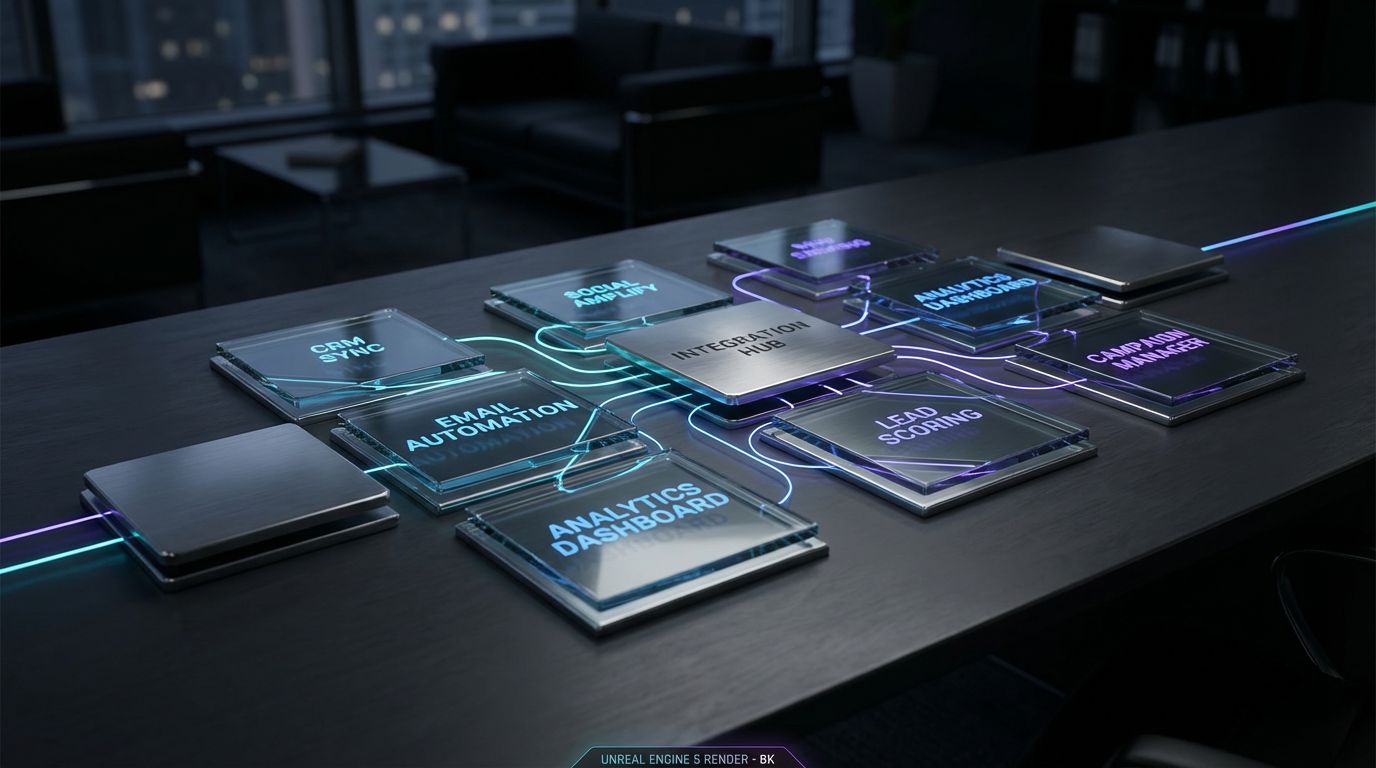
Representative Cold Email Outreach Software Options
I am tool-agnostic by design, and I have deployed most of the major cold email outreach software platforms in production. Each one has strengths and trade-offs depending on your volumes, markets, and internal capabilities. Below is how I usually position a few of the commonly evaluated options.
- Instantly
- Best for teams that want high-volume sending with multi-inbox rotation and built-in warmup.
- Strengths: scale, simple UI, fast to get going for experienced operators.
- Limitations: requires external processes for deep CRM integration and more complex routing.
- Smartlead
- Best for agencies and teams operating many inboxes or brands from one control panel.
- Strengths: strong multi-account management, flexible sending infrastructure.
- Limitations: needs careful setup; less beginner-friendly without an architect.
- Smartreach
- Best for SMB and mid-market teams that care a lot about deliverability safeguards.
- Strengths: solid deliverability features, approachable interface, basic AI writing support.
- Limitations: may feel less scalable for very large agency-style deployments.
- Mailshake
- Best for sales-led teams that want outreach plus calling and social touches in one place.
- Strengths: multi-channel sequences, sales-focused workflows.
- Limitations: email deliverability controls are decent but not as deep as specialist tools.
- Lemlist
- Best for teams who want visual sequences and some creative personalization features.
- Strengths: engaging UI, image and video personalization support, community resources.
- Limitations: can get complex; still requires external governance for domains and DNS.
- Gmass
- Best for very small teams or individuals wanting outreach from within Gmail.
- Strengths: low friction, Gmail-native experience.
- Limitations: limited for scale, harder to manage across multiple reps and domains.
- Apollo Sequences
- Best for teams already using Apollo for data and wanting outreach in the same platform.
- Strengths: integrated data + sequences, one less vendor in your stack.
- Limitations: deliverability and warmup less specialized than dedicated outreach platforms.
These are all best cold outreach tools in the right context; the problem is that most teams choose based on marketing pages rather than their actual outbound architecture.
Comparing the Best Cold Outreach Tools
Here is a high-level comparison of some representative options I see most often in B2B teams.
| Tool | Best For | Key Strengths | Key Limitations | Typical Monthly Cost |
|---|---|---|---|---|
| Instantly | High-volume B2B outbound with multiple inboxes | Built-in warmup, multi-inbox rotation, simple UI | Requires external orchestration for CRM and lead routing | ~$37–$197+, depending on plan and volume |
| Smartlead | Agencies and teams managing many brands or clients | Strong multi-account management, flexible infrastructure | Steeper learning curve; needs an experienced operator | ~$39–$400+, based on scale |
| Smartreach | SMB/mid-market B2B teams focused on deliverability | Good deliverability tooling, approachable UI, support | Less ideal for very large-scale or agency usage | ~$29–$99+ per user |
| Mailshake | Sales teams wanting email + phone + social cadences | Multi-channel outreach, sales-oriented workflows | Email deliverability less specialized than pure-play tools | ~$59–$99 per user |
| Lemlist | Teams wanting creative personalization and visuals | Visual sequences, image/video personalization options | Requires governance to avoid over-complex campaigns | ~$39–$99+ per user |
| Gmass | Solo operators and micro-teams inside Gmail | Gmail-native, very low friction to start | Limited scalability, less suited for multi-rep teams | ~$20–$55 per user |
| Apollo Sequences | Teams already on Apollo for data + basic sequences | Integrated data and outreach, fewer vendors | Deliverability controls less advanced than specialists | Bundled; effectively ~$79–$149+ per user |
Costs are approximate and change frequently, but they give you a sense of where different best cold email outreach software options sit in the market. Notice that none of these line items include the people time required to configure and operate them correctly.
Where Most Teams Get Stuck When Choosing Tools
Most teams get stuck in analysis paralysis because every outreach email software vendor promises similar benefits. Marketing sites talk about warmup, personalization, and analytics, but rarely show how that fits your existing CRM, lead sources, and reporting needs.
Deliverability nuances are also hard to compare from the outside, so teams default to brand recognition or Reddit threads. The result is often a partially implemented tool that still depends on spreadsheets, manual data transfers, and a lot of guesswork.
This is precisely why at AiBizBuild we treat tool choice as less than 20% of the outcome. The rest is infrastructure, data quality, sequencing logic, and tight integration into your revenue operations.
Why DIY Cold Outreach Fails at Scale
The Hidden Complexity Behind “Just Send Emails”
From the outside, cold email looks simple: write a message, upload a list, hit send. Under the hood, production-grade outbound depends on domains, DNS (SPF, DKIM, DMARC), reputation management, and careful warmup. If you misconfigure any of these, your shiny new cold email outreach tool quietly starts dumping messages into spam.
Reddit is full of threads where founders suddenly see open rates crash and have no idea why. They are forced to become amateur deliverability engineers instead of focusing on product and sales.
Fragmented Tool Stacks and Data Leakage
A common DIY pattern is cobbling together one cold outreach tool, a separate warmup service, a data provider, plus a CRM. Glue between them usually means CSVs and manual copy-paste. Every time a human has to move data from one system to another, leads slip through the cracks or get contacted twice.
Replies end up scattered across rep inboxes, and no one has a complete view of who is in which stage of which campaign. This fragmentation is where outbound performance silently dies.
Time Drain and Opportunity Cost
Once you add up time spent on cleaning lists, debugging bounce spikes, editing sequences, and manually updating CRM, it is common to see 10–20 hours per week per founder or SDR evaporate. That is time not spent on discovery calls, improving offers, or coaching reps. Even when a DIY stack “works,” it often works at the cost of leadership and sales time.
This is where a well-implemented Cold Outreach Automation system can save 10–20 hours/week and recapture lost focus for the team.
Compliance, Reputation, and Brand Risk
DIY setups often treat compliance and legal considerations as an afterthought. GDPR/CCPA alignment, honoring opt-outs, and respecting local business email rules are essential if you want outbound to survive longer than a quarter. Ignoring these can result in spam complaints, domain blacklisting, or worse, distrust from strategic accounts.
From an operational perspective, we design systems that keep cold domains and infra separated from your primary brand while still aligning with your legal and brand guidelines.
From Tool to System: Cold Outreach Automation with AiBizBuild
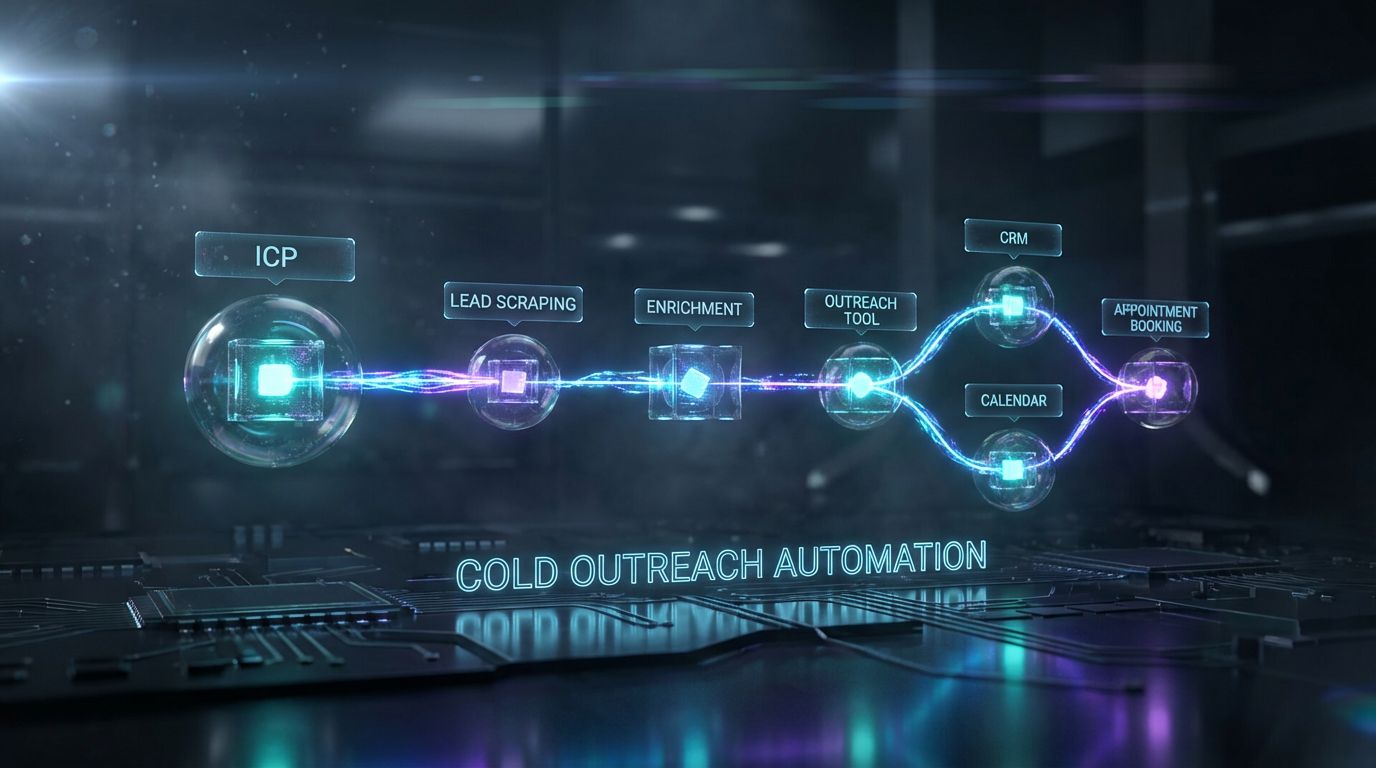
What a Complete Cold Outreach System Looks Like
When I talk about a complete system, I mean a pipeline from ideal customer profile to booked meetings, not just a new cold email outreach tool. It starts with ICP definition and list strategy, then moves into B2B Lead Scraping & Enrichment so your lists actually match that ICP with accurate contact data. Every record is then verified to minimize bounces and protect sender reputation.
Next comes sequence design: messaging, steps, timing, and branching logic that align with your offer and sales motion. We configure your chosen cold email outreach software (or stack) with domains, mailboxes, warmup, and tracking so it is safe to send at scale.
Finally, replies are routed into CRM Integration & Inbox Management workflows that triage interest, update deal stages, and plug into 24/7 Appointment Booking Systems so prospects can book meetings without back-and-forth emails.
Our Implementation Blueprint (30–45 Days)
Every engagement looks slightly different, but most follow a 30–45 day blueprint. In Week 1, we run a discovery sprint: ICP clarification, message and offer review, plus an audit of your existing tech stack and domains. This is where we decide whether to keep your current cold outreach tool or recommend an alternative.
In Week 2, we handle infrastructure: domains and subdomains, DNS records, mailbox setup, and warmup configuration. This is also when we finalize tooling selection and start connecting your outreach platform to CRM and calendars.
Week 3 is all about sequences, personalization logic, and integration: we build templates, map fields, and wire CRM Integration & Inbox Management so that every reply has a clear path. Week 4 and beyond is launch, monitoring, and optimization, including A/B testing copy, adjusting sending patterns, and tuning deliverability.
Where AI Fits In (Without the Hype)
AI is powerful, but it only creates leverage inside a solid process. We use AI for lead research snippets, so your first lines and talking points reference real context on the prospect without adding hours of manual research. AI also helps classify replies as positive, neutral, objection, OOO, or unsubscribe, feeding those labels straight into your CRM via CRM Integration & Inbox Management.
For some clients, we connect positive replies or form fills into AI Voice Agents (Inbound/Outbound) to handle quick callbacks or qualification calls automatically. The point is that AI augments Cold Outreach Automation; it does not replace the need for clear strategy, infrastructure, and governance.
If you are already exploring ChatGPT for lead generation or broader AI-powered lead gen workflows, this outbound system becomes the backbone that turns those insights into booked meetings.
ROI: Time, Cost, and CPL Savings
Modeling the Economics of Cold Outreach
At a basic level, your outbound funnel looks like this: leads → delivered emails → opens → replies → meetings → opportunities → revenue. Improvements in deliverability, targeting, and sequencing compound at every step. For example, moving from 60% to 80% inbox placement, and from 5% to 10% reply rate, can more than triple your meetings without sending more emails.
When I model ROI with clients, we focus on cost per lead (CPL) and hours saved per month, not just vanity metrics like open rates. A well-designed system often drives 20–40% lower CPL compared to a patchwork DIY setup, primarily through reduced wasted sends, better targeting, and fewer domain failures.
DIY vs Done-For-You Cost & ROI
The table below summarizes how typical scenarios compare in terms of tool spend, time, and CPL. These are realistic ranges I see across B2B teams implementing cold email outreach tools.
| Scenario | Monthly Tool Spend | Team Time/Month | Estimated CPL | Hidden Costs | Who Manages It |
|---|---|---|---|---|---|
| DIY with a single cold outreach tool | $50–$200 | 40–60 hours (founder/SDR time on setup, lists, troubleshooting) | $250–$400 per qualified lead | Domain burns, bad data, inconsistent follow-ups, lost leads | Internal team with no dedicated architect |
| DIY stitched stack (sending + data + warmup) | $250–$800+ | 60–100 hours (ops + SDRs managing multiple tools) | $200–$350 per qualified lead | Integration overhead, misaligned data, higher failure modes | Internal ops + sales, part-time responsibility |
| Done-for-you with AiBizBuild Cold Outreach Automation | Customized (often similar to or slightly above DIY stack) | 10–20 hours (reviewing performance, taking meetings) | $120–$250 per qualified lead (20–40% reduction is typical) | Infra risk, data quality, and orchestration handled by experts | AiBizBuild as your automation partner with SLAs and KPIs |
Notice that in the done-for-you scenario, your internal team’s hours drop while CPL usually improves, even if tool spend is similar or slightly higher. This is the core logic behind treating outbound as a system investment, not a single software subscription.
Realistic Benchmarks and Before/After Examples
Across B2B SaaS, agencies, and service providers, I typically see cold outreach reply rates in the 2–3% range when teams first come to us. With proper targeting, infrastructure, and sequences in place, it is realistic to move into the 8–12% reply range over 60–90 days. That alone can cut CPL from roughly $300 to $150 or better, depending on your ACV and markets.
For example, a 3-SDR B2B SaaS team we worked with was sending around 5,000 emails per month using a single cold email outreach tool, a data provider, and manual CRM updates. After re-architecting with Cold Outreach Automation plus CRM Integration & Inbox Management, they kept similar volume but doubled qualified meetings and reduced SDR admin time by roughly 50%.
Use Case: Outbound Engine for a B2B SaaS Sales Team
Starting Point: Disconnected Tools and Manual Follow-Ups
Imagine a Series A SaaS company with 2–4 AEs and 1–2 SDRs. They are using one cold email outreach tool for sequences, a separate LinkedIn tool for leads, and spreadsheets to track who is in which campaign. Follow-ups are inconsistent, new reps take months to ramp, and marketing has no clear view of what outbound messages are live.
The team has budget for the best cold outreach tools, but no one has time to become an expert in DNS, warmup, and multi-domain routing. Leadership wants predictable pipeline, not another complex software project.
The Implemented Workflow with AiBizBuild
We start by aligning on ICP, key segments, and offers that are proven to convert. Then we implement B2B Lead Scraping & Enrichment to build targeted lists for those segments, including firmographics, role data, and relevant context fields for personalization. Verified, enriched leads are then pushed into the chosen cold email outreach software, such as Instantly or Smartlead, configured with multi-domain and multi-inbox sending.
Our Cold Outreach Automation workflows feed leads to the outreach platform in daily batches, controlling cadence and ensuring you never overload new mailboxes. Replies are automatically pulled into CRM Integration & Inbox Management, which updates HubSpot or Salesforce with contact statuses, reply types, and next actions.
Positive replies receive a frictionless path to book via 24/7 Appointment Booking Systems embedded into templates. This ensures prospects can self-schedule with the right AE even if they reply outside business hours.
Results: Meetings, Time Saved, and Predictability
In this kind of setup, it is realistic to see 50–70% reduction in manual admin time for SDRs. Instead of juggling CSVs and ad hoc follow-ups, they focus on higher-value personalization, calls, and qualification. AEs benefit from a steadier flow of qualified, well-documented meetings in the CRM.
Leadership finally gets predictable, reportable outbound: monthly meeting volume by segment, reply rates by sequence, and revenue attribution to Cold Outreach Automation. This makes budget allocation and team planning much more data-driven.
For teams looking beyond cold email, the same orchestration approach can support channels like paid acquisition and SEO content & blog automation, creating a unified demand-gen engine.
Checklist: How to Choose the Right Cold Email Outreach Tool & Vendor
Tool Selection Checklist
When you evaluate the best cold email outreach software options, go beyond feature checklists and ask how each tool fits into your wider revenue stack. Here is a practical checklist I use with clients.
- Volume & mailbox limits: Does the platform support your current and future sending volume with multi-inbox rotation?
- Deliverability & warmup: How does it handle warmup, throttling, and tracking domains to protect your reputation?
- Sequencing sophistication: Can you support branching logic, multi-channel steps, and personalization at the level you need?
- Integration with CRM and calendars: Is there a robust, testable integration, or will you be stuck with CSV imports?
- Reporting depth: Can you move beyond opens and clicks to meetings, opportunities, and revenue attribution?
- Support & documentation: Are there knowledgeable humans and clear guides when you hit deliverability or integration issues?
Vendor/Partner Checklist (Beyond Tools)
Even the best cold email outreach tools cannot design your system for you. When deciding whether to work with a partner like AiBizBuild, use criteria that go beyond software implementation.
- Do they handle domains, DNS, and mailbox warmup end to end, or just “advise” you on what to do?
- Do they design, test, and iterate sequences over time instead of a one-time setup?
- Do they provide reporting tied to meetings and revenue, not just opens, replies, and vanity metrics?
- Can they connect outbound with other workflows, such as automated content approval workflows and broader marketing operations?
- Are there clear SLAs, KPIs, and communication cadences so you know who owns what?
When to DIY vs When to Bring in AiBizBuild
DIY can be a good fit if your volumes are low, your ACV is modest, and you or a founder have time and interest in becoming an outbound and deliverability specialist. In those scenarios, a simple cold email outreach tool plus careful reading of docs and community threads can get you off the ground.
Bringing in AiBizBuild makes sense when outbound is a strategic growth lever, your team’s time is too valuable to spend debugging DNS, and you need predictable pipeline. Our role is to architect and run the system so your reps can focus on selling.
If you are not sure which path is right, the lowest-risk step is to Book a Workflow Audit. You get a concrete blueprint either way, whether you decide to keep execution in-house or partner with us for Cold Outreach Automation.
FAQs on Cold Email Outreach Automation
How long does it take to fully implement a cold email outreach tool with AiBizBuild?
Most implementations run about 30–45 days from discovery to stable launch. The first 1–2 weeks cover ICP alignment, tech stack audit, domains, and DNS setup, including warmup planning.
Weeks 3–4 focus on sequence design, personalization logic, and CRM Integration & Inbox Management, followed by testing and gradual scale-up. More complex, multi-region or multi-brand setups may take slightly longer, but we structure work in clear phases so you see progress early.
Can you work with our existing cold email outreach software, or do we have to switch tools?
We are intentionally tool-agnostic and can usually work with your existing cold email outreach software if it meets basic deliverability and integration requirements. During the audit, we evaluate whether that platform can support your scale, markets, and reporting needs.
If it can, we design the system around it; if not, we will recommend alternative best cold outreach tools and explain the trade-offs clearly so you can make an informed decision.
How do you protect our domain reputation and stay compliant with email regulations?
We separate cold outreach domains from your primary corporate domain, configure SPF/DKIM/DMARC properly, and set conservative sending limits per inbox. Warmup schedules, bounce monitoring, and spam complaint tracking are built into the workflow.
On the compliance side, we enforce opt-out mechanisms, maintain suppression lists, and respect applicable business email and data privacy regulations in your target regions. The goal is sustainable outbound that does not jeopardize your brand.
Do we need internal developers or operations staff to maintain the system?
No internal developers are required to keep the system running. AiBizBuild owns the architecture, implementation, and ongoing maintenance through our Cold Outreach Automation and CRM Integration & Inbox Management services.
Your team’s role is to provide feedback on lead quality, messaging, and sales outcomes so we can continuously optimize sequences and targeting. We handle the technical glue, you focus on conversations and closing.
What kind of results should we expect from automated cold outreach?
While exact numbers depend on your ICP, offer, and list quality, most teams see reply rates move from roughly 2–3% into the 8–12% range after proper setup and 60–90 days of optimization. Meeting rates and pipeline follow as a function of that improved engagement.
On the efficiency side, it is common to save 10–20 hours per week of founder or SDR time compared to DIY setups, while reducing CPL by 20–40%. We are careful not to promise “x10 revenue,” but we do commit to measurable improvements and transparent reporting.
Can you integrate with our specific CRM and existing lead sources?
In most cases, yes. We routinely integrate cold email outreach tools with CRMs like HubSpot, Salesforce, and Pipedrive, as well as common lead sources and enrichment platforms.
Where native integrations fall short, we use workflow automation layers to connect systems without requiring your team to write code.
Next Steps: Book a Cold Outreach Workflow Audit
What You Get from a Workflow Audit
The Workflow Audit is designed to give you clarity, whether you choose to work with us long term or not. You receive a map of your current stack and workflow from lead sources through to CRM and meetings, including where your existing cold email outreach tool sits.
We also provide a deliverability and DNS health report plus a prioritized list of quick wins. Finally, you get a 30–60 day rollout plan for a production-grade Cold Outreach Automation system tailored to your volumes, ACV, and team capacity.
How to Engage AiBizBuild
The engagement starts with a short discovery call to align on goals, current pain points, and constraints. From there, we scope a proposal covering Cold Outreach Automation, with optional add-ons like B2B Lead Scraping & Enrichment, CRM Integration & Inbox Management, and 24/7 Appointment Booking Systems if needed.
Implementation is structured in phases with clear milestones so you are never wondering what is happening behind the scenes. Once live, we manage ongoing optimization, testing, and reporting, acting as your embedded outbound automation team.
Closing CTA
If you are tired of bouncing between yet another cold email outreach tool and scattered Reddit advice, it is time to move from software shopping to system building. Let us design an outbound engine that fits your ICP, offer, and sales motion instead of forcing you into a generic playbook.
Book a Cold Outreach Workflow Audit today, or Request a Demo to see how AiBizBuild would architect and run your outbound system end to end. Your team should be focused on conversations and closing, not on becoming accidental deliverability engineers.