

Automated Ticketing Systems: From Manual Triage to Smart Routing
Key Takeaways
– Automated ticketing replaces manual triage with rules and AI that classify, prioritize, and route tickets across email, chat, phone, and CRM—so agents spend more time resolving, less time sorting.
– Well-designed automation typically delivers 20–40% faster handling, 50–70% better time-to-first-response, and 20–30 percentage point improvements in SLA attainment for core queues.
– Real results depend on solid workflow design, CRM integration, and crm telephony integration—which is where a done-for-you implementation partner like AiBizBuild is far more effective than DIY experiments.
In This Guide:
– The Manual Ticketing Problem – Why manual triage kills SLAs and burns out teams
– How Automated Ticketing Works – Rules, AI triage, CRM integration, and smart routing
– Why DIY Automated Ticketing Fails – Hidden complexity, integration gaps, and data issues
– Use Case: IT & Support Teams with CRM Telephony Integration – A before/after workflow and ROI breakdown
– Implementation Roadmap & How AiBizBuild Helps – A practical rollout plan and when to bring in experts
– How AiBizBuild Uses Automation Across the Customer Journey – Where else these patterns apply
– FAQs – Key implementation, security, and cost questions answered
Most teams still run support the old way: tickets come in, humans read them, guess the category, and push them into queues. That manual triage step is the silent killer of your SLAs.
Automated ticketing flips that model. Instead of a human reading every email, chat, or call note, rules and AI classify and route tickets instantly based on content, customer profile, and business priority.
The result is less time wasted on sorting, fewer misroutes, and faster resolution for the issues that actually matter. In this guide, we’ll walk through how rules and AI triage work in practice, how CRM integration and crm telephony integration supercharge routing, and what it takes to roll this out without breaking your existing stack.
The Manual Ticketing Problem (And Why Your SLAs Never Catch Up)

What Manual Triage Looks Like in Real Teams
In a typical day, tickets arrive from everywhere: shared support inboxes, contact forms, chat widgets, employee portals, and walk-ups that become quick emails. Most land in a generic queue or a single mailbox that multiple agents watch.
Someone on the team—often your most experienced agents—spends chunks of their day skimming subject lines, opening each message, deciding priority, and manually adding tags or assigning owners. When they’re busy, tickets simply sit.
Meanwhile, phone calls are handled in a separate telephony system that doesn’t really talk to your CRM or ticketing tool. Agents answer blind, take notes, maybe create a ticket later, and often lose context and follow-up.
Hidden Costs of Manual Ticket Routing
On paper, manual triage looks like “a few minutes here and there.” In reality, it adds up fast and hits your SLAs hard.
- SLA breaches because high-priority issues wait in the same inbox as password resets and low-value questions.
- Agents spend 20–40% of their time just categorizing, tagging, and routing instead of resolving.
- Misrouted tickets bounce between teams—L1 to L2 to “not our queue” and back—adding days to resolution for simple problems.
- When telephony, chat, and email aren’t unified in your CRM integration, context is lost and customers repeat themselves on every channel.
None of this shows up as a line item on your P&L, but it shows up in overtime, burnout, and a constant sense that “we’re always behind.”
Symptoms You’ve Outgrown Manual Ticket Triage
You don’t need a complex maturity assessment to see when you’ve hit the ceiling of manual triage. The signals are usually obvious.
- Your ticket backlog quietly increases every month, even though volume hasn’t exploded.
- Reps complain that they spend half their day doing “grunt work” instead of solving problems.
- Leadership doesn’t fully trust SLA and queue reports because routing is inconsistent and heavily dependent on which agent was doing triage that day.
- Customers and employees escalate through side channels—Slack, WhatsApp, personal emails—because they don’t trust the front door queues.
| Metric | Manual Triage | Automated Ticketing |
|---|---|---|
| Time-to-first-response | 4–8 hours for non-urgent issues; spikes during busy periods | 1–2 hours or less for most queues via instant classification and routing |
| Time-to-resolution (MTTR) | 2–3 days for common issues, longer when misrouted | 20–40% faster for repeatable issues via smart routing and self-service |
| Misroute rate | 10–25% of tickets touch the wrong queue at least once | <5% with clear rules and AI-based intent detection |
| % of tickets requiring manual triage | 80–100% reviewed by humans before assignment | 30–60% auto-classified and routed with zero human touch |
| Cost per ticket (labor only) | Higher due to manual sorting and rework | 10–30% lower via reduced triage and faster resolutions |
| Agent satisfaction | Low; senior agents stuck doing admin work | Higher; agents focus on complex, meaningful cases |
How Automated Ticketing Works (Rules, AI Triage, and Smart Routing)
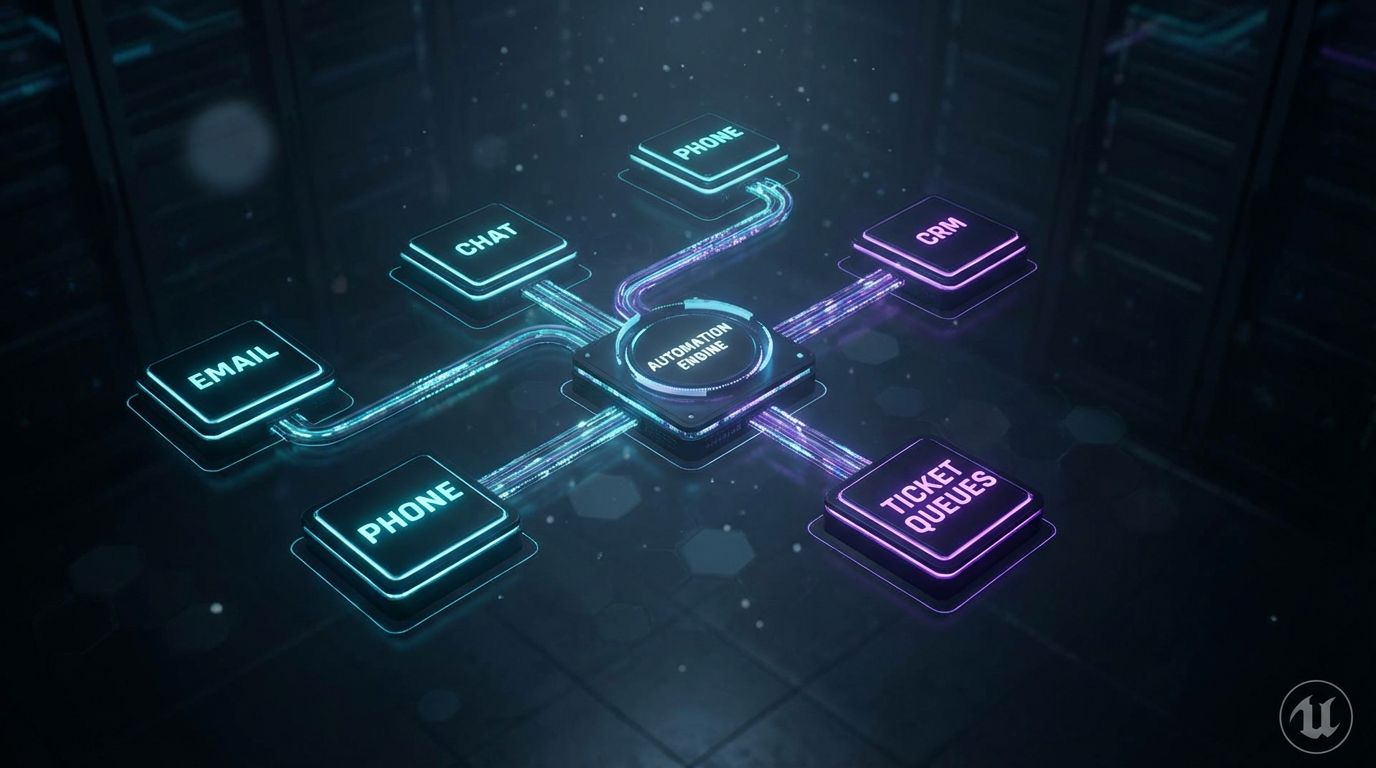
Core Building Blocks of an Automated Ticketing System
Think of automated ticketing as a series of coordinated components, not a single feature you toggle on. Each layer does a specific job.
- Intake channels: Email, web forms, chat, employee portals, and phone calls (via crm telephony integration) all feed into a unified ticketing layer.
- Classification engine: Rules and AI analyze subject, body, metadata, and caller info to determine issue type, urgency, and required team.
- Routing & SLA engine: Configured rules decide which queue, which priority, which SLA timers, and what escalation paths apply.
- Knowledge & self-service: Common issues can trigger auto-responses, knowledge base suggestions, or workflow automations that resolve without human intervention.
When these components are designed around your real-world workflows and integrated with CRM, the manual triage layer shrinks dramatically.
From Keywords to AI Triage: Two Levels of Automation
The first step many teams take is rules-based automation. It’s simple, transparent, and effective when designed well.
- Rules-based examples: “If subject contains ‘password reset’ and channel = email, assign to IT Service Desk, priority = Medium.”
- “If form field ‘customer type’ = Enterprise and category = Outage, route to Tier 2, priority = Critical, start 1-hour SLA timer.”
The next evolution is AI/NLP-based triage. Instead of relying on brittle keywords, an AI model reads the entire ticket body or call transcript, detects intent (“VPN not working”), context (device, location), and sentiment (angry vs neutral).
- This allows routing based on meaning, not just exact words.
- It can also detect duplicates, cluster similar issues, and spot emerging problems earlier.
In practice, the strongest setups blend both: deterministic rules for clear cases and AI triage for the messy middle.
The Role of CRM Integration in Automated Ticketing
Without solid crm integration, your automated ticketing system is working half-blind. You miss critical signals about who the requester is and what matters to the business.
- Single customer/employee view: Tickets automatically attach to the right CRM record, so agents see account tier, department, active projects, and open opportunities.
- Context-driven priority: VIP customers, high-revenue accounts, or critical departments (e.g., sales, finance) can be auto-prioritized in queues.
- Smart tags and routing: Region, product, contract type, and lifecycle stage from CRM drive which queue, language, or specialist handles the ticket.
This is similar to how content teams move from spreadsheets to automated editorial workflows. The system only works when it has consistent, connected data to act on.
Why CRM Telephony Integration Changes the Game
Crm telephony integration closes one of the biggest gaps in support: phone calls that live outside your digital workflows.
- When a call comes in, the system uses caller ID to pull the right CRM record and open it for the agent automatically.
- Call controls live alongside account details, past tickets, and current SLAs, so agents understand context at “hello.”
- Ending a call can auto-create or update a ticket with the correct contact, account, and routing information—no retyping.
Layer AI on top, and call recordings are transcribed, summarized, and classified. The automated ticketing engine then routes based on the transcript: issue type, urgency, and customer segment.
The impact is simple but powerful: fewer missed or undocumented issues, consistent routing from calls to tickets, and a lot less swivel-chair between telephony, CRM, and ticketing tools.
Why DIY Automated Ticketing Fails More Often Than It Works
The Workflow Discovery Problem
Most DIY projects start by jumping straight into tools: creating rules, enabling AI features, and wiring simple automations. They skip the hard work of understanding how work actually flows today.
- There are far more ticket types and edge cases than anyone can list off the top of their head.
- Different teams silently handle exceptions via Slack, side channels, and ad-hoc workarounds.
- “Critical” in IT is not the same as “critical” in HR or customer success.
Without a clear current-state map and a target-state design, you end up with half-configured automation that agents quickly learn to bypass. They stop trusting the system because it “does weird things” with real tickets.
Integration & Data Quality Pitfalls
The next failure mode is treating crm integration and channel integrations as checkboxes instead of critical design decisions.
- CRMs are connected, but the fields that matter for routing (tier, region, contract, role) aren’t mapped into the ticketing system.
- Telephony and chat tools remain siloed, so automation only applies to email and web forms.
- Historical tickets are inconsistently tagged, making AI models less accurate and rules harder to define.
AI-driven automated ticketing is only as good as the data it sees. If your integrations are shallow and your data is messy, even the best models will misclassify and misroute.
Misconfigured SLAs, Priorities, and Routing Rules
Routing rules and SLA configurations look simple in the UI, but real environments are complex: multiple business units, geographies, and entitlement tiers.
- Rules start overlapping: two automations try to assign the same ticket differently.
- Queues become dumping grounds because “when in doubt, send it to general support.”
- Escalation paths are unclear, so tickets get stuck in limbo or bounce endlessly.
Without governance and systematic testing, you end up in a worse place: a system that looks automated on paper but is manually corrected by agents behind the scenes.
Change Management and Agent Adoption
Even a well-designed automated ticketing system will fail if agents don’t trust or understand it.
- Agents need clear SOPs for when to override automation and how to flag misclassified tickets.
- Leads need dashboards that show where automation is working and where it’s causing friction.
- There must be feedback loops to refine rules and AI models based on real-world usage.
This is why AiBizBuild focuses on end-to-end implementation: workflow discovery, configuration, integrations, and the human side of rollout—not just strategy slides.
Use Case: IT & Support Teams with CRM Telephony Integration
Before – A Typical Manual IT Ticketing Setup
Picture a mid-market company with 200–1,000 employees. IT support is responsible for everything from password resets and VPN issues to hardware provisioning and app access.
- Tickets arrive via a shared IT mailbox, ad-hoc Slack or Teams messages, and phone calls to a generic support number.
- Your ticketing tool exists, but many requests bypass it, or tickets are created with minimal fields and no consistent categorization.
- CRM is only loosely connected, if at all, and telephony is completely separate from both.
The numbers look something like this:
- Average time-to-first-response: 4–8 hours, depending on who checks the inbox and when.
- MTTR: 2–3 days for common issues, longer for misrouted or forgotten tickets.
- 1–2 full-time agents effectively act as dispatchers, triaging and assigning tickets instead of solving issues.
After – Automated Intake, Classification, and Routing
Now, the same environment after a structured rollout of automated ticketing with strong crm integration and crm telephony integration behind it.
- All channels—email, forms, chat, and phone—funnel into a single ticketing layer.
- Every request is auto-tagged with department, location, and user role from CRM or HRIS data.
- Rules and AI classify the issue: password reset, VPN, hardware, access request, outage, and more.
Routing is no longer manual guesswork. It considers:
- Issue type & urgency: Security incidents and outages jump the line; routine access requests are grouped and batched.
- User segment: Sales and customer-facing roles get higher priority for connectivity and device issues.
- Business hours & on-call: Tickets created after hours route to on-call engineers or next-day queues automatically.
Realistic outcomes for this setup:
- Time-to-first-response reduced by 50–70% for most IT queues.
- Manual triage touches reduced by 40–60%, freeing 1+ FTE for higher-value work.
- SLA attainment improved by 20–30 percentage points on core categories (e.g., incident and access requests).
Sample Automated Ticket Flow with CRM Telephony Integration
Let’s walk a concrete flow, end to end, so you can see where each piece of automation fits.
- Employee calls the IT help number.
The telephony system recognizes the number, looks up the contact in CRM, and pops the profile for the agent. - Ticket auto-created with CRM context.
An IT ticket is created automatically with the employee’s name, department, role, and location pulled from CRM or your directory. - Conversation captured and transcribed.
The call is recorded and transcribed. AI extracts the core intent: “VPN not working on laptop when traveling.” - Classification and routing.
The classification engine tags this as VPN connectivity, device = laptop, user role = Sales, urgency = High (because they are on the road and blocked from work). - Automated actions.
The routing rules assign the ticket to the Networking sub-queue with a 1-hour SLA and send the employee a confirmation with a link to relevant VPN troubleshooting steps. - Self-service check.
If the employee resolves the issue using the article and marks it solved, the ticket auto-closes with a resolution note and no human time spent.
This is one example, but the same pattern applies across password resets, app access, device issues, and more—all powered by tight crm telephony integration and an automated ticketing layer.
ROI Snapshot – Time and Cost Savings
To make this tangible, consider a support team handling 1,500 tickets per month.
- If automation removes just 1 minute of manual triage per ticket, that’s 1,500 minutes, or 25 hours per month.
- At an average loaded cost of $40 per hour, that’s $1,000 per month in triage labor alone.
- In practice, mature setups often save 2–3 minutes per ticket, multiplying that impact.
On top of that, faster resolutions reduce employee downtime. If improved MTTR saves 10 minutes of lost productivity for just 500 employees per month, that’s another 80+ hours of productive work recovered across the business.
These are illustrative numbers, but they are grounded in patterns we see repeatedly when manual triage is replaced with properly designed automation.
Implementation Roadmap – How to Roll Out Automated Ticketing Without Breaking Everything
—IMAGE_BLOCK: Dark-Mode Isometric Blueprint of a phased implementation roadmap with glowing stages labeled Assessment, Integration, Rules & AI, Pilot, Rollout, connected by luminous pathways. Cinematic lighting, Unreal Engine 5 render, futuristic corporate aesthetic, glowing cyan and purple accents, shallow depth of field, 8k resolution—
Phase 1 – Assessment and Workflow Mapping (Week 1–2)
The first phase is about understanding reality, not designing in a vacuum. You need a clear picture of how tickets actually move today.
- Inventory channels: Email addresses, forms, chat tools, phone numbers, internal portals, and backdoor channels (Slack, Teams).
- Analyze top ticket categories: Focus on the top 20–30 request types by volume and business impact.
- Review existing integrations: How your ticketing system talks to CRM, telephony, HRIS, and other systems.
- Define target SLAs and priorities: By queue, by issue type, and by customer/employee segment.
This is where AiBizBuild’s Automation Architect interviews stakeholders and maps a current vs target flow. It’s similar to how we design automated approvals and routing in content teams—the underlying workflow discipline is the same.
Phase 2 – Systems & CRM Integration (Week 2–4)
With workflows defined, you strengthen the data plumbing. Automation is only as good as the data it can see and act on.
- Deepen crm integration: Map critical fields (tier, region, contract, role) from CRM into your ticketing tool and verify they sync reliably.
- Implement crm telephony integration: Connect your phone system to CRM and ticketing so calls become structured tickets with context.
- Connect chat and messaging: Ensure web chat, in-app chat, and internal messaging channels feed into the same ticketing layer.
We typically work with the stack you already have—ServiceNow, Jira Service Management, Zendesk, HubSpot, Salesforce, or others—rather than pushing a new tool, focusing on maximizing what’s in place.
Phase 3 – Rules, AI Triage, and SLA Automation (Week 3–6)
Once the integrations are stable, you start layering in automation that reflects the real patterns in your data.
- Design routing rules: By department, product, geography, SLA tier, and working hours.
- Configure AI triage: Use historical tickets to train or calibrate models for intent, category, and urgency detection.
- Set up SLA timers and escalations: Automatic reminders, queue escalations, and alerts when thresholds are at risk.
This all happens in a sandbox or test environment first. We deliberately start small—only a few categories or queues—then expand based on what works.
Phase 4 – Pilot, Optimization, and Rollout (Week 6–10)
Automation should be treated as a living system, not a one-time project. The pilot phase is where you validate assumptions and tune the engine.
- Start with 1–2 teams or ticket types: For example, IT access requests and basic customer support inquiries.
- Measure before vs after: Time-to-first-response, MTTR, misroute rate, agent time spent on triage.
- Refine rules and models: Based on agent feedback, misclassified tickets, and queue performance.
AiBizBuild’s approach includes ongoing monitoring and tuning so that as your business changes—new products, new regions, new SLAs—your automated ticketing system evolves with you.
Where AiBizBuild Fits (Done-For-You vs DIY)
With DIY, your internal team is responsible for everything: workflow mapping, tool configuration, crm integration and crm telephony integration, AI tuning, testing, and change management. For most teams already running hot, that’s not realistic.
AiBizBuild operates as a done-for-you automation partner. We bring proven playbooks, reusable components, and the implementation muscle so your leaders can focus on priorities and guardrails, not low-level config screens.
If you want a concrete picture of what this could look like in your environment, the next step is simple: book a workflow audit. In about 60 minutes, we can map your current ticketing stack, identify 3–5 quick-win automations, and outline a practical rollout plan.
How AiBizBuild Uses Automation Across the Customer Journey (Beyond Ticketing)
Connecting Automated Ticketing to CRM Integration & Inbox Management
Automated ticketing sits on top of the same foundations we use for AiBizBuild’s CRM Integration & Inbox Management service. The goal is simple: every meaningful interaction should be captured, enriched, and routed correctly.
- Support emails, contact form submissions, and key customer replies are ingested into a unified inbox backed by CRM.
- Automation decides whether each item becomes a ticket, a task, or a routed message to sales or success.
- Leaders get a clean view of workloads and SLAs across teams, not just inside one tool.
The same discipline that powers ticket routing also powers consistent handling of sales and marketing communications, making support an integrated part of your customer journey rather than a silo.
Leveraging AI Voice Agents and 24/7 Appointment Booking
Once your crm telephony integration and automated ticketing backbone are in place, you can layer more sophisticated automations on top without reinventing the wheel.
- AI Voice Agents (Inbound/Outbound) can handle routine calls, capture structured information, and open tickets or schedule follow-ups automatically.
- 24/7 Appointment Booking Systems can convert certain ticket types—like onboarding sessions, troubleshooting calls, or account reviews—directly into scheduled calendar events.
- Downstream workflows in other areas, like SEO Content & Blog Automation, follow similar patterns: capture, enrich, route, and resolve.
Because everything is tied back to CRM, these additional automations stay aligned with your customer data, entitlements, and lifecycle stages.
Why a System, Not Just a Tool, Matters
Most teams already own more tools than they use: a ticketing platform, a CRM, a phone system, chat, and a knowledge base. The gap isn’t features—it’s the lack of a coherent system.
- Without clearly mapped workflows, tools operate in isolation, and agents fill the gaps with manual work.
- Without robust crm integration, every channel becomes a separate story about the customer.
- Without ongoing tuning, automation drifts out of sync with the business and loses trust.
The fastest ROI doesn’t come from buying yet another app. It comes from orchestrating what you already have into a system that turns every inbound interaction into a clean, well-routed workflow.
That’s exactly what our workflow audit is designed to uncover: where better system design—not more tools—can unlock the most value.
FAQs
How long does it take to implement an automated ticketing system?
For most B2B IT and support teams, a realistic implementation window is 4–10 weeks, depending on complexity and how many channels and systems are in scope.
- In the first 30 days, you can usually complete workflow mapping, core crm integration, and basic routing rules for a subset of ticket types.
- The remaining weeks are used for AI triage configuration, crm telephony integration, pilot rollout, and optimization based on live data.
Larger, multi-region environments with strict compliance requirements lean toward the higher end of that range, especially if multiple business units are involved.
Do we need to replace our existing ticketing or CRM tools to get automated ticketing?
Usually, no. In most cases, we can layer automated ticketing and deeper crm integration on top of the tools you already own.
- Modern ticketing platforms and CRMs have robust APIs and automation features that are often underused.
- Our work typically focuses on designing workflows, mapping data, and configuring automations—not ripping and replacing platforms.
If your current tools truly cannot support the workflows you need, we’ll highlight that during the workflow audit and recommend options, but replacement is the exception, not the default.
Is automated ticketing and AI triage secure and compliant?
Yes—when implemented correctly. Security is less about whether you use automation and more about how you configure it.
- Role-based access ensures only authorized users see sensitive tickets and CRM fields.
- Data minimization keeps only the information needed for routing and resolution in each system.
- Encryption in transit and at rest protects data flowing between CRM, ticketing, and telephony.
AI models and services can be configured to respect data boundaries, and in regulated environments, we work with your security and compliance teams to align with internal policies before turning anything on.
Do we need in-house developers or AI experts to maintain this?
Not in most cases. A well-designed automated ticketing system should be maintainable by your existing admins and operations staff.
- Most adjustments—new queues, updated rules, revised SLAs—can be handled in configuration UIs.
- Where AI is involved, we focus on models and services that are manageable via configuration, not custom code.
AiBizBuild handles the heavy lifting during implementation and can provide ongoing optimization if you want a partner to continuously tune and extend what’s in place.
What kind of ROI can we expect from automated ticketing?
While every environment is different, conservative benchmarks for successful implementations usually include:
- 1–3 minutes saved per ticket on manual triage and routing.
- 30–50% reduction in the number of tickets requiring any manual triage at all.
- 20–30 percentage point improvement in SLA attainment on key queues.
- Noticeable reduction in escalations driven by “stuck” or misrouted tickets.
During a workflow audit, we use your actual ticket volumes, handle times, and labor costs to estimate potential impact for your specific environment before you commit to a full rollout.
How will this impact my agents and their day-to-day work?
For agents, the biggest change is a shift away from repetitive sorting and data entry toward higher-value troubleshooting and customer interaction.
- They receive better-structured tickets with the right context and fewer misroutes.
- They spend less time hunting through CRM, emails, and call notes to piece together what’s going on.
- They have clearer expectations for SLAs and escalation paths, which reduces firefighting and improves morale.
The goal is not to replace agents but to remove the low-value friction from their day, so they can focus on the work you actually hired them to do.
Next step: If you’re ready to move beyond manual triage and see what a tailored automated ticketing system could do for your team, book a workflow audit with AiBizBuild or request a demo of how we design and implement these workflows end to end.