

Call Center Chatbots: How to Replace Legacy IVR with an AI Chatbot for Call Center Workflows
- Learn how an AI chatbot for call center operations can automate status checks, FAQs, and routing to cut Average Handle Time (AHT) and increase containment.
- See the architecture patterns and integrations (CRM, telephony, ticketing, knowledge base) required to move from legacy IVR trees to conversational bots that actually work in production.
- Understand why DIY chatbot builds often stall and how AiBizBuild’s done-for-you automation can turn your contact center into a measurable ROI engine in 30–60 days.
In This Guide:
– 📞 From IVR Trees to AI Chatbots – Why legacy call flows frustrate customers and agents
– 🧠 How Modern Call Center Chatbots Work – Core components, intents, and integrations
– ⚠️ Why DIY Call Center Chatbots Fail – Hidden complexity vendors don’t tell you about
– 🏗️ Reference Architecture & Integrations – How to plug bots into telephony, CRM, and ticketing
– 📊 KPI Impact: AHT, Deflection & CSAT – What you can realistically expect to improve
– 🧩 Use Case: Status Checks & FAQ Deflection – A concrete workflow blueprint
– 🤝 Done-For-You vs DIY Platforms – When to hire an agency instead of another tool
– 🚀 How AiBizBuild Implements Call Center Chatbots – Our 30–60 day deployment playbook
– ❓ FAQs – Common questions from contact center leaders
If you run a contact center today, you are probably stuck between a legacy IVR that says “press 1 for…” and vendors promising that a chatbot for call center operations will magically fix everything. Your reality is queues full of status checks, long handle times, and agents drowning in repetitive calls. This guide is about how to replace that IVR pain with a production-ready, KPI-driven automation system, not another shiny AI toy.
We will walk through how modern call center chatbots actually work, where they plug into your telephony and CRM stack, and what it really takes to go live. The focus is commercial and practical: architecture, integrations, risk, and measurable impact on AHT, containment, CSAT, and staffing.
From IVR Trees to AI Chatbots

Most legacy IVR systems were designed when customer journeys were simple and expectations were low. DTMF menus tried to funnel everyone into a static tree of options, then hand them over to agents who did all the actual work. That design cannot keep up with today’s expectations for fast, personalized, self-service.
Why Legacy IVR + Manual Routing Breaks Down
Legacy IVR forces customers to translate their problem into a menu choice that rarely fits, so they press zero or guess their way through options. You end up with long hold times, repeated data capture, and agents wasting time on authentication and discovery before they can even start solving. That drives high AHT, low first-contact resolution, lower CSAT, and higher occupancy with very little real value being created per minute.
Routing is often based on a single menu choice plus rough skills groups, which means misroutes and transfers become normal. Every transfer restarts the story, causes customers to repeat information, and pushes FCR down while blowing up your queue forecasts. Over time, both agents and customers learn to hate the system, but replacing it feels risky and complex.
What an AI Chatbot for Call Center Actually Changes
An AI chatbot for call center operations starts by listening to what the customer actually says, in their own words, instead of forcing them into a tree. The bot uses natural language understanding to identify the intent, extract key details, and immediately decide whether it can resolve the request or needs to bring in a human. Crucially, it is wired into your systems, so it can authenticate, look up accounts, check order status, and answer policy questions without an agent ever touching the call.
When escalation is needed, the bot routes to the right queue with context: intent, summary, verified identity, and key data already on screen. That improves routing accuracy, reduces dead air during calls, and cuts AHT because agents start in problem-solving mode instead of detective mode. Over time, you also get higher containment and deflection because more intents can be fully resolved in self-service.
Legacy IVR vs AI Chatbot for Call Center
Here is a side-by-side view of legacy IVR plus manual routing versus an AI chatbot front-ending your call center.
| Dimension | Legacy IVR + Manual Routing | AI Chatbot for Call Center | Impact on KPIs |
|---|---|---|---|
| Customer Experience | Rigid “press 1 for…” menus, repeated information, long holds. | Natural language, direct question handling, proactive status updates. | Higher CSAT from reduced friction and faster answers. |
| Routing Accuracy | Based on single menu choice, frequent misroutes and transfers. | Intent-based routing with context and customer profile checks. | Fewer transfers, better FCR, steadier queues. |
| Integration Depth | Often limited to screen pops or basic CTI integrations. | Deep integration to CRM, ticketing, and knowledge base for real actions. | Higher containment and fewer “check and call back” cases. |
| Average Handle Time (AHT) | Agents spend time on identification, discovery, and navigation. | Bot gathers information and authenticates before routing to agents. | -5–20% AHT on agent-handled calls is typical when well-designed. |
| Containment / Deflection | Near-zero true self-service; IVR is just a routing layer. | Bot resolves FAQs and status calls end-to-end without an agent. | 15–30% call deflection on FAQ/status-heavy queues is realistic. |
| Internal Resource Load | Heavy IVR admin, constant menu tweaks, but little CX improvement. | More up-front design, then continuous tuning driven by real data. | Better ROI per hour of CX and ops effort invested. |
How Modern Call Center Chatbots Work
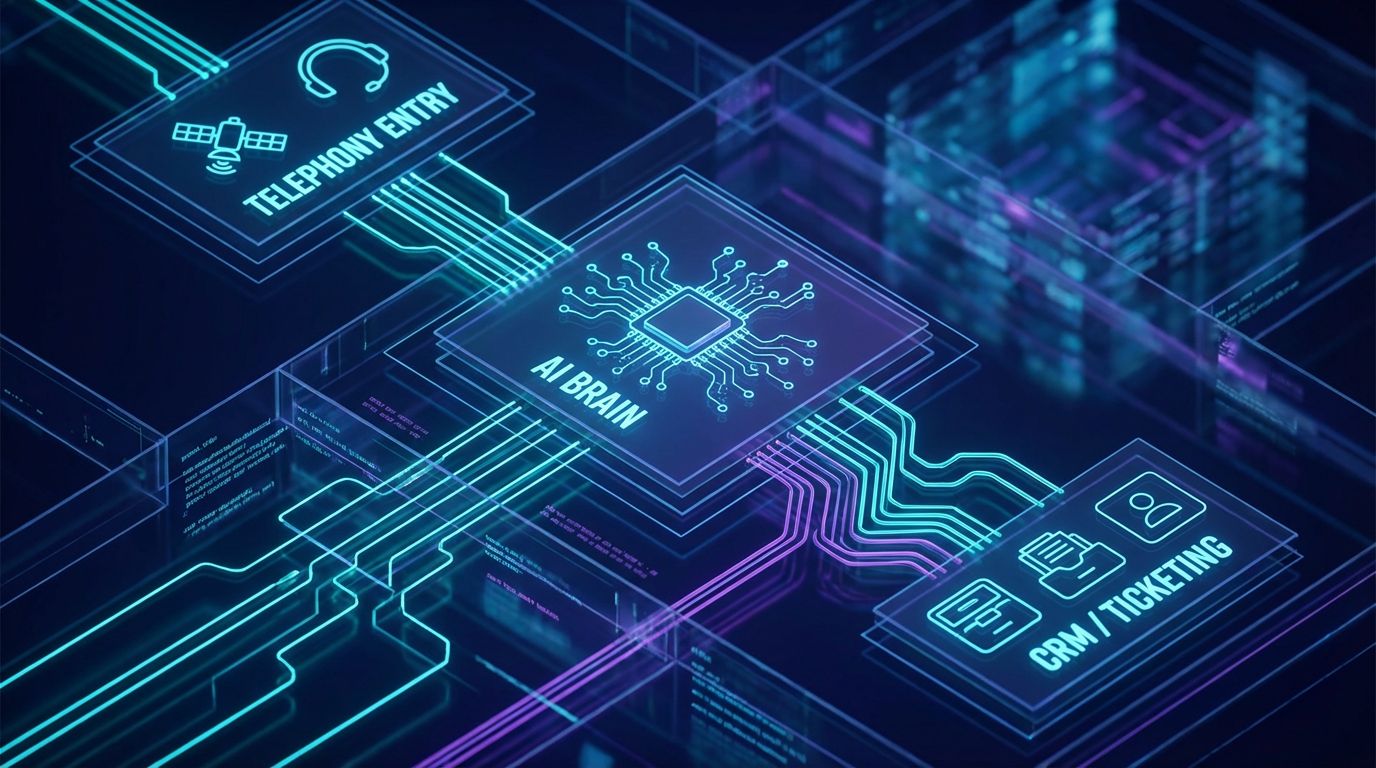
Under the hood, a modern ai chatbot call center stack is not just a single tool. It is a set of components that work together to understand language, manage dialog, call APIs, and pass context to agents. Understanding these moving parts is key to building something that holds up in production.
Core Components: NLU, Intents, and Dialog Management
Natural Language Understanding (NLU) is the layer that turns what a customer says into structured data, like intent and entities. Intents are the reasons for the call, like “check order status”, “update billing”, or “reset password”, while entities are details such as order number, email, or date. A dialog manager uses that structure plus context to decide the next best action: ask a clarifying question, call your CRM, read back a status, or escalate.
Platforms like Amazon Lex, Genesys bots, and other ai chatbot call center engines provide these capabilities, but they do not design the intents or journeys for you. You still need to define which intents matter, what success looks like, and how to handle edge cases. That is where most DIY projects stall, because it is less about clicking in a UI and more about real journey design.
Critical Integrations: CRM, Ticketing, and Knowledge Bases
A chatbot that cannot see your data is just a slightly smarter IVR recording. To actually reduce AHT and drive containment, the bot must integrate with systems like Salesforce, HubSpot, Zendesk, Freshdesk, or your custom CRM. It needs to be able to search and update customer records, look up orders or subscriptions, and log interactions for audit and analytics.
On top of CRM and ticketing, you need a well-structured knowledge layer so the bot can answer policy and FAQ questions reliably. That means curating content, defining which sources are authoritative, and versioning responses as policies change. Without this, your “AI” becomes an FAQ toy that can handle only generic questions and never really touches your serious call volume.
Omnichannel: Voice, Chat, and Messaging
The same conversational “brain” can serve voice IVR, web chat, and messaging apps if it is designed correctly. For voice, you layer Automatic Speech Recognition (ASR) and Text-to-Speech (TTS) on top, tuned for 8 kHz telephony audio so the bot can reliably understand callers from a phone line. For chat and messaging, you plug into your website widget, in-app chat, or channels like WhatsApp and SMS.
Using a unified intent model across channels avoids having one bot for chat and another for voice, each with different behaviors. It also enables consistent analytics, so you can see total containment for “order status” across every entry point. That is when an AI chatbot for call center operations becomes an omnichannel asset instead of another silo.
Why DIY Call Center Chatbots Fail
Most leaders exploring an ai chatbot call center solution already own a tool: a license for a cloud contact center suite, access to Lex, or a no-code chatbot platform. The pitch is always the same: drag and drop a few blocks, paste in your FAQs, and you will be live in days. In practice, the hidden work between “we bought a tool” and “we have a reliable production bot” is exactly where DIY efforts get stuck.
The Hidden Work Behind “No-Code” Platforms
No-code and low-code platforms remove some engineering friction, but they do not remove the design decisions. Someone still has to map call reasons, group them into intents, write prompts and responses, and decide how to handle ambiguity. That work requires detailed understanding of your queues, policies, and edge cases, not just comfort with a visual builder.
Once live, the real effort begins: reviewing transcripts, labeling misclassified utterances, expanding training data, and updating flows as your business changes. Internal CX and operations teams quickly find themselves acting as part-time bot engineers, on top of their normal responsibilities. The opportunity cost is steep: instead of focusing on strategy and coaching, your experts are debugging flows and wrangling content.
Integration and Security Gotchas
Connecting an ai chatbot call center engine to live systems is where “simple” projects become multi-month efforts. You have to handle authentication, match phone numbers or email addresses to CRM records, respect API rate limits, and gracefully manage downstream errors. If your bot cannot reliably authenticate and pull data, it will fall back to generic answers and send volume back to agents.
On top of that, you must navigate compliance frameworks like PII, PCI, HIPAA, and GDPR depending on your industry. Misconfigured logs, unmasked numbers, or storing sensitive data in the wrong system can create real legal and brand risk. This is the work vendors rarely highlight in their demos, but it is exactly what determines whether your automation program survives InfoSec review.
When Poor Design Damages CX and KPIs
Bad bots do more damage than no bots. If your chatbot misclassifies intents, loops customers, or refuses to escalate, they will rapidly zero out or hang up and call another channel. That drives containment down, transfer and repeat-contact rates up, and creates a narrative that “our customers hate bots.”
Agents then inherit frustrated customers and broken context, which increases AHT and tanks CSAT further. These symptoms are not a verdict on automation itself, but on the quality of the implementation. The goal is not “have a bot”, it is “deploy a system that improves the numbers you care about and respects your customers’ time.”
Reference Architecture & Integrations

To move from tool thinking to system thinking, it helps to picture how everything connects. A production-ready chatbot for call center workflows is less about any single platform and more about how telephony, AI, and data systems are wired together. This is where AiBizBuild focuses: stitching pieces into a working automation fabric.
High-Level Architecture for an AI Chatbot Call Flow
At a high level, an inbound voice flow looks like this. The customer dials your number and hits your existing telephony stack or cloud contact center, which may still host a simple IVR and ACD. Instead of dropping straight to queues, calls are handed to an AI Voice Agent that acts as the conversational front door.
The AI Voice Agent uses NLU and dialog management to understand intent and gather details, then talks to backend services via an integration layer. That integration layer connects to your CRM, ticketing, and knowledge base, so the bot can pull status, create or update cases, and log every interaction. When escalation is needed, context is passed back through the ACD to the agent desktop, so agents see the transcript, intent, and data that the bot already collected.
AiBizBuild plugs into this architecture by designing the conversational workflows, building the CRM Integration & Inbox Management layer, and configuring the AI Voice Agents (Inbound/Outbound) to work with your existing telephony and CRM stack. We are not replacing your entire contact center platform; we are turning it into a smarter, more automated system.
Integration Points with CRM and Ticketing
On the CRM and ticketing side, there are a few high-value integration patterns that almost every deployment needs. First, automatic ticket creation and updates: when the bot cannot fully resolve an issue, it should create a well-structured case with summarized context and attach the conversation. Second, data lookups: pulling order or subscription status, entitlements, or SLAs directly from the CRM or ERP.
Third, logging bot interactions to the contact record, so you have a single customer history across human and automated touchpoints. This requires careful mapping of identifiers like phone number, email, and account ID, plus decisions about what to store and for how long. AiBizBuild’s CRM Integration & Inbox Management work ensures these flows are reliable, auditable, and easy for your supervisors and analysts to understand.
Telephony, IVR, and AI Voice Agents
On the telephony side, AI Voice Agents (Inbound/Outbound) act as the intelligent edge of your call center. Inbound, they greet callers, recognize why they are calling in natural language, authenticate them, and either resolve the request or route to the right agent. Outbound, they can handle proactive reminders, simple callbacks, or follow-ups on specific workflows you define.
We integrate these agents with your existing IVR/ACD so you do not have to rip and replace your telephony provider. The result is a gradual transition from “press 1” menus to conversational entry points, with clear fallbacks to human agents when needed. This approach reduces implementation risk while still unlocking the automation gains leaders expect from an AI chatbot for call center operations.
KPI Impact: AHT, Deflection & CSAT
No one buys automation for its own sake. You are measured on handle times, service levels, staffing, and customer satisfaction, not how many bots you have in production. Any ai chatbot call center initiative should start with numbers and end with numbers.
The Metrics That Actually Matter
Average Handle Time (AHT) is the average duration of a customer interaction including talk time and wrap-up, and it directly affects capacity and staffing. Containment or Deflection Rate measures the percentage of interactions fully handled by the bot without needing a human agent. First Contact Resolution (FCR) tracks how often issues are resolved in a single interaction, while CSAT or NPS reflect overall customer sentiment.
At AiBizBuild, we design toward these metrics rather than vague AI engagement stats like “bot sessions” or “messages exchanged.” For each flow, we define what counts as a successful containment, what should escalate, and what data we need to measure improvement. That keeps everyone aligned on business outcomes rather than feature lists.
Realistic Ranges You Can Expect
Assuming a queue with a healthy mix of FAQ and status calls, a well-implemented chatbot for call center workflows can often deflect 15–30% of calls from agents within the first 3–6 months. Those are calls the bot handles end-to-end, like order status, simple billing questions, policy lookups, or appointment confirmations. The exact number depends heavily on your use case mix, data quality, and how aggressively you design for self-service.
For calls that still reach agents, better pre-qualification and context passing usually reduce AHT by 5–20% on those handled interactions. That comes from less time spent on discovery, authentication, and navigating systems while the customer waits in silence. Over time, improved routing and fewer transfers can also lift FCR and CSAT, because more customers reach the right person, with the right information, on the first attempt.
When Humans Still Win
Not every interaction should be automated, and pretending otherwise is how projects lose credibility. Complex complaints, emotionally charged issues, high-value negotiations, or situations requiring nuanced judgment should still go to experienced humans. The goal of an AI chatbot for call center operations is to clear the runway so your best people can spend more time on these cases.
A good design uses hybrid flows: the bot greets, authenticates, gathers context, and then passes a structured summary and transcript to a live agent. Escalation is always available when the bot is uncertain, the caller asks for a human, or risk thresholds are triggered. If you want concrete KPI projections for your own queues and which call types to automate first, we map that out during a Workflow Audit—you can Book a Workflow Audit to see a tailored forecast.
Use Case: Status Checks & FAQ Deflection
Most contact centers do not need exotic AI use cases to see meaningful impact. The fastest wins come from automating the boring but high-volume calls that your agents handle all day. That is where a focused chatbot for call center status and FAQ automation pays off quickly.
The Before State: Agents Drowning in Simple Calls
In a typical 50-seat contact center handling around 20,000 calls per month, it is common to see 30–50% of volume tied up in low-complexity questions. These are calls like “Where is my order?”, “What is my balance?”, “Can you confirm my appointment?”, or “How do I reset my password?”. Each one might only take a few minutes, but together they consume thousands of agent hours every year.
The impact is felt everywhere: long wait times for customers with complex issues, high occupancy and burnout for agents, and constant pressure on you to add headcount or accept lower service levels. Meanwhile, leadership is asking why you cannot “just use AI” like everyone else seems to be doing. This is the exact situation an ai chatbot call center solution should target first.
The After State: An AI Chatbot Call Flow for Status & FAQs
Now imagine those same calls entering a modern AI front end. A caller dials in, and an AI Voice Agent greets them with something as simple as “In a few words, how can I help you today?”. The caller says, “I want to check my order status,” and the bot recognizes the intent and moves straight into authentication.
The bot verifies identity via phone number plus a one-time code, or via account details, using CRM Integration & Inbox Management to match the customer record. It then queries the order system, confirms the shipment status, and proactively tells the customer where their order is and when it is expected to arrive. If the question is more nuanced, the bot asks a clarifying question or falls back to a curated answer from the knowledge base.
If at any point the customer says “I want to talk to a person” or the bot’s confidence drops below a threshold, the call is routed to an agent with full context. The agent sees the verified identity, the order already pulled up, and a short summary of what has been discussed. That combination of telephony + NLU + CRM integration is what turns a simple use case into a measurable reduction in live volume and AHT.
Blueprint: Intents, Sample Dialog, and Escalation Rules
For a status and FAQ deflection flow, you might start with a small but powerful set of intents:
- Order Status
- Billing Question (balance, due date, last payment)
- Appointment Confirm/Reschedule
- Password Reset / Account Access
- General Policy Question
- Talk to an Agent
Here is a simplified example dialog for voice:
- Bot: “Thanks for calling. In a few words, how can I help you today?”
- Customer: “I want to check the status of my order.”
- Bot: “Got it, order status. I see a phone number ending in 4821. Is this the number on your account?”
- Customer: “Yes.”
- Bot: “I’m sending a 6-digit code to your phone. Please tell me the code.”
- Customer: “943210.”
- Bot: “Thanks, you’re verified. Your most recent order, placed on May 3rd, is in transit and expected to arrive on Thursday. Would you like me to text you the tracking link as well?”
Escalation rules are just as important as the happy path. You might escalate immediately if the bot fails to understand the caller twice in a row, if the customer uses certain sentiment keywords, or if policy dictates a human for specific intents (for example, complaints or cancellations). When escalating, the bot passes a structured payload—intent, entities, authentication status, and short summary—to the agent desktop so agents do not have to repeat any of the work.
AiBizBuild delivers ready-to-deploy blueprints like this across multiple verticals, then customizes intent libraries, dialog, and integration behaviors to match your processes. If you want to see how this would look on top of your queues, you can Book a Workflow Audit to review your current IVR flows and identify specific deflection opportunities.
Done-For-You vs DIY Platforms
—IMAGE_BLOCK: Futuristic Glass & Metal Product Shot of three contrasting “blocks”: a flimsy plastic DIY tool block, a complex but raw cloud NLP engine block, and a polished AiBizBuild automation block with glowing edges, on a dark reflective desk. Cinematic lighting, Unreal Engine 5 render, futuristic corporate aesthetic, glowing cyan and purple accents, shallow depth of field, 8k resolution—
The market is full of tools that can power an ai chatbot call center experience: cloud contact center suites, standalone NLU engines, and no-code chatbot SaaS. These platforms are powerful, and many of them are already in your stack. The gap is that they are engines, not finished automation systems tied to your KPIs.
The Landscape of AI Chatbot Call Center Tools
Broadly, you have three categories of options. First, all-in-one cloud contact center suites that bundle telephony, routing, and AI assistants. Second, cloud NLP engines like Lex-style services that give you raw intent recognition and dialog APIs. Third, no-code chatbot platforms that promise fast setup and prebuilt templates.
Each is valuable in the right hands, but none of them come with your journeys pre-modeled, your systems integrated, or your governance figured out. That is the “Tool Trap”: investing in licenses without investing in the workflow, data, and ownership needed to turn them into results. AiBizBuild’s role is to sit on top of these tools and build a working, governed automation system around them.
DIY Chatbot Tools vs Done-For-You Implementation
Here is a comparison of trying to build an AI chatbot for call center flows in-house versus working with a specialist partner like AiBizBuild.
| Dimension | DIY Chatbot Platform | Internal DIY with Cloud NLP | Done-For-You with AiBizBuild |
|---|---|---|---|
| Time to First Production-Quality Bot | Often 3–9 months once you factor design, integration, and approvals. | 6–12+ months, highly dependent on in-house engineering capacity. | 30–60 days for a focused, production-ready use case (e.g., status & FAQs). |
| Internal Skillsets Required | CX + operations + part-time “bot owner” with conversation design skills. | Engineers, cloud architects, security, plus CX and product owners. | Client team focuses on domain knowledge and approvals; AiBizBuild handles design and build. |
| Integration Complexity | Connector-based, but still needs mapping, testing, and error handling. | Custom APIs and middleware; powerful but high engineering overhead. | CRM Integration & Inbox Management implemented as part of the engagement. |
| Governance & Optimization | Often ad hoc; transcripts reviewed only when something breaks. | Depends on internal discipline; typically low priority versus new features. | Structured playbook for transcript review, tuning, and content governance. |
| KPI Focus & Accountability | Vendors report on usage metrics, not your staffing or AHT outcomes. | Success depends on internal analytics bandwidth and discipline. | Designed around AHT, containment, FCR, and CSAT, with reporting baked in. |
Why Hiring an Agency Is Often Cheaper and Faster
When you add up the cost of a DIY build—months of engineering time, CX leaders acting as project managers, and missteps in production—it rarely comes out cheaper than a focused, done-for-you engagement. The hidden cost is not just salaries, it is delayed impact and the risk of burning stakeholder trust if the first bot underperforms. In contrast, a 30–60 day project with AiBizBuild gives you a working, measured automation flow while your team focuses on approvals and business input.
If you would rather not turn your CX and operations teams into part-time bot engineers, this is the point to step back from tools and think systems. Book a Workflow Audit and we will map a realistic implementation plan for your environment, including which queues to target, expected KPI ranges, and the architecture to get there.
How AiBizBuild Implements Call Center Chatbots
AiBizBuild treats AI the same way we treat content or lead gen automation: as one component in an end-to-end workflow. Just like our work on SEO Content & Blog Automation focuses on workflows rather than tools, our call center projects are built around your processes and KPIs. Here is what that looks like in a typical engagement.
Our 5-Phase Implementation Playbook
1. Discovery & KPI Mapping. We analyze your call reasons, volumes, and existing IVR flows, then align on target metrics: AHT reduction, deflection rates, FCR, and CSAT goals. This includes reviewing reports, listening to real calls, and identifying “automation-ready” queues.
2. Design & Conversation Architecture. We define intent libraries, dialog flows, escalation paths, and data requirements. This includes drafting example scripts, mapping authentication flows, and defining what success looks like for each interaction.
3. Integration & Build. We connect the bot brain to your CRM, ticketing, and knowledge base via CRM Integration & Inbox Management, and configure AI Voice Agents (Inbound/Outbound) alongside your existing telephony stack. Then we implement the designed flows and guardrails in your preferred AI and contact center platforms.
4. Testing & Soft Launch. We run sandbox testing plus limited rollouts—often to a single queue or a percentage of traffic. During this phase, we monitor transcripts, track early containment and AHT impact, and refine intents, prompts, and responses.
5. Optimization & Reporting. After go-live, we run regular optimization cycles and provide KPI dashboards so you can see real movement in deflection, AHT, and CSAT. This also includes change management support as policies, products, or routing rules evolve.
For a focused initial use case like status checks and FAQs, this 5-phase process typically runs 30–60 days from kickoff to live traffic, depending on your integration landscape and approval cycles.
How Our Services Plug In
In call center projects, two AiBizBuild capabilities are central. First, our AI Voice Agents (Inbound/Outbound) provide the conversational layer that replaces rigid IVR menus and handles initial dialog, authentication, and simple resolutions. Second, our CRM Integration & Inbox Management ensures every interaction is tied into your existing systems, so data stays consistent and agents have full context.
We do not try to sell you another generic SaaS chatbot subscription. Instead, we design and implement custom workflows on top of the platforms you already own, whether that is your existing contact center suite, CRM, or messaging stack. The result is a system tuned to your policies and KPIs, not a one-size-fits-all bot template.
Governance, Compliance, and Change Management
Successful automation programs are governed, not just launched. We help you set clear guardrails and fallback behaviors so the bot knows when to ask for help, how to phrase sensitive topics, and when to avoid answering altogether. This is similar to how we design automated approval workflows for content: humans stay in control of logic and policy, while the system handles the execution.
On the compliance side, we work within your existing security frameworks, including data minimization, encryption-in-transit, and masking of sensitive information like payment details. Finally, we support agent and supervisor training so your teams know how to work with hybrid bot + human flows and how to interpret the new fields and transcripts they will see. If you are ready to see what automation could do for your queues, Book a Workflow Audit and we will design a tailored call center chatbot roadmap for you.
FAQs
Below are answers to common questions contact center leaders ask before automating with chatbots.
How long does it take to deploy a chatbot for our call center?
For a focused initial use case like status checks and FAQs, most deployments take about 30–60 days from kickoff to production. The main variables are integration complexity, data availability, and how quickly your team can review and approve flows. Broader, multi-queue automation programs will naturally take longer but can be phased.
Do we need in-house AI or development expertise to work with AiBizBuild?
No, you do not need deep AI or engineering expertise on your side to work with us. AiBizBuild handles the technical design, integration, and build work while your team provides process knowledge, policy input, and sign-offs. We collaborate closely with your IT and security teams to align with your standards, but we do not expect them to architect the bot.
Will a call center chatbot hurt our customer satisfaction scores?
Poorly designed bots can absolutely hurt CSAT, which is why many leaders are skeptical. Well-implemented automation, however, typically improves CSAT by cutting wait times and resolving simple issues quickly, while still offering easy escalation to a human when needed. Our designs prioritize clear exits to agents and transparent communication, so customers never feel trapped.
Is this secure and compliant with our industry regulations?
Security and compliance are baked into the architecture from day one. We work within your existing security stack, apply data minimization principles, and ensure that PII and sensitive data are handled appropriately, with encryption in transit and proper access controls. During the Workflow Audit and design phase, we align the solution with any specific regulatory requirements you face, such as PCI or HIPAA.
How do we measure ROI from a call center chatbot?
We start by baselining AHT, call volumes by reason, staffing levels, and current CSAT. After deployment, we track deflected calls, AHT reductions on agent-handled interactions, and any lift in FCR or CSAT, then convert those into saved hours and cost per month. AiBizBuild also helps you set up dashboards and reporting so ROI is visible, not theoretical, similar to how we measure impact in our lead gen automation projects.
Can we start with a small pilot before rolling out to all queues?
Yes, we strongly recommend starting with a clearly defined pilot, usually a single queue or a narrow set of intents like order status and FAQs. This allows you to validate containment, AHT impact, and CX outcomes in a controlled way before scaling. Once the pilot proves itself, the same architecture can be extended to additional queues and channels.
What if we’re already using a platform like Genesys or Amazon Connect?
That is ideal, not a problem. We typically integrate our AI Voice Agents and workflow designs on top of platforms like Genesys-style suites or Amazon Connect-style environments, using their APIs and routing capabilities. You keep your existing investments in telephony and routing while we add the conversational and integration layers that drive measurable KPI improvements.