

Using Google Assistant to Handle Phone Calls: From Manual Call Screening to Automated Call Management
If you run a service business, you have probably tried using google assistant for phone calls or similar features on your personal phone. It feels helpful for spam and hold music, but it does not fix the deeper problem of missed leads and chaotic call handling. This guide shows how to move from consumer-level call screening to a business-grade, automated call management system built around AI Voice Agents and structured workflows.
The old way is simple but expensive: you or your team manually answer, screen, and return every call, drowning in voicemails and interruptions. The new way treats every inbound call as a workflow trigger: qualify, route, log, and follow up automatically, with humans stepping in only where they add real value.
Key Takeaways
- Google Assistant for phone calls and other phone AI assistant tools can move you from manual call screening and voicemail chaos to structured, automated call handling.
- For businesses, the real value comes when these tools are wired into workflows: qualification, routing, CRM logging, and follow-up handled by a virtual phone assistant and AI Voice Agents.
- DIY setup on a single device is simple, but rolling out a consistent, compliant system across a team requires a strategy, integrations, and governance that agencies like AiBizBuild specialize in.
In This Guide:
📞 The Old Way: Manual Call Handling & Missed Revenue – Why traditional phone workflows break at scale
🤖 The New Way: Google AI Assistant Phone Call Automation – What modern call assist features can actually do
⚠️ Why DIY Phone AI Assistant Setups Fail for Businesses – Hidden complexity, risk, and inconsistency
🛠️ Blueprint: Turning Google Assistant Answering Phone Calls Into a Business Workflow – Step-by-step implementation model
📊 Comparison: Manual Call Screening vs Automated Virtual Phone Assistant – Time, cost, and lead-capture impact
🧾 Privacy, Compliance, and Governance for AI Call Management – How to stay in control of recordings and transcripts
🧩 Real-World Use Case: Service Business Call Handling With AI Voice Agents – A concrete before/after scenario
🚀 When to Bring in AiBizBuild – How our done-for-you workflows go beyond consumer tools
❓ FAQs on AI Call Management for B2B Teams – Answers for owners, ops, and IT
The Old Way: Manual Call Handling & Missed Revenue
How Most Service Businesses Still Handle Calls Today
In most agencies, clinics, and home service companies, calls still land on a single front desk, office manager, or owner’s cell phone. Unknown numbers are a gamble: sometimes they are high-intent leads, sometimes spam, and often they are ignored when staff are busy. After-hours calls almost always go straight to voicemail, leaving clients to hope someone calls them back.
Even during business hours, your team is constantly context-switching between live calls, walk-ins, email, and internal tasks. Every interruption adds friction and increases the chance that something important slips through the cracks. As volume grows, you end up protecting focus time by letting more calls roll to voicemail, which quietly turns into lost revenue.
The Hidden Costs of Voicemail-Driven Workflows
Voicemail feels like a safety net, but for growing businesses it is often a leak. Staff spend chunks of time every day checking messages, trying to decipher details, and calling people back who may have already booked elsewhere. Callers are forced to repeat their story to every new person they talk to, which signals disorganization rather than professionalism.
This voicemail loop also destroys your response-time advantage. By the time someone returns a call, that prospect has usually filled out three other forms or called two other providers. The result is a steady drip of missed high-intent opportunities and a team that feels always behind, even if overall call volume looks manageable on paper.
The New Way: Google AI Assistant Phone Call Automation
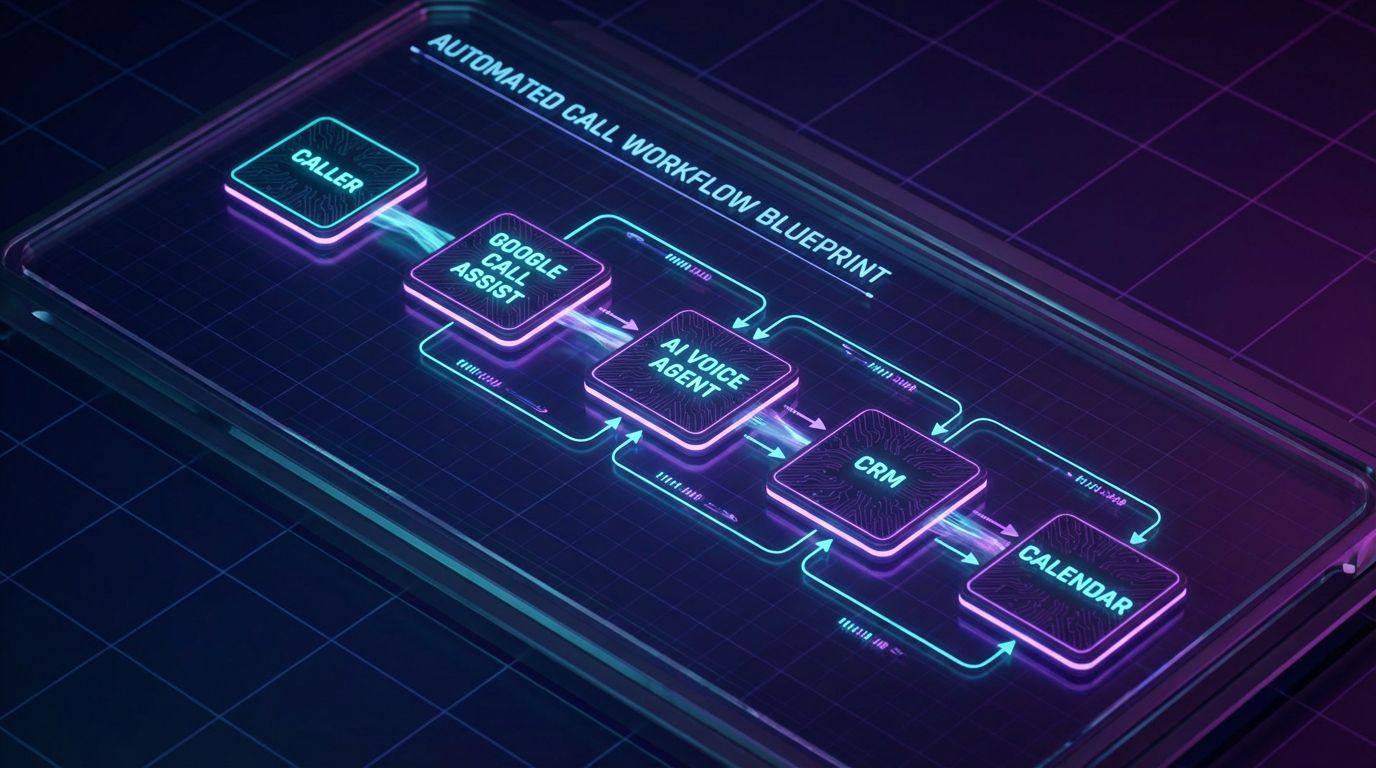
The modern approach uses google ai assistant phone call features as part of a bigger automation layer instead of a standalone gadget. Rather than relying on a person to answer every unknown number, an AI-driven layer sits in front of your team to screen, triage, and capture structured data. Humans are still involved, but only when the call is qualified and ready for them.
This shift turns calls from ad hoc interruptions into predictable workflows. Every inbound ring becomes a chance to collect standardized information, update systems, and route intelligently, whether it arrives at 10 a.m. on Monday or 9 p.m. on Saturday.
What Google Assistant and Call Assist Features Actually Do
On supported devices, Google’s call-related features can screen unknown numbers, show live transcripts, provide suggested replies, and even sit on hold for you. These tools are excellent for individuals who want to cut spam and avoid wasting time on low-value conversations. They carve away some friction, but they are not built to orchestrate an entire team’s inbound call strategy.
More importantly, they treat each device as its own island. The transcript of a screened call lives on the phone that received it, not in a central dashboard your team can use to see patterns, conversion rates, or service gaps.
From Device Feature to Phone AI Assistant
A true phone AI assistant behaves less like a personal convenience feature and more like a front-line digital receptionist. It answers, screens, and holds a natural conversation, asking the same qualifying questions every time. It can distinguish between new leads, existing clients, emergencies, and low-priority inquiries before a human ever joins.
Google’s built-in capabilities provide pieces of this puzzle, but the business-grade version is a custom stack of AI Voice Agents (Inbound/Outbound) plus routing logic, integrations, and monitoring. That stack turns raw AI speech and transcription into predictable outcomes: booked appointments, logged tickets, and prioritized callbacks.
Where a Virtual Phone Assistant Fits Into Your Stack
A virtual phone assistant sits between your published phone numbers and your humans. Every call first hits the assistant, which greets the caller, detects intent, and collects key details like name, reason for calling, location, and urgency. Based on rules you define, it then routes to a person, sends the caller to voicemail with context, or triggers follow-up automations.
Behind the scenes, that same layer can push data into your CRM, create support tickets, or launch your 24/7 Appointment Booking Systems when someone is ready to schedule. The result is a consistent caller experience and a single source of truth for what is happening on your phone lines.
Why DIY Phone AI Assistant Setups Fail for Businesses
Consumer Tools Aren’t Designed for Teams
Turning on call screening or assistant features on one phone is straightforward; doing it across ten people, three locations, and multiple numbers is not. Each staff member’s device has its own settings, language, and habits, so callers get wildly different experiences. One number might use call screening, another goes straight to voicemail, and a third rings the owner’s cell, all for the same brand.
This fragmentation confuses callers and makes it impossible to standardize how you qualify and route inbound demand. It also makes training and quality control nearly impossible because you cannot easily review or adjust what each device is doing.
No Centralized Data, No Analytics
When call handling lives on individual devices, so does the data. Transcripts, missed call logs, and notes end up scattered across personal phones and ad hoc spreadsheets. There is no single view of total call volume, call reasons, or how many calls actually convert into appointments or deals.
Without that visibility, you cannot reliably staff your phones, measure SLAs, or pinpoint where leads are dropping. Decisions about hiring, marketing spend, and service coverage become guesswork instead of data-driven.
Technical & Integration Limits
Consumer features stop at the device boundary; they do not natively talk to your CRM, helpdesk, or scheduling systems. To turn call events into automated workflows, you need routing rules, integrations, and error handling that go far beyond flipping a toggle. You also need logic for edge cases like after-hours emergencies, multilingual callers, and holidays.
This is where many DIY efforts stall. The business sees the promise of AI on the phone, but the team lacks the time or expertise to design, build, and maintain the integration layer. The result is either a half-deployed system that no one trusts, or a retreat back to manual call handling.
Blueprint: Turning Google Assistant Answering Phone Calls Into a Business Workflow
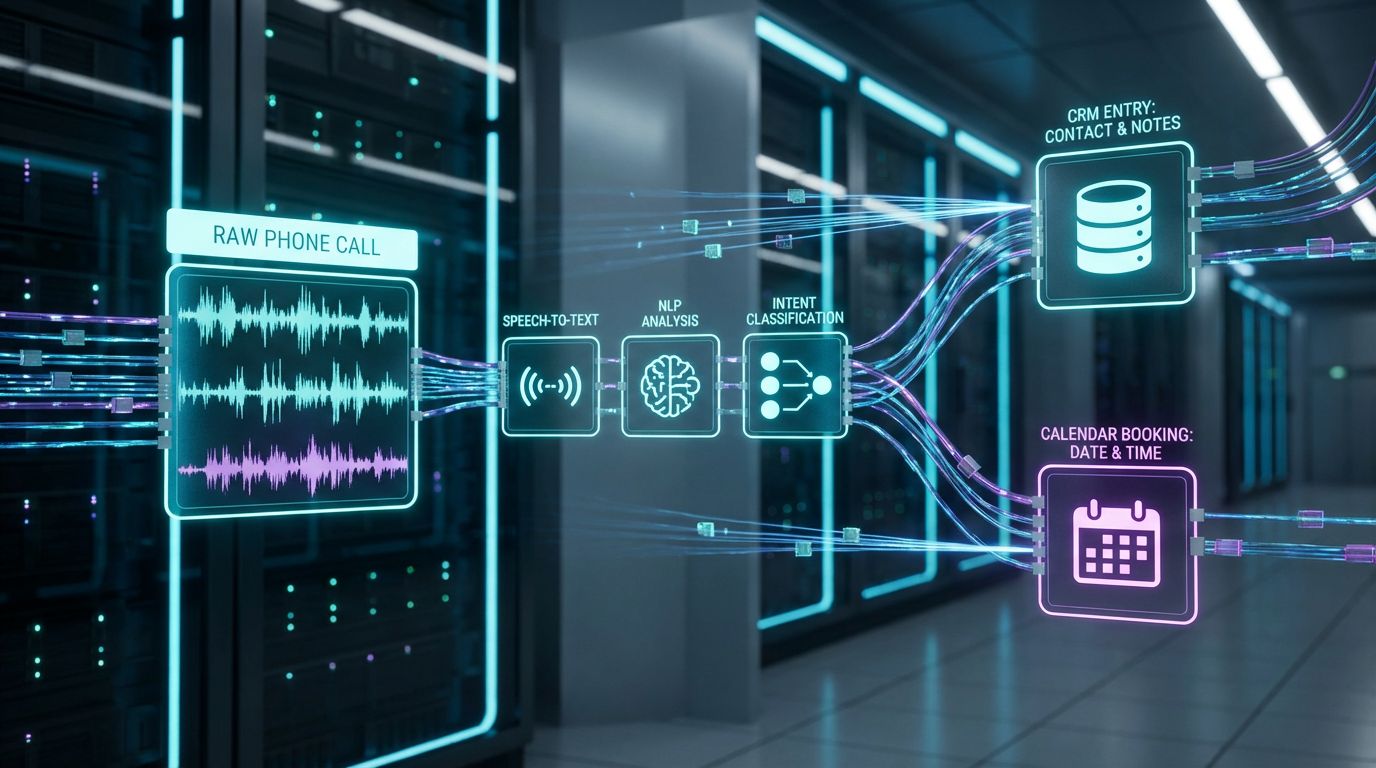
The goal is to evolve from google assistant answering phone calls on one device to a reliable, team-wide system. That system should treat every call as a process with defined steps and clear ownership. Here is the blueprint we use as Senior Automation Architects when we implement AI call workflows for B2B service businesses.
Step 1 – Audit Your Current Call Flows
Start by mapping reality, not what you wish was happening. List every public-facing number you own, who it rings today, and what happens after-hours and on weekends. Pull basic stats where you can: approximate call volume, busiest times of day, and average hold or response times.
Then categorize calls into types such as new sales inquiries, existing client support, billing questions, and emergencies. For each type, note where calls currently die: voicemail never checked, wrong department, or long delays before someone responds. This audit gives you the baseline for measuring improvement.
Step 2 – Define Your Ideal Routing Logic
Next, design your target state. Decide which calls deserve immediate human attention and which can be safely handled or queued by AI. For example, new high-intent leads and true emergencies may jump to the front of the line, while routine questions and low-priority requests are triaged first by the assistant.
Define clear rules for business hours, after-hours, weekends, and holidays. Align these rules with your SLAs and revenue priorities so that your best opportunities always get fast, high-quality responses.
Step 3 – Design the AI Call Scripts and Data Capture
Design call flows as conversations, not just menus. For each call type, specify the questions your AI should ask to qualify or triage: name, contact details, reason for calling, urgency, budget, location, or preferred appointment times. Keep the language natural but consistent so every caller experiences the same professional intake.
Map each answer to specific data fields in your CRM or ticketing tools. This is where you decide what your team will see when they pick up the call or review the transcript, so they can act without making the caller repeat everything.
Step 4 – Integrate With CRM and Calendar Systems
Once the conversation design is clear, connect it to your systems. Your AI Voice Agent should create or update contacts, log activities, and open deals or tickets via CRM Integration & Inbox Management. For sales and appointment-based services, it should also trigger your 24/7 Appointment Booking Systems to offer live scheduling during the call.
This integration layer is where DIY efforts usually break down because it requires API work, error handling, and thoughtful data mapping. AiBizBuild focuses precisely on this layer so your team sees accurate, actionable information without wrestling with tools.
Step 5 – Test, Monitor, and Optimize
Launch the new workflow in a controlled way, such as routing a subset of numbers or call types through the AI first. Listen to real calls, review transcripts, and monitor key metrics like abandonment rate, time to first response, and booking rates. Use these insights to refine scripts, routing logic, and data capture fields.
Optimization is ongoing rather than a one-time project. Over time, you can A/B test different phrasing, questions, and routing strategies to continuously improve both caller experience and conversion.
In practice, this blueprint is implemented through custom-configured AI Voice Agents (Inbound/Outbound) that handle the conversations, with integrations and workflows orchestrated behind the scenes. The caller just experiences a responsive, professional assistant; your team experiences fewer interruptions and richer data.
Comparison: Manual Call Screening vs Automated Virtual Phone Assistant
To understand the impact of a modern virtual phone assistant, it helps to compare it against the familiar manual model. The manual approach depends on who is available to pick up and how disciplined they are about returning calls. The automated approach uses Google Assistant–style capabilities plus custom AI Voice Agents to ensure every call is handled consistently, day or night.
| Dimension | Manual Call Handling | AI-Powered Virtual Phone Assistant |
|---|---|---|
| Response to New Calls | Depends on staff availability; after-hours go to voicemail | Handled 24/7 by AI voice agent with scripted workflows |
| Lead Capture | Inconsistent; info scattered in voicemails and notes | Structured data pushed into CRM automatically |
| Team Time Spent | Hours/week chasing voicemails and returning low‑value calls | Save 10–20 hours/week by auto‑screening and routing |
| Consistency of Experience | Varies by person, shift, and mood | Standardized scripts and workflows every time |
| Analytics & Reporting | Limited; manual call logs if they exist at all | Dashboards from call transcripts, outcomes, and routing |
For a small team, those differences typically translate into saving 10–20 hours per week on low-value phone work and cutting missed or abandoned calls by 30–50%. Those are not guarantees, but they are common ranges once calls are consistently answered, qualified, and routed by AI instead of depending on who happens to be free.
Privacy, Compliance, and Governance for AI Call Management
What Google and Other Phone AI Assistants Actually Record
Most AI call tools capture some combination of audio, transcripts, and metadata such as caller ID, timestamps, and call outcomes. Depending on your configuration, some processing may happen on-device while other elements are handled in the cloud. For businesses, the key is not just what is technically recorded, but what is intentionally stored, where, and for how long.
You should treat these recordings and transcripts as sensitive client data, similar to emails or chat logs. That means understanding which systems hold the data and how they are secured, rather than assuming the defaults are good enough.
Setting Policies: Consent, Retention, and Access
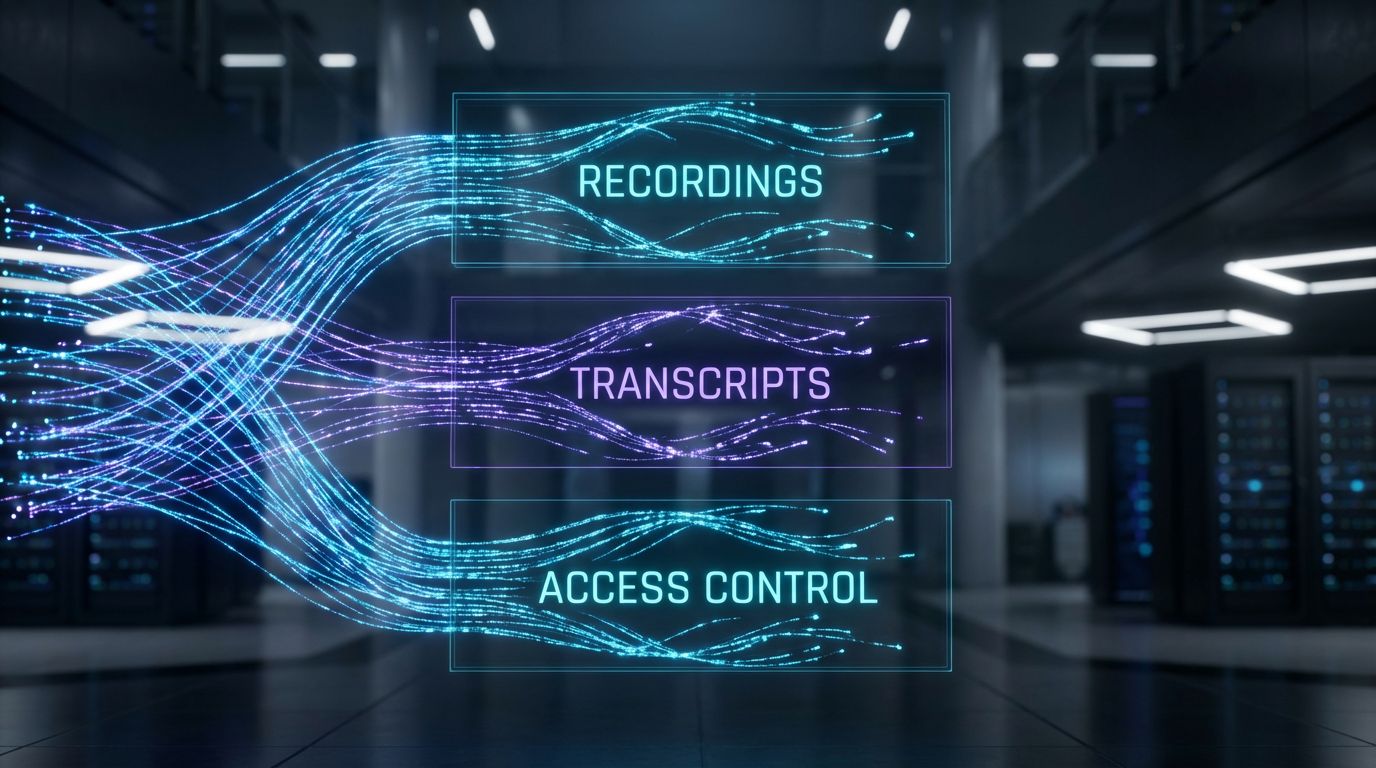
Before scaling an AI call system, define clear policies around three areas: consent, retention, and access. Decide how you will inform callers that AI and recording are in use, and align that with the consent requirements in your jurisdiction. For retention, set explicit timeframes for how long you keep call audio and transcripts, and when they are purged.
Access policies determine which roles can listen to calls or read transcripts and for what purposes. Role-based access, logging, and regular reviews help you balance training and quality control with privacy and compliance.
How AiBizBuild Designs Safe, Transparent Workflows
When AiBizBuild implements AI Voice Agents and call workflows, governance is built in from day one. We configure clear audio disclosures where appropriate, and we minimize the data captured to what your team truly needs to serve the client. Transcripts and recordings are organized with role-based access controls so the right people can review call quality without exposing data unnecessarily.
We also help align call policies with your broader AI governance, similar to how you might manage using ChatGPT safely at scale for content or internal processes. The result is an AI-enabled phone system that is powerful, but still respectful and compliant.
Real-World Use Case: Service Business Call Handling With AI Voice Agents
Before – A 10-Person Service Business Drowning in Calls
Consider a 10-person home services contractor that relies heavily on inbound calls for new jobs. The office manager answers the main line, but spends much of the day on hold with vendors or dealing with existing customer issues. When call volume spikes, new leads either get a busy signal, go to voicemail, or ring through to the owner’s personal cell.
Voicemails pile up over lunch and after-hours, and by the time someone calls back, many prospects have already booked a competitor who answered on the first try. The team feels constantly reactive, yet the owner still suspects there is more demand than they are capturing.
After – Virtual Phone Assistant Front-Ending Every Call
With a virtual phone assistant in place, every call to the main number is answered instantly by an AI Voice Agent. The assistant greets the caller by business name, asks whether they are a new or existing customer, and gathers basic details like address, issue type, and preferred time windows. Urgent issues such as active leaks are flagged and routed immediately to an on-call technician or escalated voicemail with a high-priority tag.
For routine jobs, the assistant offers real-time scheduling through a 24/7 Appointment Booking System, placing confirmed bookings directly on the team’s calendar. The office manager now spends far less time on repetitive intake, focuses on complex cases, and sees a clear dashboard of daily demand. The business experiences faster response times, higher booking rates from inbound calls, and far fewer frantic interruptions for the owner.
The Tech Stack Behind the Scenes
Behind this smooth experience is a stack that starts with the existing business number, forwards to an AI Voice Agent (Inbound), and then ties into CRM and scheduling. Through CRM Integration & Inbox Management, each call creates or updates a contact and logs the conversation summary, making it easy to follow up or report on campaign performance.
Google-style call features still play a role as building blocks, but the real value comes from the end-to-end workflow AiBizBuild designs, implements, and maintains. Over time, the call data itself can even inform scalable SEO content and FAQ resources, reducing call volume for common questions.
When to Bring in AiBizBuild
Signs You’ve Outgrown DIY Call Handling
There are clear signals that toggling on google assistant for phone calls is no longer enough. Your call volume has grown to the point where staff feel constantly interrupted, and after-hours calls are rising. Clients report inconsistent experiences and you have no reliable metrics on how many calls turn into revenue.
If you see missed calls, voicemail backlogs, or staff burnout becoming normal, you have a systemic workflow issue, not a feature problem. That is when it is time to think in terms of designed systems rather than one-off tools.
What AiBizBuild Actually Delivers
AiBizBuild operates as a premium implementation partner, not a cheap plug-in. We design and deploy AI Voice Agents (Inbound/Outbound) that answer, screen, qualify, and route calls based on your specific business rules. We pair that with 24/7 Appointment Booking Systems so high-intent callers can book immediately rather than waiting for a callback.
Through CRM Integration & Inbox Management, we ensure that every call outcome is captured where your team already works, whether that is a CRM, helpdesk, or shared inbox. Engagements typically follow a phased approach: Audit & Discovery → Workflow Blueprint → Build & Integrate → Test & Train → Optimize & Report.
Next Step: Book a Workflow Audit or Demo
If you suspect that your phone lines are leaking revenue, the most practical next step is a focused review. AiBizBuild offers a 30–45 minute Workflow Audit where we map your current call flows, identify friction points, and outline where AI-driven automation can safely take over. You get a clear picture of what a future-state system could look like and what it would take to get there.
If you prefer to see the technology in action, you can also request a demo of a working AI call workflow tailored to your industry, whether you are running an agency, clinic, or field service team. From there, you can decide whether to proceed with a full implementation or refine your internal plan using the insights from the audit.
FAQs on AI Call Management for B2B Teams
Will using a virtual phone assistant make my business sound impersonal?
No, a well-designed virtual phone assistant can actually make your business feel more responsive and consistent. By carefully scripting greetings, tone, and handoff points, callers experience fast answers and fewer transfers, while still reaching humans for complex issues. AiBizBuild tunes the assistant’s behavior so it matches your brand voice rather than sounding generic.
How long does it take to implement an AI call workflow for my business?
Most implementations take between 2–6 weeks from initial audit to full rollout, depending on complexity and number of numbers or locations. Simpler setups with a single main line and standard routing sit at the shorter end of that range. More complex environments with multiple CRMs, advanced routing, or compliance requirements may push toward the upper end.
Do I need custom software or coding skills to use AI Voice Agents?
No, you do not need to build or code the system yourself. AiBizBuild handles the technical architecture, integrations, and configuration of AI Voice Agents (Inbound/Outbound), so your team focuses on defining business rules and reviewing results. You get the benefits of custom workflows without having to become an AI engineer.
Is call recording and transcription with AI secure and compliant?
It can be secure and compliant when set up correctly, with encryption, access controls, and clear retention policies. AiBizBuild designs call workflows with privacy and governance in mind, but we always recommend having your legal counsel review specific consent and retention requirements for your jurisdiction. The goal is to gain the benefits of searchable transcripts without creating unnecessary risk.
Will this replace my reception staff or just support them?
In most B2B service businesses, AI acts as a force multiplier rather than a replacement. The assistant handles repetitive intake, after-hours coverage, and low-value calls so your human team can focus on complex, high-touch interactions that build relationships. Over time, staff roles often shift from constant firefighting on the phone to higher-value coordination and client service.
Can AI call workflows help reduce the number of repetitive questions my team gets?
Yes, by capturing common questions and topics from transcripts, you can identify content gaps and build better self-service resources. Many clients pair AI call workflows with improved FAQ pages and even automated approval workflows for content updates so information stays accurate. Over time, this reduces call volume for low-complexity issues and frees your team for higher-value work.