

Shopify Inventory Management Systems: Automating Stock, Reordering & POS Sync
Key Takeaways
• Manual spreadsheets and basic Shopify settings can’t keep up with multi-channel growth; modern Shopify inventory management systems automate stock, reordering, and POS sync to cut errors and save hours each week.
• The best results come from combining Shopify’s native tools with the right inventory management software for Shopify, configured around your lead times, suppliers, and locations.
• Instead of DIY’ing a fragile setup, a done-for-you implementation from AiBizBuild designs, builds, and maintains your inventory workflows so you can scale without stock chaos.
In This Guide:
4e6 The Old vs New Reality of Shopify Inventory Management – From spreadsheets to automated systems.
501 Core Components of an Inventory Management System for Shopify – Native features, apps, and architecture.
4ca Comparing Popular Shopify Inventory Approaches and Apps – Native vs dedicated software and what to look for.
4a5 Why DIY Inventory Setups on Shopify Usually Fail – Hidden complexity most merchants underestimate.
6e0 e0f Building a Modern Inventory Management Stack on Shopify – Tools, workflows, and integrations.
6cd e0f Use Case: From Spreadsheet Chaos to Automated Shopify POS Inventory Management – A realistic implementation story.
4c8 ROI: Time Saved, Fewer Stockouts, and Better Cash Flow – Concrete numbers to expect.
680 Done-For-You Shopify Inventory Automation with AiBizBuild – How our E-commerce Operations service works.
4dd FAQs: Shopify Inventory Management Automation – Practical answers for decision-makers.
If you’re still running inventory on Shopify with a spreadsheet, some color-coded cells, and a few half-configured apps, you already know the pain. You spend Mondays reconciling counts, promotions trigger oversells, and every time a supplier is late you’re fire-fighting instead of running ops. This guide walks through how to move from that chaos to a robust Shopify inventory management system that is designed, automated, and maintained like critical infrastructure.
The Old vs New Reality of Shopify Inventory Management
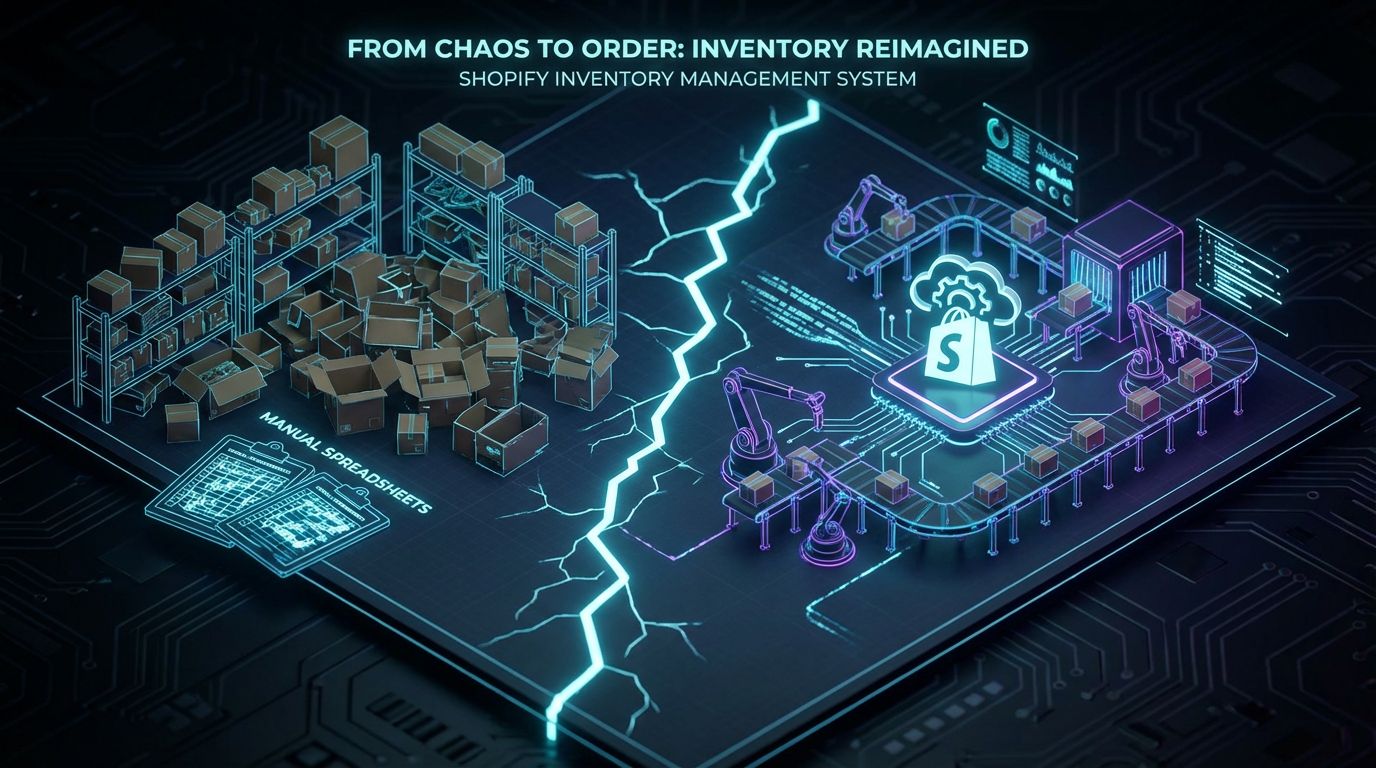
Most Shopify stores start with manual inventory management on Shopify: a basic use of the Products page, some locations, and a Google Sheet tracking purchase orders. It works when you have a few dozen SKUs and one sales channel, then quietly disintegrates as you add SKUs, locations, and promotions. The “new reality” is treating inventory as a system: Shopify at the center, surrounded by Shopify inventory software, POS, 3PL, and marketplaces all talking to each other in real time.
The Manual Inventory Chaos Most Shopify Stores Start With
Manually updating quantities in Shopify after each delivery means human error is built into your process. Supplier POs, costs, and lead times live in a separate spreadsheet, so there is no single source of truth for reordering decisions. There is usually no robust Shopify inventory tracking across Shopify, marketplaces, and POS, which is why you end up overselling during a spike or sitting on dead stock in the wrong location.
What a Modern Shopify Inventory Management System Looks Like
A modern Shopify inventory management system starts with Shopify as your operational hub, not just a sales channel. Around it sits an inventory management system Shopify integration or a well-chosen inventory management app for Shopify that handles forecasting, purchase orders, and multi-location control. Data flows automatically between Shopify, Shopify POS, your 3PL or warehouse, and accounting, so every order and every receipt updates the same numbers everywhere without manual keying.
Manual vs Automated Shopify Inventory Management
Here’s how the “old way” compares to a modern automated stack.
| Manual / Spreadsheet + Basic Shopify | Automated Inventory Management with Shopify Stack |
|---|---|
| Stock updated by hand after deliveries or counts; frequent discrepancies between system and shelf. | Stock updates flow automatically from receiving, 3PL, and POS into Shopify in near real time. |
| 8–10+ hours/week spent reconciling spreadsheets, Shopify, and channels. | 1–2 hours/week on exception handling; routine updates and syncs are automated. |
| High risk of oversells during promos and seasonal peaks due to delayed updates. | Low risk of oversells with real-time Shopify inventory tracking and safety stock rules. |
| Limited visibility across locations; warehouse, stores, and online never quite match. | Centralized view of inventory across all Shopify locations, 3PLs, and marketplaces. |
| Reorders driven by gut feel or rough spreadsheet formulas. | Reorders driven by lead time-aware forecasts, reorder points, and automated alerts. |
| Shopify POS and online often out of sync; staff constantly adjusting counts. | Tight Shopify POS inventory management with reliable location-level stock and transfers. |
The real difference is not a single app; it’s the presence of a designed system and clearly defined workflows. Tools are just the components you plug into that design.
Core Components of an Inventory Management System for Shopify
When you think about inventory management with Shopify, don’t start with “which app?”. Start with the core components of the system: data model, workflows, and integrations that will support your next 3–5 years of growth. Then you choose inventory management software Shopify tools that fit into that architecture instead of the other way around.
Native Shopify Inventory Features (and Their Limits)
Shopify gives you essential building blocks: products and variants, locations, the ability to track quantity, and the distinction between available, committed, and incoming stock. Basic Shopify inventory management works fine for single-location brands with modest SKU counts and minimal channels. It starts to break down when you add multiple locations, pre-orders, bundles, 3PLs, marketplaces, or when you want serious forecasting and purchase order automation.
Types of Inventory Management Software Shopify Merchants Use
Above Shopify, you’ll typically see one of three approaches. First, all-in-one inventory management system Shopify integrations or light ERP/WMS platforms that plug into Shopify and manage purchasing, warehousing, and forecasting. Second, a focused shopify inventory management app or two from the App Store that handle forecasting, POs, or bundling with Shopify still as the main source of truth. Third, specialized tools for forecasting, bundling, or 3PL sync layered together, which can work well if the workflows, ownership, and data flows are carefully designed.
POS, 3PL, and Marketplace Sync as Non-Negotiables
If you’re running retail plus eCommerce, Shopify POS inventory management has to be tightly integrated with your central stock picture. Your 3PL or internal warehouse needs a two-way sync so shipped orders decrement stock and received POs update Shopify and any Shopify inventory software immediately. Marketplaces like Amazon or eBay must pull from the same pool of inventory or dedicated virtual pools, otherwise you’re guaranteeing oversells the moment you run a successful promotion.
Comparing Popular Shopify Inventory Approaches and Apps

Your team has probably googled “best Shopify inventory management” and ended up comparing a dozen tools. Most of them are capable if deployed in the right context, but none of them will rescue a broken process. This section gives you a systems-first way to think about native Shopify vs dedicated software and how to evaluate the best inventory management software for Shopify for your specific operations.
Built-In Shopify Inventory vs Dedicated Inventory Management Software
Here’s a high-level comparison between using only Shopify’s native features and pairing Shopify with dedicated inventory software.
| Shopify Native Inventory Only | Shopify + Dedicated Inventory Management Software |
|---|---|
| Low setup complexity; mostly configuration of products, locations, and basic settings. | Higher setup complexity; needs integration design, testing, and training. |
| Multi-location support is available but limited for advanced transfer and allocation logic. | Richer multi-location, warehouse, and 3PL workflows with routing rules. |
| No built-in demand forecasting; relies on manual exports and spreadsheets. | Demand forecasting, seasonality, and lead time-aware reorder suggestions. |
| Basic purchase orders; limited automation or analytics around POs. | End-to-end PO workflows with approvals, partial receipts, and analytics. |
| Lower direct software cost; higher manual workload and spreadsheet overhead. | Higher software cost; lower manual workload and fewer stock incidents. |
| Best for smaller brands with single location and simple catalog. | Best for growing and complex brands needing scale and control. |
For many brands, the right move is not “native only” or “heavy ERP”, but a lean combination of Shopify native and a focused inventory management app for Shopify configured around your workflows. The gap is rarely the absence of a feature; it’s the absence of a documented, automated process.
What to Look for in the Best Shopify Inventory Management App
When you evaluate candidates for the best inventory management software for Shopify, you should use a systems-level checklist, not just a feature grid. Look for these capabilities at minimum:
- Real-time Shopify inventory tracking across all locations and connected sales channels.
- Configurable reorder points, safety stock rules, and days-of-cover logic per SKU and per location.
- Lead time-aware forecasting that suggests POs based on true demand, not just trailing averages.
- Native support for Shopify POS inventory management including transfers and store-level buffers.
- Robust APIs or webhooks so you can wire the app into wider automation workflows.
- Reliable 3PL, FBA, and marketplace connectors that sync both orders and receipts accurately.
- Clear audit trails: who changed what, when, and why for key inventory movements.
Even the best shopify inventory management tool will fail you if its forecasting assumptions don’t match your supplier behavior, promotions, or product lifecycle. That alignment work is architecture and implementation, not software selection.
Why Tools Alone Don’t Fix Inventory Problems
Installing another app on your store doesn’t fix conflicting locations, inconsistent SKU naming, or the fact that returns are handled via email instead of a process. Tools execute rules; they don’t create them. Until you treat your shopify inventory management stack like a designed system with explicit workflows, every new app risks becoming just another band-aid on top of spreadsheet logic.
Why DIY Inventory Setups on Shopify Usually Fail
If you’re reading this, odds are you’ve already tried a DIY approach: a spreadsheet, a couple of free or cheap apps, and some trial-and-error configuration. This is the same pattern we see when teams try to build an automated editorial workflow on top of a content calendar without designing the process first. The result is a fragile Frankenstack that breaks under real-world conditions.
Common Failure Modes in DIY Shopify Inventory Management
There are predictable ways DIY inventory setups go wrong. Variant or bundle tracking is misconfigured, so Shopify thinks you have stock when the component is actually out, or vice versa. Inventory is not mapped correctly across locations, so POS is selling from one pool, online is selling from another, and your 3PL is decrementing a third set of numbers.
Multiple shopify inventory management apps are installed with overlapping features, and no one is quite sure which one is the source of truth. There is no consistent process for receiving, transfers, and returns, so people make up their own steps, leading to silent stock discrepancies that show up weeks later as angry customers and mystery write-offs.
The Hidden Cost of Spreadsheet + App Frankenstacks
The most visible cost is time: it’s common to see ops teams burning 8–10 hours per week on manual reconciliation, ad-hoc counts, and “where did this go?” investigations. The less visible cost is reputational damage when customers are told after purchase that an item isn’t actually available, or when in-store staff constantly say “website quantities are wrong.” The financial cost shows up as cash locked in overstock — thousands or tens of thousands of dollars in inventory that no one realized was slow-moving because reporting was fragmented.
When to Admit You’ve Outgrown DIY
Operationally, you’ve outgrown DIY when any of these are true. You’re processing 50–100+ orders per day or managing 1,000+ SKUs with variants and bundles. You have more than one inventory location: warehouse plus at least one store, or a 3PL plus your own storage.
You are selling on Shopify plus at least one marketplace or wholesale channel, and staff are spending multiple hours per week firefighting inventory issues. At that point, the risk and cost of staying in DIY mode is higher than the investment in a properly implemented Shopify inventory management system.
Building a Modern Inventory Management Stack on Shopify
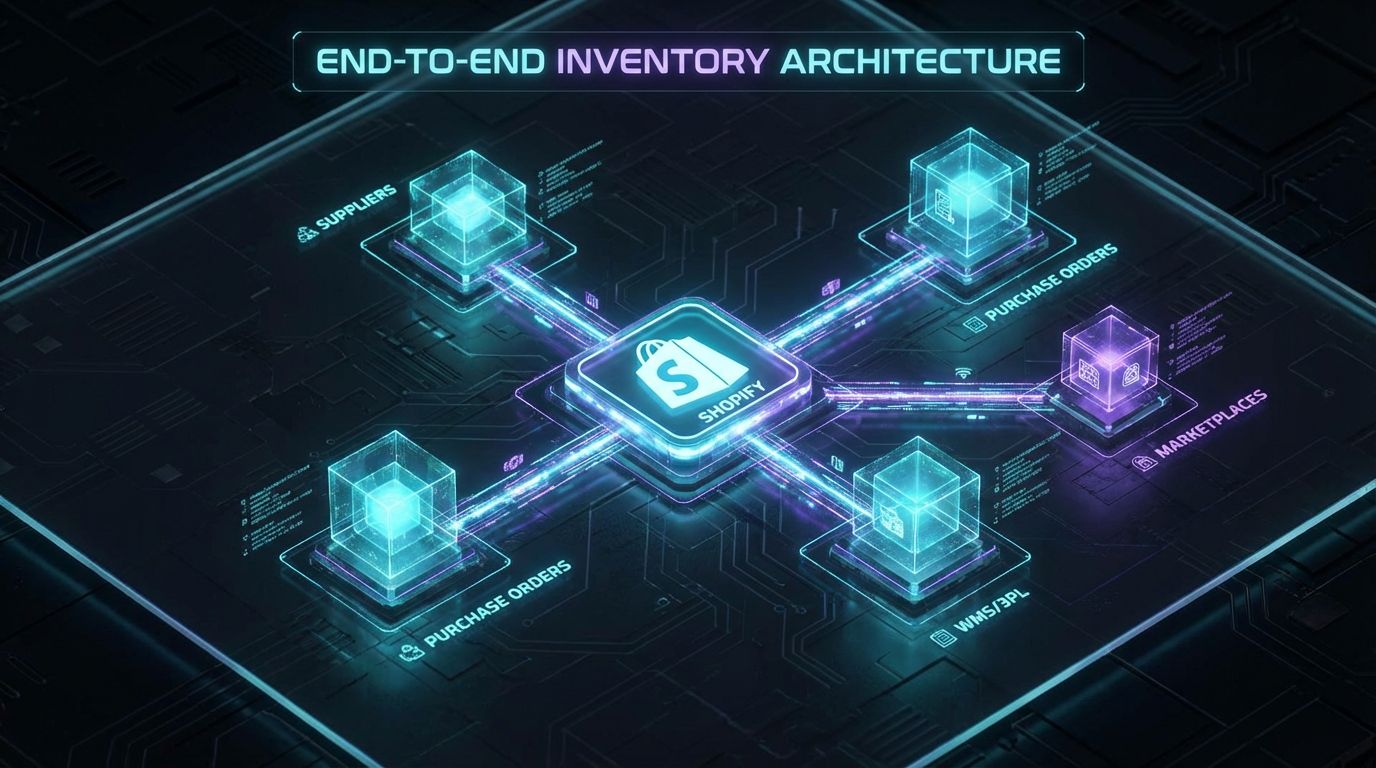
Let’s talk about how you actually build a modern inventory management system Shopify stack. This is where most guides hand-wave and say “connect your apps”; instead, we’ll walk through the workflow and data decisions that underpin a reliable, automated setup. Think of this as the blueprint an implementation agency like AiBizBuild uses before touching a single setting.
Step 1 – Map Your Real-World Inventory Workflows
Start with how your business really works today, not how a tool expects you to work. Map your suppliers, lead times, MOQs, and constraints: which items are made-to-order, which are seasonal, which have long lead times or volatile demand.
List your locations: central warehouse, retail stores, pop-up locations, FBA or other 3PLs, and how stock flows between them. Document product structures — variants, kits, and bundles — so your eventual Shopify inventory management system understands component-level relationships instead of treating bundles as independent SKUs.
Step 2 – Design Your Inventory Data Model in Shopify
Next, design a clean inventory data model inside Shopify. Define how products and variants will be named and identified so they’re consistent across Shopify, your Shopify inventory software, 3PL, and accounting.
Decide which locations in Shopify will represent true physical locations vs “virtual” ones like FBA pools or reserved stock for subscriptions. Plan how bundles and components will be modeled so that your Shopify inventory tracking remains accurate when one component feeds multiple products or channels.
Step 3 – Choose and Configure Your Shopify Inventory Software Stack
Only after Steps 1 and 2 do you choose your core inventory management software Shopify component: this could be a dedicated inventory platform or a focused shopify inventory management app if your needs are lighter. Around this, you add auxiliary tools for forecasting, 3PL sync, or marketplace integration based on your mapped workflows.
Configuration is where most DIY attempts fail. You need to define which system is the source of truth for which fields, test sync rules in a sandbox or with limited SKUs, and put guardrails in place such as permissions, approval steps, and backups before going live.
Step 4 – Automate Reordering, Alerts, and POS Sync
With the stack in place, you start automating. Typical automations include low-stock alerts based on days of cover (e.g., “alert when projected to drop below 14 days on hand at current velocity”) and auto-generating draft POs when SKUs cross reorder points.
For Shopify POS inventory management, your workflows should ensure POS is always selling from the correct location, with transfers automated or at least templated where possible. You can use Shopify Flow, app-native automation, or tools like Zapier/Make to coordinate events, but the logic has to reflect your mapped reality, not a generic template.
Step 5 – Monitor KPIs and Continuously Optimize
An implemented system is only half the job; the other half is ongoing optimization. At a minimum, track stock accuracy %, number of SKUs experiencing stockouts per month, inventory turns, and days on hand across categories.
Also monitor time spent on manual inventory tasks; a healthy Shopify inventory management environment should reduce this to a couple of focused hours per week. As you see patterns — chronic late suppliers, SKUs with recurring overstock — you adjust reorder rules, buffers, and even assortment based on data rather than gut feel.
Use Case: From Spreadsheet Chaos to Automated Shopify POS Inventory Management
To make this concrete, let’s walk through a typical client profile and what a real inventory automation project looks like with AiBizBuild’s E-commerce Operations (Shopify/Amazon) service. Names and details are generalized, but the issues and outcomes are typical for growing brands.
The Starting Point – A Growing Retail + Online Brand
Imagine a DTC brand with two retail stores running Shopify POS, plus an online Shopify store. They carry around 1,500 SKUs with strong seasonality and rely on a couple of core suppliers plus a handful of long-tail vendors.
Inventory is managed via spreadsheets and basic Shopify features: counts happen irregularly, POs live in Google Sheets, and staff routinely tweak quantities directly in Shopify to “fix” discrepancies. There is no dedicated inventory management system Shopify integration in place yet.
The Problems – Stockouts, Overstock, and POS Desync
During promotions, top SKUs sell out online while the stores still have plenty on the shelves, but no one notices until it’s too late. Dead stock accumulates in one retail location while the other store is constantly transferring in emergency shipments.
Online customers often purchase items that appear in stock, but in reality those units are sitting in a store that hasn’t synced its counts correctly. The team is spending 8+ hours per week manually reconciling Shopify, spreadsheets, and actual counts, and leadership has no reliable visibility into true inventory value or risk.
The Implementation – What an Inventory Automation Project Looked Like
AiBizBuild begins with a structured inventory audit: we clean product and variant data, rationalize SKUs, and verify which locations are real vs virtual. We map supplier lead times, seasonality, and store-level patterns, then design target locations, stock buffers, and reorder rules at SKU-location level.
Next, we select and configure the best Shopify inventory management solution for their context, integrating it with Shopify, Shopify POS, and (where applicable) 3PLs. We automate receiving workflows so that POs, barcodes, and stock updates flow directly into Shopify, set up transfer templates between warehouse and stores, and design shopify pos inventory management rules that ensure consistent counts and allocation.
The Outcomes – Time Saved and Fewer Stockouts
After rollout and stabilization, the brand’s manual inventory admin time drops by 60–80% — from about 8 hours a week of firefighting to roughly 2 hours a week of monitoring exceptions. Measured stockouts on top SKUs fall from roughly 15% of SKUs per month to below 5%, thanks to better forecasting and automated reordering.
By rebalancing inventory across locations and reducing over-ordering, they free up a meaningful chunk of working capital — often 10–20% reduction in excess stock value in the first 6–12 months. Just as importantly, staff stop arguing with the system and start trusting it, because the workflows, not just the tools, are designed around how the business actually operates.
If you want to see what this could look like for your brand, this is exactly what we unpack in an AiBizBuild Inventory Workflow Audit or Shopify Inventory Automation Demo.
ROI: Time Saved, Fewer Stockouts, and Better Cash Flow
It’s not enough to say “inventory automation saves time”; you need to understand roughly how much and where. This section turns the qualitative benefits of a robust Shopify inventory management system into numbers you can discuss with your COO or CFO.
Quantifying the Cost of Manual Inventory Management on Shopify
Start with labor. If your ops coordinator and store managers spend a combined 10 hours per week on manual inventory tasks at an effective cost of $30/hour, that alone is roughly $1,200/month in labor tied up in low-leverage work.
Add lost margin from stockouts: if you’re running at 15–20% of SKUs experiencing stockouts each month, the missed revenue and downstream customer churn easily outstrips any app or implementation fees. Then layer in the holding cost of overstock and write-offs on obsolete items, which quietly erode cash flow every quarter.
What a Well-Implemented Shopify Inventory Management System Delivers
A well-implemented inventory management system Shopify stack typically cuts manual inventory admin time by 5–10+ hours per week for a mid-sized brand. It reduces stock discrepancies, which lowers support tickets and “where is my order?” overhead, and it materially reduces the frequency and duration of stockouts on key SKUs.
Better visibility and forecasting improve inventory turns, especially when combined with merchandising decisions informed by analytics. If you care about systems and leverage, this is the same pattern we see in AiBizBuild’s scalable SEO content generation system work: the ROI comes from the combination of tools plus workflows, not tools alone.
DIY vs Done-For-You vs Doing Nothing (Cost vs ROI)
Here is a simplified view of your options.
| Stay Manual / Do Nothing | DIY Apps & Setup | Done-For-You with AiBizBuild |
|---|---|---|
| No upfront vendor fees, but ongoing manual work and errors persist. | Lower upfront fees, but high internal time cost learning, testing, and reworking. | Planned project investment for audit, design, and implementation. |
| 10+ hours/month of leadership time lost to inventory fire drills. | Significant founder/ops time spent configuring, troubleshooting, and redoing. | Leadership stays focused on decisions; AiBizBuild handles configuration and build. |
| High risk of persistent stockouts and overstock; status quo continues. | Medium risk; improvements possible, but misconfigurations are common. | Lower risk; workflows are designed, tested, and monitored by specialists. |
| No systematic impact on stockouts; issues repeat each season. | Some improvement; depends heavily on in-house expertise and follow-through. | Typical outcome: stockouts on key SKUs reduced to >=50% of previous levels. |
| Overstock remains invisible until write-offs or cash crunches. | Partial visibility; overstock may improve but often not optimized. | Structured reporting and rules to reduce overstock and improve cash flow. |
| No one is formally responsible for system optimization. | Responsibility is ad hoc; usually an overworked ops person. | AiBizBuild designs the optimization loop; your team runs or co-runs it. |
If you’re serious about scaling, “do nothing” is rarely defensible once you quantify the costs. The real choice is between DIY patchwork and a structured, done-for-you implementation of your Shopify inventory management system. If you want to explore the latter, it starts with an Inventory Workflow Audit or a Shopify Inventory Automation Demo with our team.
Done-For-You Shopify Inventory Automation with AiBizBuild
AiBizBuild is not another app in your stack; we are your systems architect and implementation team for E-commerce Operations (Shopify/Amazon). Our job is to design, build, and optimize the workflows that most merchants try to duct-tape together via spreadsheets and half-configured tools.
What We Actually Build for You
We start by structuring your Shopify product, variant, and location configuration around a clear inventory data model. Then we integrate your chosen inventory management system Shopify solution or apps with Shopify, 3PLs, marketplaces, and accounting, so data flows properly end to end.
On top of that, we implement automated reordering rules, low-stock alerts, and exception workflows, plus robust shopify pos inventory management logic for your physical locations. Finally, we stand up dashboards and reporting so you track the right inventory KPIs instead of guessing.
Our Implementation Process (Audit → Design → Build → Optimize)
Every engagement follows a structured path. In the Audit phase, we review your current data, workflows, tooling, and pain points; this is where the Inventory Workflow Audit or Shopify Inventory Automation Demo lives.
In the Design phase, we create a target architecture and automation blueprint, including systems, data flows, and roles. During Build, we configure Shopify, apps, and integrations, run test cycles, and train your team; then in Optimize we monitor KPIs, tune buffers and rules, and help you embed continuous improvement into your ops.
Who This Is For (and Who It’s Not For)
This is for multi-location Shopify + POS merchants, brands selling on Shopify plus at least one marketplace or 3PL, and teams that are tired of spreadsheets and ready for a stable, scalable system. It’s also an excellent fit if you already feel like your tech stack is “too many apps, not enough systems” and want a clean reset.
It is not for hobby stores with a few SKUs and low order volume where native Shopify tools and a simple spreadsheet are genuinely sufficient. The leverage from our work appears when you’re big enough that inventory mistakes cost thousands, not tens, of dollars.
How to Get Started – Book an Inventory Workflow Audit
The starting point is simple: Book an Inventory Workflow Audit. On that call, we walk through your current workflows, stack, and KPIs, then outline what an automated shopify inventory management system could look like for your brand.
Typical implementation timelines run 4–8 weeks, depending on SKU count, locations, and integrations. If you’d like to see what’s possible before committing, you can also Request a Shopify Inventory Automation Demo and we’ll show you real-world workflows similar to yours.
FAQs: Shopify Inventory Management Automation
How long does it take to implement an automated Shopify inventory management system?
Most implementations take between 4 and 8 weeks, depending on SKU complexity, number of locations, and how many external systems (3PLs, marketplaces, accounting) are in scope. Simpler setups with one warehouse and limited channels can move faster, while multi-country, multi-warehouse operations require more design and testing time.
Do I still need an inventory management app for Shopify if I work with AiBizBuild?
Yes — AiBizBuild does not replace apps; we design and implement the right combination of Shopify native features and shopify inventory management app choices for your business. Our value is in architecting and wiring together those tools into a coherent, reliable Shopify inventory management system.
Will this work with our existing 3PL, warehouse, or marketplaces?
In most cases, yes, because modern 3PLs and marketplaces offer APIs or native integrations with Shopify and major inventory management software Shopify platforms. Part of the Inventory Workflow Audit is confirming compatibility, documenting how data should flow, and designing sync logic that avoids double-counting or gaps.
Is the data and automation secure? Who has access to what?
We design systems using role-based access and least-privilege principles. Shopify permissions, app scopes, and any external automation tools are configured so that each role only has the access they need, and sensitive actions like bulk inventory adjustments or PO approvals follow defined workflows.
What happens if we change apps or add new channels in the future?
We architect your shopify inventory management system as a modular environment, not a monolith. That means we can swap an app, add a channel, or onboard a new 3PL by adjusting integration points and workflows while keeping the core data model and processes intact.
Do we need in-house developers to maintain this?
No, you don’t need a full engineering team to run modern inventory management on Shopify. Most of the stack is configured via Shopify, apps, and no-code or low-code automation; AiBizBuild handles the initial build and can support you on ongoing optimization, while your team operates within well-documented workflows.
How much internal time will our team need to invest during implementation?
You should plan for focused involvement from operations leadership and at least one inventory power user, especially during audit, design validation, and testing. The objective is to keep your team in a review-and-decision role while AiBizBuild does the heavy lift of configuration, integration, and documentation.
When you’re ready to stop guessing and start running inventory like a designed system, Book an Inventory Workflow Audit or Request a Shopify Inventory Automation Demo with AiBizBuild, and we’ll show you exactly what that looks like for your store.