

Task Management in Salesforce: Turning Tasks, Queues, and Automation into a Scalable System
Most teams searching for task management salesforce advice don’t need another button-by-button tutorial. They need a system that makes sure every lead, renewal, and customer follow-up gets handled on time without living in spreadsheets and inboxes. In this guide, I’ll show you what that actually looks like in Salesforce, where DIY setups break, and how to turn tasks, queues, and automation into a scalable workflow instead of another chore.
Key Takeaways
– What a typical manual Salesforce task setup looks like versus a well-architected automated system, and how that shift can reclaim hours per rep per week.
– A clear overview of Salesforce-native building blocks—tasks, queues, Flow—and when they’re enough versus when you need integrated, AI-assisted workflows.
– How AiBizBuild’s done-for-you automation (especially CRM Integration & Inbox Management) upgrades task management into an AI-assisted workflow that can realistically save 5–15 hours per rep per week.
In This Guide:
🔎 What Salesforce Task Management Really Looks Like Today – The reality of manual tasks, follow-ups, and spreadsheets
🧩 Salesforce Task Building Blocks: Tasks, Queues, and Automation – How the native pieces fit together
⚙️ Use Case: Standardizing Lead Follow-Up and Renewal Cycles in Salesforce – Lead, opp, and renewal workflows that actually run
⚠️ Why DIY Salesforce Task Management Fails at Scale – Hidden complexity, adoption issues, and data chaos
🚀 AI-Powered Salesforce Task Workflows with AiBizBuild – Real-world automation recipes and hours saved
📈 Implementation Roadmap and What to Expect – How to move from concept to working system
✅ Frequently Asked Questions about Salesforce Task Automation – Practical answers for B2B leaders
🧭 How to Decide Your Next Step – Whether to stay native, go DIY, or bring in experts
What Salesforce Task Management Really Looks Like Today
The Manual Baseline: Spreadsheets, Inboxes, and Ad-Hoc Follow-Ups
Here’s how most B2B teams actually run “task management” even though they own Salesforce. Reps live in Gmail or Outlook, star emails, add calendar reminders, and keep side spreadsheets or notebooks of who to follow up with. Salesforce is where deals go to die at the end of the week when they remember to update stages.
Operationally, that means 5–10 hours per rep per week lost to hunting through threads, guessing what’s next, and retyping the same follow-up emails. Managers waste even more time asking, “Did we ever get back to this lead?” instead of seeing a clean task queue. Work still gets done, but it’s fragile and entirely dependent on individual discipline.
Native Salesforce Tasks in the Wild (And Why They’re Underused)
Most teams technically use Salesforce tasks, but only in scattered ways. An AE might create a “Call back” task on a big opportunity; a CSM might add a one-off renewal reminder; nobody agrees on types, priorities, or naming. Salesforce task queues are usually empty or misconfigured, so leads and cases land directly on individuals by default.
There’s rarely a standard for when to use a task versus an event, or what “completed” actually means. No SLA-driven alerts, no consistent follow-up sequences, and no guardrails for handoffs between SDR, AE, and CSM. The result is a noisy activity timeline and managers who still have to ask Slack, not Salesforce, to understand status.
The Real Cost: Missed SLAs, Stale Deals, and Unreliable Reporting
When task management is ad hoc, you pay in missed SLAs and hidden risk. Inbound leads sit untouched for days because nobody noticed the notification, and renewals slide because the only reminder was a calendar event that got snoozed.
Leadership dashboards look impressive but are built on incomplete activities and inconsistent task usage. Conversion rates, time-to-first-touch, and renewal steps can’t be trusted, so planning becomes guesswork. This is why you don’t need more reminders—you need a systematic, automated task workflow that enforces the process for you.
Old Way vs New Way: Manual Tasks vs Native Salesforce vs AI-Assisted Automation
To make this concrete, here’s how the manual baseline compares to using basic Salesforce tasks, and to a fully automated, AI-assisted workflow layered on top.
| Dimension | Manual (Spreadsheets / Inbox) | Native Salesforce (Basic Tasks) | Automated + AiBizBuild (AI Workflows) |
|---|---|---|---|
| Setup Effort | Low to start; chaos grows over time with personal systems. | Moderate; basic configuration by admin, limited process design. | Front-loaded design and build, then mostly self-driving with tweaks. |
| Hours Spent per Rep / Week | 8–12 hours searching inboxes, updating sheets, retyping emails. | 5–8 hours on manual task creation and clean-up in Salesforce. | 3–5 hours on actual decision-making; admin work automated. |
| Missed Follow-Ups Risk | High; entirely dependent on personal discipline and memory. | Medium; some tasks created, but inconsistent and easy to ignore. | Low; SLA-based auto-creation, escalations, and alerts. |
| Reporting Quality | Poor; no centralized record of activities or SLAs. | Fair; data exists but is incomplete and inconsistent. | High; standardized tasks and activity data across lifecycle. |
| Scalability | Does not scale past a few reps; breaks with turnover. | Scales somewhat; chokes as you add segments and products. | Built to scale across teams, segments, and SLAs. |
Salesforce Task Building Blocks: Tasks, Queues, and Automation
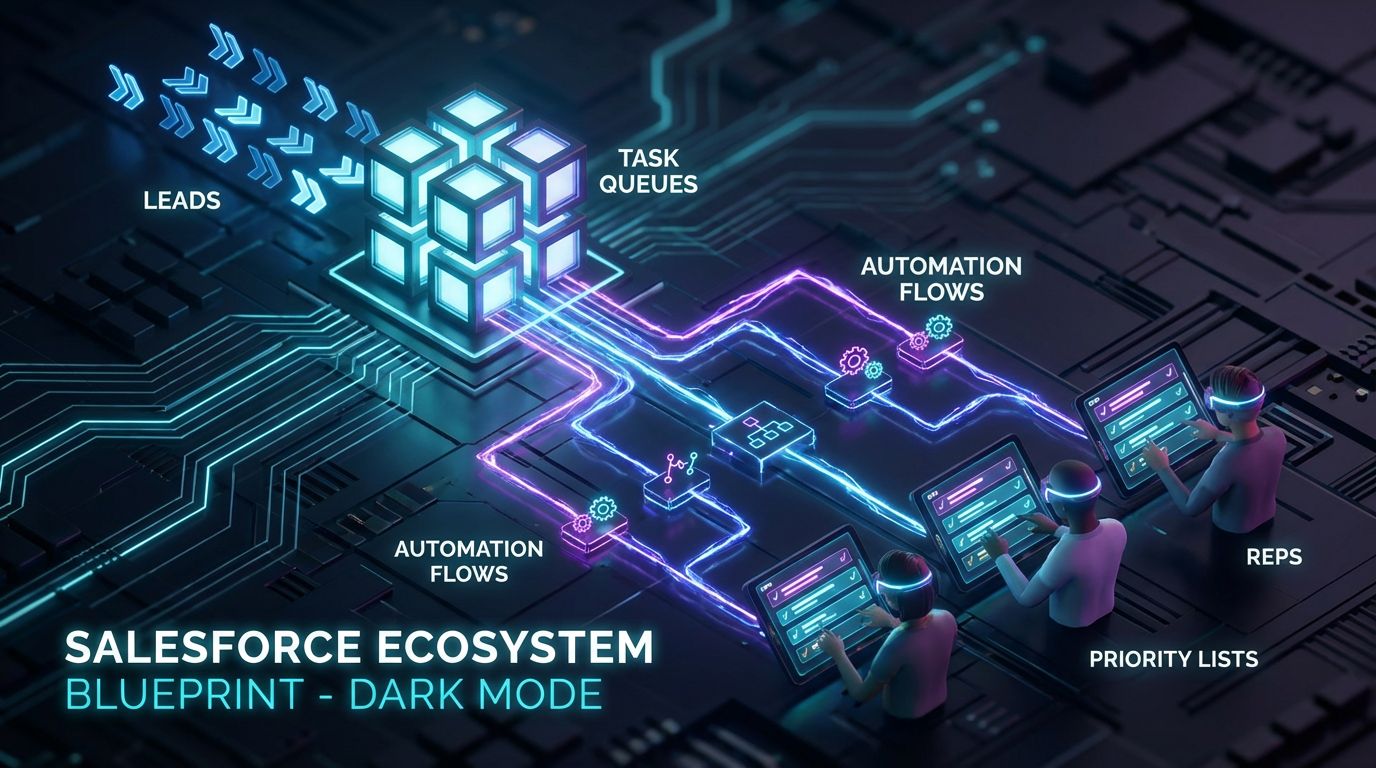
Before we talk about AI or advanced workflows, you need clean foundations. Salesforce already gives you solid primitives for task management; most teams just wire them together poorly. Think of tasks, queues, and automation like LEGO bricks—you need a blueprint, not more bricks.
Core Objects: Tasks, Events, and Activity Timeline
Tasks represent to-dos with an assignee and due date, like “Call inbound lead” or “Follow up on renewal quote.” Events represent scheduled meetings on a calendar, like demos or QBRs. Both roll up into the Activity Timeline on leads, contacts, accounts, and opportunities.
Best practice for sales and CS is simple. Use tasks for commitments you must not drop, and use events for time-bound meetings. If it has a clear SLA or follow-up expectation, it should be a task that can be queued, routed, and reported on—not just a calendar reminder in someone’s inbox.
Task Queues and Assignment Rules
Salesforce task queues are shared buckets of work that any member can pick from. They’re ideal for inbound lead follow-up, shared customer success inboxes, or pooled onboarding steps where any qualified rep can handle the next task.
You can route tasks into queues based on lead source, region, product line, or customer tier. For example, all EMEA inbound leads create a task in the “EMEA SDR Queue,” while strategic renewals above a certain ARR create tasks in the “CSM Strategic Renewals” queue. Done right, this removes guesswork and lets managers monitor workload and SLA adherence centrally.
Automation Options: Workflow Rules, Process Builder, Flow, and Add-Ons
Salesforce has multiple automation tools, but Flow is the current standard for new build. Legacy Workflow Rules and Process Builder still exist but are gradually being consolidated, so I recommend centering new automations in Flow for longevity and control.
Flows can create tasks, update fields, send emails, and orchestrate complex logic based on triggers like “lead created,” “opportunity stage changed,” or “contract end date approaching.” Add-on tools from the AppExchange can add power—think sales engagement cadences or advanced SLA tracking—but each new tool increases configuration complexity and failure modes. Tools help, but they are not the system; the workflow design is.
Use Case: Standardizing Lead Follow-Up and Renewal Cycles in Salesforce
This is where most teams feel the pain first. Inbound leads and renewals are high-value, high-regret workflows; dropping the ball here is expensive. A well-designed task management Salesforce setup makes these two cycles boringly reliable.
Scenario 1 – Inbound Lead Routing and Follow-Up Tasks
Let’s start with a standard inbound motion. A prospect fills out a form on your site. That form submission creates or updates a Lead in Salesforce. Immediately, a Flow evaluates rules: segment, territory, product interest, and availability.
Based on that logic, Salesforce creates a follow-up task in the right SDR queue with an SLA, such as “First touch within 2 business hours.” If the task isn’t marked completed within the SLA window, the system can auto-escalate: ping the SDR in Slack/Teams, reassign the task, or alert the manager. Every step is visible in Salesforce tasks and reports, not buried in emails.
Scenario 2 – Customer Renewal and Expansion Playbooks
For renewals, you should never rely on someone’s personal calendar to remember a contract end date. Instead, a Flow watches the Contract End Date or a renewal date field on the account or opportunity. At a set interval—say 120, 90, 60, and 30 days out—it creates a structured sequence of tasks.
Those tasks might include “Usage review and health check,” “Exec sponsor check-in,” “Procurement follow-up,” and “Add-on expansion discovery.” Different ARR tiers can trigger different playbooks. Multi-threading becomes a checklist, not wishful thinking: each role and contact you need to engage is captured as a concrete task with an owner and due date.
Reporting on Task Execution and SLA Compliance
Once tasks and queues drive your lead and renewal workflows, reporting stops being fuzzy. You can build dashboards showing tasks by owner and queue, overdue tasks, SLA breaches, time-to-first-touch, and renewal touchpoints. You can slice by segment or product to see where things slip.
That level of visibility translates into tangible outcomes. Teams typically see 30–50% fewer missed follow-ups on inbound leads, faster lead response times, and more predictable renewal execution. Forecasts become more trustworthy because they’re based on real, consistent activity patterns, not anecdotal updates.
Why DIY Salesforce Task Management Fails at Scale

If all you manage is a three-person sales team in one region, a few manual rules and native tasks might be enough. Once you have multiple segments, regions, and products, DIY automation breaks down. The complexity isn’t in creating a task; it’s in orchestrating hundreds of them across edge cases without drowning in DIY setup.
For a broader look at that pattern in another domain, see how we helped teams automate social publishing without drowning in DIY setup. The same dynamics apply inside Salesforce.
Configuration Complexity Across Teams, Segments, and Edge Cases
A real revenue org has different SLAs and handoffs for inbound vs outbound, SMB vs enterprise, net-new vs expansion, and low-risk vs high-risk renewals. Each path needs its own mix of queues, assignment rules, and automation logic. Trying to cram everything into a few generic flows leads to brittle logic nobody wants to touch.
Admins end up with flows that look like spaghetti diagrams: nested conditions for every exception one stakeholder ever requested. The result is either a frozen system where changes are risky and slow, or a constantly changing one that behaves unpredictably and erodes rep trust.
Adoption and Data Hygiene: Getting Reps to Actually Use Tasks
Reps don’t hate structure; they hate noise. If your Salesforce task system sprays low-value tasks at them—duplicates, irrelevant reminders, or impossible volumes—they’ll tune it out. They go back to inboxes and side lists, and Salesforce becomes a reporting tax instead of a workflow hub.
Good workflow design focuses on fewer, higher-quality tasks that reflect actual commitments. That means limiting automatic task generation to real SLA points, aligning task types and naming conventions, and training reps on what “done” means. Without that design and change management, even the best automation tools will just generate more clutter.
Integrations, Inboxes, and External Tools (The Hidden Iceberg)
Most revenue teams don’t live in Salesforce all day. They live in Gmail or Outlook, Slack or Teams, and external tools like Asana, Trello, or support systems. Connecting all of that to Salesforce task management is where DIY setups often fall apart.
You see duplicated tasks across tools, conflicting statuses (“done” in Asana but still open in Salesforce), and no clear source of truth for customer-facing work. Email integrations are frequently misconfigured, so half the important conversations never make it into the Activity Timeline. Fixing this requires intentional CRM Integration & Inbox Management, not just flipping on a plugin.
Here’s how DIY compares to bringing in outside help.
| Dimension | DIY Admin | Generic Consultant | AiBizBuild |
|---|---|---|---|
| Time to First Working Workflow | 4–12 weeks, part-time, with trial-and-error. | 3–8 weeks, depending on scope and availability. | 2–4 weeks to a live pilot task workflow tied to SLAs. |
| Depth of AI Integration | Minimal; basic rules, little or no AI prioritization. | Varies; often limited to surface-level features. | Deep; AI-assisted prioritization, summaries, and triggers across inbox and CRM. |
| Ongoing Optimization | Ad hoc; depends on spare time and admin skill. | Project-based; limited optimization after go-live. | Structured; continuous tweaks to flows, queues, and AI logic based on usage data. |
| Internal Time Required | High; many working sessions, testing, and rework. | Medium; workshops plus some internal coordination. | Low–Medium; focused workshops, AiBizBuild handles design, build, and testing. |
| Typical Outcome | Partial adoption, fragmented workflows, fragile automations. | Decent configuration; limited AI and cross-tool orchestration. | Standardized workflow across team, measurable SLA adherence, and clean reporting. |
AI-Powered Salesforce Task Workflows with AiBizBuild
Up to this point, we’ve stayed mostly in the Salesforce-native world. That’s deliberate. You need solid primitives before layering in AI. Now, let’s talk about how AiBizBuild turns basic Salesforce tasks into AI-prioritized, cross-tool workflows that materially change how your team spends its time.
From Static Task Lists to Intelligent, Prioritized Queues
Out of the box, Salesforce task queues are dumb lists. The most urgent or valuable work is usually buried under noise. With CRM Integration & Inbox Management, we pull in data from Salesforce, email, and calendars, then apply AI logic to prioritize tasks by deal value, SLA risk, customer health, and recent activity.
Each rep starts the day with a dynamically ordered list of the top 10 tasks that protect the most revenue or pipeline. That might mean calling a high-ARR renewal with dropping usage before chasing a low-intent inbound lead, even if both have tasks due. The rep still works in Salesforce; the difference is the queue is doing the thinking about “what next” for them.
Automation Recipes: Concrete Salesforce + AI Workflows
Here are three practical recipes we deploy often. These aren’t abstract ideas; they’re the kinds of flows we build, test, and refine with clients.
Recipe 1: Lead No-Activity Auto-Nudge
– Trigger: New lead created from form fill or enrichment.
– Logic: If no task is completed and no activity logged within 24 hours, run a Flow.
– Actions: Auto-create a follow-up task with an AI-drafted email template, associate it to the lead, and send a Slack/Teams alert to the owner or queue channel.
The AI draft includes context from the lead source and page they converted on. The rep just reviews and sends, cutting out minutes of thinking and typing. Over a week, this alone can reclaim 1–3 hours per SDR.
Recipe 2: Renewal Risk Escalation
– Trigger: Usage or health score drops below a threshold for an account with a renewal in the next 90 days.
– Logic: Check whether a CSM touch (task or event) has been logged in the last X days.
– Actions: If not, create a high-priority task for the CSM with an AI summary of risk signals, and start an escalation timer.
If that task is still open after Y days, escalate to the manager with a second task and a concise AI-generated brief of what’s at stake. This ensures that silent churn risk doesn’t sit unnoticed just because nobody had time to scroll through dashboards.
Recipe 3: Email-to-Task with AI Summaries
– Trigger: Important customer emails detected in connected inboxes (e.g., subject or sender matches open opps or key accounts).
– Logic: Use AI to classify intent—new opportunity, escalation, renewal negotiation, or routine question.
– Actions: Auto-create a Salesforce task with an AI-generated summary of the email as the description, link it to the right contact/account/opportunity, and optionally draft a response.
Reps stop copy-pasting email content into tasks. They work from concise summaries that highlight decisions and next steps. Over a week, this can save 2–4 hours per AE or CSM and massively improve the completeness of Salesforce activity data.
Estimated Hours Saved and Impact by Role
When you add up these types of workflows across a typical B2B revenue team, the impact is material. We routinely see 5–15 hours per rep per week reclaimed from admin work: updating Salesforce, hunting through emails, and managing personal to-do systems.
New reps ramp faster because they inherit a clear, prioritized task system instead of figuring it out from scratch. Customers experience more consistent touches before and after renewal. Leadership gets cleaner Salesforce task reporting and can actually trust SLA dashboards and activity-based forecasts.
How AiBizBuild Delivers: Services That Power These Workflows
AiBizBuild is not another SaaS plugin. We’re a done-for-you automation shop that designs and implements these workflows on top of your existing stack. For Salesforce task automation, three services matter most.
CRM Integration & Inbox Management is the core. We wire Salesforce tasks, email, and calendars into a unified system so activities, tasks, and SLAs stay in sync. On top of that, we can layer AI Voice Agents (Inbound/Outbound) that trigger from Salesforce tasks for follow-up calls or voicemail drops, and 24/7 Appointment Booking Systems that convert “book meeting” tasks into actual calendar events without human back-and-forth.
For teams that need more pipeline at the top, we can also plug in B2B Lead Scraping & Enrichment and Cold Outreach Automation. But the main value is the same: a cohesive system that runs your workflows reliably, with AI assisting where it makes a measurable difference.
Implementation Roadmap and What to Expect

Most public Salesforce content stops at feature explanation. What you actually need is a realistic plan: who’s involved, how long it takes, and when you start seeing value. Here’s a pragmatic 4–6 week roadmap we follow with most clients.
Phase 1 – Workflow Audit and Blueprint (Week 1–2)
We start with a Salesforce Task Workflow Audit. That means mapping how you currently use tasks, events, queues, and automation across leads, opportunities, and renewals. We also review your inbox tools, calendars, and any external task or project systems.
The deliverable is a documented blueprint of your future-state Salesforce task workflow with defined SLAs, queue structures, and automation points. Think of it like the content-approval architectures we’ve outlined for other teams building a fully documented, automated approval workflow, but focused on revenue operations.
Phase 2 – Build and Integrate (Week 2–4)
Next, we configure Salesforce: tasks, queues, custom fields, and Flows aligned to your blueprint. In parallel, we set up or fix CRM Integration & Inbox Management so that emails, meetings, and tasks line up cleanly between Salesforce and your email/calendar stack.
We usually roll this out to a pilot group first—often one segment or region—so we can observe real-world behavior. Based on usage data and rep feedback, we refine task definitions, queue rules, and automation triggers before scaling to the rest of the org.
Phase 3 – Rollout, Training, and Optimization (Week 4–6)
Once the pilot proves itself, we roll the workflows out more broadly. That includes short, focused training sessions on “how to live in your new task queue” instead of generic Salesforce training. Documentation and quick-reference guides help new hires ramp into the system quickly.
We then monitor early adoption and adjust. That might mean tuning which events generate tasks, adjusting AI prioritization weights, or tweaking dashboards. Optimization is where you squeeze out the last few hours of time savings and ensure the system feels like a help, not a tax.
What Internal Resources You Need (And What We Handle)
You don’t need an internal automation team to do this well. You need a Salesforce admin or RevOps owner who can make decisions, plus a few champion users (one SDR, one AE, one CSM) to pressure-test workflows. They’ll spend time in workshops and feedback loops, not building flows from scratch.
AiBizBuild handles the heavy lift: workflow design, Salesforce configuration, integration work, AI logic, and testing. In most cases, this is cheaper and far faster than hiring an in-house specialist who’s seen as many broken Salesforce task setups as we have. You’re buying a working system, not more tools.
Frequently Asked Questions about Salesforce Task Automation
Do we need a Salesforce developer to implement automated task management?
For many teams, no. Most task workflows can be built with Salesforce Flow, configuration, and smart use of existing integrations. You’ll only need development skills for very custom integrations or unusual edge cases, and even then we try to minimize code.
The real differentiator is not coding; it’s workflow architecture. That’s precisely where AiBizBuild focuses—designing scalable flows and automations that fit your revenue process instead of forcing you into generic patterns.
How long does it take to see value from an automated Salesforce task workflow?
Expect first live workflows in 2–4 weeks if we’re starting from a reasonably clean Salesforce instance. Most teams see measurable time savings and SLA improvements within another 2–4 weeks as adoption ramps and we tune the system.
We don’t disappear after go-live. Early optimization cycles are built in so you see concrete gains—not just “features turned on.”
Is AI-powered task prioritization and automation secure and compliant?
Yes, if you design it correctly. Salesforce remains your system of record, with its existing permissions and sharing model intact. AI operates on controlled subsets of data through secure integrations, and we respect your existing access controls.
We also follow your compliance requirements around data residency, retention, and logging. If your environment is sensitive or regulated, we design the AI pieces to keep customer data where it belongs while still delivering useful automation.
What if our team already uses other task tools like Asana or Trello?
That’s common. Our approach is to make Salesforce the source of truth for customer-facing work, then either integrate or rationalize other tools where needed. Sometimes that means syncing high-level tasks; other times it means consolidating to fewer tools.
Through CRM Integration & Inbox Management, we can ensure that whatever happens in external tools is reflected in Salesforce at the right level of detail. The goal is not to rip out everything, but to eliminate conflicting task systems and double-entry.
How much internal time will our team need to invest in a project like this?
Plan for a few focused workshops in the first two weeks, plus short feedback sessions during pilot and rollout. For most clients, that’s a handful of hours per key stakeholder spread over a month or so.
We deliberately minimize internal effort by taking on architecture, build, testing, and documentation. Your team’s job is to tell us where the real-world pain is and validate that the new workflows actually fix it.
How do you make sure AI is used responsibly in our workflows?
We treat AI as an assistant, not an auto-pilot. That means things like AI-generated email drafts and summaries are reviewable by humans, and AI-driven prioritization is transparent—not a black box. We’ve written separately about how to use ChatGPT for operational workflows safely and at scale, and we bring the same safeguards to Salesforce.
You get auditability and control, plus clear boundaries on what AI can and cannot decide without human oversight.
How to Decide Your Next Step
By now you should see that tools alone won’t fix task chaos. Salesforce tasks, queues, and Flow are strong building blocks, but without a designed, AI-enabled workflow, you’re just adding clicks on top of the same mess. The question is whether you stay native and simple, go DIY, or bring in expert help.
When Native Salesforce Is Enough (And When It Isn’t)
If you’re a very small team with a straightforward sales cycle and no formal SLAs, you can get far with just well-designed native Salesforce tasks and a couple of Flows. Standardize naming, define when to create tasks, and build a few simple queues for inbound leads and renewals.
Once you have multiple reps, defined SLAs, and meaningful pipeline or ARR at stake, the cost of dropped tasks gets too high. At that point, you need a robust, automated task system with clear routing, escalation, AI prioritization, and clean reporting to match.
Evaluating DIY, Internal Build, and Done-For-You Options
DIY is tempting because it looks cheap. In reality, the hidden cost is in months of trial-and-error, partial adoption, and opportunity cost as ops and managers debug flows instead of improving the business. Internal builds can work if you have a deeply experienced RevOps architect who has done this before at scale.
Engaging a done-for-you partner like AiBizBuild means you skip the learning curve and get a system that’s been battle-tested in other B2B environments. The real value isn’t the specific Salesforce click-path; it’s the workflow design, AI integration, and ongoing optimization that produce durable time savings and fewer dropped balls.
Call to Action: Book a Salesforce Task Workflow Audit
If you recognize your team in the “manual baseline” description—or you’ve bolted on a few flows and still feel chaos—your next step is not another tool. It’s a low-risk diagnostic.
Book a Salesforce Task Workflow Audit with AiBizBuild, or request a demo of an AI-powered task queue built on your stack. In 30 minutes, we’ll map your current state, highlight quick wins, estimate potential hours saved, and outline a phased plan. From there, you can decide whether to implement it yourself or have us build the system for you.
Either way, the goal is simple: task management in Salesforce that actually runs your revenue process, instead of one more place work goes to get lost.