

Zoho Workflow Automation: How to Turn Zoho CRM & Flow into a Scalable Operations Engine
Most Ops and RevOps leaders land in Zoho with good intentions and end up juggling partial CRM setups, spreadsheet trackers, and endless email handoffs. When people search for workflow automation Zoho options, they’re usually trying to escape that exact mess without blowing up production. This guide walks through how to turn Zoho CRM workflows and Zoho Flow automations into a reliable operations engine instead of a brittle web of one-off rules.
Key Takeaways
– Moving from spreadsheets and email handoffs to integrated Zoho CRM + Zoho Flow workflows typically cuts manual updating by 30–60% across sales and service operations.
– Standard patterns like intelligent lead routing, structured approvals, and lifecycle-based task automation turn ad-hoc work into consistent, measurable processes.
– AiBizBuild’s done-for-you Zoho workflow design and implementation replaces risky DIY trial-and-error with a fast, 30–60 day path to visible ROI.
In This Guide:
⚙️ Why Zoho Workflow Automation Beats Spreadsheets
🧩 Core Zoho Building Blocks: CRM Workflows vs Zoho Flow
🔁 Why DIY Zoho Automation Projects Fail
🎯 Workflow Patterns: Lead Routing, Approvals, and Task Automation
📈 Quick ROI: Time-Savings Scenarios for Ops Teams
🛠️ Our Done-For-You Zoho Automation Blueprint
❓ FAQs on Zoho Workflow Automation & Done-For-You Support
Why Zoho Workflow Automation Beats Spreadsheets
The Reality of Manual Handoffs and Spreadsheet-Driven Ops
In most B2B teams, Zoho CRM is live but the real work still runs through inboxes and spreadsheets. Leads come in through forms, get forwarded to a manager, and then disappear into a sheet with an Owner column that’s never quite up to date. Approvals live in email threads, SLAs are tribal knowledge, and you only discover dropped balls when a customer complains or a quarter-end review exposes missed deals.
This is where you see lost deals, slow responses, and wildly inconsistent customer experiences. Reps are guessing what to do next, Ops is chasing status updates, and leaders have to manually stitch together a view of pipeline health. The system isn’t broken because of Zoho; it’s broken because work is happening around the tools instead of through them.
What Changes When Zoho CRM & Zoho Flow Orchestrate the Work
When you use Zoho workflow automation properly, triggers, rules, and cross-app actions take over the grunt work humans should never be doing. A lead hits Zoho CRM, routing logic runs instantly, SLAs are enforced through tasks and alerts, and Zoho Flow orchestrates the downstream work in email, chat, and project tools. Instead of nudging people over Slack or chasing updates in spreadsheets, you design the flow once and let the system enforce it every time.
The payoff is speed, visibility, and accountability. You know who owns what, when it’s due, and where it is stuck without sending a single “Any update on this?” email. Reps get a clear queue, managers get reliable dashboards, and Ops stops acting as human middleware between disconnected tools.
Insert Table: Manual Handoffs & Spreadsheets vs Zoho Workflow Automation
| Dimension | Manual Handoffs & Spreadsheets | Zoho Workflow Automation (CRM + Flow) |
|---|---|---|
| Data entry effort | Reps update 4–5 places (CRM, sheet, email notes, chat, project tool). | Single point of entry in Zoho CRM; system syncs and pushes updates automatically. |
| Error rate | High; copy-paste mistakes, inconsistent fields, forgotten updates. | Lower; rules validate data, standardize fields, and enforce required steps. |
| Lead response time | Hours to days, depending on when someone checks email or the sheet. | Minutes; assignment, notification, and first-touch tasks fire instantly. |
| Visibility into SLAs | Manual; Ops builds ad-hoc reports from disconnected sources. | Built-in; dashboards show on-time vs overdue actions in real time. |
| Ability to scale to more volume | Breaks quickly; more leads create more email and spreadsheet chaos. | Scales smoothly; workflows handle bigger volumes with the same logic. |
| Maintenance burden | Every change means re-training people and updating multiple trackers by hand. | Centralized; adjust a workflow once and the process updates for everyone. |
Core Zoho Building Blocks: CRM Workflows vs Zoho Flow
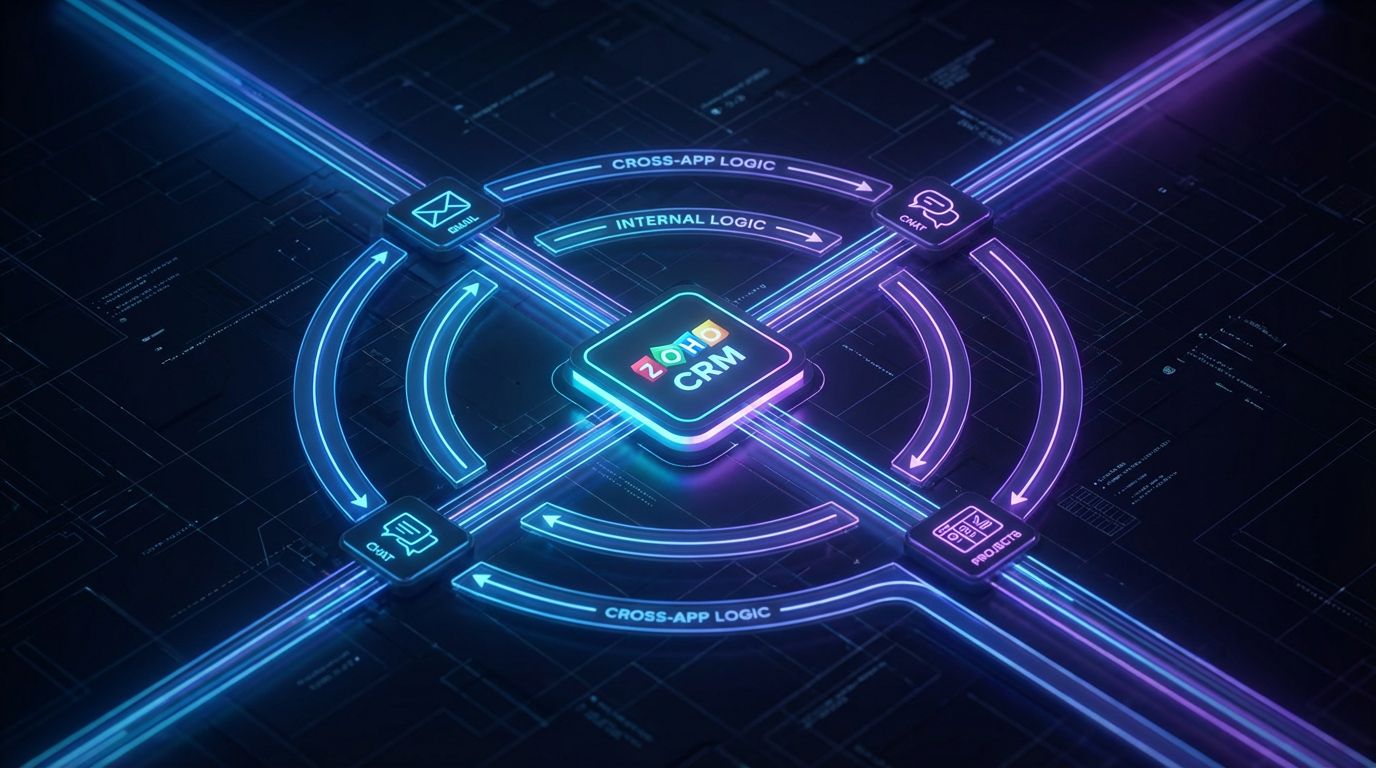
Zoho gives you two main levers for systematizing work: Zoho CRM workflows and Zoho Flow automations. Both are powerful, and both can create a mess if you don’t assign them clear roles. The teams that win treat CRM as the system of record and brain for in-CRM logic, while Zoho Flow becomes the connective tissue to other apps.
When to Use Native Zoho CRM Workflows
Zoho CRM workflows are best for actions that start and end inside CRM. You can trigger on record creation (new lead, contact, deal), updates to fields (status changes, territory updates), stage changes in deals, or time-based events like “X days after creation with no activity.” Typical examples include auto-assigning owners, creating follow-up tasks, kicking off email notifications, or updating key fields when a deal moves stages.
Think of CRM workflows as your reliable workhorses for automating lead routing in Zoho, enforcing data completeness, and generating the tasks that keep reps on track. They’re fast, close to the data, and simpler to debug than cross-app flows when you keep their scope focused. The mistake is trying to run every integration and notification pattern from this layer.
When to Use Zoho Flow for Cross-App Automation
Zoho Flow automations shine when you need to connect Zoho CRM with other Zoho apps or third-party tools. You use Flow to sync leads to your email automation platform, push notifications into Slack or Teams, create tickets in a support desk, or spin up projects when deals close. In functional terms, Flow is your graph of “when X happens in App A, do Y and Z in Apps B, C, and D.”
Examples: send a Slack alert to a regional channel when a high-value opportunity is created, mirror contacts into a marketing list with specific tags, or create an onboarding project in a project tool once a deal hits “Closed Won.” This is where Zoho workflow automation becomes a true operations engine instead of just a CRM admin project.
Combining CRM Workflows and Zoho Flow Without Chaos
The cleanest pattern is simple: CRM handles intra-CRM logic; Zoho Flow handles cross-system orchestration. A CRM workflow can trigger on a clear event (e.g., stage becomes “Qualified”) and then call Flow or set a field that Flow listens to. From there, Flow fans out to external systems, logs events, and keeps everything in sync.
What you want to avoid is duplicating business rules across both layers—one owner assignment rule in CRM, another in Flow, both trying to be “source of truth.” That’s how you get misrouted leads, conflicting updates, and brittle systems no one wants to touch. A bit of architecture up front saves you months of chasing ghost behaviors later.
Why DIY Zoho Automation Projects Fail
The Hidden Complexity Behind “Drag and Drop” Builders
Zoho’s drag-and-drop interfaces make it look like anyone can throw together a few rules and have a working system by Friday. The reality is that mapping real processes, aligning stakeholders, modeling data correctly, and handling exceptions is where most DIY projects go sideways. A visual builder doesn’t save you from bad design; it just makes it faster to implement.
Without a proper blueprint, teams end up with duplicate contacts, lost leads, broken SLAs, and angry reps wondering why the CRM is making their job harder. Worse, each “quick fix” that seemed harmless at the time becomes another hidden dependency. Six months later, you’re afraid to touch anything because nobody remembers what connects to what.
Common Failure Modes We See in DIY Zoho Setups
- Overlapping assignment rules: Multiple rules and flows fighting to own the same lead, producing random or constantly changing ownership.
- Infinite loops and duplicate tasks: A CRM workflow triggers a Zoho Flow that updates the same record, retriggering the workflow in a loop.
- No sandbox or testing discipline: Changes go straight to production, so every experiment risks corrupting live data.
- Fragmented logic: Half the routing is in CRM workflows, the rest in Flow, plus a few manual “exceptions” managed in spreadsheets.
- No documentation: When the one power user or admin leaves, nobody knows how anything works or what’s safe to change.
- Missing monitoring: Automations fail silently; nobody notices until a quarter later that 20% of leads never got a follow-up task.
- Rep resistance: Badly designed rules create noise, irrelevant tasks, or wrong owners, so reps start ignoring CRM prompts entirely.
- Unmanaged growth: New products, territories, or channels get bolted on with ad-hoc rules, turning your automation map into spaghetti.
Insert Table: DIY Zoho Automation vs Done-For-You Implementation
| Dimension | DIY Zoho Automation | Done-For-You AiBizBuild Implementation |
|---|---|---|
| Time to initial go-live | Weeks to many months of part-time experimentation and rework. | Typically 30–60 days for 3–5 core workflows with a structured plan. |
| Risk of breaking production | High; changes often deployed directly to live data with limited testing. | Managed; sandbox-first where possible, staged rollouts, rollback plans. |
| Quality of process mapping | Ad-hoc; based on what one admin thinks the process is. | End-to-end; based on structured interviews with Ops, Sales, and Service. |
| Monitoring & optimization | Minimal; issues found only when something breaks visibly. | Built-in; logging, dashboards, and scheduled reviews to refine flows. |
| Internal time required | Significant; hours each week from Ops and managers to build and debug. | Focused; your team invests in a few high-quality working sessions. |
| Typical total cost | Lower direct spend, but high opportunity cost from delays and misfires. | Predictable project fee; often offset by faster time-to-value and fewer errors. |
Why a Done-For-You Partner Often Ends Up Cheaper
On paper, DIY looks cheaper because you’re “just using existing headcount” to configure Zoho CRM workflows and Zoho Flow. In practice, those months of trial-and-error mean slower lead response, lost opportunities, frustrated reps, and a backlog of fixes. The hidden cost is the revenue and trust you lose while your systems are half-baked.
A focused, 4–8 week rollout with a battle-tested blueprint gets you to reliable automation faster and with far less risk. That’s why for most B2B teams, a done-for-you build—especially for core patterns like routing, approvals, and task automation—is the more economical move over a full year.
Workflow Patterns: Lead Routing, Approvals, and Task Automation

Most teams don’t need 50 clever automations; they need 3–5 bulletproof workflow patterns that handle the majority of work. Here are the ones that consistently move the needle: intelligent lead routing, structured approval workflows in Zoho CRM, and lifecycle-based task automation across sales and post-sale. We’ll walk through the before-and-after reality for each.
Pattern 1 – Intelligent Lead Routing in Zoho CRM
Before Automation (Manual Routing & Spreadsheets)
New leads hit your website and land in a shared inbox or generic queue. Someone in Sales Ops or a team lead reviews them periodically, decides who should own what, forwards emails or pings people in Slack, and updates a spreadsheet that nobody trusts. Reps discover new leads hours or days later—if they remember to check the sheet—and you have no reliable metric for response time.
Territory rules, segments, and product lines all live in people’s heads or old slide decks. When people change roles, ownership logic changes informally, and both marketing and leadership are flying blind on what happened to last week’s inbound volume. This is usually where teams realize they need real workflow automation Zoho support, not more tabs in Excel.
After Automation (Rules + Flow)
A solid automating lead routing in Zoho pattern looks like this:
- Lead enters Zoho CRM via web form, import, or API from another system.
- Zoho CRM workflow evaluates routing logic (territory, industry, product interest, deal size, or lead score).
- Lead is auto-assigned to the correct rep or queue using ownership rules and, if needed, round-robin balancing.
- Zoho Flow sends notifications to Slack/Teams or email with key context for the assigned owner.
- A follow-up task with an SLA (e.g., respond within 1 hour) is created, and reminders or escalations are configured.
With this in place, teams routinely cut lead response times from hours or days down to minutes. Marketing gets confidence that leads are actually worked, managers see ownership and next steps instantly, and reps stop chasing spreadsheets for their queue.
Pattern 2 – Approval Workflows (Discounts, Deals, or Credit Terms)
Before Automation (Email Chains and Lost Context)
Today, a rep needs approval for a non-standard discount or custom payment terms and fires off an email or Slack message to their manager. The manager is in meetings all day, so replies come back late, half the details are missing, and nobody outside the thread can see status. If the manager is on vacation, approvals either stall or happen via informal backchannel conversations.
There’s no consistent record of what was approved, by whom, and under what conditions. Finance and leadership worry about margin erosion, but Ops has no centralized log to analyze patterns or tighten guidelines. This same pattern often shows up in marketing as poorly tracked content approval workflows running through shared drives and email.
After Automation (Automated Approval Paths)
A robust approval workflows in Zoho CRM pattern works like this:
- Rep updates a Deal with a discount above a threshold, special billing terms, or other non-standard conditions.
- Zoho CRM triggers an approval workflow based on configurable rules (e.g., amount, region, product line).
- Approvers receive a structured request with all relevant fields; they approve/deny directly in Zoho or via integrated email.
- Zoho Flow logs the decision to Slack/Teams or a separate approval log, creating a searchable audit trail.
- The deal cannot move forward to certain stages until required approvals are completed.
This cuts approval cycle time from 24–72 hours down to a few hours or less while making governance easier, not harder. Everyone sees where a request is stuck, leadership can review patterns, and Finance gets predictable controls instead of ad-hoc exceptions.
Pattern 3 – Task Automation Across Sales and Post-Sale
Before Automation (Tasks Created Ad Hoc, Often Forgotten)
In a manual world, tasks rely on memory and discipline. A rep sends a proposal and tells themselves they’ll “remember to follow up next week,” or they scribble notes in a personal notebook. Post-sale handoffs depend on someone remembering to email CS or Ops after a deal closes, and onboarding steps vary by who happens to be online that day.
The result is predictable: inconsistent follow-through and inconsistent customer experience. Prospects go dark because nobody nudged them at the right time, and new customers get rocky onboarding because no one had a structured checklist tied to the deal lifecycle.
After Automation (Lifecycle-Based Task Templates)
A mature task automation in Zoho pattern looks like this:
- When a Deal moves to “Proposal Sent”, Zoho CRM auto-creates a follow-up task for the owner due in 2–3 days.
- If the deal is still in that stage after a set period, Zoho Flow escalates with a reminder to the rep and possibly their manager.
- When a Deal is marked “Closed Won”, Zoho Flow creates an onboarding project or ticket in your delivery tool and assigns coordination tasks.
- Additional tasks for kickoff calls, data collection, and check-ins are created from templates to standardize onboarding.
- Dashboards show overdue vs on-time tasks, giving managers a clean view of execution quality.
Now, process discipline doesn’t rest on memory. It’s encoded in your system, which means every prospect and customer gets a more consistent journey and leaders can actually measure performance.
Quick ROI: Time-Savings Scenarios for Ops Teams

Good automation isn’t about clever tricks; it’s about buying back time and reducing risk in very specific places. Zoho workflow automation, when designed properly, tends to pay for itself quickly in lead handling, approvals, and task management. Let’s put some realistic numbers behind that.
Estimating Time Saved from Lead Routing Automation
Imagine you handle 50 new leads per day across inbound forms, events, and imports. If Sales Ops or a manager spends even 2–3 minutes per lead deciding ownership, updating CRM, and nudging reps, that’s 100–150 minutes per day—roughly 8–12 hours per week. With automated routing and notifications, that drops to near zero manual effort, aside from exception handling.
Across a month, that’s 30–50 hours of reclaimed time that can be redirected to higher-value work like improving data quality, refining territories, or analyzing funnel performance. And because response times improve, you’re not just saving hours; you’re protecting pipeline that would otherwise decay while sitting unassigned.
Approvals and Task Automation: From Days to Hours
Approval delays are usually invisible in your reports, but they compound quickly. If 20 deals per month require special approval and each one gets stuck for an extra 1–2 days, that’s weeks of aggregate delay added to your forecast. Centralized workflows with alerts and escalation rules bring that down to same-day or next-day turnaround in most cases.
Similarly, automated task creation at key stages ensures reps actually take the follow-up steps you expect. You might save only a few minutes per task, but across hundreds of deals that equates to 10–20 hours per month and a measurable lift in follow-through. Faster, more consistent execution is where Zoho CRM workflows quietly drive revenue, not just “efficiency.”
Risk Reduction and Data Quality as ROI Multipliers
Every manual touchpoint is another opportunity for errors: wrong pricing, incorrect territories, missing contact details, or deals advanced without required fields. By encoding rules and checks into workflows, you both shrink the error surface and make mistakes easier to detect quickly. That’s a risk reduction benefit that rarely shows up in simple time-savings calculators.
Better data quality also amplifies value downstream: accurate segments for cold outreach, reliable customer data for AI voice agents or 24/7 appointment booking systems, and cleaner reporting. In other words, high-quality automation upstream in Zoho makes every downstream system more effective.
Our Done-For-You Zoho Automation Blueprint
—IMAGE_BLOCK: Cinematic 3D Node Architecture showing a central Zoho hub connected to orderly automation nodes labeled Discovery, Blueprint, Build, Test, Train, Optimize, floating in a dark void. Cinematic lighting, Unreal Engine 5 render, futuristic corporate aesthetic, glowing cyan and purple accents, shallow depth of field, 8k resolution—
Zoho gives you the toolkit; what most teams are missing is the architecture, build capacity, and governance to use it like a real operations engine. At AiBizBuild, we treat Zoho workflow automation as a design problem first, a configuration problem second. The outcome is a set of workflows that your reps trust and your Ops team can maintain without fear.
From Messy Processes to Mapped Workflows (Discovery & Blueprint)
We start with a focused discovery round instead of jumping straight into builders. That means structured interviews with Ops, Sales, and Service to understand how leads move today, how approvals actually work, and where tasks fall through the cracks. We then map current vs. ideal workflows for 3–5 priority use cases like routing, approvals, and onboarding.
From there, we design a blueprint that clearly defines what lives in Zoho CRM workflows vs what lives in Zoho Flow, and how other tools (email, chat, project, support) integrate. You get diagrams, ownership rules, and exception paths, not just a list of “rules we’ll build.” This blueprint becomes your reference point for future changes, not just this one project.
Build, Integrate, and Test Without Disrupting Live Teams
Once the blueprint is locked, we move into build mode with a bias for safety. Where possible, we configure and test in a sandbox or cloned environment, then stage changes into production behind feature flags or small cohorts. We simulate real scenarios—lead imports, territory changes, reassignment, invalid data, API hiccups—before anything touches your main user base.
For integrations, we lean on CRM Integration & Inbox Management best practices: clean data mappings, clear ownership of sync rules, and careful handling of email routing so notifications land where they should. The goal is to go live in 30–60 days with workflows your team can trust from day one, not a half-working prototype they have to babysit.
Training, Documentation, and Ongoing Optimization
A system is only as strong as the understanding your team has of it. We provide concise admin documentation, visual diagrams of your workflows, and practical playbooks for reps and managers. That way, when someone asks “why did this lead get routed here?” there’s a clear answer you can point to.
For teams that want it, we support light-touch ongoing optimization: monthly or quarterly reviews to adjust routing logic, refine SLAs, and adapt workflows as your offerings change. The point isn’t to tinker endlessly—it’s to ensure your Zoho CRM workflows and Zoho Flow automations keep pace with the business without turning into spaghetti again.
Where AiBizBuild Fits Your Broader Automation Roadmap
Zoho is often the operational core, but it’s rarely the only system in play. Once your CRM is clean and your core workflows are solid, you can safely extend automation into Cold Outreach Automation, AI-enhanced ChatGPT for lead generation sequences, and tighter CRM Integration & Inbox Management for account teams. The same “workflow-first” mindset also applies to adjacent domains like ticket routing, renewals, and account expansion.
On the marketing side, we use similar architectures for SEO Content & Blog Automation and Social Media Workflow Automation, replacing spreadsheets and one-off tasks with repeatable content pipelines. We also bring this systems approach to domains like B2B lead scraping & enrichment, HR & recruitment screening bots, AI voice agents, and e-commerce operations—always tying back to a reliable operational core rather than isolated hacks.
Call to Action – Book a Workflow Audit
If you’re staring at partial Zoho deployments, manual handoffs, and a backlog of “we should automate this someday” ideas, the next step is not another generic tutorial. It’s a focused review of your processes, data, and constraints. That’s exactly what our Book a Workflow Audit offer is designed to deliver.
In a 60–90 minute session, we’ll review your current Zoho CRM setup, identify 3–5 high-ROI workflows to automate, and outline a realistic 30–60 day implementation roadmap. You walk away with a concrete plan and clear tradeoffs; if you want AiBizBuild to execute the blueprint, we can take it from there with a done-for-you build.
FAQs on Zoho Workflow Automation & Done-For-You Support
How long does it typically take to implement Zoho workflow automation for our core processes?
For most B2B teams, implementing automation for core workflows like lead routing, basic approvals, and lifecycle-based task automation takes about 30–60 days. The exact timeline depends on how many edge cases we need to cover, how many external tools are involved, and whether we can use a sandbox environment. The Workflow Audit clarifies scope so you’re not surprised by complexity mid-project.
Do we need in-house Zoho experts to maintain these automations after you build them?
You don’t need a full-time Zoho engineer, but you do need an internal owner who can make basic admin changes. We design workflows to be maintainable, provide documentation and diagrams, and train your admin or Ops lead on how to make safe adjustments. If you prefer, AiBizBuild can stay on in a light ongoing-optimization role while your team ramps up confidence.
Is Zoho workflow automation secure and compliant for our customer data?
Zoho offers strong security capabilities—role-based permissions, audit logs, and granular access controls—and good workflow design actually reduces risk by eliminating ad-hoc exports and manual data juggling. That said, compliance is always a shared responsibility between the platform, how it’s configured, and your internal policies. As part of our implementations, we design workflows to minimize unnecessary data exposure and keep sensitive actions in controlled paths.
What kind of ROI should we expect from automating workflows in Zoho CRM and Zoho Flow?
Typical outcomes include 10–20 hours per month saved in manual routing and follow-ups for Ops, significantly faster lead response times, and a noticeable reduction in dropped tasks and data errors. The exact ROI depends on your volumes and baseline, but the combination of time savings, better pipeline coverage, and higher-quality data is where most teams see value. During a Workflow Audit, we’ll estimate impact in terms of both hours and revenue risk reduction.
What’s the difference between using Zoho’s templates and hiring AiBizBuild?
Zoho’s templates and gallery flows are a useful starting point, but they don’t reflect your specific data model, territories, approval rules, and edge cases. AiBizBuild brings custom architecture, end-to-end testing, and governance so your automations hold up under real-world conditions and future changes. In short, templates give you building blocks; we deliver a designed system your team can trust.