

Automated Instagram DM & Post Scheduling: A Commercial Guide for Agencies
Agencies wanting to scale Instagram without burning out their teams are turning to automated instagram dm workflows and disciplined post scheduling. This guide is built for leaders who care about commercial outcomes, not toy automations. We’ll walk through the real architecture, risks, ROI ranges, and how a done-for-you system outperforms DIY tools.
Key Takeaways
- Manual DMs and posting don’t scale past a few clients; automated Instagram DM workflows and post scheduling can cut engagement and publishing time by 50–70% when implemented correctly.
- DIY tools like ManyChat and basic Instagram post schedulers work, but without a strategy, safety rules, and integrations, they create deliverability risks, spam complaints, and lost leads.
- Agencies get the best ROI by treating Instagram as a system: automated DMs, an integrated instagram post scheduler, and a shared instagram posting calendar built and maintained by a specialist team.
In This Guide:
💬 Manual vs Automated Instagram DMs & Posting – Time, risk, and scalability trade-offs.
🛠️ Tools, Tech Stack & Deliverability Risks – ManyChat, schedulers, and what DIY setups miss.
⚠️ Why DIY Fails for Agencies – Hidden costs, compliance issues, and broken workflows.
📈 High-ROI Use Cases & Workflows – Concrete DM and scheduling playbooks.
🤝 Done-For-You Automation with AiBizBuild – How we design, build, and maintain your system.
❓ FAQs – Security, setup time, and what it’s like to work with us.
Manual vs Automated Instagram DMs & Posting
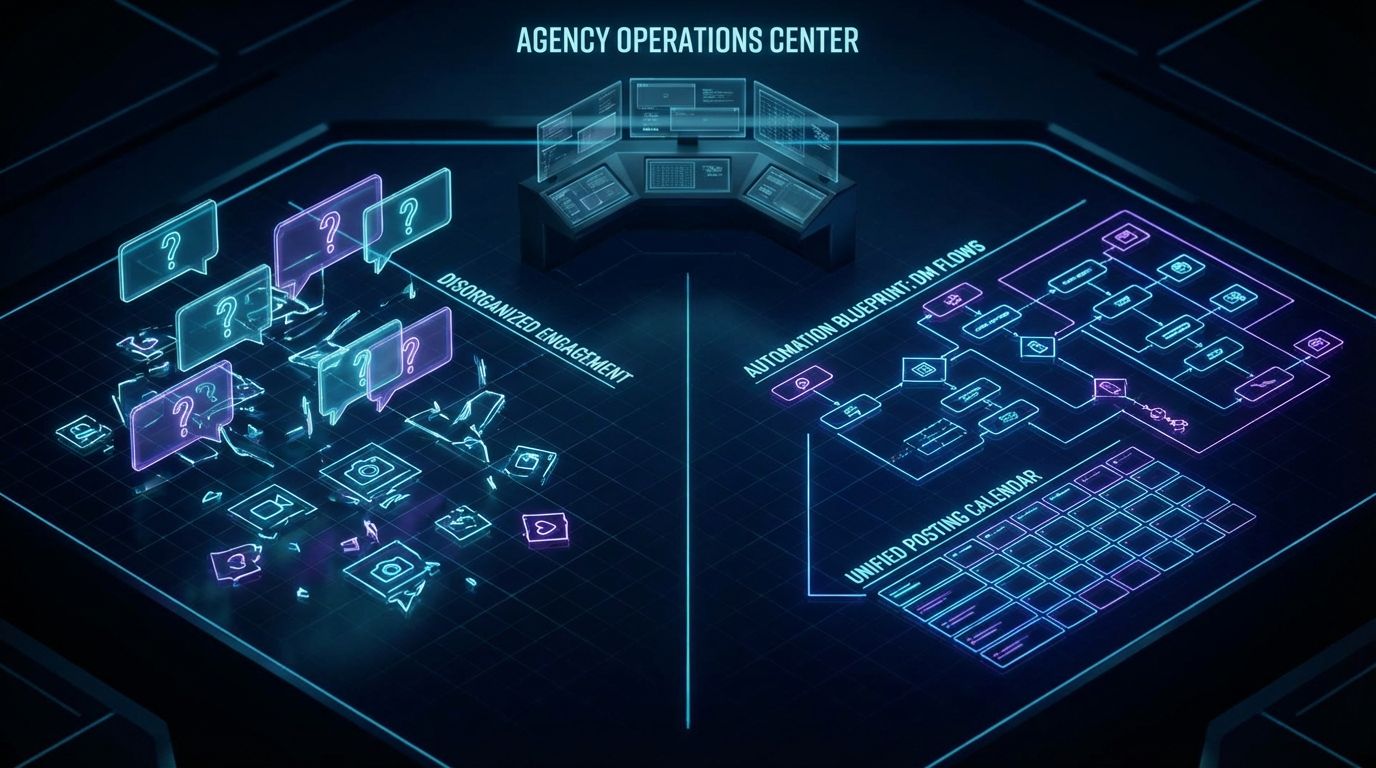
Most agencies are still juggling screenshots, spreadsheets, and late-night logins to keep up with client DMs and posts. Every new client adds another set of manual touchpoints, more potential for misses, and zero standardized data. In contrast, a systemized environment uses automated instagram dm flows plus an instagram post scheduler and shared instagram posting calendar to control inputs and outputs across accounts.
In the manual model, responses depend on who’s on shift and how tired they are. Posting depends on whether creatives, captions, and approvals happened on time. The result is predictable: missed DMs, inconsistent posting, slow response times, and campaigns that are impossible to benchmark across clients.
In the automated model, triggers handle first contact, qualification, and routing, while humans focus on high-value conversations. Content runs on rails via instagram post automation rules tied to specific campaigns and content pillars. You get reliable engagement patterns and clean attribution instead of reactive firefighting.
What Manual Instagram Outreach & Posting Really Costs Agencies
Manual outreach turns account managers into human notification centers, not strategists. A few busy client accounts can consume 10–20 hours per week in DM triage and posting alone. The bigger cost is opportunity: every minute spent copying captions between docs and apps is a minute not spent optimizing creative, offers, or reporting.
Human error drives dropped leads and inconsistent experiences between clients and even between days. One person might respond in 3 minutes during the day and 3 hours at night, which quietly erodes conversion and trust. Over a quarter, these small failures show up as lower engagement, weaker retention, and clients questioning what they’re paying for.
What Changes When You Automate Instagram DMs & Posts
When you implement disciplined instagram post automation and DM workflows, you remove randomness from the system. Comment and Story triggers send personalized, compliant DMs within seconds, ask the right qualifying questions, and route warm leads to humans. Your team moves from reactive answering to proactive optimization of flows, copy, and offers.
You can automate post instagram for recurring content series and campaigns, locking in consistency that no human calendar can maintain at scale. Your instagram posting calendar becomes a live system: each post is tied to a DM workflow, UTM tracking, and a clear objective. That’s the foundation for benchmarking performance across brands, verticals, and campaign types.
| Aspect | Manual DMs & Posting | Automated DMs & Scheduled Posting |
|---|---|---|
| Time per account | 8–20 hours/week in checking DMs, drafting replies, and manual posting. | 3–7 hours/week focused on exceptions, optimization, and high-intent conversations. |
| Scalability | Breaks down after 3–5 busy clients; requires more headcount. | Handles 10+ clients with stable effort using shared workflows and templates. |
| Consistency of responses | Highly variable tone, timing, and offers across team members and days. | Standardized flows ensure consistent first response and qualification logic. |
| Deliverability & compliance risk | Ad-hoc messaging can trigger complaints; no systematic guardrails. | Rate limits, frequency caps, and content rules embedded in workflows. |
| Lead capture & data visibility | Leads live in the inbox; manual tagging at best, often none. | 30–40% more DMs converted into structured leads with tags, CRM sync, and tracking. |
Tools, Tech Stack & Deliverability Risks
The market is full of DM tools, post schedulers, and calendar apps promising quick wins. Most agencies already have some mix of ManyChat-style DM automation, a basic instagram post scheduler, and spreadsheets or Notion boards. The problem isn’t the lack of tools; it’s that they’re rarely assembled into a coherent, safe, and commercially focused system.
The Typical Instagram Automation Stack (What’s in the Wild)
In most teams, you’ll see three categories: a DM automation platform, a scheduling tool handling instagram post automation, and a patchwork planning space for campaign calendars. Each operates as its own island, with human effort acting as the “API” between them. Data gets lost every time someone forgets to tag a conversation, update a sheet, or align a post with the right DM flow.
DM tools are often used only for simple keyword replies like “comment ‘GUIDE’ to get the link.” Schedulers are used as glorified posting queues without automation logic around time zones, performance windows, or DM triggers. Calendars live in Google Sheets or project tools that don’t talk to the inbox, so DMs and posts never share a single source of truth.
If you’re already thinking about how to automate social media publishing at scale, the missing piece is usually the orchestration layer. That’s where Social Media Workflow Automation consolidates triggers, logic, and reporting. Tools become interchangeable components instead of random apps your team has to babysit.
Where DIY Tools Help – and Where They Don’t
DIY tools are great at simple things: “comment X, get Y,” basic drip flows, one-off broadcasts, and queuing posts. For a single creator account, that might be enough. For an agency with 5–20 clients, these same tools quickly show their limits on advanced branching, multi-brand logic, and cross-channel data.
What they rarely deliver out of the box is robust CRM integration, lead scoring, and routing rules that treat a DM like a serious sales touchpoint. They also don’t solve brand voice, offer sequencing, or qualification logic; that’s on your team to design and maintain. In practice, tools are maybe 20% of the solution; the remaining 80% is architecture, copy, and governance.
That’s why AiBizBuild focuses on Social Media Workflow Automation rather than selling another SaaS. We design how the DM tool, instagram post scheduler, CRM, and reporting fit together for each client segment. Then we maintain those connections so your staff aren’t constantly duct-taping exports and screenshots.
Instagram’s Rules, Limits, and Spam Traps
Instagram is extremely sensitive to spammy behavior, especially mass DMs and irrelevant automation. Aggressive or poorly targeted flows can lead to lower reach, message restrictions, or account flags. The risk grows as you replicate the same flawed setup across more client accounts.
A safety-first design respects Instagram’s rate limits, focuses on user-initiated triggers, and keeps message content relevant to the user’s last action. That includes throttling, frequency caps, and clear exit paths from automations. AiBizBuild bakes these constraints into your automated instagram dm and posting system so scale doesn’t equal risk.
Why DIY Instagram Automation Fails for Agencies
For agencies, the question isn’t “can we turn on automation?” It’s “can we standardize, govern, and scale automation across multiple brands without chaos or risk?” This is where DIY setups consistently fail.
Strategy & Copy Are the Real Bottlenecks
Most tools assume you already know what conversation you want to automate. In reality, designing a profitable flow means mapping entry points, qualification questions, offers, and clear routes to humans for high-intent leads. That’s advanced direct-response and CX work, not just toggling settings.
When agencies copy-paste half-baked flows from one client to another, brand voice and offer logic fall apart. A fitness studio funnel doesn’t translate cleanly to a SaaS or eCom brand without rethinking incentives and qualification. The result is mediocre conversion, annoyed followers, and flows that nobody wants to touch six months later.
Fragmented Tools, Broken Data, and No Single Source of Truth
With DIY, your DM platform, instagram post scheduler, and planning tools all hold different pieces of the puzzle. Reporting becomes a manual export-and-merge exercise your team dreads each month. You can’t easily answer which posts drove the most qualified DMs, or which DM flows generated the most booked calls.
AiBizBuild’s Social Media Workflow Automation is designed precisely to unify these fragments. DMs, posts, tags, and CRM records are treated as one system with consistent IDs and rules. That makes optimization, A/B testing, and client reporting repeatable instead of bespoke firefighting.
Hidden Costs: Compliance, Rework, and Burned Followers
Poorly configured automations can trigger user complaints, lower organic reach, and in worst cases, account restrictions. Agencies then spend unplanned time diagnosing flows, rewriting messages, and manually cleaning up conversations. These rework cycles quietly destroy margin and team morale.
A managed, audited automation system is almost always cheaper over 6–12 months than constant DIY patching. You reduce the risk of burned followers and angry clients while keeping your team focused on creative and strategy. Governance isn’t a nice-to-have; it’s a profit lever.
| Dimension | DIY Tools Only | AiBizBuild Social Media Workflow Automation |
|---|---|---|
| Setup time | Weeks or months of part-time tinkering by internal staff. | 3–4 weeks for audit, design, build, and launch of core workflows. |
| Integration depth | Basic connections, manual exports into CRM and reports. | Native and custom integrations tying DMs, posts, and CRM/email via CRM Integration & Inbox Management. |
| Deliverability safeguards | Ad-hoc; relies on individual team members to “be careful.” | Embedded rate limits, frequency caps, and monitoring tuned to Instagram’s policies. |
| Optimization & reporting | Manual, irregular A/B tests and spreadsheet reporting. | Structured optimization cadence, dashboards, and client-ready reports. |
| Total cost of ownership | Lower software spend but high hidden labor, delays, and risk. | Professional fees offset by 10–20 hours/week saved and more stable performance. |
High-ROI Instagram Automation Use Cases & Workflows
Once the architecture is in place, certain patterns consistently deliver strong returns. Below are three workflows we see perform well across agencies and verticals. Each is designed to be safe, measurable, and repeatable.
Use Case 1 – Comment Keyword → Automated Instagram DM → Lead Capture
A user comments a keyword (e.g., “GUIDE” or “PRICING”) on a post or Reel. That action triggers an automated instagram dm thanking them, delivering the asset, and asking a simple segmentation question (e.g., “Are you an agency or brand owner?”). Based on their answer, the flow branches into tailored follow-ups.
Every contact is tagged by intent, segment, and campaign. Qualified users are pushed into your CRM via CRM Integration & Inbox Management, often with an email capture step embedded in the DM flow. Agencies typically see 20–40% of engaged commenters convert to email or CRM contacts when this is implemented with good copy and offer strategy.
From there, your email and outbound systems can take over. These Instagram-originated leads can feed into Cold Outreach Automation or a 24/7 Appointment Booking System if that fits your sales motion. The key is that the DM interaction is only the front door, not a siloed conversation.
Use Case 2 – New Follower Nurture & Qualification Sequence
Instead of ignoring new followers or blasting them with generic welcomes, you run a timed, value-first nurture sequence. A new follower receives a short DM offering a relevant resource or quick-win tip, then one or two follow-ups over several days. Each message is designed to feel conversational, not robotic or pushy.
Within that sequence, you ask light qualification questions: role, budget range, primary challenge. Responses trigger tags and routes: high-intent profiles can be pushed to a human rep or CSM, while lower-intent contacts receive long-term content nurture. Done well, this can cut time-to-first-meaningful-conversation by 30–60% versus waiting for followers to reach out on their own.
Use Case 3 – Instagram Post Automation & Posting Calendar for Campaigns
For launch campaigns, product drops, or recurring content pillars, you can automate post instagram across multiple client accounts. The instagram posting calendar becomes the command center: each slot is tied to creatives, captions, hashtags, and the relevant DM workflow. This removes the last-minute scramble that usually sabotages campaigns.
An instagram post scheduler executes the plan, while the automation layer listens for defined triggers (comments, Story replies, DMs with certain phrases). This gives you a closed loop from post → engagement → conversation → lead or sale. If you’re already exploring a more advanced social media content calendar, Instagram automation becomes a natural extension.
Recommended Tool Stack for Agencies (and How Not to Use It)

The right stack for Instagram automation is modular. You don’t need to rip out everything you use today, but you do need a clear architecture. Tools should serve a workflow, not the other way around.
Core Components of a Smart Instagram Automation Stack
At minimum, you need a robust DM automation platform, a reliable instagram post scheduler, a link-in-bio or landing page system, CRM/email integration, and a reporting layer. AiBizBuild doesn’t sell software; we configure and orchestrate these pieces for your use case. The choices depend on volume, vertical, and the rest of your sales and marketing stack.
On top of that, you can add content-generation support using AI post maker tools, provided they’re wired into your approvals and calendars correctly. The goal is a governed ecosystem, not a random collection of AI widgets. Social Media Workflow Automation is the layer that enforces that discipline.
Example Tech Architecture for an Agency with 10+ Clients
A typical setup routes each client’s Instagram account into a shared DM automation platform configured with brand-specific flows. From there, qualified leads sync into a central CRM via CRM Integration & Inbox Management, with tags for client, campaign, and intent. Reporting dashboards consolidate performance across accounts, so you can see which flows and offers actually move the needle.
On the content side, the instagram post scheduler pulls from a shared library and calendar with client-specific views and approval paths. Social Media Workflow Automation sits in the middle, managing triggers, exceptions, and coordination between content and DMs. This allows one lean team to operate at a level that would otherwise require multiple full-time coordinators.
ROI Snapshot – What Agencies Can Realistically Expect
Across implementations, agencies can usually expect 30–50% reduction in manual DM handling time once core workflows are live. It’s common to see a 20–40% increase in qualified leads captured from posts and Stories when flows are designed with clear offers and segmentation. These are performance ranges, not guarantees, and they depend heavily on creative quality and offers.
In terms of operations, teams often save 10–20 hours per week across accounts by standardizing scheduling, approvals, and reporting. That capacity can be redeployed into strategy, creative testing, and higher-value services. Over time, cleaner data also improves client retention, because you can show exactly how Instagram contributes to pipeline.
Done-For-You Instagram Automation with AiBizBuild
AiBizBuild’s focus is done-for-you systems, not more software. We design, implement, and maintain the full stack: automated instagram dm workflows, instagram post automation, and integrated calendars across client accounts. Your team gets the outcomes of a sophisticated build without having to live inside the flow builders.
What We Actually Do for You
We start by mapping your current Instagram presence, offers, and manual processes. Then we design conversation flows, posting cadences, triggers, and escalation rules tailored to each client type. Our team handles copywriting, technical integration, testing, and monitoring, so your staff can focus on creative direction and client strategy.
On an ongoing basis, we maintain and iterate the system. That includes performance reviews, A/B testing DM copy, adjusting frequency rules, and updating instagram posting calendar structures as campaigns change. You can be as hands-on or hands-off as you like; many clients prefer not to touch the underlying automation tools at all.
30-Day Implementation Blueprint
Week 1 – Audit & Architecture: We audit your current Instagram accounts, DMs, posting habits, and offers. We identify quick-win automations (e.g., comment keyword flows) and define a sustainable content cadence per client. Then we draft the target architecture for DMs, posts, and integrations.
Week 2 – Build & Integrate: We build core workflows such as comment keyword → DM → lead capture, new follower nurture, and lead qualification. These are wired into your CRM and email systems via CRM Integration & Inbox Management. In parallel, we configure or refine your instagram post scheduler and establish a central instagram posting calendar.
Weeks 3–4 – Launch, Test & Optimize: We soft-launch key flows, monitor performance, and A/B test critical DM copy and offers. Automation settings, throttling, and timing are tuned to protect deliverability and user experience. Finally, we set up dashboards, documentation, and short trainings so your team can operate and interpret the system confidently.
How This Integrates with Broader AiBizBuild Services
Instagram rarely exists in isolation; it’s one channel in a larger revenue system. With AiBizBuild, Social Media Workflow Automation plugs into B2B Lead Scraping & Enrichment, Cold Outreach Automation, and AI Voice Agents (Inbound/Outbound) where appropriate. Leads generated via Instagram can automatically enter outbound sequences, booking flows, or nurture tracks.
E-commerce clients can connect Instagram automations into E-commerce Operations (Shopify/Amazon) for abandoned-cart follow-ups or VIP offers. Service businesses can push qualified leads into 24/7 Appointment Booking Systems, reducing friction between interest and meeting. The advantage of a single automation partner is coherence: fewer vendors, fewer handoffs, and one team responsible for the whole system.
Call to Action – Book a Workflow Audit
If you’re serious about turning Instagram from a manual chore into a governed, scalable system, the next step is simple. Book a Workflow Audit focused specifically on your Instagram DMs and posting workflows. You’ll receive a clear map of current gaps, a recommended automation architecture, and realistic ROI ranges based on your situation.
If you prefer to see it in action, you can also request a demo of a sample DM funnel and instagram posting calendar setup similar to what we deploy for clients. Either path is designed to give you enough clarity to decide whether a done-for-you build makes sense for your agency. No hype, just the actual systems and decision points you need to evaluate.
FAQs
How long does it take to implement automated Instagram DM and posting workflows?
Most implementations run on a 3–4 week timeline. Week 1 focuses on audit and architecture, Week 2 on build and integration, and Weeks 3–4 on testing, optimization, and training. The exact timing depends on how many accounts and systems we’re connecting.
Will automation hurt our Instagram deliverability or get our accounts flagged?
Poorly designed automations can absolutely hurt reach and raise flags. AiBizBuild designs everything within Instagram’s policies, using throttling, relevance rules, and user-initiated triggers as defaults. We also monitor performance and complaints so we can adjust quickly if any risk indicators appear.
Do we need to switch tools to work with AiBizBuild?
In many cases, no. We can often work with your existing DM platform and instagram post scheduler, then wrap them in a stronger architecture and governance layer. We only recommend tool changes where your current stack blocks essential workflows or safe scaling.
Can this integrate with our CRM and email marketing systems?
Yes. Through CRM Integration & Inbox Management, we sync Instagram DMs and leads into your CRM and email tools with consistent tags and fields. That gives you unified lead profiles, better nurturing sequences, and cross-channel reporting from first DM through to sale.
What does working with AiBizBuild cost compared to doing it ourselves?
DIY appears cheaper on paper because the software is affordable, but the true cost is internal hours, delays, and risk. Our fees reflect a done-for-you system that typically unlocks 10–20 hours/week in saved time and more stable performance, without promising specific revenue numbers. For most agencies, the ROI comes from margin protection, higher-quality reporting, and the ability to scale without adding headcount.
How do you handle security and data privacy?
We work within your existing tool permissions and follow least-privilege principles when accessing accounts and CRMs. Data is only used to configure and optimize agreed workflows, and we document all integrations and access paths. For larger organizations, we can align with internal security reviews and approval processes before going live.
Can you manage multiple client accounts under one system?
Yes, that’s the core design point for agencies. We build standardized frameworks that can be cloned and customized per client, with clear separation of data and reporting. This lets you manage many accounts through a single Social Media Workflow Automation layer while maintaining per-client specificity.