

Zendesk Auto Response & Helpdesk Automation: From Manual Triage to SLA-Driven Workflows
Key Takeaways
– How to move from manual ticket triage to automated Zendesk triggers, macros, and zendesk auto response workflows that protect SLAs and reduce backlog.
– Concrete implementation steps, including sample trigger logic and chatbot helpdesk flows for common B2B support scenarios.
– Why DIY configuration often stalls out and how a done-for-you automation partner can cut time-to-resolution by 30–60% without burning your team on setup.
In This Guide:
– The Problem: Manual Triage Is Killing Your SLAs
– Old Way vs Automated Zendesk Workflows
– How Zendesk Auto Responses, Triggers, and Macros Actually Work
– Implementation Blueprint: From Audit to Automated Helpdesk
– Sample Triggers, Macros, and Chatbot Helpdesk Flows
– Why DIY Zendesk Automation Fails
– Use Case: SLA-Driven B2B Support Desk Transformation
– How AiBizBuild Designs and Maintains Your Zendesk Automation Stack
– FAQs
– Next Steps: Book a Workflow Audit
Your team already has Zendesk, basic zendesk auto response emails, and a handful of triggers cobbled together over time. Yet response times are all over the place, SLAs are getting breached, and your agents are still manually triaging a wall of tickets every Monday morning. The problem isn’t the tool; it’s the lack of a deliberate, SLA-driven workflow system sitting on top of it.
In this guide, we’ll contrast the old, manual way of running support with a modern automation stack built on Zendesk triggers, macros, and upstream chatbot flows. Then we’ll walk through an implementation blueprint, concrete trigger examples, and a realistic B2B use case so you can see what “done right” actually looks like. Finally, we’ll show how a done-for-you partner like AiBizBuild turns Zendesk from a glorified inbox into a scalable, automated helpdesk.
The Problem: Manual Triage Is Killing Your SLAs
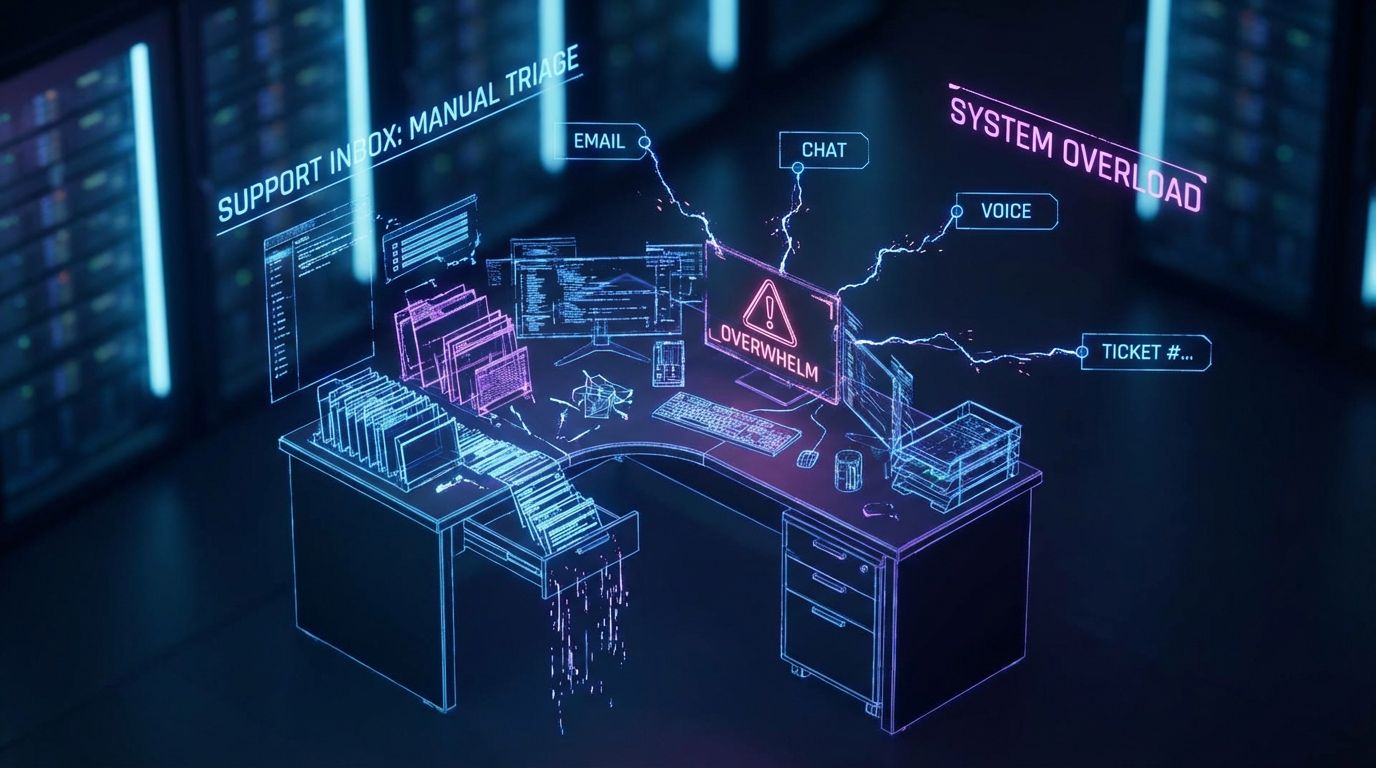
For most growing B2B teams, “support operations” still means humans opening the inbox or Zendesk view, skimming subjects, and manually deciding what to do next. Every new ticket competes for attention with ongoing threads, internal comments, and escalations. Nothing moves unless an agent looks at it.
The result is predictable: backlog spikes during peak periods, first-response times drift from minutes to hours, and SLAs become more aspirational than real. Leadership sees flat CSAT, rising churn risk, and a support budget that only grows when you add headcount.
What Manual Ticket Handling Actually Costs You
On a 30–50 agent team, it’s common for each agent to spend 5–10 hours per week just sorting, routing, and writing near-identical replies. In most B2B environments, 30–50% of tickets are repetitive FAQs (password issues, access requests, “where is my order,” billing questions) that could be templated or automated. If 20–30% of tickets breach SLA, you’re silently training customers to expect delays and pushing them closer to churn or escalation.
Those hours and breaches are not just “support problems”; they’re opportunity costs. Every minute spent manually triaging is time not spent resolving complex issues, onboarding new customers, or feeding insights back to product and sales.
Old Way vs Automated Zendesk Workflows
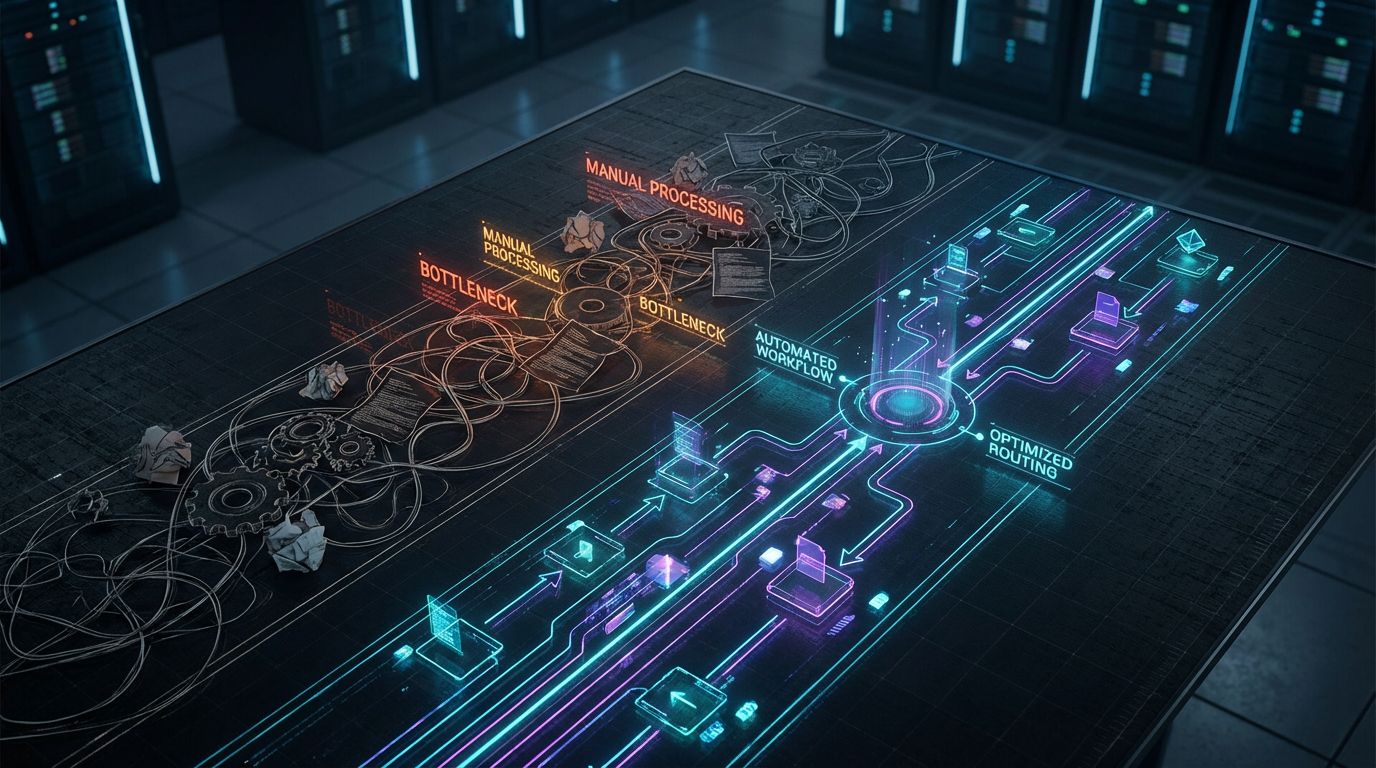
The old way of running support is entirely human-driven: a ticket arrives, someone reads it, decides what it is, and takes action. The new way uses Zendesk triggers, macros, and automation—often with a chatbot helpdesk in front—to classify, route, and respond in real time. Humans still handle nuance, but the system handles mechanics.
The Old Way – Human-Only Triage and Replies
Here’s what typically happens when a new ticket arrives in a manual environment. An agent opens a “New” view, skims several tickets, guesses priority, assigns some to themselves, some to teammates, and leaves others in limbo. They type the same explanations again and again, copy-pasting from old tickets or a doc, and hope nothing urgent is hiding on page two of the queue.
Senior agents get dragged into ad-hoc escalations because nothing is automatically surfaced based on SLA or customer value. During off-hours, tickets simply sit, so Monday mornings start with a wall of aging issues and frustrated customers. None of this is strategic; it’s just people doing the best they can without a system.
The New Way – Trigger-Driven, SLA-Aware Automation
In a modern Zendesk setup, the moment a ticket is created, a set of rules fires. The system auto-acknowledges receipt, sets expectations, categorizes the issue, tags it, assigns the right group or agent, and starts SLA timers based on customer tier and issue type. Agents open their views and see prioritized, pre-triaged work queued up for them.
Upstream, a chatbot helpdesk or chatbot for help desk on your site or in-app can answer FAQs, collect key fields, and only create a Zendesk ticket if human help is actually needed. By the time the ticket hits Zendesk, you already know the product, urgency, customer tier, and context, so triggers can route it intelligently. The result is dramatically faster first-response times with less chaos.
| Aspect | Manual Triage & Replies | Automated Zendesk Responses & Workflows |
|---|---|---|
| First Response Time | Highly variable; often hours during peak periods. | Instant zendesk auto response plus smart routing to the right queue. |
| SLA Compliance | Frequent breaches, manual chasing and escalations. | Automated reminders, escalations, and priority routing to protect SLAs. |
| Agent Time on Repetitive Tickets | Agents repeatedly answer the same FAQs. | Chatbot for help desk + macros auto-handle FAQs and common updates. |
| Consistency of Replies | Inconsistent tone, missing details, human error. | Standardized templates and triggers keep messaging consistent. |
| Scalability | Requires more headcount as volume grows. | Scales with volume by adding rules, not people. |
How Zendesk Auto Responses, Triggers, and Macros Actually Work
Zendesk gives you the building blocks—auto responses, triggers, automations, macros—but it doesn’t tell you how to architect a system. To use them effectively, you need to understand not just what they do in the UI, but how they interact under load. Think of them as a rules engine and template library that can either streamline support or quietly create chaos.
Auto Responses: The First Line of Customer Communication
At its simplest, a zendesk auto response is the “we received your request” email or message. Done well, it does more than confirm receipt: it sets expectations on timing, explains what happens next, and points to self-service options where appropriate. This first touch has an outsized impact on perceived responsiveness, especially when true human handling will take hours.
The mistake most teams make is treating it as a generic template they never revisit. In a mature setup, you’ll have different auto responses by channel, business hours, and customer tier, all driven by triggers. That keeps customers informed without overwhelming them with noise.
Triggers: Real-Time If/Then Rules That Drive Actions
Triggers are real-time if/then rules that execute whenever a ticket is created or updated. You define conditions (channel, tags, status, custom fields, requester, organization) and actions (send email, set priority, assign group, add tags, change status, set SLA). With the right library of triggers, every ticket enters your system with a clear destination and SLA attached.
Because triggers run in order, design matters: conflicting or overlapping rules can cause misrouting, duplicate notifications, or broken workflows. This is where DIY often falls down—teams add rules reactively over months without a global design, and eventually no one knows why a high-value ticket disappeared into the wrong queue.
Macros: Standardized Replies That Speed Up Agents
Macros are pre-defined response and update templates that agents can apply with a couple of clicks. A macro can insert a full reply, tweak fields like status or priority, add tags, and even set follow-up tasks. They are the difference between agents typing the same paragraph 50 times a day and handling an entire interaction in under a minute.
In a mature helpdesk, macros are tightly aligned with your trigger and SLA design. For example, a “Waiting on Customer” macro will change status to Pending, add a follow-up tag, and work with a background automation that pings the customer or closes the ticket after a set period. The tools are powerful—but they don’t design themselves.
Implementation Blueprint: From Audit to Automated Helpdesk

Most guides stop at “here’s how to add a trigger.” What you actually need is a framework to design a reliable, SLA-driven automation system across channels. At AiBizBuild, we use a structured blueprint: Audit → Map → Design → Build/QA → Monitor.
Step 1 – Support Audit and Ticket Pattern Analysis
Start by pulling 30–90 days of ticket data across all channels. Look for patterns: top intents, repetitive FAQs, high-effort workflows, common escalations, and differences by customer tier or region. Tag or categorize at least your top 20–30 recurring issues so you can decide which are best suited for auto-responses, macros, or a chatbot helpdesk front-end.
We treat this like building a scalable SEO content system: you need to know what you’re producing over and over before you automate. The audit also surfaces broken flows and zombie triggers that should be retired. Without this foundation, any new automation is just another layer of complexity.
Step 2 – Map Journeys, SLAs, and Escalation Paths
Next, map how customers actually enter support: email aliases, web forms, in-app widgets, chat, and phone (often via Zendesk Talk or AI Voice Agents that log tickets). For each major journey, define SLA targets by tier and issue type—e.g., P1 infrastructure issues vs low-priority billing questions. Then define clear escalation paths: who owns what, when to bring in engineering, and what “urgent” really means for each customer segment.
This mapping is your contract between the business and the support system. It’s also where we align Zendesk with the rest of your stack via CRM Integration & Inbox Management, so customer value and lifecycle stage can drive routing and priority automatically. Without this alignment, your automation will be blind to who the customer actually is.
Step 3 – Design Your Trigger and Macro Library
Now you design a library of triggers and macros, not random one-offs. We typically group triggers into categories: notifications, routing, prioritization, SLA enforcement, lifecycle updates (e.g., status changes), and hygiene (e.g., tagging, spam handling). For each category, we define naming conventions, ownership, and dependencies to avoid conflicts.
Macros get the same treatment: grouped by product, use case, and stage (first response, follow-up, resolution, escalation). This is similar to how we build automated content approval workflows: every step is explicit, repeatable, and documented. The goal is that any new agent can understand and use the system without guessing.
Step 4 – Build, QA, and Sandbox Testing
With the design in place, you build triggers and macros in Zendesk Admin Center, ideally starting in a sandbox environment. For each rule, you define test cases: example tickets that should and should not match, across channels and customer types. You then run controlled pilots—e.g., a single region or product line—before rolling changes out globally.
This is where governance matters: version control for triggers, change logs, and rollback plans if something misbehaves. We also ensure that chatbot for help desk flows and Zendesk rules are tested together so they don’t create unexpected loops or dead ends. The objective is zero surprises on go-live day.
Step 5 – Monitor, Optimize, and Document
Once live, you actively monitor metrics: first-response time, time to resolution, SLA adherence, backlog by queue, deflection rate, and CSAT. You also track “automation incidents” such as misrouted VIP tickets or broken email sequences. This data feeds a regular optimization cycle—monthly or quarterly—where rules are tuned, added, or retired.
All of this lives in documentation: a living map of your automation stack that new team members can understand in hours, not months. If you’d rather not build this all from scratch, this is exactly what AiBizBuild’s Zendesk Automation Workflow Audit delivers: a tailored blueprint and prioritized roadmap for your instance. From there, we can either implement for you or guide your internal team.
Sample Triggers, Macros, and Chatbot Helpdesk Flows
—IMAGE_BLOCK: Bioluminescent Data Streams forming distinct lanes that funnel into organized nodes, symbolizing trigger logic and chatbot deflection working together. Cinematic lighting, Unreal Engine 5 render, futuristic corporate aesthetic, glowing cyan and purple accents, shallow depth of field, 8k resolution—
Concepts are useful, but you also need concrete examples. This section outlines core triggers, macros, and chatbot helpdesk flows you can adapt to your own stack. The examples are intentionally simple in wording but robust in intent.
Core Auto-Response and Triage Trigger Examples
1. New Ticket Auto-Ack + Tagging
- Description: Instantly confirms receipt, sets expectations, and tags tickets for downstream reporting.
- Conditions (ALL): Ticket Is Created; Channel Is Email OR Web form; Status Is New.
- Actions: Send email to requester using “New Ticket Acknowledgment” template; Add tags auto_ack and channel_email/channel_web; Set Priority based on custom field (e.g., urgency); Set SLA policy according to customer tier.
2. Business-Hours vs After-Hours Zendesk Auto Response
- Description: Adjusts expectations and messaging depending on whether your team is available.
- Conditions (ALL): Ticket Is Created; Channel Is Email OR Web OR Chat.
- Conditions (ANY): Within business hours vs Outside business hours (using Zendesk schedule conditions or tags from upstream chatbot).
- Actions (In-hours): Send auto response with “We’ll get back within X business hours”; set normal SLA.
- Actions (After-hours): Send auto response with “We’ll reply next business day by [time]”; optionally escalate P1 issues to on-call via internal email or SMS integration.
3. VIP Customer Priority Routing
- Description: Ensures high-value customers bypass generic queues.
- Conditions (ALL): Ticket Is Created; Requester or Organization tag includes vip; Status Is New.
- Actions: Set Priority to High or Urgent; Assign to group VIP_Success; Add tag vip_routed; Notify internal Slack/Teams channel for visibility.
4. SLA Breach Warning and Escalation
- Description: Proactively surfaces tickets at risk of breaching SLA and escalates when they do.
- Conditions (ALL): Ticket Status Is Open OR Pending; Time since update or SLA timer within X minutes of breach.
- Actions (Warning): Add tag sla_at_risk; Notify assigned group; bump Priority one level up.
- Actions (Breach): Reassign to escalation queue; notify manager; optionally send customer an apology/expectation update via macro or automation.
Macro Examples for Common Responses
1. Password Reset / Login Issues
- Purpose: Handle high-volume access issues consistently.
- Macro actions: Insert step-by-step reset instructions, links to SSO docs, and security notes; Set status to Pending; Add tag login_issue; Apply appropriate form/field values.
- Example copy (excerpt): “We’ve outlined the exact steps to reset your password below. If you still can’t log in after following them, reply here with a screenshot of the error and we’ll investigate further.”
2. “Where Is My Order?” (E‑commerce)
- Macro actions: Insert template requesting order ID and shipping address if missing; Include self-service tracking link; Set status to Pending; Tag wismo.
- Example copy (excerpt): “You can view real-time tracking here: [tracking link]. If the delivery estimate has passed, reply with ‘late’ and we’ll escalate this to our logistics team.”
3. Waiting on Customer / Pending
- Macro actions: Insert clear summary of what you need from the customer; Set status to Pending; Add tag waiting_on_customer; Trigger background automation to remind/close after N days.
- Example copy (excerpt): “We need a bit more information to continue. Please reply with [required details]. If we don’t hear back within 5 business days, this ticket will auto-close, but you can reopen it anytime by replying.”
4. Resolution Confirmation + CSAT
- Macro actions: Insert closing summary, link to knowledge base article, and CSAT survey; Set status to Solved; Add tag csat_request.
- Example copy (excerpt): “I’ve summarized the steps we took below for future reference. If everything looks good, we’ll mark this as resolved—if not, just reply to reopen, and please take a second to rate your experience here: [CSAT link].”
Chatbot Helpdesk Front-End Flows
A well-designed chatbot helpdesk or chatbot for help desk doesn’t try to replace your team; it filters and structures demand before it hits them. The bot asks 3–5 targeted questions to capture product area, urgency, account details, and a concise description. It then either answers from your knowledge base, executes a simple action (like checking order status), or escalates to Zendesk with all fields pre-filled.
When a ticket is created from the bot, triggers can route based on the structured fields instead of vague free text. That means less back-and-forth, higher first-contact resolution, and fewer misrouted tickets. Combined with macros, your agents are responding with context-rich, pre-drafted replies instead of interrogating the customer from scratch.
Why DIY Zendesk Automation Fails
Zendesk’s own docs and countless blog posts show you exactly where to click to create a trigger. What they don’t give you is a system: how to avoid rule collisions, how to design for SLAs, or how to keep everything maintainable over time. That’s why so many teams start strong, then quietly switch triggers off when something breaks.
Hidden Complexity in Trigger Logic
On day one, you might have five triggers. A year later, you have 60, created by different admins over time with no shared naming or priority strategy. Overlapping conditions and actions can cause subtle bugs: duplicate emails, tickets that keep reopening, automations that fight each other, or critical tickets stuck with the wrong group.
Because triggers execute in order, one rule can silently override another, and it’s not obvious by looking at the UI. Debugging these issues under pressure, during an outage or major incident, is the worst time to discover you never had a proper design. This hidden complexity is exactly why we treat Zendesk automation like any other production system—with architecture, testing, and governance.
Messaging, Tone, and Expectation-Setting Are Often an Afterthought
Most DIY setups copy-paste generic auto-responses and never revisit them. The result is robotic emails that either overpromise (“we’ll get back ASAP”) or under-inform (“we got your ticket”). Poorly designed chatbot for help desk flows can make this worse by asking irrelevant questions or sending customers in circles.
Good automation designs messaging with brand voice, legal/compliance constraints, and clear timelines baked in. That includes different tones for VIP vs standard customers, for incident vs routine issues, and for first-time vs repeat contacts. Official docs show you where to edit; they don’t tell you what great messaging looks like.
No One Owns Ongoing Maintenance
Internally, automation is often “set and forget.” The original admin leaves, new products and SLAs are added, and the trigger stack becomes a fragile Jenga tower no one wants to touch. At some point, someone flips a rule off during a fire drill, and it never gets re-enabled.
A healthy automation stack has a clear owner, change process, and review cadence. At AiBizBuild, we treat support automation the same way we treat done-for-you lead gen automation: audited regularly, updated as the business evolves, and fully documented. Tools like Zendesk and Scribe are great for showing clicks, but they’re not a substitute for strategy and governance.
Use Case: SLA-Driven B2B Support Desk Transformation
To make this concrete, here’s a realistic mini-case study based on typical B2B SaaS patterns. Names and numbers are anonymized, but the dynamics are real. This is what it looks like when you treat Zendesk as a system instead of an email client.
Starting Point – Growing B2B SaaS with Missed SLAs
Imagine a B2B SaaS company with 30–50 support agents covering global customers. They’re running Zendesk with basic zendesk auto response emails and a few ad-hoc triggers. Their metrics look like this: 25–30% SLA breach rate, average first-response time of 6–8 hours, and a backlog that spikes after every release or incident.
Roughly 40% of tickets are repetitive (access issues, minor bugs, usage questions), but agents handle them manually. Leaders are under pressure: enterprise customers are threatening to escalate contracts, and finance is pushing back on adding more headcount. The team is working hard but the system is working against them.
Automation Stack We Implemented
We started with a deep audit of 90 days of tickets, segmenting by customer tier, product, and intent. Then we implemented an automation stack that included:
- Channel- and tier-specific auto-responses with clear SLAs and links to relevant knowledge base articles.
- Trigger-based routing by product area, priority, and account type (e.g., enterprise vs SMB) with VIP queues.
- SLA policies tied to triggers that send proactive reminders and escalate at-risk or breached tickets.
- A curated macro library for the top 20 FAQs and standard updates (pending, resolution, incident comms).
- An upstream chatbot helpdesk on the website and in-app, handling common questions and creating structured Zendesk tickets only when needed.
- Integrations via CRM Integration & Inbox Management so account value, renewal dates, and lifecycle stage inform routing and priority.
The Impact in 60–90 Days
Within three months, the numbers moved significantly. Average first-response time dropped from ~7 hours to around 30 minutes for standard tickets, and even faster for VIPs. SLA breaches fell from roughly 28% to about 6%, largely due to proactive reminders and escalation triggers.
Meanwhile, the combination of chatbot flows and macros deflected or auto-resolved 30–40% of repetitive tickets before an agent ever touched them. The company paused planned headcount additions because existing agents now had bandwidth to handle complex work. CSAT improved, executive escalations dropped, and support leaders had a clear, documented automation stack they could evolve over time.
How AiBizBuild Designs and Maintains Your Zendesk Automation Stack
AiBizBuild is not another SaaS tool or plugin; we’re a premium automation agency focused on building systems. For Zendesk, that means we design, implement, and maintain the workflows that turn your helpdesk into an SLA-driven operation. Our work spans strategy, configuration, integrations, and ongoing optimization.
Strategy First – We Don’t Just Toggle Settings
Every engagement starts with discovery workshops and a structured audit of your current Zendesk, SLAs, and customer journeys. We map entry points, ticket types, customer tiers, and escalation paths before touching a single trigger. You get a clear architecture document and roadmap, not just a pile of new rules.
This mirrors how we approach other systems like SEO Content & Blog Automation or outreach automation: strategy first, then tooling. The result is an automation stack that reflects your business priorities, not whatever the last admin had time to configure. You stay in control of outcomes; we handle the technical path to get there.
Build & Integrate – From Zendesk to Your CRM and Inbox
Once the design is approved, we implement triggers, macros, views, and automations directly in your Zendesk environment. We also connect Zendesk to your CRM, email, and related tools through our CRM Integration & Inbox Management service so customer value and lifecycle drive routing and priority. For teams with phone-heavy support, we can align workflows with AI Voice Agents (Inbound/Outbound) so calls and voicemails become structured tickets instead of random noise.
If your support processes include booking demos or service visits, we can tie in 24/7 Appointment Booking Systems so certain flows move straight from ticket to scheduled time on a calendar. All of this is done without requiring your team to write code; we handle the technical heavy lifting and document how everything fits together. You get a cohesive ecosystem instead of a pile of disconnected tools.
Ongoing Optimization and Reporting
After go-live, we don’t disappear. We run monthly or quarterly reviews of automation performance, SLA metrics, deflection rates, and incident logs. When your product, SLAs, or team structure change, we update the automation stack accordingly.
You also get clear reporting and recommendations, not just dashboards. Our goal is that your Zendesk automation evolves with your business instead of slowly decaying. If you’re ready to see what this would look like in your environment, the fastest path is to Book a Zendesk Automation Workflow Audit.
FAQs
Do we need an in-house Zendesk admin to work with AiBizBuild?
It’s helpful but absolutely not required. We can own the full technical configuration and workflow design while collaborating with whoever currently “owns” support operations on your side. Your team provides context and priorities; we translate that into a robust automation stack.
How long does it take to implement a full zendesk auto response and automation stack?
For a standard single-brand B2B setup, expect roughly 3–6 weeks from audit to full rollout. More complex, multi-brand or multi-region environments can take longer, especially if we’re also restructuring SLAs and integrations. We always move through clear phases: discovery and audit → design → build and QA → pilot → full rollout.
Will automation make our support feel impersonal?
Poorly designed automation can feel robotic; well-designed automation actually improves personalization and clarity. Zendesk auto response templates, macros, and chatbot helpdesk flows can reference customer context, speak in your brand voice, and give precise timelines instead of vague promises. Humans still own nuanced conversations; automation handles repetitive mechanics and status updates.
Can you fix or optimize our existing Zendesk triggers instead of starting from scratch?
Yes. In many engagements, we start by auditing and refactoring your existing triggers, automations, and macros rather than throwing everything away. We take backups, use sandbox testing where available, and roll changes out in controlled phases to avoid breaking live support.
The Zendesk Automation Workflow Audit is designed for exactly this: understanding what you have, what’s working, and what’s causing issues. From there, we can prioritize quick wins and longer-term structural changes.
What kind of ROI should we expect from Zendesk automation?
While every environment is different, well-implemented automation commonly delivers a 30–60% reduction in first-response time and 20–40% fewer repetitive tickets reaching agents. SLA compliance improves because reminders and escalations run automatically instead of relying on human vigilance. The softer ROI is just as important: reduced agent burnout, fewer escalations to leadership, and the ability to scale ticket volume without linearly scaling headcount.
Next Steps: Book a Workflow Audit
Right now, your support team is likely stuck between manual triage and half-configured automation. Zendesk has the right primitives—auto responses, triggers, macros, chatbot integrations—but without a system, you’re leaving SLA performance and customer experience to chance. The gap between where you are and a fully automated, SLA-driven helpdesk is an implementation problem, not a tooling problem.
Getting this right means faster first responses, fewer SLA breaches, and agents focused on high-value work instead of inbox gymnastics. Getting it wrong means misrouted tickets, confused customers, and an automation stack no one trusts. You can figure it out internally over months, or you can bring in a team that does this all day.
If you’re ready to see exactly what an optimized automation stack would look like for your business, book a Workflow Audit with AiBizBuild. We’ll review your current Zendesk instance, map your SLAs and ticket patterns, and deliver a prioritized roadmap—whether you decide to have us implement it or not. No new tool to learn, no coding required on your side, just a clear path from manual triage to a reliable, SLA-driven support system.