

Content Marketing Automation: From Editorial Calendar to Dynamic Content
Key Takeaways
- Content marketing automation is the orchestration of your entire content supply chain (planning → production → approvals → publishing → measurement), not just scheduling posts or using basic marketing automation dynamic content inside email or ad tools.
- Manual editorial calendars rely on spreadsheets, Slack pings, and copy-paste publishing, while automated, trigger-based dynamic content systems cut approval cycles by 50–80%, increase publishing frequency, and dramatically reduce errors.
- The safest path to automation is a phased rollout with clear governance and change management, and AiBizBuild’s done-for-you workflow builds provide a low-risk way to go from ad-hoc processes to a fully automated content engine in 30–90 days.
In This Guide:
• What Is Content Marketing Automation (Beyond Simple Scheduling)?
• Manual Editorial Calendars vs Automated Content Engines
• Where Content Marketing Automation Delivers the Biggest Wins
• Why DIY Content Automation Fails for Most Teams
• Implementation Blueprint: From Audit to Dynamic Content
• Use Case: Turning a B2B Blog Into a Dynamic Content System
• Governance, QA, and Change Management
• How AiBizBuild Builds Your Content Automation in 30–90 Days
• Is This Right for Your Team? Next Steps
Most B2B teams think content marketing automation means adding a few rules to their email tool or turning on simple social scheduling. In practice, they’re still trapped in spreadsheet-based editorial calendars, email approval chains, and copy-paste posting across channels. The result is a content operation that feels busy but can’t scale without burning out your team.
At the same time, you may already be using marketing automation dynamic content to personalize email subject lines or website CTAs. Yet your blog, social, and SEO workflows are still manual, fragmented, and hard to measure end-to-end. This guide is a practitioner-level implementation blueprint to bridge that gap and turn your editorial calendar into a governed, dynamic content system.
What Is Content Marketing Automation (Beyond Simple Scheduling)?
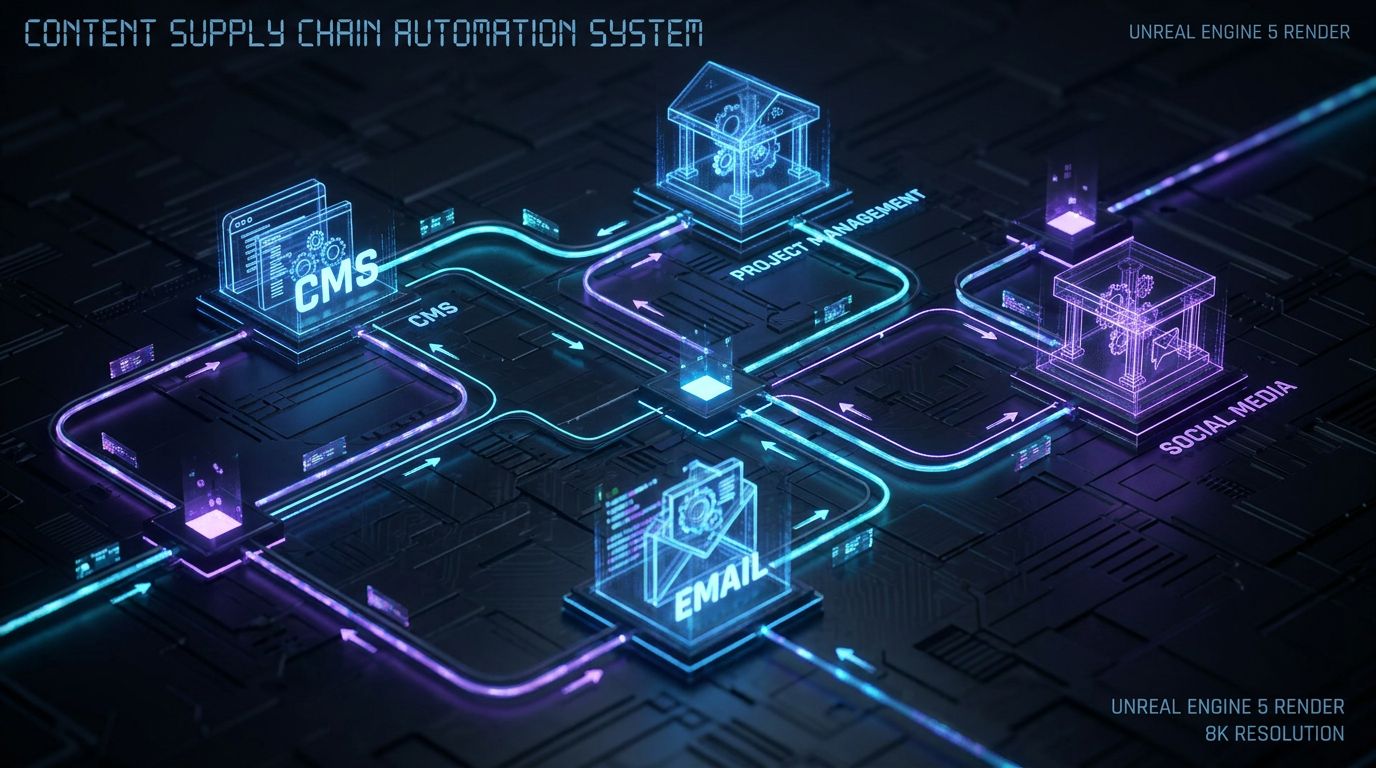
Content marketing automation is the design and implementation of workflows that move content from idea to impact with minimal manual handoffs. It connects your CMS, project management, social scheduler, email platform, analytics, and AI layer into a single, observable system. The goal is to make content operations predictable, measurable, and scalable without losing control.
This is very different from “we schedule posts in a calendar” or “we use personalization rules in our email tool.” Scheduling and marketing automation dynamic content are components, but they don’t manage briefs, approvals, repurposing, or feedback loops. A true content automation system treats content as a supply chain, not a series of disconnected tasks.
Content Marketing Automation vs Traditional Marketing Automation
Traditional marketing automation focuses on lead flows: nurturing sequences, scoring models, and lifecycle stages. It answers “What happens after someone fills out a form or clicks an ad?” by sending emails or triggering sales tasks. The unit of work is the contact.
Content marketing automation focuses on the content asset itself: briefs, drafts, approvals, publishing, and multi-channel distribution. It answers “How does this blog post or webinar outline turn into 12 channel touchpoints and performance insights?” The unit of work is the piece of content, and contacts or audiences are just one dimension of where that content lands.
In a mature setup, these worlds connect. For example, a published case study can auto-generate a segment-specific nurture sequence using your existing marketing automation dynamic content capabilities. The difference is that the content system decides when and how assets are created, updated, and deployed across those tools.
From Campaigns to Content Supply Chains
Most teams still think in terms of campaigns: “We’re running a Q3 product launch campaign with three blogs, two webinars, and ads.” Campaigns are temporary and often hand-built each time. This leads to re-invented processes, inconsistent quality, and big spikes in workload.
A content supply chain is permanent infrastructure that campaigns plug into. It defines standard ways to intake ideas, create briefs, route approvals, publish across channels, and feed performance data back into planning. You don’t build the chain every quarter; you build it once and continuously optimize.
Content marketing automation is the act of instrumenting that supply chain with triggers, rules, and integrations so work flows automatically. Once this exists, adding a new campaign becomes “feed assets into the system,” not “start a new spreadsheet and hope we remember every step.”
Manual Editorial Calendars vs Automated Content Engines

If you’re like most mid-market B2B teams, your current editorial calendar lives in a spreadsheet, Notion table, or a half-configured monday.com board. Every publish date change triggers a Slack thread, and nobody fully trusts what’s in the calendar. You get content out the door, but it feels like a series of fire drills rather than a reliable engine.
An automated content engine doesn’t remove humans from the loop; it removes the administrivia. Writers still write and editors still edit, but status changes, approvals, assignments, and cross-channel publishing happen by rule, not by memory. That’s where the time savings and error reduction come from.
The Manual Way: Spreadsheets, Slack Pings, and Last-Minute Fire Drills
Here’s what manual editorial life typically looks like in practice. The content lead maintains a spreadsheet with topics, owners, and dates, updated manually after every status change. Approvals happen in email chains or Slack, with versions scattered across Google Docs, SharePoint, or Word attachments.
Publishing is a copy-paste marathon: paste the blog into the CMS, paste snippets into LinkedIn, reformat for the newsletter, and hope UTM parameters are correct. If someone is on PTO, posts get delayed or go out without proper review. Metrics are pulled manually at month-end, so optimization is always lagging and anecdotal.
The Automated Way: Trigger-Based, Multi-Channel Dynamic Content
In an automated content engine, the editorial calendar is a living workflow, not a static sheet. When a brief is approved in the project tool, a draft task is created automatically, assigned to the right writer, and due dates are calculated based on SLAs. When a blog post moves to “Approved for Publish,” that single event triggers a series of actions.
Those actions might include posting the article in the CMS, generating 5–10 social variations per channel, creating a newsletter snippet, and updating a content performance dashboard. Approvals for social copy route automatically to the right stakeholders, and once approved, everything is scheduled without manual copy-paste. The result is often a 2–3x increase in channel touchpoints per asset with the same headcount.
| Aspect | Manual Editorial Calendar | Automated Content Engine |
|---|---|---|
| Planning Effort | High manual upkeep in spreadsheets or boards; dates and statuses updated by hand. | Central workflow auto-updates based on triggers; dates and dependencies calculated from SLAs. |
| Approval Speed | Email/Slack chains, unclear owners; approvals often take 1–3 weeks. | Defined routes and deadlines; typical cycles cut to 2–5 days with reminders and escalations. |
| Consistency Across Channels | Inconsistent promotion; some posts get full treatment, others get one rushed LinkedIn post. | Standard distribution templates ensure each asset gets a full set of channel touchpoints. |
| Measurement | Manual, ad-hoc reporting; hard to link performance to specific workflows. | Automated tagging, UTMs, and dashboards for end-to-end visibility and optimization. |
| Scalability | Adding channels or doubling volume increases chaos and burnout. | Workflows scale linearly; adding volume mainly requires more creative hours, not more admin time. |
| Error Rates | Frequent missed deadlines, wrong links, or off-brand posts due to manual steps. | Guardrails and validations reduce misfires; exceptions are visible and traceable. |
If your social distribution is still powered by ad-hoc posting, see how an automated social media content calendar extends the same logic to your social workflows.
Where Content Marketing Automation Delivers the Biggest Wins
Not every part of content operations yields the same ROI from automation. The biggest wins come from high-volume, high-repetition steps where humans add little value by pushing buttons. Think intake, briefing, approvals, cross-posting, tagging, and reporting.
When those steps are automated, your team can spend more time on strategy, messaging, and assets that actually move pipeline. Below are the four areas where content marketing automation almost always pays off within the first 90 days.
Planning and Briefing
Planning usually starts with messy idea capture in Slack or random docs. With automation, you standardize intake using structured forms that capture topic, audience, intent, SME, and target keywords. Submissions are scored automatically based on criteria like search volume, strategic fit, and sales input.
Once an idea passes a score threshold, the system can generate a draft brief using an AI model. That brief includes working title options, outline, target keyword set, internal links, and SME questions. A content lead reviews and edits the brief, then moves it to “Approved,” which automatically creates a writing task with due dates and assignees.
Production and Approvals
In a manual world, approvals are opaque and slow. With automation, you design explicit content approval workflows that define who approves what, in what order, and with what deadlines. When a writer marks a draft as “Ready for Review,” notifications and tasks are created automatically for the assigned editor.
If the editor approves, legal or product stakeholders are notified only if the content matches certain criteria, like mentioning specific claims or regulated topics. AI assists by summarizing changes between versions and flagging potential issues, but final sign-off remains human. This alone can cut approval cycles from 2–3 weeks down to 3–5 days in many B2B teams.
Publishing, Distribution, and Repurposing
This is where the gap between “we use a calendar” and “we have content marketing automation” really shows. When a post reaches “Approved for Publish” in your project tool, an integration creates or updates the post in your CMS with the right metadata and categories. On publish, a webhook or integration fires a series of downstream actions.
Those actions can include generating channel-specific social copy, building image prompts, drafting newsletter blurbs, and even creating internal sales enablement summaries. Every asset is automatically added to your social scheduler and email platform as draft content, routed to approvers, then scheduled on approval. This is how teams go from one LinkedIn post per blog to a systematic, multi-week promotion arc per asset without hiring more coordinators.
Measurement and Optimization Loops
Automation is also critical for analytics hygiene. Every asset can be tagged automatically with campaign, funnel stage, persona, and product using rules based on the brief and taxonomy. UTMs are generated using standard patterns, not reinvented per marketer, which reduces reporting noise.
On the back end, performance data from your analytics and marketing automation platforms is pulled into a central dashboard. Underperforming assets trigger review tasks, and top performers feed back into your ideation pipeline for derivative content. Over time, you build an evidence-based view of what formats, topics, and channels justify more investment.
Why DIY Content Automation Fails for Most Teams

Many teams already own tools like monday.com, HubSpot, or Storyteq and assume that turning on a few automations will solve their problems. They quickly discover that having automations inside tools is not the same as having a designed content system. The result is often a tangle of half-working zaps and brittle workflows nobody wants to touch.
The technology itself is rarely the blocker. The missing pieces are system design, governance, and change management. That’s why DIY efforts often stall after a few simple rules, while core pain points remain unchanged.
Tool-Centric Thinking Instead of System Design
Buying a platform and looking for clever ways to use its automation features is backwards. You end up with scattered rules that don’t connect into a coherent supply chain. For example, you might automate task creation when a form is submitted in monday.com, but still run approvals and publishing manually.
System design starts with mapping your end-to-end content lifecycle and defining desired states for each step. Only then do you choose where automation lives—inside a project tool, a standalone automation layer, or directly in your CMS and marketing automation. The question shifts from “What can this tool automate?” to “Where should humans intervene, and where should the system carry the load?”
Integration and Data Quality Headaches
DIY automation often collapses under integration friction. Fields don’t match between tools, tags are inconsistent, and IDs get lost between systems. Someone sets up a data flow that works for one campaign, but breaks silently when a field name changes.
A robust content marketing automation system standardizes core objects—like content IDs, campaign codes, and taxonomies—so every integration is working off the same map. It also uses logging, retries, and alerts to ensure failure modes are visible. Without that foundation, each new “automation” is another brittle dependency.
Missing Governance: Brand, Legal, and QA Breakdowns
Unstructured automation can create real risk: off-brand AI content, unreviewed claims, or non-compliant messaging. This is especially true when teams experiment with AI-generated copy inside their tools without formal guardrails. A single off-message post can set automation efforts back months politically.
Governed automation uses explicit content tiers, mandatory approval steps for high-risk categories, and standard prompts tied to your brand voice. It also ensures that every automated or AI-assisted output has an owner and a review path. The result is more control and visibility than in the manual world, not less.
Underestimating Change Management
Even the best workflows fail if the team doesn’t trust or adopt them. Writers, editors, and SMEs are already overloaded and skeptical of new tools. If automation feels like extra work or a threat to quality, they will route around it.
Successful implementations treat change management as a first-class workstream. That means involving stakeholders in design, piloting with a small group, training with live examples, and iterating quickly based on feedback. Automation is introduced as a way to remove low-value tasks, not to police creative work.
| Approach | DIY Automation | Done-For-You with AiBizBuild |
|---|---|---|
| Time to Value | 6–12+ months of trial-and-error before seeing consistent impact. | 30-day pilot with visible wins; 60–90 days to full rollout for core blog + social workflows. |
| Internal Effort | Requires internal ops/automation expertise plus significant time from content leads. | AiBizBuild handles design and build; your team provides inputs, approvals, and feedback. |
| Risk | High risk of brittle workflows, data inconsistencies, and governance gaps. | Structured governance, logging, and QA baked in from day one. |
| Typical Outcome | A handful of useful automations, but core pain points remain manual. | End-to-end content supply chain automation for SEO content & blog + social workflows, with clear dashboards. |
Implementation Blueprint: From Audit to Dynamic Content
—IMAGE_BLOCK: Cinematic 3D Node Architecture of a multi-phase workflow graph labeled Audit, Design, Build, Pilot, Rollout, showing progress from left to right. Cinematic lighting, Unreal Engine 5 render, futuristic corporate aesthetic, glowing cyan and purple accents, shallow depth of field, 8k resolution—
This section is the core playbook: how to go from scattered tools to a governed content marketing automation system. The blueprint below is based on dozens of real-world builds for mid-market B2B teams. It assumes you’re starting with an existing tech stack and a functioning, if messy, content operation.
We’ll break the journey into five phases that can be completed in 30–90 days for a typical team. The exact timing depends on complexity and stakeholder availability, but the structure remains consistent.
Phase 1 – Audit and Map Your Current Content Supply Chain (Week 1–2)
Start by documenting how content actually moves today, not how it’s supposed to work. Map each step for a representative content type (e.g., blog post): idea intake, brief creation, drafting, review, approvals, publishing, distribution, and reporting. Capture which tools, roles, and artifacts are involved at each step.
Then identify bottlenecks and failure modes: where work gets stuck, where information is duplicated, and where errors frequently occur. Finally, inventory your existing tools (CMS, project management, email, social scheduler, analytics, AI tools) and note any existing automation rules. This audit becomes the baseline for your automation blueprint.
Phase 2 – Design Target-State Workflows and Governance (Week 2–3)
With the current state documented, design target workflows for each major content type: SEO blog, product announcement, case study, etc. Define clear triggers (e.g., “Brief Approved,” “Post Published”), roles and responsibilities, SLAs, and approval routes. Specify content tiers (low/medium/high risk) with different governance requirements.
At this stage, also define your data model and taxonomy: content IDs, campaign codes, personas, funnel stages, and tagging rules. Decide where AI will assist (briefing, summarization, variation generation) and where human oversight is non-negotiable. The output of this phase is a visual workflow map and a governance document your team can agree on.
Phase 3 – Build and Integrate Automations (Week 3–6)
Now you translate designs into real workflows using your chosen tools and an automation layer. Typical integrations connect your project tool (e.g., Asana, monday.com) with your CMS (e.g., WordPress, Webflow), email platform (e.g., HubSpot, Mailchimp), social scheduler, analytics, and AI models. Triggers are usually status changes or date-based events.
Example: when a task in Asana moves to “Approved for Publish,” an automation creates or updates a WordPress post, inserts SEO metadata, and queues social and email assets for generation. AI is called to draft initial social copy and summaries, but those outputs are saved as drafts and routed to reviewers. Logging and error handling are built in so failures raise alerts, not silent breaks.
Phase 4 – Pilot, QA, and Iterate (Week 6–8)
Before rolling out across all content types, run a focused pilot—typically on your core blog workflow. Limit the pilot to a subset of content (e.g., 4–8 posts) and a small group of stakeholders: one content lead, a couple of writers, and key approvers. Measure baseline metrics like approval cycle time, number of manual handoffs, and errors per asset.
During the pilot, track where automations are confusing, where human steps are missing, and where AI outputs need better prompts. Adjust workflow steps, notification rules, and guardrails based on real usage. The goal is not perfection, but a system your team trusts enough to expand.
Phase 5 – Rollout, Train, and Document (Week 8–12)
Once the pilot proves value, roll the system out to additional content types and teams. Develop concise SOPs with screenshots and short videos that show how to use the new workflows. Run live training sessions where you walk through an asset from idea to publish in real time.
Formalize ownership: assign a content operations owner and an automation owner, even if they’re part-time roles. Set a cadence to review workflow performance and backlog of improvement ideas every month or quarter. At this point, you’ve moved from one-off project to a continuously improving content engine.
Use Case: Turning a B2B Blog Into a Dynamic Content System
To make this concrete, let’s walk through a specific use case: transforming a mid-market B2B blog from a manual monthly slog into a dynamic content engine. This is where SEO Content & Blog Automation and Social Media Workflow Automation intersect. The numbers below are illustrative but typical of teams that commit to a proper build.
The Starting Point: Monthly Blog, Manual Social, Basic Email Alerts
Imagine a team publishing 4 blog posts per month, each taking an average 2-week approval cycle from draft to live. Social promotion is inconsistent: some posts get one LinkedIn share, others get nothing. Email newsletters are assembled manually once a month, with limited segmentation or reuse.
The content lead spends 5–10 hours a week chasing approvals, updating spreadsheets, and copying content into different tools. Writers complain about unclear briefs and shifting priorities. Leadership sees content activity but struggles to tie it to pipeline outcomes.
Designing the Automation: Triggers, Rules, and Dynamic Content
We start by linking the project tool, CMS, social scheduler, email platform, and AI layer into a single workflow. When a blog task reaches “Approved” status in the project tool, automations kick in. A draft entry is created in the CMS with fields populated from the brief, and a publish date is set based on the editorial calendar.
On CMS publish, a webhook triggers a cascade: the system calls AI to generate 5 LinkedIn variations tailored to different personas, a short email newsletter snippet, and a 150-word internal summary for sales. These drafts are stored in the social and email tools as pending items and linked back to the original content ID. Approvers are notified to review and tweak, and once approved, everything is scheduled according to your promotion playbook.
Example Tech Stack Patterns
There are many ways to wire this, but two patterns are common. In one setup, Stack A, you might use Asana for project management, WordPress as your CMS, HubSpot for email and lead tracking, a dedicated social scheduler, and an AI layer abstracted behind your automation tool. In another, Stack B, monday.com plays the project role, Webflow hosts the site, Mailchimp handles newsletters, and AI is again called via your automation layer.
In both patterns, AiBizBuild works on top of your existing tools rather than replacing them. We design the workflows, build the integrations, and configure governance so your team can focus on content, not wiring. If you want to go deeper on the SEO side, our work aligns with a scalable SEO content generation system rather than just one-off posts.
Before-and-After Metrics
After a 60–90 day implementation, a realistic outcome looks like this. Approval cycles shrink from 14 days to 3–5 days for standard blog posts, with high-risk content following a slightly longer but predictable path. Publish cadence increases from 4 to 8 posts per month without adding headcount, because manual coordination time drops by 20–30 hours per month.
Each blog now generates a minimum promotion package of multiple LinkedIn posts, one or two Twitter/X posts if relevant, and a newsletter feature. This typically results in 30–50% more channel touchpoints per asset, improved content utilization, and clearer attribution from content to influenced opportunities.
Governance, QA, and Change Management
For CMOs and Heads of Content, governance is often the make-or-break factor. The fear is that automation and AI will produce off-brand or non-compliant content at scale. A well-architected system does the opposite: it builds brand voice, compliance, and QA into the workflow by default.
This section outlines how to design guardrails so that automation increases control and visibility. The key levers are approval workflows, content tiers, AI guardrails, and structured training with updated SOPs.
Designing Approval Workflows That Match Risk Levels
Not all content carries the same risk, so not all content needs the same approval path. Define at least three tiers: low-risk evergreen content, medium-risk thought leadership, and high-risk product or legal-sensitive pieces. Each tier gets a different route and SLA.
For example, low-risk blog posts might require only editor approval, while high-risk assets require editor, product, and legal in that order. Automation enforces these routes, with reminders and escalations if SLAs are breached. This tiering ensures speed where possible and diligence where necessary.
Brand Voice and AI Guardrails
AI should never be let loose without a clear understanding of your brand voice and boundaries. Start by codifying your style guide into machine-readable form: tone descriptors, do/don’t lists, and examples of approved copy. Use these as the foundation for AI prompts in your automation layer.
All AI-generated drafts—social copy, summaries, or outlines—should be saved as drafts and routed to human reviewers. Over time, you adjust prompts and rules based on what approvers accept or reject. This combination of standardized prompting and human oversight is what keeps outputs on brand.
Compliance, Legal, and Audit Trails
Compliance isn’t just about avoiding mistakes; it’s about proving you have a process when questions arise. Automation should log who approved what, when, and under which version of the content. Versioning in your CMS and project tool, combined with automation logs, creates a clear audit trail.
For regulated claims or specific regions, you can add rules that block publishing until the right approver has signed off. This reduces the risk of rogue uploads or unreviewed AI copy slipping through. When governance is visible and auditable, stakeholders are far more comfortable with increased automation.
Training the Team and Updating SOPs
No workflow survives first contact with the team without training. Plan structured onboarding sessions where you walk through real examples end-to-end in the new system. Focus on what changes for each role: how writers receive briefs, how editors review, how approvers see tasks, and how marketers request new content.
Document these flows in concise SOPs and keep them living documents. Encourage feedback in the first 4–6 weeks and bake that into workflow refinements. When people see their input reflected in the system, adoption and trust rise quickly.
How AiBizBuild Builds Your Content Automation in 30–90 Days
AiBizBuild is not another SaaS platform; we are a done-for-you workflow and automation agency. Our focus is building robust SEO Content & Blog Automation and Social Media Workflow Automation systems on top of the tools you already use. Where needed, we also connect content to CRM Integration & Inbox Management so leads from content get routed properly.
Engagements are structured, time-boxed, and designed to minimize internal disruption while delivering tangible wins within the first month. Here’s how that typically works.
What We Actually Do (Not Another Tool)
We start by auditing your current content operations: tools, workflows, bottlenecks, and existing automations. Then we design target-state workflows, governance, and data models tailored to your team’s structure and volume. From there, we build and integrate the automations across your CMS, project tool, email platform, social scheduler, analytics, and AI layer.
Crucially, we don’t sell a platform or ask you to rip-and-replace your stack. We design and implement a system that fits your environment and document it so your team can operate and evolve it confidently. Our job is to remove the complexity of wiring while keeping your team in control of the creative and strategic levers.
Our Standard Engagement Phases and Timelines
Our phases map directly to the blueprint above but with AiBizBuild doing the heavy lifting. In weeks 1–2, we run the audit, map your current supply chain, and align on objectives. Weeks 2–4 focus on target-state design, governance, and a detailed implementation plan.
Weeks 4–8 are where we build, integrate, and pilot your core workflows—typically your blog and social promotion system. Depending on scope, full rollout across content types and channels is usually completed by weeks 8–12. This means a 30-day pilot and a 90-day full rollout are realistic for most mid-market teams.
Indicative Investment and ROI
Most mid-market B2B teams invest in the low-to-mid five figures to fully automate a multi-channel blog + social system with AiBizBuild. Exact numbers depend on stack complexity, number of content types, and required integrations. We scope engagements transparently so you understand what’s included and what’s optional.
On the ROI side, teams typically see 20–30 hours per month of manual coordination time eliminated within the first quarter. Approval cycles compress, publish cadence increases, and each asset generates more high-quality touchpoints. Over 6–12 months, the system becomes a core part of how marketing scales without proportionally growing headcount.
What You Need Internally
You do not need in-house developers or automation experts to work with AiBizBuild. We handle the technical design, integration, and build. What you need is a clear internal champion and access to the people who own content and approvals.
Typically, that means a content lead or Head of Content, subject-matter approvers for key areas, and a marketing or revenue leader who can make final decisions. We design with your constraints in mind so the system is realistic to operate after we hand it over.
Book a Workflow Audit if you want to see what this could look like for your team. In a 60–90 minute session, you’ll get:
- A mapped view of your current content supply chain and key bottlenecks.
- A prioritized list of automation quick wins you can implement in 30 days.
- A tailored 30–90 day roadmap for SEO content, blog, and social automation.
Is This Right for Your Team? Next Steps
Content marketing automation isn’t for everyone, and that’s a good thing. The teams that see outsized ROI tend to share a few traits: consistent publishing, multiple channels, and a desire to scale without ballooning headcount. If that sounds like you, you’re probably closer than you think.
Before you commit to a full build, a structured workflow audit is the lowest-risk way to evaluate fit. It gives you clarity on what’s possible with your current stack and what gaps need closing.
Signals You’re Ready for Content Marketing Automation
You’re likely ready if you publish at least 4–8 pieces of content per month and promote them across two or more channels. You have at least 3–4 people involved in content (writers, editors, SMEs), and approvals consistently slow you down. You’re also feeling the pain of manual reporting or inconsistent tagging.
If your team is already experimenting with AI or marketing automation dynamic content in email but hasn’t extended that logic to the rest of your content operation, you’re in the sweet spot. Automation will help you standardize and scale what’s already working in pockets.
Common Objections (and How to De-Risk Them)
“We don’t have time to implement this” is the most common concern. The reality is that a structured, done-for-you build requires less internal time than continuing to fight fires every week. We design implementations to minimize disruption and front-load the heaviest lifts on our side.
Another concern is “Our stack is too messy” or “AI will break our brand voice.” The audit phase explicitly addresses stack complexity, and governance design ensures AI outputs are constrained and reviewed. Automation becomes the mechanism that enforces your standards, not a free-for-all.
What to Bring to a Workflow Audit Call
To get the most from a workflow audit, come prepared with a recent example of your editorial calendar, even if it’s messy. Bring a quick list of tools you use for planning, publishing, email, social, and analytics, plus any existing automations you’re aware of. It also helps to have a rough count of monthly content volume and the typical approval steps.
With that information, we can quickly sketch your current supply chain, highlight automation opportunities, and outline a realistic 30–90 day plan. From there, you can decide whether a done-for-you build with AiBizBuild is the right path or whether to tackle some quick wins internally first.
Frequently Asked Questions about Content Marketing Automation
1. What’s the difference between content marketing automation and traditional marketing automation?
Traditional marketing automation focuses on contacts and journeys—things like nurture emails, scoring, and lifecycle stages. Content marketing automation focuses on how content assets are planned, produced, approved, published, and measured. It often leverages existing marketing automation dynamic content features but extends automation across the entire content supply chain. The two should work together, but they solve different problems.
2. How long does it typically take to implement a content marketing automation system?
For a mid-market B2B team, a focused implementation targeting blog and social workflows can achieve visible wins in about 30 days. A more complete rollout—including planning, approvals, publishing, and measurement across multiple content types—typically takes 60–90 days. Complexity of your stack and number of stakeholders are the main variables.
3. Do we need developers or in-house automation experts to work with AiBizBuild?
No. AiBizBuild’s model is done-for-you; we handle architecture, integrations, and automation builds. Your team’s main responsibility is to provide input on workflows, participate in reviews, and own content and approvals. We design systems that your non-technical team can operate day-to-day after handoff.
4. How do we make sure AI-generated or automated content stays on brand and compliant?
We embed guardrails into the workflows through standardized prompts, content tiers, and mandatory approval steps for higher-risk content. AI outputs are treated as drafts and always routed to human reviewers with clear context and expectations. Combined with logging and versioning, this ensures that automation increases control rather than eroding it.
5. What size or type of B2B team gets the most value from content marketing automation?
The biggest gains usually come for B2B teams with multi-channel publishing needs, at least 3–4 regular content contributors, and a steady cadence of blogs, announcements, or campaigns. If you’re already investing in SEO, thought leadership, or outbound campaigns and feel constrained by manual processes, you’re likely to see strong ROI. Very small teams with ad-hoc publishing may benefit more from tightening strategy first, then automating once volume justifies it.