
WooCommerce Marketing Automation: Automating Emails, Upsells, and Cart Recovery Without Drowning in Plugins
Key Takeaways
– WooCommerce marketing automation is about connected lifecycle flows (cart recovery, post-purchase, win-back), not just installing another plugin.
– You can launch high-ROI woocommerce automated emails in 30 days with focused flows: abandoned cart, post-purchase upsells, and basic win-backs.
– Most DIY stacks leak revenue; a done-for-you system build typically saves 20–40 hours of grunt work and reduces the risk of broken or spammy automations.
In This Guide:
The Landscape of WooCommerce Marketing Automation
Old Plugin-First Approach vs Integrated Automation Flows
Core WooCommerce Automated Email Flows You Actually Need
Step-by-Step Setup Examples in WooCommerce
Tool Options: Best Marketing Automation for Ecommerce on WooCommerce
Why DIY WooCommerce Automation Fails for Most Stores
Done-For-You Automation Implementation with AiBizBuild
ROI Benchmarks and Example Revenue Lifts
How to Get Started: From Plugin Chaos to a Revenue-Focused Automation System
FAQ: Technical, Security, and Timeline Questions
The Landscape of WooCommerce Marketing Automation
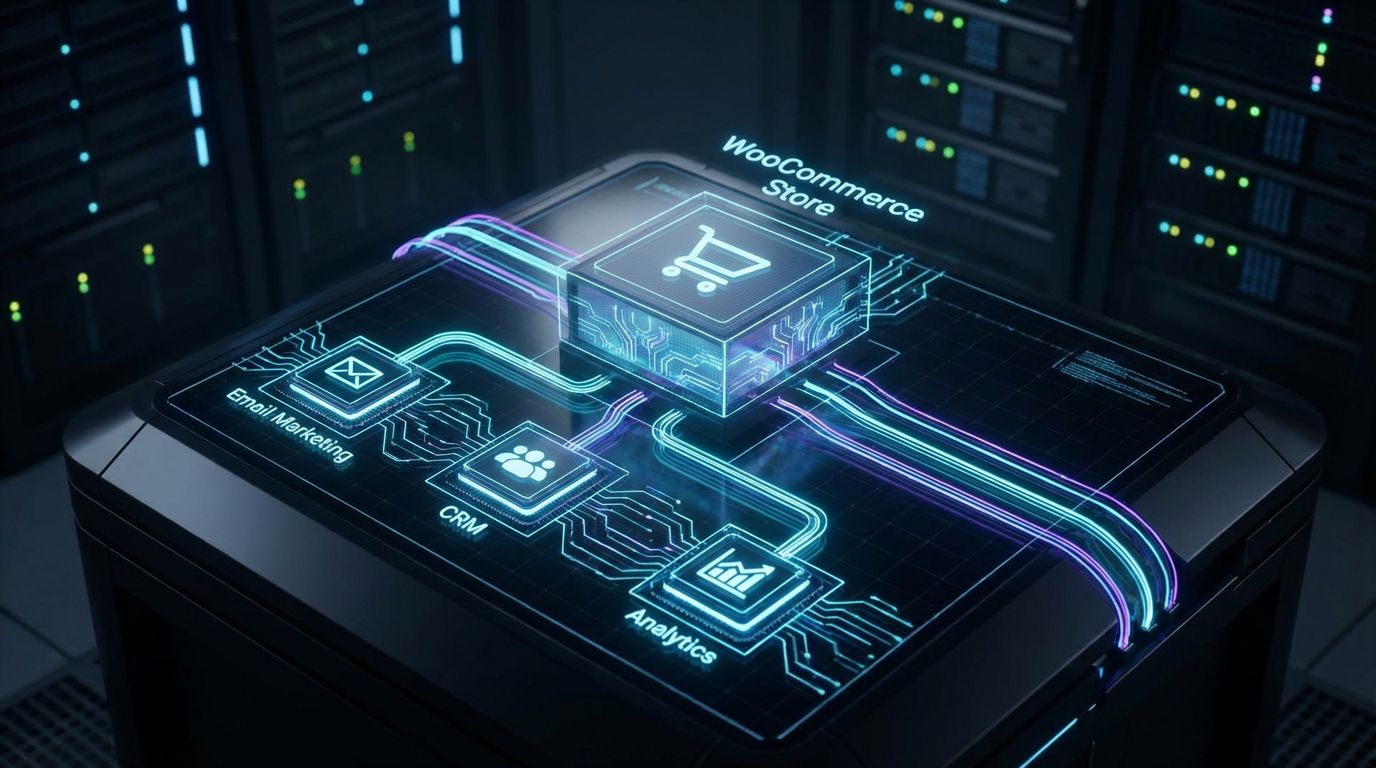
Most merchants hear “woocommerce marketing automation” and think “install a cart recovery plugin and send a monthly newsletter.” In practice, it means orchestrating emails, onsite prompts, and offers triggered by real customer behavior and WooCommerce order events. It is a connected system that turns your traffic into predictable revenue instead of one-off campaigns.
In this guide, we will talk about woocommerce automated emails, on-site triggers, and segmentation that are realistic to implement for busy teams. We will also look at marketing automation woocommerce tool options but always in service of a system, not another shiny plugin. The goal is to show you what actually moves the needle and how to get there without drowning in setup and maintenance.
Most WooCommerce stores hit a ceiling once they have order confirmations and occasional blasts in place. Revenue growth then comes from squeezing more value out of each visitor and each buyer. That is where thoughtful marketing automation for WooCommerce unlocks higher repeat purchases and recovered revenue without increasing ad spend.
What Most WooCommerce Stores Are Trying to Automate
When I audit stores, the wish list is remarkably consistent even if the tool stacks differ. First, you want abandoned cart and checkout recovery that does more than send a single generic reminder. Second, you want automatic post-purchase touchpoints: upsells, cross-sells, education, and review requests.
Third, almost every merchant talks about win-back and replenishment campaigns but few have them live. You want emails that pull back at-risk and lapsed customers, plus reminders for consumable products at the right time. Finally, you want VIP nurturing and segmentation by AOV, product category, and purchase frequency so your best customers get better experiences and offers.
The Two Paths: More Plugins vs Integrated Automation System
There are two common paths once you start chasing these outcomes. The first is the “more plugins” path: cart recovery plugin, email customizer plugin, popup plugin, coupon plugin, SMS plugin, and so on. Every new idea becomes another extension to test and another settings screen to babysit.
The second is an integrated automation system sitting across your WooCommerce data and communication channels. Here, cart events, orders, refunds, and tags all feed into a single place where you define flows and see revenue attribution. The difference is not just tools; it is whether you are operating a cohesive lifecycle or stitching together point solutions.
Old Plugin-First Approach vs Integrated Automation Flows
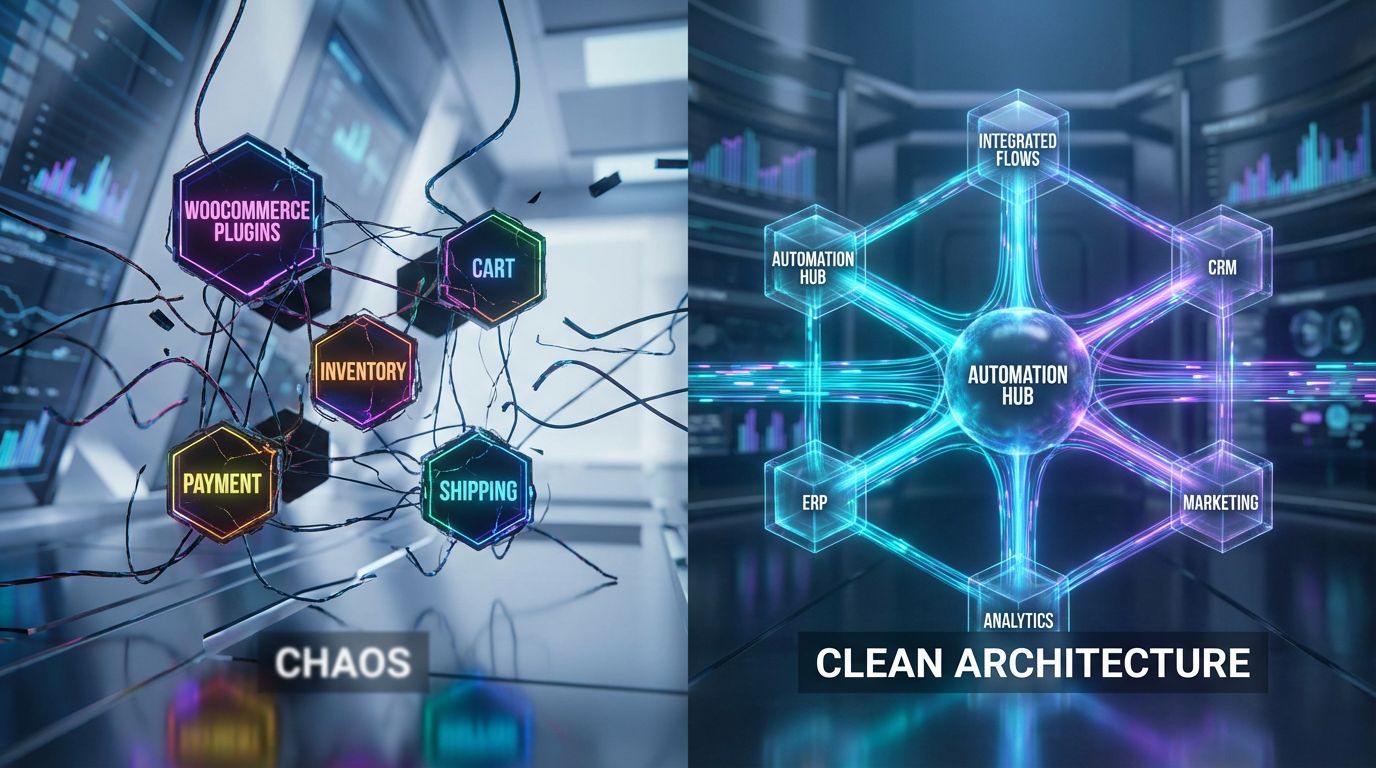
To understand why some stores plateau, you have to compare the old way with the new architecture. The old way relies heavily on single-purpose plugins and manual rules scattered across interfaces. The new way consolidates logic, data, and measurement into streamlined flows built on top of your existing stack.
Both can technically “send emails” and “trigger discounts,” but the difference shows up in reliability, reporting, and the time you spend debugging. One is fragile and reactive; the other is systematic and compounding. Let us break down what that looks like in a real WooCommerce environment.
The Old Way: Manual Plugins, Static Rules, and Siloed Data
In a traditional setup, you might run a cart recovery plugin that sends a single reminder email with a coupon. Separately, you use a basic newsletter tool for monthly promos and maybe a review request plugin that fires after every order. Each plugin has its own logic, settings, and reporting.
The result is duplicated rules and no unified segmentation. A customer might get a broadcast discount and a cart recovery coupon for the same order, or be nagged for a review before their shipment even arrives. Every update risks breaking a crucial flow, and because reporting is scattered, you often find issues only after losing revenue.
The New Way: Connected Flows Across the Customer Lifecycle
In an integrated system, your abandoned cart, post-purchase, and win-back messages all reference the same customer record and purchase history. Order events, tags, and RFM segments drive which sequence someone enters and what they see. You design flows once in a central dashboard and adjust them based on real revenue performance.
This is where modern marketing automation woocommerce setups shine when properly architected. You can test different incentive levels for high vs low AOV customers, coordinate email and SMS, and avoid double-sending offers. Most importantly, you can attribute a meaningful share of revenue directly to these flows across the lifecycle.
Manual Plugin-First Setup vs Integrated Automation Flows
Here is how the two approaches compare where it matters: time, reliability, and revenue.
| Aspect | Manual Plugin-First Setup | Integrated Automation Flows |
|---|---|---|
| Setup Time | Fast to install, slow to truly configure; each plugin has its own learning curve. | Requires a focused 2–4 week build, but flows are planned once across the lifecycle. |
| Flexibility | Limited to whatever rules each plugin supports; hard to coordinate logic. | High; any event, tag, or segment can drive custom branches and offers. |
| Data Consistency | Customer data fragmented across tools; inconsistent tagging and status. | Single source of truth with standardized events, fields, and segments. |
| Revenue Visibility | Difficult to see which automation or plugin actually drives revenue. | Clear attribution by flow: cart recovery, post-purchase, win-back, VIP, etc. |
| Maintenance | High; each update can break a rule, template, or integration. | Centralized; adjustments happen in one automation layer, not 5–7 plugins. |
| Impact on Revenue & Time | Unpredictable; time spent firefighting and manually sending campaigns. | Predictable flows recovering 8–15% of abandoned carts and saving 10–20 hours/month. |
Core WooCommerce Automated Email Flows You Actually Need
Let us get specific about woocommerce automated emails you actually need in place. These flows are realistic for most stores to implement in 30 days with the right architecture. They form the backbone of profitable marketing automation for WooCommerce.
Rather than chasing every advanced tactic, focus first on the 20% of flows that drive 80% of lifecycle revenue. Once those are stable and performing, you can layer on additional segments, channels, and experiments. Here is where to start.
Abandoned Cart & Browse Recovery Sequences
Your abandoned cart and checkout flows are usually the fastest-path automations to measurable incremental revenue. A basic 2–3 email sequence is enough to start recovering **8–15%** of otherwise lost carts when implemented with good timing and targeting. The key is to move beyond a single “Did you forget something?” email.
- Email 1 (1 hour after abandon): Friendly reminder and dynamic cart contents, no discount yet.
- Email 2 (24 hours): Overcome objections: FAQs, shipping details, social proof, maybe a small incentive for lower-value carts.
- Email 3 (48–72 hours): Final nudge with stronger incentive for higher-value or first-time carts, with a clear expiry.
Browse recovery is a lighter-touch variant that triggers when someone views a product multiple times but does not add to cart. Here, you can send 1–2 emails with viewed products, reviews, and helpful guides. Done right, both flows work quietly in the background, converting intent that your ads already paid for.
Post-Purchase Upsells, Cross-Sells, and Review Requests
After purchase is where many WooCommerce stores leave the most money on the table. A simple 3–5 touch post-purchase journey can turn one-time buyers into repeat customers without feeling spammy. You are not just “selling more”; you are guiding them to the next best step.
- Day 0: Order confirmation with clear expectations and thank-you; no heavy selling.
- Day 3–5: Product education, how-to content, and usage tips to reduce returns.
- Day 7–14: Complementary product upsell or bundle offer tailored by category and AOV.
- Day 10–21: Review request once the product has arrived and had time to be used.
- Later: Referral nudge or loyalty program invite for satisfied customers.
These woocommerce automated emails should adapt to what was purchased. Someone who bought a high-ticket item might get white-glove onboarding and softer upsells, while low-AOV purchases can see more aggressive cross-sell offers without hurting perceived value.
Win-Back, Replenishment, and VIP Nurturing
For consumable or repeat-purchase products, replenishment flows are low-friction revenue. Use your average time between orders to trigger reminders before customers run out. For example, if people typically reorder at 45 days, send a gentle reminder at 30–35 days with re-order shortcuts.
Win-back flows target customers whose last order is beyond your normal repeat window. A simple 2–3 email series with escalating incentives, social proof, and new arrivals can re-activate a meaningful percentage. Segment “at-risk” separate from truly “lapsed” so you do not over-discount too early.
VIP nurturing is where your highest-LTV customers get special treatment. A straightforward rule is: if a customer has spent more than 2x your average order value or purchased 3+ times, they enter a VIP segment. They might receive early access to launches, better loyalty rewards, and more personalized communication.
Step-by-Step Setup Examples in WooCommerce
Abstract strategy is not enough when you are busy running a store. This section gives you concrete, phased examples of marketing automation for WooCommerce you can execute. The goal is to show what a realistic 7–30 day rollout looks like.
These examples assume you have some combination of WooCommerce, an email/marketing tool, and basic tracking in place. If your stack is more complex, the steps are similar; the difference is how events and segments are wired under the hood. Let us walk through three practical builds.
Example 1 – Launching a Basic Abandoned Cart Flow in 7 Days
In week one, aim for a clean, dependable abandoned cart sequence rather than perfection. First, define the exact triggers: cart created, checkout started, and order not completed within a specific time window. Clarify which events come from WooCommerce and which from your email/automation tool.
Next, map the 2–3 email sequence with clear subject lines, dynamic cart blocks, and mobile-friendly templates. Make sure to exclude very low-value carts if you are worried about margins and suppress customers who completed an order after the first reminder. Finally, run test carts with different email addresses and devices before turning it fully on.
Example 2 – Post-Purchase Upsell Journey for a Flagship Product
Choose a hero product or bundle that drives a significant share of revenue or unlocks natural cross-sells. Identify 2–3 complementary SKUs or categories that most buyers would logically consider next. Your rules might say: “If customer bought Product A, send education on A and upsell B, then C.”
For example, you could send education on day 3, cross-sell B on day 5, review request on day 10, and another cross-sell or bundle offer on day 21. Customers with higher LTV or multiple items in their first order might receive more premium bundles or loyalty invitations. The key is to keep messages helpful and grounded in their actual purchase.
Example 3 – Simple RFM-Based Segmentation for Better Targeting
RFM (Recency, Frequency, Monetary) segmentation sounds intimidating but can be simplified. Create basic buckets like New (first 30 days), Active (recent repeat buyers), VIP (high spend/frequency), At-Risk, and Lapsed. Map each bucket to a communication strategy, including frequency and tone.
New customers might get more education and gentle upsells, while Active and VIP segments see early access and bundles. At-Risk customers receive win-back offers with urgency; Lapsed may see stronger discounts or “we miss you” campaigns. Even this simple segmentation makes your woocommerce marketing automation feel far more tailored and reduces subscriber fatigue.
Tool Options: Best Marketing Automation for Ecommerce on WooCommerce

When merchants ask about the best marketing automation for ecommerce on WooCommerce, they are usually hoping for a single tool name. In reality, “best” depends on your SKU mix, order volume, channels, and internal capacity to design and maintain flows. Tools are the ingredients; architecture and execution are the recipe.
We will look at four broad approaches: native WooCommerce with basic plugins, dedicated WooCommerce automation plugins, external ESPs/CRMs integrated with WooCommerce, and a done-for-you build on top of your chosen stack. Each can work, but each has trade-offs. The important question is: which approach matches your stage and resources?
Native WooCommerce + Basic Email Plugins
This is where most stores start. You use WooCommerce’s built-in emails plus a simple plugin for customization and maybe a basic cart recovery extension. It is cheap, relatively simple to set up, and familiar to most WordPress-focused teams.
The downside is limited logic and scalability. As soon as you want multi-step flows, conditional content, or proper revenue reporting by automation, you hit hard limits. For small catalogs or very early-stage stores this can be enough, but it quickly becomes a bottleneck.
Dedicated WooCommerce Automation Plugins
Dedicated automation plugins act as no-code workflow builders inside WooCommerce itself. They consume WooCommerce events and let you build if/then rules, send emails, and sometimes trigger webhooks or connect to other services. Think of them as a lightweight, Woo-focused automation layer.
The pros are strong WooCommerce-specific triggers and the ability to keep logic close to your store. The cons are that you are still responsible for designing flows, writing copy, and handling edge cases. For teams that are hands-on and comfortable with workflows, this can be a powerful middle ground.
External ESPs/CRMs Integrated with WooCommerce
Integrating WooCommerce with a more powerful ESP or CRM unlocks advanced segmentation, multi-channel messaging, and richer reporting. Orders, products, and events are synced out to the external platform where you build cross-channel flows and track revenue. This is where more mature brands tend to land.
The trade-off is integration complexity and higher ongoing license costs. You have to map data correctly, handle sync failures, and ensure both systems stay aligned over time. The payoff is the ability to run sophisticated marketing automation woocommerce strategies, as long as someone owns the architecture.
Approaches to Marketing Automation for WooCommerce (Tool Comparison)
Here is how these approaches compare when you evaluate them as systems instead of isolated tools.
| Approach | Pros | Cons | Best For |
|---|---|---|---|
| Native WooCommerce + Basic Plugins | Low cost, easy to start, minimal stack complexity. | Limited automation depth, weak segmentation, basic reporting only. | Very small or early-stage stores validating product-market fit. |
| Dedicated WooCommerce Automation Plugin | Woo-specific triggers, no-code flows, keeps logic near the store. | Still DIY; requires strategy, copywriting, and ongoing maintenance. | Growing stores with some technical comfort and time to build flows. |
| External ESP/CRM + Integration | Advanced segmentation, multi-channel (email/SMS), stronger analytics. | More complex integration, higher subscription costs, steeper learning curve. | Established brands needing the best marketing automation for ecommerce capabilities. |
| Done-For-You Build on Your Stack (AiBizBuild) | Strategy, architecture, and implementation handled by specialists; faster time-to-value. | Higher upfront investment than pure DIY, requires collaboration for approvals. | Stores at or past product-market fit wanting reliable, systematized revenue from automation. |
The Hidden Cost of DIY Tool Stacks
DIY feels cheaper because plugins are inexpensive compared to agency fees. But the real cost is the time you or your team spend selecting tools, learning interfaces, configuring rules, writing copy, and troubleshooting. For most stores, that is dozens of hours that could have gone into merchandising, partnerships, or ad optimization.
There is also revenue risk from misfires: wrong audience segments, double-sent discounts, or broken checkout links inside “automated” campaigns. Those issues erode trust and burn high-intent traffic you already paid for. When you consider the opportunity cost, a well-implemented system often beats piecemeal DIY both in speed and ROI.
Why DIY WooCommerce Automation Fails for Most Stores
Most stores that “have automation” are really running a partial, fragile version of what is possible. Tools are installed, but strategy is shallow and maintenance nearly non-existent. This is not a knock on your skills; it is simply unrealistic to expect founders and lean teams to be full-time automation architects.
The result is that many WooCommerce stores plateau with half-configured flows and no clear view of their impact. You might technically have an abandoned cart plugin, but it is recovering only a fraction of what it could. Here is why that pattern is so common.
Strategy, Not Software, Drives Revenue
Plugins assume you already know which flows matter most, which audiences to target, and what offers to use. Without that strategy, you end up enabling default settings and hoping the results will justify the effort. Often they do not, because the defaults are not tailored to your products, margins, or buying cycles.
Effective woocommerce marketing automation prioritizes the highest-ROI journeys first. That usually means cart recovery, post-purchase, and win-back before fancy conditional campaigns. When the strategy is wrong, you might invest time into low-impact automations while core revenue levers remain weak.
Complexity of Segmentation, Edge Cases, and Data Hygiene
Real stores have refunds, partial orders, subscription pauses, multi-currency, and wholesale vs retail segments. Your automations need to respect those realities or you risk confusing or annoying customers. Handling those edge cases is where DIY systems tend to break down.
For example, if a customer refunds a high-ticket item but remains in your VIP sequence, they might receive inappropriate offers. Or if your list hygiene is weak, inactive subscribers drag down deliverability for your best segments. These are the details an automation specialist watches for and bakes into the system from day one.
Copy, Testing, and Continuous Optimization Are Ongoing Work
Even a solid first version of your flows will not be the best version. High-performing automations evolve through A/B tests on subject lines, incentives, timing, and segmentation rules. That is how you unlock the extra **10–30% potential uplift** that separates “okay” from “excellent”.
The reality is that many DIY setups never get revisited after the first week or two. New campaigns take priority, and the automation system quietly drifts out of sync with your offers and customer behavior. That is why done-for-you partnerships often outperform over time: someone is explicitly responsible for lifecycle performance.
Done-For-You Automation Implementation with AiBizBuild
This is where AiBizBuild comes in as a specialist, not as another plugin vendor. We take the automation principles we use in E-commerce Operations (Shopify/Amazon) and apply them to WooCommerce-like workflows: order events, tags, segments, and lifecycle communication. The result is a customized system built on top of your existing stack.
Our lens is always practical: reduce manual work, capture more revenue per visitor, and make your data usable across channels and tools. We also bring experience from related domains like scalable SEO content systems and automated social media workflows. The common thread is building systems, not just turning on tools.
What We Actually Do for WooCommerce Merchants
For WooCommerce merchants, our core work is designing and implementing custom automation workflows around your store’s data. That includes lifecycle email flows like cart recovery, post-purchase journeys, win-back series, replenishment, and VIP nurture. It also includes segmentation and tagging logic that keeps your lists organized and your messages relevant.
On top of that, we set up reporting views that make automation revenue visible and trustworthy. If needed, we can also connect WooCommerce to your CRM and help with CRM Integration & Inbox Management, so support and sales teams see the same customer context. Our job is to turn scattered events into a coherent customer journey.
Our 30-Day Implementation Blueprint
We typically work in a 30-day sprint to go from “messy or minimal automation” to a solid, revenue-generating system. Week 1 is a store and data audit: we review your tech stack, existing plugins, lists, and current automations. We also map key events and define KPIs such as cart recovery rate, repeat purchase rate, and automation-driven revenue.
Week 2 is about building and configuring core flows: abandoned cart, browse recovery, order confirmation enhancements, and basic post-purchase sequences. We integrate with your ESP or automation tools and standardize events and segments. Week 3 adds win-back and VIP flows, plus simple A/B tests on key steps.
Week 4 is QA, monitoring, and tuning. We run test scenarios for refunds, multiple currencies, and different customer types, and we align everything with your internal content approval workflows. At the end, you get dashboards and operating procedures so your team knows how the system works and what to watch.
What You Do vs What We Do
To keep things efficient, we divide responsibility clearly. You provide access, brand guidelines, and clarity on product priorities and constraints. You also review and approve messaging so everything stays on-brand and compliant.
- You: Grant needed access, share brand assets, approve strategy and copy, and highlight priority products and offers.
- AiBizBuild: Audit the stack, architect flows, implement tools and integrations, write and test emails, configure segments, and monitor early performance.
If you want serious marketing automation for WooCommerce without becoming a full-time automation architect, this is the path that usually makes the most sense. The next logical step is to Book a Workflow Audit, where we review your current setup and map this blueprint to your store. If you prefer to see it in action, you can also Request a Demo of a full lifecycle build.
ROI Benchmarks and Example Revenue Lifts
Numbers matter more than feature lists when you are deciding whether to invest in automation. While every store is different, there are consistent patterns once well-designed flows are live. The point is not to promise specific outcomes, but to give realistic ranges for planning.
Below are common impact areas we see in practice, followed by concrete mini-scenarios. Use them as a sanity check: if your current system is far below these ranges, there is likely meaningful upside on the table. If you are already near or above them, the focus shifts to optimization rather than initial build-out.
Typical Impact Areas for WooCommerce Marketing Automation
For abandoned cart automation, a well-implemented system commonly recovers 8–15% of abandoned carts depending on your industry and traffic quality. That is revenue your ads already earned but your site would otherwise lose. Even at lower order volumes, this quickly pays for the build-out.
Structured post-purchase and win-back flows often increase repeat purchase rates by 10–25% over several months. When combined with sensible upsells and bundles, that can shift a significant share of revenue into automations. On the time side, merchants frequently reclaim 10–20 hours per month previously spent on manual broadcasts and one-off campaigns.
Example Mini-Case Scenarios (Hypothetical but Plausible)
Consider a small DTC brand doing $30k/month on WooCommerce. By adding a three-step cart recovery sequence and a focused post-purchase upsell journey for its flagship product, it might see $2–4k/month in incremental revenue attributed to automation. That is not a lottery ticket, but it is meaningful, repeatable lift.
Now consider an established store at $150k/month. With full lifecycle automation in place—cart, post-purchase, win-back, VIP, and basic RFM segmentation—it is common for 15–25% of total revenue to come from automated flows. Again, those are illustrative ranges, not guarantees; your product, traffic, and offer quality drive the exact numbers.
Why Hiring an Automation Agency Is Often Cheaper Than DIY
When you factor in your time or your marketing team’s hourly cost, DIY is rarely free. If you spend 30–40 hours configuring tools, writing emails, testing segments, and debugging issues, that is real money and opportunity cost. Meanwhile, the system may still underperform because it lacks experience-informed architecture.
A specialist agency compresses that learning curve into a 30-day sprint and typically avoids common pitfalls that quietly leak revenue. You get to focus on product, operations, and acquisition while the system runs in the background. Over a 6–12 month horizon, the extra recovered revenue and time savings tend to outweigh the upfront engagement cost.
How to Get Started: From Plugin Chaos to a Revenue-Focused Automation System
If your current setup feels like a pile of plugins and ad-hoc campaigns, you are not alone. The good news is you do not need to rebuild everything from scratch. Start with a quick self-audit, then decide whether DIY or a partner makes more sense for your stage.
From there, a structured roadmap—whether you build it or we do—turns “automation” from a buzzword into a measurable revenue channel. Here is how to approach that first step logically rather than reactively.
Quick Self-Audit Checklist
Ask yourself a few blunt questions about your current WooCommerce automation setup. Do you know what percentage of monthly revenue comes from automated flows vs one-off campaigns? If the answer is “no” or “I think we have some flows, but I am not sure,” that is a red flag.
Do you have clear visibility into cart recovery rate, repeat purchase rate, and LTV by segment? Are your core flows—abandoned cart, post-purchase, win-back—live, tested, and monitored? If not, those are the highest-ROI starting points.
When to DIY vs When to Bring in AiBizBuild
If you are very small, technical, and time-rich, DIY can be a good way to launch 1–2 core flows. A basic tool stack with a focused abandoned cart sequence and simple post-purchase emails is better than nothing. This is especially true while you are still validating product-market fit.
If you are at or approaching scale—with stable products and paid traffic—partnering with an automation specialist usually pays off faster. You get a cohesive system instead of incremental fixes, and you minimize the risk of breaking something mid-launch. That is where AiBizBuild’s done-for-you approach is designed to slot in.
Next Step: Book a Workflow Audit or Request a Demo
The lowest-friction way to move forward is to Book a Workflow Audit with AiBizBuild. In that session, we review your WooCommerce store, your current plugins and ESP/CRM, and your existing automations. Then we outline a prioritized roadmap for turning that into a revenue-focused automation system.
If you prefer to see a concrete example first, you can also Request a Demo. We will walk you through what a fully integrated WooCommerce lifecycle could look like on top of your stack, including key flows and reporting views. Either path is a diagnostic, not a sales ambush: the goal is to clarify what is possible for your specific store.
FAQ: Technical, Security, and Timeline Questions
How long does it take to get WooCommerce marketing automations live and producing revenue?
Most merchants see core flows go live within a 30-day phased implementation. Basic abandoned cart and simple post-purchase sequences can usually be designed, implemented, and tested within 7–10 days after we have access and complete discovery.
Do I need to switch email providers or install a specific plugin to work with AiBizBuild?
No. We are tool-agnostic and focus on architecture and execution rather than pushing a specific platform. We start by working with your existing stack wherever it is capable, and only recommend changes if your current tools cannot support the flows or reporting you need.
Is this secure, and how do you handle access to our WooCommerce store and customer data?
Security and data protection are non-negotiable. We use role-based access wherever possible, sign NDAs on request, and follow secure password management practices. Your customer data remains in your systems; we configure workflows and integrations but do not host or resell your data.
What kind of results should we realistically expect from WooCommerce marketing automation?
While results vary, well-implemented systems commonly deliver 8–15% more abandoned carts recovered and a 10–25% improvement in repeat purchase rates over time. Those are illustrative ranges, not guarantees; your traffic quality, product-market fit, and offer strategy all play a major role.
We are already using several marketing plugins. Can you work with what we have, or do we need to start over?
In most cases, we can work with and rationalize your current stack rather than replacing everything. Our first step is a Workflow Audit to see what is in place, what is redundant, and where the main gaps are. Often, consolidating and re-architecting flows on top of existing tools improves reliability and site performance.
Do I need coding skills to maintain the system after it is built?
No coding skills are required for day-to-day operation of the system we implement. We document how your key flows work, how to adjust offers and timing, and what metrics to watch. When you want larger structural changes or new channel integrations, we can support those as ongoing projects.
How does this integrate with our CRM and support tools?
Where relevant, we connect WooCommerce to your CRM and inbox tools as part of our CRM Integration & Inbox Management capabilities. That way, sales and support teams see order history, tags, and automation status directly in their daily tools. The goal is a consistent customer view across marketing, sales, and service.
Ready to turn your WooCommerce automation from plugin chaos into a revenue system? Book a Workflow Audit or Request a Demo with AiBizBuild and let’s architect a lifecycle that works while you sleep.