

Microsoft Virtual Agent Support: How to Deploy Power Virtual Agents for Real-World Customer Support
Key Takeaways
– Learn how to move from manual, hard‑coded chatbots to Microsoft virtual agent support built with Power Virtual Agents that actually handle real customer issues.
– See where DIY bot-building with the built-in Microsoft support virtual agent experience breaks down, and how integrating Power Virtual Agents with Teams and Dynamics fixes it.
– Understand the implementation roadmap, metrics, and ROI so you can decide whether to build in‑house or bring in a done-for-you automation partner.
In This Guide:
🧭 What Microsoft Virtual Agent Support Really Is – Clarifying Power Virtual Agents vs the generic support bot
🧱 The Old Way vs Power Virtual Agents – Manual chatbots, handovers, and where they fail
⚠️ Why DIY Virtual Agents Usually Fail – Hidden costs, missed integrations, and poor adoption
🧩 Practical Implementation Blueprint – A step‑by‑step rollout plan
📊 Use Case: 24-7 Appointment Booking & CRM Handoffs – A concrete workflow you can copy
📈 Measuring ROI From Microsoft Virtual Support Agents – Metrics, dashboards, and time-to-value
🤝 Done-for-You Automation vs DIY – When to bring in an agency partner
❓ FAQs – Key questions from IT, ops, and CX leaders
If you’re trying to turn the promise of Microsoft virtual agent support into a working, 24/7 support workflow, you quickly realize the generic Microsoft help-bot and Power Virtual Agents docs don’t tell you how to wire everything together. You get tools, not a system. That gap is where most B2B teams stall out.
In this guide, I’ll walk through how we actually deploy Microsoft Power Virtual Agents in real environments – integrated with Dynamics, Teams, email, and your CRM – so bots handle real work without becoming another DIY science project. I’ll also show where it makes sense to bring in a done-for-you architect instead of burning months of internal time.
What Microsoft Virtual Agent Support Really Is
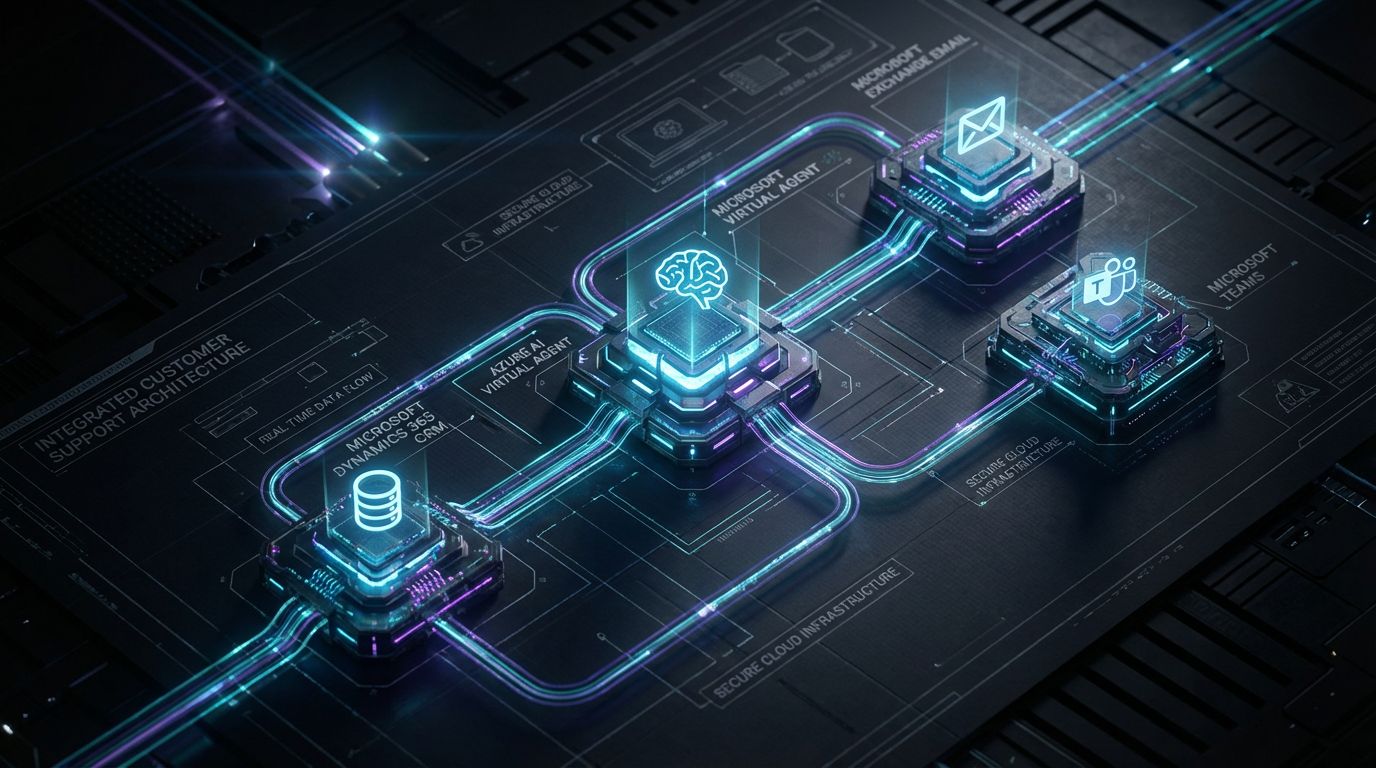
First, let’s clean up the terminology, because Microsoft doesn’t make this easy. When most people say “virtual agent Microsoft support,” they mean the little chatbot on Microsoft’s own support site that routes you to articles or a human. That is the Microsoft support virtual agent – built for Microsoft’s customers, not yours.
What we’re talking about here is different: a Microsoft virtual support agent that you own and design, using Power Virtual Agents (PVA) inside your tenant. This bot sits in front of your website, portals, Teams, or even voice, and becomes the front door into your support stack.
Power Virtual Agents is part of the Power Platform alongside Power Automate, Power Apps, and Power BI. That means your bot isn’t an island; it can read and write to Dynamics 365, other CRMs, SharePoint, email, and line-of-business systems using connectors and flows. The real value comes when your Microsoft virtual agent support is orchestrating end-to-end workflows, not just answering FAQs.
The Old Way vs Power Virtual Agents for Customer Support
Most B2B support environments I audit still run on a mix of static FAQ pages, overflowing shared mailboxes, and a basic chat widget bolted to the website. Agents copy-paste answers, manually look up records in CRM, and play calendar ping-pong for every meeting or onboarding call.
Some teams tried the “first-gen chatbot” route: hard-coded if/then scripts that ask a few menu questions, then send an email. These bots usually have no AI, no CRM integration, no analytics worth looking at, and no real concept of first-contact resolution. They quickly become stale and get bypassed by frustrated users.
With Power Virtual Agents, the model changes. Non-developers can author topics using natural language triggers, call Power Automate flows to hit Dynamics or another CRM, and use built-in analytics to see what’s working. You can deploy the same bot across your website, customer portal, and Microsoft Teams, and design clean human handovers when the bot hits its limits.
Manual Bot-Building vs Microsoft Power Virtual Agents
| Old Manual Bot/Support | Microsoft Power Virtual Agents Approach |
|---|---|
| Hard-coded decision trees maintained in spreadsheets or custom code; every change needs a developer. | Low-code topic authoring with natural language triggers; support leads can update flows themselves. |
| Little or no integration with CRM or ticketing; agents re-type data into multiple systems. | Deep integration with Dynamics 365, other CRMs, and ticketing via connectors and Power Automate. |
| Difficult to maintain across channels; website bot, email triage, and Teams are all separate. | Single virtual agent deployed to website, customer portal, and Teams with shared logic. |
| Limited analytics, mostly volume counts; no clear view of resolution or deflection. | Built-in analytics plus Power BI dashboards for deflection rate, CSAT, and handle time impact. |
| Customer experience limited to office hours and human capacity; high wait times and inconsistent answers. | Always-on, consistent Microsoft virtual agent support with clear escalation to humans when needed. |
This isn’t about adding “a chatbot” to your site. It’s about using Power Virtual Agents as a programmable front door to your support stack, so your best workflows run the same way every time, 24/7.
Why DIY Microsoft Virtual Agent Projects Usually Fail
Most DIY projects start with good intentions: someone sees the Microsoft support virtual agent on Microsoft’s site, pokes around in PVA, and launches a proof-of-concept in a week. Then it quietly dies six months later.
The pattern is consistent. Intents are under-scoped, conversations are shallow, there’s no robust handover to humans, and – most critically – the bot doesn’t talk to CRM or the support inbox in a reliable, traceable way.
Without a clear architecture, your Microsoft virtual support agent becomes just another place where tickets and leads can fall into a gap. Ops leaders rightly kill those experiments when they can’t see measurable impact on ticket volume, handle time, or agent workload.
Hidden Complexity Behind “Simple” Bot Builders
On the surface, PVA and other bot builders look simple: type phrases, drag some nodes, publish. Underneath, there are non-trivial design decisions. You need proper journey mapping, intent clustering, entity modeling, and error handling.
You also have to decide which systems the bot is allowed to touch, how it authenticates, and what data it can surface. Security, access control, and compliance are non-negotiable in most B2B environments, especially when support data overlaps with sales and finance.
Finally, these bots sit at the intersection of IT, support, and sales. If you don’t align these teams on priorities and acceptance criteria up front, your “virtual agent Microsoft support” project becomes a political football instead of a shared asset.
The Cost of Getting Virtual Agents Wrong
A poorly designed Microsoft virtual agent support experience doesn’t just “not help”; it actively damages trust. Customers learn to bypass the bot because it can’t handle real questions, and your agents spend time apologizing for it.
When bots don’t capture and pass data cleanly to CRM or your ticketing tool, agents end up re-asking for information and re-entering details. That duplication burns minutes on every interaction and erases any potential time savings.
Add to that sunk build time, wasted license spend, and the opportunity cost of not automating correctly. This is why we treat virtual agent projects as architecture problems, not just UI experiments.
Practical Implementation Blueprint: Power Virtual Agents, Dynamics, and Teams
Instead of another conceptual overview, let’s walk through a practical blueprint we use with Microsoft 365-centric B2B teams. Think in phases, not in features, and anchor everything to measurable outcomes.
This is the same mindset we use when we design automated approval workflows for content or internal processes: start from the workflow you want, then pick the right mix of tools. Power Virtual Agents is just one part of the stack.
Phase 1 – Workflow Discovery and Support Mapping
We start by mapping the top support flows that generate volume and friction. Typical candidates include FAQs, account/password issues, order or project status, basic troubleshooting, and especially appointment booking and onboarding calls.
Then we inventory your tools: Microsoft 365, Teams, Dynamics 365 or another CRM, ticketing platform, and shared or functional email inboxes. The goal is to see where data actually lives and how requests move today, not how they’re supposed to move.
Finally, we set targets. That might be deflecting 25–40% of tier-1 tickets, reducing average first-response time by 50%, or guaranteeing 24/7 coverage for key flows like incident reporting and booking. Without these numbers, “success” is subjective.
Phase 2 – Designing Your Microsoft Virtual Support Agent
With workflows defined, we design the conversational layer in Power Virtual Agents. That means creating topics around real intents (e.g., “reschedule onboarding call,” “check project status”) instead of vague buckets like “support questions.”
For each topic, we design structured dialogues: how the bot greets, what data it collects, when it offers self-service, and when it escalates. Fallback flows and error handling are built in, so the bot can gracefully step back when it’s out of its depth.
We also define handover to human agents as a first-class part of the design. That might mean handing off into a Teams channel, creating a ticket with full transcript in your helpdesk, or triggering a callback via an AI Voice Agent when appropriate.
Phase 3 – Integrations (Dynamics, CRM, and Teams)
This is where most DIY builds get stuck, and where a structured approach pays off. Using Power Automate, we connect PVA to Dynamics 365 or your chosen CRM so the bot can create and update records, log activities, and associate conversations with accounts or opportunities.
On the CRM Integration & Inbox Management side, we design how bot-captured data flows into your support inbox or ticketing queues. For example, a PVA conversation might create a ticket with all context, CC a shared mailbox, and tag the right queue based on priority and customer segment.
For Teams integration, we make the bot available inside Teams for internal support (IT, HR, operations) and design agent handover workflows. An agent might get a ping in a specific Teams channel with a deep link to the CRM record and conversation transcript, so they can pick up seamlessly.
Phase 4 – Testing, Training, and Rollout
Before full rollout, we run structured testing with real users and sample transcripts. We track where users drop off, where intents are misunderstood, and which topics should be merged or split.
Power Virtual Agents’ analytics gives us a baseline, but we usually plug performance into Power BI or CRM dashboards for a unified view. This is where you start to see concrete numbers for ticket deflection and hours saved per week.
Finally, we train your human agents to work with the bot. That includes how to handle escalations, how to flag bad conversations for improvement, and how to reassure customers that they can always get a human when needed.
Use Case: 24-7 Appointment Booking with Microsoft Virtual Agent Support
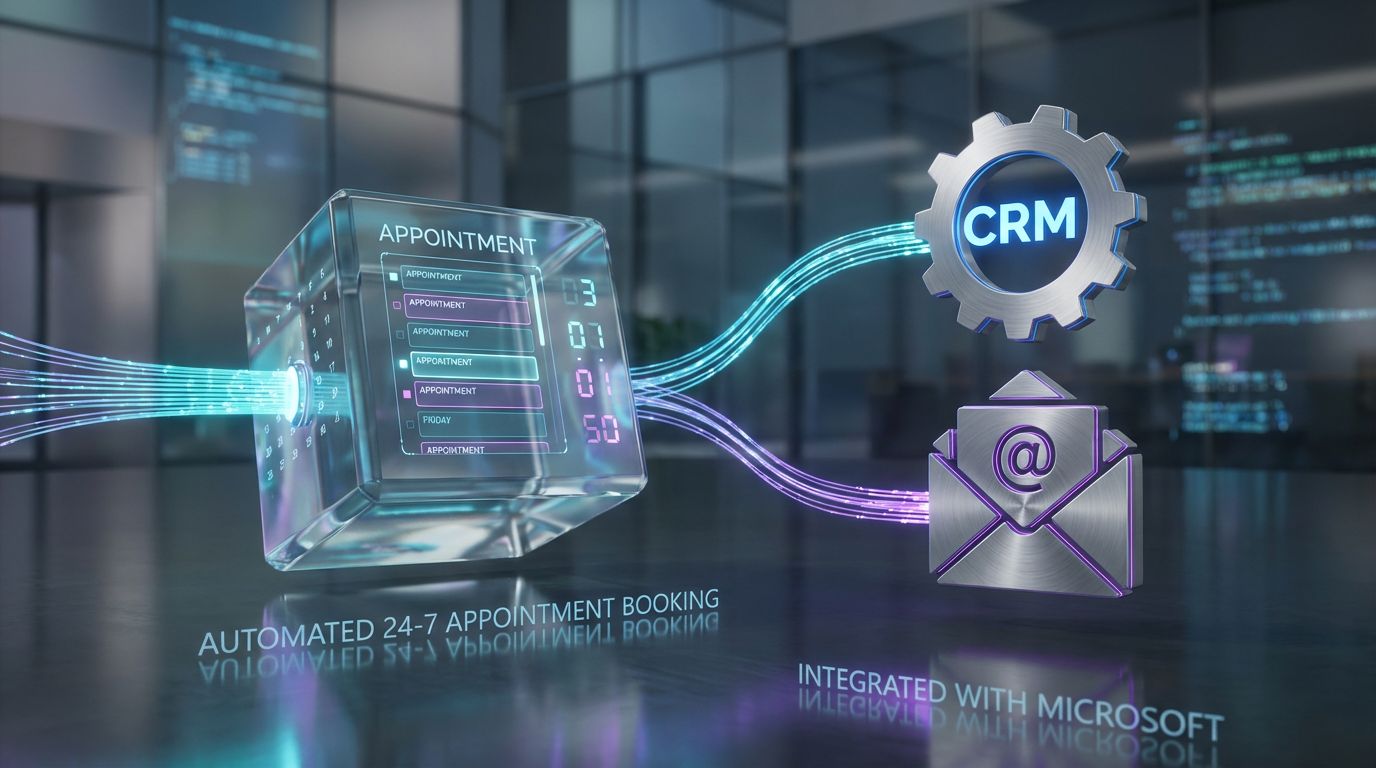
If you only automated one thing with your Microsoft virtual support agent, I’d pick appointment booking. It’s repetitive, rules-based, and directly impacts revenue and customer experience.
AiBizBuild’s flagship 24/7 Appointment Booking Systems are built exactly on this pattern: PVA as the interaction layer, Outlook/Teams as the calendar source of truth, and CRM as the system of record. The result is a bot that books, updates, and confirms meetings around the clock.
The Old Appointment Booking Process
Today, many teams still book meetings with manual email back-and-forth or basic web forms. Support and sales reps act as human schedulers, juggling time zones, chasing prospects, and re-entering information into calendars and CRM.
Every reschedule requires another thread or phone call. Double-bookings and no-shows creep up because confirmations and reminders aren’t standardized.
Even if you’re using a scheduling link, it often lives outside your support workflow. The bot or agent has to paste it in manually, and CRM rarely gets structured data about why the meeting was booked.
The New Flow with a Microsoft Virtual Support Agent
Now picture this instead. A website visitor opens chat at 10:30 PM on a Friday; your virtual agent Microsoft support bot greets them, qualifies their need, and determines they should talk to a specialist.
The bot checks availability via Outlook or Teams, offers a set of slots that respect time zones and routing rules, and confirms the booking. It creates a CRM record or updates an existing one, logs the reason for the meeting, and triggers reminder emails or SMS.
Behind the scenes, the same infrastructure can also power AI Voice Agents (Inbound) that answer calls, authenticate the caller, and either book an appointment or escalate to a live rep. You get 24/7 coverage across chat and voice using the same core workflow.
Manual Booking vs 24/7 Virtual Agent Booking
| Manual Appointment Booking | 24/7 Virtual Agent Booking |
|---|---|
| 5–15 minutes of back-and-forth per meeting across email or phone. | 1–2 minutes per booking with automated slot selection and confirmation. |
| Higher risk of double-bookings and missed updates when humans forget to sync calendars. | Bot reads from a single calendar source of truth; reschedules are handled systematically. |
| Availability limited to business hours and rep capacity. | Always-on booking, including nights and weekends, across chat and voice. |
| CRM updates are inconsistent; reasons for meetings often live only in email threads. | Every booking writes structured data into CRM, enabling better reporting and follow-up. |
| Support and sales reps lose hours per week acting as schedulers. | Save 20–40% of agent time on scheduling, depending on volume and automation depth. |
This is a concrete, low-drama way to prove the value of Microsoft virtual agent support before expanding to more complex use cases.
Measuring ROI from Microsoft Virtual Support Agents
Executives don’t care that you deployed a bot; they care whether it moved the needle. That’s why we design metrics alongside workflows from day one.
For B2B teams, the ROI story usually centers on reduced manual workload, faster responses, and more reliable data. The good news is that Microsoft gives you enough hooks to track all of this if you wire things correctly.
Core Metrics to Track
Start with ticket deflection rate: what percentage of issues are resolved by the bot without human intervention. Even a 15–25% deflection on tier-1 issues can translate into hundreds of hours per quarter in agent time.
Next, track changes in average handle time and first-response time. A well-integrated bot should collect structured data up front, so human agents spend less time on discovery and more on resolution.
Finally, measure hours of agent time saved per week and revenue-adjacent metrics like number of appointments booked, demos scheduled, or qualified leads created by the bot. This is where leadership starts to see tangible business value, not just CX improvements.
Building Dashboards and Feedback Loops
We typically pull PVA analytics, CRM data, and ticketing stats into Power BI for a single view of performance. That dashboard becomes the control panel for your Microsoft virtual agent support program.
On top of that, we create feedback loops between agents and bot designers. Agents can flag bad conversations, suggest new topics, or note when customers repeatedly ask for something the bot can’t handle yet.
As you add more workflows – from appointment booking to order status to internal IT help – ROI compounds. The same architecture supports each new use case, so your marginal cost per automated workflow drops over time.
Done-for-You Automation vs DIY: What Makes Sense When
There’s no single right answer to DIY vs partner. The right path depends on your internal capabilities, complexity, and tolerance for experimentation.
Some teams just need a small FAQ bot. Others need an orchestrated system that ties together web, chat, voice, CRM, email, and Teams. Those two situations should not be approached the same way.
When DIY Might Be Enough
If your goal is a basic FAQ bot with a handful of topics and no deep integration, DIY with Power Virtual Agents can be entirely reasonable. A technically inclined support lead or Power Platform champion can get something functional live in a few weeks.
This works best when support volume is low, risk is low, and you already have strong Power Platform skills in-house. You still want to invest some time in conversation design, but you probably don’t need a full-blown architecture exercise.
As the scope grows, though, the hidden work around workflow mapping, integration, and governance starts to look less like a side project and more like a product build.
Where a Premium Agency Delivers Faster Results
Once you’re integrating website chat, PVA, Teams, CRM, email, and possibly AI Voice Agents (Inbound/Outbound), the complexity level changes. You’re no longer deploying a bot; you’re designing a support system.
This is where AiBizBuild focuses: architecting and implementing 24/7 Appointment Booking Systems, multi-channel support flows, and robust CRM Integration & Inbox Management. We take ownership of time-to-value, adoption, and measurable ROI, not just bot configuration.
The same philosophy underpins how we deliver Social Media Workflow Automation and SEO Content & Blog Automation: you already have tools; what you need is a team to turn them into a coherent, scalable system.
DIY vs Done-for-You Microsoft Virtual Agent Implementation
| DIY Implementation | Done-for-You with AiBizBuild |
|---|---|
| Time-to-live often stretches to several months as teams learn PVA, integrations, and design patterns. | Typical initial workflow (e.g., 24/7 booking) launched in 3–6 weeks with a clear roadmap for extensions. |
| Heavy demand on internal IT and operations; virtual agent work competes with other priorities. | External team handles design, build, and rollout, with your staff focused on validation and domain input. |
| Integrations with CRM, email, and ticketing are often shallow, brittle, or missing entirely. | Architected CRM Integration & Inbox Management that treats data flows and routing as first-class design elements. |
| Optimization happens sporadically, if at all; analytics are rarely tied to business KPIs. | Structured optimization cycles with dashboards for deflection, handle time, and hours saved. |
| Outcome ownership is diffuse; no single owner for ROI or adoption. | AiBizBuild is engaged specifically to deliver time savings, scalability, and measurable ROI. |
If you’re serious about using Microsoft virtual agent support as a core part of your operating model, treating it like a minor DIY experiment is risky. Treat it like an infrastructure project instead.
How AiBizBuild Supports Microsoft-Centric Automation
—IMAGE_BLOCK: Bioluminescent Data Streams flowing between stylized icons for chat, phone, CRM, and email, converging into a central luminous hub symbolizing AiBizBuild-orchestrated Microsoft-centric automation. Cinematic lighting, Unreal Engine 5 render, futuristic corporate aesthetic, glowing cyan and purple accents, shallow depth of field, 8k resolution—
AiBizBuild is not another chatbot platform. We’re an implementation partner that designs and builds the workflows your existing tools don’t give you out of the box.
For Microsoft-heavy teams, that means using Power Virtual Agents, Power Automate, Teams, Outlook, and your CRM as building blocks in a larger automation architecture. Our mandate is simple: free your teams from repetitive work and make your support stack scale.
24/7 Appointment Booking Systems on Top of Microsoft
We architect and implement 24/7 Appointment Booking Systems where PVA handles the front-end conversation, Outlook/Teams manages scheduling, and CRM tracks the why and with whom. This works across support, onboarding, demos, and account reviews.
The outcome is fewer missed leads, faster routing to the right people, and less admin overhead. Your reps spend more time on calls that matter and less time chasing calendars.
AI Voice Agents Integrated with Your Microsoft Stack
Not every customer wants to chat. Our AI Voice Agents (Inbound/Outbound) layer on top of the same workflows as your Microsoft virtual agent support, so a caller gets the same logic and data access as a chatter.
A voice bot can answer common questions, authenticate callers, log notes to CRM, book or reschedule appointments, and escalate strategically. You get phone coverage that mirrors your digital support workflows, instead of an isolated IVR tree.
CRM Integration & Inbox Management for Support Teams
Finally, we handle the unglamorous but critical work of CRM Integration & Inbox Management. That means ensuring every conversation, whether via PVA, voice, or email, is captured against the right records and routed correctly.
We reduce manual data entry, close visibility gaps between teams, and support better reporting and SLA tracking. In practice, that’s what turns “we have a bot” into “we have a measurable, scalable support system.”
FAQs About Microsoft Virtual Agent Support for B2B Teams
Is Microsoft Power Virtual Agents enough on its own for customer support?
Power Virtual Agents is a strong foundation, but on its own it’s not a complete support solution. It becomes powerful when you connect it to your CRM, email, ticketing, and Teams, and when you invest in proper conversation and workflow design.
Think of PVA as the engine; the surrounding integrations and processes are what turn it into a reliable vehicle.
How long does it take to deploy a working Microsoft virtual support agent?
For a focused, production-ready workflow like appointment booking or basic tier-1 FAQs, a realistic window is 3–6 weeks. That includes discovery, design, build, integration, and initial testing.
A simple, non-integrated FAQ bot can be done faster, but it won’t deliver the same ROI. Multi-workflow, multi-channel deployments naturally take longer and benefit from phased rollouts.
Do we need in-house developers to maintain a Microsoft virtual agent?
You don’t strictly need full-time developers; PVA is low-code and accessible to power users. However, you do need someone accountable for workflows, analytics, and continuous improvement.
Many clients choose to have AiBizBuild own that function initially, then transition day-to-day updates to an internal owner once the system is stable.
Can a Microsoft virtual agent integrate with non-Microsoft CRMs or ticketing systems?
Yes. Through connectors, Power Automate, and APIs, your bot can read and write to non-Microsoft CRMs and support tools. The key is designing robust CRM Integration & Inbox Management patterns, not just one-off calls.
We routinely integrate Microsoft virtual agents with third-party platforms, but we always treat those integrations as part of a larger architecture rather than ad hoc scripts.
How do we measure if our virtual agent is actually saving us money?
We typically combine metrics: ticket deflection rate, changes in average handle time and first-response time, and hours of agent time saved per week. On top of that, we look at revenue-adjacent measures like appointments or qualified leads generated by the bot.
AiBizBuild helps set up dashboards and simple ROI models so you can see, in hard numbers, whether your Microsoft virtual agent support is paying for itself and where to optimize next.
Next Steps: From Idea to Working Virtual Agent
Microsoft gives you the building blocks – Power Virtual Agents, Power Automate, Teams, Dynamics, and the familiar Microsoft support virtual agent experience as inspiration. What it doesn’t give you is a blueprint for turning those pieces into a cohesive, high-ROI support system.
If you’re ready to move beyond experiments and actually deploy Microsoft virtual agent support that handles real work, the next logical step is to get your workflows and architecture on paper. From there, implementation becomes a straightforward project instead of an endless pilot.
If you want a fast, low-risk path to that clarity, Book a Workflow Audit with AiBizBuild. We’ll review your current Microsoft stack, map your key support flows, and outline a practical virtual agent + automation blueprint – or, if you’d rather see it in action, Request a Demo of a 24/7 Appointment Booking or AI Voice Agent workflow running on top of Microsoft tools.