

ERP and CRM Integration: Streamlining Finance and Sales Workflows (Without Drowning in DIY Setup)
- ERP and CRM integration connects finance and sales data so teams work from a single source of truth instead of retyping orders, invoices, and customer details.
- You can handle CRM integration with ERP using native connectors, middleware, or iPaaS (including CRM integration with QuickBooks and integration Microsoft Dynamics), but success depends on careful data mapping, error handling, and governance.
- A done-for-you partner like AiBizBuild designs, builds, and maintains the integrations and AI-driven workflows so you capture ROI in weeks—not after a risky, months-long DIY experiment.
In This Guide:
💡 What ERP and CRM Integration Really Does – Plain-language overview and why it matters now
🔁 Common Data Flows Between Finance and Sales – Lead-to-cash, quote-to-cash, renewals, and more
🧩 Integration Options: Native, Middleware, iPaaS – Pros and cons for QuickBooks, Microsoft Dynamics, and others
⚠️ Why DIY ERP–CRM Integration So Often Fails – Hidden complexity that tools don’t show you
🧾 QuickBooks and Microsoft Dynamics Integration Examples – Concrete patterns and field mappings
🤖 Layering AI and Automation on Top of Your Integration – Turning data flows into smart workflows
📈 ROI: Time, Cost, and Error Reduction – What teams actually save with done-for-you integration
🛠️ AiBizBuild’s Done-For-You CRM–ERP Integration Playbook – 30–60 day rollout, packages, and next steps
❓ FAQs – Common questions from finance, RevOps, and IT leaders
If you are evaluating ERP and CRM integration, you are likely feeling pain from manual re-entry, delayed billing, and conflicting numbers between finance and sales. The tools all promise low-code magic, but anyone who has tried to wire up real revenue workflows knows that *low-code ≠ low effort*. What actually works is a combination of the right tools, a clear data model, and a repeatable implementation framework—backed by a partner who owns the outcomes, not just the licenses.
What ERP and CRM Integration Really Does
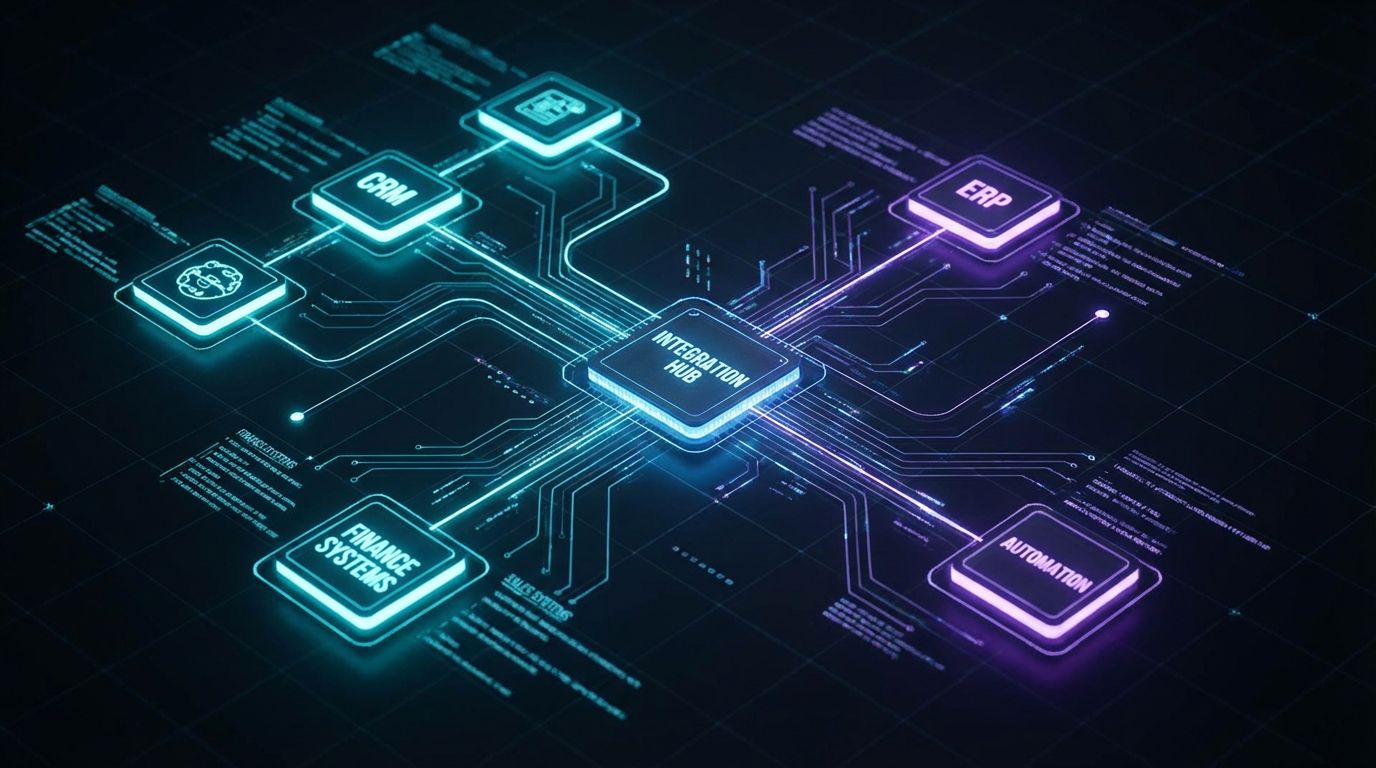
Why finance and sales data are usually siloed
Most finance teams live in ERP or accounting systems like QuickBooks or Microsoft Dynamics, while sales and RevOps teams live in CRM. Each side optimizes for its own metrics, tools, and processes. Over time, this creates parallel universes of customer truth, with different names, addresses, terms, and revenue numbers depending on which system you open.
Those silos show up as manual CSV exports, shared inbox threads to “confirm the latest invoice total,” and spreadsheets used to reconcile data each month. The real cost is not just admin time—it is delayed decisions, missed renewals, and customer experiences that feel disjointed and error-prone.
Definition of ERP and CRM (in business, not vendor, terms)
Think of your CRM as the system of engagement. It tracks leads, opportunities, quotes, activities, and relationships across marketing, sales, and customer success. It answers questions like “Who is in our pipeline?” and “What did we last promise this customer?”
Your ERP or accounting system is the system of record for money and inventory. It manages customers from a billing perspective, orders, invoices, payments, credit limits, and often inventory and fulfillment. It answers questions like “What is our cash position?” and “What is this customer’s balance and credit status?”
What “ERP and CRM integration” means in practice (objects, events, and workflows)
In practice, ERP and CRM integration is not just flipping on a connector. It is deciding which objects (accounts, contacts, opportunities, orders, invoices, products) and events (new deal, approved quote, shipped order, paid invoice) should move between systems and when. Then it is mapping every relevant field, transformation, and validation rule so that data stays consistent over time.
For example, when a deal is marked Closed Won in the CRM, integration logic might create or update a customer record in the ERP, generate an order or invoice, and push back invoice status to the CRM. Good CRM integration with ERP also includes robust error handling, retries, and monitoring so someone knows—and can fix it—when a record fails to sync.
The stakes: how bad data and manual re-entry hurt revenue, cash flow, and forecasting
When sales and finance are out of sync, you feel it everywhere. Quotes sit waiting for manual setup in the ERP, so invoices go out late, pushing cash receipts into the next period. Customer names and addresses are keyed differently, causing duplicate accounts, misapplied payments, and reporting noise.
Executives end up with multiple “truths” for ARR, MRR, and outstanding AR, depending on which spreadsheet they trust. The teams closest to the work quietly burn 20–40 hours per month retyping data and fixing mistakes. This is exactly the gap that well-implemented ERP–CRM integration closes.
Common Data Flows Between Finance and Sales
Lead-to-cash overview: from marketing lead to paid invoice
Every integration project I have led starts by mapping the end-to-end lead-to-cash flow. A typical journey: marketing generates a lead, sales qualifies it into an opportunity, quotes are created and approved, the deal is won, the order is fulfilled, and finance invoices and collects payment. Along the way, customer details, products, pricing, and terms must remain consistent between CRM and ERP.
With strong CRM integration with ERP, that flow is stitched together. You define exactly when a lead graduates to a billable customer, when orders and invoices are created, and how payment status feeds back to sales and customer success for renewals and upsells.
Key integration objects and events
For most mid-market teams, the core integration scope includes:
- Accounts/Customers, Contacts – Master customer profiles and contacts that should not diverge between systems.
- Opportunities/Quotes, Orders, Invoices – Commercial milestones that turn intent into revenue and collections.
- Products/Items, Pricing, Discounts – The catalog and commercial logic that must match between quoted and billed amounts.
- Payments, Credit Limits, Renewals – Financial health indicators that sales needs to see to prioritize and protect revenue.
Each of these has its own trigger points and owning system. Getting clear on which side is the “master” for each object is a critical early step in a successful integration.
Common integration patterns
Most ERP–CRM architectures use a mix of three patterns. First, one-way vs bi-directional sync: some objects should only flow one direction (e.g., invoices from ERP to CRM), while others can safely sync both ways (e.g., contact phone numbers with conflict rules). Second, batch vs near-real-time: nightly batches can be fine for certain reports, but order and invoice events often need near-real-time updates.
Third, you establish master data ownership rules. That might mean the CRM owns prospect and early customer data until a deal closes, the ERP then becomes the master for legal and billing details, and selected fields (like payment status or credit hold) are pushed back into the CRM as read-only. Getting these patterns right reduces both technical complexity and downstream disputes.
Old Way vs Integrated Way (Manual Re-Entry vs ERP–CRM Integration)
| Process Step | Manual Process (Old Way) | Integrated Process (ERP–CRM) |
|---|---|---|
| New Customer | Sales rep enters account in CRM; later, finance retypes customer into ERP from email or spreadsheet (5–10 minutes, high duplicate risk). | Account created once in CRM, auto-created/updated as Customer in ERP with validation rules and duplicate checks (seconds, low error risk). |
| New Order / Won Deal | Sales ops exports quote or emails details; finance manually builds the order in ERP, often re-keying line items and discounts (10–20 minutes per order). | When opportunity is Closed Won, integration creates order in ERP using mapped products, prices, and discounts automatically. |
| Invoice Creation | Finance reviews orders, builds invoices from scratch, and emails PDFs; sales has to ask for status updates (5–15 minutes per invoice). | Invoices are auto-generated from ERP orders; status is synced back to CRM so reps see “Sent,” “Paid,” or “Overdue” without chasing finance. |
| Payment & Collections | Finance runs separate AR aging reports; sales is blind to overdue balances unless someone emails a spreadsheet. | ERP payment and AR status sync into CRM account views; automated alerts can notify account owners of at-risk customers. |
| Renewals & Upsells | CS and sales manually pull contract and invoice history, often missing small but important accounts. | Renewal dates, contract values, and usage data from ERP surface in CRM lists and dashboards for proactive outreach. |
This is exactly the kind of process mapping and redesign AiBizBuild performs in a Workflow Audit, before we ever touch a connector. We align finance, RevOps, and IT on how work should flow, then we implement integrations to match.
Integration Options: Native Connectors, Middleware, and iPaaS
Option 1 – Native CRM integration with ERP
Many CRMs advertise out-of-the-box integrations with QuickBooks Online, Dynamics, and other ERPs. A typical example: a CRM that works with QuickBooks Online via an app-store connector that syncs customers and invoices in a few clicks. These can be a fast way to test basic CRM integration with QuickBooks for simple use cases.
The upside is speed and simplicity when you have a straightforward, low-volume workflow. The downside shows up when you need custom objects, nuanced pricing logic, multi-entity accounting, or robust error handling. Native connectors often hide their mapping logic, are hard to extend to other systems, and can break silently when your processes evolve.
Option 2 – Point-to-point custom integrations and middleware
Some teams move from app-store connectors to scripts or small middleware tools that sync specific objects between two systems. IT or a freelance developer might stand up a custom API integration between the CRM and ERP. It works at first, but the knowledge of how it works lives in a few people’s heads.
As requirements change, each new field or rule means touching custom code. Logging, monitoring, and retry logic are often bolted on later—if at all. Over time, you accumulate hidden technical debt and a web of brittle connections that make every change a risk to core revenue operations.
Option 3 – iPaaS and low-code platforms (DCKAP, Workato, IBM, etc.)
iPaaS and low-code tools like DCKAP Integrator, Workato, and IBM’s integration platforms give you a rich catalog of connectors, visual workflows, and reusable recipes. They are powerful enablers for complex CRM integration with ERP, especially when multiple systems or entities are involved. They also shift more work into configuration rather than pure coding.
However, they do not replace the need for architecture, data modeling, and governance. Someone still has to design the integration patterns, field mappings, error handling, and security model. Without that expertise, it is easy to build tangled workflows that are hard to troubleshoot, audit, or extend.
Integration Options Comparison
| Approach | Typical Use Case Fit | Setup Effort | Flexibility | Maintenance Burden | Who Owns Outcomes |
|---|---|---|---|---|---|
| Native Connector | Simple, single-entity businesses needing basic sync of customers and invoices. | Low for initial setup; hidden effort appears when you customize. | Limited to vendor’s predefined mappings and triggers. | Moderate; updates and edge cases require manual workarounds. | Your internal team (often RevOps or IT) is responsible. |
| Custom Point-to-Point / Middleware | Unique requirements not covered by off-the-shelf connectors; 1–2 core systems. | High upfront; requires developers and deep system knowledge. | High, but changes can be slow and risky if undocumented. | High; every process change can trigger code changes. | IT and individual developers; risk if they leave. |
| iPaaS / Low-Code (e.g., DCKAP, Workato, IBM) | Multi-app ecosystems, complex workflows, multi-entity organizations. | Medium–High; drag-and-drop UI still needs careful design and testing. | Very high; can orchestrate many systems and advanced logic. | Medium; requires ongoing admin, monitoring, and recipe updates. | Shared between tool owner and internal operations/IT. |
| Done-For-You Agency (AiBizBuild) | Teams wanting a strategic partner to design, build, and run CRM–ERP and AI workflows end to end. | Medium from your side (workshops, decisions); high on our side as we handle the heavy lifting. | Very high; tools are selected and configured to fit your data model and roadmap. | Low for you; AiBizBuild manages monitoring, adjustments, and enhancements. | AiBizBuild owns outcomes against agreed workflows and SLAs, not just tool setup. |
With AiBizBuild, you are not buying another tool; you are engaging a team that has already designed and implemented dozens of integrations on top of tools like DCKAP, Workato, and native connectors. Our Workflow Audit clarifies which approach and stack fit you, then we execute against that blueprint.
Why DIY ERP–CRM Integration So Often Fails
The real workload behind “simple” connectors
Most “simple” connectors gloss over the hardest parts: field mapping, historical data cleanup, and ID management. Even for basic CRM integration with QuickBooks, you quickly run into questions like: which CRM fields drive QuickBooks terms, tax codes, and classes, and what happens if values do not match? How do you map multiple contacts in CRM to a single billing contact in ERP?
Multiply that by dozens of objects and hundreds of fields, and you can see why DIY efforts often stall. The work is not glamorous, but it is essential if you care about clean reporting and low error rates.
Error handling, retries, and data reconciliation nobody talks about
Connectors demo well when every record is perfect. Real life is different. Addresses miss required fields, products are missing mappings, API limits are hit, and network hiccups cause partial failures. Without a well-designed error handling and retry strategy, these edge cases silently break your data.
In healthy integrations, you have centralized logs, alerting, and reconciliation routines that catch and resolve issues before they impact billing or customer experience. This is built into how AiBizBuild configures workflows, not added as an afterthought.
Governance and change management
Your integration will only be as stable as your governance. When sales wants to add a new product line, finance changes GL mappings, or RevOps updates the stage model, who checks that these changes will not break your CRM–ERP flows? Without a clear change-management process, integrations slowly drift out of alignment with the business.
We treat integration changes much like automated approval workflows: structured intake, impact analysis, testing in a sandbox, and controlled rollout. That governance muscle is often missing in DIY projects.
The cost of getting it wrong: corrupted data, billing errors, compliance risk
When integrations fail quietly, you do not just lose time—you introduce bad data into core financial systems. Duplicate customers and misapplied payments can skew AR aging and cash-flow projections. Incorrect tax handling or invoice data can create compliance exposure in regulated industries.
Fixing corrupted data after the fact is significantly more expensive than getting the design right from day one. I have led remediation efforts where teams spent months unpicking a poorly designed integration just to get back to a clean baseline.
How AiBizBuild de-risks this: specialized architects, repeatable patterns, SLAs
AiBizBuild brings specialized automation architects who have already solved these patterns across multiple stacks, including QuickBooks and integration Microsoft Dynamics scenarios. We start with a Workflow Audit to understand your current systems, data quality, and objectives. Then we apply proven templates for mappings, error handling, and monitoring rather than reinventing the wheel.
We also back the implementation with clear SLAs, so you know who is accountable when something does break. That is the difference between “we installed a connector” and “we own the integrity of your lead-to-cash workflows.”
QuickBooks and Microsoft Dynamics Integration Examples
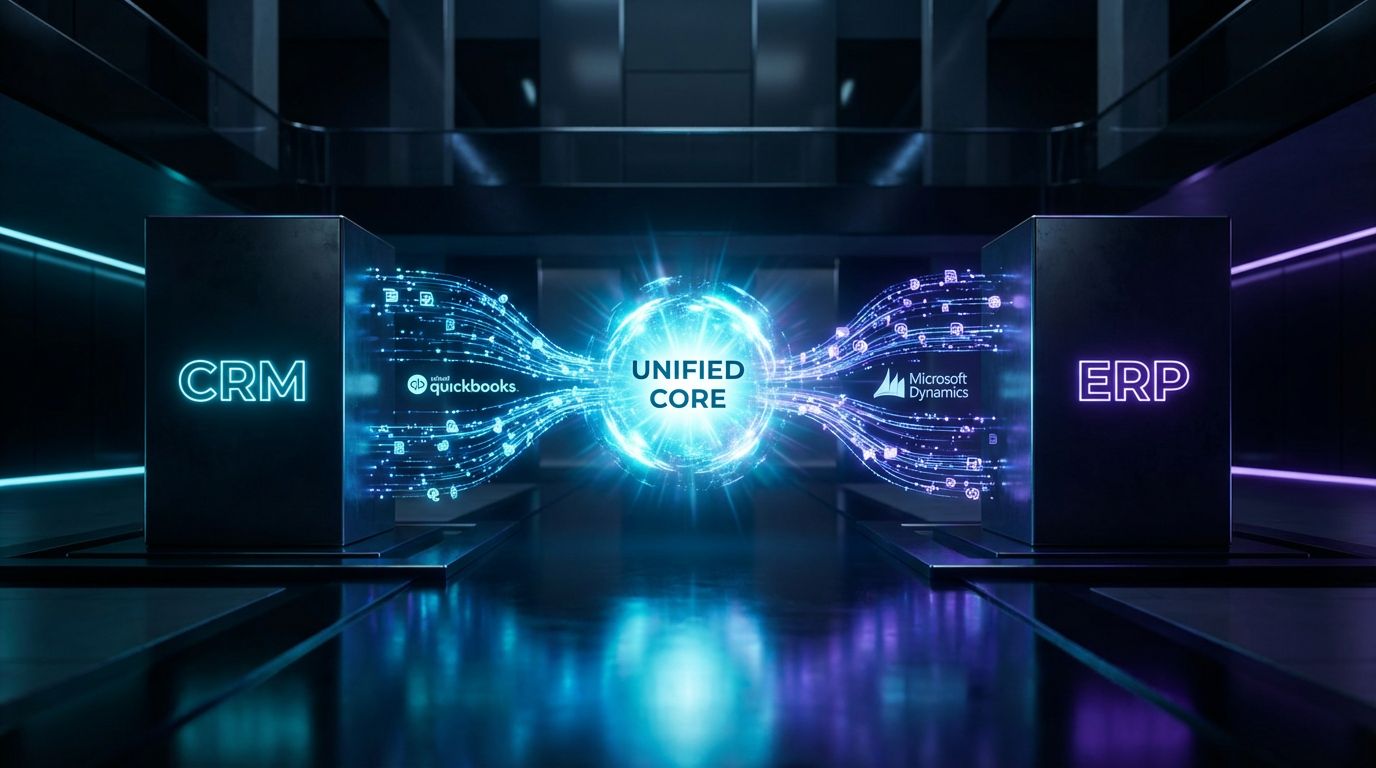
CRM integration with QuickBooks – typical mid-market scenario
For many B2B services and light-manufacturing firms, a core use case is CRM integration with QuickBooks. The CRM (Salesforce, HubSpot, Zoho, or another CRM that works with QuickBooks Online) manages leads, pipelines, and quotes. QuickBooks Online or Desktop handles invoicing, payments, and basic inventory.
A common pattern we implement: when an opportunity is moved to Closed Won in the CRM, the integration checks whether a corresponding customer exists in QuickBooks. If not, it creates one, then generates an invoice or sales receipt based on mapped products, quantities, discounts, and tax rules. Payment status is then synced back to the CRM so reps see which deals have actually turned into cash.
Field mapping highlights – CRM ↔ QuickBooks
Here is a simplified view of what a basic mapping can look like. In practice, we extend this with custom fields, dimensions, and validation rules tailored to your chart of accounts and reporting needs.
- Account/Company (CRM) → Customer (QuickBooks)
Fields: Name, Billing Address, Shipping Address, Primary Contact, Payment Terms, Tax Exemption Code, Custom attributes (e.g., Segment, Region). - Contact (CRM) → Customer Contact (QuickBooks)
Fields: First/Last Name, Email, Phone, Role (billing vs technical contact). - Products (CRM) → Items (QuickBooks)
Fields: SKU, Name, Description, Income Account, Price, Taxable status. - Opportunity/Quote (CRM) → Estimate/Invoice (QuickBooks)
Fields: Line items (product, quantity, price, discount), Tax Code, PO Number, Class/Location, Due Date based on terms.
We also define clear rules for when updates flow back. For example, finance may adjust invoice terms directly in QuickBooks, but we only sync summary status into CRM to avoid overwriting authoritative financial data.
Integration Microsoft Dynamics – ERP and CRM stack
For organizations on the Microsoft stack, integration Microsoft Dynamics often means connecting Dynamics 365 Sales (CRM) with Dynamics 365 Business Central or Finance & Operations (ERP). The goal is a unified view of customers, orders, and financials without forcing every user into the ERP interface.
A typical pattern we implement: accounts and contacts originate in Dynamics 365 Sales, then are promoted to customers in Business Central when deals are approved. Sales orders created from opportunities sync into ERP for fulfillment, while invoice and payment statuses sync back to CRM so sellers see real-time financial health without needing extra licenses.
Sample mapping & workflow diagrams (described)
Imagine a simple workflow diagram for a B2B distributor on Dynamics:
- Event: Opportunity moves to “Approved for Order” in Dynamics 365 Sales.
- Step 1: Integration checks if Account has a matching Customer in Business Central (by ERP ID or external key). If missing, create the Customer with mapped billing and shipping details.
- Step 2: For each quote line, map CRM Product to ERP Item using SKU; apply correct price list and discount structure; create a Sales Order in ERP.
- Step 3: As the order is shipped, ERP posts shipment and invoice; integration updates Opportunity/Account in CRM with Invoice Number, Invoice Amount, and Due Date.
- Step 4: When payment is received, ERP marks invoice Paid; integration updates CRM with Payment Date and changes account health score or flags for upsell workflows.
These patterns repeat with variations across industries. AiBizBuild brings a library of proven mapping templates and workflows, then customizes them to your terms, dimensions, and approval chains instead of starting from scratch.
Layering AI and Automation on Top of Your Integration
Why integration is the foundation and AI is the multiplier
AI is only as good as the data you feed it. Without reliable ERP and CRM integration, AI models end up making recommendations on partial or outdated information. When finance and sales data are unified and trustworthy, AI becomes a powerful multiplier rather than a noisy side project.
That is why we treat integration as the foundation and AI as the layer on top. First, we stabilize lead-to-cash workflows; then we apply AI and automation where they can safely accelerate decisions and execution.
Example AI-powered workflows built on integrated ERP–CRM data
Once CRM and ERP are synced, new possibilities open up. For example, you can build AI-based lead scoring models that incorporate not just marketing engagement but also ERP signals like order volume, payment timeliness, and product mix. High-fit, high-value accounts rise to the top of sales queues.
You can automate credit checks before large quotes by pulling AR balances and payment history from ERP and surfacing them as guardrails in the CRM. Or you can generate AI summaries of account health that blend activity history, open tickets, contract details, and invoice/payment status so reps are prepared before every call.
How AiBizBuild uses AI agents and automation
AiBizBuild does not sell a one-size-fits-all AI SaaS product. We design custom workflows using our CRM Integration & Inbox Management service as the backbone, then layer AI where it drives clear value. That could include routing inbound emails based on integrated account tier, or using AI to draft renewal outreach informed by ERP revenue history.
When relevant, we can also link your integrated data into adjacent automations such as lead gen automation, AI Voice Agents that reference customer balances, or 24/7 appointment booking tied to billing status. The focus is always on concrete workflow outcomes and governance, not AI hype.
ROI: Time, Cost, and Error Reduction
Where the real savings show up
The most visible ROI from ERP–CRM integration is the reduction in manual work. Finance, RevOps, and sales ops teams routinely save 20–40 hours per month by eliminating re-entry of customers, orders, and invoices. That time can be reinvested into analysis, forecasting, and strategic projects instead of keying data.
You also see fewer billing errors—often a 20–30% reduction in invoice disputes and corrections—because the same product, price, and discount logic flows from quote to cash. With cleaner data and faster processing, quote-to-cash cycles can shrink by 3–7 days, improving cash flow and customer satisfaction.
Example ROI scenarios
Consider a B2B services firm doing CRM integration with QuickBooks. Before integration, sales ops might spend hours each week exporting won deals and emailing details to finance, who then create invoices manually. After integration, invoices are created automatically, freeing time and reducing the risk of missed billable items.
For a distributor running on Dynamics, integration Microsoft Dynamics across CRM and ERP can consolidate multiple manual handoffs into automated sequences. Sales, operations, and finance then see the same numbers, enabling tighter inventory planning and more confident revenue forecasts.
ROI Snapshot – Manual vs Integrated
| Scenario | Manual Effort (Before) | After Integration | Indicative Payback Period |
|---|---|---|---|
| B2B Services – CRM ↔ QuickBooks | 30–50 hours/month spent re-entering customers and invoices; invoice error rate ~5–8%. | Manual entry cut by 20–40 hours/month; invoice errors reduced by 20–30%; quote-to-cash faster by 3–5 days. | Often within 6–12 months based on labor savings and faster cash collection. |
| Distributor – Dynamics CRM ↔ Dynamics ERP | Multiple handoffs via spreadsheets; 40+ hours/month reconciling orders, shipments, and invoices; frequent stock and revenue discrepancies. | Manual reconciliation reduced by 25–40 hours/month; better inventory accuracy; quote-to-cash reduced by 5–7 days. | Often within 9–18 months, depending on complexity and volume. |
| Multi-Entity Group – Mixed CRM & ERP Stack | Fragmented reporting across entities; manual consolidation consuming 60+ hours/month. | Significant reduction in consolidation effort; improved visibility and governance across entities. | Often within 12–24 months, driven by scale and compliance needs. |
These numbers are illustrative, but they reflect what we regularly see in the field. During an AiBizBuild Workflow Audit, we quantify your current manual workload and error rates so you have a realistic business case before committing to implementation.
AiBizBuild’s Done-For-You CRM–ERP Integration Playbook
Step-by-step implementation framework (30–60 days typical)
Most successful projects follow a similar structure, typically over 30–60 days depending on scope. At AiBizBuild, we use a five-phase framework that has been battle-tested across many CRM–ERP stacks.
- Phase 1: Workflow & Data Audit – Stakeholder interviews, system inventory, current-state process mapping, and data quality assessment.
- Phase 2: Integration & Automation Blueprint – Define master data ownership, object and field mappings, triggers, error-handling strategy, and governance rules.
- Phase 3: Build & Configure – Implement connectors or iPaaS recipes, build transformations, configure security, and set up logging and monitoring.
- Phase 4: Testing, Training, and Go-Live – Sandbox builds, user acceptance testing, controlled pilot, and training for finance, sales, and operations teams.
- Phase 5: Monitoring, Optimization, and Change Management – Ongoing tuning, handling edge cases, and updating workflows as your business evolves.
This framework is similar in rigor to how we design scalable SEO content generation workflows: standardized where it should be, customized where it matters. The result is predictable rollouts and fewer surprises.
Example packaged engagements
While every engagement is scoped individually, most fall into three patterns. These are not rigid tiers but helpful reference points for planning and budgeting.
- Starter Package – Single CRM ↔ QuickBooks Online
Focused on core objects (customers, products/items, invoices) and key workflows from Closed Won to cash. Typical for growing B2B services firms wanting to eliminate manual invoicing quickly. - Growth Package – Multi-Object + Initial AI Automations
Extends integration to additional objects (orders, renewals, payment status) and layers on initial AI-powered workflows such as alerts, account health summaries, and intelligent routing in inbox management. - Enterprise Package – Complex Microsoft Dynamics Stacks
Designed for multi-entity, multi-region environments combining integration Microsoft Dynamics CRM and ERP, plus potentially other systems. Includes advanced approval chains, custom objects, and deeper governance.
Pricing is typically framed as project-based with ongoing support, with ranges shaped by system count, data complexity, and regulatory requirements. The first step to a precise quote is always a Book a Workflow Audit session where we map your current state and prioritize quick wins.
How this compares to buying a tool only
Buying an integration tool alone is like buying a box of high-end electrical components without an electrician. The hardware is powerful, but design, installation, and maintenance determine whether the lights stay on. AiBizBuild provides that end-to-end expertise.
We treat tools—native connectors, iPaaS, custom APIs—as interchangeable building blocks inside a larger system that we architect, implement, and tune. You get a partner that owns the outcome: reliable, auditable, and extensible CRM–ERP workflows that support your growth strategy.
Clear CTA: Book a Workflow Audit
If you are wrestling with disconnected CRM and ERP systems, the most valuable next step is not another tool trial. It is a structured look at how work flows today and what it costs you in time, errors, and missed revenue. That is what AiBizBuild’s Workflow Audit is designed to deliver.
In a short series of sessions, we document your current stack, map key processes, identify high-ROI automation opportunities, and propose an integration roadmap. From there, you can Book a Workflow Audit to move into implementation with confidence, or Request a Demo of how similar clients have transformed their lead-to-cash operations.
FAQs
How long does a typical ERP and CRM integration project take?
Most focused ERP and CRM integration projects take about 4–8 weeks from kickoff to initial go-live. Simpler QuickBooks-based integrations with a single CRM are often closer to the low end, while multi-entity Microsoft Dynamics environments push toward the high end.
AiBizBuild’s phased approach—discovery, blueprint, build, test, rollout—keeps timelines predictable and ensures you see value quickly instead of waiting months for a big-bang cutover.
Do we need in-house developers to maintain the integration?
Developers and technical admins are helpful stakeholders, but you should not need to write code day-to-day to keep your integrations running. Our goal is to design workflows that your business and RevOps teams can understand and operate, even if they are not developers.
AiBizBuild handles the heavy lifting on configuration, integration recipes, and monitoring, then provides clear runbooks so your team knows how to request changes without touching code.
Is CRM integration with QuickBooks or Microsoft Dynamics secure and compliant?
Yes—when designed correctly, integrations can actually improve security and compliance by centralizing access control and audit trails. We use secure authentication methods, enforce role-based access, and ensure that sensitive financial data only appears in the systems and views where it is required.
AiBizBuild also designs logging and monitoring so that changes and data flows are traceable, which supports internal audits and external compliance obligations.
What if we change our CRM or ERP in the future?
A well-architected integration and automation layer makes future system changes much easier. Instead of wiring every app directly to every other app, we design a hub-and-spoke architecture where core workflows and data contracts live in an intermediate layer.
When you later replace a CRM, accounting tool, or ERP module, we can adapt the connectors at the edge while preserving much of the business logic and governance you have already invested in.
How much does done-for-you ERP–CRM integration typically cost?
Investment levels vary based on number of systems, data complexity, regulatory requirements, and whether AI-driven automations are included. Many mid-market clients treat it as a one-time project plus a modest ongoing support retainer, with payback driven by labor savings and faster cash collection.
Rather than guess, we use the Workflow Audit to build a tailored business case and proposal. That way, you see a clear picture of scope, effort, and expected ROI before approving any build-out.
Can AiBizBuild help beyond ERP–CRM integration?
Yes. While this guide focuses on CRM Integration & Inbox Management, our team also designs adjacent automations across marketing, content, and operations. Examples include SEO Content & Blog Automation, social media workflow automation, and e-commerce operations.
The common thread is the same: we connect your systems, design robust workflows, and use AI thoughtfully to scale what works—always with governance and data quality at the core.