

Automated Resume Screening Software: How to Replace Manual CV Review with an AI-Powered Shortlisting Workflow
Key Takeaways
- Automated resume screening software doesn’t just run a resume automated screening check; it parses, scores, and routes candidates so recruiters focus only on the top slice of applicants.
- Compared to manual review, a well-designed automated workflow can cut first-pass screening time by 50–70% and reliably save 15–25 hours per role for high-volume hiring.
- The real ROI comes from an end-to-end workflow (ATS → screening → routing → scheduling), not from buying a single tool; this is where AiBizBuild’s HR & Recruitment Screening Bots deliver compounding value.
In This Guide:
💡 What Automated Resume Screening Really Does – How it fits into your hiring funnel.
⏱️ Manual Review vs Automated Screening – Time, cost, and quality trade-offs.
🧠 Why DIY Tools Fail HR Teams – The hidden costs of point solutions.
🛠️ Step-by-Step Implementation Blueprint – From config to pass/fail thresholds.
📊 Real-World Use Case & Hours Saved – A candidate screening workflow in action.
🤝 When to Bring in AiBizBuild – Done-for-you HR & Recruitment Screening Bots.
❓ FAQs – Implementation, security, and ROI.
What Automated Resume Screening Really Does

From an employer’s perspective, automated resume screening is the use of AI and rules-based logic to review incoming applications, score them against your criteria, and move candidates into the right next step with minimal human touch. In some regions this is called automated CV screening, but the underlying workflow is the same: parse, evaluate, rank, and route. Modern automated resume screening tools sit on top of your ATS or inside it, and they behave more like a digital screening team than a one-off filter.
Most HR teams first meet this category through a basic resume automated screening check embedded in their ATS or a standalone scanner. Those tools can be useful, but on their own they rarely change your workload; they simply tag or score resumes you still have to open manually. The real value comes when screening, routing, and communication are treated as one continuous system rather than three separate chores.
Done properly, automated resume screening software plugs into your ATS, email, and calendar to create a living workflow. It not only decides who should be shortlisted but also where they go next: hiring manager review, recruiter queue, or directly to interview scheduling.
Where Automated Screening Fits in Your Hiring Funnel
In a typical funnel, the steps look like this: Job posted → Applications received → Automated resume screening → Shortlist → Interview scheduling → Offer. Most teams are strong at posting and interviewing, but they burn time in the middle at the screening and shortlisting stage. That is exactly where automation should carry the heaviest load.
Think of screening as a routing problem, not a reading problem. The job of your system is to decide, “Is this candidate clearly qualified, clearly unqualified, or in the gray area that needs human judgment?” and then take the corresponding action without forcing a recruiter to open every single resume.
In this guide, we’ll stay focused on that screening + shortlist band, while showing how it connects downstream to interview scheduling and candidate communication so you get a true end-to-end outcome, not just a slightly smarter inbox.
Manual Review vs Automated Screening
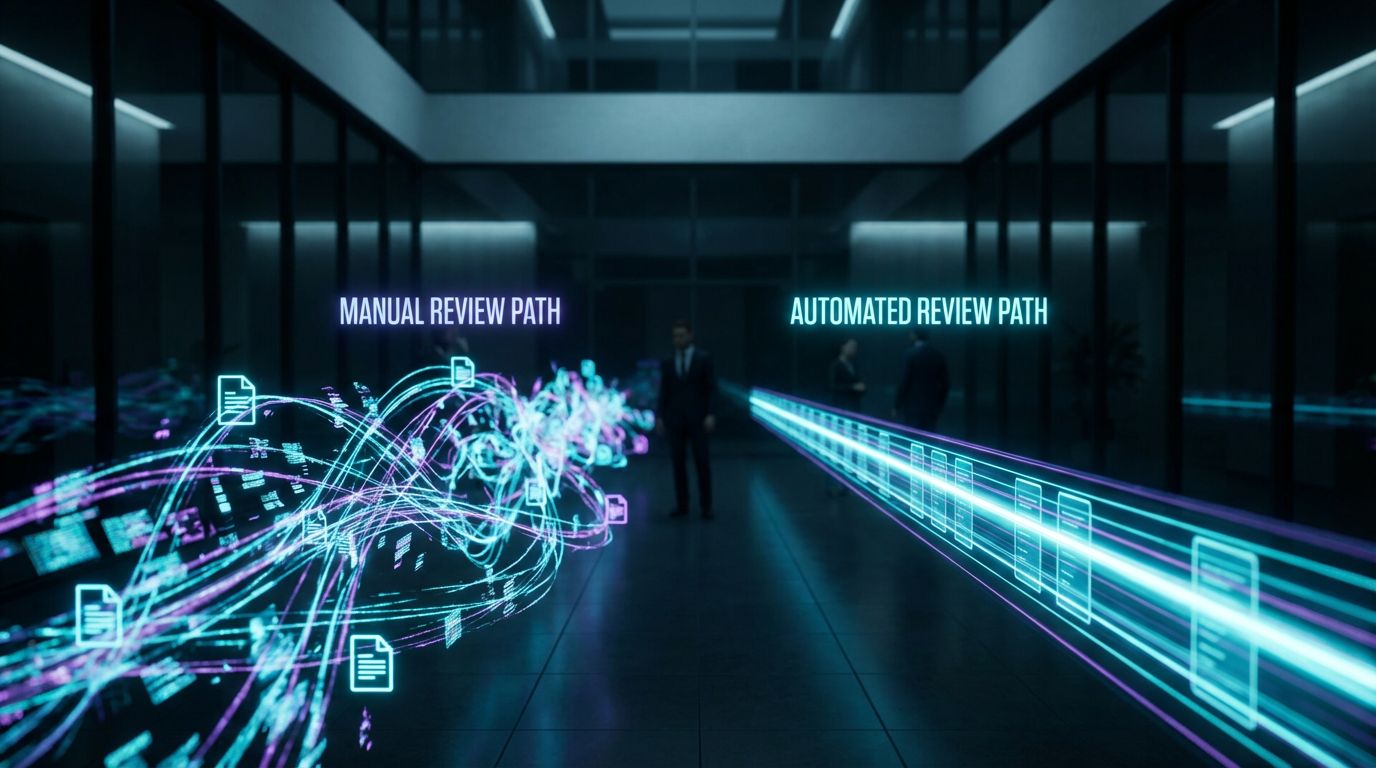
Most HR leaders I talk to are not short of tools; they’re short of time. The fastest way to diagnose whether you need automation is to map how many hours per role your team spends just on first-pass review. For many in-house TA teams, that number is quietly sitting between 10–20 hours per role, even before interviews begin.
Once you put real numbers on the “old way,” it becomes obvious that buying another point solution isn’t enough. You need a designed workflow that can handle volume without sacrificing fairness or missing strong candidates who don’t use the “right” buzzwords.
The Manual Resume Review Workflow (Old Way)
In the manual world, your funnel often looks like this: applications land in the ATS → recruiter exports or scrolls through a long list → opens each resume or CV → does a quick eyeball scan for titles, companies, and keywords. Notes go into a spreadsheet or ATS fields, and decisions are made on the fly, sometimes with inconsistent criteria from recruiter to recruiter.
For a typical posting that draws 200–500 resumes per role, even a conservative 1–3 minutes per CV adds up quickly. At 300 applicants and 2 minutes each, that is 10 hours of pure first-pass screening for a single role; at higher volume, you’re easily into the 15–20 hour range.
Manual review also tends to front-load effort and back-load regret. Recruiters get fatigued and start skimming faster, which increases the risk of missing high-potential candidates who look non-traditional on paper.
The Automated Workflow with Modern Screening Software (New Way)
In a well-implemented automated workflow, applications flow directly into your ATS and then into an AI screening layer with no manual exports. The automated resume screening software parses each resume, standardizes the data, and scores every candidate against a clear model based on your defined requirements. Candidates are ranked and segmented into bands instead of left as an undifferentiated list.
From there, rules and AI routing take over: top-band candidates are auto-shortlisted and pushed to the hiring manager or recruiter review queue, while obvious mismatches are archived with an appropriate decline message. The mid-band goes into a “human review” lane for quick spot-checking rather than full manual triage of the entire applicant pool.
When this is connected to interview scheduling, your highest-scoring candidates can receive an automated invitation with calendar links within hours of applying. That single change alone can cut time-to-first-interview by 30–50% and dramatically improve candidate experience.
Time, Quality, and Risk: Side-by-Side Comparison
To make the trade-offs concrete, here is how manual review, a basic tool-only setup, and a fully designed AiBizBuild workflow compare.
| Dimension | Manual Review | Basic Tool-Only Automation | Fully Designed Workflow (AiBizBuild) |
|---|---|---|---|
| Time per 100 resumes | 3–5 hours of recruiter time | 1–3 hours (still manual triage of tool flags) | 45–90 minutes (oversight + edge cases only) |
| Estimated hours per role (300 applications) | 10–20 hours | 6–12 hours | 3–5 hours |
| Consistency of decisions | Highly variable by recruiter and time of day | Some consistency, but criteria often under-specified | Documented scorecards and governed rules |
| Risk of bias | High; unconscious bias and fatigue are common | Medium–High; AI may encode bias if unmanaged | Explicit bias safeguards and monitoring |
| Risk of missing top talent | High at volume; strong candidates skimmed over | Medium; depends on keyword tuning | Lower; multi-factor scoring beyond keywords |
| Integration with scheduling | Manual back-and-forth emails | Usually disconnected from scheduling tools | Automatic triggers to interview scheduling |
The pattern is clear: a single tool can shave a few hours off the process, but a workflow is what delivers material savings and better, more defensible hiring decisions.
Why DIY Automated Screening Fails HR Teams
Many HR leaders tell me, “We tried an automated resume screening tool; it just created more noise.” That isn’t a software problem so much as a systems problem. Without end-to-end design, DIY setups often sit between your ATS and inbox like a half-configured filter that no one fully trusts.
The gaps fall into three main buckets: misconfigured logic, unmanaged bias, and fragmented tools that never quite talk to each other. Let’s break those down before we look at how AiBizBuild’s HR & Recruitment Screening Bots handle them differently.
Misconfigured Filters and Pass/Fail Thresholds
The most common failure mode is over-reliance on simple keyword filters. If your system requires an exact job title match or a specific certification string, you will generate a lot of false negatives—high-quality candidates who are rejected before a human ever sees them.
The opposite problem happens when criteria are too loose. Everything looks “qualified,” your queue stays full, and recruiters end up recreating the manual process inside a slightly shinier interface, losing the time savings they expected.
Getting this right means treating configuration as a design task, not a one-time settings change: must-have vs nice-to-have criteria, weighted scoring instead of hard filters, and clear pass/review/reject bands that can be tuned over time.
Hidden Bias and Compliance Risks
Automated resume screening can reduce bias, but only if you deliberately remove protected attributes and monitor outcomes. A naive deployment that learns from historical hiring decisions can easily inherit whatever bias your org had in the past.
Bias mitigation is not “on by default” in most automated resume screening tools. You have to define which data points are off-limits, set up regular adverse impact analysis on shortlists, and give humans a clear protocol for reviewing edge cases and overrides.
At AiBizBuild, we approach this the same way we approach automated content approval workflows: by building governed, auditable processes where rules are documented, exceptions are traceable, and metrics are visible.
Tool Fragmentation and Integration Debt
The third failure mode is fragmentation: one vendor for the ATS, another for candidate screening tools, another for scheduling, and a separate CRM on the side. Each log-in solves a narrow problem, but recruiters still copy-paste data and chase status updates across systems.
Typical DIY stacks look like this: ATS export → upload into a resume scanner → download results → reconcile in a spreadsheet → manually send Calendly links. Every handoff adds friction and risk of error, and your “automation” still depends on human glue to function.
This is why I rarely recommend buying new software as the first move. You need to design the data flows and event triggers first, then decide which tools will plug into that architecture with the least integration debt.
DIY vs Done-For-You: What HR Teams Miss
Here’s how a DIY tool-only setup compares with an internal IT project and a done-for-you workflow led by AiBizBuild.
| Dimension | DIY Tool-Only Setup | Internal IT-Led Project | AiBizBuild HR & Recruitment Screening Bots |
|---|---|---|---|
| Setup time | Hours to days, but often incomplete | 3–6+ months with competing priorities | 3–6 weeks to live for first role |
| Internal effort required | High recruiter time to configure and babysit | Significant HR + IT coordination and discovery | Light HR input; AiBizBuild handles design and build |
| Integration depth | Shallow; often limited to CSV or basic API calls | Varies; may not prioritize recruiter UX | End-to-end: ATS, email, calendar, CRM, HRIS where needed |
| Bias mitigation | Usually ad hoc or absent | Depends on internal expertise and bandwidth | Explicit safeguards and monitoring baked into design |
| Optimization over time | Low; settings rarely revisited | Periodic but not continuous | Ongoing tuning based on pipeline and hire quality data |
| Typical outcomes | Some time saved, but recruiter frustration remains | Mixed; success depends on internal ownership | 50–70% reduction in manual screening hours, faster SLAs, better consistency |
The takeaway: tools are necessary, but not sufficient. The teams that win are the ones who treat screening as a designed, measured system—not a feature toggle.
Step-by-Step Implementation Blueprint
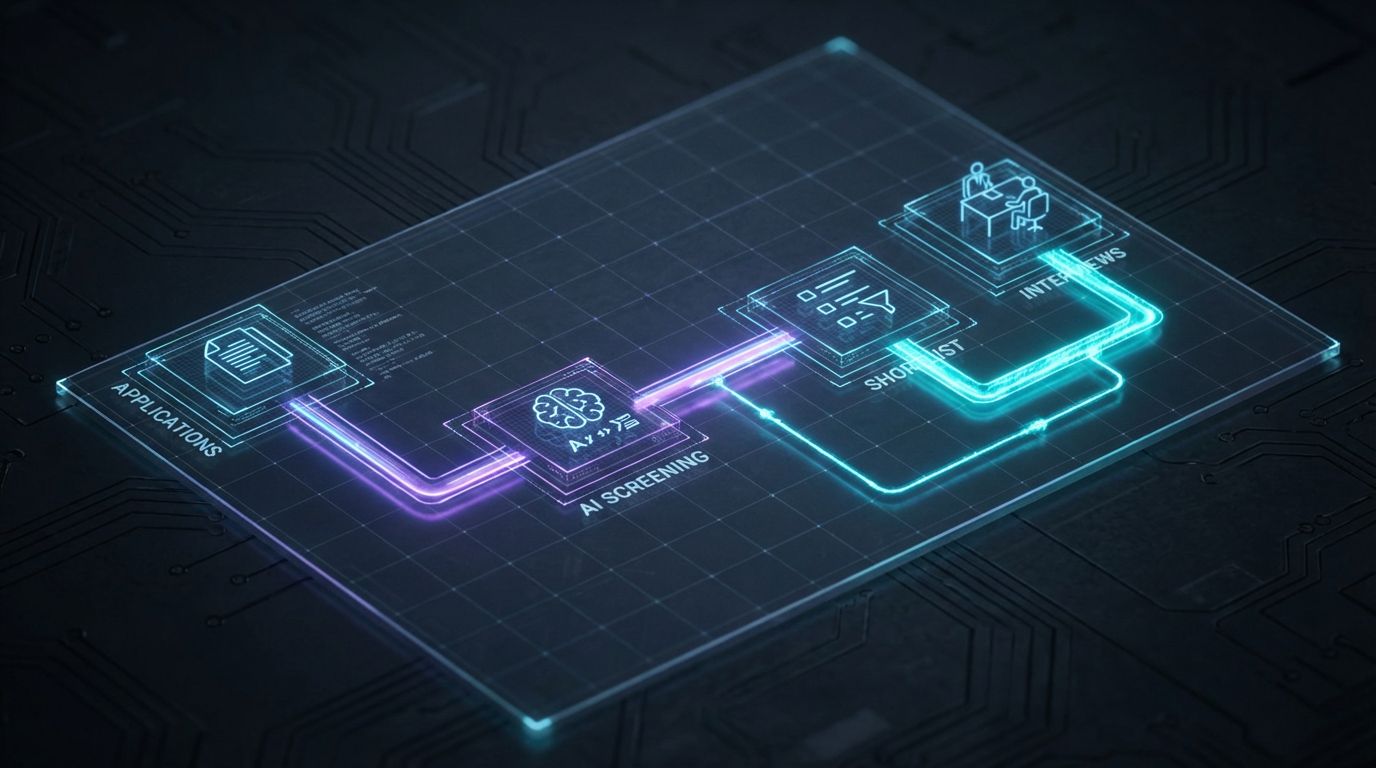
Let’s walk through how we design automated resume screening for real TA teams. This is the same blueprint we use when deploying AiBizBuild’s HR & Recruitment Screening Bots, adapted here so you can see the moving parts even if you never become a client.
Think of it as a diagram you could sketch on a whiteboard: Step 1 → Step 2 → Step 3 → Step 4 → Step 5 → Step 6. Each step removes manual touches and replaces them with clear rules, data flows, and minimal human checkpoints.
Step 1 – Map Your Current Screening Workflow
Start by documenting where resumes or CVs come from today: job boards, referrals, internal mobility, agencies. For each source, note how they enter your ATS (or if they bypass it), who touches them first, and what criteria they use to decide who moves forward.
Then list your bottlenecks: long time-to-first-response, inconsistent criteria between recruiters, too many “maybe” candidates, or hiring managers complaining about shortlist quality. This map becomes your baseline for estimating time savings and prioritizing which roles to automate first.
At AiBizBuild, this mapping exercise is the centerpiece of our initial Workflow Audit, and it usually surfaces 3–5 quick wins before any software changes are made.
Step 2 – Choose and Integrate Automated Resume Screening Software
Next, you need to decide which automated resume screening tools will power your workflow. Criteria to evaluate include ATS compatibility, parsing accuracy across formats, AI ranking sophistication, configurability of scoring models, and reporting capabilities.
This is where many guides turn into vendor roundups; I won’t. The specific logo matters less than whether the tool can cleanly integrate with your ATS, email domain, calendars, and—if applicable—your CRM or HRIS. A good tool poorly integrated will feel worse than an average tool well integrated.
AiBizBuild typically plugs in as the systems architect: we design the data flows, configure APIs and webhooks, and ensure that when an application hits your ATS, it automatically flows through screening, routing, and communication without someone exporting CSVs at 10 p.m.
Step 3 – Configure Scoring Models and Pass/Fail Thresholds
Once the plumbing is in place, you need a scoring model that reflects how you actually hire. Start by separating must-have requirements (e.g., location constraints, specific certifications, minimum years in a core skill) from nice-to-have criteria (industry, tech stack, domain familiarity).
Assign weights to each signal instead of using binary filters, so a candidate can compensate for one weaker area by being very strong in another. For example, skills match might be 40%, relevant experience 30%, industry exposure 15%, and signals of progression or impact 15%.
Then define score bands, such as: 0–49 = reject, 50–74 = manual review, 75+ = auto-shortlist. Over the first few roles, you’ll tune these thresholds based on results: if hiring managers keep sending back low-70s candidates, you either raise the auto-shortlist bar or adjust weights.
Step 4 – Bias Mitigation and Fairness Safeguards
Now layer in bias controls. At a minimum, exclude protected attributes and their obvious proxies from your models wherever technically possible. That means you are not scoring on name, address granularity, photos, age clues, or school prestige unless there is a legally defensible reason aligned with the role.
Next, set up periodic adverse impact checks: compare pass-through rates across demographics on the shortlist stage, not just offers. When something looks off, you have to be able to inspect which features are driving scores and adjust accordingly.
This governed approach mirrors how we design auditable systems in other domains, like SEO Content & Blog Automation, where compliance and traceability matter just as much as speed.
Step 5 – Connect to Interview Scheduling and Candidate Communication
Screening only creates value when it triggers action. Once your automated resume screening is live, connect your shortlist bands to downstream workflows: top-band candidates receive an automatic, personalized email with a link to self-book a first-round interview, while mid-band candidates might receive a quick “we’re reviewing” message.
This is where AiBizBuild often combines HR & Recruitment Screening Bots with our 24/7 Appointment Booking Systems. The screening bot determines who should move forward, and the booking system exposes recruiter and hiring manager availability without endless back-and-forth.
For candidates, the experience feels like a responsive, modern process; for your team, it removes a large chunk of calendar logistics that previously ate into recruiting capacity.
Step 6 – Measure Hours Saved and Improve Continuously
To quantify ROI, use a simple formula for hours saved per role: (Manual minutes per CV × number of CVs) ÷ 60 – (Automated oversight hours). If you used to spend 2 minutes per resume for 300 applicants (10 hours) and now spend 3 hours on oversight and edge cases, you’re saving 7 hours per role.
Go beyond that single metric and track: time-to-shortlist, time-to-first-interview, offer rate for screened candidates, and candidate NPS or satisfaction scores. Over a quarter or two, these metrics will tell you where to tighten thresholds or adjust weighting.
As part of our HR & Recruitment Screening Bots deployments, AiBizBuild sets up dashboards and feedback loops so your TA leaders can see, in real time, how automation is affecting throughput, quality, and recruiter workload.
Use Case: Automating Screening for a Single Role
—IMAGE_BLOCK: Futuristic Glass & Metal Product Shot of a sleek “Screening Bot” device on a dark desk, with holographic resume cards flowing in and a narrow stream of highlighted candidates flowing out, symbolizing focused shortlisting. Cinematic lighting, Unreal Engine 5 render, futuristic corporate aesthetic, glowing cyan and purple accents, shallow depth of field, 8k resolution—
Theory is nice; numbers are better. Let’s look at what happens when we apply this blueprint to a single high-volume role. The example below mirrors real-world engagements we’ve run for mid-market companies scaling their sales and customer success teams.
We will focus on one role, but the same design scales across families of roles once the initial model and integrations are in place. This is where you see the compounding effect of moving from manual decisions to a reusable, automated system.
The Starting Point – 300 Applications per Role, 12 Hours of Manual Screening
Imagine a B2B SaaS company hiring for a mid-level Customer Success Manager role in a major city. Each posting attracts roughly 300 applicants within the first two weeks, with spikes when ads are refreshed.
Recruiters are spending about 12 hours per role on first-pass screening: quick scans of every resume, ad hoc notes in the ATS, and follow-up emails to coordinate interviews. Shortlists vary noticeably between recruiters, and hiring managers complain that too many “obvious no’s” still slip through.
On top of that, good candidates sometimes wait 5–7 days before hearing back, which increases drop-off when they’re running multiple processes.
The Automated Workflow Design
We start by integrating the company’s ATS with an automated resume screening software layer and AiBizBuild’s HR & Recruitment Screening Bots. All incoming applications are parsed; resumes and CVs are standardized into structured profiles that the bot can analyze consistently.
For this role, the scoring model weights core criteria such as SaaS or B2B experience, years of client-facing work, exposure to account management, relevant tools (e.g., CRM platforms), and location/time zone alignment. We also create a mid-band for candidates whose titles are slightly off but whose responsibilities are a close match.
We then configure thresholds: candidates scoring 80+ are auto-shortlisted and immediately sent a tailored email with a link to self-schedule a 30-minute screening call; 60–79 scores go into a human review queue; scores below 60 are declined with a polite, branded message.
Results: Hours Saved and Improved Shortlists
Within the first month, manual screening time per role drops from 12 hours to roughly 2–3 hours, focused on reviewing the mid-band and occasional edge cases. Recruiters now deep-review only the top 15–20% of applicants instead of reading every CV.
Time-to-first-interview falls by 30–50% because high-scoring candidates receive an immediate invite to book, often within 24 hours of applying. Hiring managers report that shortlists feel more consistent and aligned with the agreed profile instead of swinging based on who did the initial review.
Across a quarter, the team saves dozens of recruiter hours that can be redeployed to candidate nurturing, hiring manager partnerships, and strategic projects. This is the difference between adding another tool and deploying a full automated resume screening workflow.
When to Bring in AiBizBuild
You do not need an agency to turn on a resume scanner; you bring in an agency when you want a measurable, reliable system that your team can depend on. In my experience, there are clear signs that you have outgrown DIY candidate screening tools and need a specialist partner.
AiBizBuild positions itself as a premium automation architect for HR and operations, similar to how we design lead gen automation for revenue teams or AI SEO pipelines for marketing. HR & Recruitment Screening Bots are simply the talent side of the same systems mindset.
Signs You’ve Outgrown DIY Candidate Screening Tools
- You are consistently screening 200+ resumes per month across one or more roles, and recruiter capacity is a constraint.
- Recruiters complain about “living in spreadsheets” or bouncing between ATS tabs, email, and calendars just to move candidates one step forward.
- Leadership is asking for more consistent, data-backed hiring decisions, but your current process relies heavily on individual recruiter judgment.
- You’ve tried one or more candidate screening tools, but adoption is low and the team still feels overwhelmed by volume.
- Compliance, DEI, or legal stakeholders are increasingly concerned about fairness, documentation, and auditability of hiring decisions.
If several of these resonate, you are beyond the “let’s try a tool” phase and into the “we need an actual screening system” phase.
What AiBizBuild’s HR & Recruitment Screening Bots Include
Our HR & Recruitment Screening Bots are not a $10/month SaaS; they are custom-designed workflows built on top of your stack. A typical engagement includes end-to-end workflow design from application to shortlist to interview scheduling, informed by deep mapping of your current process.
We provide tool selection advisory, but our real value is in integrations: connecting your ATS, email, calendar, and—when needed—CRM Integration & Inbox Management so referrals and outbound candidates are treated consistently. We configure scoring models, pass/fail thresholds, and bias safeguards tailored to each role family.
Finally, we stand up dashboards that monitor throughput, quality, time savings, and fairness indicators, so your TA leadership can manage by data instead of anecdotes.
Next Step: Book a Workflow Audit or Request a Demo
If you want to understand what an automated screening system would look like for your org, the best next step is to Book a Workflow Audit. In that session, we map your current funnel, estimate potential hours saved, and highlight integration opportunities with your existing tools.
If you prefer to see a live system first, you can Request a Demo of AiBizBuild’s HR & Recruitment Screening Bots. We’ll walk through a sample end-to-end workflow: applications flowing into your ATS, an AI screening layer ranking candidates, automated shortlisting, and integrated interview scheduling.
Either path is designed to answer a single question: “What would it take to stop drowning in manual resume review and redeploy that time into higher-value work?”
FAQs About Automated Resume Screening Workflows
How long does it take to implement an automated resume screening workflow?
For a single role or role family, most organizations can go live in 3–6 weeks. The exact timeline depends on your existing ATS, the quality of your current data, and how many integrations (email, calendar, HRIS, CRM) you want in the first phase.
AiBizBuild typically follows a structured path: Week 1–2 for discovery and workflow mapping, Week 2–4 for integration and scoring model setup, and Week 4–6 for testing, threshold tuning, and launching your first automated role.
Will automated resume screening introduce bias into our hiring?
Unmanaged automation can absolutely introduce or amplify bias, especially if it is trained purely on past hiring decisions. However, a well-designed workflow with explicit safeguards can reduce bias compared to inconsistent human screening.
Our approach is to exclude protected attributes where possible, monitor pass-through rates across groups, and keep humans in the loop for edge cases and periodic audits. The goal is not to replace human judgment but to make it more consistent, transparent, and fair.
Do we need a new ATS to use automated resume screening software?
In many cases, no. Most organizations can layer automated resume screening software on top of their current ATS using APIs, webhooks, or native integrations, especially if that ATS already centralizes all applications.
During an AiBizBuild Workflow Audit, we assess whether extending your current stack or introducing a new component makes more sense. Replacing an ATS is a major project; we only recommend it when the limitations are clearly blocking your automation goals.
How do you estimate hours saved per role with automation?
We start by measuring your current baseline: average number of applicants per role, average minutes spent per resume, and time spent on scheduling. From there, we apply the formula (Manual minutes per CV × volume) ÷ 60 – (Automated oversight hours) to estimate hours saved per role.
Post-implementation, we track real data from your ATS and automation logs—how long it takes to generate a shortlist, how many manual reviews occur, and how quickly interviews are booked—to validate and refine those estimates over time.
Do we need internal developers or IT resources to work with AiBizBuild?
You do not need a dedicated internal development team. AiBizBuild handles the technical design and build; your IT team is primarily involved for access control, security review, and final sign-off on integrations.
On the HR and TA side, we ask for subject-matter expertise: how you currently screen, what good looks like for each role, and where your pain points live. From there, we turn those inputs into a working, automated resume screening workflow that your team can operate day to day.