

Using ChatGPT for Customer Service: Opportunities, Limits, and Implementation Patterns
Key Takeaways
- Traditional scripted human support excels at nuance and judgment, while ChatGPT-augmented customer service shines at speed, consistency, and handling repetitive work at scale.
- The core opportunities of using ChatGPT for support are response drafting, summarization, and triage, while the key risks are hallucinations, compliance issues, and loss of brand control if guardrails are weak.
- A phased rollout plan—internal pilot, agent augmentation, narrow customer-facing automation, then deeper integrations—is the safest path, and AiBizBuild helps design, implement, and maintain these workflows end to end.
In This Guide:
🧩 What ChatGPT Can (and Can’t) Do for Customer Service – Capabilities, strengths, and blind spots.
🧍♀️ The Old Way: Human-Only, Scripted Support – How most teams operate today.
🤖 The New Way: ChatGPT-Augmented Support Workflows – Practical augmentation patterns.
⚠️ Why DIY ChatGPT Support Rollouts Fail – Where internal experiments usually break.
🧪 Phased Rollout Plan: From Pilot to Reliable AI Support – A concrete, staged implementation roadmap.
📌 Use Case: AI Chat Support for a B2B SaaS Help Desk – Detailed before/after walkthrough.
🧱 Tech Stack, Governance, and Safeguards – Tools, integrations, and rules you actually need.
🧭 When to Bring in an Automation Agency Like AiBizBuild – How we help you skip the painful parts.
❓ FAQs – Straight answers for support and operations leaders.
Your support team is drowning in tickets, leadership wants 24/7 coverage, and headcount is not keeping up. At the same time, everyone keeps talking about chat gpt customer service as if dropping a bot into your help center will magically fix volume, SLAs, and CSAT. This guide cuts through the noise and compares the old model of manual, human-only support with a disciplined, ChatGPT-augmented approach—plus a phased rollout plan you can actually execute.
If you’ve already tried a basic AI chat widget or an ai support chatbot pilot, you’ve probably seen how fast things can go sideways without context, governance, and clear workflows. The goal here is not to replace your agents but to design a system that deflects 25–40% of repetitive work while making humans more effective on everything that truly needs them. We’ll focus on implementation patterns, risk controls, and the metrics that matter to heads of CX and operations.
What ChatGPT Can (and Can’t) Do for Customer Service
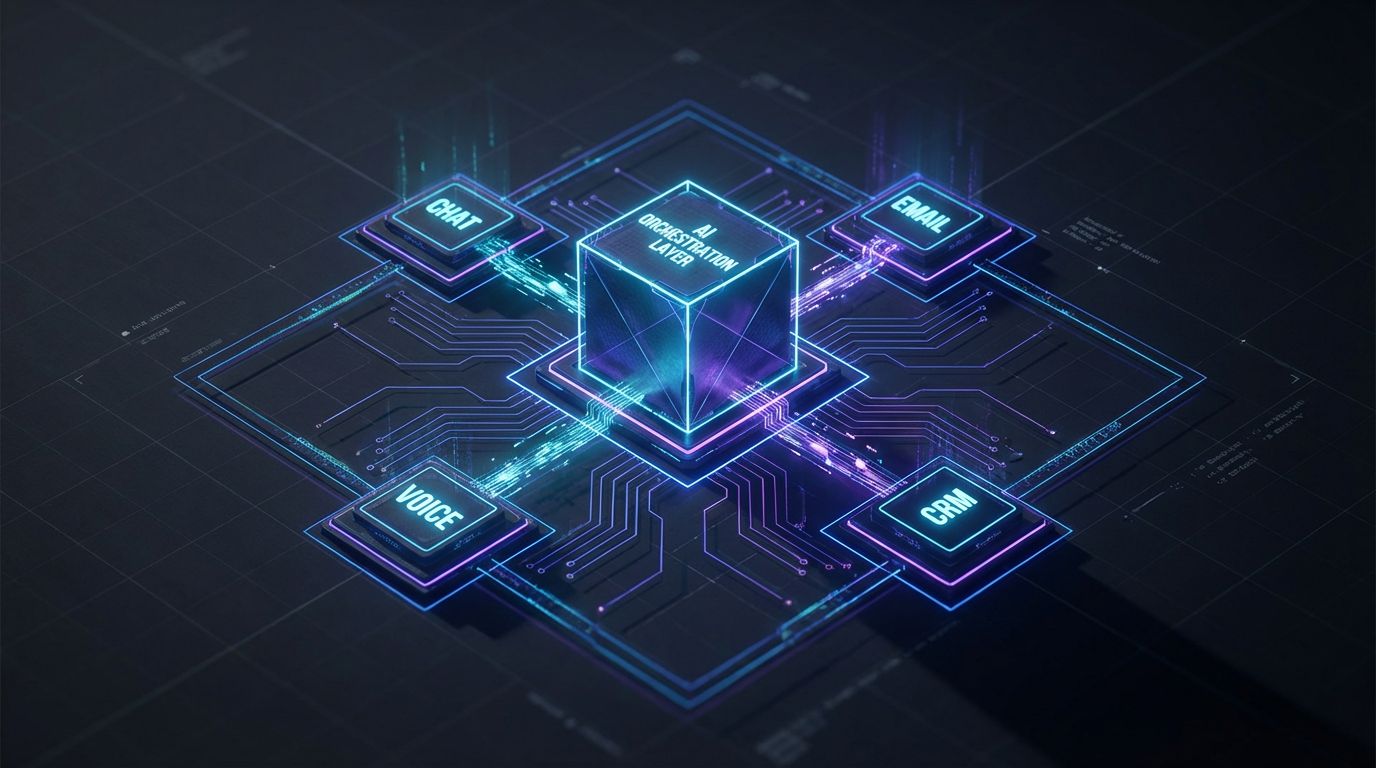
ChatGPT is a language engine, not a turnkey support product. Used correctly, it becomes a powerful co-pilot that drafts, summarizes, routes, and classifies at a speed no human team can match. Used naively, it can hallucinate policies, expose you to compliance risk, and erode trust with one bad reply.
Core Capabilities for Support Teams
In real deployments, ChatGPT’s highest ROI is behind the scenes, assisting agents. It can read the current ticket, prior messages, and relevant knowledge base content, then draft a response in your brand voice that the agent reviews and sends in seconds instead of minutes.
It can also turn messy email chains or multi-hour chats into a 2–3 sentence internal summary with bullet points for key decisions, making handoffs faster and escalations clearer. For global teams, ChatGPT can translate customer messages, simplify overly technical replies, and rephrase canned macros so they don’t feel robotic.
- Drafting responses: Auto-writing 70–90% of a reply based on your KB and past tickets.
- Summarization: Compressing long threads into digestible notes for L2 or account managers.
- Translation and rephrasing: Bridging language gaps and tailoring tone per customer segment.
- Intent detection and tagging: Classifying tickets by topic, sentiment, and urgency for routing.
On its own, though, ChatGPT is not a production-ready ai support chatbot. It must be wrapped in a workflow that controls what data it sees, what it’s allowed to say or do, and when humans step in.
Where ChatGPT Struggles (Hallucinations, Ambiguity, Compliance)
Hallucinations are not sci-fi; they’re very practical problems like the bot inventing a refund policy, misquoting your SLA, or promising a feature that doesn’t exist. This often happens when the model is forced to answer without enough context or when prompts don’t explicitly forbid guessing. In regulated industries, this can cross from “annoying” into “compliance incident” quickly.
Ambiguity is another weakness. If the customer asks, “Why was my invoice higher this month?” and the AI can’t see billing history, it will produce a plausible but potentially wrong generic explanation. Without clear rules—like, “If you don’t have the customer’s account data, acknowledge the question and escalate”—you create silent risk.
Compliance and PII handling require deliberate design. You need to decide what data is passed into ChatGPT, how long it’s retained, and how interactions are logged and audited. The technology can be configured to minimize PII exposure, but governance and architecture matter far more than just toggling “enterprise mode” and hoping for the best.
ChatGPT vs Traditional Scripted Chatbots
Traditional scripted bots run on decision trees: if the user says X, show flow Y. They’re safe but brittle, and every new edge case means another branch your team must maintain. They work reasonably well for a tiny set of predictable FAQs and fall apart on anything nuanced.
ChatGPT-based bots flip this: you move from predefining every path to giving the model clear instructions, controlled access to your knowledge, and rules about how to behave. This reduces the burden of maintaining thousands of tree nodes but increases the need for strong prompts, retrieval design, and testing. You’re trading “flow maintenance” work for “system design and governance” work.
On balance, that’s a good trade if your volume is high and your content changes frequently. But it’s only a win if you treat your ai chat support or ai support chatbot as a governed system, not a toy.
The Old Way: Human-Only, Scripted Support
Most B2B, SaaS, and services teams still run variations of the same support model. You have a shared inbox or help desk, a library of macros or snippets, and a knowledge base that’s updated “when we have time.” Triage is manual, and your best agents spend too much of their day copy-pasting and rewriting the same answers.
How Most Teams Handle Support Today
Typical setups include Zendesk, Intercom, Freshdesk, HubSpot, or a homegrown ticketing system. Agents scan queues, pick tickets, skim past threads, then search the KB or old tickets for something similar. They manually tag tickets, add internal notes, and decide whether to escalate or close.
There’s often a parallel world of “shadow knowledge” in Slack, Notion, or someone’s head. Macros creep from a dozen to hundreds, many half-accurate or outdated. New agents take months to ramp because they must learn not just the product, but which macro is safe, which one is wrong, and which teammate to ping when they’re stuck.
Strengths of Human-Only Support
Humans still dominate on nuance, empathy, and complex judgment. When a high-value account is threatening to churn, you want a seasoned CSM or senior agent, not an LLM, talking them down. Humans can also navigate exceptions, incomplete data, and organizational politics in ways machines can’t.
For complex onboarding, consultative problem-solving, or emotionally charged situations (outages, billing mistakes, health or financial issues), human-only is still the gold standard. AI should support these agents with context and drafting, not replace them. Think of AI as the exoskeleton, not the body.
Where the Old Way Breaks Down
As volume grows, manual systems crack. Backlogs build, first-response times creep from minutes to hours, and customers learn they’ll get faster answers if they ping their AE or CSM directly. That drives even more shadow support and saps your team’s focus.
Consistency is another pain point. Two agents answering the same question will often give slightly different instructions or tone, which confuses customers and hurts brand trust. After-hours and weekend coverage is expensive, forcing hard trade-offs between SLAs and staffing costs.
Finally, your best people end up spending half their day on low-value, repetitive work instead of complex cases, product feedback, and proactive outreach. This is exactly where ChatGPT-augmented workflows can take over without sacrificing quality.
| Dimension | Manual / Human-Only Support | ChatGPT-Augmented Support |
|---|---|---|
| Response time | Limited by agent availability; spikes under load. | Drafts and FAQ answers generated in seconds, even at peak volume. |
| After-hours coverage | Expensive or unavailable; reliance on on-call rotations. | 24/7 triage and FAQ resolution via supervised AI chat support. |
| Consistency of tone | Varies by agent; hard to enforce brand voice. | Centralized prompts ensure consistent tone and phrasing. |
| Training overhead | Long ramp-up; heavy reliance on tribal knowledge. | New agents lean on AI drafts and summaries to become productive faster. |
| Handling simple FAQs | Repetitive manual replies; high boredom and burnout. | AI handles repetitive questions; humans focus on edge cases. |
| Ability to summarize tickets | Manual note-taking; often skipped under pressure. | Automatic concise summaries for handoffs and reporting. |
| Escalation handling | Depends on agent judgment; prone to inconsistency. | Explicit rules tell AI when to route to humans with context attached. |
| Reporting and insights | Manual tagging; incomplete or low-quality data. | AI-driven tagging and sentiment analysis for richer dashboards. |
The New Way: ChatGPT-Augmented Support Workflows
The new model doesn’t throw humans out; it reassigns them. ChatGPT takes the first pass on drafting, summarizing, and triage, while your agents handle approvals, edge cases, and high-value conversations. Done right, this combination can deflect 25–40% of FAQ tickets and cut handling time on the rest without sacrificing CSAT.
Augmentation Pattern #1 — AI Drafting for Human Agents
In this pattern, ChatGPT sits inside your help desk as an “AI reply” button. When an agent opens a ticket, the system pulls in the conversation history plus relevant articles from your knowledge base and asks ChatGPT to draft a response in your brand voice. The agent then reviews, tweaks if needed, and sends.
This typically cuts per-ticket writing time by 30–60%, especially for repetitive issues like password resets, basic billing, or simple configuration questions. It also helps enforce tone and structure: you can define prompts that always start with empathy, clearly restate the issue, and end with a next step or link. For new agents, it’s like having a senior coach drafting examples on every ticket.
Augmentation Pattern #2 — AI Summarization and Tagging
Here, ChatGPT acts as your note-taker and triage assistant. After a long back-and-forth with a customer, the AI generates a 2–3 sentence internal summary plus bullet points for root cause, attempted fixes, and current status. This gets attached to the ticket automatically.
At the same time, the system can auto-tag tickets with product area, feature, sentiment, and urgency. That means L2, engineering, and product teams see a clean, structured view instead of digging through raw transcripts. Over time, this improves reporting accuracy and helps you spot which issues are worth fixing upstream.
Augmentation Pattern #3 — AI Chat Support (Supervised Frontline Bot)
This is where many teams first think of ai chat support: a bot on your website or in-app that answers common questions and triages the rest. The key difference in a mature setup is that you don’t let ChatGPT “wing it” based on internet knowledge. Instead, you restrict it to your approved knowledge base and explicit instructions about what it can’t say.
A supervised ai support chatbot can safely handle things like “How do I reset my password?”, “Where can I see my invoices?”, or “How do I invite a teammate?” by pulling from your docs. If the customer asks about pricing exceptions, legal terms, or anything involving account-specific decisions, the bot acknowledges, collects context, and routes to a human with a structured summary. This keeps AI in its lane while still delivering instant first-response times for routine queries.
In practice, we often see these bots achieve 20–35% containment on well-scoped FAQ flows within a few weeks of tuning. The win is not only fewer tickets, but better-prepared tickets when they do reach your team.
Beyond Chat — Voice, Scheduling, and Back-Office
Once chat workflows are stable, the same patterns extend to voice and scheduling. AI Voice Agents (Inbound/Outbound) can answer common phone questions, gather context, or confirm details before passing calls to humans. They can also handle routine outbound follow-ups like “Your onboarding session is tomorrow, reply 1 to confirm.”
For services and sales-led businesses, 24/7 Appointment Booking Systems can let customers schedule demos, consultations, or service visits directly through chat or voice, with availability pulled from your calendars. Behind the scenes, CRM Integration & Inbox Management keeps all of this synced to your CRM and help desk so you maintain a coherent record of the customer journey. The principle is the same: AI handles the repetitive, structured work; humans handle the judgment calls.
Why DIY ChatGPT Support Rollouts Fail

Most teams who “try AI” in support do it by adding a cheap widget or a barebones ChatGPT integration and waiting to be amazed. A month later, adoption is low, CSAT is flat or worse, and stakeholders are nervous about rogue answers. The issue isn’t the model; it’s the lack of workflow design, guardrails, and ownership.
The Tool Trap: “We Added a Bot Widget, Nothing Changed”
This is the most common pattern: install an ai support chatbot on your help center with default settings, maybe connect your FAQ page, and hope for the best. The bot parrots entire articles, fails to understand context, and often pushes users to open a ticket anyway. Containment is low, so your queue doesn’t shrink, and agents still answer the same questions by email.
Customers quickly learn to click “talk to a human” as fast as possible. Internally, AI is now seen as a gimmick rather than a serious lever. You end up with another channel to maintain instead of a workload reducer.
Missing Integrations and Context
Without access to account data, order history, plan details, and internal policies, ChatGPT is operating half-blind. It can only give generic answers, which is exactly what frustrates B2B customers with complex setups or contracts. Agents then have to redo the work, reading the conversation and manually looking up the real answer.
This is why serious implementations prioritize CRM Integration & Inbox Management and help desk integrations early. The AI doesn’t need full access to everything, but it does need controlled, auditable access to the same sources your agents use to give accurate answers. Otherwise, you’re just automating guesswork.
No Guardrails, Testing, or Governance
In DIY pilots, there are usually no formal rules for when the bot must escalate or when it’s allowed to refuse to answer. There’s no test environment, no regression tests for prompt changes, and no monitoring of hallucination incidents or policy violations. That’s acceptable for a hackathon; it’s not acceptable for a production channel.
Mature setups enforce answer templates that include citations to internal docs, explicit bans on certain topics (e.g., legal or medical advice), and clear escalation triggers. They also treat prompts and knowledge as versioned assets, much like code. If you want a deeper dive into building prompts and safeguards at scale, our guide on how to use ChatGPT safely at scale for SEO outlines the same discipline we apply to support workflows.
Hidden Costs of DIY Experiments
DIY often looks cheap on paper but expensive in opportunity cost. Your senior support leaders, PMs, and engineers spend dozens of hours experimenting with prompts, trying different tools, and debugging odd behaviors. Meanwhile, core roadmap work and process improvements slip.
There’s also brand risk. One hallucinated answer about refunds, compliance, or security can create far more damage than the hours you thought you were saving. This is why many teams eventually decide to bring in a specialist automation partner rather than building an ad hoc AI practice on the side.
| Aspect | DIY ChatGPT Support Setup | With AiBizBuild Automation |
|---|---|---|
| Time to first reliable pilot | Months of part-time experimentation, unclear success criteria. | Typically 3–6 weeks for a scoped, metrics-driven pilot. |
| Integration effort | Ad hoc scripts; brittle connections to help desk and CRM. | Engineered CRM Integration & Inbox Management with clear ownership. |
| Governance/compliance setup | Informal rules; little documentation; no audit trail. | Documented guardrails, escalation rules, and logging from day one. |
| Maintenance burden | Falls on already-busy engineers and support leads. | Handled as an ongoing managed service and optimization loop. |
| Risk of hallucinations slipping through | High; limited testing and monitoring. | Reduced via retrieval, answer templates, and regression testing. |
| Cost of internal hours | Untracked but significant; distracts from core priorities. | Fixed-scope projects with transparent ROI tracking. |
| Visibility into metrics | Basic bot usage stats; little link to SLAs or CSAT. | Dashboards for containment, deflection, handle time, and CSAT impact. |
If you’re already in the DIY trap and seeing stalled pilots, this is usually the right moment to book a workflow audit. A structured review of your current stack, volumes, and processes will show exactly where AI can safely create leverage—and where it shouldn’t touch.
Phased Rollout Plan: From Pilot to Reliable AI Support
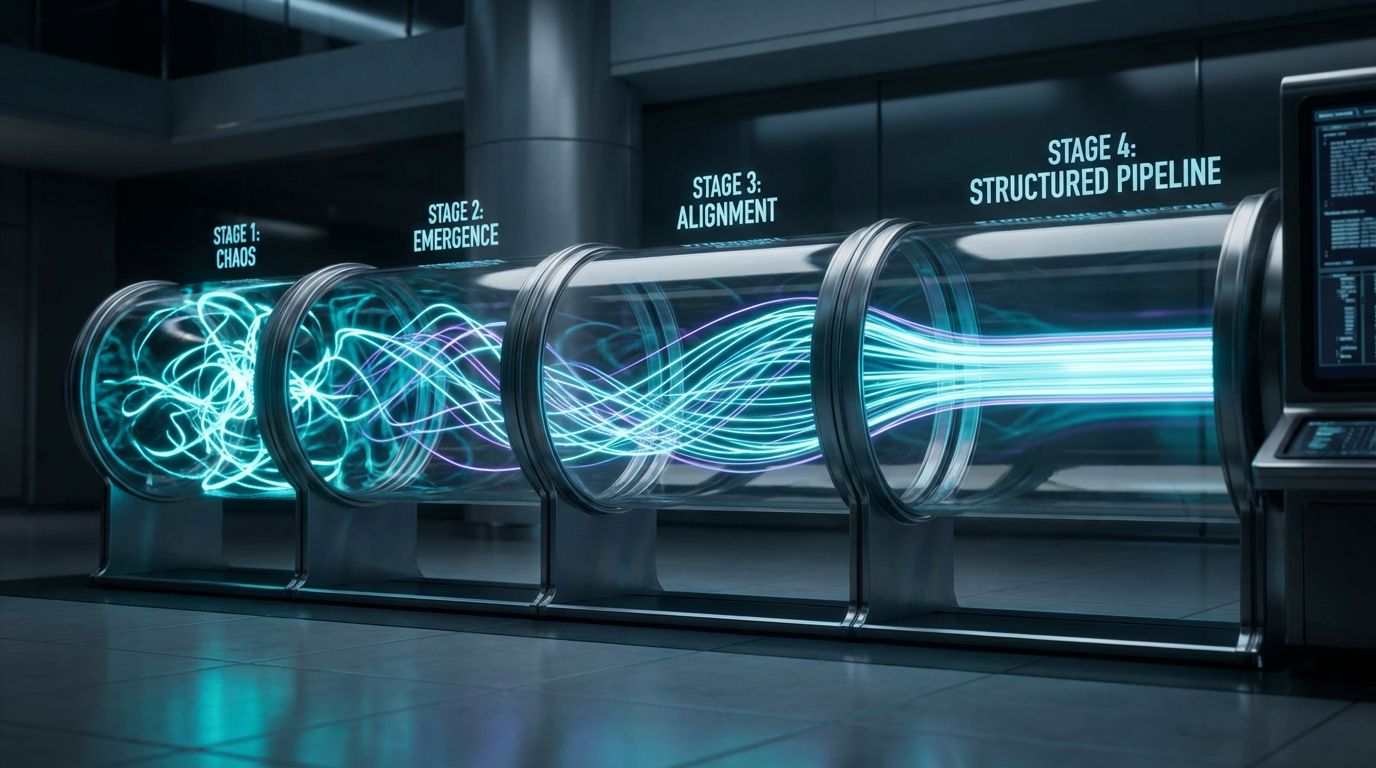
Rolling out ChatGPT in support should look more like a change-management project than a toy experiment. You move from internal-only assistant to narrow customer-facing use, then to deeper integrations and partial automation, with governance tightening at each step. This phased approach keeps risk low while you prove ROI with hard numbers.
Phase 1 – Internal-Only Pilot (Agent Assist)
Start by keeping AI entirely behind the scenes. Plug ChatGPT into your help desk so that it can draft replies, summarize tickets, and suggest tags, but only agents see and approve its work. This lets you evaluate quality, measure time saved, and fine-tune prompts without exposing customers.
Focus on a few high-volume ticket types—passwords, basic navigation, common errors—and track metrics like average handle time and agent satisfaction. Many teams see agents saving 10+ hours per week on writing and note-taking alone in this phase. It’s also where you build trust: agents learn that AI is there to help, not judge or replace them.
Phase 2 – Controlled AI Chat Support for FAQs
Once your internal-only workflows are stable, move a narrow slice customer-facing. Deploy ai chat support on your site or app that’s restricted to clearly defined FAQs and a vetted knowledge base. For any topic outside that scope, the bot should gracefully collect context and escalate rather than guessing.
Define success upfront: for example, “Contain 25% of login and billing FAQs with CSAT equal to or higher than human baseline.” Keep the number of intents small at first and iterate weekly based on transcripts and ratings. This is also where you start building escalation rules that will later apply across channels, including voice and email.
Phase 3 – Deeper Integrations and Partial Automation
After you’ve proven quality on narrow flows, integrate deeper. Connect your bot and internal AI tools to your CRM and help desk via CRM Integration & Inbox Management, so the system can safely perform account lookups, surface plan details, and update records with audit logs. For services businesses, you can also plug in 24/7 Appointment Booking Systems so the bot can schedule or reschedule time with your team.
At this stage, you can start granting the bot limited authority to perform simple actions: updating a contact email, triggering a password reset, or sending a status email—always logged and reversible. You’re still not handing over high-stakes decisions like refunds or contract changes, but you are letting AI close out more tickets autonomously.
Phase 4 – Continuous Improvement and Governance
Finally, you treat AI like a persistent part of your support operation, not a one-off project. That means monthly or quarterly reviews of containment rate, CSAT, escalation incidents, and edge-case failures. You’ll update prompts, knowledge, and guardrails based on real data, not hunches.
Many teams also formalize a small “AI council” across support, ops, security, and legal to oversee changes. Partners like AiBizBuild can run this as a managed service, owning the monitoring, iteration, and reporting so your internal team focuses on strategy and complex customer work. This is also where lessons from other domains—like building AI SEO writers inside a scalable content system—transfer directly into your support governance.
Use Case: AI Chat Support for a B2B SaaS Help Desk
To make this concrete, let’s walk through a realistic B2B SaaS company. Think 10-person support team, a mix of chat and email, and a product used by hundreds of customer teams globally. Ticket volume is dominated by setup questions, user management, permissions, and reporting configuration.
The Before State – Manual, Human-Only Support
Before AI, their queue looked like this: 40–50% of tickets were about passwords, user invitations, and access rights. Another 20% were “How do I…?” feature questions that were technically documented but hard to find. After-hours, customers often waited until the next business day for a reply, leading to escalations to CSMs and AEs.
New agents took 2–3 months to ramp to full productivity because they had to internalize product behavior and sift through a bloated macro library. Internal notes were inconsistent, making escalations painful for L2 and engineering. Leadership wanted better SLAs and CSAT but couldn’t justify adding headcount every quarter.
Designing the ChatGPT-Augmented Workflow
AiBizBuild’s approach was to apply the phased model. Phase 1 introduced agent assist: in the ticketing tool, agents could click “Draft with AI” and get a suggested reply for issues like “Reset password,” “How do I invite teammates?”, or “Why can’t I see this dashboard?”. ChatGPT pulled from their knowledge base, previous resolved tickets, and product documentation.
Phase 2 deployed an ai support chatbot in the app’s support widget, limited initially to user management, password resets, and basic navigation. If a user asked, “How do I invite teammates?”, the bot guided them step-by-step using screenshots and links. If they asked, “Can I get a discount?” or “Can you extend my trial?”, the bot collected context and escalated to a human with a short summary.
Integrations ensured that any chat—AI or human—created or updated the right records via CRM Integration & Inbox Management. When the bot scheduled onboarding calls or training sessions, it used a 24/7 Appointment Booking System connected to the CS team’s calendars. The same design patterns that work for automated editorial workflows and approvals were applied here to handle escalations and approvals on sensitive actions.
The After State – Metrics and Outcomes
Within a few months, the company saw 25–40% of simple tickets deflected to AI, primarily around user management and basic configuration. First-response time for bot-eligible issues dropped from several hours to under a minute, 24/7. Agents reported saving 10–20 hours per week collectively thanks to AI drafting and summarization.
CSAT on AI-handled chats matched or slightly exceeded human-only baselines, largely because answers were faster and more consistent. Senior agents could spend more time on complex deployments and proactive outreach to at-risk accounts. Leadership finally had clean data on what customers were asking, because tagging and summarization were much more consistent.
This is what effective chat gpt customer service looks like in practice: not a gimmicky bot, but a set of workflows that change how your team spends its time.
Tech Stack, Governance, and Safeguards
Underneath the patterns and phases, you still need a solid technical and governance foundation. Otherwise, your AI initiative will stall at “cool prototype” and never become reliable infrastructure. Let’s break down what actually has to be in place.
Essential Components of an AI-Ready Support Stack
At minimum, you need four layers working together. First, an LLM like ChatGPT handling the language understanding and generation. Second, a ticketing or help desk system where agents live today.
Third, a structured knowledge base or content source—your docs, FAQs, internal runbooks—that can be fed into the model via retrieval so it doesn’t invent answers. Fourth, your CRM and other systems of record, connected through CRM Integration & Inbox Management so AI can see and update the right data under strict permissions. Around this, you’ll also want monitoring, analytics, and logging.
Guardrails Against Hallucinations and Policy Violations
To keep ChatGPT from hallucinating, you combine process and technology. Techniques like retrieval-augmented generation (RAG) ensure that responses are grounded in your approved docs, not general internet knowledge. Answer templates can require the AI to either cite the specific doc it used or explicitly admit when it doesn’t know and offer to connect the user to a human.
You also define allow/deny lists for actions: AI might be allowed to provide how-to guidance, check non-sensitive account metadata, or propose a draft email, but not to authorize refunds, change contract terms, or give legal advice. These are the same kinds of controls we apply when building guardrailed ChatGPT systems in SEO workflows; the domain changes, but the safety patterns are consistent.
Compliance, Data Handling, and Audit Trails
From a compliance standpoint, your design choices matter more than which vendor logo is on the model. You should minimize PII passed into prompts, mask or tokenize sensitive data where possible, and ensure logs don’t expose full identifiers unnecessarily. For regulated industries, legal and security need to sign off on how data flows through the system.
Every AI-driven interaction—whether a drafted reply, a bot chat, or a voice call—should be logged with enough detail to reconstruct what happened and why. Role-based access control ensures only the right people can change prompts, knowledge sources, or action permissions. This turns your ai chat support and chat gpt customer service stack into an auditable system, not a black box.
When to Bring in an Automation Agency Like AiBizBuild
At some point, moving from experiments to dependable operations stops being a side project. You need someone responsible for the architecture, integrations, guardrails, and ongoing tuning. That’s where a specialized automation agency becomes pragmatic, not “nice to have.”
Signs You’ve Outgrown DIY ChatGPT Experiments
Common signals include pilots that never leave internal-only mode, or bots that remain turned off because leadership is worried about brand risk. You might also find that early setups depend on one “AI-savvy” engineer or support lead who doesn’t have time to maintain them. Meanwhile, your ticket volume keeps growing and expectations for 24/7 coverage rise.
Leadership starts asking harder questions: What’s the ROI? How are we handling PII? Who signs off on changes? If you don’t have clear answers, that’s a sign you need a more formal, expert-led approach.
What AiBizBuild Actually Does (Within Approved Services)
AiBizBuild is not selling you another bot widget; we’re building and running the workflows. In customer service contexts, that means designing and deploying AI Voice Agents (Inbound/Outbound) that can handle routine calls, gather context, and deflect or enrich live transfers. It also means standing up 24/7 Appointment Booking Systems so customers can self-schedule demos, consultations, and service visits via chat or voice.
Crucially, we engineer CRM Integration & Inbox Management so your AI chat and email support stay fully in sync with your CRM and help desk, with clean records and routing rules. The same automation expertise we apply in domains like SEO Content & Blog Automation and social media workflows is brought to your support stack, but always within your compliance and brand constraints.
From Workflow Audit to Go-Live
A typical engagement starts with a workflow audit of your current support processes: channels, volumes, SLAs, and pain points. From there, we map which parts should be automated, which should be AI-augmented, and which must stay fully human. You get a concrete blueprint, not a generic “AI roadmap” slide.
We then build, integrate, and test the workflows—agent assist, ai chat support, voice agents, and booking flows—while training your team on how to work alongside them. Post-launch, we handle optimization and reporting so that containment rates, CSAT, and hours saved are visible and improving over time. If you want to skip the painful trial-and-error phase, now is the right time to Book a Workflow Audit or Request a Demo of a ChatGPT-augmented support setup.
FAQs
-
Is using ChatGPT for customer service secure and compliant?
Used correctly, yes. You design the system to minimize PII exposure, use enterprise-grade configurations, and tightly control which data is passed into the model and how it’s logged. Compliance depends on guardrails, retrieval from approved knowledge sources, and clear escalation rules—not just the model itself. -
How long does it take to roll out an AI chat support pilot?
For a well-scoped pilot with a partner like AiBizBuild, expect roughly 3–6 weeks. That timeline typically includes discovery and workflow mapping, prompt and knowledge design, integrations with your help desk and CRM, then testing and tuning before going live with a narrow set of FAQs. -
Will an ai support chatbot replace my support team?
In practice, no—and that shouldn’t be the goal. The most effective deployments use AI to automate repetitive, low-complexity work and to augment agents with drafting and summarization, while humans handle complex, emotional, or high-stakes issues. Over time, your team’s work shifts from copy-pasting and triage to higher-value conversations and proactive outreach. -
Do we need in-house developers to maintain an AI-augmented support system?
Having some technical resources helps, especially for approvals and integration oversight, but it’s not strictly required if you work with a partner. AiBizBuild handles the heavy lifting on integrations, workflow logic, monitoring, and optimization, while your team focuses on defining policies, edge cases, and success metrics. -
What kind of ROI can we realistically expect from ChatGPT-augmented customer service?
Realistic ranges for mature setups include 25–40% deflection of simple FAQ-style tickets, 10–20 agent hours per week saved via drafting and summarization, and significantly faster first-response times on common issues. Exact ROI depends on your ticket mix, volumes, and willingness to invest in proper setup and governance. -
How do we prevent ChatGPT from giving wrong or misleading answers to customers?
You reduce this risk by grounding the model with retrieval from your approved docs, enforcing answer templates that prefer “I’m not certain; let me connect you to a human” over guessing, and defining strict escalation rules. Continuous monitoring and periodic audits of transcripts help catch issues early, and you can tighten or relax guardrails over time based on performance.
Done right, chat gpt customer service isn’t about replacing your team with robots. It’s about building a disciplined system where AI handles the repetitive load, humans handle what matters most, and your metrics—CSAT, SLAs, and team burnout—move in the right direction. If you’re ready to explore that seriously, your next step is simple: Book a Workflow Audit or Request a Demo with AiBizBuild.