

Inbox Organization & Email Management: From Manual Triage to Automated Email Workflows
Key Takeaways
– Moving from manual inbox triage to automated workflows turns email from a chaotic to‑do list into a predictable, trackable operations system.
– Expect 30–50% less time spent in email, far fewer missed requests, and clearer ownership across Gmail, Outlook, and shared inboxes.
– AiBizBuild’s CRM Integration & Inbox Management provides a done‑for‑you, end‑to‑end implementation instead of forcing you to juggle DIY rules and disconnected tools.
In This Guide:
📥 Why Inbox Organization Matters for B2B Teams
🧹 The Old Way: Manual Inbox Triage
⚠️ Why DIY Inbox Hacks Fail at Scale
🤖 The New Way: Automated & AI-Assisted Email Workflows
🛠️ Practical Use Case: Shared Operations Inbox Automation
📊 Metrics: How to Measure Inbox Management ROI
🧩 How AiBizBuild’s CRM Integration & Inbox Management Works
❓ FAQs About Automated Inbox Management
If you’re an operations leader or founder, your day probably starts and ends in email. Between personal inboxes and shared addresses like support@ or ops@, inbox organization in Outlook and Gmail feels like a constant firefight. Most teams are stuck in manual triage when they should be running automated, AI-assisted inbox workflows that quietly handle the repetitive work in the background.
Why Inbox Organization Matters for B2B Teams

Most B2B teams run their day out of email whether they admit it or not. You have customer requests, vendor updates, internal approvals, invoices, and sales opportunities all landing in the same few Gmail or Outlook inboxes. Without a clear system, you’re relying on human memory and heroic effort to keep everything moving.
The Hidden Cost of a Chaotic Inbox
In a typical week, managers are scanning hundreds of messages across personal and shared inboxes with no consistent process. Email becomes a fragile task-management system where flags, stars, and unread counts stand in for a real workflow. The result is predictable: missed requests, delayed responses, stressed teams, and zero visibility into what’s stuck or slipping.
When your pipeline, projects, and customer satisfaction all depend on who happened to open which email at 8:13 a.m., you don’t have a system—you have a gamble. And as volume grows, that gamble gets more expensive in lost deals and frustrated customers.
When Email Becomes Your Unofficial Workflow Engine
For most small and mid-sized teams, projects, support, and sales are effectively “run” from email threads. People forward messages around, CC others to “loop them in,” and search their Gmail or Outlook history to reconstruct what happened last week. It works, until it doesn’t.
At that point, inbox organization isn’t a tidiness problem; it’s a workflow design problem. The question shifts from “How do I keep this inbox clean?” to “How do we design repeatable flows from new email → triage → route/assign → act → follow-up → close/archive?”
The Old Way: Manual Inbox Triage
The old way of managing your inbox is built on individual heroics and patchwork tricks. Every manager has their own personal approach to managing outlook inbox or managing gmail inbox, and none of it scales cleanly across a team. You end up with ten different “systems” that break as soon as someone is out sick or leaves the company.
Common Manual Strategies (and Their Limits)
If you’ve tried any of these, you’re in good company:
- Endless folders and subfolders for email organization Outlook or gmail inbox organization.
- Flags, categories, and stars for “follow up later.”
- Manual archiving, snoozing, and keyword search to find old commitments.
- Ad-hoc rules in Gmail and Outlook that move messages to folders or apply labels.
These tactics feel productive, but they create a brittle system that depends on one person’s habits. What counts as “important” in your outlook inbox organization might not match how your colleague is organising email, which leads to confusion and dropped balls when work needs to cross the team.
Why the Best Inbox Management System Isn’t Just Folders
It’s tempting to think the best inbox management system is just the right folder structure and discipline. In reality, every extra folder or label adds cognitive load and maintenance overhead. Someone has to remember where to drag that message, what the label means, and when to go back and review it.
Over time, people stop maintaining their handcrafted systems because email volume doesn’t slow down. The result is a graveyard of half-used folders and labels, plus a lot of important work buried under newsletters and FYI threads.
See how manual triage compares to automated workflows below.
| Manual Inbox Triage (Old Way) | Automated & AI-Assisted Workflows (New Way) |
|---|---|
| Managers spend 1–3 hours/day scanning, sorting, and forwarding emails by hand. | Triage effort is reduced by 40–60% as classification and routing run automatically. |
| High risk of missed or lost emails, especially in busy shared inboxes. | Near-zero missed messages thanks to rules, SLAs, and exception alerts. |
| Systems are personal and don’t scale when new team members join. | Standard workflows work across Gmail, Outlook, and multiple shared inboxes. |
| Minimal integration with CRM or project tools; copy-paste rules the day. | Emails create or update CRM records, tickets, and tasks automatically. |
| Reporting is basically “search your inbox and guess.” | Full metrics on volume, response times, SLAs, and ownership in dashboards. |
Why DIY Inbox Hacks Fail at Scale
Most teams start with DIY advice from Reddit threads, Microsoft articles, or blog posts about managing your inbox. They copy a few rules, try some fancy filters, maybe test a new inbox management software app. Six weeks later, everyone is back to scrolling their inbox trying not to drown.
The Fragmentation Problem
DIY setups pull ideas from everywhere—one person uses color categories, another uses folders, someone else relies on search. Over time you get a patchwork of overlapping rules and inconsistent folder usage. No one can explain the system, and ownership of messages becomes fuzzy.
This fragmentation is why email inbox organization efforts so often stall. The system lives in people’s heads, not in a shared, documented workflow that the whole team understands and trusts.
The Time & Maintenance Tax
Every extra rule or filter needs to be maintained across multiple Gmail and Outlook accounts. When vendors change addresses, new products launch, or your process changes, those rules quietly go out of date. The more manual your approach to managing email inbox, the more time you spend fixing it.
Most teams simply stop maintaining their DIY systems after a while because the maintenance tax is hidden but real. They revert back to manual triage, which is exactly what they were trying to escape.
Why Inbox Management Software Alone Isn’t Enough
There’s no shortage of email inbox management software tools promising cleaner inboxes and smarter filters. The problem is that tools aren’t strategies. Without a deliberately designed workflow, even the “best” inbox management software just becomes another cluttered layer.
We see the same pattern in other areas: social scheduling tools only deliver value when there’s a system behind them, which we’ve written about in our guide on turning DIY tools into a fully automated publishing system. Inbox tools are no different—you need a workflow-first approach, not another app icon.
The New Way: Automated & AI-Assisted Email Workflows
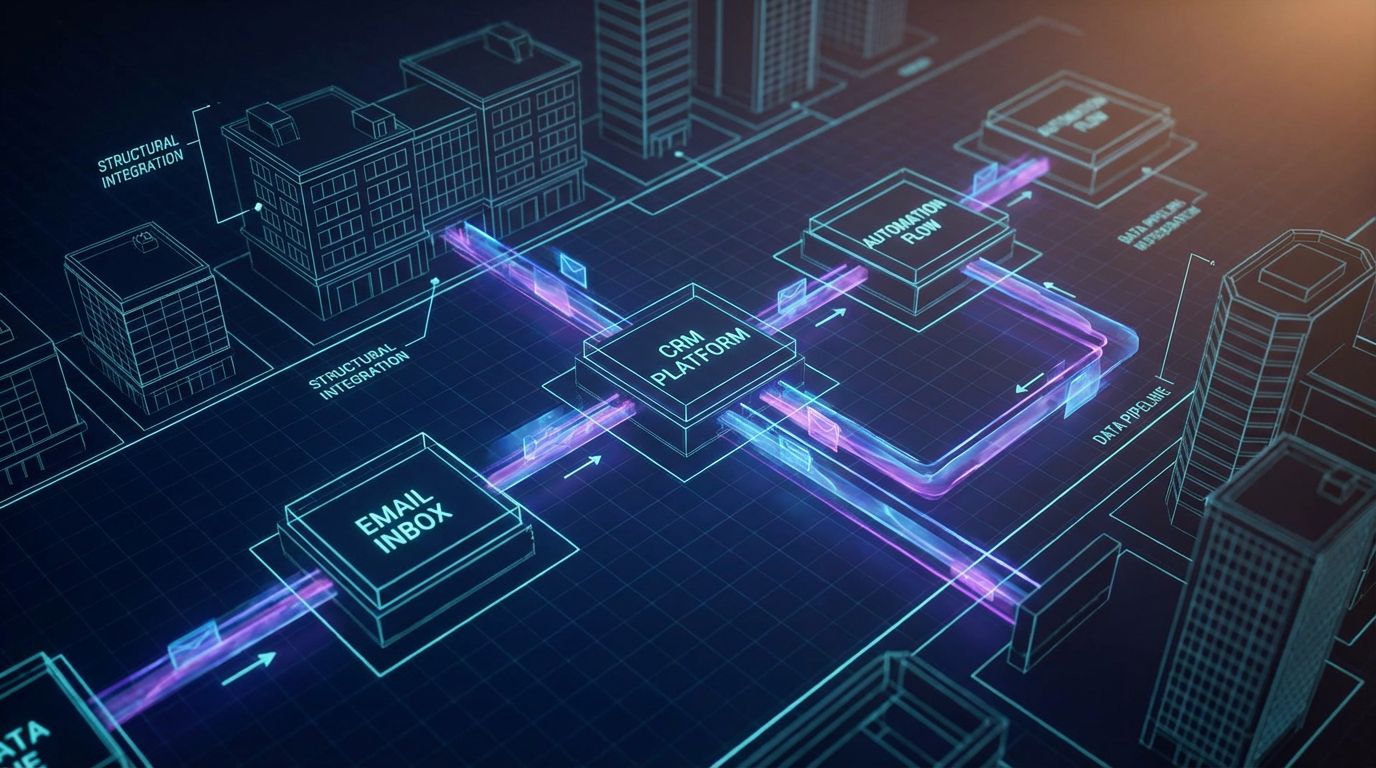
The modern approach treats managing your email inbox as an operations problem, not a personal productivity hobby. We move from ad-hoc organisation emails tricks to a designed system that every shared inbox follows. Technology—rules, integrations, and AI—then supports that system.
From Organisation Emails to Email Operations
A useful way to think about this is as email operations with defined stages and SLAs. One simple framework we use at AiBizBuild is “Triage → Route → Act → Archive.” Every email, whether it hits Gmail or Outlook, should move through these stages predictably.
This reframing turns inbox organization from a one-time clean-up project into an ongoing operational flow. It also makes automation design much clearer because you can see exactly where rules, bots, and humans should take over.
What Modern Inbox Automation Looks Like
In a well-designed system for managing your inbox, automations quietly handle the repetitive steps:
- Auto-classify incoming emails as sales, support, billing, vendor, internal, or spam based on content and sender.
- Assign emails to the right owner or team queue, including shared inboxes like support@ or projects@.
- Create or update tasks, tickets, or CRM records whenever certain types of emails arrive.
- Apply consistent tags, labels, or categories for reporting across both Gmail and Outlook.
From there, humans focus on high-value work instead of sorting. Whether you’re managing outlook inbox or managing gmail inbox, you’re working from a clean, prioritized queue instead of a raw firehose.
Where AI Actually Helps (Not Just Buzzwords)
AI is powerful, but only when it’s embedded into these workflows in specific ways. In our inbox systems, AI typically handles:
- Priority scoring: flagging which emails actually need human eyes in the next hour.
- Summaries: condensing long threads into a few bullet points so managers can decide quickly.
- Suggested replies: drafting responses from templates that humans can review and send.
The goal isn’t to replace your team; it’s to strip out as much manual triage and context-switching as possible. AI becomes a quiet assistant woven into your email inbox organization, not a flashy standalone chatbot no one uses.
Here’s how generic tools compare to a done-for-you implementation.
| Generic Inbox Management Software | AiBizBuild CRM Integration & Inbox Management |
|---|---|
| Offers features and settings you must configure and maintain yourself. | Delivers a fully designed workflow, built and maintained for your team. |
| Focuses mainly on inbox views and personal productivity. | Connects email, CRM, and project tools into a single operations system. |
| Limited or generic AI that isn’t tuned to your workflows. | AI is tailored to your categories, templates, and SLAs. |
| You’re responsible for training the team and enforcing adoption. | Includes training, documentation, and iteration based on real metrics. |
Practical Use Case: Shared Operations Inbox Automation
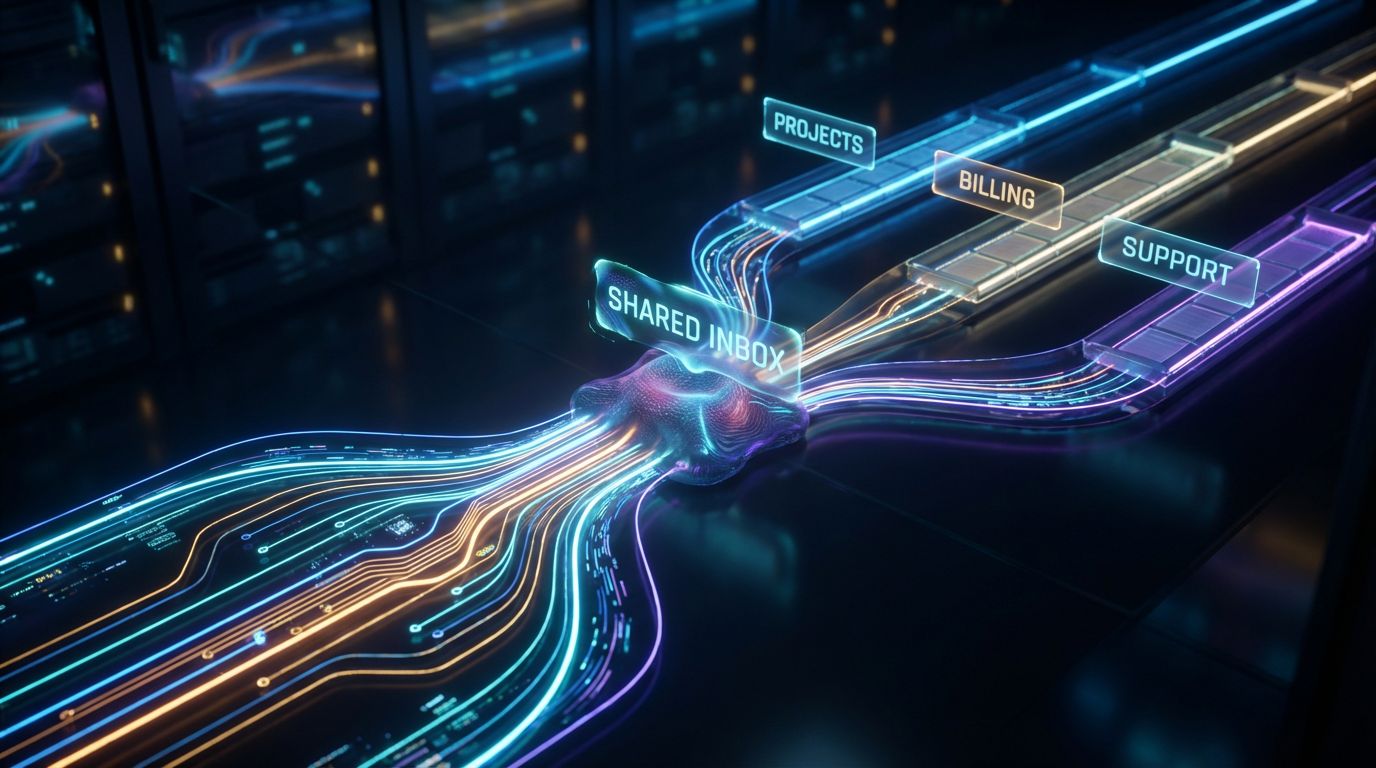
Let’s make this concrete with a scenario we see often. You’re an ops manager overseeing 2–8 day customer projects with a shared inbox like ops@ or projects@. That inbox receives new project requests, purchase orders, internal approvals, and vendor updates all jumbled together.
Scenario: Ops Manager Handling 2–8 Day Customer Projects
Every day, 50–200 emails hit that shared inbox, plus whatever lands directly in individual inboxes. Some messages start new projects, some update existing work, and some are just noise. Without automation, someone has to read almost everything to decide what it is and who should handle it.
Meanwhile, you’re expected to maintain SLAs, keep projects on schedule, and prove that nothing is falling through the cracks. That’s impossible if the “system” is simply who checked the inbox most recently.
Step-by-Step: From New Email to Closed Project
Here’s how an automated, AI-assisted workflow can run across Gmail or Outlook, your CRM, and your project/task tool:
- New email arrives in the shared inbox (ops@ / projects@).
- Automation reads the subject and body, then classifies the email as one of several types: new order, status update, billing, vendor, internal question, or spam.
- Based on the classification, the system routes it to the correct owner or queue and creates or updates a project/task/ticket in your CRM or work management tool.
- SLA timers and reminders are automatically attached so overdue work surfaces proactively.
- AI generates a brief summary of the email and suggests a next action or response draft, so the human only needs to review and approve.
- Once resolved, the workflow archives and tags the thread for reporting, while the CRM or project record holds the permanent history.
Under the hood, this uses an automation platform (Zapier, Make, or similar) plus your existing CRM. Your team just works from clear queues instead of raw inboxes, whether they’re managing your inbox in Outlook or Gmail.
Before vs After Metrics for the Ops Team
When we implement this kind of CRM Integration & Inbox Management, the numbers change quickly. Typical results look like:
- Missed customer emails drop from 5–10 per week to near zero, because every message is classified and tracked.
- Average first-response time shrinks from ~8 hours to 1–2 hours, thanks to routing, SLAs, and AI-assisted drafts.
- The ops manager saves 5–8 hours per week previously spent on manual triage and follow-up chasing.
This is the same pattern we see when we move other workflows from manual to automated, like our work on automated social content workflows. The tools are different, but the system design mindset is identical.
Metrics: How to Measure Inbox Management ROI
If you can’t measure it, you can’t defend the investment. Inbox workflows are no different. The upside of moving beyond DIY hacks is that automation makes your email behavior measurable for the first time.
Core Metrics for Managing Email Inboxes
At a minimum, you should be tracking these metrics across your key inboxes:
- Average response time per inbox or queue.
- Percentage of emails responded to within SLA targets.
- Number of emails requiring manual triage vs those auto-classified and routed.
- Time spent per day in email for managers and key roles.
These numbers let you quantify the impact of better inbox organization beyond “it feels calmer.” They also help you prioritize which inboxes and workflows to automate first.
Building an Inbox Health Dashboard
With the right integrations, you can surface inbox metrics inside your CRM or BI tool. That means live dashboards showing volume by category (sales, support, billing), queue lengths, and owner-specific performance. You move from guessing to managing.
At AiBizBuild, we treat this as part of CRM Integration & Inbox Management, not an afterthought. The same way we build dashboards for a scalable SEO content generation system, we design reporting so you can see exactly how email is helping—or hurting—operations.
How AiBizBuild’s CRM Integration & Inbox Management Works
—IMAGE_BLOCK: Cinematic 3D Node Architecture: A volumetric visualization of an automation graph where email nodes, CRM nodes, and AI nodes are linked in a clean flow from left to right, floating in a dark void. Glowing rounded nodes connected by pulsing data cables. Cinematic lighting, Unreal Engine 5 render, futuristic corporate aesthetic, glowing cyan and purple accents, shallow depth of field, 8k resolution—
As a senior automation architect at AiBizBuild, my job is to live inside these flows so you don’t have to. We don’t sell a Chrome extension or a new email client. We design and implement the backbone that makes your existing Gmail, Outlook, and CRM behave like a single, reliable operations system.
Our 4-Phase Implementation Blueprint
We follow a repeatable, low-friction process:
- Audit & Discovery: We review your current email inbox organization in Outlook and Gmail, shared inboxes, rules, and any existing inbox management software. We map where emails come from, where they should go, and where they currently get stuck.
- Design: We define target-state workflows: how triage, routing, escalation, and AI touchpoints should work for each inbox. This is where we decide what belongs in email vs CRM vs project tools.
- Build & Integrate: We implement automations between your email provider, CRM, and other tools, wiring in AI for classification, summarization, and suggested replies. You never have to live in automation settings—we handle it.
- Train & Optimize: We train your team on the new flows, monitor performance, and adjust rules and AI behavior based on real-world usage. This keeps the system stable as your business changes.
Your team continues managing your inbox from familiar tools, but the experience is radically different: fewer distractions, clearer ownership, and far less manual work.
Where This Fits in Your Broader Automation Stack
Inbox workflows rarely live in isolation. Email needs to talk to your CRM, your task system, and sometimes to other automation layers like Cold Outreach Automation or AI Voice Agents. We design CRM Integration & Inbox Management so that it supports—not conflicts with—those systems.
For example, inbound lead emails from forms can automatically enrich contacts and create opportunities, while missed calls from an AI voice agent can spin up follow-up tasks. The philosophy is consistent: build systems, not one-off tricks.
What a Workflow Audit Includes (Soft CTA)
If you’re currently drowning in email, the most leverage comes from a focused, expert review. When you book an Inbox Workflow Audit with AiBizBuild, we:
- Analyze your existing email organization Outlook and Gmail setups, including shared inboxes.
- Identify quick wins you can implement immediately and deeper automation opportunities for later phases.
- Deliver a practical roadmap with phases, timelines, and estimated time-savings for your team.
For an overworked ops leader, this is the fastest path out of reactive inbox chaos and into a predictable system—without spending nights and weekends tinkering with rules you’ll abandon in a month.
FAQs About Automated Inbox Management
Below are answers to some of the most common questions we hear when teams consider automating managing your email inbox and shared inboxes.
Is automated inbox management secure for our customer data?
Yes—when implemented correctly, automated inbox workflows sit on top of your existing Gmail or Outlook accounts and CRM, respecting your current permissions and security controls. We work within your environment, using secure, audited connections to email and CRM APIs. For regulated industries, we design flows to align with your compliance requirements and data retention policies.
How long does it take to implement an automated inbox workflow?
For a single shared inbox with clear use cases (like support@ or ops@), most core workflows can be live in 2–4 weeks. More complex, multi-team rollouts that span several inboxes, CRMs, and tools can take longer, typically phased over a few sprints. The Workflow Audit helps us scope this accurately before any build work begins.
Do we need to switch email providers or buy new inbox management software?
In most cases, no. We design around your existing Gmail or Outlook setup and your current CRM or project tools, adding automation and AI on top. Occasionally we’ll recommend specialized tools, but the value comes from workflow design and integration, not forcing a new email client on your team.
Will our team need to learn complex new tools or coding?
No. Your team continues using the same inboxes and CRM interfaces they already know, just with cleaner queues and clearer tasks. AiBizBuild handles the technical setup, from automations to AI configuration, so your people don’t need to touch code or low-level settings.
What does a CRM Integration & Inbox Management project cost?
This is a premium, done-for-you service, priced based on complexity: number of inboxes, tools, and workflows involved. That said, when you compare the cost to the ongoing expense of manual triage, missed leads, SLA failures, and manager burnout, the ROI is usually straightforward. The Workflow Audit includes an estimate so you can make a clear, numbers-backed decision.
Can this handle multiple shared inboxes across different teams?
Yes, that’s a common scenario. We design a consistent framework so that support@, sales@, ops@, and other inboxes share core patterns but still respect each team’s specific needs and SLAs. Centralizing the logic also makes it much easier to maintain over time.
How do you keep AI behavior aligned with our brand and tone?
We train AI components on your real emails, templates, and guidelines so suggested replies match your style. We also keep humans in the loop—AI drafts, humans approve—especially in customer-facing contexts where tone matters most. Over time, we refine prompts and templates based on your team’s feedback.
If you’re ready to stop fighting your inbox and start treating email as a reliable part of your operations stack, the next step is simple: book an Inbox Workflow Audit and let’s map the path from manual triage to automated, AI-assisted workflows that actually stick.