

Recruiting Automation Platforms: From Outreach to Onboarding
Key Takeaways
– Recruiting automation can cut time-to-hire by 30–60% by streamlining outreach, screening, scheduling, and onboarding into a single workflow.
– The real gains come from an integrated recruitment automation system, not from buying one-off recruiting automation software tools or a single automated recruiting platform in isolation.
– AiBizBuild’s done-for-you workflows plug into your existing ATS and HR stack so you avoid DIY integration headaches and start seeing ROI in 30–90 days.
In This Guide:
– 🧩 What Is Recruiting Automation (And Why It’s Broken Today)
– ⏱️ Manual Recruiting vs End-to-End Automation
– ⚙️ Core Components of a Recruitment Automation System
– 🧪 Why DIY Recruiting Automation Projects Fail
– 📌 Use Case: Automating High-Volume Hiring From Outreach to Onboarding
– 🧠 How to Choose the Best Recruiting Automation Software Stack
– 📊 Costs, Time-to-Hire Impact, and ROI
– 🛠️ AiBizBuild’s Done-For-You Recruiting Automation Blueprint
– ❓ FAQs on Recruiting Automation Platforms
Most talent leaders are stuck in manual recruiting workflows despite having multiple tools. You are juggling an ATS, LinkedIn, email, calendars, and spreadsheets, but candidates still slip through the cracks and time-to-hire keeps creeping up. This is exactly where recruiting automation should shine, yet for many teams it feels fragmented, brittle, and underused.
What Is Recruiting Automation (And Why It’s Broken Today)
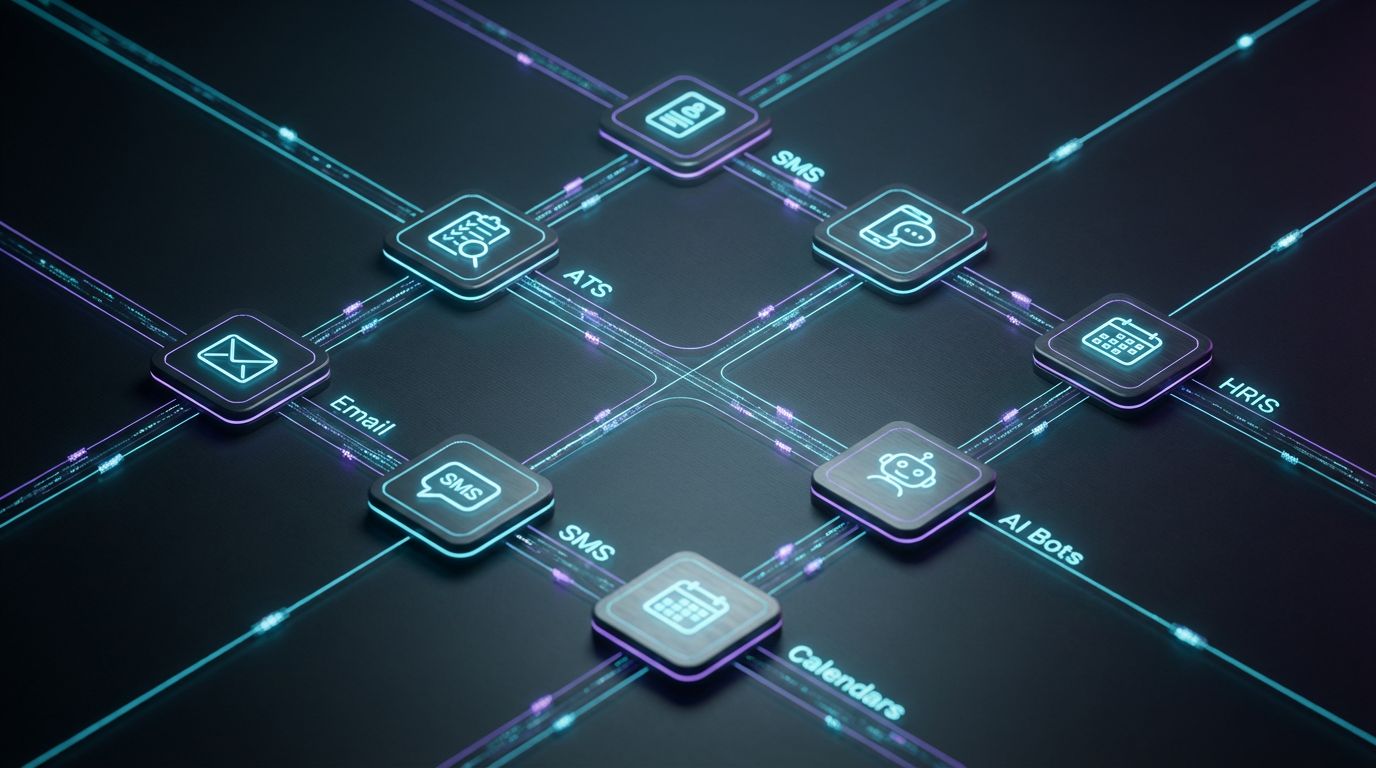
In practical terms, recruiting automation is the use of connected workflows to automate the recruiting process across outreach, screening, scheduling, offers, and onboarding. It is not just one piece of recruiting automation software; it is a coordinated automated recruiting system that moves candidates from first touch to signed offer with minimal manual handling. When done right, you get fewer admin tasks, faster response times, and cleaner data across your stack.
Most teams today have tools, not systems. You might have an ATS, sourcing extensions, a scheduling tool, recruitment AI software, and maybe a chatbot on your careers page. Without a unified recruitment automation platform design, those tools act like islands, and recruiters end up copy-pasting data between them. The result is what I call “swivel-chair automation” — lots of logins, very little true recruitment workflow automation.
The distinction that matters is this: recruiting automation software is any individual tool, while a recruitment automation system is the end-to-end architecture connecting ATS, outreach, calendars, HRIS, and bots. AiBizBuild focuses on that architecture so your stack behaves like one automated recruiting platform, even if it is made of five to ten separate tools.
Manual Recruiting vs End-to-End Automation
Before you talk about the best recruiting automation software, you need to see how your current manual process burns time and creates bottlenecks. Once that baseline is clear, the value of an automated recruitment system becomes obvious and measurable. Let’s map both worlds side by side.
The Manual Recruiting Workflow Today
In a typical manual flow, sourcing is a mix of job-board postings, inbound applications, and ad-hoc LinkedIn searches. Outreach happens through one-off messages, and tracking lives in spreadsheets or messy ATS notes. Follow-ups depend on who remembers to send them.
Screening often means recruiters manually reading every resume, sending basic qualification questions, and logging feedback in scattered places. Scheduling turns into email ping-pong across candidates, hiring managers, and time zones. Offers and onboarding details are shared through email attachments, leading to version confusion and slow starts.
This pattern eats recruiter and founder time. It leads to inconsistent candidate experiences, long time-to-hire, and poor visibility into funnel metrics because data is fragmented across tools and inboxes.
What an Automated Recruiting Platform Actually Does
An effective automated recruiting platform orchestrates the flow instead of asking humans to remember every step. When a candidate applies, the system can instantly trigger a screening sequence, send an acknowledgement, and route them by role or location. If they pass screening, calendar invites go out automatically using a 24/7 appointment booking system.
Outreach sequences for passive candidates can be pre-designed, combining email, SMS, and LinkedIn touchpoints that adapt based on replies or non-responses. A well-architected automated recruiting system also keeps your ATS in sync by updating stages, adding tags, and logging all communication without extra clicks. Finally, once an offer is accepted, your automated hiring system pushes data into HRIS and kicks off onboarding tasks.
The goal is not to replace judgment but to remove repetitive work. Recruiters step in where human conversation matters most while the recruitment automation system handles timing, routing, and documentation.
Manual vs Automated Comparison
Here is how a manual hiring process compares with an automated hiring system across key dimensions.
| Aspect | Manual Hiring Process | Automated Hiring System |
|---|---|---|
| Sourcing & Outreach | Ad-hoc LinkedIn searches, job posts, and one-off messages tracked in spreadsheets. | Structured outbound lists, enriched via B2B data, fed into repeatable Cold Outreach Automation sequences. |
| Time-to-First-Touch | Hours or days, depending on recruiter availability and inbox volume. | Minutes, triggered automatically when a candidate applies or is added to a campaign. |
| Follow-Up Consistency | Inconsistent; depends on individual memory and manual reminders. | Pre-defined multi-touch sequences with rules for no-response, interest, or rejection. |
| Screening | Manual resume review and email Q&A for every applicant. | HR & Recruitment Screening Bots capture structured answers, score fit, and route only qualified candidates. |
| Scheduling | Email ping-pong between candidates and hiring managers for every time slot change. | 24/7 Appointment Booking Systems integrated with calendars and ATS, with auto-reminders and rescheduling. |
| Data Quality & Reporting | Fragmented data in ATS, email, and spreadsheets; limited funnel visibility. | Centralized, consistent data via CRM Integration & Inbox Management and automated applicant tracking systems updates. |
| Candidate Experience | Slow responses, unclear next steps, and inconsistent communication. | Fast acknowledgements, clear timelines, and consistent branded touchpoints. |
Core Components of a Recruitment Automation System
A robust recruitment automation system is more than a single tool; it is a set of coordinated components working together. The right architecture lets you automate hiring process steps without losing nuance for different roles and hiring managers. Here are the core pieces that matter.
Top-of-Funnel Sourcing and Outreach Automation
Top-of-funnel is where most teams leak time and candidates. Instead of manual spreadsheet sourcing, you can use B2B Lead Scraping & Enrichment to build structured lists of target candidates for roles like SDRs, AEs, or niche specialists. These lists feed directly into Cold Outreach Automation that runs multi-step sequences across email and, when appropriate, LinkedIn.
Triggers could include events like “new candidate added to SDR outbound list” or “no response after 3 days.” Automations can branch: if a candidate clicks or replies positively, they receive a tailored follow-up and link to a short application or screening flow. If they do not respond, the sequence can escalate to a final touch or pause for a defined period.
This is how you move from random one-off messages to a scalable, measurable automated recruiting engine that keeps your top-of-funnel consistently full.
Candidate Nurturing and Engagement Sequences
Not every candidate will be ready to move now, and not every silver medalist should be lost. With recruiting automation, you can run segmented nurture sequences based on role, seniority, and prior interaction. For example, all high-quality but not-selected candidates can be tagged and added to a quarterly email or SMS flow.
Those nurture campaigns can share new roles, highlight culture content, or surface relevant resources. You can even link to processes that automate your content calendar and employer brand workflows so that your employer brand assets are consistently refreshed. The result is an always-on engagement layer that converts past candidates into future hires.
All of this becomes part of your recruitment workflow automation, designed once but running continuously across your database.
Screening, Shortlisting, and HR & Recruitment Screening Bots
Screening is the most obvious place where a recruitment automation platform can save time without sacrificing quality. AiBizBuild’s HR & Recruitment Screening Bots sit between application and interview, asking structured questions tailored to each role. They can validate must-haves like location, work eligibility, salary expectations, shift availability, and core skills.
These bots behave like specialized recruitment AI software focused on data collection and scoring rather than black-box decision-making. They tag and score candidates inside your ATS or CRM and can trigger rules like “if score >= 8, move to ‘Phone Screen’ and send scheduling link” or “if must-have criteria fail, send polite rejection and invite to join talent community.”
This turns an unmanageable pile of resumes into a prioritized queue of pre-qualified candidates while maintaining a consistent and fair process.
Interview Scheduling and Coordination
Scheduling is where many recruiting teams lose hours every week. By pairing 24/7 Appointment Booking Systems with your calendars and ATS, you can trigger scheduling links immediately when a candidate reaches a specific stage. The system only exposes mutually available slots for interviewers, avoiding double-booking and unnecessary back-and-forth.
Rescheduling can be automated as well. If a candidate cancels or no-shows, the system can send them a reschedule link, update the ATS stage, and notify the recruiter. Reminder workflows reduce no-shows by sending confirmations 24 hours and 2 hours before the meeting.
For high-volume or frontline roles, you can even add lightweight AI Voice Agents to handle basic rescheduling or confirmation via phone, especially for candidates who prefer calls over email.
ATS Automation and Onboarding Handoffs
Your ATS should act as the system of record while automations keep it up to date. Modern automated applicant tracking systems can trigger workflows based on stage changes, status updates, or new applications. AiBizBuild uses CRM Integration & Inbox Management to keep candidate emails, bot conversations, and status changes synced between ATS, CRM, and email.
Once a candidate accepts an offer, the same automated hiring software architecture can send data into HRIS or payroll and start onboarding sequences. New hires receive forms, document upload links, and welcome content in a structured flow, reducing manual handoffs. You can coordinate this with systems that turn one-off SEO posts into a scalable content engine that supports recruiting and employer branding, ensuring new hires see consistent messaging.
At every step, the automation is event-driven: changes in one system trigger predictable updates in others, eliminating the usual copy-paste chaos.
Why DIY Recruiting Automation Projects Fail
Many teams have tried to build their own automated recruiting systems by stitching together tools. The pattern is common: you buy a few licenses, set up some Zaps, maybe run a pilot, and within months everything is brittle or abandoned. The problem is not the tools; it is the lack of architecture and governance.
The Tool Trap – Buying Best-of-Breed, Getting Worst-of-Stack
The market pushes you toward the “best recruiting automation software” listicles. You end up with a best-of-breed ATS, a standalone scheduling tool, a chatbot, and a separate outreach platform. On paper, you now own a powerful recruitment automation platform stack.
In reality, without a coherent automated recruiting system design, each tool is configured in isolation. Data models do not line up, candidate fields differ, and no one has time to maintain the connectors. Recruiters revert to manual workarounds, and leadership concludes that “automation didn’t work for us.”
This is not a tooling failure; it is a systems failure. Tools are replaceable, but your recruiting automation architecture is the asset that determines whether anything actually works at scale.
Hidden Complexity: Integrations, Edge Cases, and Governance
DIY recruiting automation looks simple until you hit real-world edge cases. You must handle re-applicants, internal transfers, referrals, and candidates applying to multiple roles at once. You need to respect opt-outs across channels, ensure data privacy, and maintain audit trails for compliance.
Broken Zaps or API changes can silently stop key flows, like interview reminders or rejection emails. Duplicate records pollute reporting, and misconfigured rules can accidentally send wrong messages to candidates. Without clear governance, no one owns the automation layer, so fixes are ad hoc and inconsistent.
This is where AiBizBuild’s specialization matters. We have already solved these patterns in other domains — for example, workflows that see how replacing manual approvals with automation can cut cycle times by 50–70%. The same discipline is required to manage recruiting automation safely.
The Cost of DIY: Time, Opportunity, and Burnout
DIY projects usually borrow time from recruiters or operations leaders who already have full-time jobs. Weeks disappear into workflow mapping, testing, and integration troubleshooting. Meanwhile, open roles stay unfilled, and the team still runs manual processes in parallel “just in case.”
The true cost includes delayed hires, missed candidates, and internal fatigue. It is common to see teams sink dozens of hours into setup, only to rip everything out and go back to basics. Compared to a fixed-scope, done-for-you build, the DIY route often ends up more expensive and far slower to value.
This is exactly why many teams bring in AiBizBuild to architect and implement an automated recruitment system that works in the real world.
DIY Tool Stack vs Done-For-You Implementation
Here is a side-by-side view of wiring everything yourself versus partnering with AiBizBuild.
| Approach | Pros | Hidden Costs & Risks |
|---|---|---|
| DIY Tool Stack (Internal Build) | Lower visible software costs, full control over configuration, can start small with one team or role. | Significant recruiter and ops time spent designing workflows, debugging integrations, and maintaining Zaps; brittle automations; inconsistent candidate experience; delayed hiring and burnout. |
| Buying a Single “All-in-One” Platform | Fewer tools to manage, one vendor relationship, pre-built features for sourcing, screening, and scheduling. | Risk of lock-in; limited flexibility; gaps where your real-world process does not match the product; still requires internal time to configure workflows and integrate with HRIS/CRM. |
| AiBizBuild Done-For-You Automation Implementation | Expert-designed workflows across your existing ATS, calendars, email, and HRIS; 30–90 day time-to-live; documentation and training; optimized automated hiring systems built around your funnel. | Upfront consulting/implementation fee; requires stakeholder time for discovery and sign-off; change management to adopt new workflows (which we help manage). |
If you are already feeling the drag of half-built automations, this is the point to step back and redesign. Book a Workflow Audit with AiBizBuild to have a senior automation architect walk your current stack, map gaps, and propose a concrete recruiting automation blueprint.
Use Case: Automating High-Volume Hiring From Outreach to Onboarding
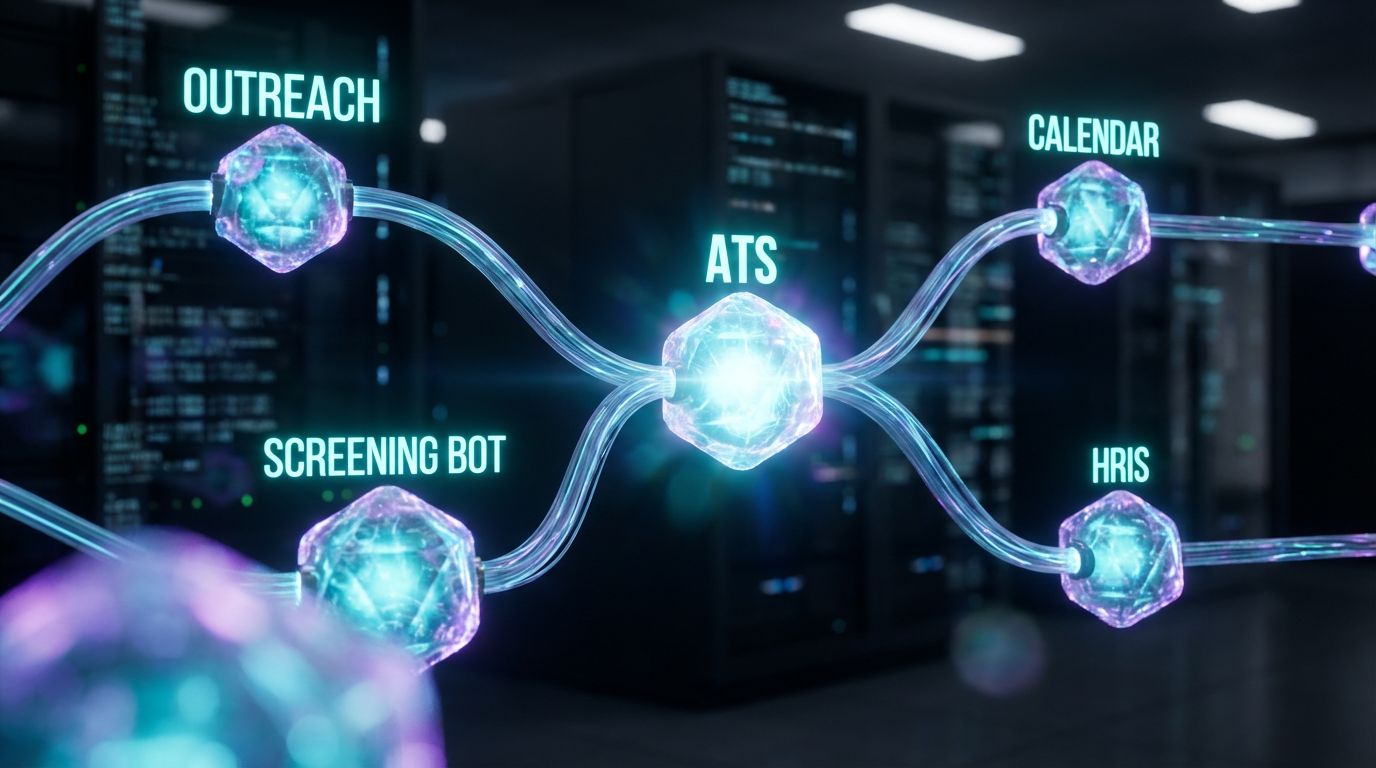
High-volume hiring is where an automated hiring system pays off fastest. Think multi-location retailers, B2B service agencies, or inside sales teams hiring 50+ frontline or SDR roles per quarter. The work is repetitive, the roles are similar, and delays are expensive.
Most of these orgs run a basic ATS with job-board integrations, plus email and spreadsheets. Recruiters manually message candidates, track status, and coordinate interviews. The process creaks every time hiring ramps up.
Below is what a fully automated hiring system can look like for this scenario, implemented with your existing ATS and communication tools.
The End-to-End Automated Recruiting Blueprint
Step 1: Sourcing and Application. Candidates arrive from job boards, referral forms, and outbound campaigns created via B2B Lead Scraping & Enrichment plus Cold Outreach Automation. When they click through, they land on a streamlined application that pushes directly into your ATS.
Step 2: Immediate Acknowledgement and Screening Bot Trigger. The “new application” event in your ATS triggers an HR & Recruitment Screening Bot. The bot sends a welcome message via email or SMS, asking key questions: shift availability, location, experience, certifications, and salary expectations. Responses are written back to the candidate record.
Step 3: Automated Scoring and Routing. Based on predefined rules, the automated recruitment system scores candidates. If they meet thresholds (e.g., availability matches, experience >= 1 year, salary within range), they are tagged as “Qualified – Interview” and moved to the next stage. Others may be tagged as “Talent Pool” or automatically but politely rejected.
Step 4: Scheduling with 24/7 Appointment Booking. For qualified candidates, the ATS stage change triggers an email/SMS with a link to your 24/7 Appointment Booking System. Candidates self-select a time that fits recruiter and hiring manager calendars. Confirmations and reminders are fully automated.
Step 5: Day-of Coordination and No-Show Handling. Reminders go out 24 hours and 2 hours before interviews. If a candidate no-shows or cancels, a follow-up workflow automatically offers rescheduling. For phone-heavy environments, AI Voice Agents can handle rescheduling calls and basic FAQs.
Step 6: Post-Interview Feedback and Next Steps. Once the interview concludes, an ATS event (e.g., “Interview Complete”) triggers a feedback form for interviewers and a status update. Candidates marked as “advance” receive an automated next-step email, while those not selected receive a respectful, branded rejection and optional link to join future talent pools.
Step 7: Offer and Onboarding Automation. When an offer is accepted, the automated hiring software pushes candidate data into HRIS and kicks off onboarding sequences. New hires receive forms, policy docs, and welcome videos in a structured order. HR gets task checklists created automatically for equipment, accounts, and first-week scheduling.
Throughout, your ATS or CRM serves as the single source of truth, with CRM Integration & Inbox Management making sure all communications and tags are centralized. This is a concrete example of a live, production-grade automated recruiting system, not theory.
Before-and-After Metrics
For this type of high-volume process, realistic outcomes look like this. Time-to-hire for frontline or SDR roles often drops from 20–25 days down to 8–12 days once screening and scheduling are automated. Recruiters can shift from 10–15 hours per week of manual screening and scheduling to 2–4 hours of focused interviewing.
Show rates usually increase because candidates receive clear instructions and multiple reminders. Candidate satisfaction improves as they get instant acknowledgements and fast decisions instead of silence. Most teams see 30–60% fewer manual recruiting tasks for these roles after implementing this kind of automated hiring system.
If you want to see how this blueprint would look inside your actual tools, Book a Workflow Audit with AiBizBuild. We will map this end-to-end automated hiring system onto your ATS, calendars, outreach tools, and HRIS.
How to Choose the Best Recruiting Automation Software Stack
Choosing recruiting tools without a strategy is how teams get stuck with a bloated stack. The smarter approach is to design your system first, then slot in tools that fit the architecture. This is how you actually identify the best recruiting automation software for your context.
Map Your Hiring Volume and Role Types First
Start by mapping your hiring volume and role mix. High-volume hourly or frontline hiring benefits most from heavy automation in screening, scheduling, and reminders. Specialist or senior roles need more nuanced workflows with lighter automation and more recruiter touch points.
For low-volume, high-complexity roles, you may only need partial automation for sourcing, candidate tracking, and scheduling. For high-volume roles, you likely need a full automated recruiting platform experience: bots, bulk messaging, and tight ATS/HRIS integration. Your stack should reflect where the volume and pain actually sit.
This step prevents you from overbuying enterprise features that your team will never use while underinvesting in automation where it matters.
Core Evaluation Criteria for Any Recruitment Automation Platform
When evaluating any recruitment automation platform or tool, consider these non-negotiables. First, integrations: can it connect cleanly to your ATS, CRM, calendars, and HRIS using APIs or native connectors. Second, workflow flexibility: can you design branching flows, custom triggers, and role-specific rules without constant developer help.
Third, reporting depth: does it surface funnel metrics, response rates, and drop-off points across automated steps. Fourth, data security and compliance: does it support role-based access, audit logs, and data-retention controls aligned with GDPR/CCPA. Finally, admin experience: will your team actually be able to maintain it once the initial excitement fades.
Tools that score well across these dimensions are more likely to support a durable automated recruitment system rather than just a flashy feature demo.
Sample Stacks (Tool-Agnostic Blueprints)
Instead of pushing specific brands, here are a few tool-agnostic blueprints that work well in practice. For high-volume roles: ATS + outbound outreach tool + HR & Recruitment Screening Bots + 24/7 Appointment Booking System + HRIS. This supports sourcing, screening, scheduling, and onboarding in one coordinated system.
For specialist roles: ATS + sourcing plugin + light outbound sequences + screening bot or structured intake form + scheduling tool. For agency recruiters: ATS/CRM hybrid + multi-channel outreach automation + integrated inbox management + reporting layer. In every case, the tools are interchangeable; the system design is what makes it an effective automated recruiting system.
AiBizBuild steps in as the architect, ensuring your chosen stack behaves like one cohesive automated recruiting platform rather than separate point solutions.
Vendor Selection Checklist
Use this checklist when evaluating any recruiting automation software or automated hiring systems. Ask: Does this integrate natively or via API with my ATS and CRM. Can I automate stage changes, tagging, and communication based on candidate actions or statuses.
Confirm: Does it support my primary channels (email, SMS, possibly voice) and handle opt-outs correctly. Can my non-technical team members manage workflows after handover. What training, documentation, and support are provided past the first 90 days.
Finally: How will this fit into my broader automation strategy across marketing, content, and operations. If you are already automating other workflows, like social content or approvals, your recruiting stack should align with that same governance model.
Costs, Time-to-Hire Impact, and ROI
Every recruiting automation initiative has a cost, whether visible or hidden. The question is whether your investment reduces time-to-hire, improves candidate quality, and frees recruiter capacity. When designed correctly, a recruitment automation system does all three.
Direct and Indirect Costs of Manual Recruiting
The direct costs of manual recruiting include recruiter salaries, agency fees, and advertising spend. Indirect costs are often larger: lost productivity from unfilled roles, hiring manager time spent coordinating interviews, and missed opportunities when good candidates drop out due to slow responses.
Manual workflows also create rework. Recruiters chase information already sent by candidates, email reminders individually, and manually move records across stages. These hours add up, especially in high-volume environments. Over a year, even small inefficiencies can equate to another full-time hire’s worth of effort.
When you add in poor data quality that obscures which channels work best, you are effectively flying blind on recruiting ROI.
What an Automated Recruitment System Changes
A well-designed automated recruitment system typically reduces manual admin by 30–60% across outreach, screening, and scheduling. Recruiters spend more time on conversations and less on copy-paste and calendar gymnastics. Time-to-hire comes down because every step from application to interview is triggered immediately instead of waiting in inbox queues.
Cost-per-hire often improves as well because you stop overpaying agencies to plug avoidable process gaps. And because candidate experience improves, you see higher acceptance rates and better brand perception. These are practical, measurable gains rather than speculative promises.
The net effect is a recruiting operation that scales more easily with growth, using the same headcount but with far more output.
AiBizBuild’s Done-For-You Recruiting Automation Blueprint
AiBizBuild is not a SaaS vendor. We are a workflow architecture and implementation partner focused on turning fragmented tools into a single automated recruiting system. Our work is end-to-end: from audit and design to implementation, training, and optimization.
What We Actually Implement
We build custom workflows tailored to your roles, volumes, and existing stack. That includes HR & Recruitment Screening Bots calibrated for each role family, 24/7 Appointment Booking Systems wired to ATS stages, and CRM Integration & Inbox Management to keep communications and candidate data synchronized.
For outbound-heavy hiring like SDRs and AEs, we pair B2B Lead Scraping & Enrichment with Cold Outreach Automation to build structured top-of-funnel flows. Where phone presence matters, we layer in AI Voice Agents for initial qualification or reminder calls.
We can also align recruiting automation with your broader brand and content workflows, coordinating with capabilities that automate your content calendar and employer brand workflows. The result is a cohesive, system-first approach, not a pile of disconnected tools.
Our 90-Day Implementation Roadmap
Phase 1: Audit & Architecture (2–3 weeks). We map your current ATS, calendars, outreach tools, HRIS, and real-world processes. Then we design a concrete automation blueprint: triggers, actions, hand-offs, data models, and guardrails. You get a visual architecture and prioritized rollout plan.
Phase 2: Build & Integrate (3–6 weeks). We configure bots, sequences, scheduling flows, and integrations inside your existing tools. This includes role-specific screening flows, multi-channel outreach, ATS automations, and reporting dashboards. We test against real data and edge cases before going live.
Phase 3: Test, Train, and Optimize (2–4 weeks). We run a controlled pilot, collect metrics, and refine rules. Your team receives documentation, playbooks, and live training so they can own day-to-day operations. We also help you identify the next automation wave once the core system is stable.
Who This Is For (And Not For)
AiBizBuild is ideal for in-house recruiting and HR teams, founders, and agencies managing roughly 10–200 hires per year or more. If you are drowning in manual steps, juggling multiple tools, and know that automation is the path forward but not sure how to design it, you are our target client.
We are not a fit for one-off single hires or teams unwilling to adjust any process. True recruitment workflow automation requires some process standardization and willingness to adopt new, better flows. If you are ready for that, we can get you to live, value-generating automations in 30–90 days.
To see what this looks like for your organization, Book a Workflow Audit with AiBizBuild, and if you want to see the flows in action, Request a Demo of Screening Bots & Scheduling Workflows.
FAQs on Recruiting Automation Platforms
Below are concise answers to common questions about recruiting automation platforms and systems. These reflect what we see across real-world implementations, not just vendor marketing.
1. Is recruiting automation secure and compliant with data privacy laws?
Yes, recruiting automation can be secure and compliant if it is designed with privacy in mind. That means honoring GDPR/CCPA rights like access, deletion, and consent, and ensuring candidates can opt out of marketing-style communications.
AiBizBuild designs workflows with role-based access controls, clearly defined data-retention policies, and audit-friendly logs. We work within your existing compliance framework and use your chosen tools’ security features rather than bypassing them with shadow IT.
2. How long does it take to implement a full recruitment automation system?
Most full implementations take between 4–12 weeks, depending on your tool stack complexity, hiring volume, and how many roles or geographies are in scope. For many clients, a meaningful first phase goes live within 30–60 days, with additional refinements in the following weeks.
Our 90-day roadmap is designed to take you from audit to stable production automations, with clear milestones at each phase. We focus on high-impact workflows first so you see value early, even while later phases are still in progress.
3. Do we need a specific ATS or recruiting software to work with AiBizBuild?
No, AiBizBuild is tool-agnostic. We work with most modern ATS and automated applicant tracking systems that expose APIs or support integrations. Our focus is on the system design, so we start from what you already have and only recommend changes when there is a clear business case.
If your current stack is missing critical capabilities, we will suggest categories of tools (for example, scheduling or outreach) and help you evaluate options. But our core value is turning your chosen tools into a functioning automated recruiting system, not reselling specific software.
4. Will recruiting automation replace our recruiters?
No. Recruiting automation is about eliminating low-value, repetitive tasks so recruiters can focus on high-value work. Automations handle tasks like data entry, screening questionnaires, basic scheduling, and routine updates.
Recruiters remain essential for building relationships with candidates, advising hiring managers, and making nuanced decisions. In practice, successful teams see recruiters become more strategic and less burned out once the automation foundation is in place.
5. Do we need in-house developers or technical staff to maintain these automations?
You do not need a dedicated engineering team. AiBizBuild designs automations using tools and patterns that can be maintained by non-technical operations and recruiting leaders. We provide documentation, naming conventions, and governance guidelines.
If you prefer additional support, we can offer ongoing optimization and maintenance services, but the goal is always to leave you with an automated hiring system that your internal team can safely operate. That balance between power and maintainability is central to our implementation approach.
If you are ready to move from fragmented tools to a coherent recruiting automation system, your next step is simple: Book a Workflow Audit with AiBizBuild and let’s architect an automated recruiting platform that matches how your team actually hires.