

HR AI Tools: How to Automate HR Admin, Onboarding & Employee Support (Without Drowning in DIY Setup)
Key Takeaways
- HR AI tools can automate 60–80% of repetitive HR admin (onboarding checklists, policy Q&A, simple payroll triggers) when they are wired into end-to-end workflows instead of used as isolated apps.
- The real ROI comes from AI-powered HR workflows (chatbots, onboarding sequences, routing rules) that sit on top of your HRIS/ATS, not from buying yet another standalone piece of HR AI software.
- AiBizBuild’s done-for-you HR & Recruitment Screening Bots and workflow build-outs give HR leaders measurable wins in 4–8 weeks, without DIY integration headaches.
In This Guide:
- 🧭 The HR AI Tools Landscape – What exists today and how HR teams are using it
- 🧾 Manual HR Admin vs AI-Powered Workflows – Where the real time savings are
- ⚠️ Why DIY HR AI Projects Fail – Hidden costs and risks most tool lists ignore
- 🛠️ Implementation Checklist & Tech Stack – A practical rollout plan for HR leaders
- 🚀 HR AI Use Cases & ROI Snapshots – Concrete examples: onboarding, policy Q&A, employee support
- 🤝 Done-For-You HR AI Workflows with AiBizBuild – How we build and maintain your automations
- ❓ FAQs – Security, timelines, and what you need in place
Most HR leaders I speak with are already hearing about hr ai tools in every webinar and conference session. They know there are chatbots, assistants, and automations out there, but the reality on the ground still looks like spreadsheets, email threads, and HR generalists acting as human routers. This guide is written to help you move from “interesting tools” to a practical, workflow-first plan that actually reduces HR admin and improves the employee experience.
The HR AI Tools Landscape
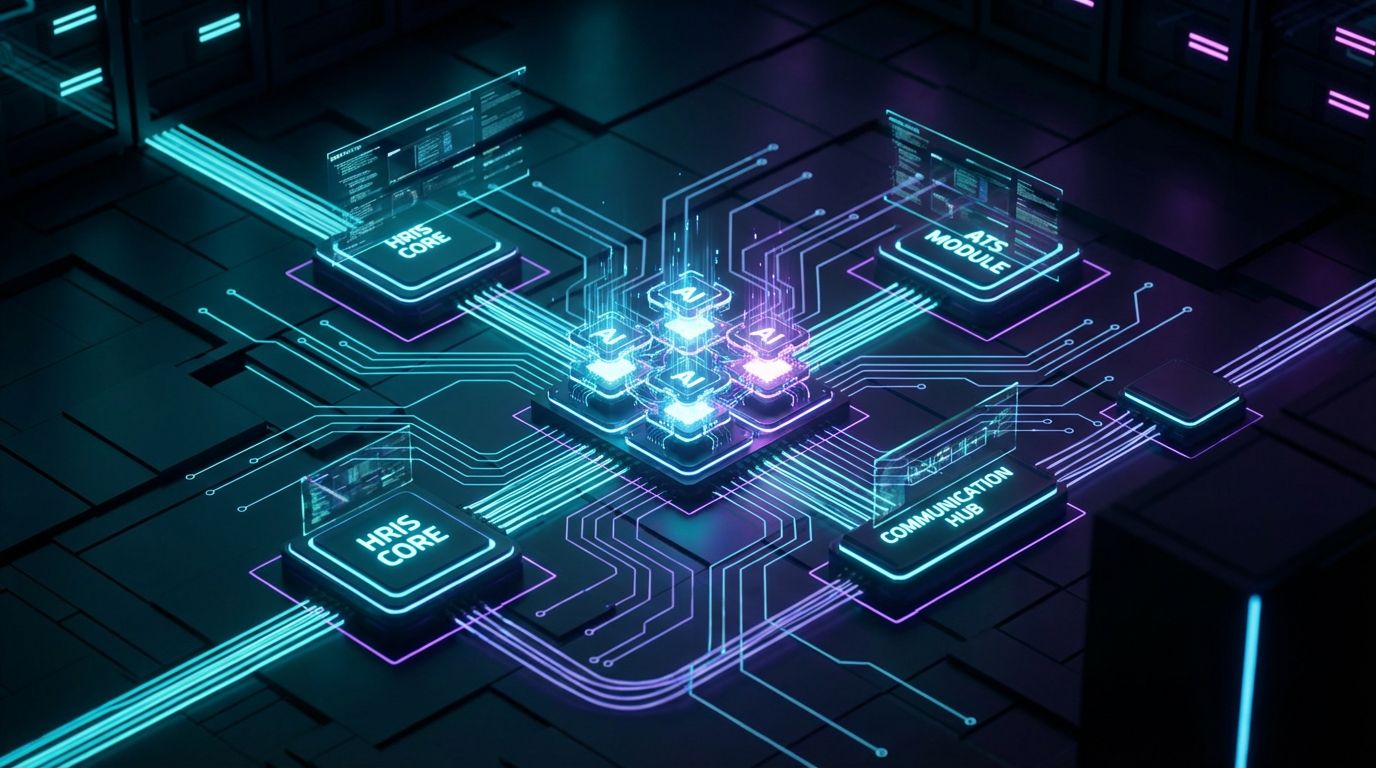
The market for hr ai tools and hr ai software has exploded, but most categories fall into a few buckets that matter for your day-to-day operations. Understanding these buckets helps you see where each component fits into your HR stack instead of chasing random apps. The key is to treat these tools as building blocks in a larger system rather than silver bullets.
First, there are HR chatbots for employee Q&A. These sit inside Slack, Teams, or a web portal and answer common questions about policies, benefits, time off, and onboarding steps. Done right, they pull answers from a vetted knowledge base so HR is not rewriting the handbook in email every week.
Second, there is AI talent management software that focuses on performance, engagement, and internal mobility. These tools help summarize feedback, highlight development needs, and flag attrition risk so HR and managers can act earlier. They do not replace your performance system; they add an intelligence layer on top.
Third, you have automation platforms that connect your HRIS/ATS with communication tools and ticketing systems. These are the orchestration engines that say “when a new hire is created in BambooHR, send this sequence, create these tasks, update this group,” and so on. This is the layer where AiBizBuild lives: we design and build those workflows, instead of asking your HR team to become automation engineers.
What HR Leaders Are Actually Trying to Automate Today
Despite the buzz, most HR teams are trying to automate a very practical list of pain points. The first is onboarding checklists and documentation, where every new hire requires the same 20–40 small steps to get productive. Today that usually means shared checklists, one-off reminders, and manual chases.
The second is policy and benefits Q&A. HR inboxes and Slack channels fill with variations of “What’s our parental leave policy?” and “How do I change my 401(k) contribution?” that could be answered by a bot trained on your documents. This is exactly where HR & Recruitment Screening Bots can be extended to act as broader HR support bots.
Third, leaders want help with simple data changes and payroll/benefits triggers, like address changes, dependent updates, or status changes that should automatically notify payroll and benefits systems. Finally, there is clear demand for bots that handle screening and basic candidate/employee FAQs, so recruiters and HRBPs focus on higher-value conversations instead of calendar coordination and repeat answers.
Manual HR Admin vs AI-Powered Workflows

To see where hr ai tools actually add value, it helps to contrast the old way of HR admin with an AI-powered workflow approach. Almost every HR leader I meet is running a surprisingly complex set of manual workflows under the surface. The problem is not that people are lazy; it is that the system was never intentionally designed.
The Manual HR Admin Reality
In most organizations, onboarding is managed through shared spreadsheets, email reminders, and PDF handbooks. A recruiter or HRBP sends a welcome email, attaches a packet, adds a row to a sheet, and then spends the next two weeks chasing tasks across IT, facilities, and managers.
Policy and benefits questions land in a generic HR inbox, direct emails, or Slack DMs, effectively turning HR into a 24/7 helpdesk with no routing logic. Simple data changes are handled via fillable PDFs or forms that someone must re-key into the HRIS, introducing delay and errors.
The results are predictable: slow response times, inconsistent answers, and HR teams who feel permanently behind. Employees wait days for simple clarifications, and HR leaders struggle to carve out time for strategic work because the operational tide never goes out.
What AI-Powered HR Workflows Look Like
AI-powered HR workflows don’t rip out your HRIS or ATS; they sit on top of your existing systems and orchestrate what should happen when. For example, “New hire created in BambooHR” becomes a trigger that kicks off an onboarding sequence across email, Slack, IT tickets, and payroll notifications.
An HR bot, built as a configurable HR & Recruitment Screening Bot, can handle the bulk of policy and benefits questions by pulling from your knowledge base, escalating to a human only when the question is ambiguous or high risk. Data changes submitted through a simple form or chat flow can automatically update the HRIS, notify payroll, and confirm back to the employee.
Instead of HR manually deciding who needs to do what next, you get rules, automations, and bots that route tasks, send reminders, and log activity in the right systems. HR’s role shifts from “being the bottleneck” to “designing and monitoring the system.”
| Manual HR Admin | AI-Orchestrated HR Workflows |
|---|---|
| Onboarding tracked in spreadsheets; HR chases managers and IT via email. | New hire in HRIS triggers automated onboarding checklist, reminders, and IT/payroll tasks. |
| Policy Q&A handled via email/Slack; responses delayed and inconsistent. | HR bot in Slack/Teams answers common questions instantly, with escalation rules for edge cases. |
| Payroll/benefit changes rely on HR to manually read forms and trigger updates. | Structured requests automatically update systems and notify payroll/benefits with audit trail. |
| Data entry & updates are re-keyed from PDFs or emails into HRIS, increasing error risk. | Validated forms and chat flows push data directly into HRIS/ATS via integrations. |
| Ticket resolution times vary; no clear SLA for simple requests. | Bots resolve routine queries instantly; SLAs apply mainly to escalated cases. |
| HR spends 2–4 hours per new hire on coordination and follow-ups. | HR spends <1 hour per new hire focused on exceptions and high-touch moments. |
When you look at it this way, the question is not “Should we use AI?” but rather “Why are we still routing all of this through people when the pattern is the same every time?” The opportunity is to let your team design the pattern once, then let the system run it 24/7. That is where hr ai tools become an execution engine instead of yet another app on your list.
Where HR AI Software Fits in Your Stack (Without Taking Over HR)
It is important to clarify where hr ai software fits so you do not mistakenly expect it to replace your core HR platforms. Think of AI as a layer that interprets, routes, and interacts, not as the system of record that stores your employee data. This mindset keeps your architecture clean and your compliance team calm.
Core Systems vs AI Layer
Your core systems are your HRIS/payroll (Workday, BambooHR, ADP, etc.), your ATS, and your LMS. These are the systems of record that own employee profiles, compensation, job data, and learning history, and they remain the single source of truth.
The AI layer sits on top and includes HR bots, workflow orchestration logic, and analytics that interpret what is happening. This is where hr ai tools listen for triggers from the HRIS, send communications through email or Slack, and log outcomes back into your systems.
Because this layer is independent, you can evolve your AI workflows even if you swap out underlying systems later. AiBizBuild’s role is to architect this layer so HR doesn’t have to become an integration shop.
Examples of HR AI Tool Types (Without Becoming a Directory)
There are a few types of hr ai software that come up repeatedly in high-performing HR stacks. First is the AI chatbot for policy and benefits, which is usually embedded inside Teams or Slack and answers 70–80% of standard questions off your policies and FAQs.
Second is AI knowledge search, where employees can type natural language queries and get relevant snippets from your handbook, intranet, or benefits portal without manually browsing folders. Third is ai talent management software that reads performance reviews, engagement data, and internal mobility patterns to surface insights for HR and managers.
The logo you choose for each of these matters far less than the strategy and integration behind them. A beautifully branded chatbot that is not connected to your HRIS and policies is just a toy; a modest interface wired into strong workflows can quietly save hundreds of hours.
Why DIY HR AI Projects Fail
By the time HR leaders call us, many have already tried “a few pilots” with standalone hr ai tools. There is often a chatbot proof of concept, a script someone’s cousin built, or a half-configured automation in IT’s backlog. The pattern is consistent: too many tools, no cohesive system.
The Tool Trap: Too Many Apps, No System
It is easy to fall into the tool trap when every article lists “40 HR AI tools you should know.” Reddit threads and listicles encourage experimentation, but they rarely show how to stitch these products into standard workflows for your HR team. You end up with isolated pilots that never leave the sandbox.
Without a workflow blueprint, pilots stay disconnected from your HRIS, ATS, and real communication channels. HR gets fatigue from testing yet another bot that is not integrated with their actual work. The end result is skepticism about AI, when the real problem is a lack of orchestration.
Integration, Data, and Governance Nightmares
The second failure mode is underestimating integration and governance. Connecting your HRIS, ATS, shared inboxes, and collaboration tools is not just a Zapier weekend project; it requires careful mapping of fields, permissions, and data flows so PII does not leak into the wrong place.
On top of that, ungoverned bots can give inaccurate or non-compliant answers if they are trained on the wrong documents or allowed to improvise too much. Guardrails, escalation rules, and content curation are as important as the underlying model.
We apply the same principles we use when how to safely operationalize AI content systems to your HR environment. The difference is that here the stakes involve employee trust, legal risk, and sensitive data.
Hidden Costs of DIY (Time, Risk, and Opportunity Cost)
DIY projects usually look cheaper on paper because you are “just” buying hr ai software licenses or using free tiers. In practice, they consume dozens of hours of HR and IT time in design, prompt writing, troubleshooting, and retraining users after each change.
You also carry the risk of workflows that break quietly after a vendor update, leaving new hires or employees in limbo. Meanwhile, every month spent tinkering is a month where HR is still manually routing tickets and managing onboarding spreadsheets.
The opportunity cost is huge: if your HRBPs could reclaim even 5–10 hours per week from admin, what strategic projects could move forward? Succession planning, manager training, or real DEI work tend to be first on the list.
| DIY HR AI Tool Stack | Done-For-You with AiBizBuild |
|---|---|
| Time to first working HR bot often 3–6+ months of sporadic internal effort. | First production-ready HR workflow typically live in 4–8 weeks. |
| Requires internal champions with integration, automation, and prompt design skills. | HR provides process knowledge; AiBizBuild handles architecture, integration, and bot design. |
| Data security and governance policies are often ad-hoc or undocumented. | Workflows designed to keep PII in secure systems with role-based access and clear guardrails. |
| Maintenance relies on best-effort support from IT or a single power user. | Ongoing optimization and support built into the engagement; documented workflows. |
| ROI is fuzzy; little baseline tracking or measurement of time saved. | Clear success metrics (time saved, ticket deflection, cycle time) defined upfront. |
| 12-month cost includes licenses plus hidden internal labor and delays. | Predictable services investment with faster time-to-value and lower internal burden. |
If your goal is to actually reduce HR admin and improve employee experience this year, not just “explore AI,” the done-for-you model typically pays for itself in avoided delays and rework. Tools are necessary, but without a partner to design the system, they rarely deliver on the promise.
Implementation Checklist & Tech Stack
This is the practical roadmap most HR leaders are missing when they start Googling hr ai tools. Instead of picking a bot and hoping for the best, you can follow a phased 30/60/90-day approach that matches how your organization actually works. AiBizBuild uses this structure to keep projects moving and visible.
Phase 1 – Audit & Prioritize (Weeks 1–2)
Phase 1 is about getting out of the anecdote zone and into hard numbers. Together, we map your current HR admin workflows: onboarding, policy Q&A, simple changes, and payroll/benefits triggers.
We then quantify volumes: how many tickets, emails, and touchpoints each workflow generates per month, and how much HR time they consume. Finally, we prioritize 2–3 workflows with high volume and low risk to automate first, so you see early wins while building trust.
HR brings process owners, policy documents, and access to systems; AiBizBuild brings workflow mapping and automation expertise. This phase often reveals adjacent opportunities, like turning manual approval processes into automated workflows for offer letters or policy updates.
Phase 2 – Design HR AI Workflows & Guardrails (Weeks 2–4)
With priorities set, we design the actual AI-powered workflows and guardrails. This starts with defining triggers (e.g., new hire created, ticket submitted, question asked), data sources (HRIS, ATS, knowledge base), and channels (email, Teams, Slack, intranet portal).
We then create conversation flows for HR & Recruitment Screening Bots and employee support bots: what they ask, how they clarify, and when they escalate. Each answer path is backed by specific documents and rules, not vague “AI will figure it out” promises.
Guardrails are critical: we define exactly what the bot can and cannot answer, which topics always route to HR, and how we log interactions for auditing. The same discipline we use in how to safely operationalize AI content systems applies here, with even more emphasis on privacy and compliance.
Phase 3 – Build, Integrate, and Test (Weeks 4–6)
In Phase 3, we turn blueprints into working automations. We connect your HRIS/ATS and communication tools using patterns similar to CRM Integration & Inbox Management, but applied to HR contexts: routing HR emails, categorizing tickets, and syncing status updates.
Bots are wired into production systems with controlled access, and workflows such as “New hire in HRIS → onboarding sequence → IT tickets → payroll notification” are implemented end-to-end. We then run internal testing with the HR team, simulating real scenarios and validating every branch.
A pilot group of managers or employees may get early access, and we measure baseline vs improved metrics like time-to-first-response and HR hours per request. Issues are resolved here, not after full launch.
Phase 4 – Roll Out, Train, and Optimize (Weeks 6–12)
Phase 4 is where you see the operational shift. We roll out the new workflows to the broader organization or selected business units, depending on your risk appetite and culture.
Managers and employees are trained on how to use the bots and workflows with clear guidance: what the bot can handle, how to escalate, and where to find status updates. This is about changing habits, not just flipping a switch.
Throughout this phase, AiBizBuild monitors performance and iterates. We adjust conversation flows, add new FAQs, and refine routing rules so the system gets smarter without HR manually managing it.
HR AI Use Cases & ROI Snapshots
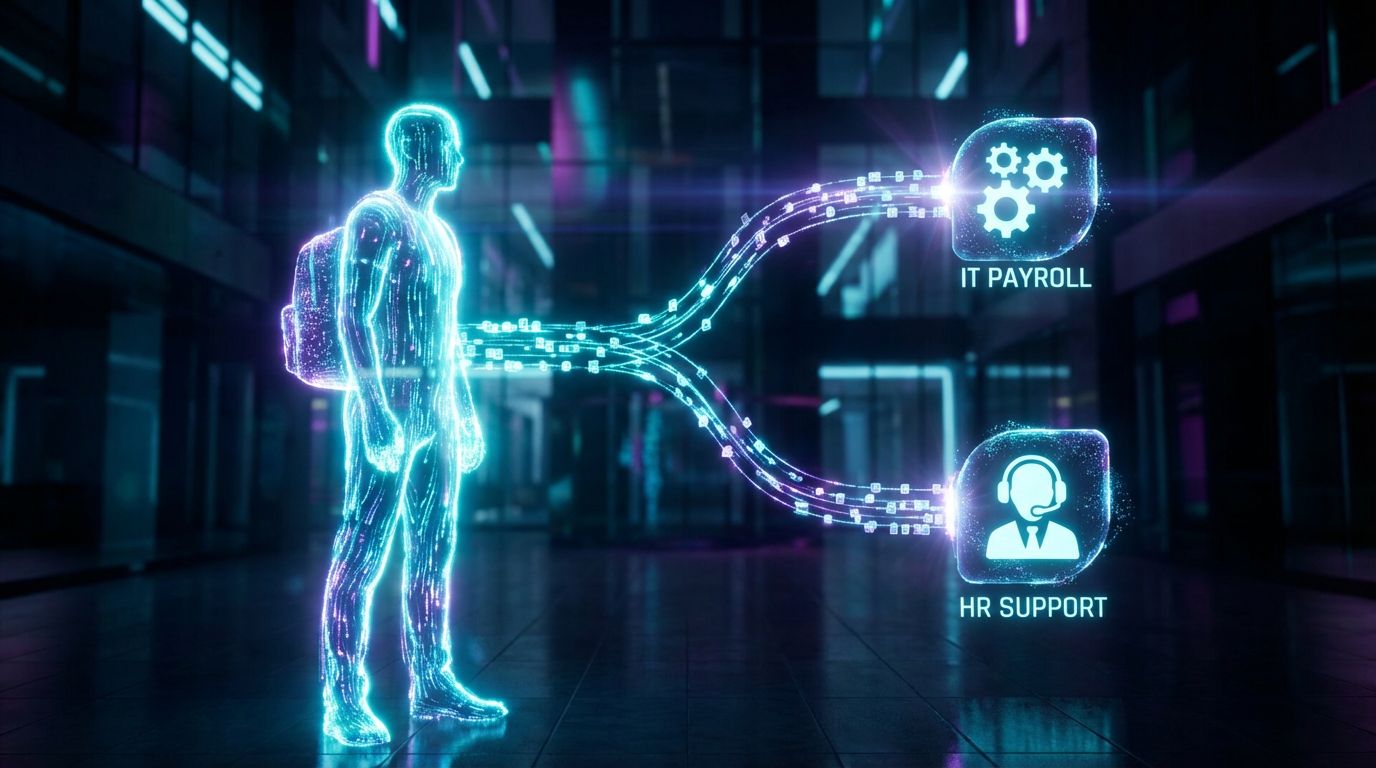
Abstract promises about “AI transforming HR” are meaningless if they do not translate into hours saved and better employee experiences. Below are three concrete use cases where well-designed workflows consistently pay off. These are composites of real implementations across 300–2,000-employee organizations.
Use Case 1 – AI-Powered Onboarding Orchestration
In a 500-employee company using BambooHR and Slack, onboarding used to rely on a Google Sheet and a checklist email. HR spent 3–4 hours per new hire coordinating with IT, managers, and payroll, and small things like system access were often missed.
We implemented a workflow where “New hire created in BambooHR” triggers an AI-powered onboarding sequence. The HR & Recruitment Screening Bot, extended as a new-hire concierge, welcomes the employee in Slack, shares a tailored checklist, and answers FAQs about policies, equipment, and tools 24/7.
Behind the scenes, integrations create IT tickets, set up email and tool access, and notify payroll of start dates and compensation. Result: 65% reduction in HR admin time per new hire and a noticeable drop in “Day 1” issues reported by managers.
Use Case 2 – Policy & Benefits Q&A Chatbot (Employee Support)
At a 900-employee organization in a compliance-heavy industry, HR’s shared inbox was receiving 400–600 emails per month, mostly asking slight variations of the same policy and benefits questions. Average response time was 1–2 business days, and HR felt constantly underwater.
We deployed an HR bot in Teams, trained on vetted policy documents and benefits summaries, with strong guardrails and escalation rules. Employees could ask questions in natural language and get instant, consistent answers, while anything ambiguous or sensitive routed to HR with full context.
Within 60 days, the bot was handling 70–80% of routine queries, deflecting roughly 40–60% of emails from the HR inbox. HRBPs reclaimed several hours each week, and employee satisfaction scores for “access to HR information” improved on the next engagement survey.
Use Case 3 – AI Talent Management Insights (Performance & Development)
In a 1,200-employee company with a formal performance review cycle, managers struggled to synthesize feedback across tools and documents. HR spent weeks on calibration meetings with little data-driven insight, and development conversations often stalled after reviews.
We integrated ai talent management software with their existing performance platform to summarize feedback, highlight strengths and risks, and suggest development paths based on internal opportunities. AI did not change ratings; it made it easier for managers and HR to see patterns and prepare.
The result was faster calibration cycles, better-prepared managers, and more targeted development plans. Over two cycles, HR reported a 30–40% reduction in time spent preparing calibration decks and a measurable improvement in follow-through on development actions.
Choosing HR AI Tools vs Hiring an Automation Partner
Once you see the potential of these workflows, the next decision is whether to assemble everything in-house or bring in a specialist. There are situations where off-the-shelf hr ai software is enough and others where a workflow-first partner is the smarter path.
When Off-the-Shelf HR AI Software Is Enough
If you are a smaller team with relatively simple needs, a single system of record, and low compliance complexity, a good out-of-the-box chatbot or point solution can be effective. For example, a 60-person startup using one HRIS and Slack may be fine with a basic bot answering FAQs from a static handbook.
The key is to limit scope and avoid expecting that one tool to orchestrate complex multi-system workflows. Use it to solve a narrow, well-defined problem like deflecting basic questions, and be intentional about where you still want human touch.
Even in these cases, it helps to think in systems: which triggers exist, where data lives, and how you will measure success. That way, if you grow, you can layer more sophisticated workflows on top without starting over.
When You Need a Workflow-First Approach
If you have multiple systems (HRIS, ATS, LMS, shared inboxes), growing headcount, or operate in a compliance-heavy industry, a workflow-first approach is almost always necessary. The complexity comes not from the tools themselves but from the gaps between them.
This is where AiBizBuild positions itself clearly: we are not a SaaS tool or an HRIS vendor. We are a premium automation agency that designs and builds custom HR workflows using HR & Recruitment Screening Bots, 24/7 Appointment Booking Systems for interviews and HR meetings, and CRM Integration & Inbox Management–style routing for HR communications.
The deliverable is not another login; it is a set of working, measurable workflows that sit on top of your existing stack and keep running long after the initial excitement about “AI” fades.
Done-For-You HR AI Workflows with AiBizBuild
By this point, you can probably see that the hard part is not finding hr ai tools but wiring them into a resilient, secure system. That is exactly what AiBizBuild specializes in for HR teams in the 100–2,000-employee range.
What We Actually Build for HR Teams
Our core focus is on HR & Recruitment Screening Bots that handle candidate and employee FAQs, basic screening flows, and common admin interactions. These bots become the first line of support, escalating to humans when judgment or empathy is needed.
We also implement 24/7 Appointment Booking Systems for interviews and HR consultations, removing the back-and-forth of scheduling and integrating with your calendars and communication channels. No more “Does Tuesday at 3 work?” chains.
Finally, we build CRM Integration & Inbox Management–style workflows for HR communications: routing emails and tickets based on topic, auto-acknowledging receipt, updating statuses, and ensuring nothing falls through the cracks. The same discipline we apply to automating content and communication workflows at scale in marketing is used here to tame HR communication flows.
Our Engagement Model (Transparent & Outcome-Focused)
We run a clear, outcome-focused engagement model: Discovery & Workflow Audit → Design → Build & Integrate → Launch & Optimize. You are never guessing what happens next or who is responsible for which piece.
Typical timelines put your first HR AI onboarding or support workflow live within 4–8 weeks, depending on the complexity of your systems and approval processes. From there, we iterate and add use cases instead of jumping from pilot to pilot.
Throughout, we keep you close to the metrics that matter: time saved, ticket deflection, cycle times, and qualitative feedback from HR and employees. Our goal is that you can clearly explain the ROI of your HR AI initiative to your CFO and CHRO.
What HR Leaders Get in 90 Days
In a typical 90-day engagement, HR leaders can expect 2–3 live HR workflows: for example, onboarding orchestration, policy/benefits Q&A, and basic screening or appointment booking. These are fully documented and owned by your team, not black boxes.
You also get dashboards or reports that show time saved and ticket deflection, along with qualitative feedback that helps you refine the employee experience. We provide playbooks and training so HR and managers know how to work with the new system.
By the end of 90 days, HR is no longer “experimenting with AI” but running production-grade HR AI workflows that demonstrably reduce admin and improve responsiveness.
CTA: Book a Workflow Audit
If you are responsible for HR in an organization with 100–2,000 employees and your team is drowning in onboarding tasks, policy questions, and manual routing, the next step is simple. Book a Workflow Audit with AiBizBuild.
In this session, we will review your current HR admin, onboarding, and employee support workflows, identify high-ROI automation opportunities, and propose a phased rollout of HR & Recruitment Screening Bots and related automations. If you prefer to see things in action, you can also Request an HR Automation Demo tailored to your stack.
You do not need more tools; you need a system. Let’s design it together.
FAQs
Is it safe to use HR AI tools with sensitive employee data?
Yes, when designed correctly. We architect workflows so that PII stays inside your secure systems of record (HRIS, ATS) and bots access only what they need via role-based permissions.
Data in transit is encrypted, and we configure strict guardrails about what the AI can see and say. We also log interactions for auditing so you can review how sensitive topics were handled.
How long does it take to launch our first AI-powered HR workflow?
For most organizations, the first meaningful HR AI workflow goes live in about 4–8 weeks. The exact timeline depends on your existing systems, access to documentation, and internal approval cycles.
We start with an audit and design phase, then move into build, integration, and pilot before full rollout. The goal is to move fast without cutting corners on security or change management.
Do we need in-house developers or data scientists to work with AiBizBuild?
No. You do not need coding skills or a data science team to benefit from these workflows. What you need are process owners who understand how HR works today and can make decisions about how it should work tomorrow.
AiBizBuild handles the technical architecture, integrations, and bot design, while your team provides context, approvals, and feedback during testing.
Which HR systems can you integrate with?
We typically integrate with modern HRIS and ATS platforms that offer APIs or integration capabilities, as well as common email and collaboration tools like Outlook, Gmail, Teams, and Slack. The engagement starts with an integration assessment so we understand your specific stack and constraints.
If a system does not expose an API, we look at alternative patterns such as email-based workflows or file-based integrations. The goal is always a reliable, maintainable connection rather than brittle hacks.
How do we measure ROI from HR AI workflows?
We define success metrics upfront, typically including time saved per workflow, ticket or email deflection rates, cycle time for onboarding or approvals, and employee satisfaction with HR support. Baseline numbers are captured before launch, then compared after rollout.
We also track qualitative feedback from HR and managers to ensure the system not only saves time but feels better to use. Over time, this data helps you decide where to invest next and how to communicate impact to leadership.