

Salesforce Automations: How to Streamline Sales Processes, Cut Admin Work, and Prove ROI
Key Takeaways
- See how Salesforce workflow automation and broader process automation in Salesforce replace manual lead routing, pipeline updates, and follow-ups with reliable, auditable flows.
- Use concrete ROI math to compare manual sales/admin work vs a well-designed Salesforce automated process, including how test automation Salesforce practices protect your data and uptime.
- Understand why DIY Salesforce sales automation often stalls or breaks at scale, and how a done-for-you approach launches faster, with less risk and clearer ROI.
In This Guide:
- 🚀 What Salesforce Automations Actually Do (Beyond Basic Rules)
- ⏱️ Manual vs Automated Sales Workflows: Time & Cost Breakdown
- ⚠️ Why DIY Salesforce Automation Projects So Often Fail
- 🧩 Core Salesforce Workflow & Process Automation Building Blocks
- 📊 High-Impact Sales Use Cases: From Lead Assignment to Renewals
- 🧪 Testing & Governance: Getting Test Automation in Salesforce Right
- 💰 Calculating ROI: How Fast Salesforce Automations Pay Off
- 🤝 Done-For-You vs DIY: Which Approach Makes More Sense?
- 🧭 How AiBizBuild Designs, Implements, and Optimizes Your CRM Sales Force Automation
- ❓ FAQs on Salesforce Workflow Automation & Next Steps
Your team lives in Salesforce, but half the work still happens in spreadsheets, email, and side-slack threads.
Lead assignment, opportunity updates, renewal reminders, and follow-ups all depend on humans remembering what to do next.
Meanwhile you’re paying serious money for Salesforce and related tools, yet you’re rightly nervous that pushing more buttons in production will break something important.
This is where well-designed Salesforce automations change the game.
They remove low-value admin work, standardize how deals move, and give leadership accurate data they can trust — if you design, test, and govern them like a real system, not a collection of one-off rules.
In this guide, I’ll compare manual vs automated workflows, walk through concrete use cases, show realistic time-to-value and ROI, and explain when DIY makes sense vs when you’re better off bringing in a partner like AiBizBuild.
What Salesforce Automations Actually Do (Beyond Basic Rules)

Most teams think of Salesforce automation as “if field X changes, send an email.”
That’s the bare minimum.
Modern sales teams use Salesforce to drive end-to-end workflows that span lead capture, qualification, opportunity management, approvals, renewals, and customer lifecycle touches.
From Simple Rules to End-to-End Process Automation in Salesforce
Let’s define a few terms in practical language.
- Salesforce workflow automation: Trigger-based actions like field updates, email alerts, and task creation when certain conditions are met.
- Process automation Salesforce / process automation in Salesforce: Multi-step logic that models how your business actually works — including branching paths, approvals, and integrations.
- Salesforce sales automation: Automation targeted specifically at sales activities such as lead routing, opportunity progression, quote approvals, and follow-up cadences.
Salesforce has evolved from legacy Workflow Rules to Process Builder and, today, primarily Flow, plus native and API-based integrations with tools like Salesforce and Pardot and external systems.
The real value comes when these tools orchestrate a consistent, automated journey instead of a pile of disconnected rules.
Common Types of Salesforce Automated Processes
Here are patterns I see in nearly every high-performing org:
- Lead capture and deduplication: New leads from web forms, events, or Pardot campaigns are automatically created, matched to existing Accounts, and deduped before hitting the queue.
- Automatic lead assignment and routing: Territory, industry, product interest, and score drive exactly which rep or team gets the lead and how quickly.
- Opportunity stage-driven actions: Stage changes automatically create tasks, schedule meetings, update close dates, and notify stakeholders.
- Quote/CPQ and approvals: Discount thresholds trigger automated approval workflows and document generation so reps aren’t chasing signatures over email.
- Renewal and upsell workflows: 90/60/30-day pre-renewal cadences with tasks, emails, and CSM alerts driven by a central Salesforce CRM automation engine.
When you treat these as one coherent sales process automation Salesforce system instead of isolated features, you get predictable execution and data you can actually forecast on.
Manual vs Automated Sales Workflows: Time & Cost Breakdown

The Hidden Cost of Manual Salesforce Admin Work
In most orgs, reps quietly spend 60–90 minutes/day on admin inside and around Salesforce.
They’re hunting for leads in shared inboxes, hand-updating stages before forecast calls, logging emails after the fact, and guessing on next steps.
Sales managers and RevOps then lose more hours chasing down missing data, patching spreadsheets, and reconciling reports that don’t match reality.
For a 10-rep team, even a conservative 45 minutes/day of low-value admin per rep is roughly:
- 45 minutes × 10 reps × 5 days = 37.5 hours/week.
- That’s nearly 1 full-time person worth of productivity poured into status updates instead of selling.
Example: Manual Lead Assignment vs Salesforce Workflow Automation
Consider lead assignment, one of the simplest but highest-impact automations.
Manual state: New leads arrive via web forms and email, then sit until someone in ops or a manager periodically reviews and assigns them.
It looks like this:
- Ops downloads or reviews a list of new leads once or twice per day.
- They check territory, product interest, and existing Accounts by hand.
- They reassign leads in Salesforce and maybe send a Slack message to the rep.
By the time a rep calls, hours may have passed.
Conversion rates drop when response time slips, and urgent leads often fall through the cracks.
Automated state: A Salesforce workflow automation (ideally a Flow) routes leads in real time based on territory, industry, score, and account matching.
Within seconds of form submission:
- The lead is deduped and matched to an existing Account where possible.
- Ownership is assigned using clear, rule-driven logic.
- A follow-up task and/or email template is triggered.
- The rep gets notified in Salesforce and potentially via email or Slack.
Instead of ops spending 10–20 minutes per batch, you move to <1 minute of human time to handle genuine exceptions.
Manual Sales/Admin Tasks vs Salesforce Automations
Here’s how that scales across common scenarios.
| Scenario | Manual Workflow | With Salesforce Automation | Impact (Time / Errors) |
|---|---|---|---|
| Lead Assignment | Sales ops manually reviews new leads and reassigns in Salesforce once or twice a day. | Lead routing rules auto-assign based on territory, industry, and score in real time. | Response time drops from hours to minutes; 10–15 hours/month of admin saved. |
| Opportunity Stage Management | Reps update stages sporadically; managers chase them before forecast meetings. | Stage changes auto-trigger tasks, approvals, and notifications, keeping data current. | Forecast accuracy improves; managers reclaim 5+ hours/month from manual follow-up. |
| Renewal Reminders | CSMs track renewals in spreadsheets and calendar reminders; some contracts slip. | Record-triggered flows create N-day pre-renewal tasks, emails, and Slack alerts. | Missed renewals drop; CSMs save 5–10 hours/month on manual tracking. |
| Email Follow-Ups | Reps send ad-hoc emails and forget to log many of them in Salesforce. | Sequenced follow-up tasks and templates tied to stages and outcomes. | Follow-up consistency increases; logging accuracy improves >30%. |
This is why a thoughtful automation strategy routinely saves 20–40 hours/month across even a small sales team while tightening up execution quality.
Why DIY Salesforce Automation Projects So Often Fail
The Myth of “Clicks, Not Code”
Salesforce markets Flows and Process Builder as “clicks, not code,” and that’s technically true.
But designing scalable, reliable salesforce automated processes is closer to software engineering than it is to tweaking a spreadsheet.
You still have to understand the data model, object relationships, bulk processing behavior, order of execution, and what happens when multiple automations touch the same record.
Common Failure Modes in Process Automation in Salesforce
Here are patterns I see when teams DIY without a real architecture:
- Conflicting automations: Multiple Process Builders and Flows all trying to update the same fields, causing record update loops or hitting governor limits.
- No structured testing: Changes deployed straight to production without any test automation Salesforce practice — no sandboxes, no test cases, no rollback plan.
- Over-automation: Every event creates tasks, emails, and notifications until reps ignore them and start working out of personal spreadsheets again.
- Invisible logic: No documentation, naming conventions, or ownership, so nobody knows what will break if they tweak a field or add a new process.
The result is slower Salesforce performance, inconsistent data, frustrated reps, and ops teams scared to touch anything.
Integration Complexity: Salesforce and Pardot, NetSuite, and Email/Inboxes
The complexity multiplies when you connect Salesforce to other systems.
Think marketing automation via Salesforce and Pardot, NetSuite Salesforce automation for orders and invoices, and email/calendar sync via CRM Integration & Inbox Management.
Now your automated processes depend on:
- Sync timing and batch windows between platforms.
- Clear ownership of truth for key fields like status, ARR, and contract dates.
- Resilient error handling across APIs and user behavior.
This is where DIY projects often stall after a few simple flows.
Leaders sense the risk of “breaking everything,” so they freeze further changes and never reach the level of automation required to get full CRM ROI.
Core Salesforce Workflow & Process Automation Building Blocks
Key Automation Tools Inside Salesforce
Salesforce gives you several native tools to build automation, each with its place.
- Workflow Rules: The legacy engine for simple if/then actions such as field updates and email alerts. Still present but no longer where I’d build new logic.
- Process Builder: Visual, multi-step logic tool that many orgs adopted heavily. Powerful but easier to create conflicts and performance issues if overused.
- Flow: The modern standard for building a robust Salesforce automated process — including record-triggered, schedule-triggered, and screen flows with complex branching and reusable subflows.
Today, most new process automation Salesforce work should be done in Flow with a clear architecture and consolidation strategy, not scattered across legacy tools.
Beyond Native Tools: CRM Sales Force Automation Across the Stack
Effective CRM sales force automation rarely lives inside Salesforce alone.
It spans your entire go-to-market stack.
- Pardot (Account Engagement): Automate lead nurturing, scoring, and campaign attribution, feeding qualified leads and activities into Salesforce.
- CRM Integration & Inbox Management: Sync email, calendar, and tasks so reps don’t lose context in their inboxes and you can trigger workflows based on communication events.
- External systems: NetSuite, e-commerce, support tools, and even data from B2B Lead Scraping & Enrichment and Cold Outreach Automation can all flow through Salesforce as the operational hub.
The goal is not just using tools, but designing a resilient system that coordinates data and action across every touchpoint.
The same principles we apply for automated editorial workflow design also apply here: map the process, then automate the system, not just individual clicks.
High-Impact Sales Use Cases: From Lead Assignment to Renewals
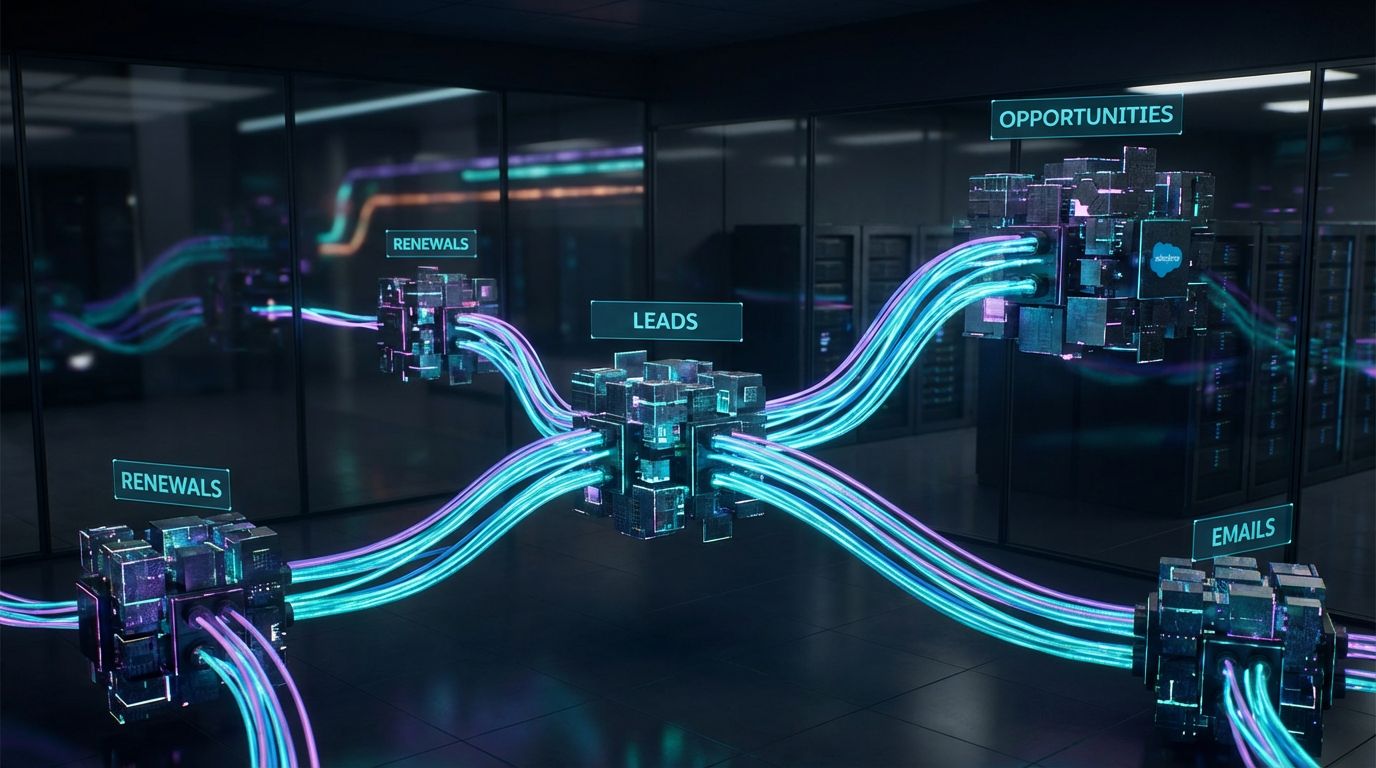
Use Case 1 – Automated Lead Assignment and Prioritization
This is the fastest way to feel the impact of sales process automation Salesforce.
Trigger: A new lead enters from a web form, list import, or sync from Salesforce and Pardot.
Logic:
- Check for duplicates and account matches.
- Apply territory rules (region, industry, company size).
- Incorporate score (behavioral + demographic) to prioritize.
- Handle special routing (partners, strategic accounts, product lines).
Actions:
- Assign the lead to the right owner or queue.
- Create a calibrated follow-up task with SLA-driven due dates.
- Optionally trigger a templated intro email or add to a nurture journey.
- Notify the rep via email or Slack for high-priority leads.
ROI example: If a rep saves 5 minutes per lead on triage and you process 50 leads/day, that’s 250 minutes (4+ hours) saved daily.
Even if automation absorbs half of that (2 hours/day), across 5 days that’s 10 hours/week of reclaimed selling time, plus higher conversion from faster responses.
Use Case 2 – Opportunity Pipeline Management and Forecast Accuracy
Pipeline automation is about more than moving a picklist value.
It’s about enforcing your sales methodology inside the CRM.
- Required data at each stage: When reps move from Discovery to Proposal, Salesforce requires next-step dates, decision-makers, and budget fields before allowing the stage change.
- Automatic approvals: Discount levels over a set threshold launch an approval workflow, similar in spirit to how AiBizBuild designs automated approval workflows for content teams.
- Task orchestration: Stage changes spawn follow-up tasks, meeting reminders, and internal check-ins without manual effort.
The payoff is obvious.
Leadership gets cleaner pipelines and more trustworthy forecasts, while reps stop scrambling to update data right before the QBR.
Use Case 3 – Renewals, Upsells, and Customer Lifecycle Automation
Revenue teams often leave renewals and expansion deals to chance.
A robust Salesforce CRM automation pattern changes that.
- N-day triggers: 120/90/60/30 days before a contract end date, Salesforce automatically creates CSM tasks, customer emails, or internal alerts.
- Integrations: Billing or NetSuite Salesforce automation keeps ARR, contract terms, and usage data in sync so you know which accounts are at risk or ripe for upsell.
- Lifecycle views: Dashboards show health scores, renewal stages, and pipeline for upsells in one place.
Done well, this protects recurring revenue without requiring CSMs to maintain personal spreadsheets or calendar hacks.
It also gives leadership a forward-looking view of renewals and expansion, not just net-new pipeline.
Testing & Governance: Getting Test Automation in Salesforce Right
Why Testing Is Non-Negotiable for Complex Salesforce Automated Processes
Every new Flow, Process, or integration can break something that used to work.
That’s why treating automation like ad-hoc configuration instead of product development is so dangerous.
For complex automated process Salesforce deployments, you need predictable testing and release patterns.
At minimum:
- Build and refine in a sandbox, not production.
- Version flows and keep old versions accessible for rollback.
- Use test data sets that mimic real edge cases: large deals, odd territories, multi-currency, etc.
Practical Approaches to Test Automation Salesforce
You don’t need a massive QA department.
You do need repeatable checks.
- Scenario-based test cases: For each automation, define the input data and expected outcomes (fields changed, tasks created, emails sent, integrations triggered).
- Regression runs: When you change a core object like Lead or Opportunity, re-run key scenarios to ensure existing automations still behave as expected.
- Monitoring and alerts: Configure error notifications and dashboards to track Flow failures and unusual spikes in automation volume after go-live.
This is the heart of test automation Salesforce for go-to-market systems: small, disciplined habits that prevent big, ugly outages.
Governance: Ownership, Documentation, and Change Management
Without governance, even good automations decay into chaos.
To keep your Salesforce workflow automation maintainable:
- Naming conventions: Clear, consistent names for Flows, Processes, and email templates by function and object.
- Documentation: Brief diagrams and summaries of each major automation, including triggers, key logic, and owners.
- Change process: A lightweight intake and approval flow for new requests so you can prioritize and avoid conflicting changes.
AiBizBuild bakes this governance into our CRM Integration & Inbox Management work so you don’t end up with a black box nobody wants to touch.
Calculating ROI: How Fast Salesforce Automations Pay Off
Time-Saved Calculation: A Simple Formula
Let’s keep the math simple so you can sanity-check any proposed project.
Use this baseline:
- Time saved per task × number of tasks per week × number of users = hours saved per week.
Example for automated lead routing:
- Rep/ops save 5 minutes per lead on routing and triage.
- You process 200 leads/week.
- Total time saved = 5 × 200 = 1,000 minutes ≈ 16.7 hours/week.
Apply the same logic to opportunity management, renewal tracking, and follow-up tasks.
From Hours Saved to Dollars Saved (and Revenue Gained)
Translate hours into cost using a blended loaded rate for your team (salary + benefits + overhead).
If your blended rate is $75/hour and you save 50 hours/month across reps and ops, that’s:
- 50 × $75 = $3,750/month in labor value back to the business.
Add realistic revenue impact.
If automation-driven speed improves lead conversion by even 5–10%, that often dwarfs the labor savings alone.
Example Payback Periods for Common Salesforce Sales Automation Projects
Here are directional examples based on typical projects:
- Core lead routing & basic opportunity flows: 40–60 hours of implementation effort, often resulting in 20–40 hours/month saved plus higher conversion. Payback: typically 2–4 months.
- Renewal & lifecycle automation: 60–80 hours of work, protecting high-value ARR and cutting CSM admin by 10–20 hours/month. Payback is usually < 6 months when you factor in saved churn.
- Cross-system CRM Integration & Inbox Management: 80–120 hours for robust integrations and governance. Payback often lands within 6–12 months, especially when leadership relies on unified reporting for decisions.
Notice we’re not talking about vague productivity boosts.
We’re talking about specific hours and dollars that your CFO can validate.
Done-For-You vs DIY: Which Approach Makes More Sense?
When DIY Salesforce Automation Can Work
There is a place for DIY.
For small, low-risk automations, an internal admin or power user is often enough.
Good DIY candidates include:
- Simple notifications when a field changes.
- Basic field updates on a single object.
- One-step reminders that don’t touch revenue-critical logic.
Even then, build in a sandbox, document what you did, and get a second set of eyes before deploying.
The Hidden Cost of DIY for Complex Sales and CRM Automation
The trouble starts when DIY expands into multi-object, cross-system flows that control how money moves.
Complex automation done casually creates:
- Time drain: Admins spend weeks learning best practices by trial-and-error instead of driving strategic initiatives.
- Risk: Misconfigured Flows can silently mis-assign leads, miscalculate ARR, or break integrations.
- Opportunity cost: Every month delayed in rolling out robust automation is another month of lost efficiency and inaccurate data.
Those hidden costs routinely exceed the investment in a specialist partner.
DIY Salesforce Automation vs Done-For-You Implementation
This is how DIY compares with working with a focused partner like AiBizBuild.
| Criteria | DIY (Internal Team) | Done-For-You with AiBizBuild |
|---|---|---|
| Time to Launch | Weeks or months spent learning tools, mapping processes, and trial-and-error. | Predefined blueprints deliver first automations in 2–4 weeks. |
| Internal Effort Required | Consumes significant admin and ops bandwidth; core projects get delayed. | Your team focuses on decisions and approvals; AiBizBuild handles design, build, and testing. |
| Error & Downtime Risk | Higher risk of misconfigurations, conflicts, and untested edge cases. | Battle-tested patterns and governance reduce incidents and rework. |
| Governance & Documentation | Often ad-hoc; knowledge lives in a few people’s heads. | Structured documentation, naming standards, and ownership baked into delivery. |
| Long-Term Scalability | System becomes fragile as more flows and tools are bolted on. | Architecture-first design supports new products, teams, and tools over time. |
How AiBizBuild Fits: Custom Workflows, Not Another Tool
AiBizBuild is not a $10/month plugin.
We’re a premium implementation partner that designs and builds the Salesforce side of your CRM Integration & Inbox Management system.
That includes:
- Mapping and optimizing your sales and customer lifecycle processes.
- Building robust Flows and integrations for crm sales force automation across Salesforce, inboxes, and related tools.
- Leaving you with documented, governed automations your team can operate and extend.
If you’ve ever read about SEO Content & Blog Automation, the principle is the same here.
The tools are powerful, but the ROI comes from the system you design on top of them.
How AiBizBuild Designs, Implements, and Optimizes Your CRM Sales Force Automation
—IMAGE_BLOCK: Futuristic Glass & Metal Product Shot showing a sleek, glassy “workflow engine” cube connected via glowing traces to smaller cubes labeled conceptually as Email, CRM, Marketing, and ERP, representing AiBizBuild’s CRM Integration & Inbox Management service. Cinematic lighting, Unreal Engine 5 render, futuristic corporate aesthetic, glowing cyan and purple accents, shallow depth of field, 8k resolution—
Step 1 – Sales & Admin Workflow Audit
Everything starts with a Salesforce Automation & Sales Process Workflow Audit.
This is our primary CTA and where most clients see value within the first conversations.
During the audit, we:
- Map your current manual processes across leads, opportunities, renewals, and customer success.
- Identify quick-win salesforce automations that can save 10–20 hours/month with minimal risk.
- Flag broken or conflicting existing automations that may be quietly eroding data quality or rep trust.
Step 2 – Blueprinting Your Salesforce Automated Process
Next we turn the messy reality into a clear blueprint.
This is the implementation roadmap most Salesforce content never gives you.
Our framework:
- Discovery: Interview stakeholders, review current org configuration, and gather real examples of manual work.
- Process Mapping: Visual diagrams of lead, deal, and renewal flows as they are today and how they should work.
- Design: Translate maps into Flow architecture, object/field strategy, and integration requirements.
- Build: Configure Flows, validation rules, and integrations inside sandbox environments.
- Test (including test automation Salesforce practices): Run structured test cases, fix edge cases, and prepare release notes.
- Deploy: Roll out changes in phases with training and communication.
- Monitor/Optimize: Track performance, errors, and adoption; adjust as your processes evolve.
Blueprinting includes detailed flow diagrams, trigger definitions, and integration points across CRM Integration & Inbox Management so your system behaves predictably at scale.
Step 3 – Build, Test, and Go-Live (With Ongoing Optimization)
Once the blueprint is set, our team executes.
We build inside a sandbox, apply best practices around process automation in Salesforce, and collaborate with your admin or RevOps lead on validation.
- Configuration of Flows, approvals, and integrations.
- Structured testing and sign-off, including regression tests for existing automation.
- Phased deployment with monitoring and instrumentation to catch issues early.
Many clients choose ongoing optimization support so we continue adjusting automations as products, teams, and markets change.
But even if you only engage for an initial project, you leave with a governed, documented foundation instead of a tangle of rules.
Call to Action – Book Your Salesforce Automation Workflow Audit
If you’re serious about getting full value from Salesforce — and tired of manual workarounds and risky DIY experiments — your next step is simple.
Book a Salesforce Automation Workflow Audit with AiBizBuild.
You’ll walk away with:
- A clear map of your current manual and semi-automated workflows.
- A prioritized roadmap of salesforce workflow automation opportunities with rough time-and-cost savings.
- Implementation options, including done-for-you builds under our CRM Integration & Inbox Management services.
If you prefer to see examples first, you can also request a demo of recent Salesforce/CRM automation implementations.
Either way, you move from “we know Salesforce can do more” to a concrete plan for time savings, error reduction, and provable ROI.
FAQs on Salesforce Workflow Automation & Next Steps
FAQ 1: How long does it take to see ROI from Salesforce automations?
Quick-win automations like lead routing, basic pipeline flows, and renewal reminders usually deliver value within 2–4 weeks of go-live.
More advanced process automation in Salesforce projects that touch multiple teams typically run 4–12 weeks, with payback commonly under a year once you account for both time savings and revenue impact.
FAQ 2: Do we need developers to build process automation in Salesforce?
Many core automations can be built using Salesforce’s low-code tools (Flows, Process Builder) by an experienced admin or architect.
You’ll typically need developer support for complex integrations, custom components, and heavy data transformations.
Even in low-code scenarios, though, design and testing require specialist expertise to avoid the common failure modes we’ve covered.
FAQ 3: How do you keep Salesforce workflow automation from breaking when we change our processes?
The key is governance: documentation, clear ownership, version control, and sandbox testing before each change.
AiBizBuild implements naming standards, flow documentation, and a simple change process so your Salesforce automations can evolve safely as your business changes.
We also encourage regular health checks to prune outdated logic and align automations with current GTM strategy.
FAQ 4: Is it safe to integrate Salesforce automations with tools like Pardot and NetSuite?
Yes, provided you treat integration as part of a governed system, not a one-off connection.
With proper CRM Integration & Inbox Management, role-based access, and clear data ownership rules, integrations with Salesforce and Pardot, NetSuite, and other tools are standard and low-risk.
The real danger comes from ad-hoc DIY integrations without testing, monitoring, or documentation.
FAQ 5: What internal resources do we need to work with AiBizBuild on Salesforce CRM automation?
At minimum, we recommend a sales or RevOps lead who understands the business processes, a Salesforce admin (even part-time), and an executive sponsor who owns results.
AiBizBuild handles the heavy lifting on design, build, testing, and rollout.
Your internal team focuses on providing requirements, validating behavior, and driving adoption so the new Salesforce CRM automation sticks.
Ready to turn Salesforce from an expensive database into a true revenue system?
Book your Salesforce Automation Workflow Audit or request a demo of AiBizBuild’s done-for-you Salesforce/CRM automation work today.