

Client Onboarding Automation: Step-by-Step Guide to Faster Time-to-Value for New Customers
Key Takeaways
Client onboarding automation replaces scattered emails and spreadsheets with a repeatable workflow that cuts onboarding time by 50–70%.
You’ll see a side-by-side comparison of manual vs automated onboarding, including forms, document collection, CRM triggers, and milestone tracking.
We’ll show you how to calculate ROI (time saved, churn reduction) and when it’s smarter to get a done-for-you build instead of piecing tools together yourself.
In This Guide:
⚙️ What Is Client Onboarding Automation? – Definitions, components, and why it matters.
🧾 Manual vs Automated Onboarding Workflows – Side-by-side breakdown of every step.
⚠️ Why DIY Client Onboarding Automation Usually Fails – Hidden complexity, brittle Zaps, and tech debt.
📈 Step-by-Step Implementation Blueprint – How to go from audit to live automations.
🎯 Agency Use Case: Automating Client Onboarding for a Marketing Agency – Real-world workflow example.
💰 Measuring ROI: Time Saved, Churn Reduction, and Capacity Gains – How to quantify results.
🤝 When to Bring In a Done-For-You Automation Partner – Build vs buy decision and next steps.
❓ FAQs on Client Onboarding Automation – Common questions from B2B teams.
Your team is closing deals, but onboarding is the bottleneck. You are still emailing PDFs and Google Docs, nudging clients for logins, and manually updating your CRM and project tools. Growth feels capped because every new client adds hours of messy, manual work.
Client onboarding automation turns that chaos into a repeatable workflow that runs the same way every time. Instead of chasing documents and copying data between tools, your team focuses on strategic conversations and early wins. The result is faster time-to-value, fewer drop-offs, and a smoother client experience that scales with your pipeline.
This guide walks through what to automate, what to keep human, and how to go from today’s manual process to a robust onboarding system. Along the way, you’ll see where it makes sense to automate client onboarding yourself and when it is cheaper and safer to bring in a partner to build it for you.
What Is Client Onboarding Automation?
Most B2B onboarding still runs on ad-hoc emails, spreadsheets, and tribal knowledge. A client signs, someone remembers to send a welcome email, and the rest is handled in Slack threads and inbox searches. This works for five clients a month, then breaks the moment volume jumps.
In practice, that looks like email-based info collection, inconsistent document chasing, and manual CRM and project setup. Every account manager has their own version of the welcome doc and their own way of asking for access and assets. No one can see at a glance who is stuck where or which tasks are overdue.
Client onboarding automation is simply this: design a standard onboarding journey and let software handle the repetitive steps, while humans focus on strategy and relationships. You are not replacing people; you are replacing copy-paste work, status checks, and “just bumping this to the top of your inbox” emails.
From Manual Chaos to Repeatable System
In a manual model, your account executive closes a deal and sends a generic welcome email with an attachment. The client responds with information in random formats or over several emails. Your team then spends days creating CRM records, projects, folders, and chasing missing details.
Operations leaders patch this with more checklists and internal docs, but the experience is still fragile. If the point person is on vacation or misses an email, onboarding stalls. Clients feel ignored, internal teams are stressed, and leadership has no reliable view of onboarding status.
A repeatable system starts with a clearly defined process from “Closed Won” to “First Value Delivered.” Every step has an owner, a trigger, and a system of record. Automations handle the handoffs and data updates so your team does not have to remember every micro-step each time you automate customer onboarding for a new account.
Core Components of an Automated Onboarding Workflow
- Form automation – Structured intake forms with conditional logic so clients only see fields relevant to their package, region, or use case. This reduces confusion and cuts down on follow-up emails.
- Document collection & e-signature – Secure portals or links where clients upload brand assets, access credentials, and signed agreements, with automated reminders until each item is complete.
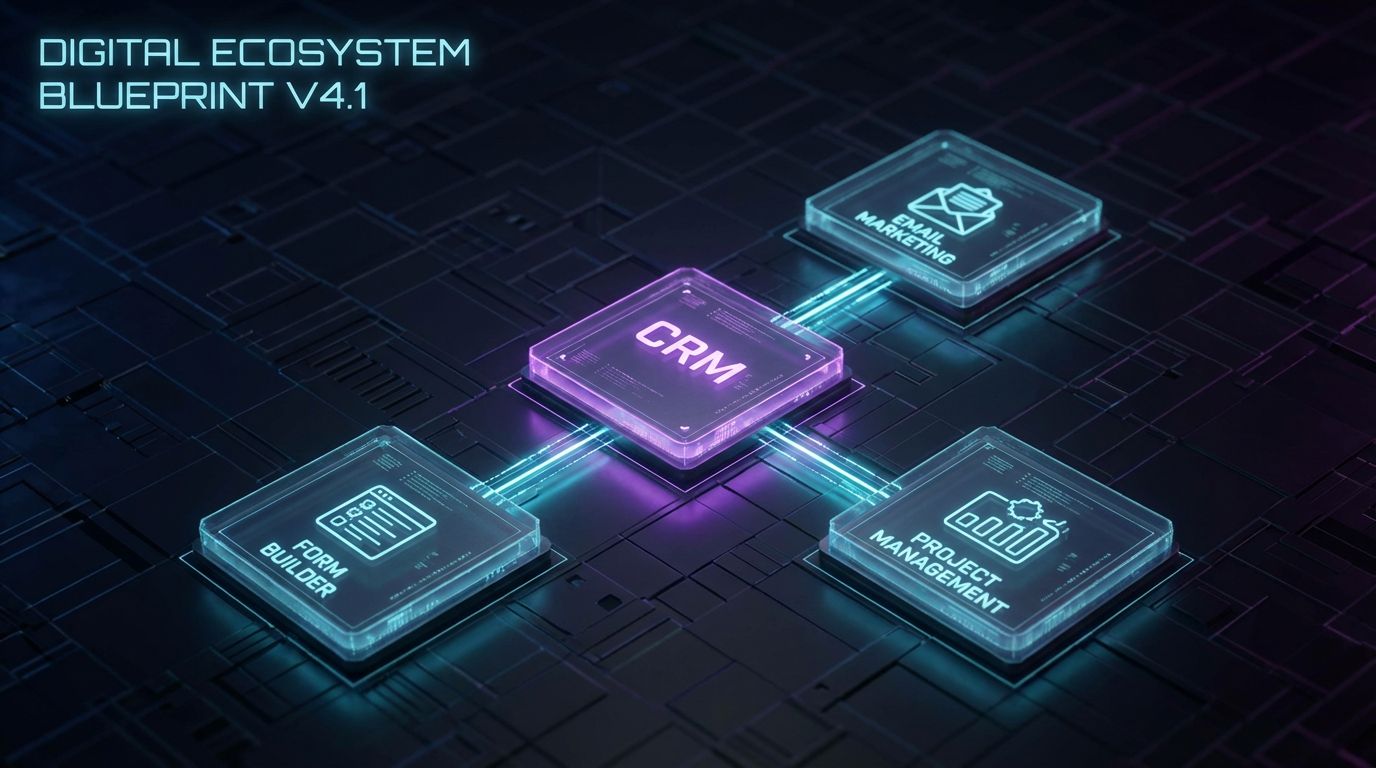
- CRM / project management triggers – When a form is submitted or a status changes, your CRM updates automatically and creates linked projects, tasks, and timelines in your delivery tools.
- Automated communication sequences – Branded email or SMS nudges that confirm next steps, remind clients about missing info, and share what will happen in the next phase of onboarding.
- Milestone tracking & dashboards – Central views in your CRM or BI tool that show where each client is in onboarding, who is blocked, and how long each stage is taking.
- Exception handling & human escalation – Rules that detect when something is off (e.g., intake incomplete after 5 days) and route to a human with context so they can intervene quickly.
Where to Automate vs Where to Stay Human
The tension is real: you want to automate client onboarding aggressively, but you do not want the experience to feel robotic. The answer is to automate logistics and status, and stay human for judgment and relationship.
Automation is ideal for data capture, validation, status updates, reminders, internal notifications, and system-to-system sync. Humans should own strategy calls, complex Q&A, scope adjustments, and any high-stakes decisions that affect goals or expectations.
Design each phase by asking, “What parts of this step are repetitive and rules-based?” Automate those, then script the human touchpoints with context from your system so your team arrives to every call prepared, not hunting for information.
Manual vs Automated Onboarding Workflows
To see the impact of client onboarding automation, compare a typical manual journey with an automated one side-by-side. The steps may look similar on paper, but the human effort, error rate, and client experience are completely different. We will walk through both so you can spot gaps in your current process.
Step-by-Step Manual Onboarding (Old Way)
A common manual workflow starts when a deal is marked Closed Won in your CRM or in someone’s spreadsheet. The account executive copies a welcome email template from an old thread and updates names and rough details. There is usually no standard intake, just a request for the client to reply with answers or fill a static document.
The client responds partially, often missing critical information or sending it over multiple emails. Someone on your team manually creates or updates the CRM record, adds fields by hand, and starts a project in your delivery tool. Tasks are created inline or in a shared doc, and key dates are guessed based on when people are free rather than when the client could realize value fastest.
As weeks progress, you chase logins, approvals, access to analytics, and content or product details. Internal communication happens in Slack threads with no link back to a single source of truth. When the client asks, “Where are we in onboarding?” your team spends 15 minutes piecing together the answer from tools and inboxes.
Step-by-Step Automated Onboarding (New Way)
Now imagine the same journey after you automate customer onboarding end-to-end. A deal is marked Closed Won in your CRM, which triggers a workflow that sends a personalized welcome email with a secure onboarding portal or dynamic intake form. The email clearly explains what is needed, how long it will take, and what happens once they are done.
When the client submits the form, your automation creates or updates the CRM record with mapped fields, spins up a project in your delivery tool, and generates a templated task list based on their package. Folder structures, permissions, and naming conventions are applied consistently every time. Internal notifications go to the right channel or owner with a link to the record, so no one is left guessing.
If documents or fields are still missing after a set number of days, the system sends polite reminders and flags the account for human follow-up. Milestone fields update as tasks are completed, and a dashboard shows each client’s onboarding stage and days-in-stage. Humans step in for the kickoff call, strategy alignment, and any exceptions the workflow detects.
Insert Table: Manual vs Automated Client Onboarding
| Aspect | Manual Onboarding | Automated Onboarding |
|---|---|---|
| Forms & data capture | Static docs and email replies, inconsistent fields, lots of clarification emails. | Dynamic intake forms with required fields, conditional logic, and validation. |
| Document collection & signatures | Scattered attachments, shared drives, and manual e-sign requests. | Centralized upload links, automated e-sign flows, and checklist completion tracking. |
| CRM & project setup | Manual record creation, copy-paste between tools, inconsistent fields. | Auto-create/update CRM records and projects based on form responses and deal data. |
| Communication & reminders | One-off emails, forgotten follow-ups, hard to track what was sent. | Prebuilt email/SMS sequences triggered by status and deadlines. |
| Milestone tracking & reporting | Spreadsheets and manual status updates, limited visibility for leadership. | Real-time dashboards showing each client’s stage, blockers, and time-to-value. |
| Time per new client | 3–4 hours across multiple team members. | 30–45 minutes of human time; the rest is automated. |
| Error rate | High risk of missed steps, wrong fields, and outdated templates. | Low, with standardized workflows and field mappings. |
| Client experience | Confusing, slow, and dependent on who is managing the account. | Clear, predictable, and responsive with human touch at key moments. |
Why DIY Client Onboarding Automation Usually Fails
Many teams try to automate client onboarding by wiring up a few Zaps or native CRM workflows. It works for a handful of cases, then quietly starts failing as you add new products, fields, and team members. The problem is rarely the tools themselves; it is the lack of a process blueprint and ownership.
The Hidden Complexity Behind “Simple” Automations
On paper, “Form submission → create CRM record → send email” sounds trivial. In reality, you have multiple form types, different client segments, exceptions by region, and separate tools for e-sign, chat, and invoicing. Each new condition multiplies the paths your automation needs to handle.
The more tools you stitch together, the more you rely on webhooks, API keys, and field mappings that can silently break. A renamed CRM field or a new required property can stop a workflow without anyone noticing for days. By the time someone spots the issue, you have angry clients waiting for onboarding steps that never fired.
Maintenance is the part most DIY efforts ignore. Every time your sales process, packaging, or team structure changes, your automations need a controlled update. Without documentation and version control, “just one more change” becomes tech debt very quickly.
Tool Overload Without a Process Blueprint
Teams often start with tools instead of process. Someone buys a new form tool, someone else experiments with workflows inside the CRM, and another person adds integrations in a no-code platform. There is no single map of the onboarding journey or clear data ownership.
The result is overlapping automations that occasionally fight each other or create duplicate records. You end up with multiple sources of truth, conflicting statuses, and no reliable way to answer, “What exactly happens when a deal is closed?” Internal confidence in automation drops, and people go back to manual workarounds.
The fix is to design a blueprint before connecting anything. Document the phases, steps, fields, and triggers, then decide which platform owns each action. This is the same discipline you see in automated editorial workflows, where teams graduate from spreadsheets to a well-defined content pipeline.
The Cost of Breakage: Missed Deadlines, Angry Clients, and Churn
When an onboarding email sequence fails, clients sit for days waiting for instructions. If tasks are not created in your project tool, key deliverables slip and the kickoff feels rushed or disorganized. These moments erode trust at the worst possible time, when clients are deciding whether they chose the right partner.
Breakage also hits your internal team. Operations leaders and senior account managers end up debugging workflows at night instead of working on higher-impact initiatives. Burnout rises as they become de facto automation engineers without the time or training to design resilient systems.
All of this feeds directly into churn and reduced expansion opportunities. A rocky first 30–60 days makes it harder to upsell or secure renewals, even if your core service is strong.
Why a Done-For-You Build Often Ends Up Cheaper
DIY seems cheaper until you factor in the cost of senior people spending weeks mapping processes, testing edge cases, and fixing broken automations. A single false start where you rip and replace a half-built system can burn more time than a clean, expert-led implementation would have taken. The hidden cost is opportunity: every hour your leadership team spends in Zapier is an hour not spent on strategy or clients.
A partner like AiBizBuild brings patterns from dozens of onboarding builds and focuses on CRM Integration & Inbox Management as the backbone. We know where workflows typically fail, how to structure data for reporting, and how to design exception handling from day one. That means a faster path to a stable system and fewer surprises after go-live.
For many teams, the right move is to define business requirements internally, then bring in a done-for-you automation partner to execute. You own the process; we handle the wiring, testing, and optimization so you can get to value in weeks instead of months.
Step-by-Step Implementation Blueprint

This section is where we move from theory to execution. You will see a clear sequence from discovery to live automations, with explicit phases and deliverables. Use it as a checklist whether you build internally or with a partner.
Phase 1 – Discovery & Onboarding Audit
Start by mapping your current onboarding journey end-to-end. Document who does what, in what order, where data lives, and how long each step takes today. Include every email, spreadsheet, form, and handoff, even if it feels messy.
Then identify where delays and drop-offs occur. Common hotspots include waiting for intake forms, chasing access credentials, and scheduling kickoff calls. Mark these as priority opportunities to automate customer onboarding tasks that are repetitive and time-based.
The output of this phase is a current-state map and a list of pain points ranked by impact. This gives you a clear baseline for time saved and helps you avoid designing automations in a vacuum.
Phase 2 – Workflow Design & Human/Automation Split
Next, design your target-state onboarding workflow. Break it into clear phases such as Contract Signed, Intake, Internal Setup, Kickoff, and First Value. For each phase, list the steps, required data, and tools involved.
For every step, decide whether it is primarily human, primarily automated, or hybrid. For example, sending a welcome email can be automated, while the first strategy call remains human. The goal is not to remove humans but to ensure they only do work that truly requires judgment or empathy.
Deliverables here include a workflow diagram, a field dictionary, and a RACI-style view showing which system owns which action. This is your blueprint before configuring anything in your CRM or automation tools.
Phase 3 – Form Automation & Data Architecture
Design your intake forms to collect exactly what each package tier requires and nothing more. Use conditional logic so enterprise clients see additional security or integration questions, while smaller clients see a streamlined set. Ensure forms have progress saving and clear instructions to reduce abandonment.
Then map every form field to your CRM and project tools. Decide on naming conventions, data types, and which fields are required versus optional. This is where strong CRM Integration & Inbox Management pays off, because consistent data makes reporting and downstream automation far more reliable.
Finally, define validation rules to prevent bad data from entering your system. For example, require URL formats for website fields, enforce picklists for industry or region, and validate email domains where relevant.
Phase 4 – Document Collection, E-Sign, and Compliance
Set up a single, secure place for clients to upload required documents and complete signatures. This can be an onboarding portal, secure form, or integrated e-sign workflow. Present the requirements as a checklist so clients see exactly what is left to complete.
Automate reminders for incomplete items based on due dates or inactivity. For example, if brand assets are missing three days after form completion, trigger a reminder email and a Slack alert to the account owner. This is a low-friction way to automate client onboarding follow-ups that usually consume a lot of human time.
On the compliance side, choose tools that support encryption in transit, access controls, and activity logs. While this is not legal advice, good design and vendor selection go a long way toward protecting sensitive client data.
Phase 5 – CRM Triggers, Task Creation, and Internal Notifications
This is where your forms and documents connect to your operational backbone. A typical pseudo-diagram for this phase looks like:
- Trigger: Deal status changes to Closed Won in CRM → Action: send welcome email and create onboarding intake record.
- Trigger: Intake form submitted → Actions: update CRM fields, create project in delivery tool, generate task template based on package, assign owners.
- Trigger: All required documents uploaded → Actions: set onboarding stage to “Ready for Kickoff,” notify account manager in Slack, create calendar scheduling link if not already sent.
Each trigger–action chain should be documented so you can test it systematically. Use your CRM as the primary source of truth wherever possible, with automations pushing updates downstream. This keeps your reporting and forecasting clean while you automate customer onboarding mechanics behind the scenes.
Internal notifications should be concise and actionable, with deep links to the relevant record or task. Avoid noisy channels; route notifications only to the people who need to act.
Phase 6 – Milestone Tracking & Client-Facing Status
Define your key onboarding milestones, such as Welcome Sent, Intake Complete, Access Granted, Kickoff Held, and First Value Delivered. Represent these as stages or fields in your CRM or project tool so they can drive automation and reporting. Each milestone should have a clear entry and exit condition.
Then decide how clients will see their status. Some teams expose a simple client-facing status page or periodic summary emails that say, “Here’s what we’ve done, here’s what’s next, and here’s what we need from you.” This reduces inbound status-check emails and builds trust.
Internally, dashboards can show average time in each stage, number of clients blocked, and which team members are overloaded. This turns onboarding from a black box into an operational system you can improve over time.
Phase 7 – QA, Pilot, and Iteration
Before full rollout, pilot your new onboarding workflow with a small subset of new clients. Choose a mix of straightforward and complex accounts so you can test common paths and edge cases. Have someone act as a “mystery client” and walk through every email, form, and step.
Track issues such as confusing instructions, missing fields, or automations that fire too early or too late. Adjust your workflows, copy, and triggers based on this feedback. It is normal to need a few iterations before the system feels smooth.
Once live, monitor key metrics like time to intake completion, time to kickoff, and churn at day 30/60. Use these numbers to justify further investment or tweaks, similar to how teams tune a scalable SEO content generation system after launch.
Agency Use Case: Automating Client Onboarding for a Marketing Agency

To make this concrete, let’s look at a marketing or SEO agency onboarding 15–30 clients per month. Before automation, each new client requires roughly four hours of manual work spread across sales, account management, and operations. The process is held together by willpower and a few shared docs.
The Starting Point: 4 Hours of Manual Work per Client
The typical flow looks like this. Sales closes a retainer and sends a welcome email with a static onboarding doc attached. The client returns it partially filled, often missing logins, analytics access, and brand guidelines.
The account manager chases missing information via email and Slack. Once they have enough, they manually create a project in the agency’s project management tool, build out tasks, and assign internal owners. Another person ensures invoices are set up, tracking pixels are requested, and calendars are coordinated for the kickoff call.
Across these steps, the team spends around 4 hours of human time per client. Errors are common: missed UTM conventions, forgotten conversion tracking, or kickoff calls booked before accounts are actually ready.
The Automated Workflow: Trigger-by-Trigger Walkthrough
After implementing client onboarding automation, the same agency’s workflow might look like this:
- Trigger: Deal marked Closed Won in CRM → Action: send branded welcome email with a secure onboarding portal link and clear expectations for timeline.
- Trigger: Client logs into portal → Action: show package-specific onboarding checklist and dynamic form that adjusts questions based on services purchased.
- Trigger: Onboarding form submitted → Actions: update CRM fields, auto-create campaign brief in project tool, generate task list (e.g., analytics setup, pixel installation, access requests), and assign strategist based on segment.
- Trigger: Document uploads for logins, brand assets, and analytics access → Actions: mark items complete on internal checklist, and when all required items are done, auto-flag status as “Ready for Kickoff.”
- Trigger: Status = Ready for Kickoff → Actions: send scheduling link to client, notify account manager in Slack, and set provisional campaign start date.
- Trigger: Kickoff completed and first campaigns launched → Actions: update onboarding stage to “First Value Delivered,” send recap email, and create internal follow-up tasks.
Routing logic can also adjust paths based on package tier or complexity. Enterprise clients may trigger additional security reviews or stakeholder mapping tasks, while smaller clients follow a leaner sequence. This is how you automate client onboarding without losing nuance.
The Results: Time Saved, Faster First Wins, Lower Churn
With this system in place, the agency cuts human onboarding time from about four hours to roughly 45 minutes per client. Most of that time is now spent on the kickoff and strategic setup rather than chasing details. The mechanics of setup run in the background once the client completes their tasks.
Average onboarding duration drops from around seven days to two or three, assuming the client responds promptly. This accelerates the time to first visible win, such as campaigns going live or analytics dashboards populated. Clients feel momentum quickly, which reduces the temptation to second-guess their choice of partner.
Onboarding-related churn in the first 60 days can reasonably fall by 20–30% when clients experience a smooth, predictable start. The agency also frees capacity to take on more clients without hiring, because the same team can handle a larger onboarding volume with less stress.
Measuring ROI: Time Saved, Churn Reduction, and Capacity Gains
Automation projects compete with other priorities for time and budget, so you need clear ROI math. The good news is that onboarding is one of the easiest places to quantify impact. You can measure time saved, reduced churn, and the extra capacity to serve more clients.
Calculating Time Savings per Client
Start with a simple formula: (Manual hours per client – Automated hours per client) × new clients per month. If you currently spend four hours per client and automation reduces that to one hour, you save three hours per client. With 20 new clients per month, that is 60 hours saved monthly.
Translate those hours into cost using a blended hourly rate for the roles involved. For example, if your blended rate is $75/hour, 60 hours saved is roughly $4,500 per month in capacity. Even if you reinvest that time into higher-value work rather than reducing costs, the leverage is clear.
Track these numbers before and after implementation so you can show concrete gains to leadership. It also helps justify further improvements, much like incremental gains in other done-for-you automation projects.
Linking Onboarding Speed to Churn and Expansion
Next, look at how onboarding speed correlates with churn. Segment clients by how long onboarding took (e.g., <14 days, 15–30 days, >30 days) and compare churn rates or expansion within the first six months. You will typically see faster onboarding linked to better retention and higher upsell.
Automation helps by making the experience predictable and communication proactive. Clients know what is happening, what is next, and what you need from them. That confidence translates into more patience when small issues arise later and more openness to expansion once they see value.
While you cannot attribute all churn changes solely to onboarding, you can reasonably assign a portion of retention gains to a smoother start. Use conservative estimates when presenting ROI to avoid overpromising.
Estimating Payback Period for an Automation Project
To estimate payback, combine time savings and retention impact, then divide by implementation cost. For example, say you save $4,500 per month in time and estimate $2,500 per month in retained revenue from reduced churn. That is $7,000 per month in total benefit.
If your one-time implementation cost is $25,000, your simple payback period is just over three and a half months. Even if your estimates are off by 30–40%, you still likely see payback within six months. After that, the system continues to return value with modest maintenance.
This is why treating client onboarding automation as a strategic project, not a side experiment, makes sense once your volume justifies it.
When to Bring In a Done-For-You Automation Partner
Some teams should absolutely build everything in-house. Others will move faster and cheaper by partnering with specialists who design and implement the system on top of your existing stack. Knowing which camp you are in is part of good operations leadership.
Signs You’ve Outgrown DIY Client Onboarding Automation
You have likely outgrown DIY when you are juggling multiple tools with no clear owner for the overall workflow. Repeated onboarding errors, missed emails, or inconsistent CRM data are red flags. Another sign is leadership spending hours debugging automations or reviewing every new client manually “just to be safe.”
If your onboarding volume is high enough that delays directly impact revenue, DIY risk increases. The opportunity cost of having your best people act as part-time automation engineers is significant. At that point, it is more rational to own the process vision and outsource the build.
What a Workflow Audit with AiBizBuild Looks Like
A workflow audit is the logical first step before any serious attempt to automate customer onboarding. With AiBizBuild, that starts with a structured review of your current onboarding steps, tools, and pain points. We gather existing templates, spreadsheets, CRM screenshots, and any ad-hoc automations you already use.
From there, we map a target-state workflow aligned to your business model and client segments. You get a clear human/automation split, a field and data architecture plan, and a prioritized list of quick wins. We also outline a high-level implementation plan, timelines, and phases so you know exactly what it will take to go live.
The goal is to de-risk the project and give you a roadmap, whether you engage us for implementation or not. It is a low-risk way to turn vague ideas about client onboarding automation into a concrete plan.
How We Plug Into Your Existing Stack
AiBizBuild does not try to replace your entire toolset with a new platform. Instead, we focus on CRM Integration & Inbox Management so your existing CRM, email, and collaboration tools become a coherent system. We design workflows that respect your current stack and only introduce new tools where they provide clear value.
That might mean using your CRM as the orchestration layer while forms, e-sign, and project tools plug in as specialized components. Inbox management is key: we ensure critical onboarding communications are templated, tracked, and tied back to records in your system of truth. The outcome is a system that feels native to your team rather than yet another SaaS to learn.
Think of AiBizBuild as a premium implementation partner, not a low-cost plugin. We help you design, wire, and stabilize the onboarding system you should have had before growth made the cracks obvious.
Call to Action: Book Your Client Onboarding Workflow Audit
If manual onboarding is slowing down growth or burning out your team, it is time to treat it as a system problem, not a people problem. You can continue patching things with more spreadsheets and one-off automations, or you can design a robust workflow that scales. The fastest path to that future is a focused onboarding workflow audit.
Book a session with AiBizBuild to review your current process, identify bottlenecks, and outline a practical automation roadmap. We will show you where client onboarding automation will give you the biggest lift and how to implement it on top of your existing CRM and tools. If you want this running in weeks instead of months, request a demo or schedule your workflow audit today.
FAQs on Client Onboarding Automation
This section covers common questions B2B teams ask when they are considering whether to automate client onboarding now or later. Use it as a quick reference when aligning stakeholders.
How long does it take to implement client onboarding automation?
Timelines depend on complexity and how clearly your process is defined. Simple workflows that connect a single form to your CRM and email can go live in a few weeks with a solid blueprint and focused team. Multi-system setups with segmentation, exception handling, and deep reporting often take a few months from discovery through pilot and rollout.
Working from a defined implementation blueprint, rather than jumping straight into tools, is what keeps these timelines realistic. A done-for-you implementation can compress this further because you are not learning everything from scratch while building.
Do we need a specific CRM or tech stack to automate client onboarding?
Most modern CRMs are capable of supporting robust onboarding workflows, as long as you design the data structure and integrations carefully. The key is not a specific brand but having reliable APIs, webhooks, and automation capabilities. AiBizBuild focuses on CRM Integration & Inbox Management, meaning we work with your existing stack wherever possible rather than forcing a migration.
During a workflow audit, we assess where your current tools are sufficient and where lightweight additions might help. The end goal is a cohesive system, not a collection of disconnected apps.
Will automating customer onboarding make the experience feel less personal?
It does not have to. When done well, automation removes the friction that makes experiences feel impersonal: delays, confusion, and inconsistent communication. You use automation for logistics—forms, reminders, status updates—so humans are free to show up more prepared and present for strategy and relationship-building.
Design your workflow with explicit human touchpoints, like kickoff calls and check-in emails that reference data collected automatically. Clients experience faster responses and clearer guidance, which often feels more personal, not less.
How secure is an automated client onboarding workflow for sensitive documents and data?
Security depends on the tools you choose and how you configure them. Best practices include using vendors that support encryption in transit, enforcing role-based access control, and limiting who can see sensitive fields. You should also avoid sharing credentials over email where possible and instead route them through secure upload or password management tools.
While automation itself is not a guarantee of compliance, a well-designed workflow can actually reduce risk. It centralizes data flows, makes access more auditable, and reduces the chance of sensitive documents sitting in random inboxes or folders.
What happens if something breaks in the automation? How are exceptions handled?
Robust onboarding systems are designed with monitoring, logging, and fallback paths from day one. That means using tools that alert you when a workflow fails, writing automations that gracefully handle missing data, and routing exceptions to human owners with context. For example, if a CRM update fails due to a missing field, the system can notify operations with a link to the affected record.
You should also define manual override procedures for critical steps, such as sending key emails or creating projects by hand if needed. The goal is not to eliminate all failures but to detect and handle them quickly so clients are not left waiting.